
Introduction
Ensuring seamless connectivity and robust security is paramount for modern cloud architecture. High Availability (HA) plays a critical role in achieving this, especially when deploying firewalls in the cloud. In this blog I will be using OCI’s partner Check Point CloudGuard solution high availability feature, ensuring your network remains resilient against failures while delivering top-tier performance.
Prerequisites
Before configuring High Availability for Check Point on OCI, ensure the following requirements are met:
- Check Point Firewalls Deployment: Two Check Point firewalls (Primary and Secondary) must already be deployed on OCI.
- CloudGuard Security Management: A CloudGuard Security Management must be deployed and operational to manage the firewalls.
Agenda
- Configure Dynamic Group and Required OCI Policies.
- Configure Check Point SmartConsole.
- Configure CloudGuard Firewalls in Check Point Security Management.
- High Availability Failover Validation.
- Conclusion.
Configure Dynamic Group and Required OCI Policies
In OCI, Check Point Cluster members communicate over unicast for state synchronization and health checks. In addition, OCI uses API calls to gives the cluster ownership to the Standby member when an Active Check Points Cluster member fails.
For more information, please check Managing Dynamic Group.
Log in to your OCI tenancy.
From the OCI hamburger menu, click Identity&Security> Domains> Default domain> Dynamic group> select Create dynamic group and fill out the requirements, click on Rule builder for adding rules and then create dynamic group. Check the screenshot below.
Note: Instances OCID refer to CloudGuard firewall VMs on OCI (Primary and Secondary VMs). Finding the OCID of a compute instance.
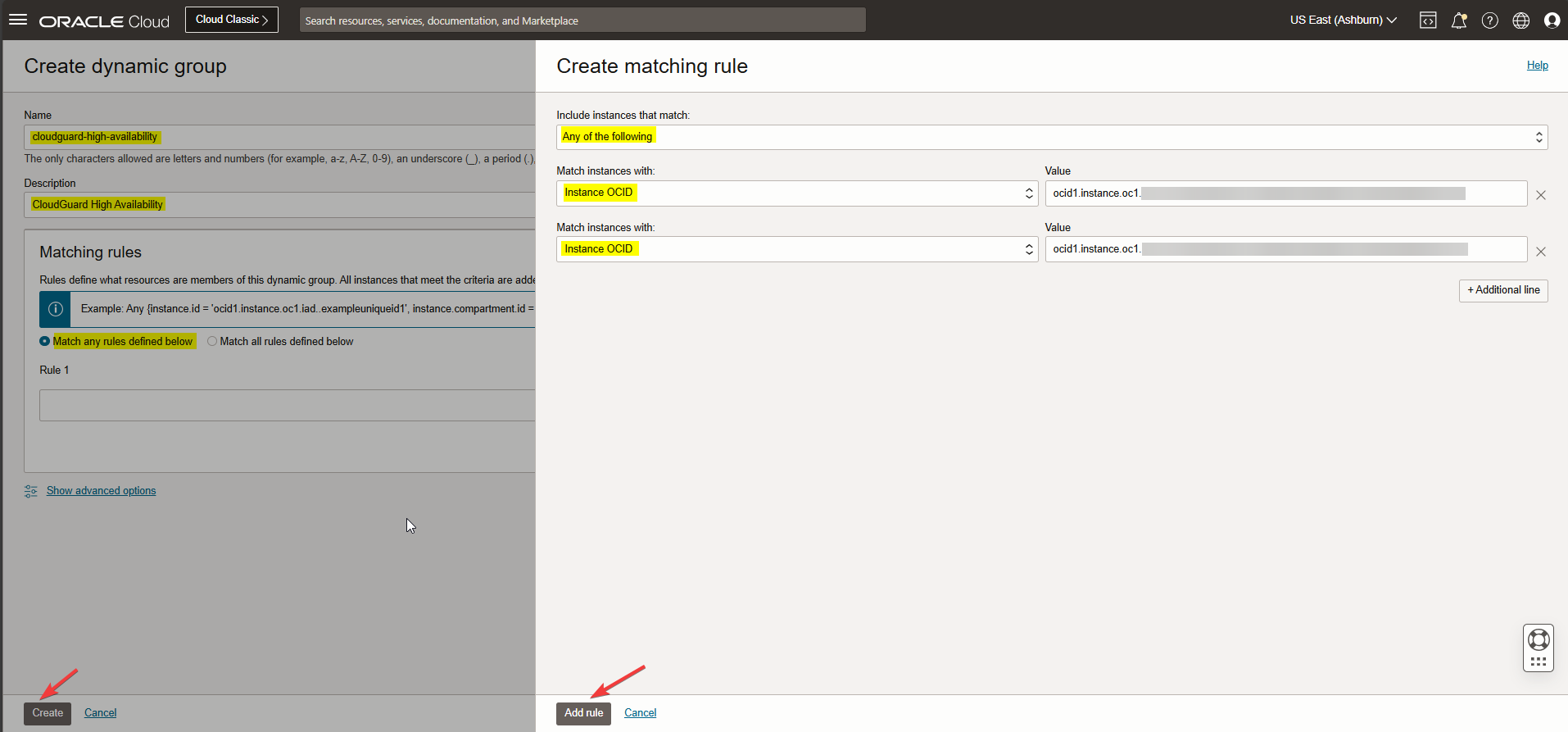
Now for the Cluster members to make API calls to OCI automatically, we must create a policy that grants the required permission to the defined Dynamic Group above.
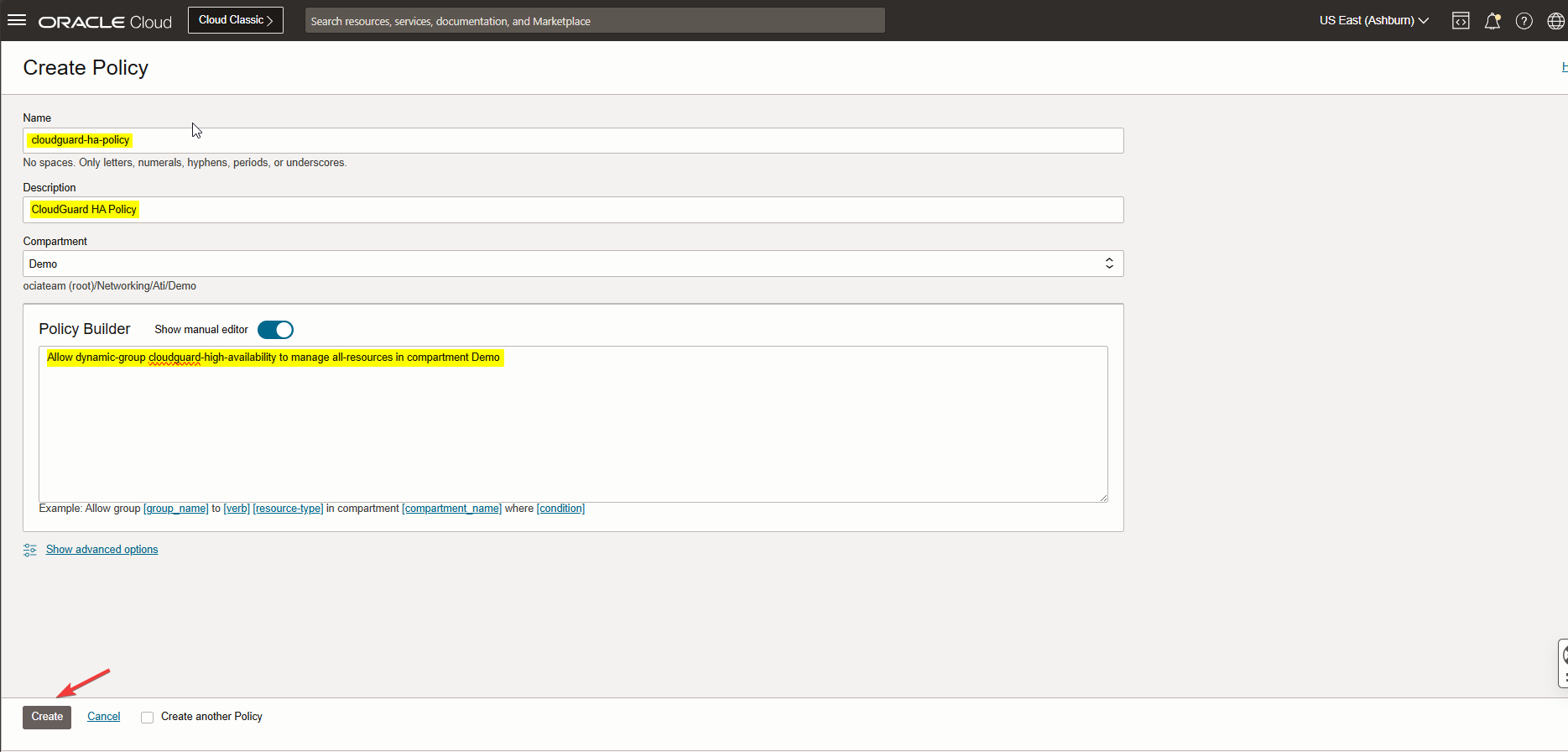
From the OCI Identity & Security menu on OCI click Policies > Create Policy.
Please check the screenshot below.
Note: Here is the policy “Allow dynamic-group cloudguard-high-availability to manage all-resources in compartment < Compartment name>”.
Configure Check Point SmartConsole
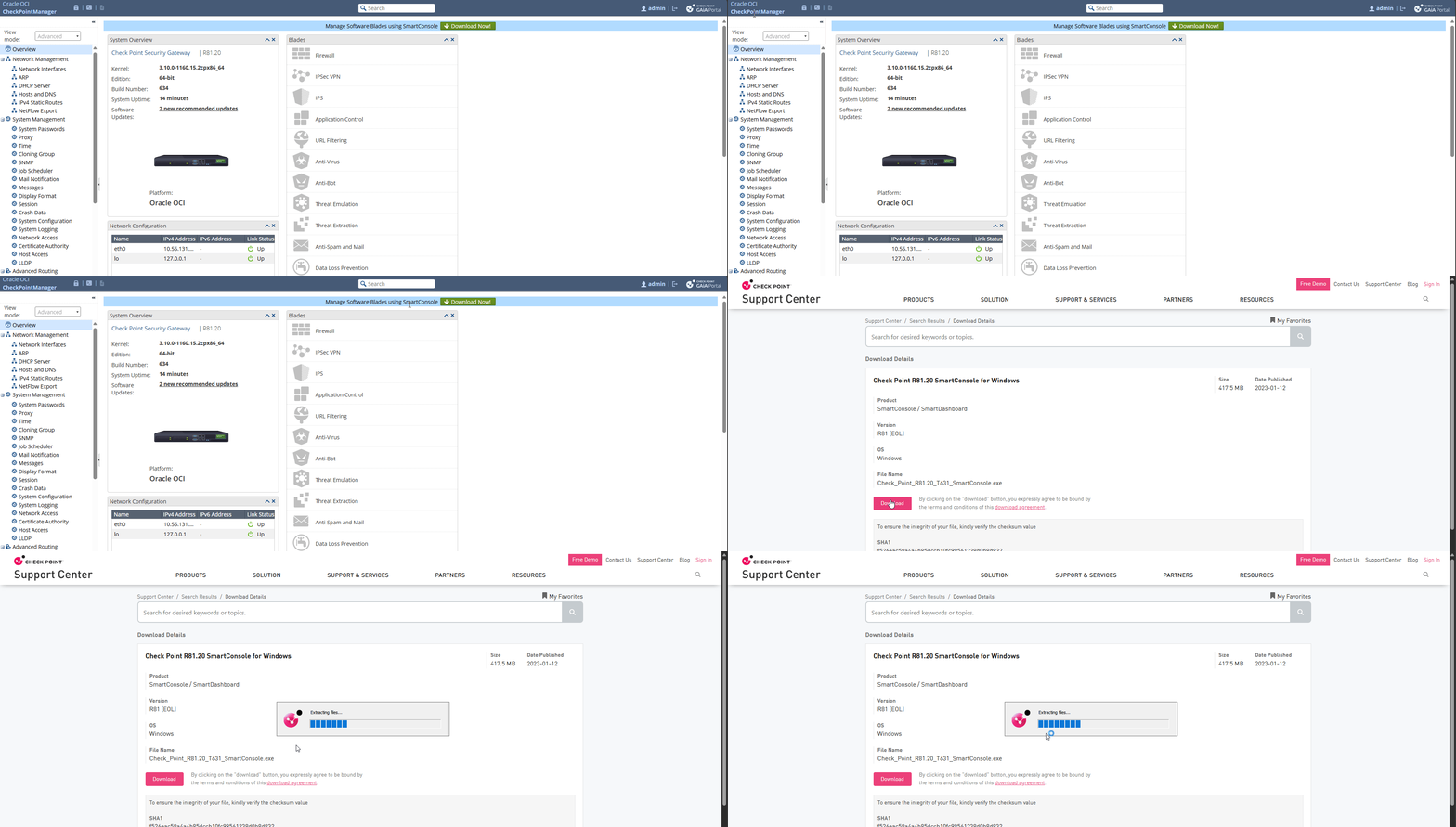
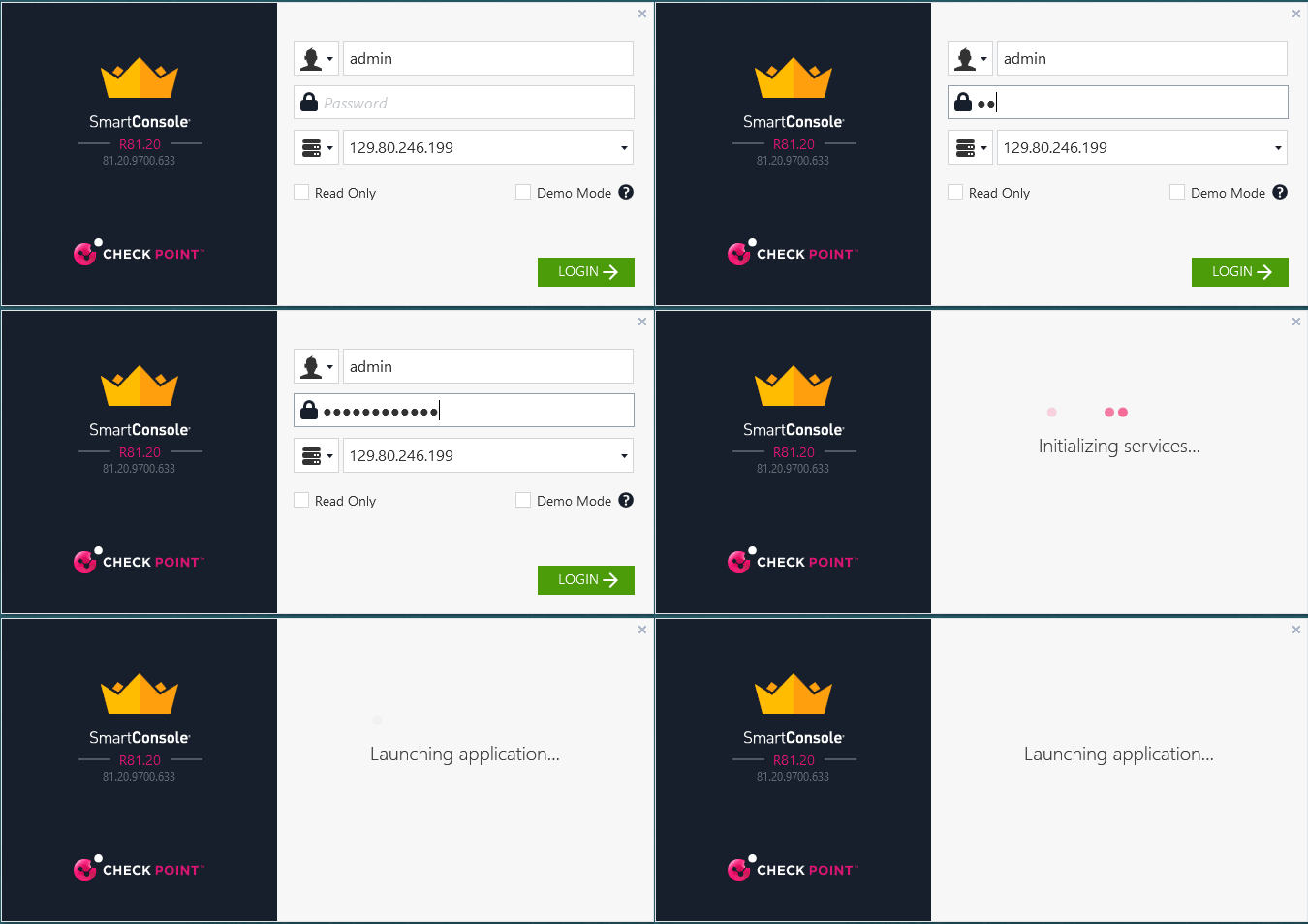
In this blog, I managed CloudGuard Security Gateway by Check Point SmartConsole that I downloaded from the CheckPoint security dashboard. Check the screen record below.
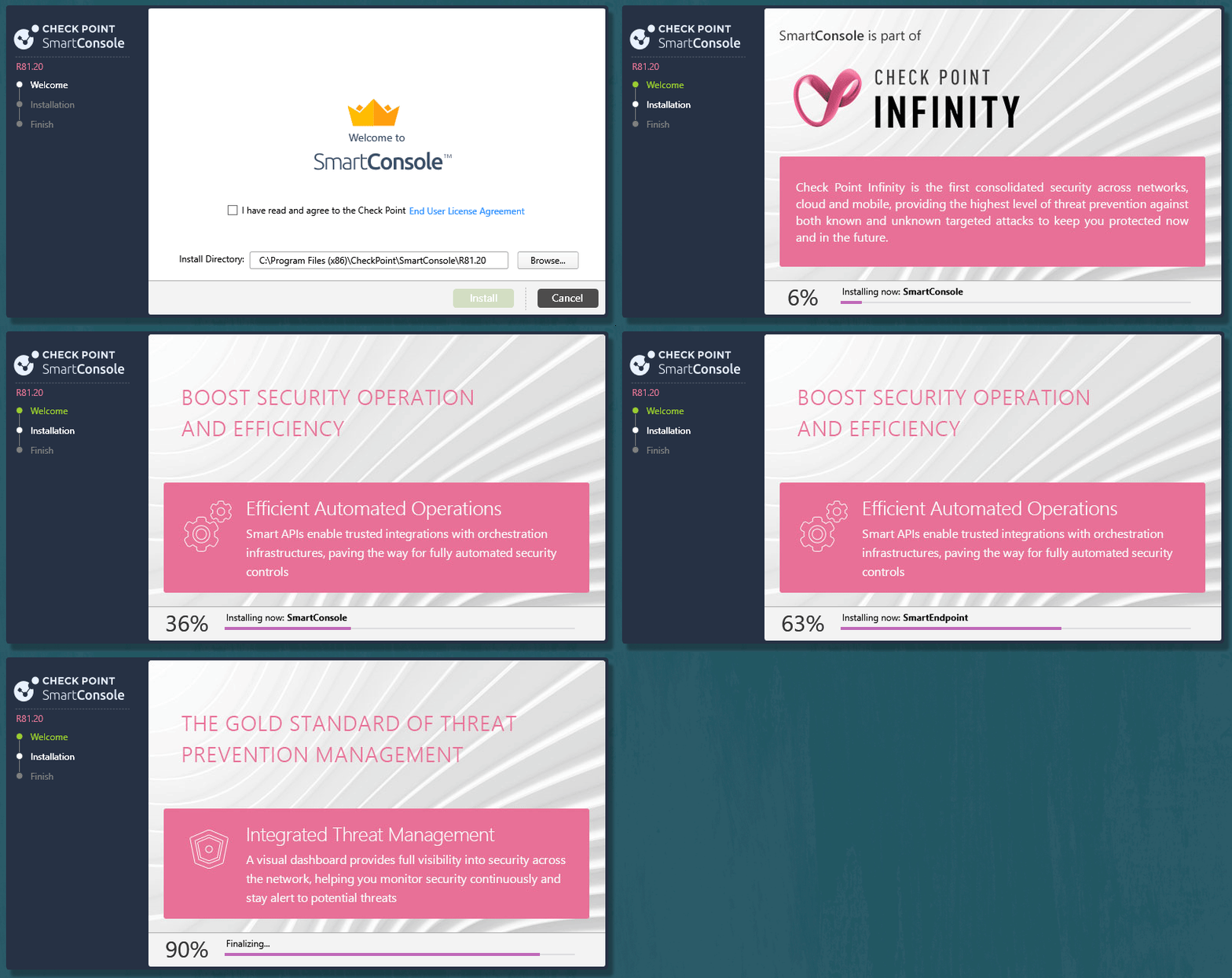
After SmartConsol installation completed, connect to CludGuard Security Management.
Note: Use CloudGuard Security management VM username, password, and public IP address.
Configure CloudGuard Firewalls in Check Point Security Management
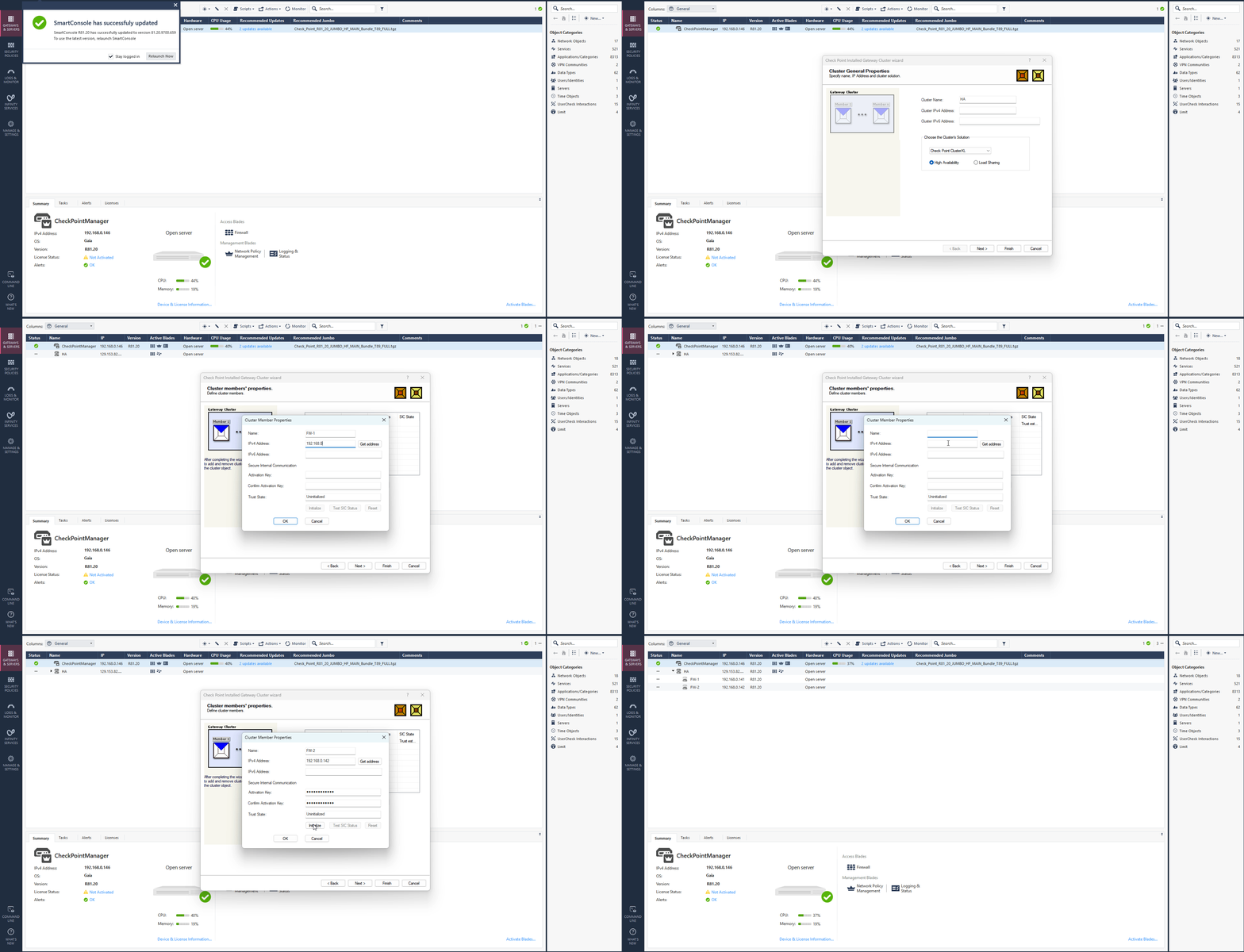
From the left menu select Gateways & Servers, click the star icon, select Cluster, and Wizard Mode.
Enter a cluster name (I named it HA), cluster IPV4 address (secondary private or public IP address associated to front interface of primary CloudGuard VM1), choose the cluster solution (High Availability), and click next.
Click on Add > New Cluster member and add primary CloudGuard VM1 primary interface private IP address and enter Secure Internal Communication (SCI) key associated to CloudGuard1 VM which you added during firewall instance launch.
Click on initiate, trust state should change to trust established.
Repeat the same step above for adding a second cluster member and this time add secondary CloudGuard VM2 primary interface private IP address there. After adding both cluster members there click on next and finish the gateway cluster wizard configuration.
Check the screen record below.
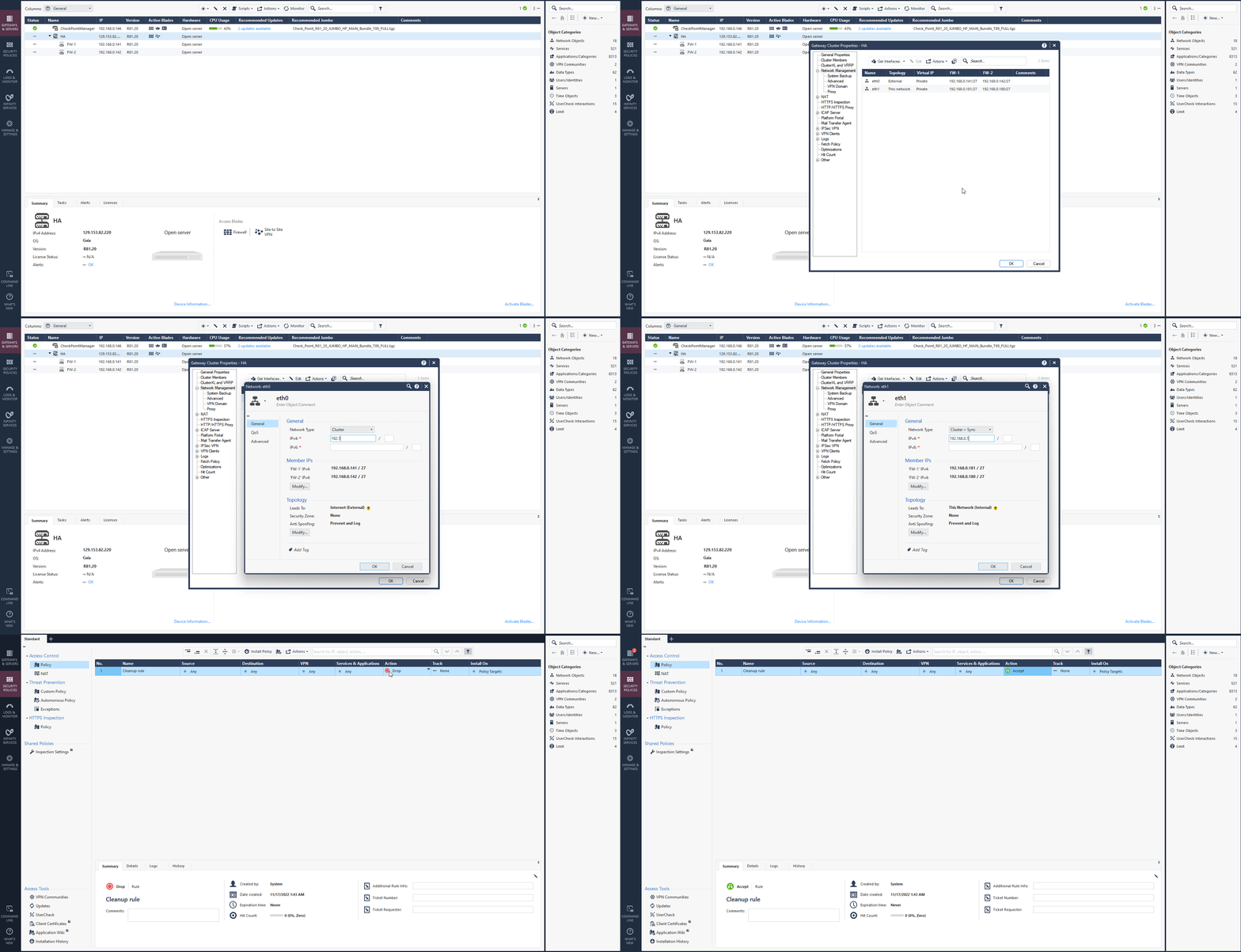
To continue, select your HA cluster and navigate to Network Management to configure the cluster members secondary private IP address of the primary Vnic (VIP) there.
Click on Get Interface > Get Interface with topology. After the system create eth0 and eth1 interfaces for each member in cluster, select Network type from the dropdown as a Cluster, IPV4 would be secondary private IP address of primary interface on primary CloudGuard VM1.
Follow the configuration with eth1 interface. Select Network type as Cluster + Sync and IPv4 would be secondary private IP address of secondary Interface on primary CloudGuard VM1.
Click on Ok to save configurations.
Navigate to Security Policies and update the policy from there. Ensure you have proper policy to Allow the traffic to firewall. For test purpose I select Allow All (Action Accept) from cleanup rule.
Click on Install policy and publish & install all you’ve done so far. Check the screen record below.
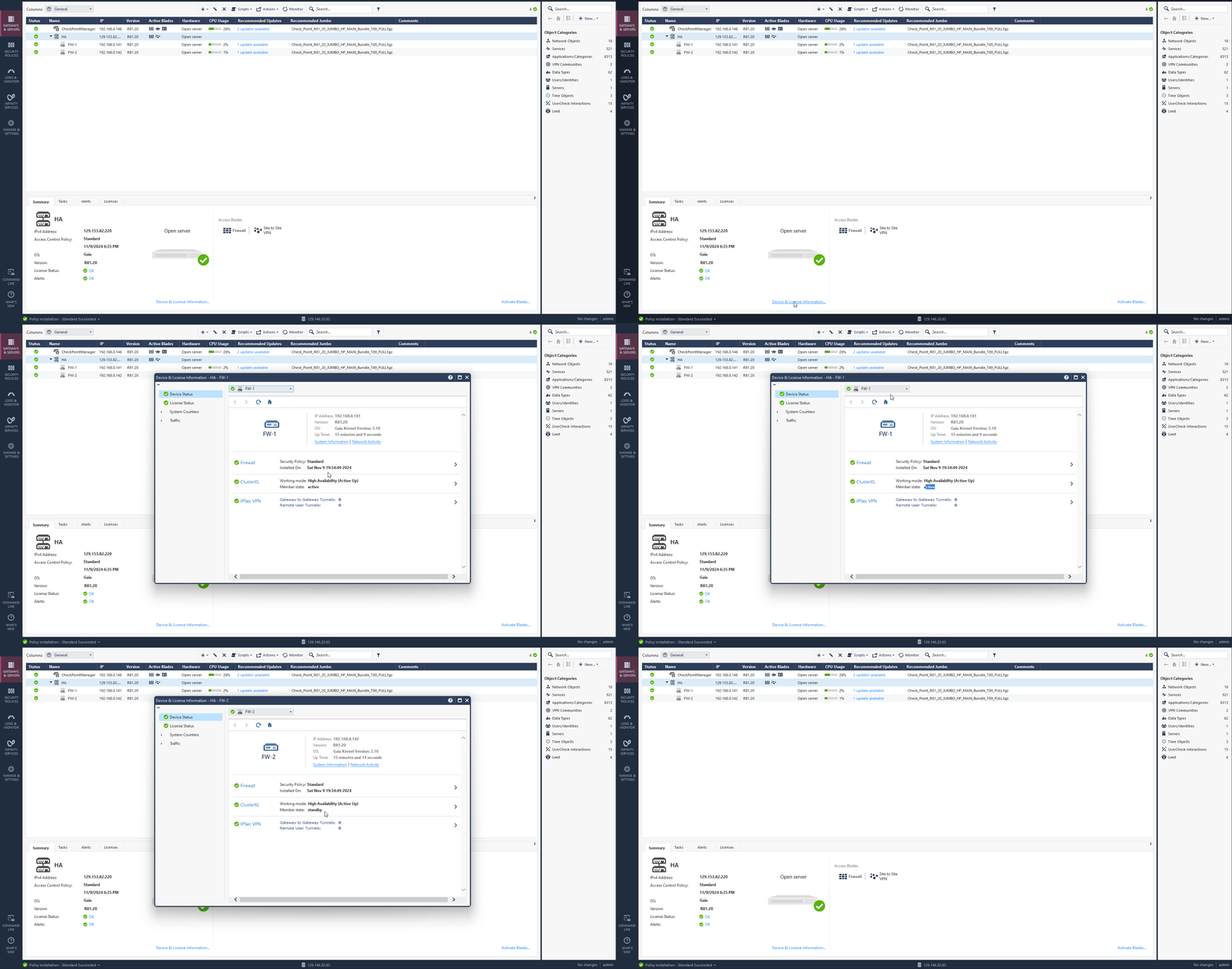
After a few minutes you should see your HA cluster status is green and up. Click on active cluster and navigate to Device & License information to confirm the primary and standby firewalls. Check the screen record below.
High Availability Failover Validation
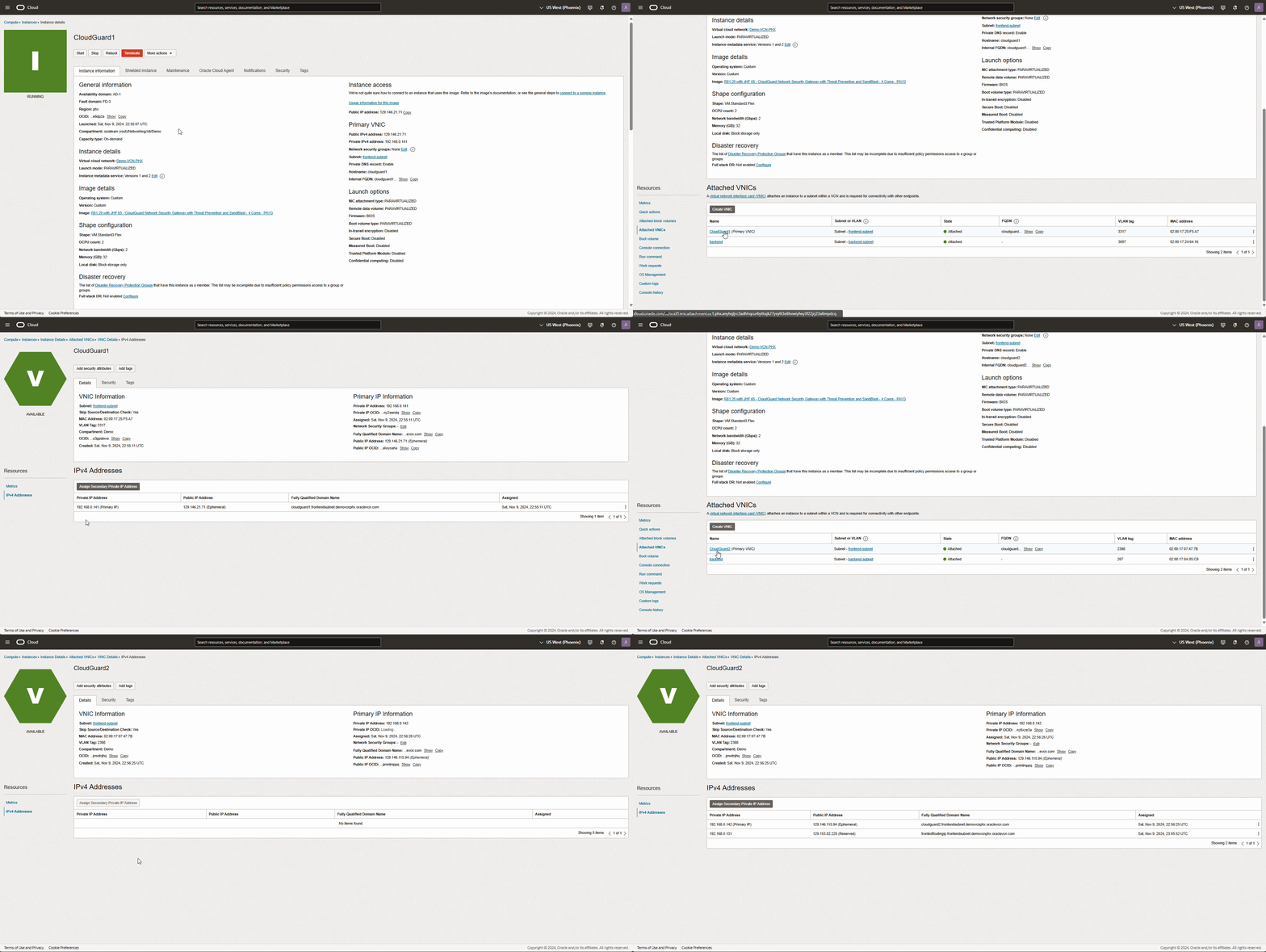
From the OCI dashboard, navigate to compute instance, and get into CloudGuard1 instance details page to validate the primary VNIC details.
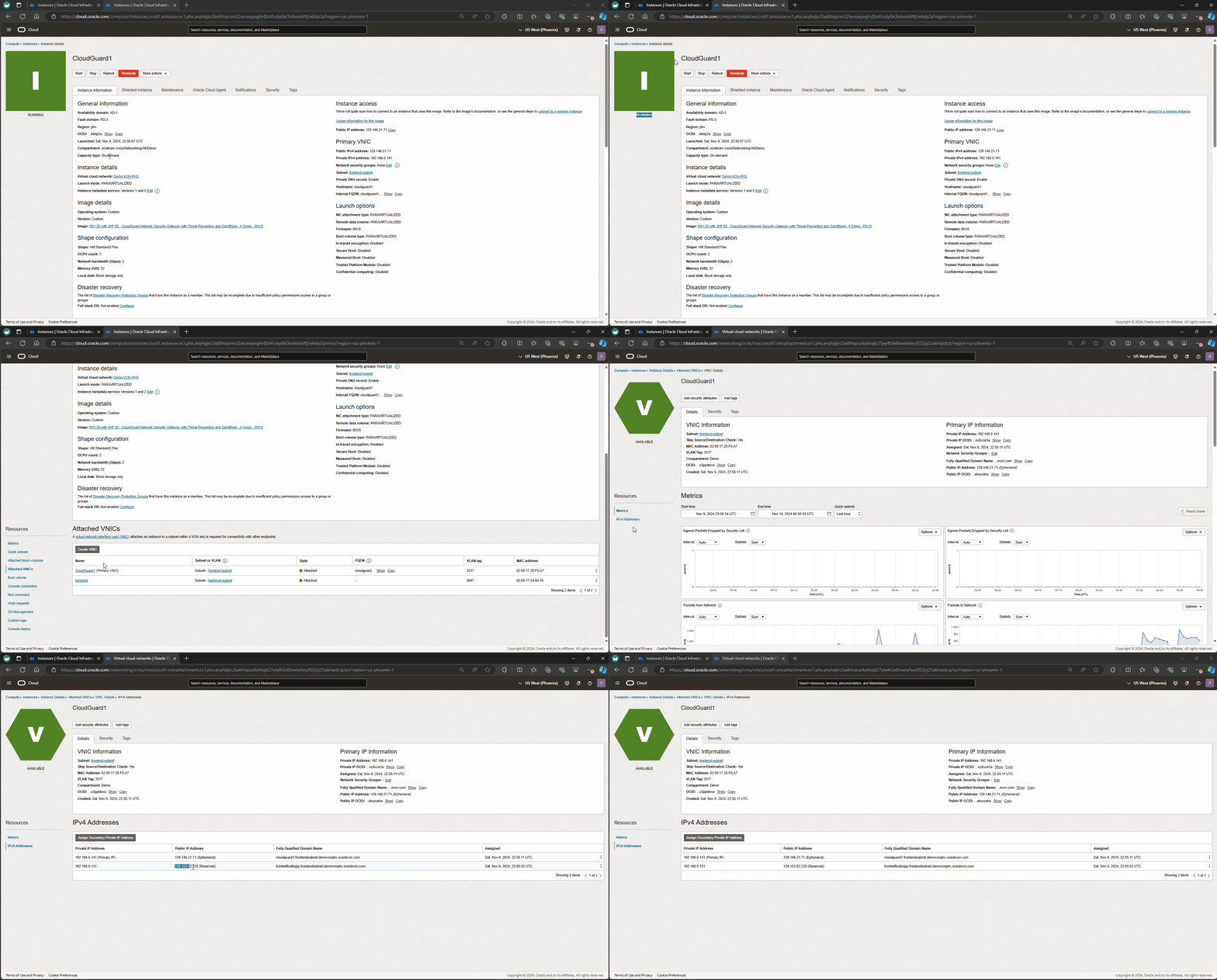
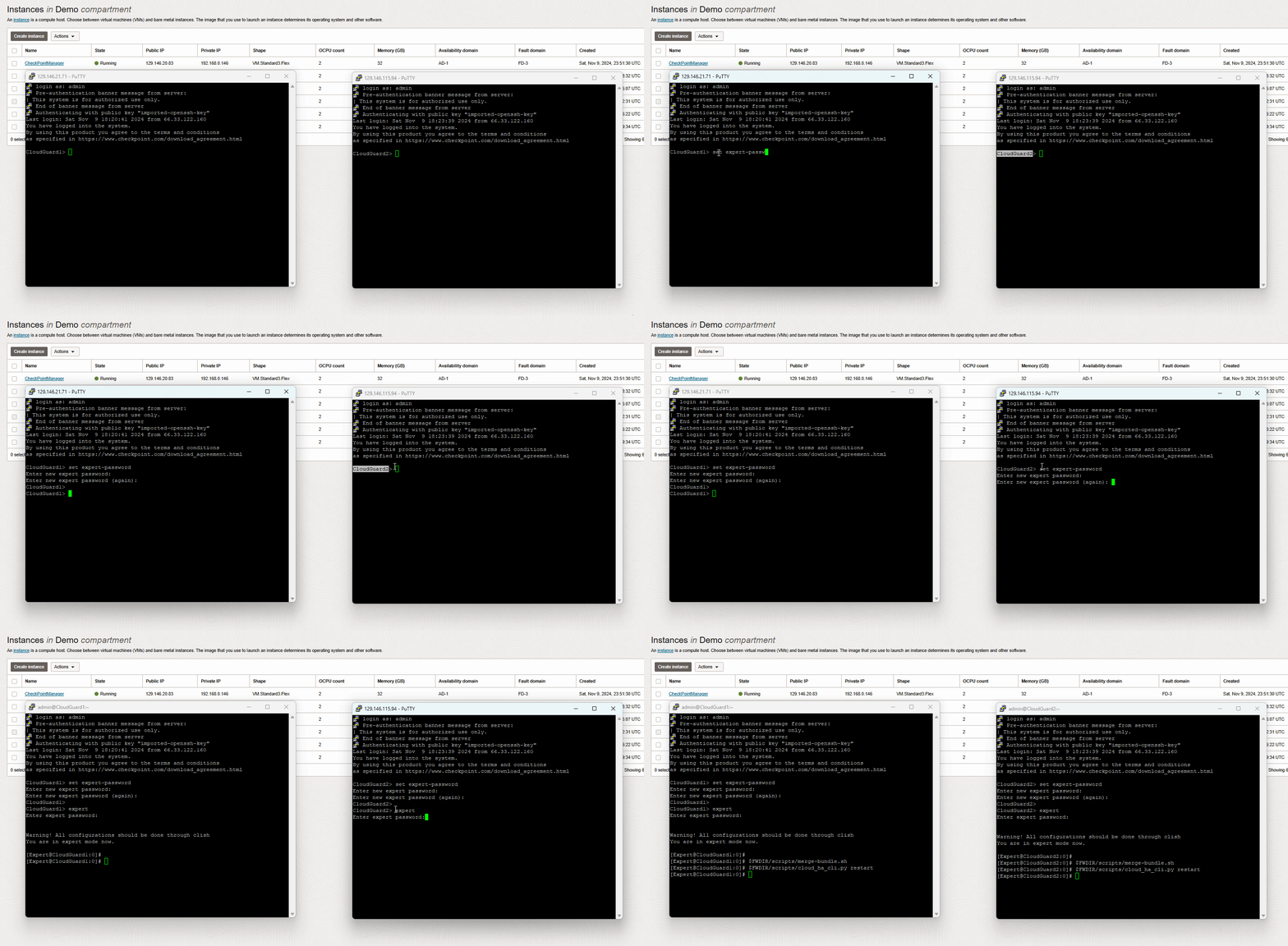
In this blog, I deployed R81 Check Point release. To ensure HA failover happens successfully, I need to apply some remediation steps to merge the new certificate bundle in my cluster’s members (CloudGuard1 & CloudGuard2) following by restart the cluster monitoring script to ensure API calls are working as expected. Use the commands below.
set expert-password
Enter a Unique Password
expert
$FWDIR/scripts/merge-bundle.sh
$FWDIR/scripts/cloud_ha_cli.py restart
Please check the screen record below.
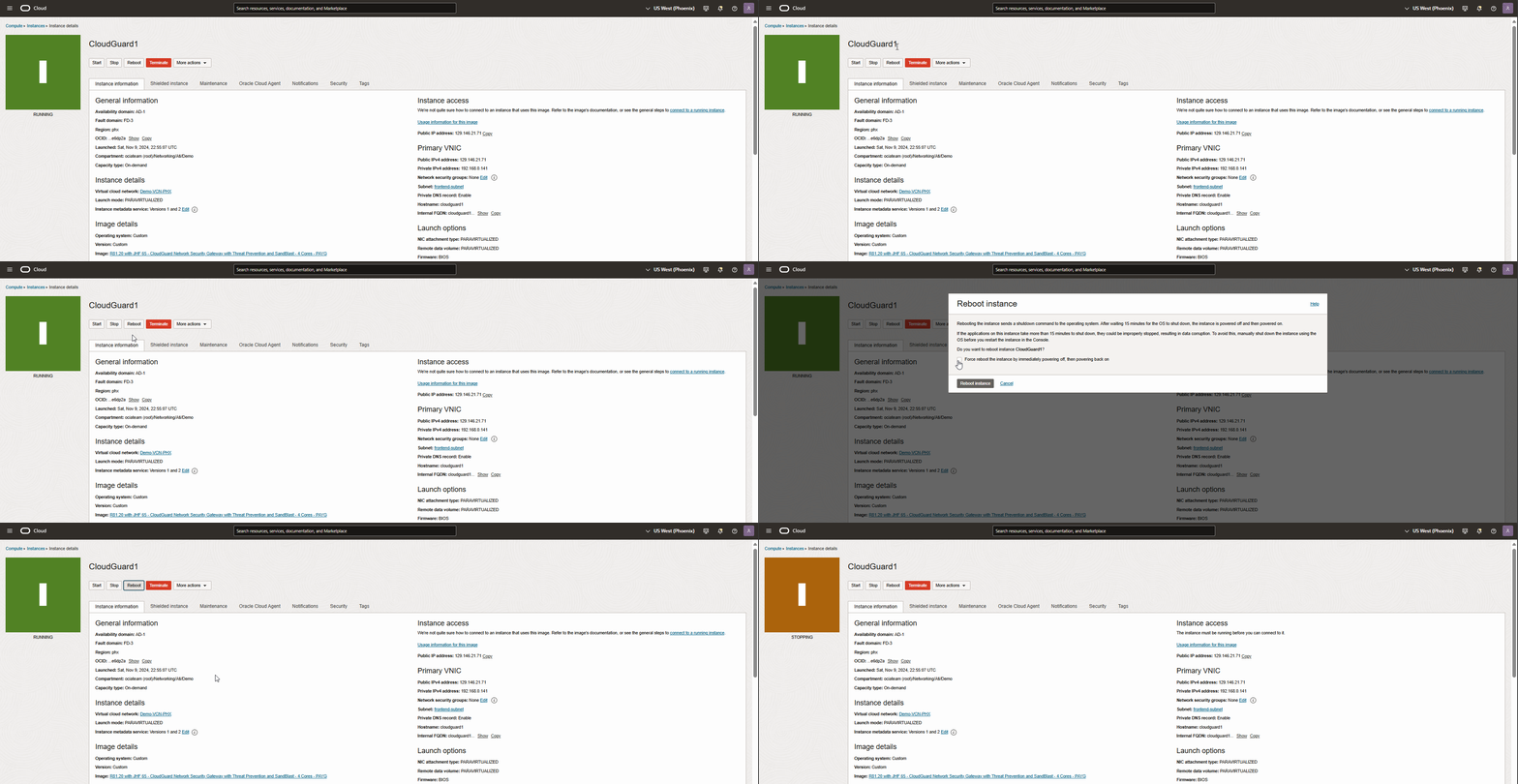
Let’s test the failover by reboot CloudGuard1 from OCI dashboard.
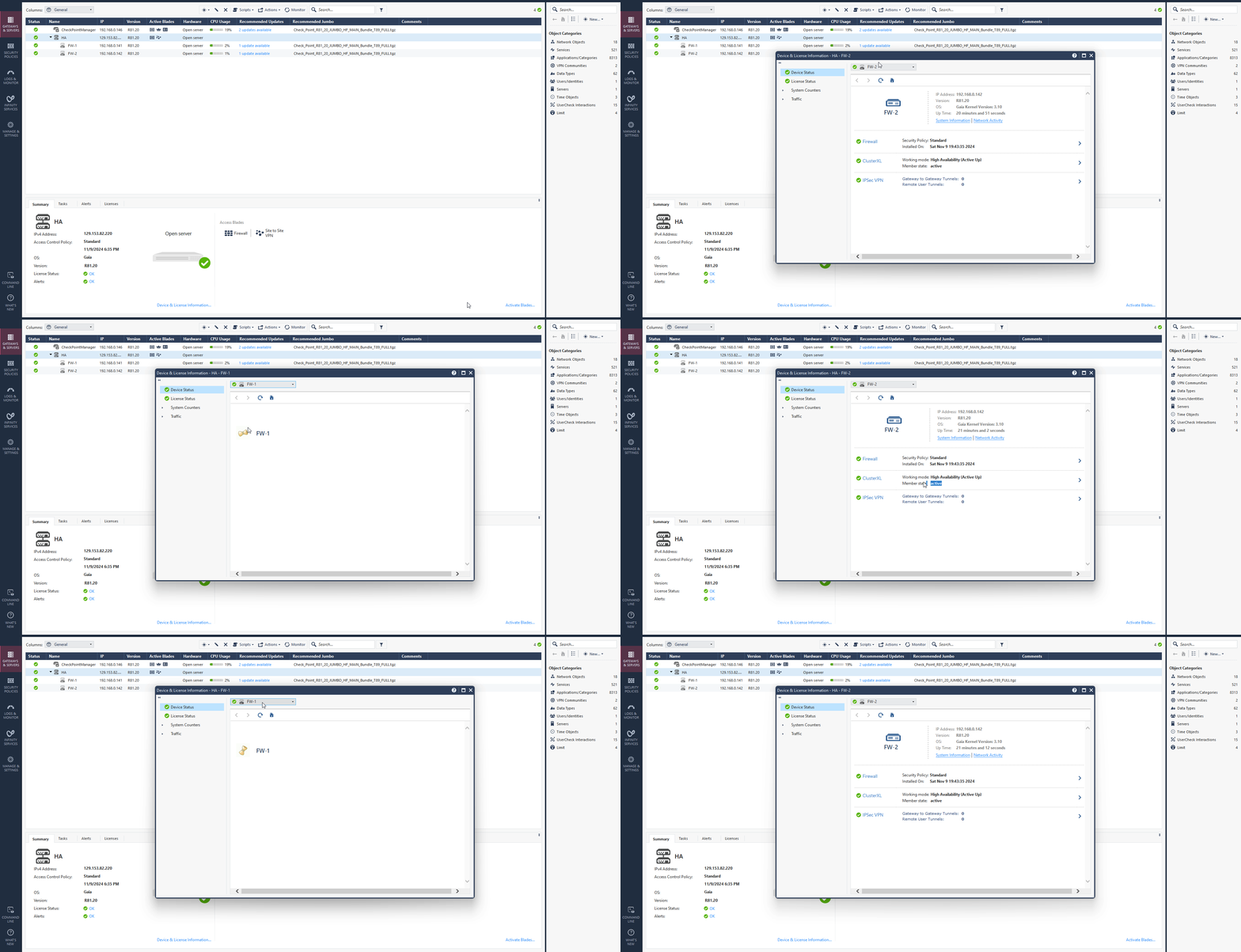
Navigate to SmartConsole, as you see in the screen record below, FW2 (CloudGuard2) within a few seconds became active in a cluster while FW1 is rebooting.
You can also be confirmed from the OCI dashboard. As you see in a screen record below CloudGuard1 primary VNIC floating IP has moved to CloudGuard2 instance.
Conclusion
High Availability is a vital component of any resilient network security strategy, especially in cloud environments. By properly configuring HA for Check Point firewalls, you can ensure seamless failover, robust security, and minimal downtime. For additional guidance, refer to the deployment links below and take your network security to the next level.
Secure cloud workloads with Check Point CloudGuard Network Security.
CloudGuard Network Security for Oracle Cloud.
I hope you enjoyed it!