
Introduction
Securely connecting remote clients to on-premises servers, peered VCN services and VCN subnets is a common requirement in modern hybrid cloud environments. Oracle Cloud Infrastructure (OCI) and OpenVPN provides a robust platform for enabling transit routing, allowing traffic from OpenVPN clients (remote VPN) to traverse OCI’s Virtual Cloud Network (VCN) and reach on-premises servers, peered VCN services and VCN subnets. This blog explores how to configure such a setup step by step.
Architecture:
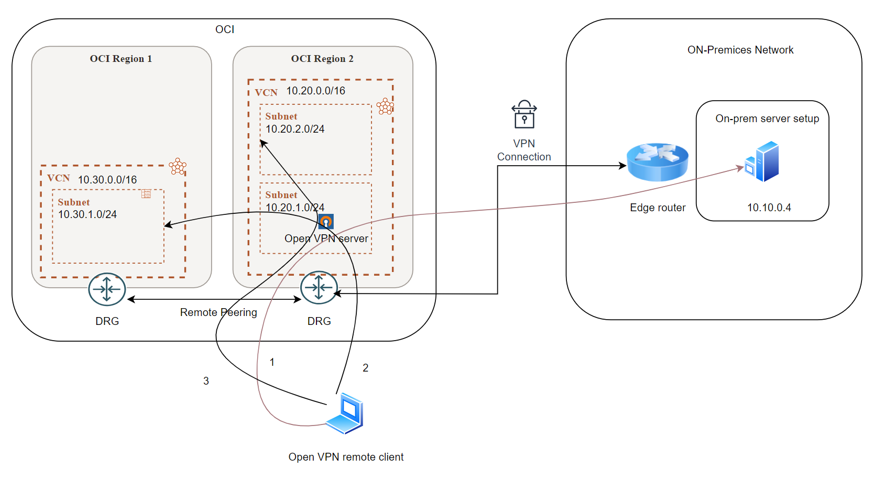
Architecture Overview:
The architecture consists of below key components:
1. OpenVPN Server: Deployed in an OCI public subnet to handle VPN connections from remote clients.
2. OCI VCN with DRG: Configured to route traffic between the OpenVPN server and on-premises servers via transit routing (over VPN).
3. On-Premises Network: Connected to the OCI VCN through a Dynamic Routing Gateway (DRG).
4. Peered VCN : once service VCN configured with address space 10.30.0.0/16
Traffic Flow
1. Remote clients connect to the OpenVPN server.
2. Traffic from the OpenVPN client routes through OCI VCN.
3. OCI forwards traffic to the destination network via the DRG.
Pre-requisites
1. OCI VCN configured with 10.20.0.0/16 address space and Public Subnet 10.20.1.0/24 configured.
2. OCI VCN configured with 10.30.0.0/16 address space and peered with VCN 10.20.0.0/16. Required security list and routing configured.
3. Configure site to site IPsec VPN with on-prem. Please refer our public document to configure IPsec tunnel with on-prem.
4. TCP Port number 943,443 and UDP port 1194 should allow for default traffic (0.0.0.0/0).
Open VPN server configuration in OCI.
1. Select OpenVPN Access server from OCI Marketplace.
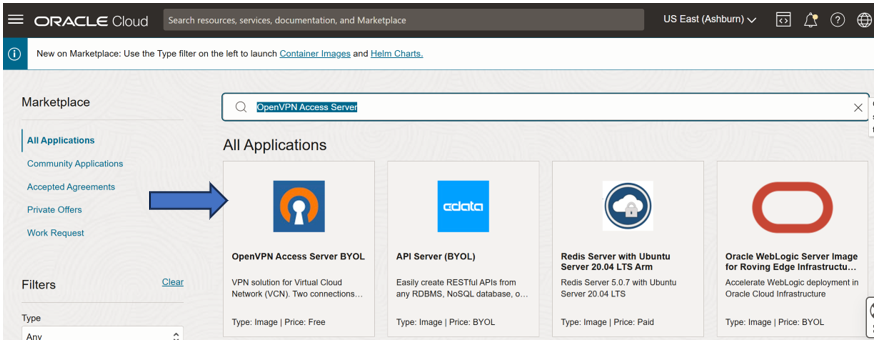
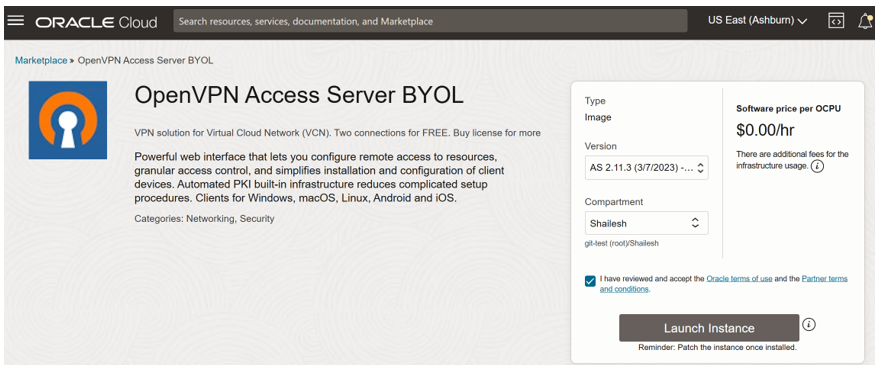
2. Select Version (Keep default), compartment and launch the instance.
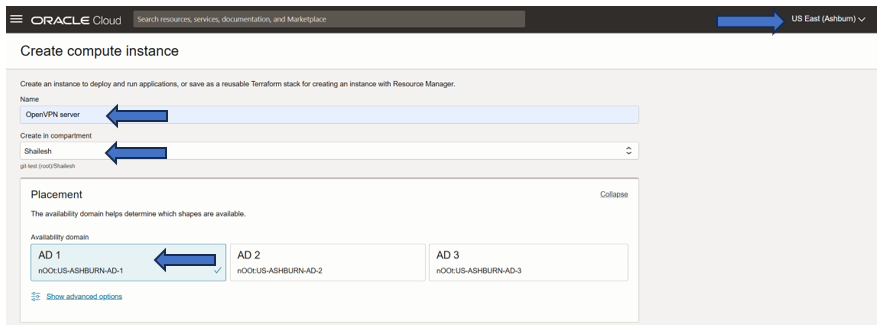
3. Make sure your home region is selected and then name the VPN, choose a compartment and an Availability Domain.
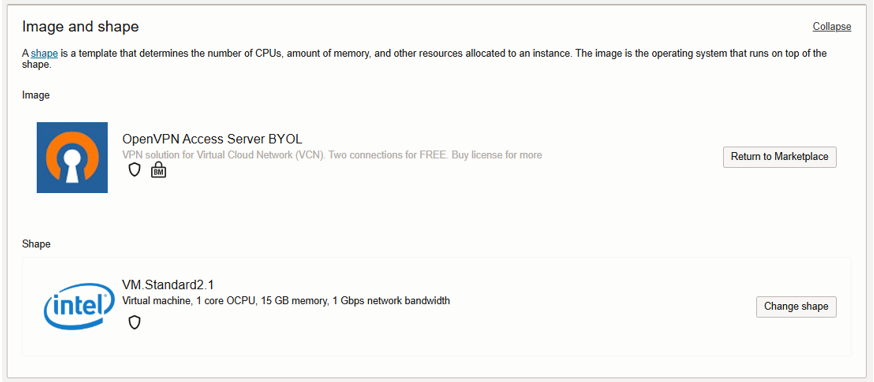
4. Select the Shape.
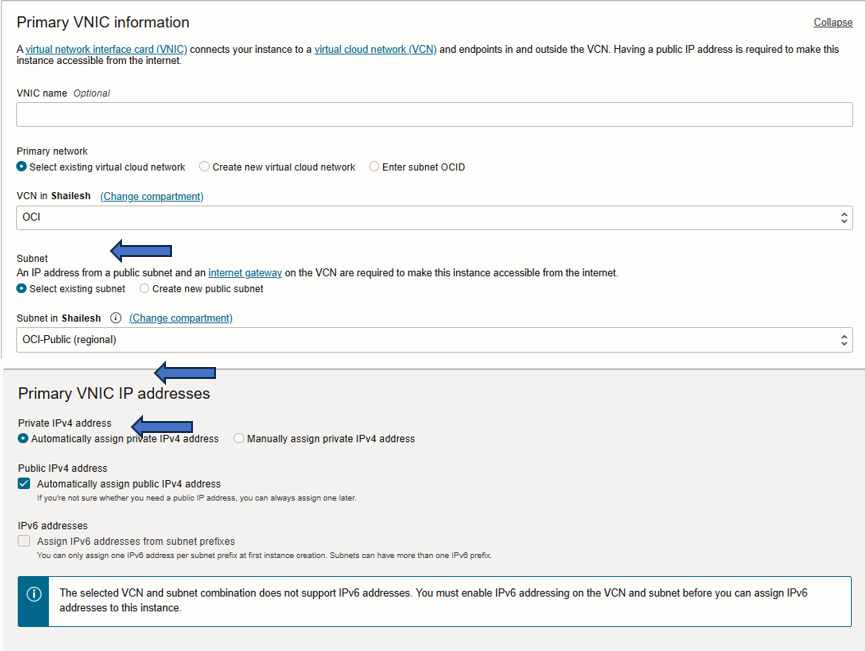
5. In The networking, select a VCN and public subnet. select ‘Assign a public IPV4 address’.
6. Configure the SSH settings, this will allow us to access the OpenVPN server.

7. Accept the remaining configuration as default and click “create”. Deployment will take about 1-2 minute and then we can see state changes to “Running”. Copy the the public IP address so that we can remote in and finish configuring the OpenVPN install.
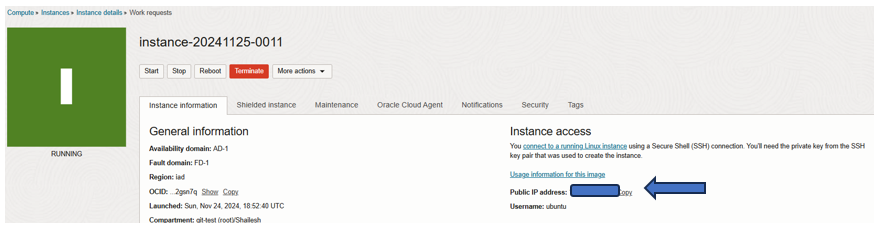
8. Next, open your terminal and connect via SSH using the username `openvpnas`
ssh openvpnas@[Your Public IP] -i ~/.ssh/id_oci_demo
9. Kindly refer to the blog for detailed instructions on setting up the OpenVPN server.
10. Log in using the username provided in the initial script and the password you set up.
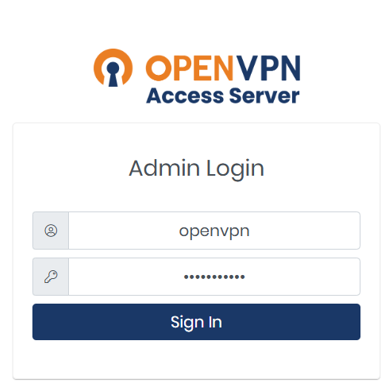
11. Configure the server pubic IP as a hostname.
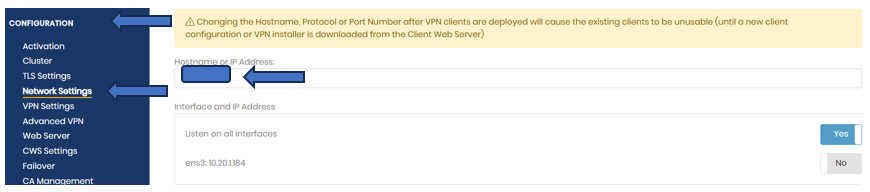
12. Save the configuration and update the running server configuration.

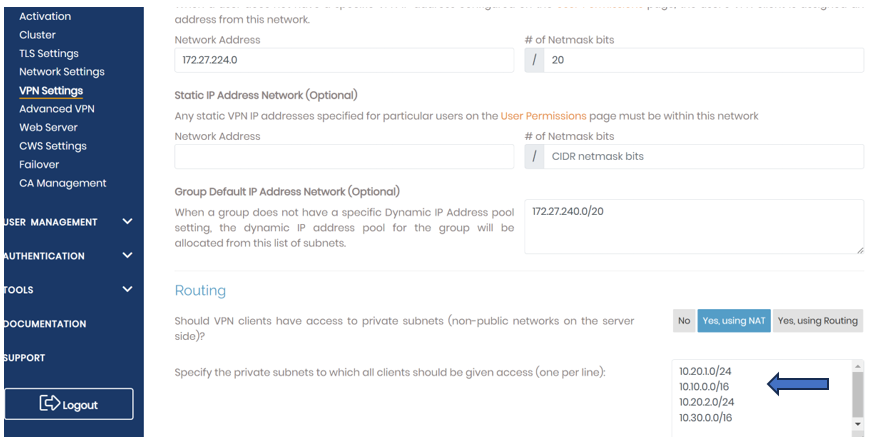
13. Set up routing to enable client access to the all-destination networks, In the VPN settings, navigate to the routing section and add the on-premises address range. In our case its 10.10.0.0/16,10.30.0.0/16,10.20.2.0/24 The OCI VCN address space will remain as configured by default.
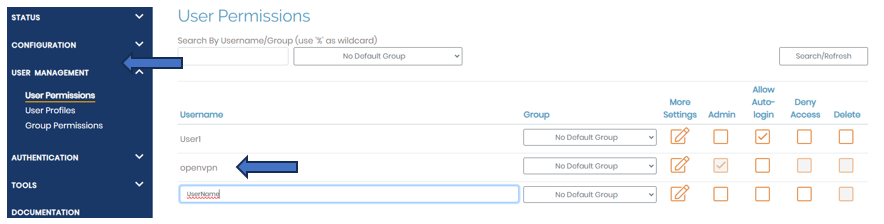
14. Configure user in OpenVPN server. In User Permission section add username.
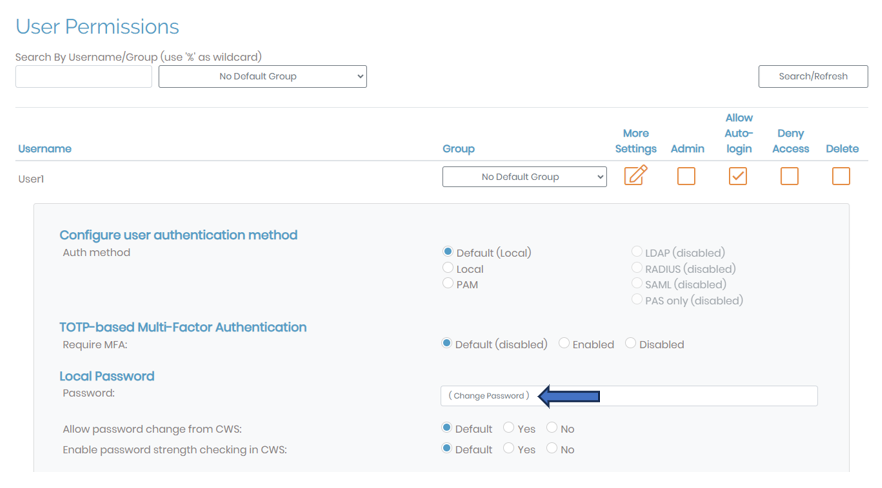
15. To setup the password for new user, go to the option “more settings” and setup the password.
16. Connecting To The OpenVPN from user device:
Download the OpenVPN client application on your device.
https://openvpn.net/client-connect-vpn-for-windows/
https://openvpn.net/client-connect-vpn-for-mac-os/
17. As a first-time user you need configure the client. Use public IP to access the server, which we have used in step 11.

18. Login with the username and password.
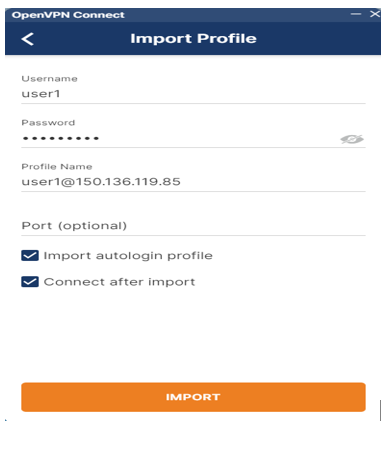
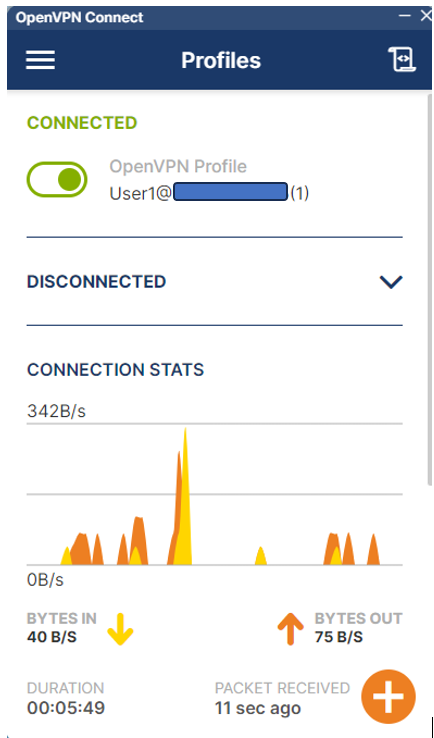
19. And you will be able to connect to the VCN via OCI open VPN server.
Testing.
Our goal is to connect from user to peered VCN service or on-prem server via OCI(VCN) hosted OpenVPN server. In our lab 10.10.0.4 is the on-premises server.
Ping test from user machine to on premises server.
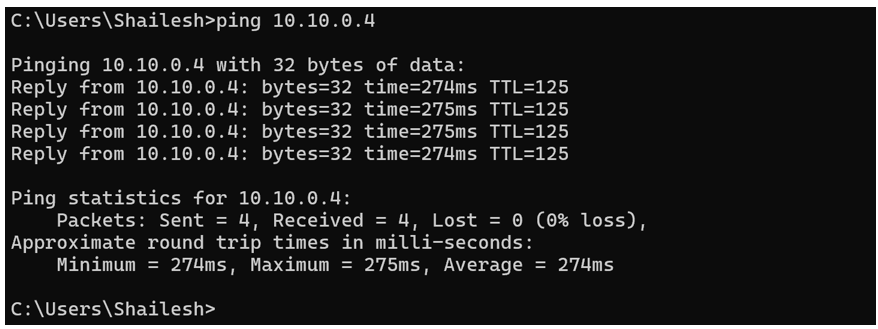
Ping test from user machine to on premises server.
Blog summary: This blog provides a step-by-step guide to setting up connectivity to peered network and remote network from remote clients using OpenVPN server via Oracle Cloud Infrastructure (OCI) Virtual Cloud Network (VCN) using OpenVPN. The architecture enables secure communication between remote OpenVPN clients to various networks. The free tear version of OpvnVPN will provide 2 user access to the OpenVPN server.
Hope you enjoyed this blog. Thank you for reading!