
In my previous blog, we explored how to use the OCI Resource Scheduler along with a custom function to periodically check and remove API keys for administrators, ensuring that keys are not retained unnecessarily. This solution provided a robust way to automate key management and enhance security. However, there’s now an easier and more straightforward approach, which we’ll discuss in this post.
Here are the steps we will follow:
- Set up a function that checks and deletes API keys for administrators.
- Integrate the function with the OCI Resource Scheduler for periodic invocation, automating the process on a regular schedule.
This new method simplifies the workflow, making it easier to maintain security standards without manual intervention. Let’s dive into the details of how to implement this improved solution.
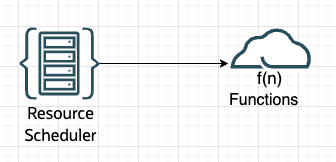
To reiterate, the issue we are addressing is the need to ensure that OCI Tenancy Administrators do not have any associated API keys. API keys, if compromised, pose a significant security risk, granting extensive access to OCI resources and potentially allowing unauthorized actions. Therefore, managing and minimizing unnecessary API keys is crucial for mitigating the risks of unauthorized access.
Step1:
- Function Deployment: Create and Develop a function. In this case, I developed a function to periodically check if Tenancy Administrators have any associated API keys and delete them if found.
- Sample code for the function.
import oci
import io
import json
from oci.identity import IdentityClient
from oci.exceptions import ServiceError
import logging
from fdk import response
from oci.signer import Signer
Signer = oci.auth.signers.get_resource_principals_signer() # Get Resource Principal Credentials
identity_client = oci.identity.IdentityClient(config={}, signer=Signer) # Initialize client
domain_url='https://idcs-xxxxx.com' #OCI Domain URL
identity_domains_client = oci.identity_domains.IdentityDomainsClient({},signer=Signer,service_endpoint=domain_url) # # Initialize domains client
users_list = [] # Initialize a list to hold user details
compartment_id=Signer.tenancy_id
def list_AdmUsrsWAPIKeys_in_domain():
  try:
    #LOGGER.info("Checking for Tenancy Administrators with API Keys in this domain:")
    list_users_response = identity_domains_client.list_users()
    while True:
        users_list.extend(list_users_response.data.resources)
        if list_users_response.has_next_page:
           list_users_response = identity_domains_client.list_users(page=list_users_response.next_page)
        else:
           break
    #LOGGER.info("Administrators with API Keys in this domain:")         # Print formatted Administrative user details with API Key's
    for user in users_list:
       user_id = user.ocid
       list_user_group_memberships_response = identity_client.list_user_group_memberships(compartment_id=compartment_id,user_id=user_id) # collecting the group membership details
       group_memberships = list_user_group_memberships_response.data # collecting the group membership details
       for membership in group_memberships:
            group = identity_client.get_group(membership.group_id).data
            if group.name == "Administrators" and user.urn_ietf_params_scim_schemas_oracle_idcs_extension_capabilities_user.can_use_api_keys == True: # Checking for Administrators who can have API Keys

                      api_keys = identity_client.list_api_keys(user_id).data
                      for api_key in api_keys:
                          user_data = api_key.key_id.split("/")
                          user_id = user_data[1] # User id, if we need it
                          key_fingerprint = user_data[2]
                          if(key_fingerprint): # checking if the user has a API key or not
                              #if (user.name.formatted=="JG"): # Checking against a test account
                                delete_response=delete_API_key(Signer, user_id, key_fingerprint) # Delete the API Keys
                                delete_old_key_message = "\n\n" + delete_response["success"]
                                LOGGER.info(delete_old_key_message)

  except ServiceError as error:
    LOGGER.info(f"Error getting users: {error}")
    return []  # Return empty list on error
def delete_API_key(signer, user_id, user_fingerprint):
    try:
        identity = oci.identity.IdentityClient({},signer=Signer)
        response = identity.delete_api_key(user_id, user_fingerprint)
        LOGGER.info("delete_api_key response data:")
        LOGGER.info(response.data)
        success_message = {}
        success_message["success"] = "Old key with fingerpring '" + user_fingerprint + "' deleted."
        return success_message
    except (Exception) as ex:
        msg = "WARNING: Unable to delete old key for user '" + user_id + "'"
        print(msg, ex, flush=True)
        raise
def handler(ctx, data: io.BytesIO=None):
    global LOGGER
    LOGGER = logging.getLogger()
    LOGGER.setLevel(level=logging.INFO)
    #LOGGER.info("Function about to start")
    list_AdmUsrsWAPIKeys_in_domain()
Develop the function and deploy it. Create the required Dynamic Group and Policy and a role for the Dynamic Group as mentioned in the previous blog.
Note: This is a sample code and should be thoroughly tested in a staging environment before implementing it.Before deleting API keys, ensure they are not actively in use to prevent disruptions to existing configurations. Note that while this sample code checks for the ‘Administrators’ group, other groups with administrative privileges should also be included as needed; you can customize the filter accordingly. Additionally, this approach is not limited to the Default Identity Domain—you can specify any domain URL to apply this functionality across different identity domains.
Step 2:
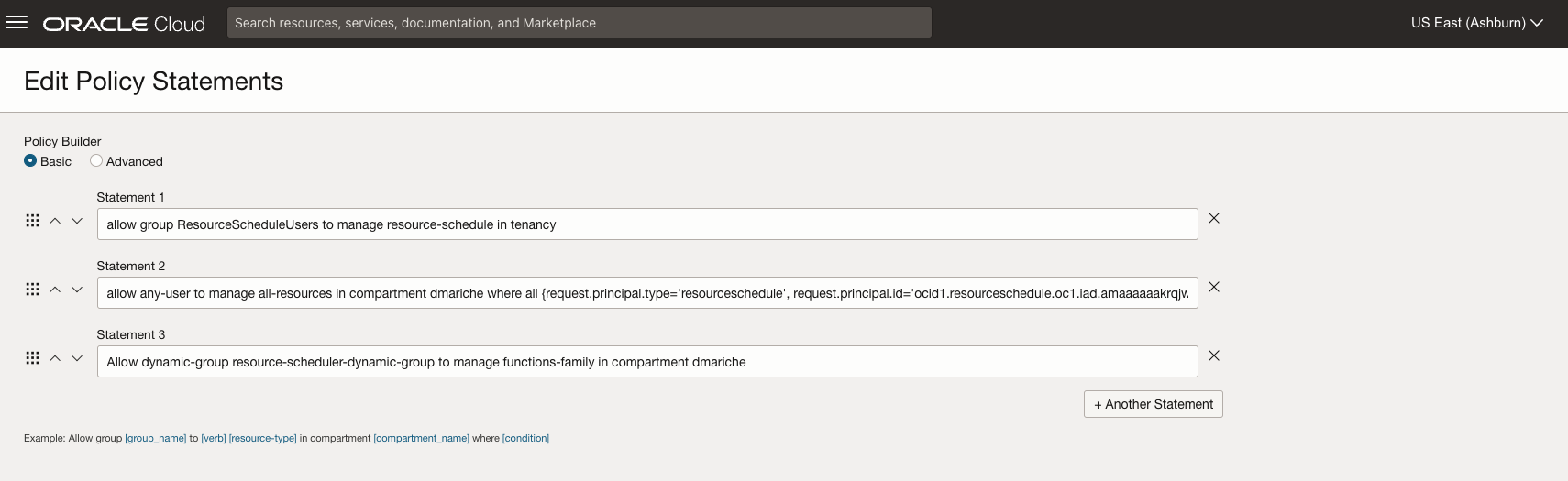
- With the function ready, the next step is to use OCI Resource Scheduler to automate its invocation. We’ll do this by creating a new resource schedule and assigning the function to it, ensuring it runs on a regular, predefined schedule. Please follow the documentation for detailed steps, make sure that the required policies are in place for the Resource Scheduler. Here are screenshots from my setup:
- Create a new schedule
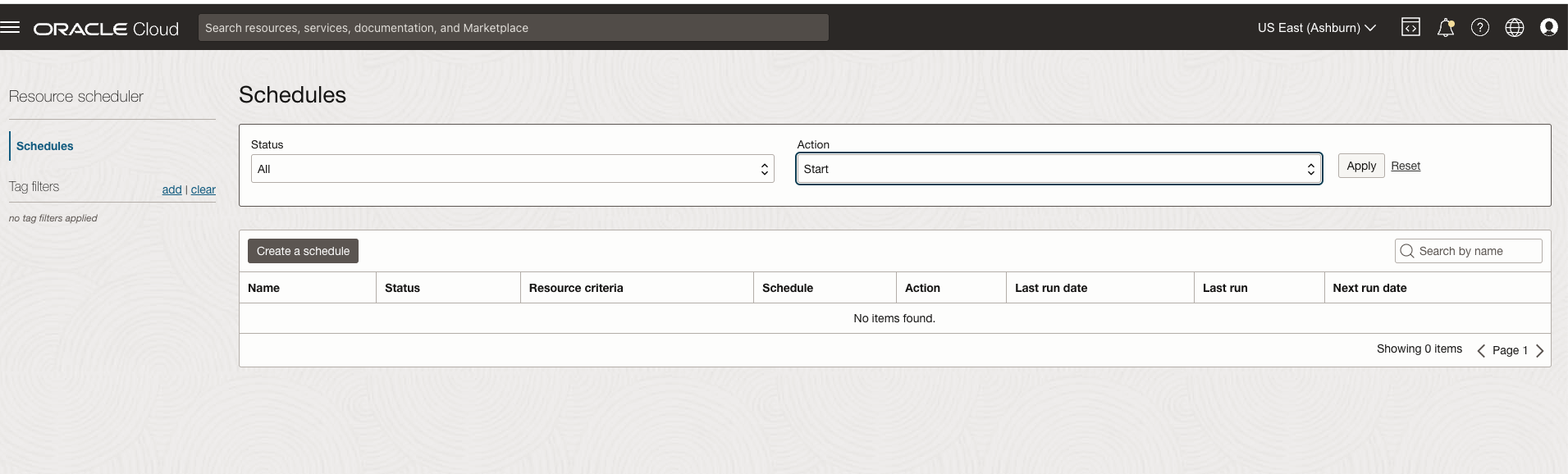
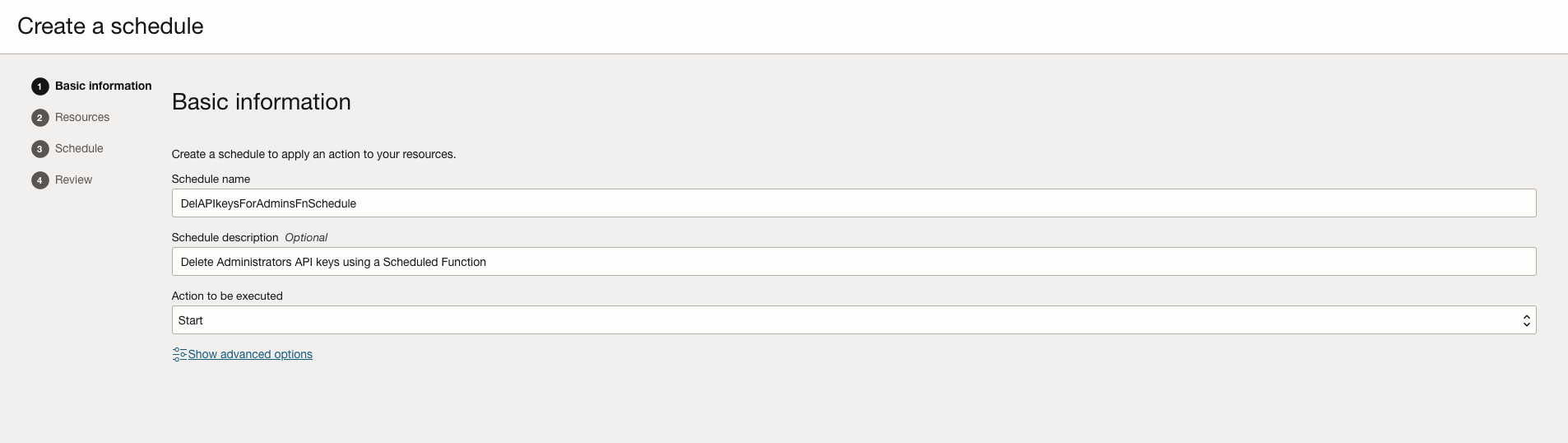
- Provide Basic Informartion for the schedule
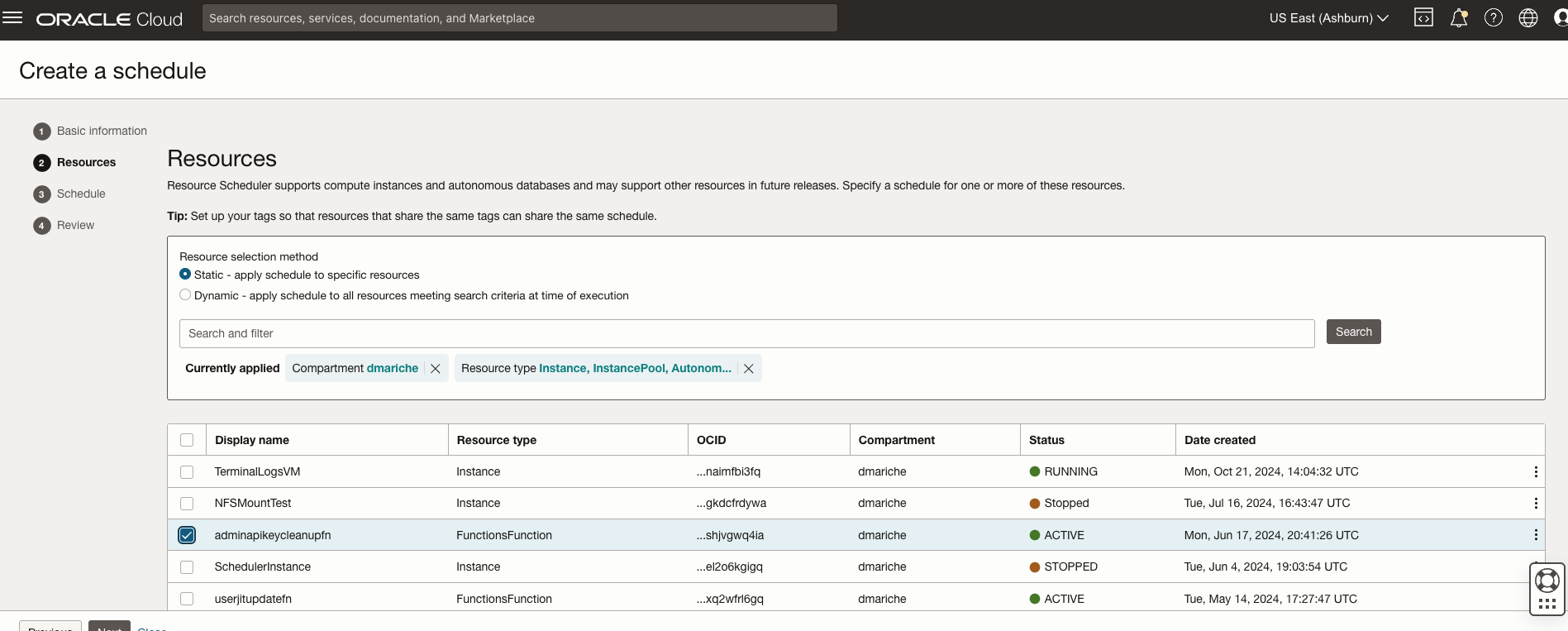
- Add the Resource ( above created function in our case)
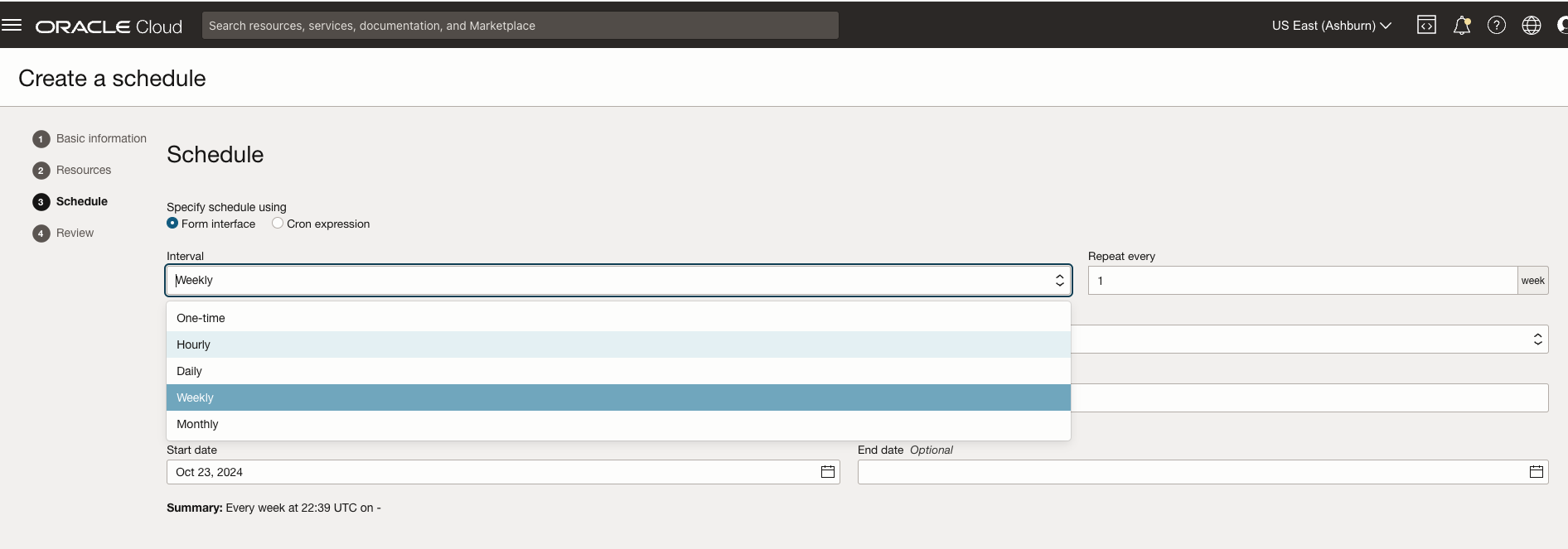
- Schedule (how often the function would run, I chose to run this function hourly)
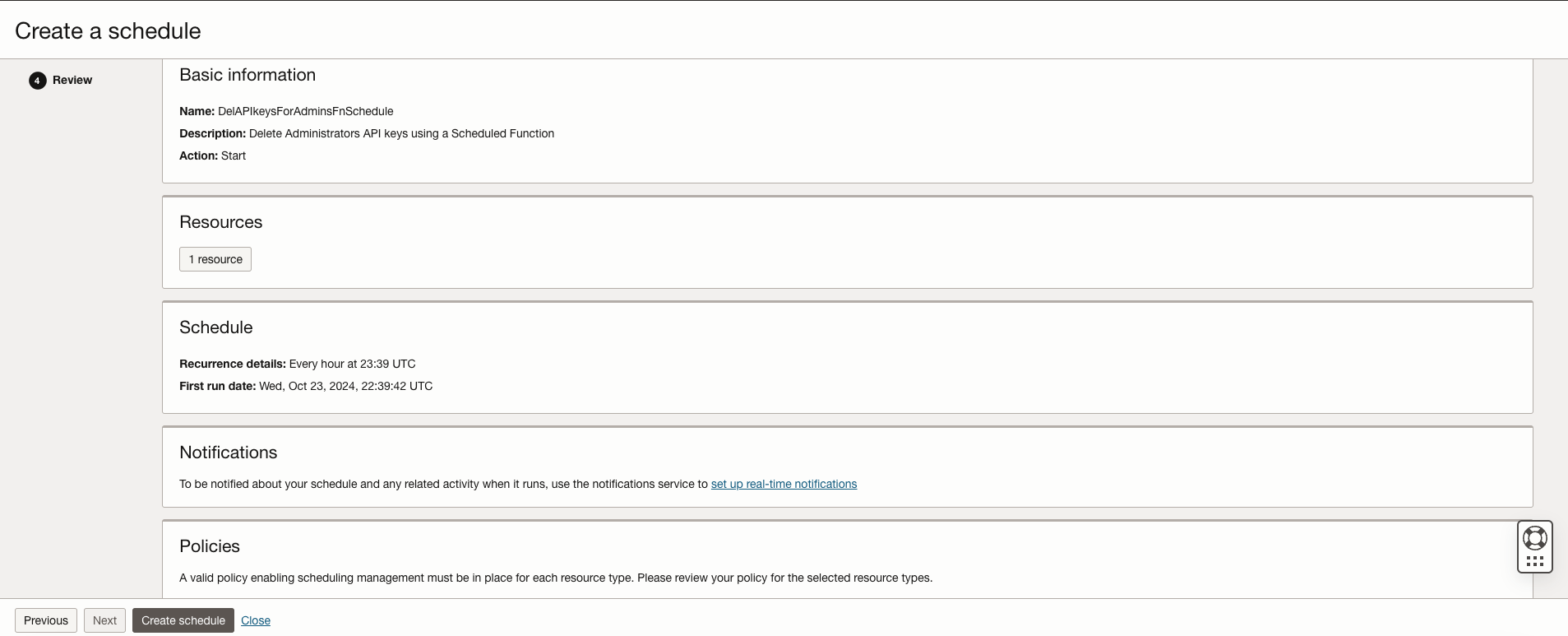
- Review and Create the Schedule
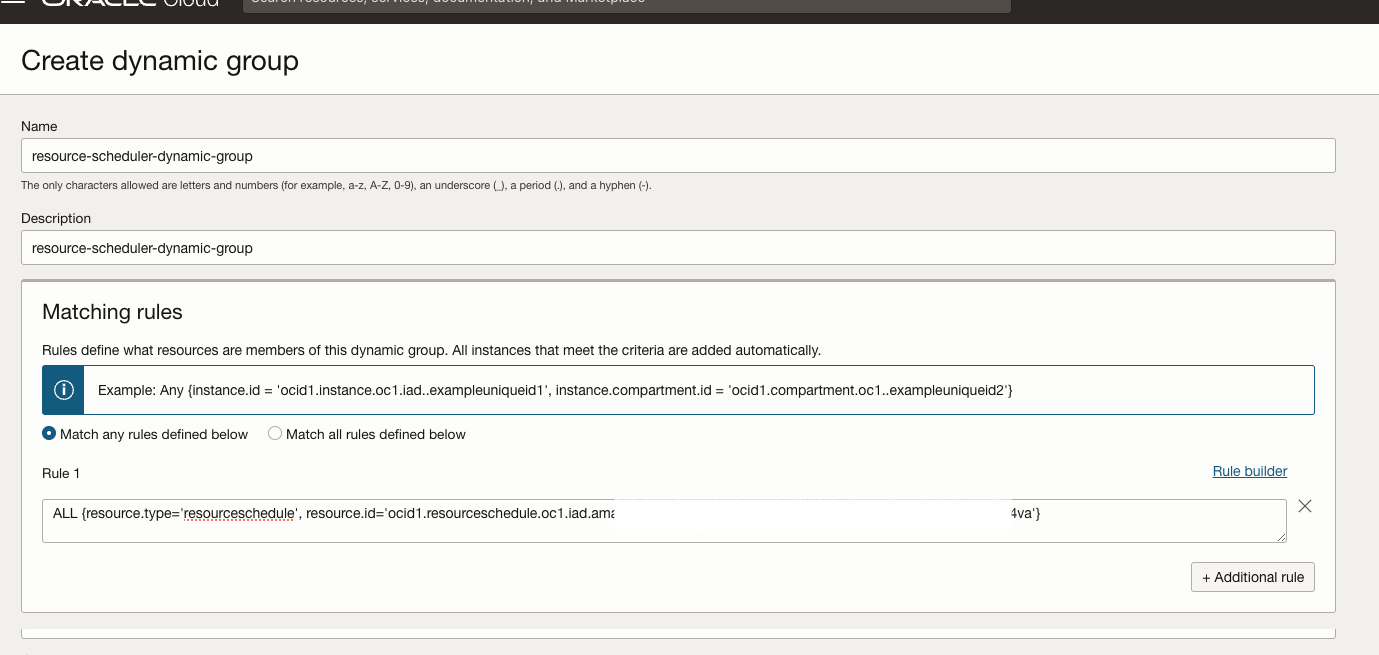
- Create the Dyanmic Group and the requied Policy
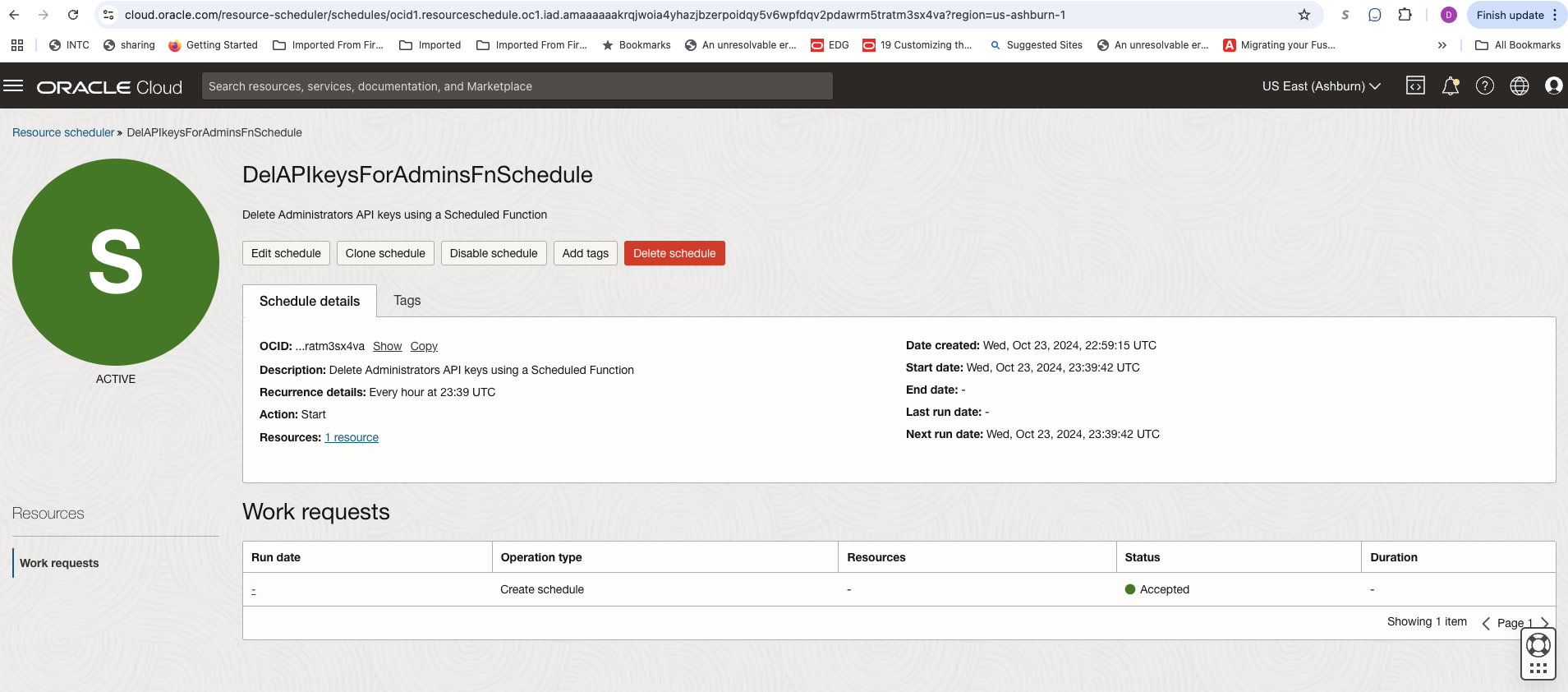
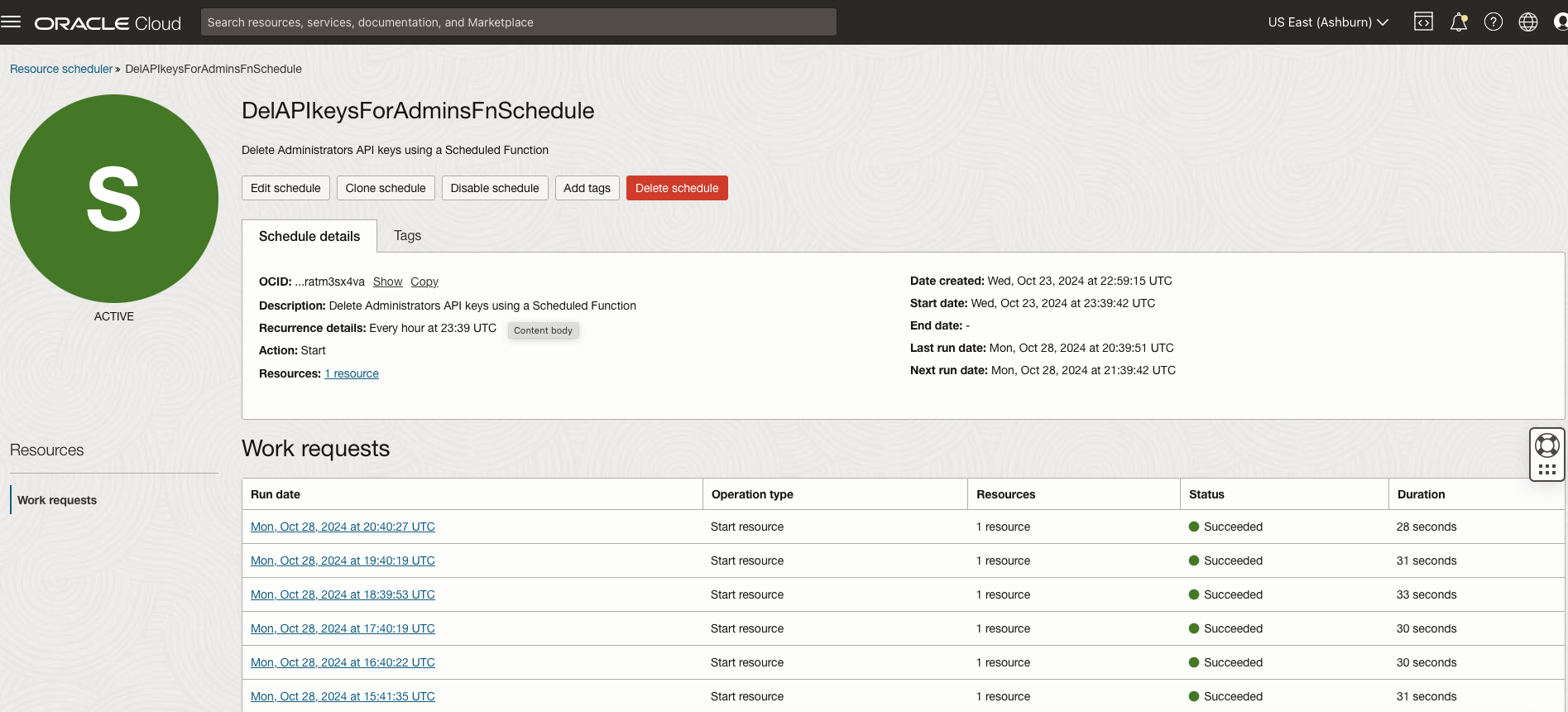
By leveraging OCI Resource Scheduler, we have automated the scheduled checking and deletion of API keys for administrators, eliminating the additional steps used previously and making the process highly efficient. This periodic function invocation is just one of many possible use cases for Resource Scheduler. By setting it up to trigger various functions on a schedule, you can streamline a wide range of tasks, achieving similar efficiencies.