
Introduction
In Part 1 of this series Extending Fusion Applications using VBCS – OAuth Configurations – We have explained different VBCS Service connection types which are related to IAM Configuration for OAuth2.0 grant types, provides mechanism how to configure & illustrates when to use with which connection types.
As we develop VBCS applications using different service connections per use-case, next question is – how these applications would be accessed?
In this blog we will discuss various mechanism to access VBCS Application provisioned in Fusion Applications identity domain –
- Using Fusion Applications Users
- Using Local IAM User which is not part of FA
- Using External User from External IDP – (E.g. Microsoft Entra)
Below is decision tree depicting how SSO configurations can be applied using Fusion Applications identity domain for various use cases –
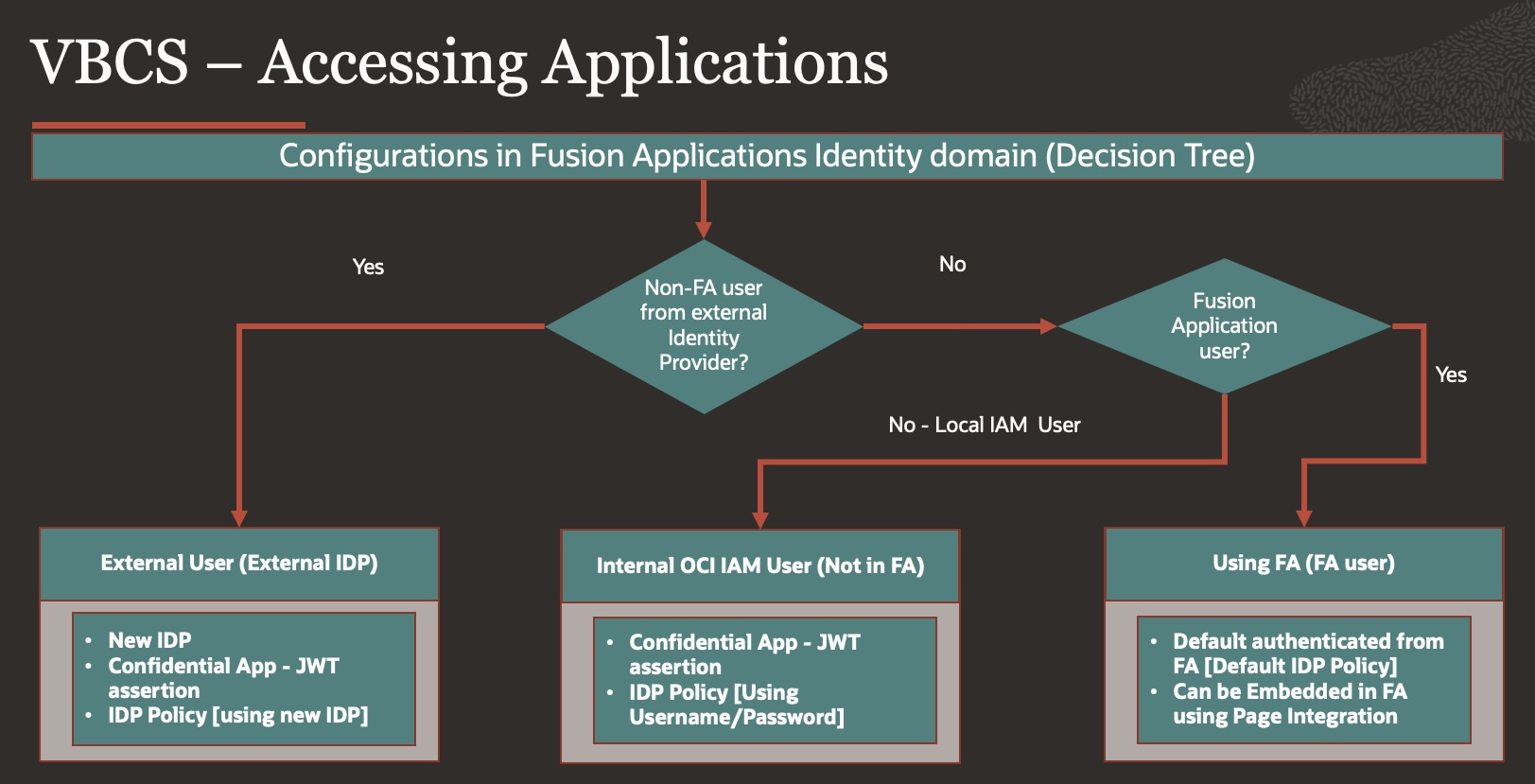
Just to refresh – All Oracle Fusion Cloud Applications environments are now provisioned with an Oracle Cloud Infrastructure (OCI) Identity and Access Management identity domain. This identity domain supports identity and access management (IAM) features for Fusion Applications.
VBCS Instance which is provisioned in Fusion Applications identity domain will have advantages over additional IAM Identity domain which is often used for SaaS Extensions tooling – OIC/VBCS mostly referred as PaaS Extensions.
By default – applications created using VBCS provisioned in FA IAM will be redirected to FA for Authentication (SSO with FA), user/role from FA will be available in Fusion Applications identity domain Identity domain as user/groups which otherwise would need lot of configuration setups in additional IAM Identity domain as part of PaaS tools.
Details:
For each use case [FA User, Local IAM User, External User], we have created separate application, therefore three demo applications, so that we can create configurations for each Demo VBCS application & showcase how it can be accessed.
FA User – https://<vbcs>/ic/builder/rt/ESSJobMonitoring_FAUsers/live/webApps/getessjob/
Local IAM User – https://<vbcs>/ic/builder/rt/ESSJobMonitoring_OCIIAMUsers/live/webApps/getessjob/
External User – https://<vbcs>/ic/builder/rt/ESSJobMonitoring_ExternalUsers/live/webApps/getessjob/
Use Case 1 – Using Fusion Applications Users
As we have mentioned earlier VBCS which is provisioned in IAM domain would have OOTB capability of SSO , User/Role Sync from FA as User/Group, therefore no extra configuration is required for Fusion Application user to access VBCS application.
Therefore, when we try to access VBCS application using Application URL –
https://<vbcs>/ic/builder/rt/ESSJobMonitoring_FAUsers/live/webApps/getessjob/
We are redirected to FA login Page –
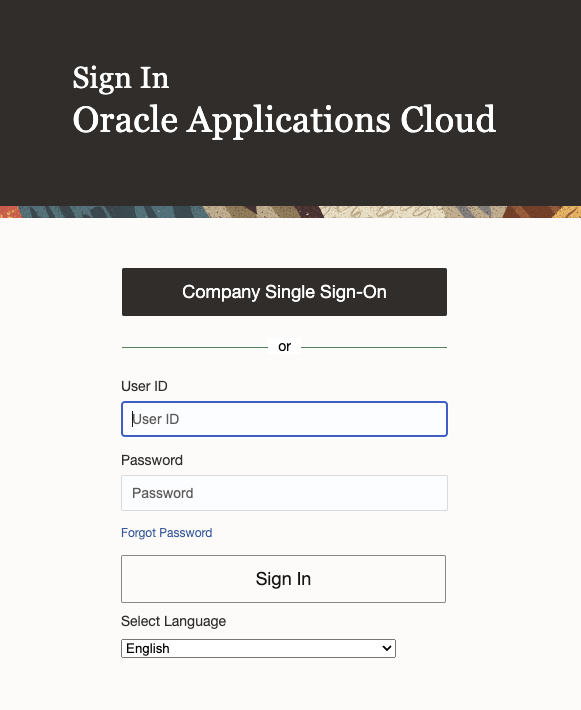
Upon Providing FA Credentials, VBCS application is Accessible.
We can also embed this VBCS application in FA – Using: Configuration>Page Integration in Sandbox, only additional change which is required in VBCS application is to enable – Allow Embedding in specified domain in Security as below –
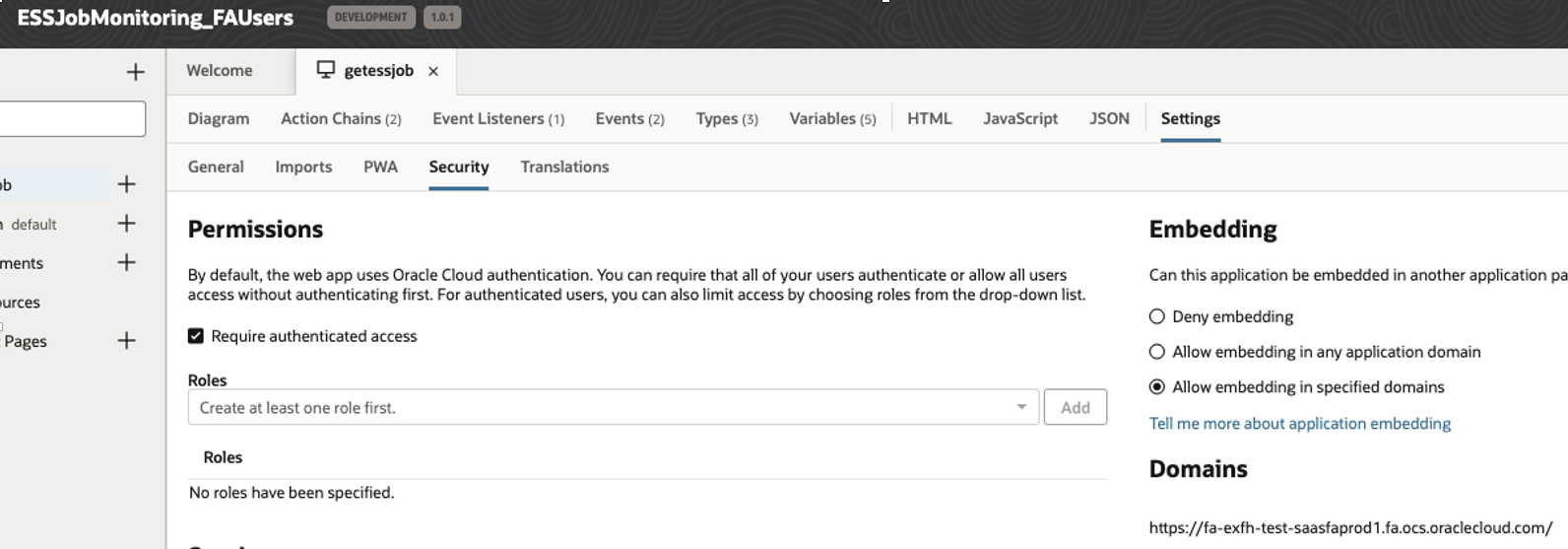
Add Fusion Application URL in allow domain.
Fusion Application: Configuration>Page Integration

Page is rendered inside Fusion application as defined using Structure – Monitor ESS
Use Case 2 – Using Local IAM User which is not part of Fusion Application.
In this Use case we wanted to Access VBCS application by users which are not present in Fusion Application however they are created in IAM domain as local user as part of OCI – User/Groups.
Demo VBCS Application –
https://<vbcs>/ic/builder/rt/ESSJobMonitoring_OCIIAMUsers/live/webApps/getessjob/
Step 1: Create Local User/Group in IAM.
- Login to IAM in same domain which is domain of FA.
- Navigate to Identity > Domain> Choose FA Domain>Groups
- Create a Group – VBCS_IAM_Users
- Navigate to Identity > Domain> Choose FA Domain>Users
- Create User, provide first/last name & Email Address.
- This User would be Non – Federated and Authenticated by Oracle Identity Cloud Service
- Add this User to Group – VBCS_IAM_Users
Step 2: Register your application with the authorization server
- Login to IAM in same domain which is domain of FA.
- Navigate to Identity > Domain> Choose FA Domain
- Go to Integrated Application, Press Button – Add Application
- Choose Confidential Applications
- In Add Application details – Give Name, description of your Choice – VBCS_IAM_User_App
- Provide Application URL –
https://<vbcs>/ic/builder/rt/ESSJobMonitoring_OCIIAMUsers/live/webApps/getessjob/
- Enable ‘Display in My Apps’ setting
- Press Next for Configure OAuth
- Choose Client configuration
- Authorization – JWT assertion
- Client Type – Confidential
- Press Next for Configure Policy
- Finish.
- Make note of the application’s Client ID and Client Secret
- Activate Application.
- Add Group – VBCS_IAM_Users, to allow all user in this group to access this application.
Step 3: Create IDP Policy for Local IAM User
There are two ways to Authenticate VBCS applications using IDP Policy –
VBCS Instance Level – you can add VBCS Instance as Application to IDP Policy, in that case you can skip step2 since all application which are created under VBCS instance would be authenticated by Oracle Identity Cloud Service.
OR
VBCS Application level – If you don’t want to allow all VBCS application to be authenticated by Oracle Identity Cloud Service & rather controlled at each application level, then we can create IDP Policy at VBCS application level
Here we are considering Second case – VBCS Application level, if you want to create at Instance level then skip (step2) & in below step 8 – add VBCS Instance not application.
- Login to IAM in same domain which is domain of FA.
- Navigate to Identity > Domain> Choose FA Domain
- Navigate to >Security>IdP policies
- Press Create > IdP Policy Button
- Provide Name – VBCS_IAM_User
- Add Identity provider rules with Assign identity providers as Username-Password.
- Add Confidential Application to this IDP Policy – VBCS_IAM_User_App which you have created in step 2.
Step 4: Get VBCS Application URL from IDCS
- Login to IDCS as local IAM user using Domain URL which was created in Step 1.
- You can get domain URL from Identity > Domain> Choose FA Domain > Domain Information
- Add /ui/v1/myconsole in the end of domain URL & login to IDCS.
- https://idcs-<XXYYZZ>.identity.oraclecloud.com/ui/v1/myconsole
- As you will login with your local IAM, it will display your VBCS application
- Right Click over Application & copy link address of URL, this will be your application URL authenticated by IDCS.
- https://idcs–<XXYYZZ>.identity.oraclecloud.com/sso/v1/app/launcher/380996c6d6254afcb4334887d8ba5d60?appName=VBCS_IAM_User_App
Now we have completed all configuration steps, we will test accessing VBCS application using URL provided in step 4.8 & see how application is authenticated ,we will access URL in browser & it will show up with IAM login page –
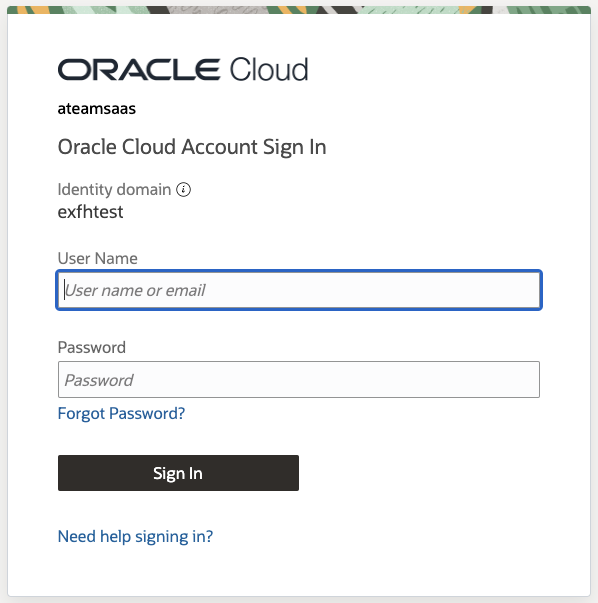
As we provide IDCS – User credential, it opens VBCS application.
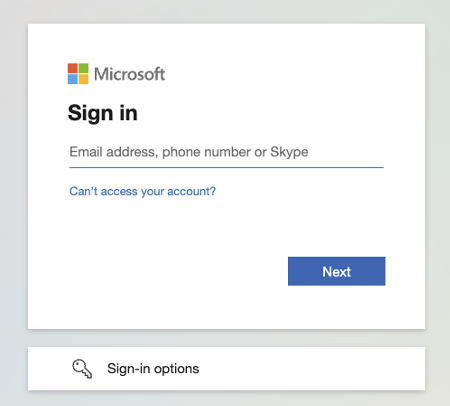
Use case 3 – Using External User from External IDP
In this Use case we wanted to Access VBCS application by External users from External IDP, Microsoft Entra in our use case, this is covered in Anderson Blog –
Part 2: Oracle Fusion Cloud Applications identity domain federation for SaaS Extension (OCI Services)
Apart from Microsoft Entra Configuration, at OCI IAM side – new IDP [Entra ID], new IDP Policy [VBCS External User] which uses new IDP [Entra ID] as Authentication Method & adding VBCS application to that Policy would be required.
Here again, you can choose to create Confidential App for your VBCS Application [VBCS_External_User_App] if you want to control access at application level else allow VBCS authentication at instance level using Entra ID as Authentication Method.
Demo VBCS Application –
https://<vbcs>/ic/builder/rt/ESSJobMonitoring_ExternalUsers/live/webApps/getessjob/
Conclusion
We hope with this blog you have better understanding of how hybridized VBCS application which is part of Fusion Applications identity domain can be accessed by different set of users & provides mechanism to implement for different use cases.
In part three – Extending Fusion Applications using VBCS: MFA Configurations of this blog series, we will demonstrate how can we enable MFA in Fusion Applications identity domain for VBCS Applications.
Shoutout to Maximilian Froeschl for his contributions & guidance.
References :
- Manage Oracle Identity Cloud Service Identity Providers
- Add an Identity Provider Policy
https://docs.oracle.com/en/cloud/paas/identity-cloud/uaids/add-identity-provider-policy.html
- Add a Confidential Application
https://docs.oracle.com/en/cloud/paas/identity-cloud/uaids/add-confidential-application.html
- MOS Note – All Oracle Fusion Cloud Applications Environments are now Provisioned with an Associated Oracle-Managed OCI IAM Identity Domain (Doc ID 2889855.1)