Consulting Solutions Architect, Business Intelligence
This blog was written in 2015 for Oracle BI Cloud Service (BICS) + Oracle Application Express (Oracle Apex).
It has not been re-tested on Oracle Analytics Cloud (OAC) with Autonomous Data Warehouse (ADW) – nor are there plans to do so.
This blog has been left active as it may have some general value to Oracle Apex or Oracle SQL developers.
Background
This article outlines how to automate the loading of a JSON response with PL/SQL
The main components of the PL/SQL code are as follows:
1) Read in the JSON response as a CLOB using the apex_web_service.make_rest_request function.
2) Convert the CLOB to a JSON_LIST data type.
3) Loop through rows of the JSON_LIST.
4) Use the JSON_EXT.GET_STRING function to parse out the JSON attributes.
5) Insert the JSON attributes into a relational table.
The rationale for the article is to overcome the following constraints:
1) Currently the REST API Oracle Business Intelligence Cloud Service can not read the JSON structure depicted in the article. This makes it difficult to achieve automated cloud-to-cloud data transfers without additional file conversions.
2) The APEX_JSON package is only available in Oracle Apex 5.0 and higher. If using Apex 5.0+, it may be more preferable to use the functionality available in the APEX_JSON package rather than that in the PL/JSON package suggested in this article.
This article is intended for developers looking for a simple straightforward method to read JSON using PL/SQL. The primary requirements are:
1) That the JSON response is accessible via a URL.
2) The JSON response can be interpreted by the JSON_LIST data type installed with the PL/JSON package.
The JSON response may originate from a source such as (but not limited to) a mobile device, a website or another cloud application.
The sample code supplied parses the JSON data to a relational database table – making it readily available to model. Oracle Database 12c has built in JSON functions that allows JSON data to be stored in its original format. This article does not cover these features. However, pending how the data will be consumed, this may be something worth considering.
It is recommended to follow the steps below in chronological order. This will facilitate successful replication and assist with debugging.
Step One – Build the PL/SQL to return the JSON Response
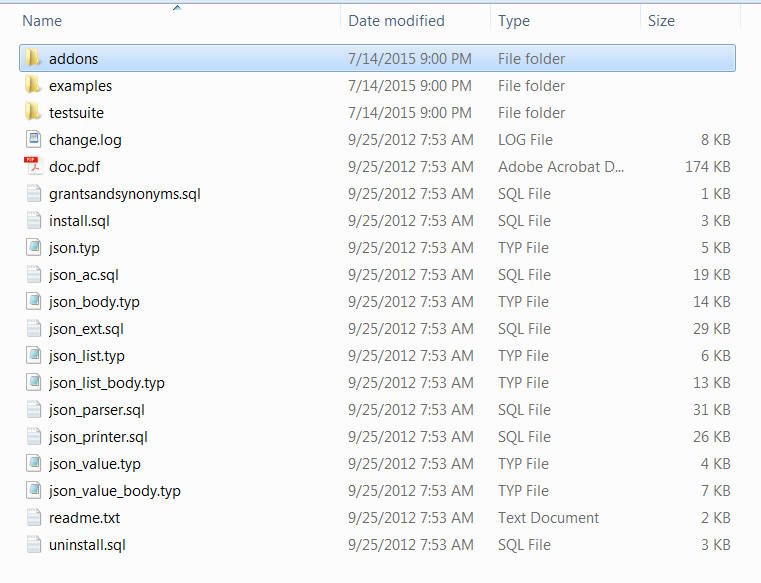
Step Two – Load the PL/JSON Package
Step Three – Create the table to store the data
Step Four – Build the PL/SQL to parse the JSON and insert into the database
Step Five – Merge the code from Step One and Step Four
Build the PL/SQL to return the JSON Response
Steps 1.1 to 1.3: Explains how to build the PL/SQL.
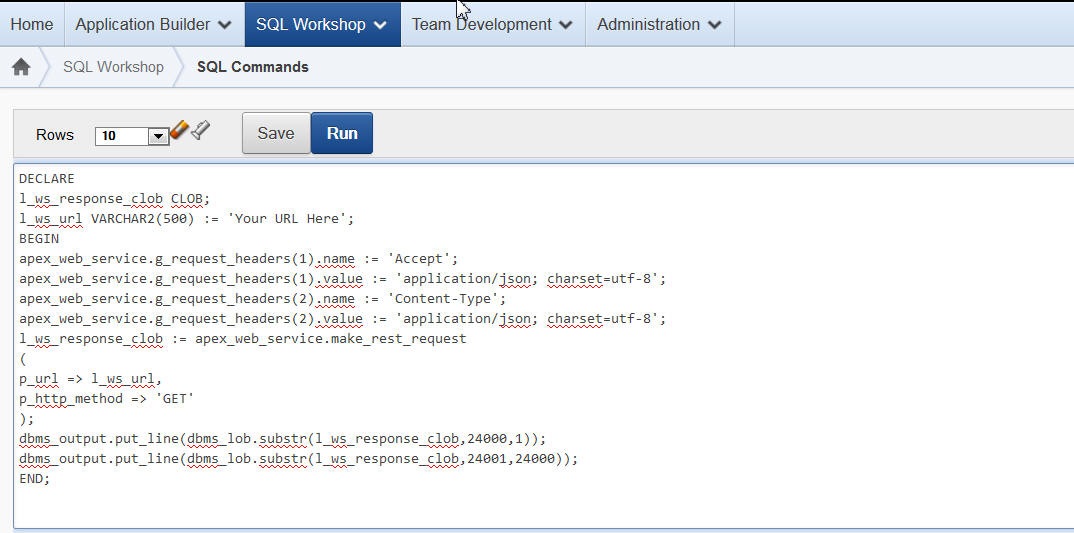
Steps 1.4 to 1.5: Describes how to run the PL/SQL – through Oracle Apex SQL Workshop.
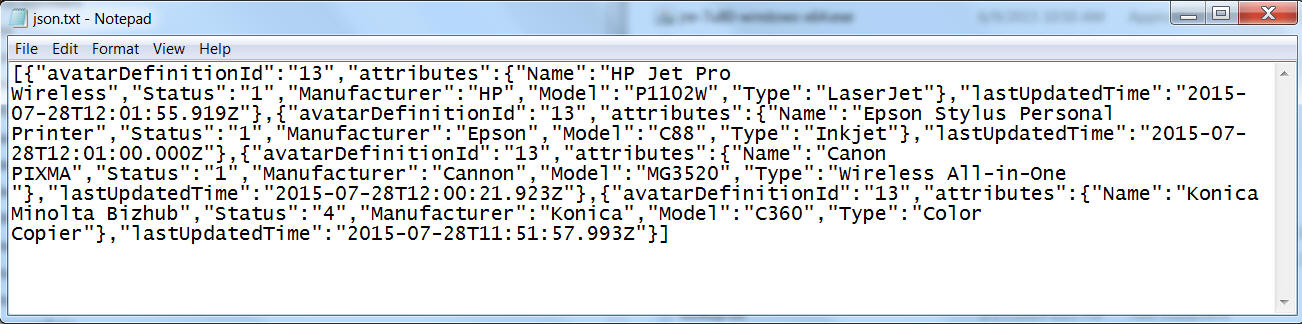
Steps 1.6 to 1.7: Illustrates a sample JSON response.
1.1 – Replace the following values (that are highlighted in yellow in the below code sample box).
a) l_ws_url – replace with JSON request URL
b) g_request_headers – replace with JSON request headers
1.2 – Confirm that the PL/SQL returns the JSON response successfully.
1.3 – For a text version of this sql code click here
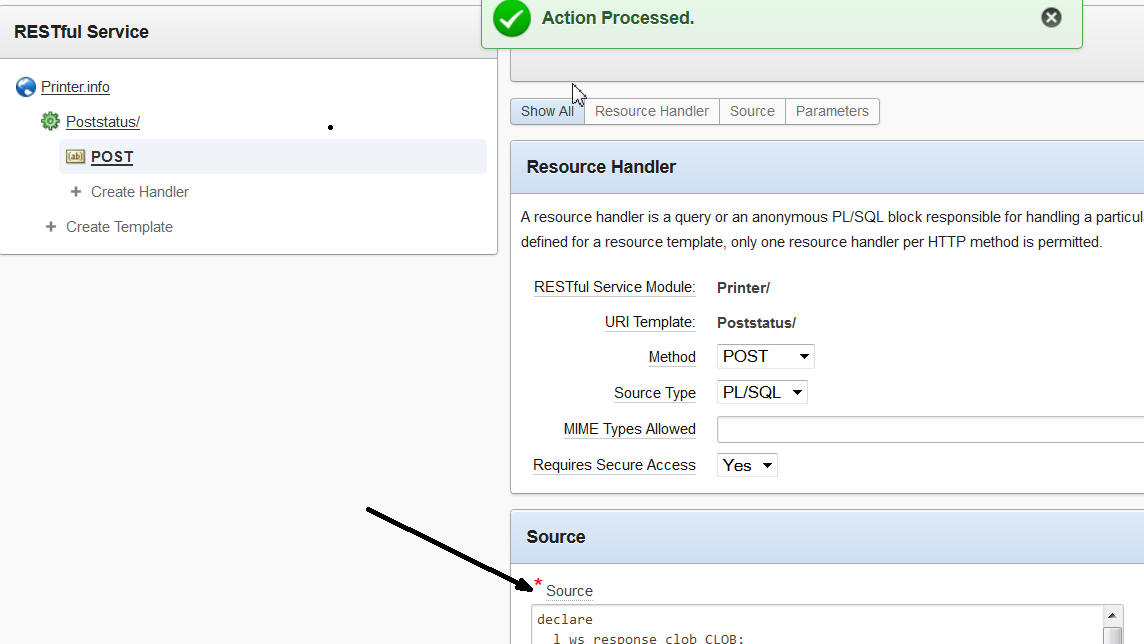
This article describes how to integrate JSON with PL/SQL. The solution requires the installation of the referenced PL/JSON package and the code is accessed through the APEX RESTful Services. That said, the APEX RESTful Services are not mandatory and other technologies more appropriate to the individual use case can be utilized. For illustration purposes Curl has been used to transfer the data. It is anticipated in a production environment alternative data transfer methods may be preferred.
Authors
Jay Pearson
Consulting Solutions Architect, Business Intelligence