
Introduction
File-based integration is commonly used in enterprise application integrations. In some use cases, the size of the files being transmitted from one application to another can be very large. A couple of real-world examples I have encountered included serial-controlled inventory transactions and ledger imports. It is often the case that every application has its own file format for import and export. As a result, integration between two applications via files requires transformation from the source format to the target format.
Oracle Integration Cloud (OIC) is a good platform to implement such transformation and automate the integration process. However, currently, there is a message size limit of 10 MB in OIC. When the file size is less than 10 MB, the entire file content can be read into OIC as a single payload. In such cases, transformation with grouping and summation can be implemented with a custom XSLT file. When the file size is larger than 10 MB, its content may only be read in segments into the OIC (only a flat file format is supported with segment read). Transformation with grouping and summation becomes more difficult in this scenario.
In this blog, we will take a simplified version of the shipment confirmation use case to demonstrate one way to implement transformation in segment read with grouping and summation in OIC by leveraging two newly released features, namely Global Variables and Datastitch.
Use Case
Shipment confirmation is a common transaction from a warehouse management system (WMS) to an inventory management system (INV). The confirmation message informs an INV to update its inventory due to shipping. The data involved can be large. For example, a shipment can have one line item of sim cards in the quantity of tens of thousands. When each serial number of the sim card has to be tracked, each serial number is included in the shipment confirmation message. As a result, the size of the message or file can easily exceed 10 MB.
In this demonstration, we will use a very trimmed-down version of shipment confirmation export from the Oracle WMS Cloud. A snippet of the exported file is shown below. The number of fields in this sample export has been greatly reduced to include only the ones necessary for demonstration. In reality, the number of fields is well over two hundreds.
shipment_id|line_id|line_qty|serial_nbr

shipment_01|line_01|1|SN-000001
shipment_01|line_01|1|SN-000002
shipment_01|line_02|1|SN-100001
shipment_01|line_02|1|SN-100002
shipment_01|line_02|1|SN-100003
shipment_02|line_01|1|SN-200001
shipment_02|line_01|1|SN-200002
shipment_02|line_01|1|SN-200003
shipment_02|line_01|1|SN-200004
Our goal for this demonstration is to transform the above input message into the following target format:
Shipment,Shipment Line,Shipped Quantity

shipment-1,line-1,2
shipment-1,line-2,3
shipment-2,line-1,4
Global Variables and Data Stitch in OIC
Global variables and Data Stitch activity are two recently added features in OIC. A global variable is accessible to the entire integration instance including all scopes. Its type can be simple such as a string or an object such as a custom defined complex schema type. A Data Stitch activity allows reading and modifying any individual field of a global variable with a complex object type. It also allows array based operations to a global variable such as append a new array element. This capality is critical to our implementation.
The Integration
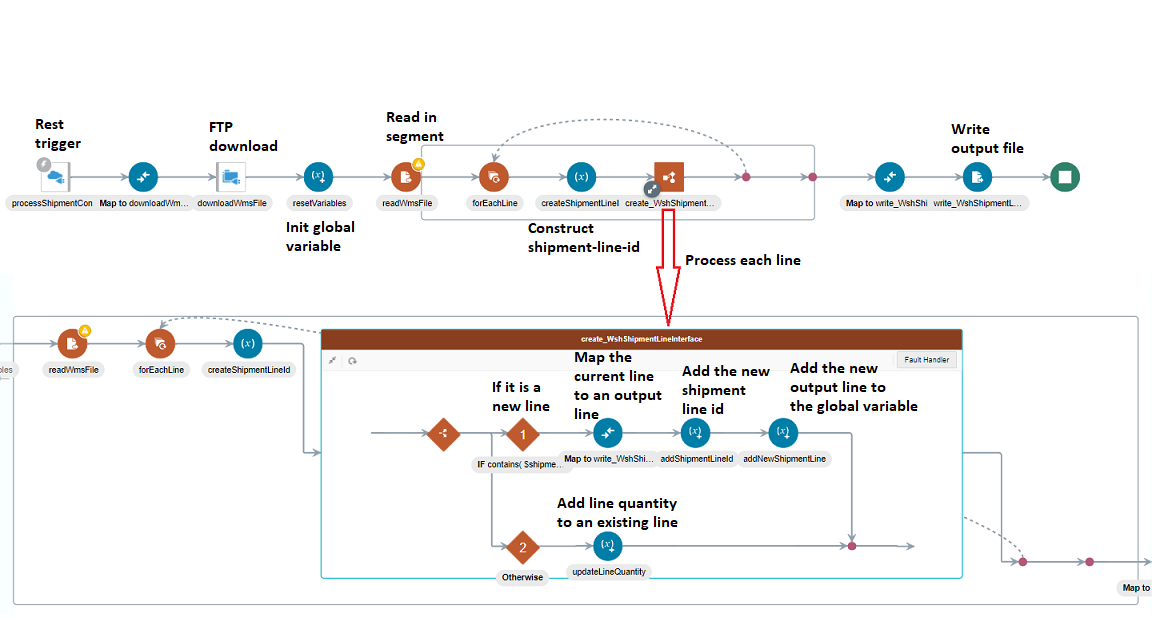
The image below shows the entire integration. We will dive into each activity in details below.
REST Trigger
For this demonstration purposes, We will simply use a REST trigger to take a directory name and a file name as an input message.
FTP File Read and Download
A message with its payload size larger than 10 MB can only be sent to OIC as a file. In our case, we will assume the file has been sent to the OIC FTP server. The demo integration is then triggered via a REST call with a directory and file name on the OIC FTP server as its input payload. Following the trigger, an FTP adapter is used to download the file (with the specified directory and file name) to the OIC staging storage.
Initialize Two Global Variables
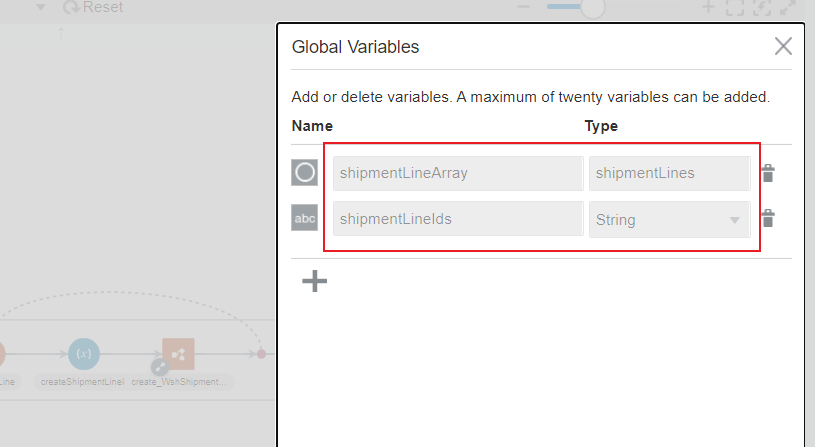
We will use to two global variables to support our implementation.
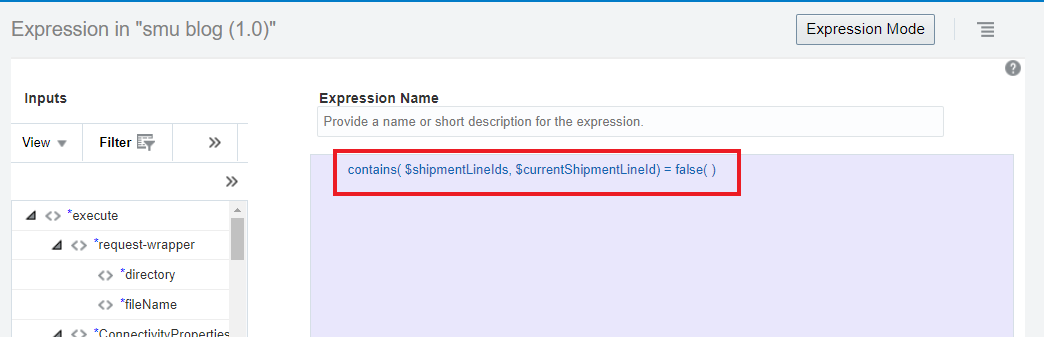
shipmentLineIds is constructed by concatinating a key string in the form of shipment_id-line_id. All lines with the same key are grouped and their quantities are summed together as one single output record. If a shipment line whose shipment_id-line_id key is not contained in this, it is transformed into an output record. All subsequent lines with the same key are not transformed but rather only their quantities are extracted and added to the existing output record with the same key.
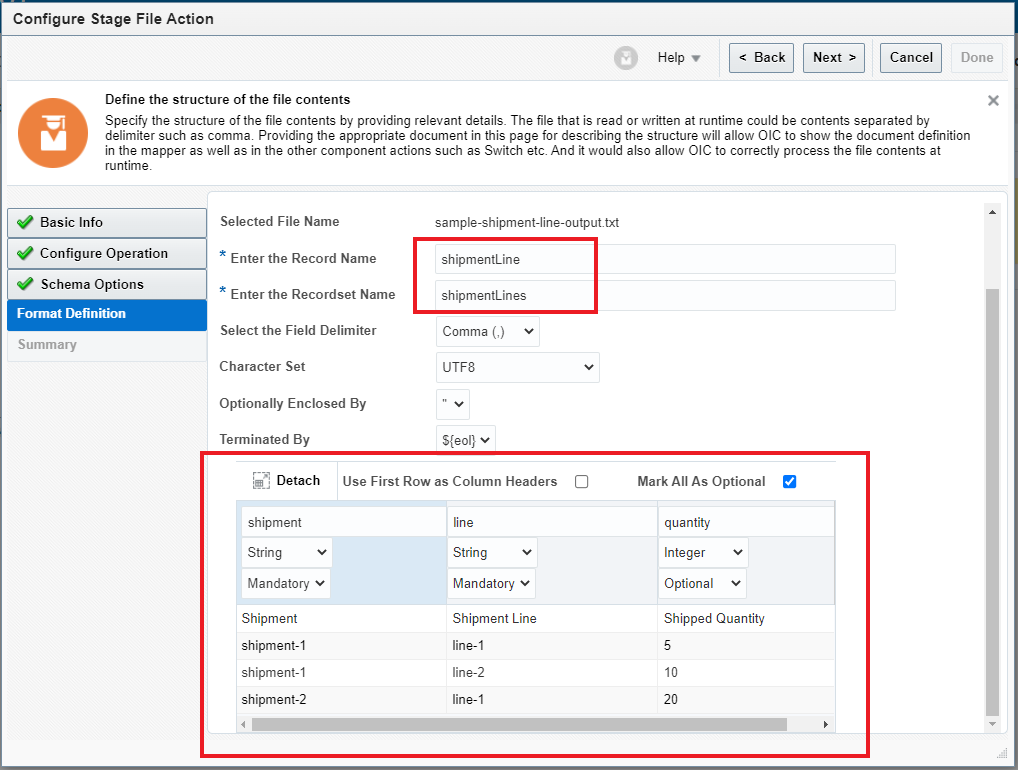
shipmentLineArray contains an array of output record. A new record is appended to the array when the key of the shipment line is not in the shipmentLineIds variable. Its variable type is Object of type shipmentLines, which is defined in the Write Output File activity shown later.
Stage Read and Inbound Schema Definition
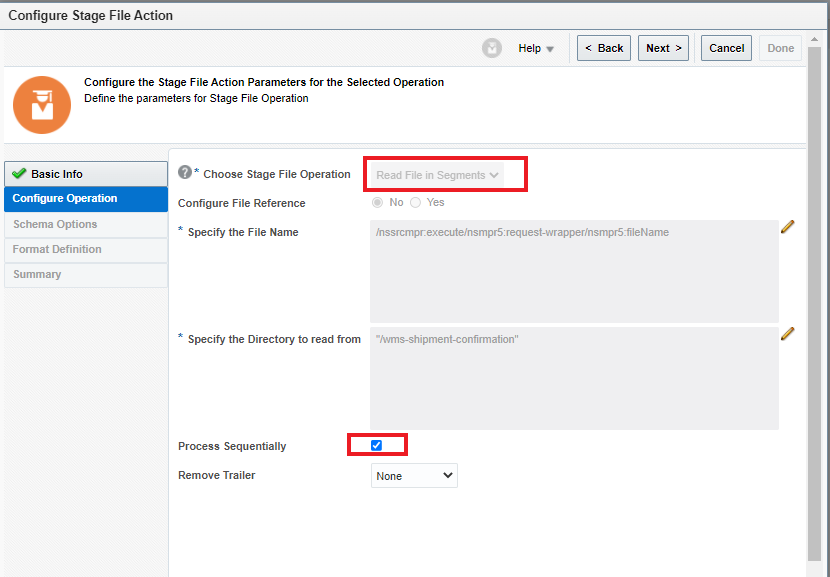
After the input file is downloaded to staging, a Stage activity is used to read the file in segments. Its configuration is shown below.
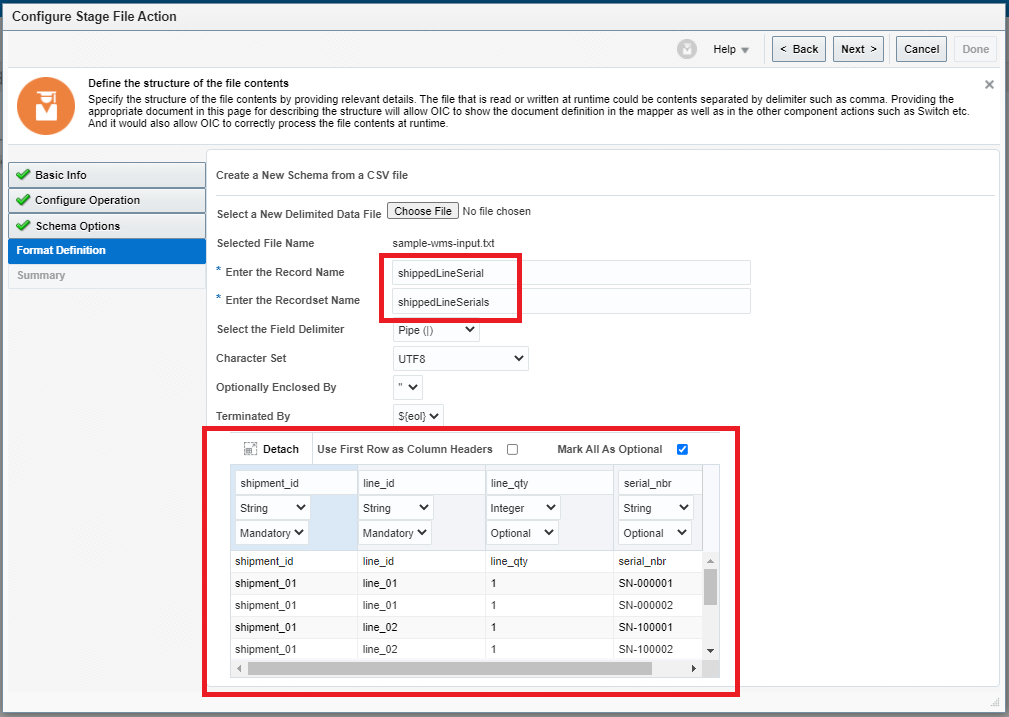
The schema of the input file is also defined in the following screen.
Stage Write and Outbound Schema Definition
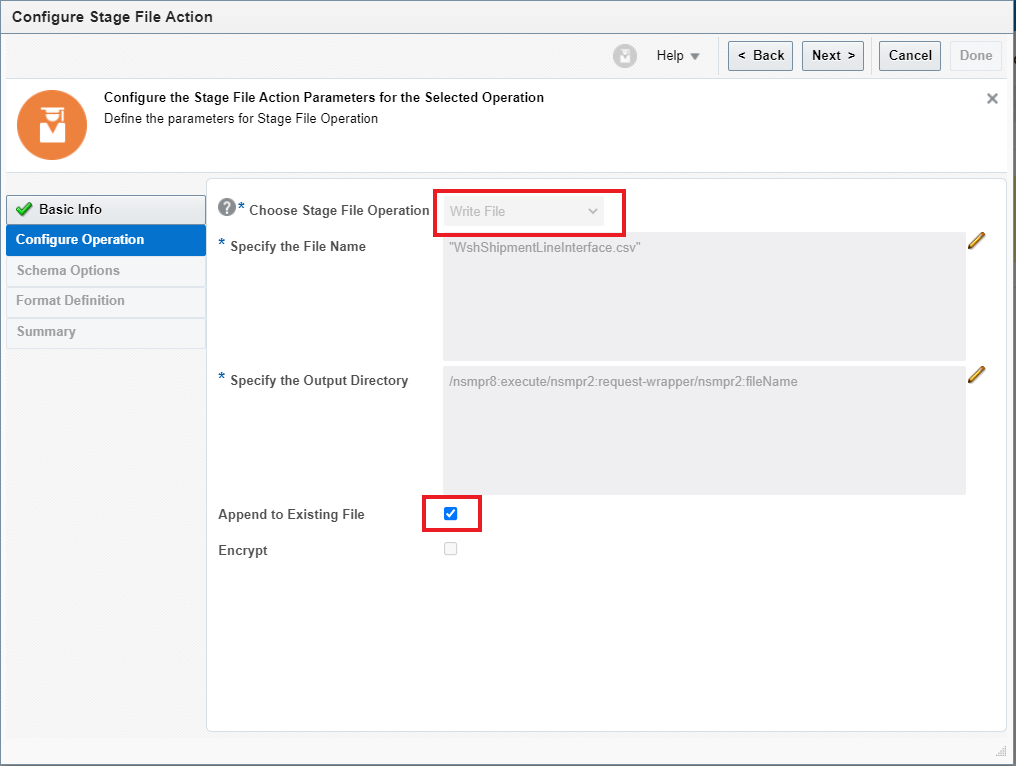
With the inboud schema definition in place, we move on to create the target schema. For that, we will use another Stage activity to write the output file. The image shows the Stage write configuration and its schema definition. Note, the recordset name “shipmentLines” is used to define the global variable “shipmentLineArray” shown above.
Implement Transformation with Grouping and Summation
We are ready to start transformation. The forEach activity loops through each row (record) read from the input file. The follow steps are performed for each row,
1. Construct the key string for the current row (shipment line) : shipment_id-line_id

2. The switch activity goes into the branch 1 if the current shipment line identified as shipment_id-line_id has not never been processed before
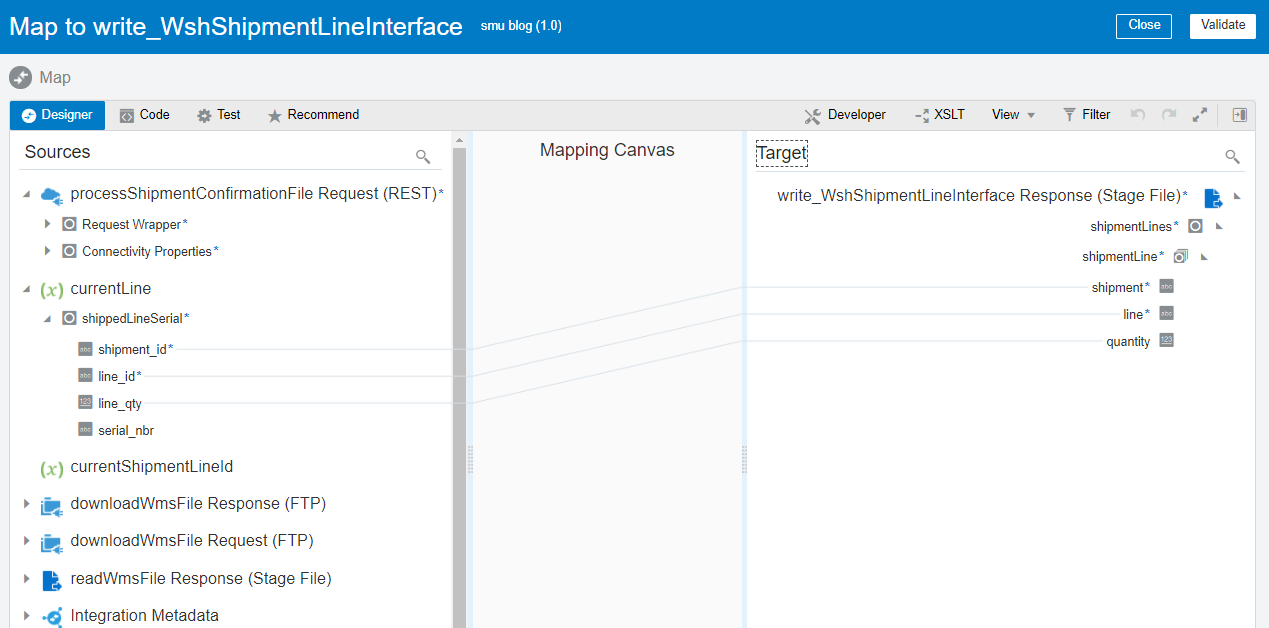
2.1 Map the current input row to a new output row
2.2 Append the new output row to the global variable
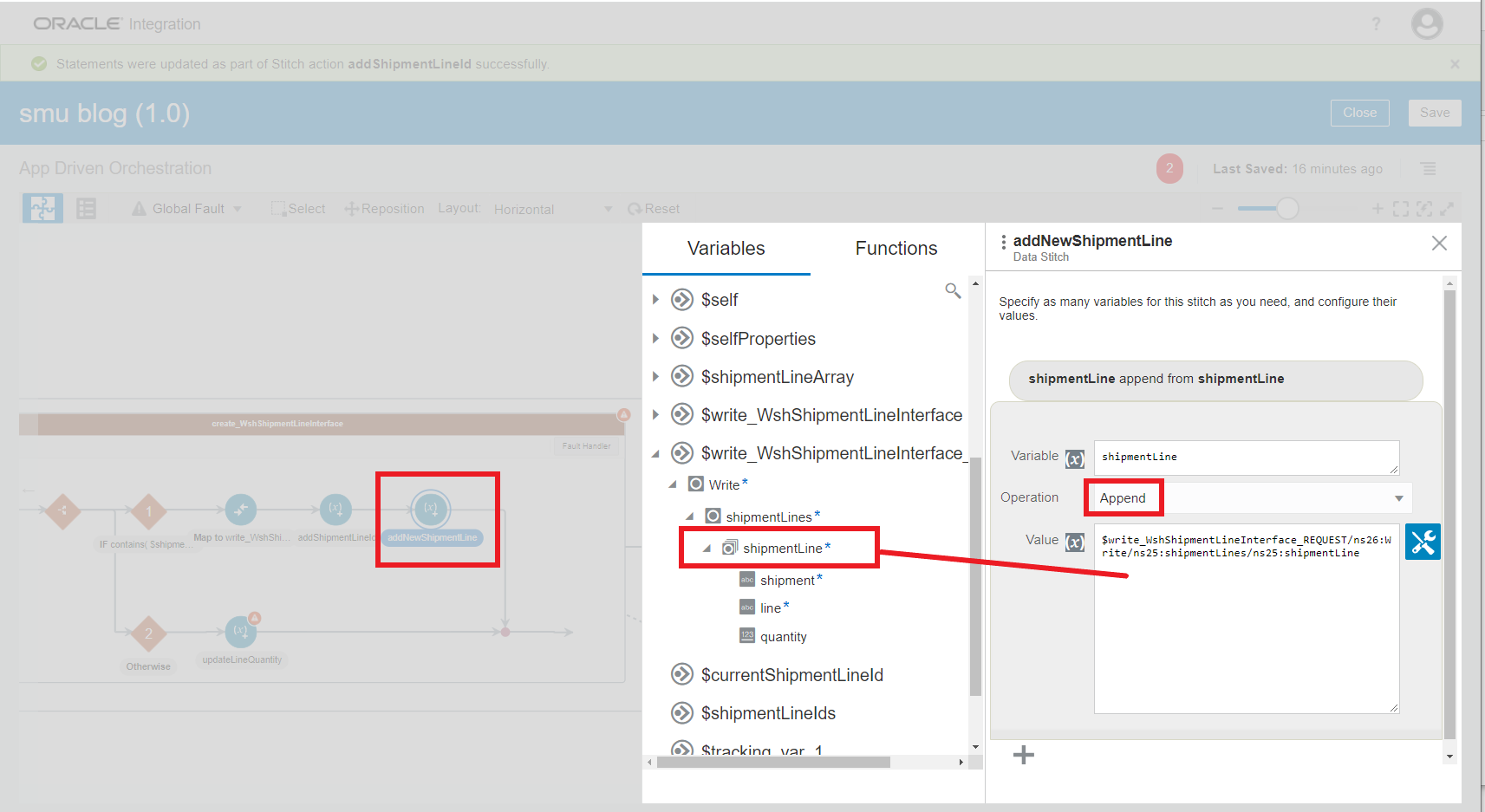
2.3 Add the current row key string to the global variable shipmentLineIds
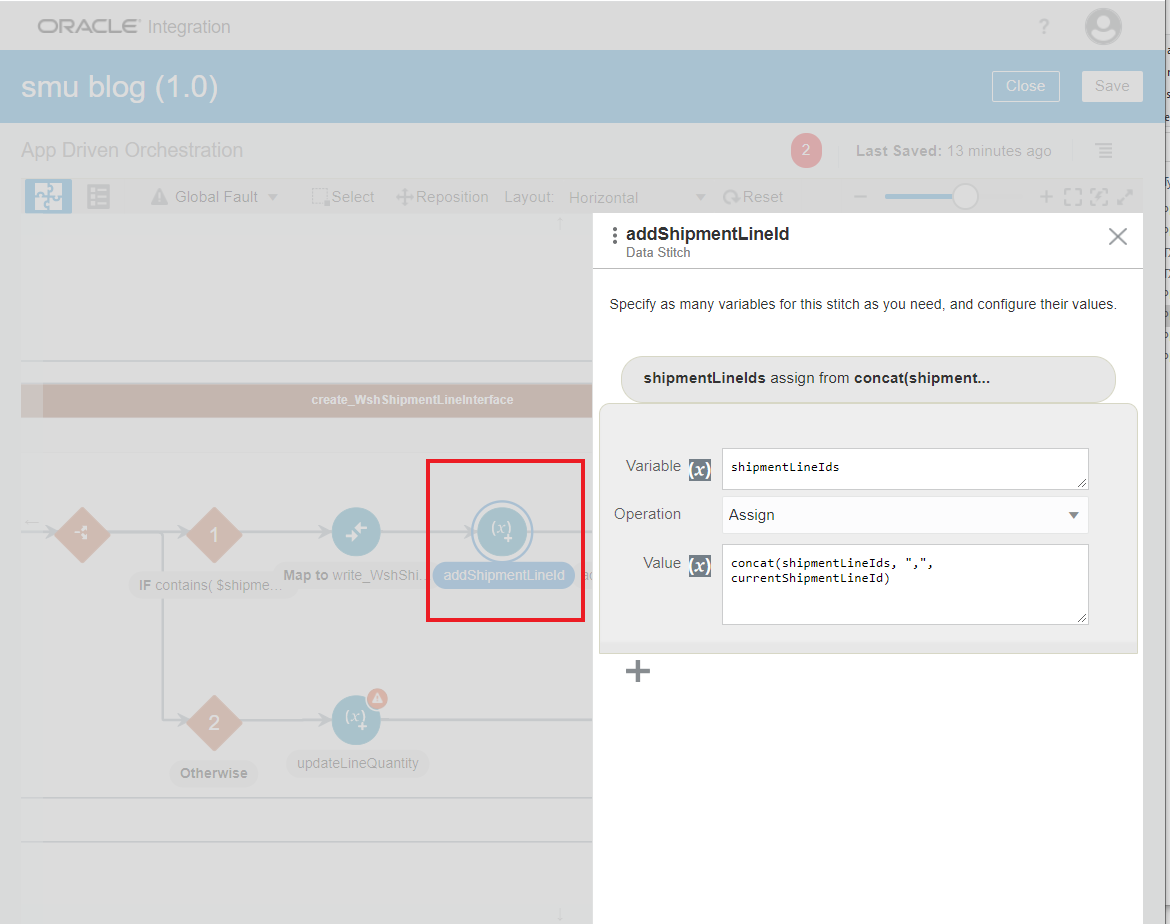
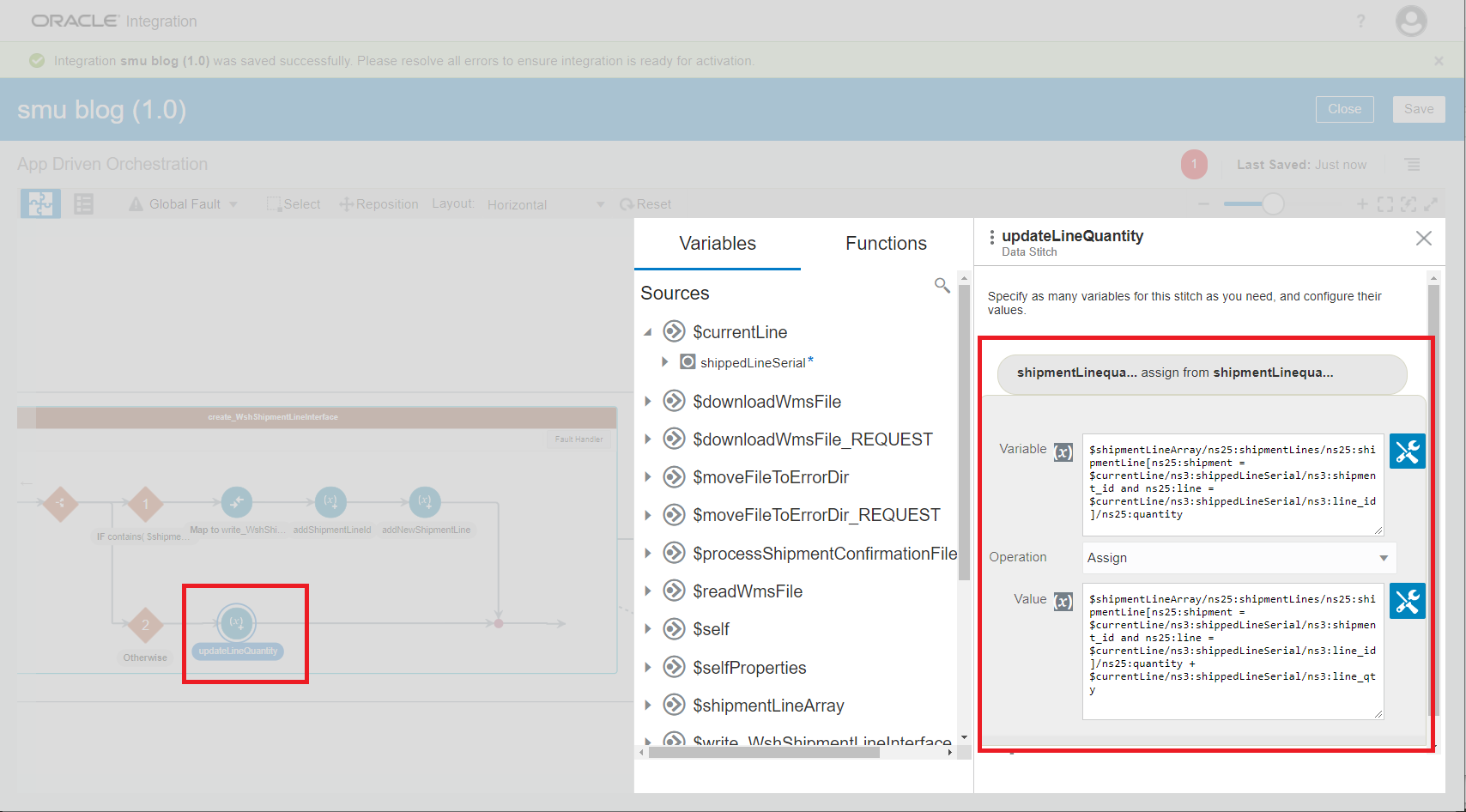
3. The switch activity goes to branch 2 if the current shipment-line key string has already been processed (contained in shipmentLineIds)
3.1 Add the current input row quantity to the quantity of the matching record in the output variable
Write the Output File
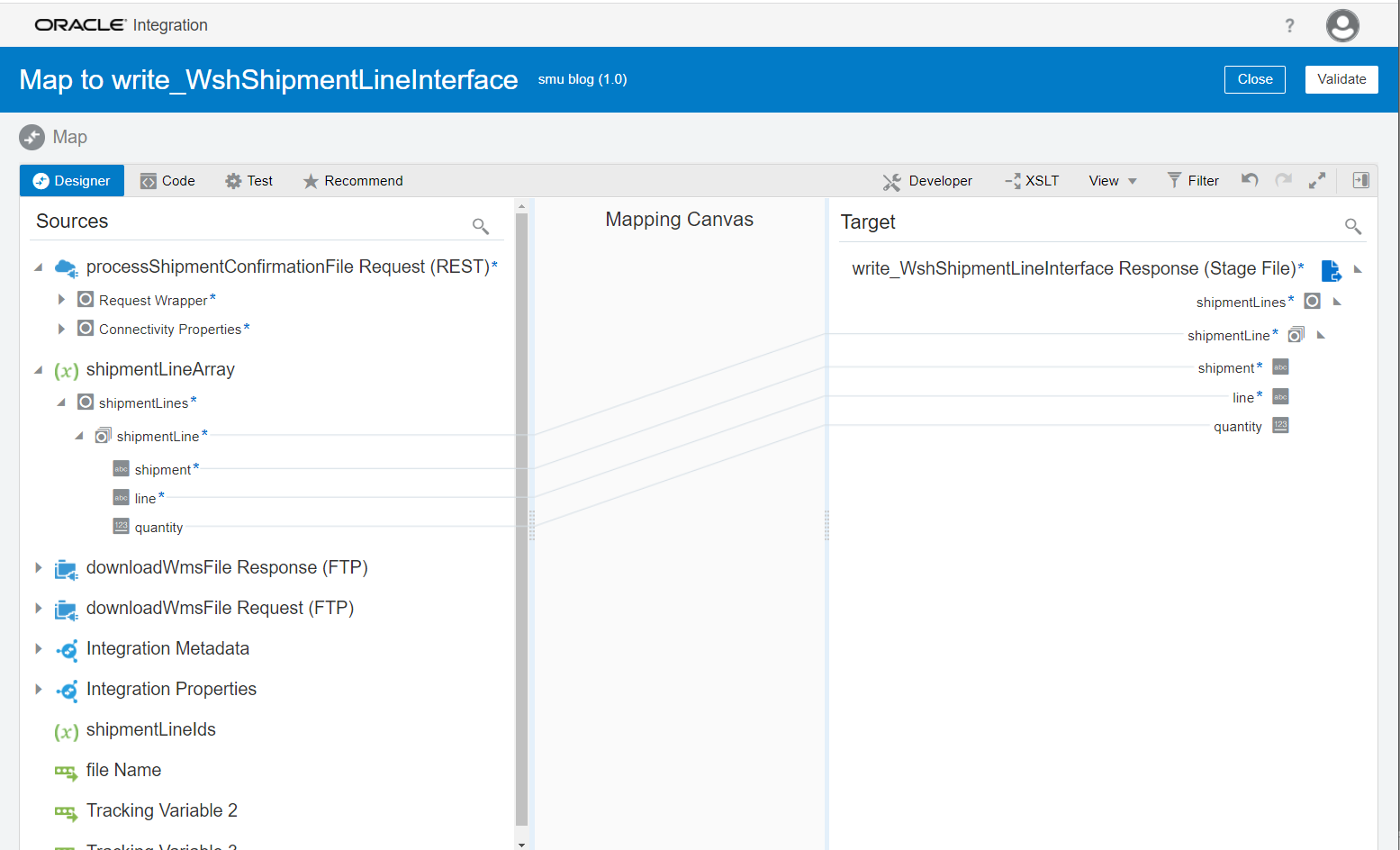
Once all input rows are processed, the output file can be written to stage. Before the write action take place, we need to map the final outbound message from the global variable to the Stage Write request payload as show below.
Final Thoughts
The segmented read and individual row based transformation provide a way to automate integrations involving large message payloads. But, compared to the whole message based transformation, this approach makes integrations more complex, and maybe less performant. Its viability needs to be evaluated based on each use case.