
A very interesting use case got my attention last month when a customer of mine emailed me asking for a solution regarding the VM custom hostname DNS resolution. Before having the meeting to know more details regarding the desired implementation, I thought that my customer is referring to the VM hostname DNS resolution which is working by default in a VCN, nothing is to be done to enable it if the DNS for VCN is enabled. That was not the case, though.
The ask was specifically for Linux VMs custom hostname DNS resolution and not for the ones using the default *oraclevcn.com.
My customer migrated an on-premises application to OCI. For this application to work properly, it needs to be able to query the hard-coded custom hostname for each and every target Linux VM supporting the distributed deployment. And the hard-coded hostnames are not *oraclevcn.com.
Custom VM DNS hostname resolution is not supported by default on OCI for the simple reason that OCI private DNS engine doesn’t know nothing about a VM custom hostname.
The good news is that we can create a configuration that can support the customer use case in two ways:
- Using the OCI Private Views associated with the VCN or multiple VCNs in the same regions (if cross-region custom VM hostname resolution is needed, then the DNS Listener and Forwarder needs to be defined together with the associated conditional forwarding rules);
- Using a custom DNS server or multiple DNS servers on-premises or on OCI to provide the answers for the custom VM hostnames;
We will explore both options and we will start with the OCI native supported solution using the OCI Private Views.
Before entering into configuration details we need to understand in which way the VM hostname DNS resolution is performed on a brand new Linux VM.

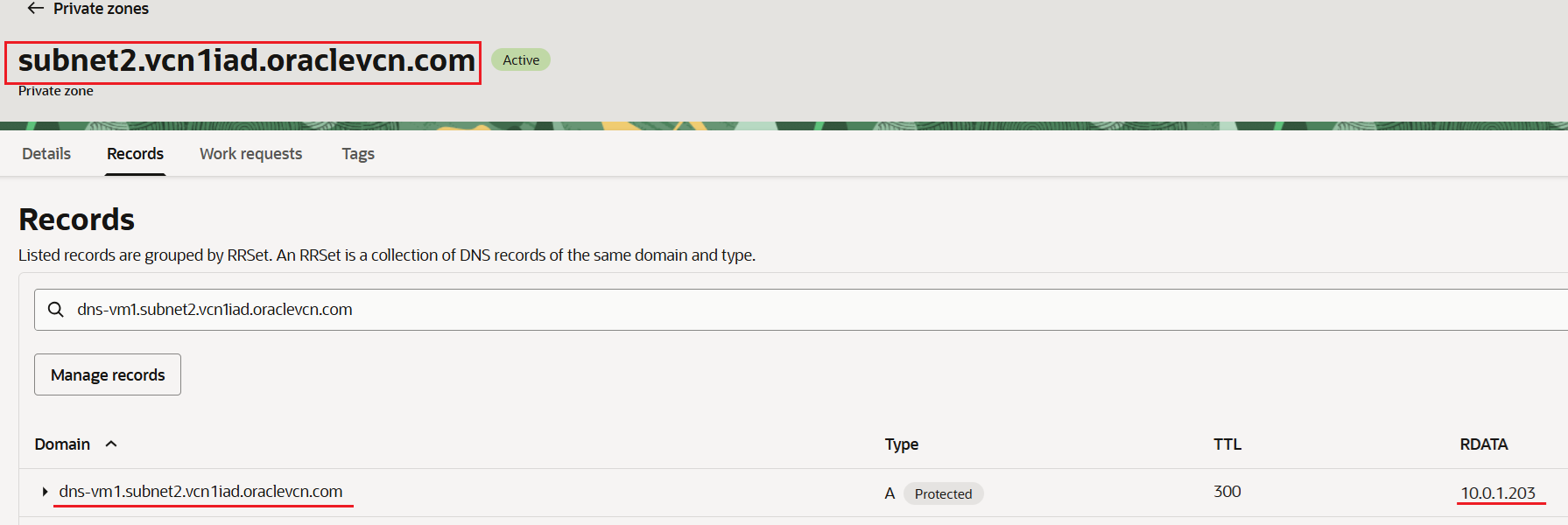
The internal FQDN is telling us that the hostname is dns-vm1 with the default vnic in subnet2 which is configured in vcn1iad. The entry is automatically added in a private zone associated with the VCN DNS Private View. The private zone is created by default:
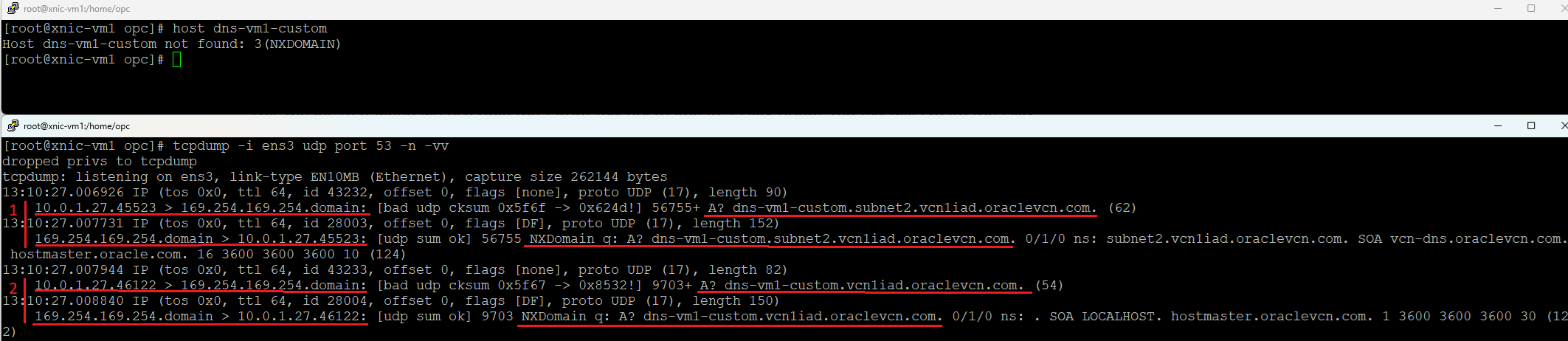
Now, let’s see it in action with a tcpdump on a VM that is querying the dns-vm1 hostname:

The VM is creating the DNS query with full internal FQDN of the target VM. It is not sending a DNS request for only the hostname. One obvious question is why this is happening? We can find the answer by looking at the resolv.conf file which is created at the VM launch:
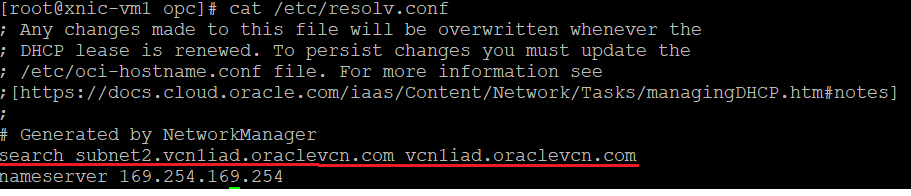
The search domains configured in the resolv.conf file are subnet2.vcn1iad.oraclevcn.com and vcn1iad.oraclevcn.com. This means that when we use only the target VM hostname in a DNS query, the VM will create the DNS query by first appending the first configured search domain. It waits for an answer. If no answer is received, it will initiate a second attempt by appending to the hostname the second search domain vcn1iad.oraclevcn.com.
We already saw that the first search domain is appended. We need to verify if the second search domain is appended if no answer is received for the first attempt. In order to see it in action we will query a custom hostname:
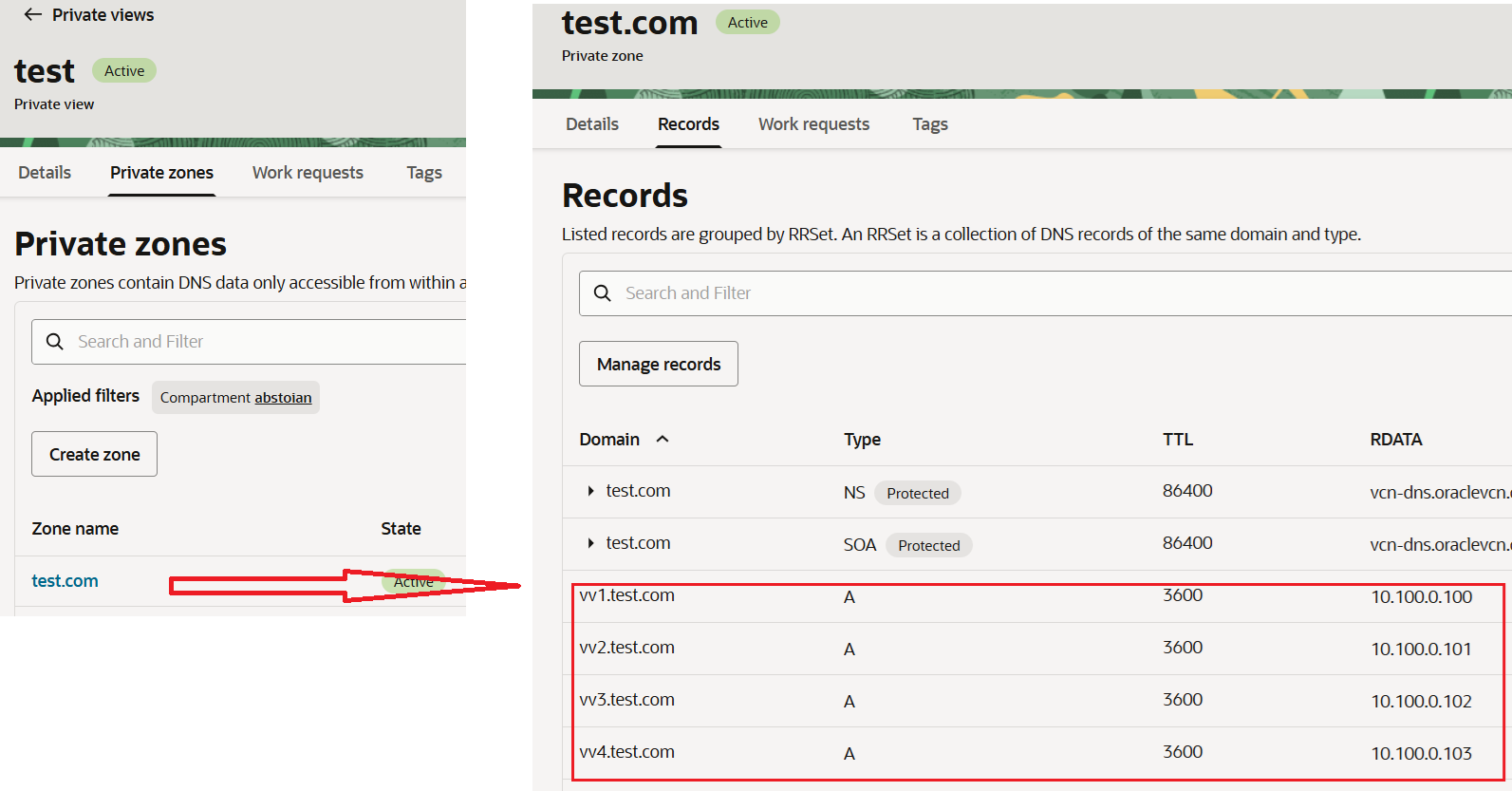
To create the solution that supports the custom VM hostname DNS resolution we will first create a unique private view with a private zone where we will define a dummy domain. In the private zone we will add A records for all VMs owning custom hostnames from all VCNs. The private view will be associated with each and every VCN with custom VM hostnames.
To highlight the solution with an example, let’s consider the following VM hostnames:
vv1 IN A 10.100.0.100
vv2 IN A 10.100.0.101
vv3 IN A 10.100.0.102
vv4 IN A 10.100.0.103
The VMs are located in different VCNs in the same OCI region.
The private view created is called test and contains a private zone called test.com. Under test.com we have added A records for vv1, vv2, vv3 and vv4.
The second step that needs to be performed is to include the dummy domain in the search domain list in the resolv.conf file on each and every Linux VM that needs to resolve the custom hostnames (make sure the configuration is persistent across reboots):
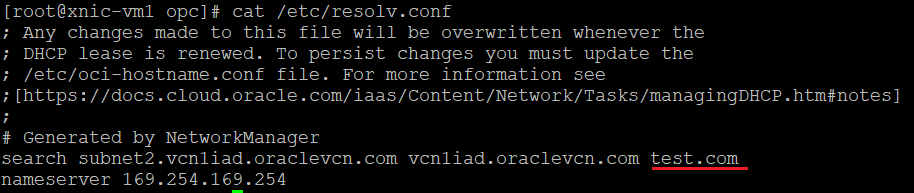
Now, let’s try to resolve our custom hostnames vv1, vv2, vv3 and vv4 before adding the private view created above:
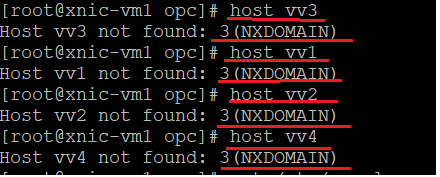
As we stated above, the OCI DNS resolver doesn’t have yet the information to resolve the requested custom hostnames.
Let’s add the private view to each and every VCN and give it one more try:
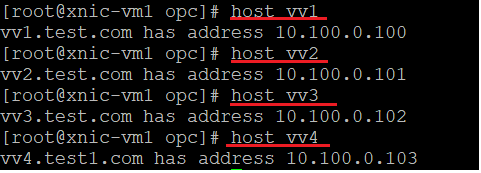
We have achieved the DNS resolution for custom VM hostnames.
Maintaining only the private view designated for the custom hostnames will make this solution to be very scalable (it only needs to be associated with each new VCN) and very easy to be maintained (the hostnames will be added only in one private zone create in the private view).
The second solution we can implement is to use a DNS server or pair of DNS servers located on-premises or on OCI to provide the customer hostnames DNS resolution. In part, the solution was discussed in the blog Active/Standby OCI Private DNS Resolver. You can use that Active/Standby model or just configure the DNS servers in a synchronized Active/Active mode.