
Introduction
In today’s digital landscape, ensuring the optimal performance and availability of applications is paramount. Oracle’s Application Performance Monitoring (APM) service offers robust tools to monitor and manage application health using Vantage Points which allows users to simulate user interactions and monitor application availability from various locations. While Oracle provides Public Vantage Points, deploying an On-Premise Vantage Point (OPVP) offers distinct advantages, especially for applications hosted within private networks or behind firewalls thereby allowing monitoring of applications within their own secure environments. This setup is particularly beneficial for applications that handle sensitive data or reside behind corporate firewalls.
When do you need an On-Premise Vantage Point?
The On-Premise Vantage Point (OPVP) is essential for organizations that need to monitor applications residing behind corporate firewalls or within private networks. It provides several key benefits:
- Secure Monitoring: By deploying OPVP within your corporate network, you can monitor applications that are not accessible from public vantage points, ensuring that sensitive data remains protected.
- Access to Private Endpoints: OPVPs can access applications and services not accessible from public vantage points, making them ideal for monitoring internal applications or services behind firewalls.
- Complete Network Control: Organizations have full control over network configurations, allowing for customized monitoring setups that align with internal security policies and network architectures.
Architecture Overview
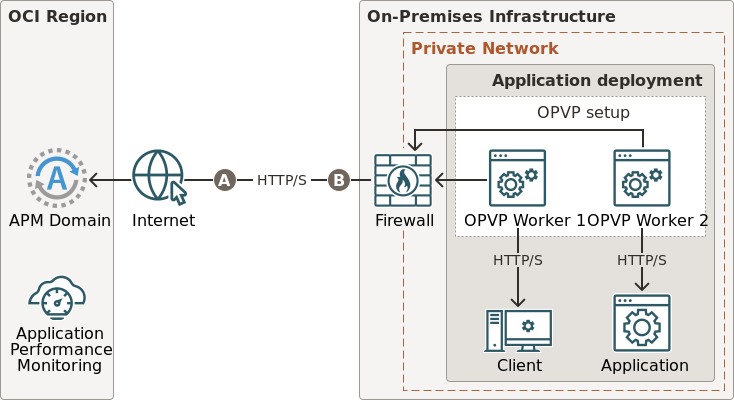
The architecture of an OPVP setup includes:
- VM Instance: Hosts the Synthetic Worker and runs monitors.
- Synthetic Worker: Executes monitors and collects performance data.
- APM Service: Collects and analyzes data sent from the Synthetic Worker.
- Monitors: Configured tests that simulate user interactions with your applications.
Architecture Diagram
The architecture of an On-Premise Vantage Point involves deploying the Synthetic Worker within your corporate network to monitor private endpoints. The Worker executes monitors and communicates results back to the APM domain over secure channel
Detailed Deployment Steps
1. Perform Prerequisite Tasks
Before setting up an OPVP, ensure the following:
- System Requirements: Verify that the VM instance meets the necessary hardware and software specifications. For instance, a Non-Browser Synthetic Worker requires at least 2 CPUs, 1 GB RAM, and 5 GB of disk space.
- User Permissions: Create a dynamic group in Oracle Cloud Infrastructure (OCI) and assign appropriate policies to allow the Synthetic Worker to communicate with the APM service.
- APM Domain: Create APM Domain
- Docker Setup: Docker deployment is completed on the VM Instance
For details on APM and Docker Setup, please check the Reference section below
2. Create an On-Premise Vantage Point
After completing prerequisite tasks:
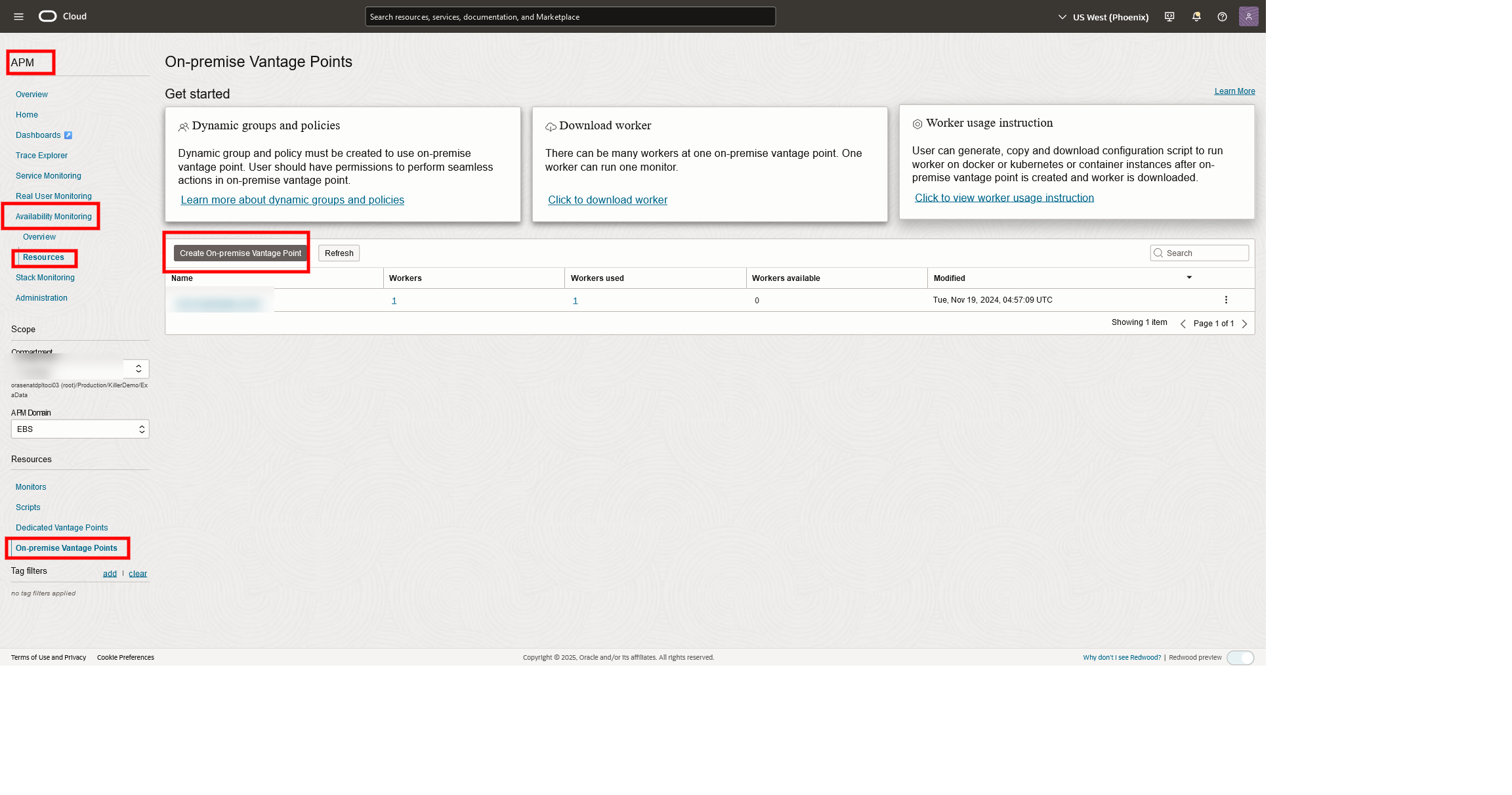
- Navigate to the Synthetic Monitoring section in the APM console.
- Select the desired compartment and APM domain.
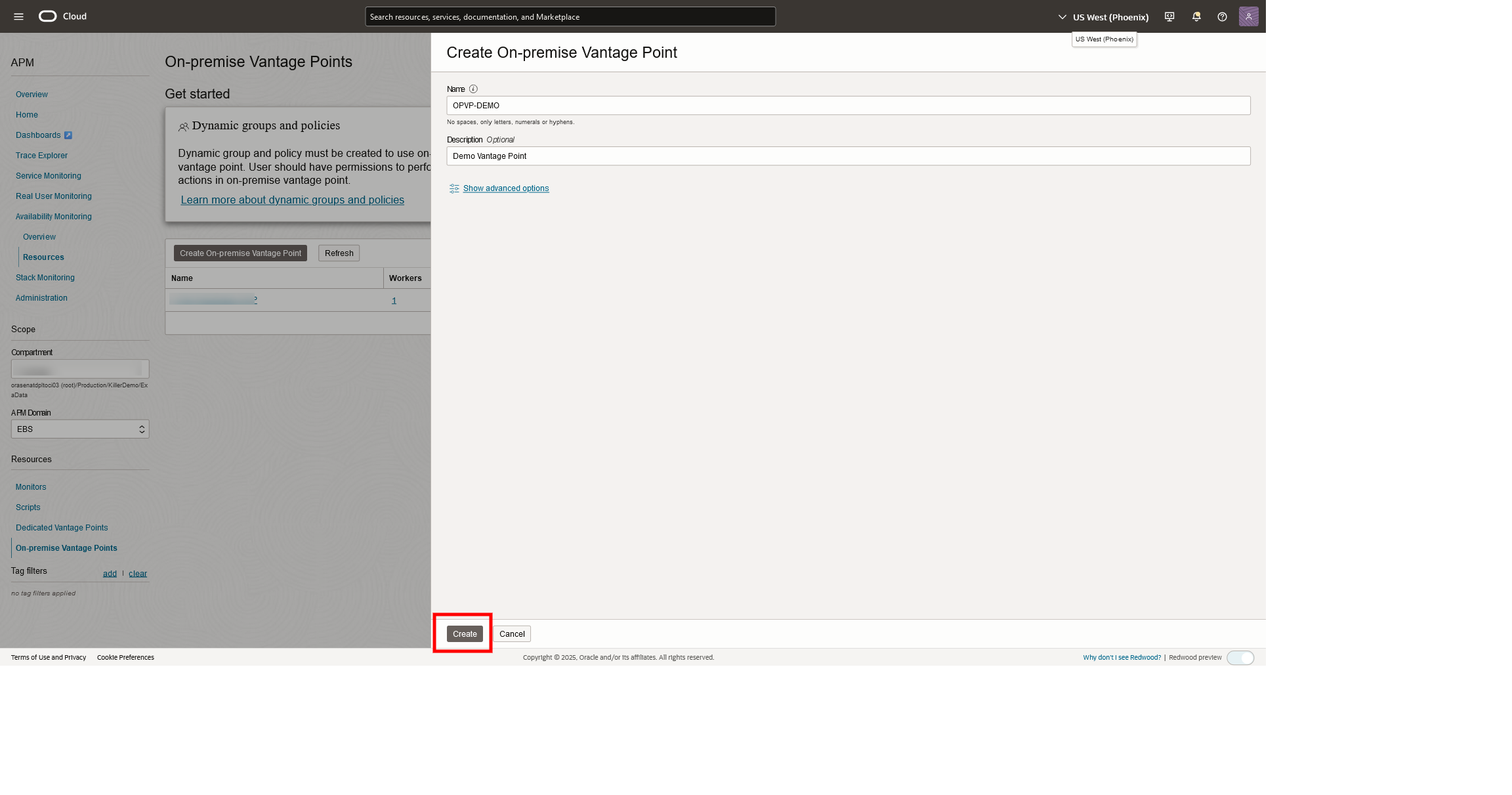
- Click “Create On-premise Vantage Point” and provide a unique name and description.
- Click “Create” to finalize the setup.
3. Deploy the Synthetic Worker
The Synthetic Worker executes monitors within your environment:
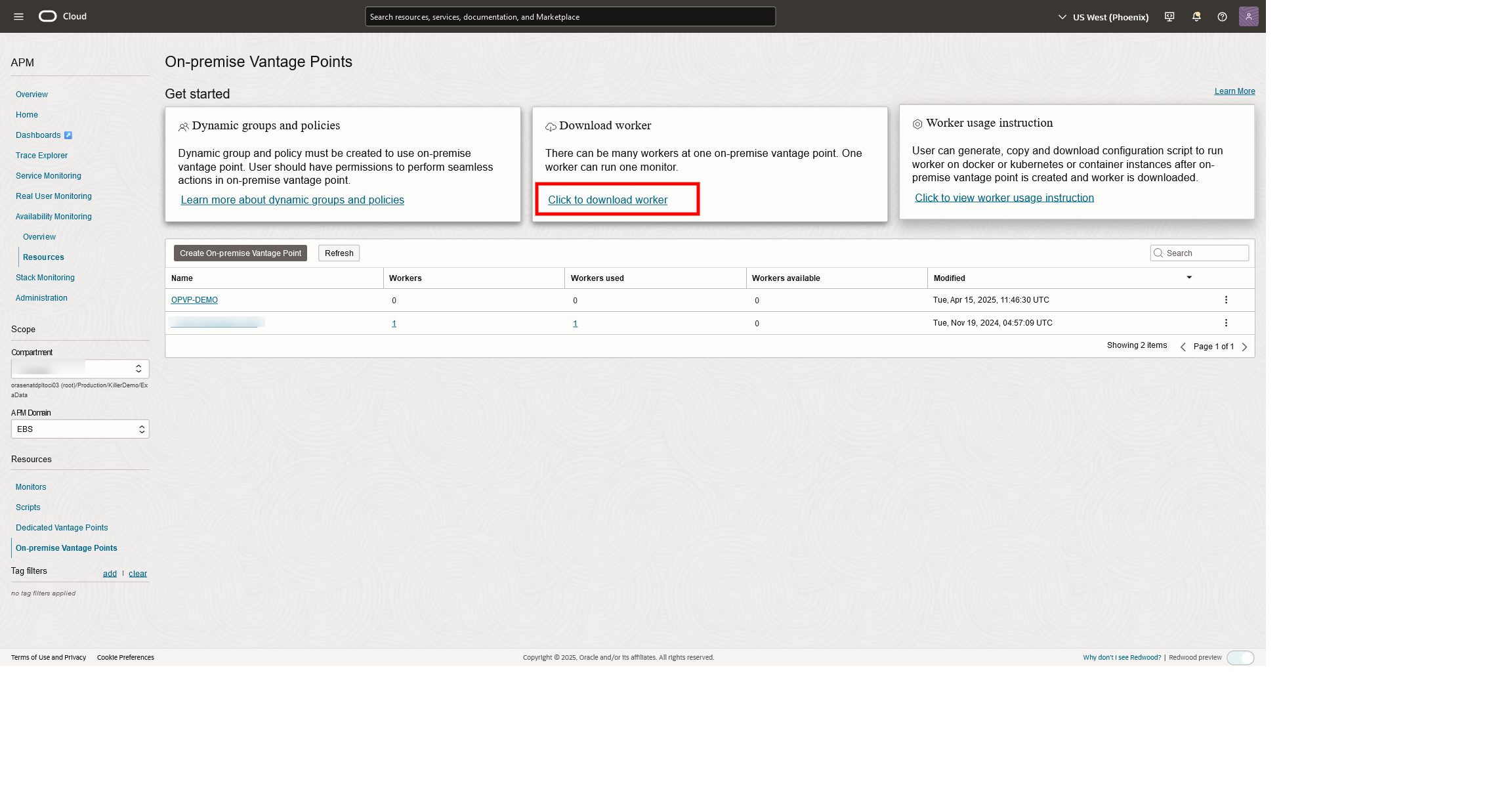
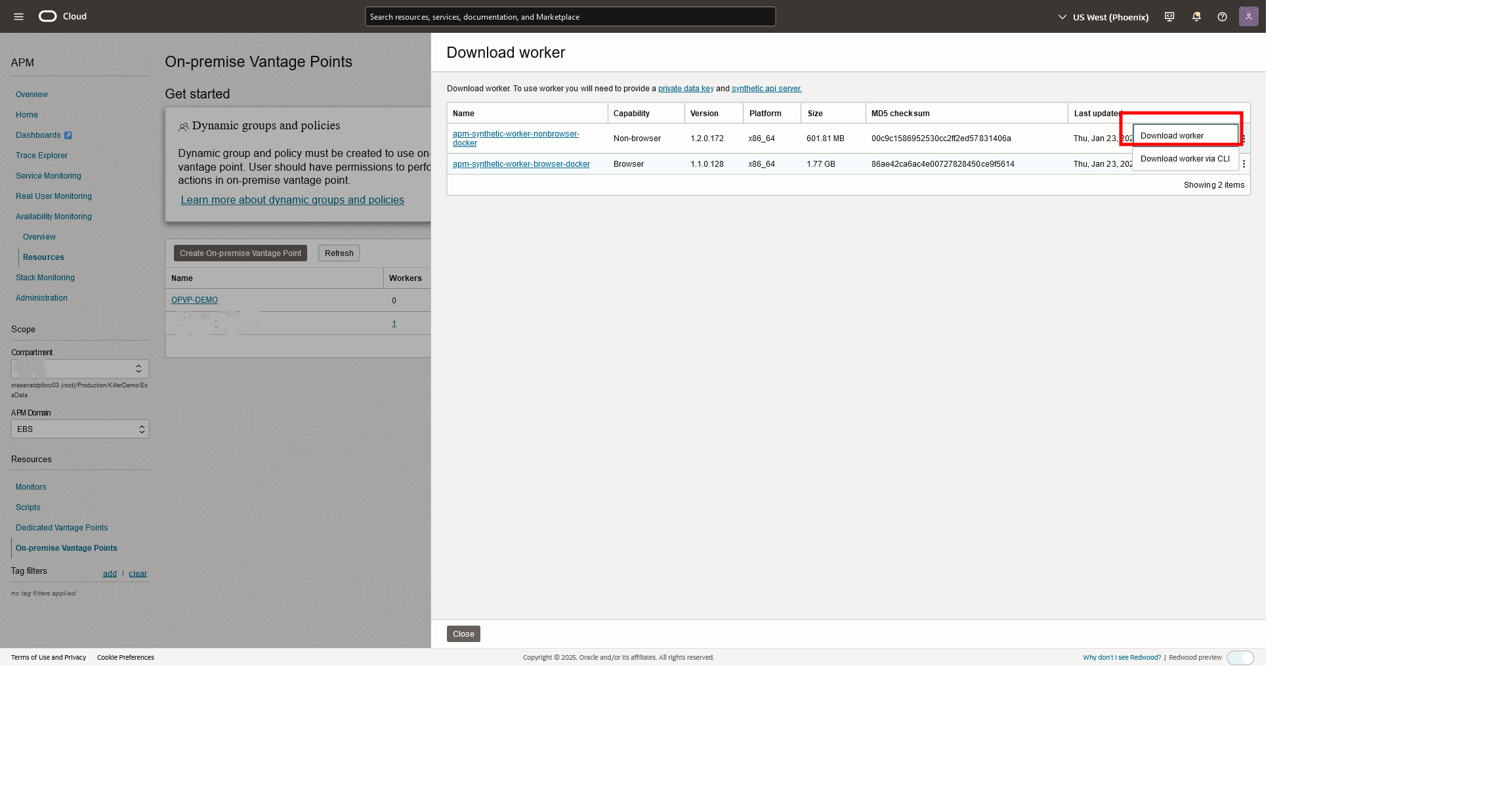
- Download the Worker: Download the Synthetic Worker package compatible with your environment (standalone compute or Kubernetes). For this deployment we are choosing Non-Browser Docker Worker
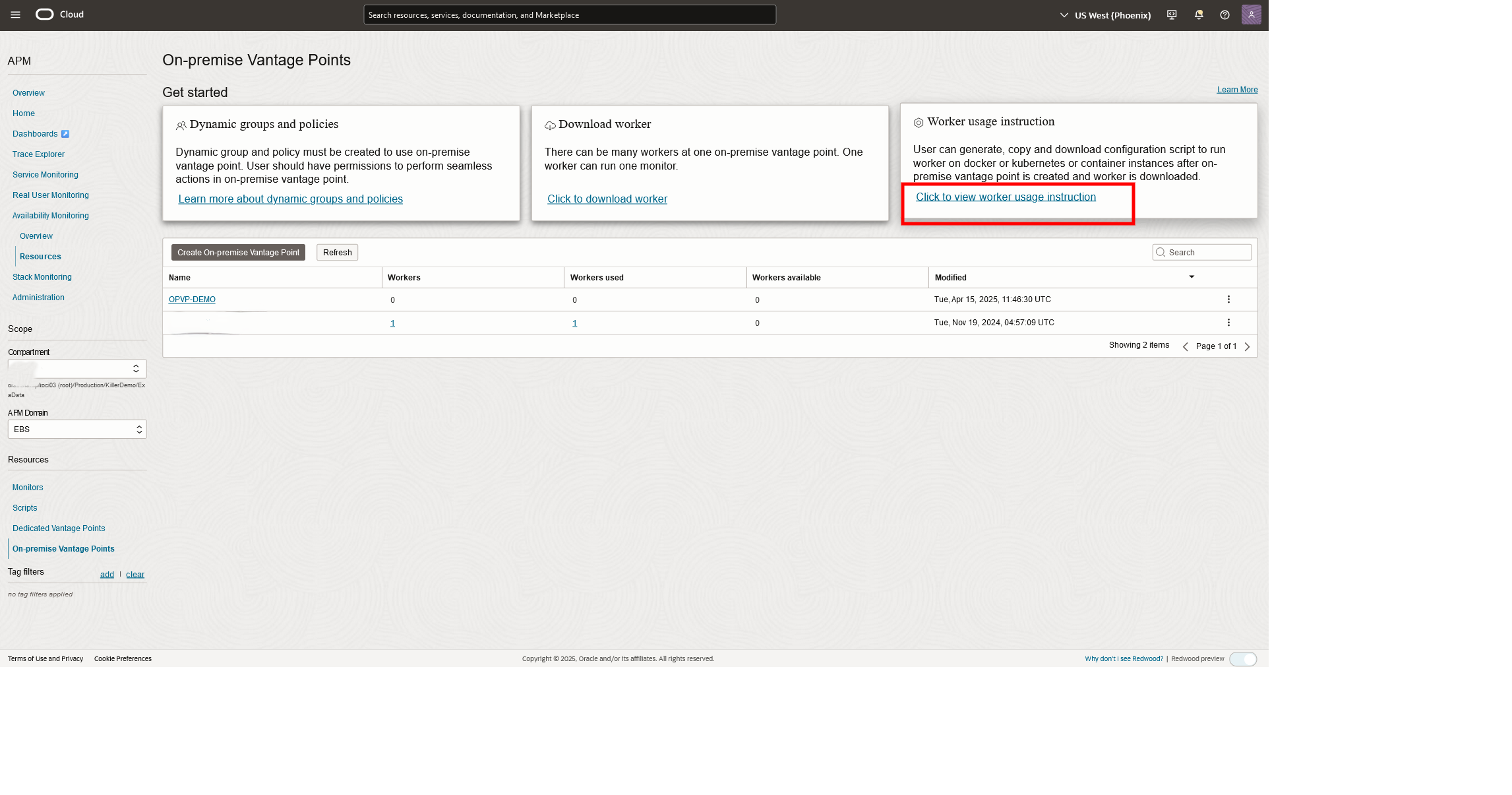
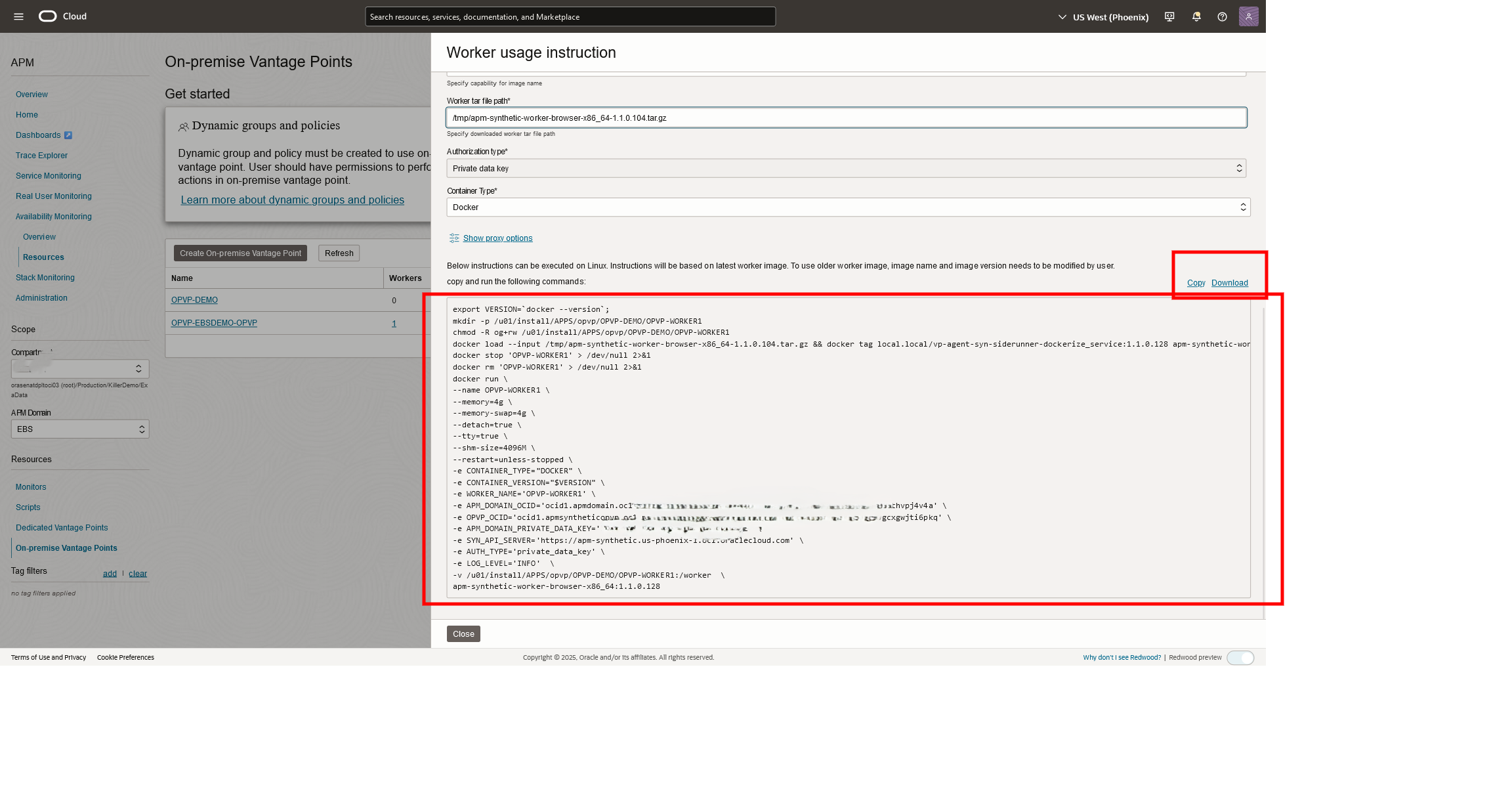
- Deploy the Worker: Deploy the Worker by following the provided instructions, which include configuring the environment and verifying the deployment.
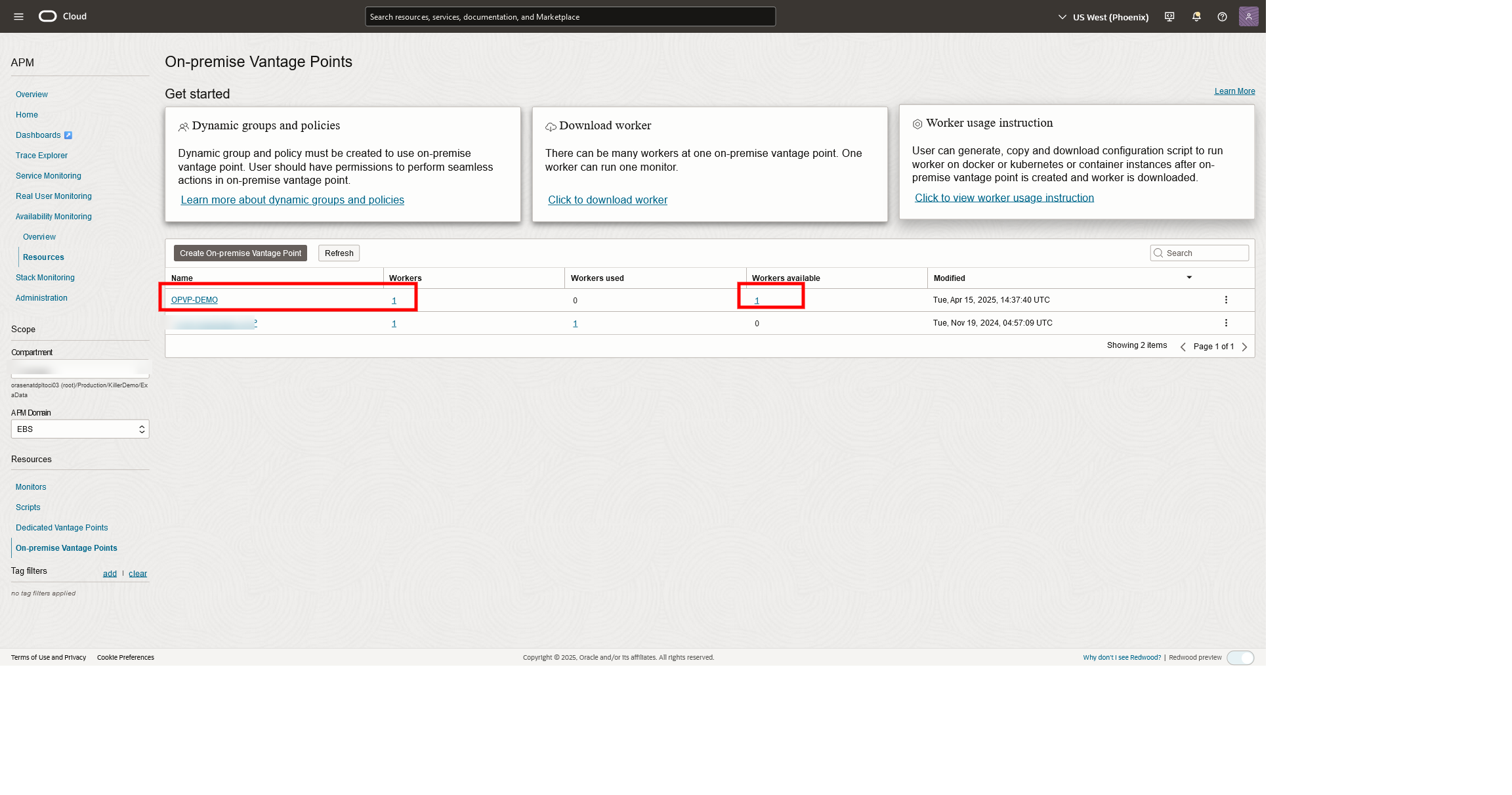
- Verify Deployment: Ensure that the Worker is functioning correctly by checking its status in the APM console.
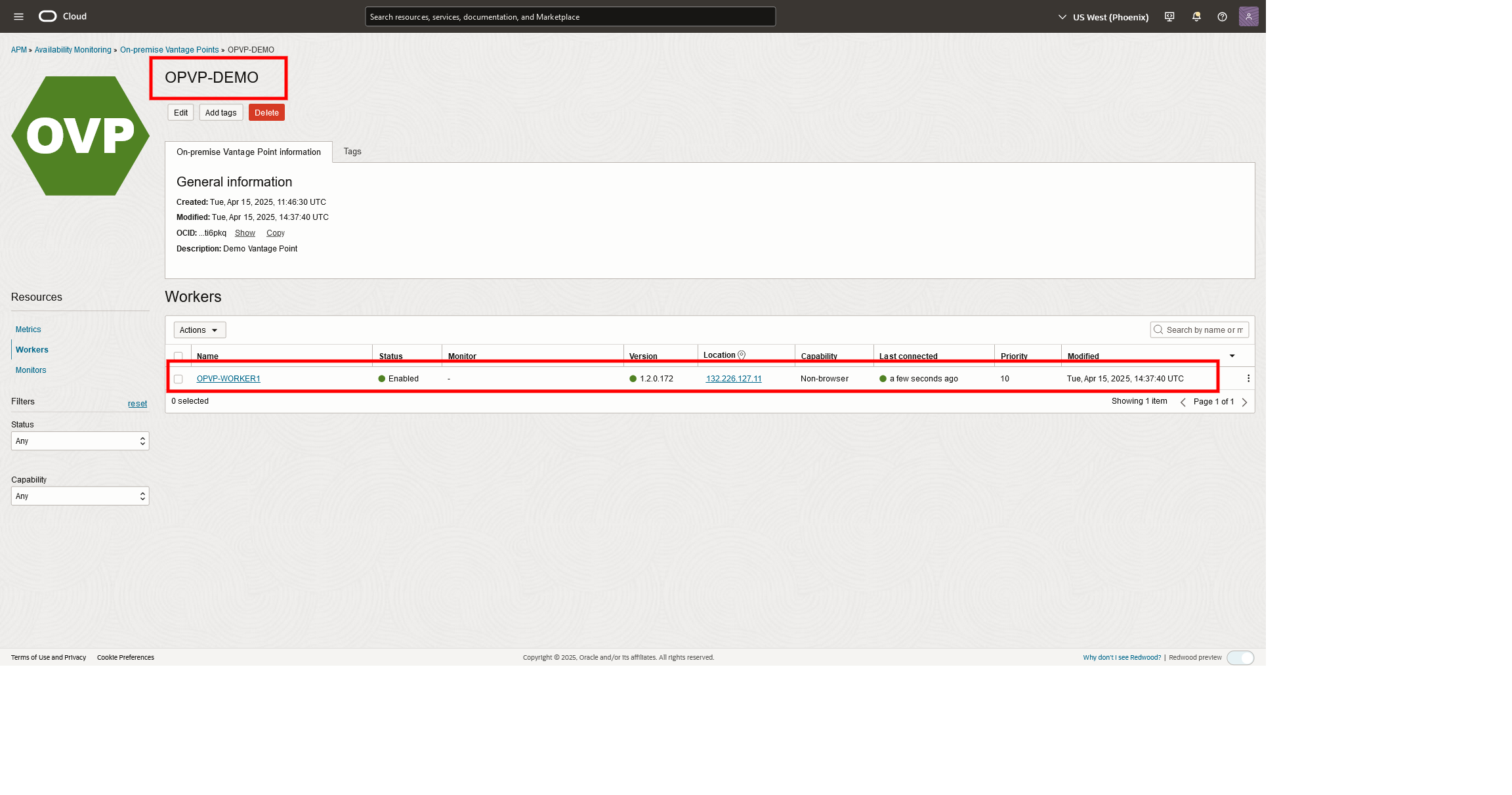
4. Configure and Run Monitors
With the OPVP and Worker in place:
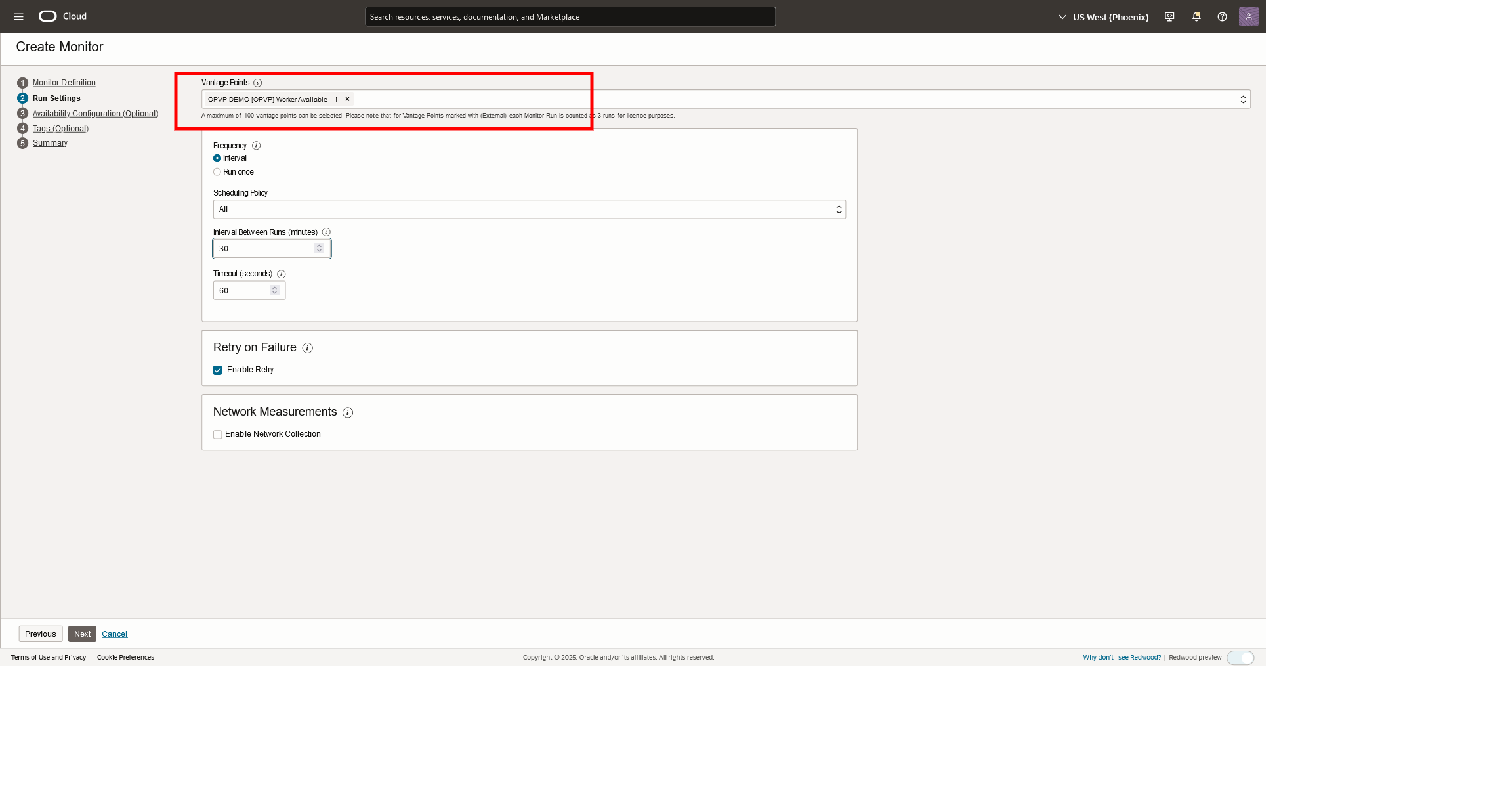
- Set up monitors to simulate user interactions with your applications.
- Schedule monitors to run at specified intervals.
- Review monitor results to identify and address performance issues.
Summary
Oracle’s On-Premise Vantage Point offers a secure and controlled solution for monitoring applications within private networks. By following the outlined deployment steps, organizations can ensure that their internal applications meet performance and availability standards, all while maintaining strict control over their monitoring environments. This approach aligns with best practices for application performance management, providing both security and reliability.
Reference
Get Started with Application Performance Monitoring
Deploying Docker Container on Oracle Linux