
Introduction
In the past, I had several projects where the customers had overlapping IP addresses between their OCI tenancy CIDR and the rest of their infrastructure on-prem.
Among other reasons that cause this overlap I will mention three:
- Sub-optimal design of the deployed architecture deployed in OCI (provisioning a /16 for the VCN CIDR for a small deployment);
- Hardcoded IP addresses in applications that are migrated to the Cloud;
- Interconnection with partners that are using the same CIDR as the one used in the OCI VCN.
Sub-optimal Design
Before configuring the OCI Tenancy, the customer should spend some time planning for the CIDR space that will be allocated to their environment. This involves creating an IP plan that will encompass all the VCN and the associated subnets. Avoid using the “VCN creating Wizard” which by default is using the 10.0.0.0/16 CIDR.
Hardcoded IP Addresses
If the customer has an application that requires a specific IP address on the vNIC or has a hardcoded IP address, the only way to resolve this is by using NAT.
Interconnection with partners
Historically, the Independent Software Vendors (ISV) had connectivity with customers via VPN and they resolved the overlap of IP addresses using Public IPv4 addresses as private subnet CIDR. This is not scalable due to the shortage of IPv4a CIDR. A more modern approach is to use the Carrier-grade NAT (rfc6598)
Configuration
This article is showcasing a solution to the overlapping CIDR which is using a Double one-to-one NAT. In the article, I used as overlapping CIDR two VCNs from OCI, but this solution can be deployed also when one side is in OCI and the other is on-prem connected via IPSEC or FastConnect
Below is the diagram that will be used in this post.
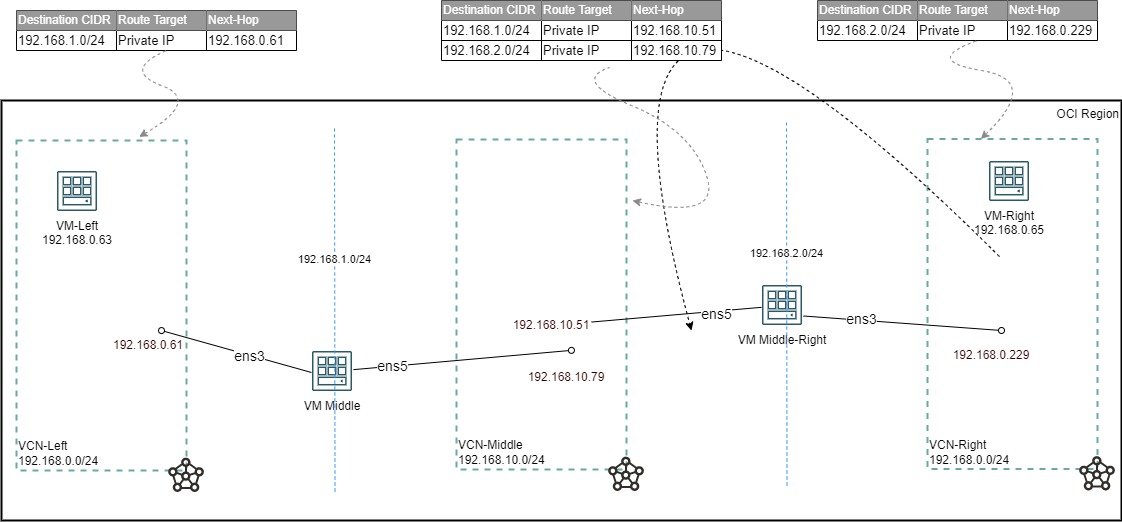
The two VCNs (VCN-Left and VCN-Right) are using the same CIDR (192.168.0.0/24).
To facilitate the connectivity between the overlapping IP addresses, another VCN (VCN-Middle 192.168.10.0/24) two NAT VMs, and two additional CIDR 192.168.1.0/24 nad 192.168.2.0/24 are used.
I will cover the life of the initial SYN packet in this double NAT scenario for an SSH connection from VM-Left (192.168.0.63) to VM-Right (192.168.0.65) in the VCN-Right:
- VM-Left initiates the connection and the packet that exits the vNIC will have SRC-IP:192.168.0.63; DST-IP:192.168.1.65;
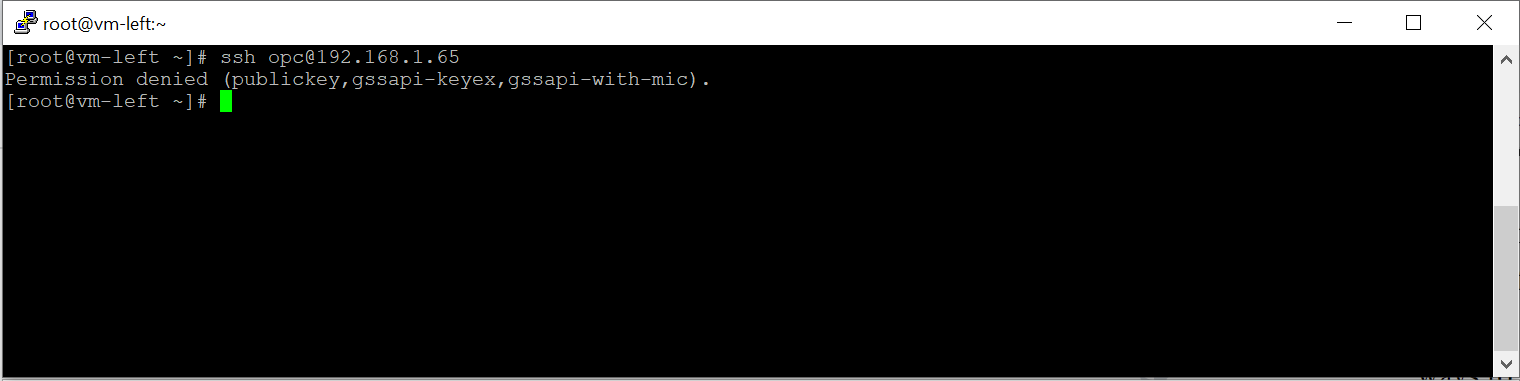
- In the VCN-Left there is a route entry for 192.168.1.0/24 that points to the VM-Middle IP address;
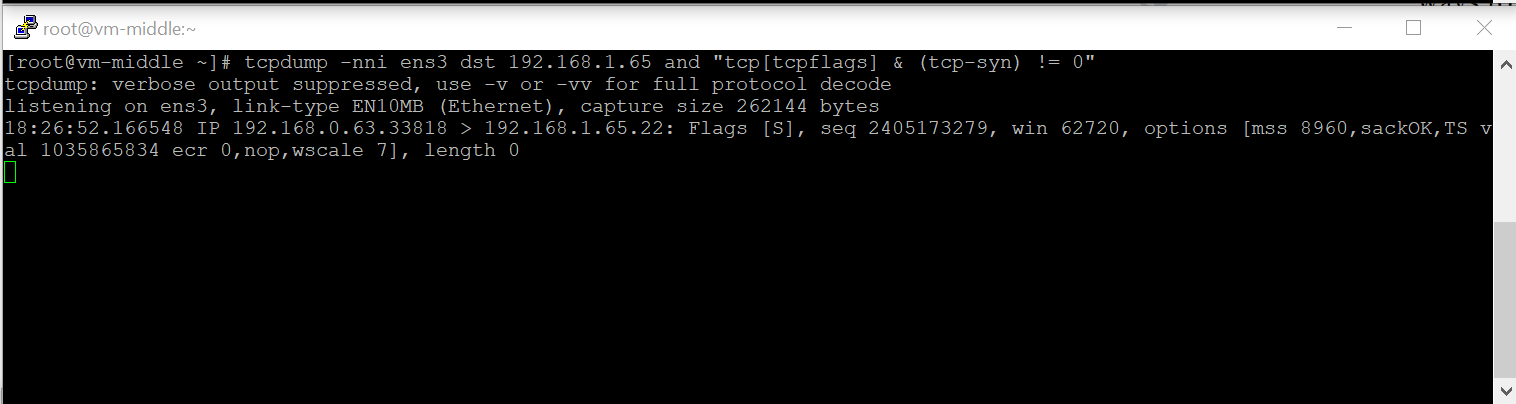
- The VM-Middle will NAT the packet and when it leaves it will have SRC-IP:192.168.2.63; DST-IP:192.168.1.65;
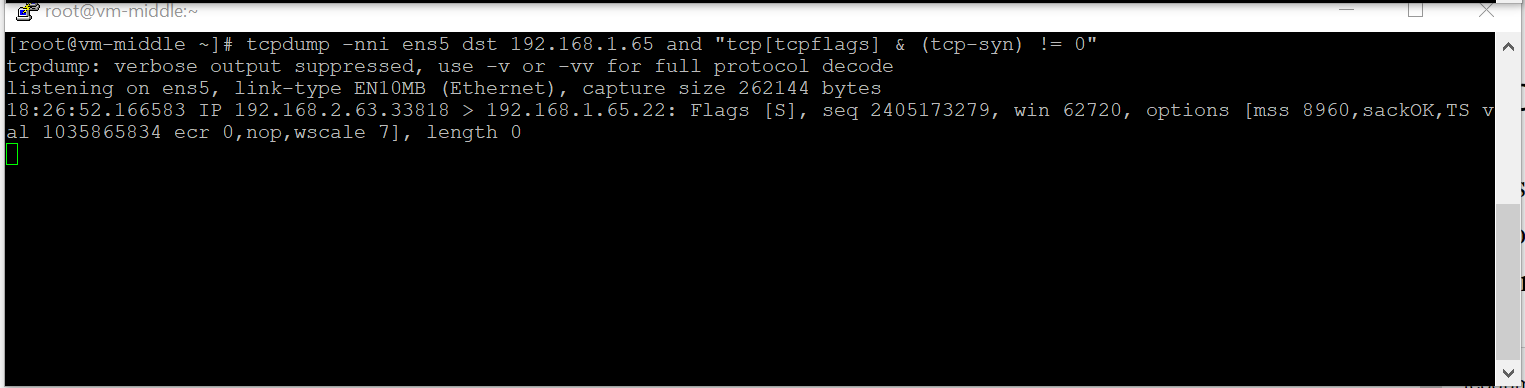
- In the VCN-Left there is a route entry for 192.168.2.0/24 that points to the VM-Middle-Right IP address;
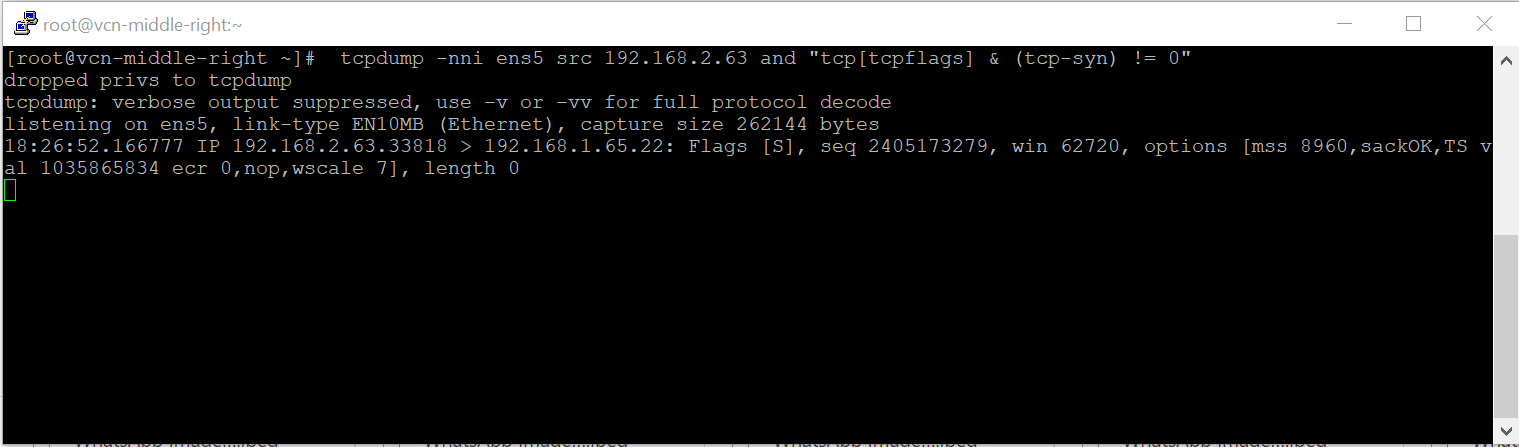
- The VM-Middle-Right will NAT the packet and when it leaves it will have SRC-IP:192.168.2.63; DST-IP:192.168.0.65;
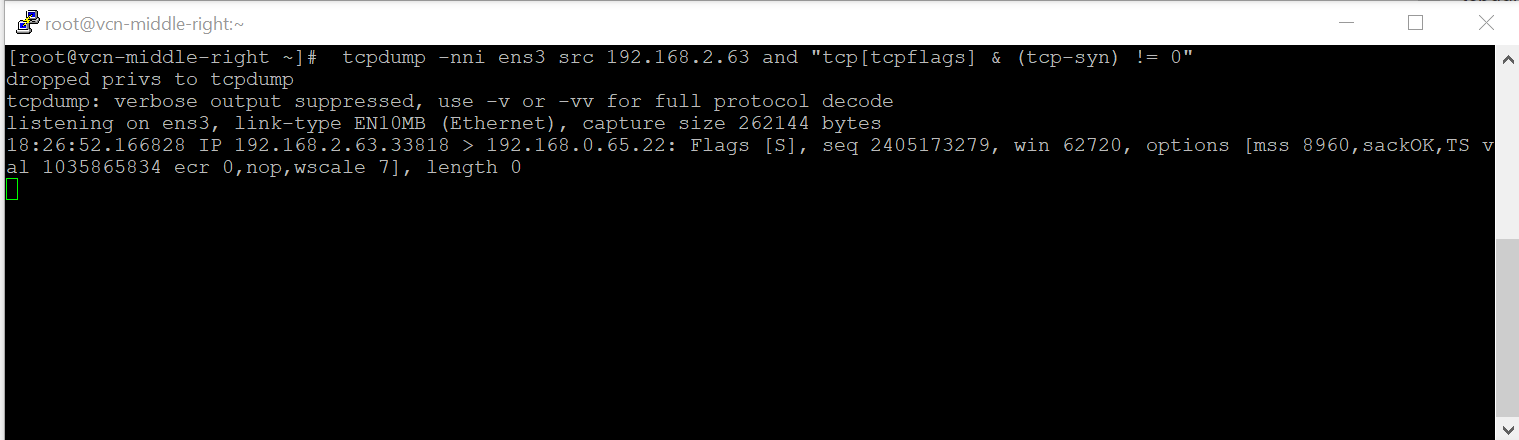
The configuration of the NAT VMs is done with the aid of iptables NETMAP.
The following configuration is applied to the VM-Middle:
iptables -t nat -I POSTROUTING -s 192.168.0.0/24 -d 192.168.1.0/24 -o ens5 -j NETMAP --to 192.168.2.0/24
iptables -t nat -I PREROUTING -s 192.168.1.0/24 -d 192.168.2.0/24 -i ens5 -j NETMAP --to 192.168.0.0/24
The following configuration is applied to the VM-Middle-Right:
iptables -t nat -I POSTROUTING -s 192.168.0.0/24 -d 192.168.2.0/24 -o ens5 -j NETMAP --to 192.168.1.0/24
iptables -t nat -I PREROUTING -s 192.168.2.0/24 -d 192.168.1.0/24 -i ens5 -j NETMAP --to 192.168.0.0/24
Conclusion
This post describes a few causes that lead to overlapping IP addresses. The best way to resolve this situation is to plan better the CIDR space needed for architecture. If the overlap can’t be avoided, a basic iptables configuration was shown.