
Introduction
This post complements the previous post made by Javier which can be found here.
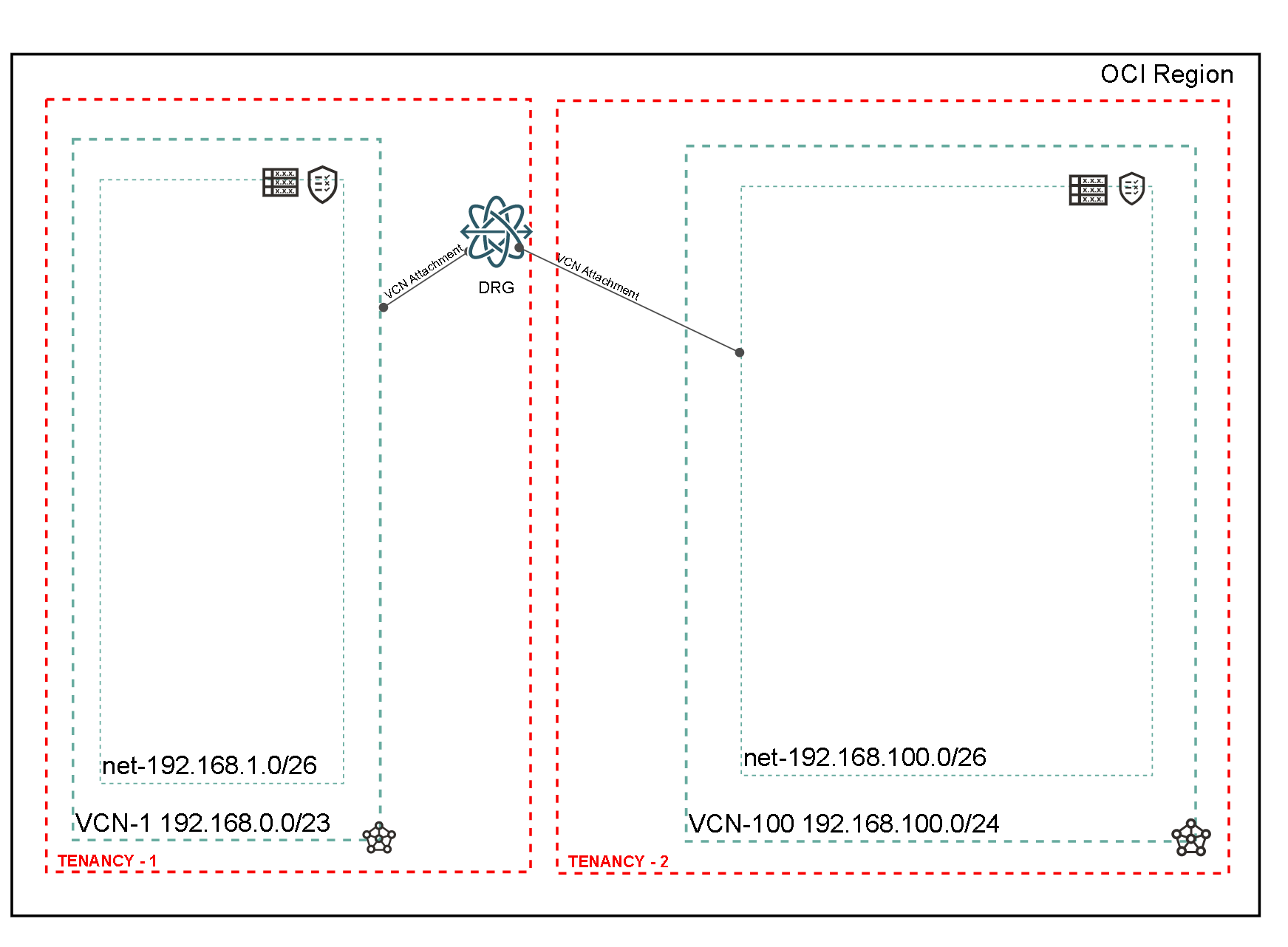
The purpose of this blog is to show how to interconnect two tenancies by leveraging the VCN attachments in DRG. The VCN is located in a different tenancy than the DRG. The VCN and the DRG must be located in the same region.
The following diagram will be used throughout the blog.
Prerequisites
>We are assuming you have a basic understanding of networking, and you are familiar with OCI Networking (DRG, VCNs, subnets, security lists, routing, and IAM Policies). A prerequisite for this solution to work is that you are using the enhanced DRG. A DRG created before June 2021 (or April 2021 in San Jose and Montreal regions) must be upgraded before you can connect it to multiple VCNs, use it in cross-tenancy peering scenarios, or modify the internal routing policies. This upgrade process does not change the DRG’s OCID. Check the Upgrading DRG section for your reference.
Implementation
We will cover the IAM Policies and the DRG Attachments.
IAM Policies
For the peering to be successful, a set of IAM policies are needed. Following the official documentation, two roles are defined, one for each tenancy: a Requester (In my example it will be called Tenancy-1 which hosts the DRG) and an Acceptor (In my example it will be called Tenancy-2 which hosts the VCN). The tenancy Administrators from each tenancies must configure their own tenancy with the required policies. Before starting the configuration, each Administrator should gather the following information and share it with the Administrator from the other side.
Bellow you can find the IAM policies described in the official documentation
Requestor IAM policies (DRG is located in this tenancy)
define tenancy VCN as <vcn-tenant-ocid> define group VCN-Admin as <vcn-group-ocid> endorse group DRG-Admin to manage drg-attachment in tenancy VCN admit group VCN-Admin of tenancy VCN to manage drg in tenancy |
Acceptor IAM policies (VCN in this tenancy)
define tenancy DRG as

define group DRG-Admin as


admit group DRG-Admin of tenancy DRG to manage drg-attachment in tenancy
endorse group VCN-Admin to manage drg in tenancy DRG
|
Create the DRG Attachment
At the time of writing (11/2021), If we follow logic of the documentation, the Tenancy that hosts the DRG should be the Requester. In the Tenancy 1, navigate to Networking >> Customer Connectivity >> Dynamic Routing Gateways and under the DRG choose Cross-Tenancy Attachments. Once we fill in the information and hit the “Create Cross-Tenancy Attachment” button we will receive the following error:
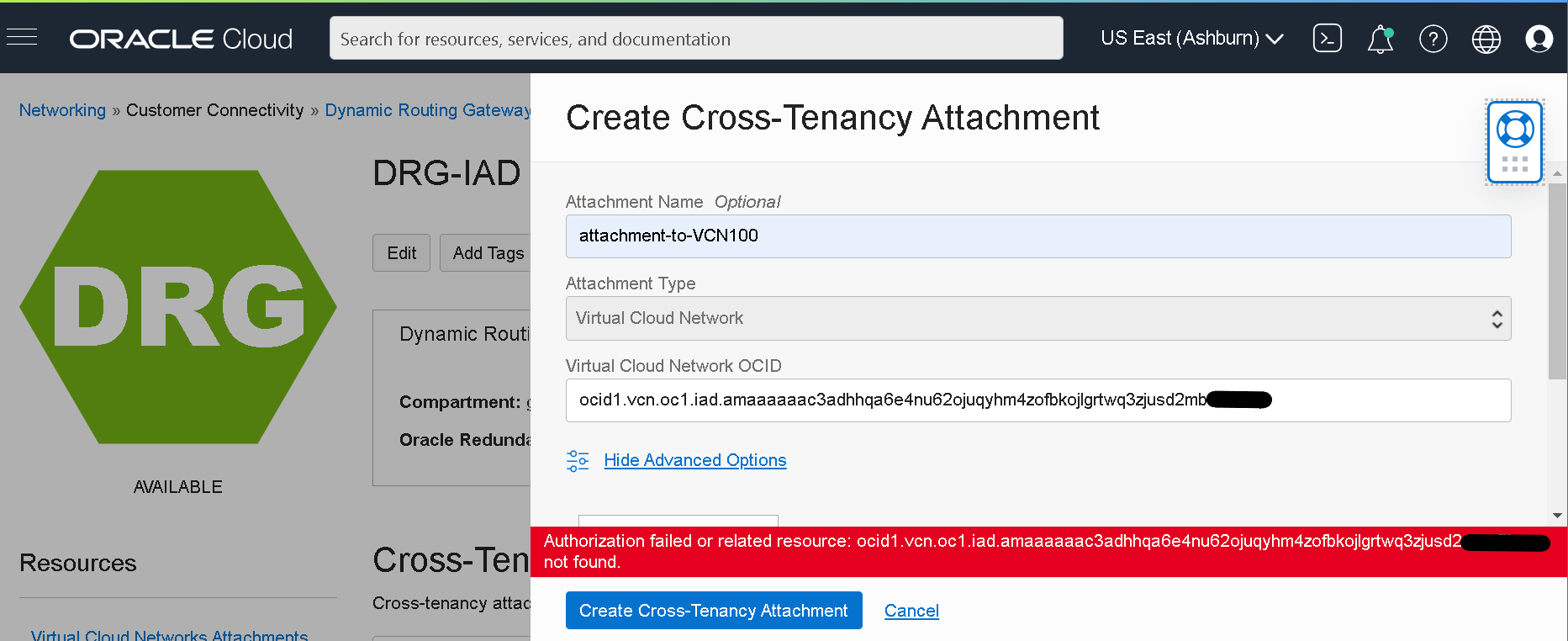
To overcome this, we will create the attachment starting from Tenancy 2.
Navigate to Tenancy 2 (the tenancy hosting the VCN) and navigate under Networking >> Virtual Cloud Networks and select the VCN that will attach to the DRG. Navigate to the “Dynamic Routing Gateways Attachments” section and create a DRG Attachment.
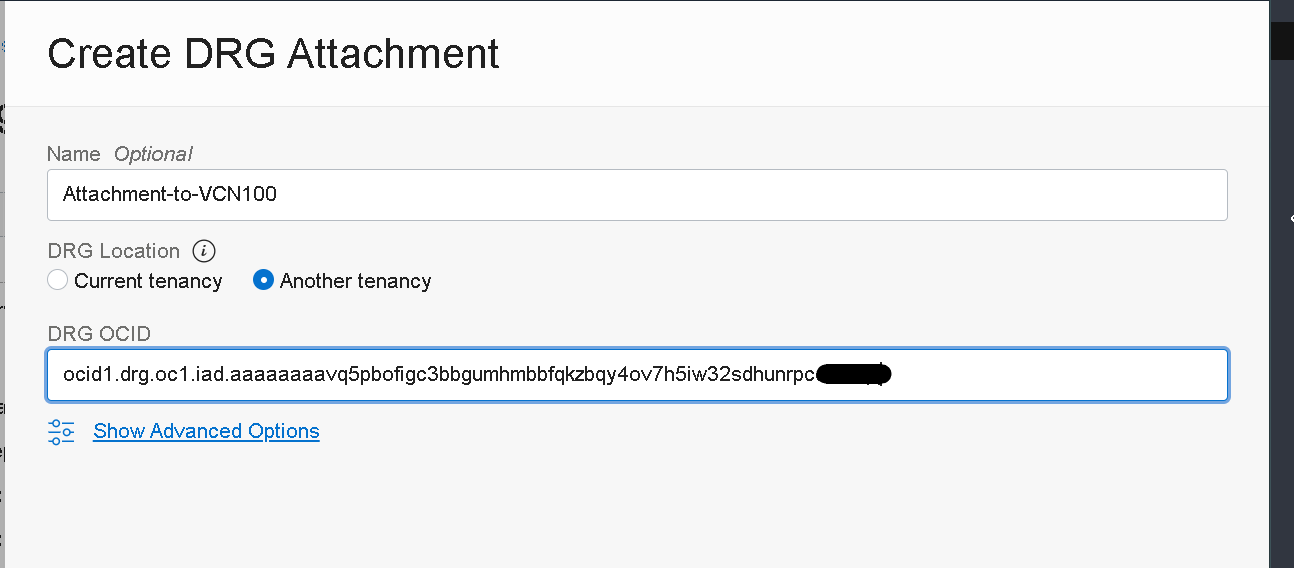
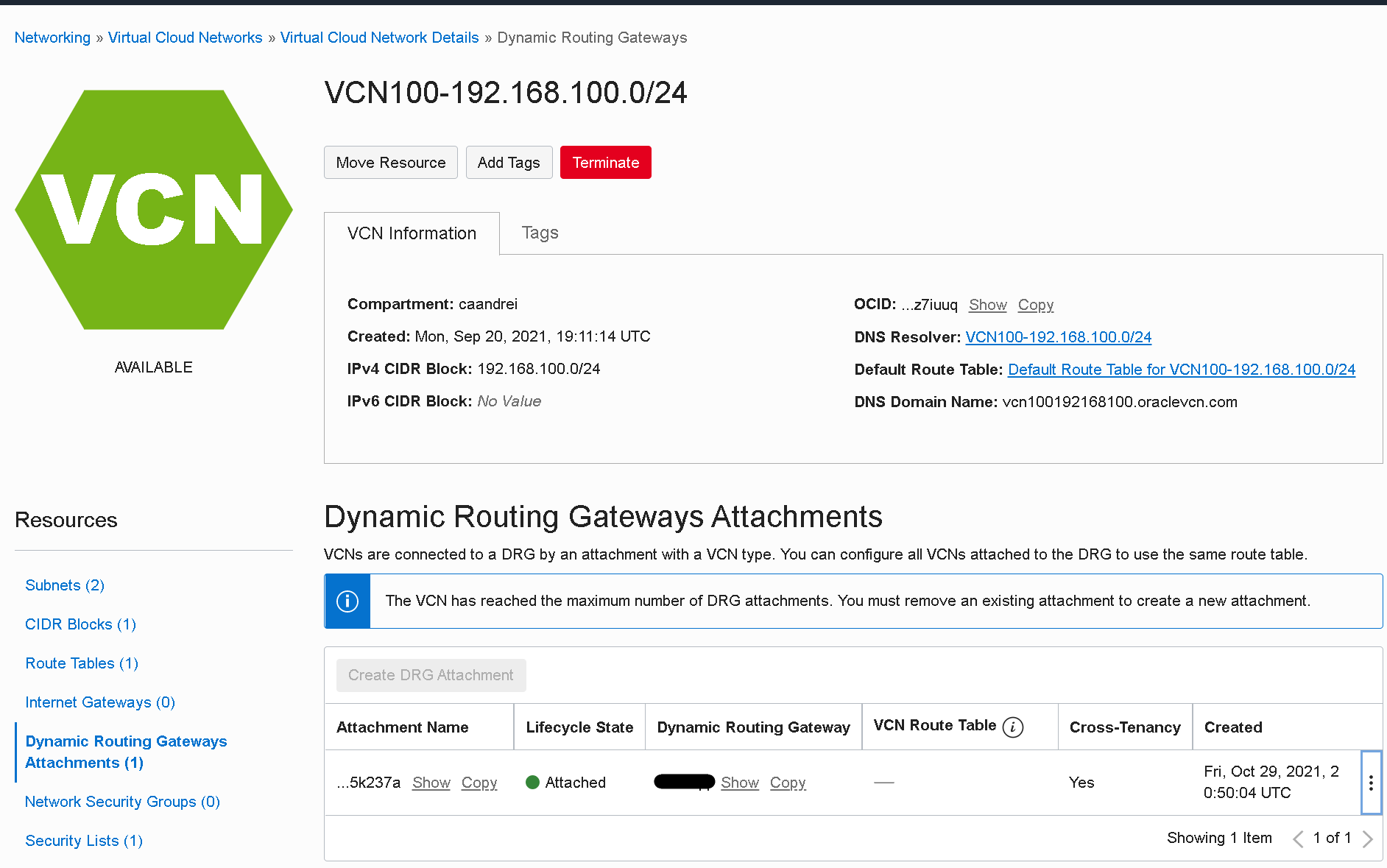
After creation, the attachment can be observed in the VCN.
Verification
After the creation of the peering, we will verify the routing tables from the DRG and check for the CIDR block from the peered VCN.
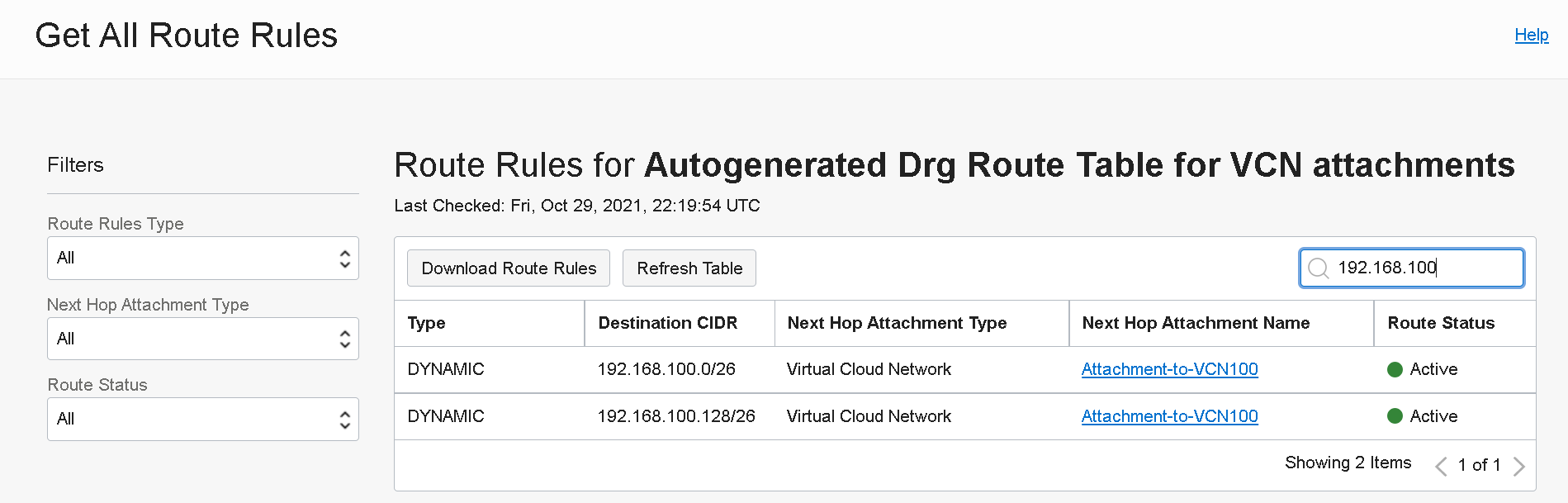
Login to Tenancy 1 and navigate to Networking >> Customer Connectivity >> Dynamic Routing Gateways and under the DRG open the “Autogenerated Drg Route for VCN attachments” route table and search the routes for the CIDR space from the attached VCN.
Conclusion
In this post we explored the cross-tenancy VCN peering using DRG attachments. We covered only the creation of the attachment, but as a follow-up, you need to implement the routing and the security at the VCN level.