
Networking requirements evolve as businesses grow, often introducing complexities that demand smarter traffic control mechanisms. This blog explores a real-world use case where a customer needed to fine-tune OCI route tables to meet their security and compliance needs.
Initial Setup: Simple Internet Access
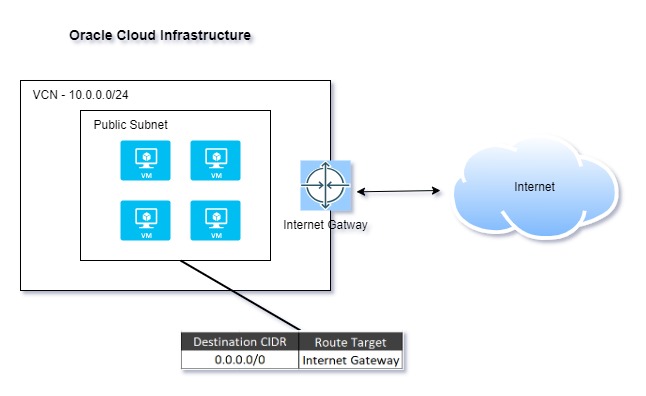
The customer started with a straightforward networking requirement—ensuring that all four compute instances in their Virtual Cloud Network (VCN) could access the internet.
To achieve this, they:
- Created a VCN with a public subnet
- Associated a route table with the subnet, pointing to the Internet Gateway
- Launched four compute instances
This setup worked seamlessly, allowing all instances to communicate with the internet as expected.
New Requirement: Security Inspection via On-Premises Firewall
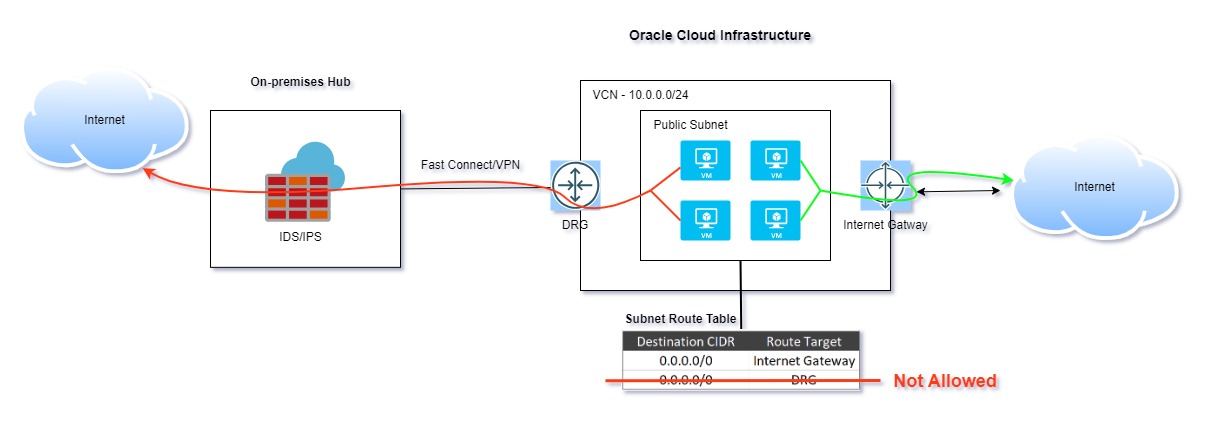
As their cloud adoption matured, so did their security needs. Two of the four instances were running critical services, and the customer wanted all outbound internet traffic from these VMs to be inspected via their on-premises firewall for added security checks and compliance.
The Challenge: Route Table Constraints
While the desired architecture was conceptually simple—directing traffic from specific VMs through the firewall—an operational challenge surfaced.
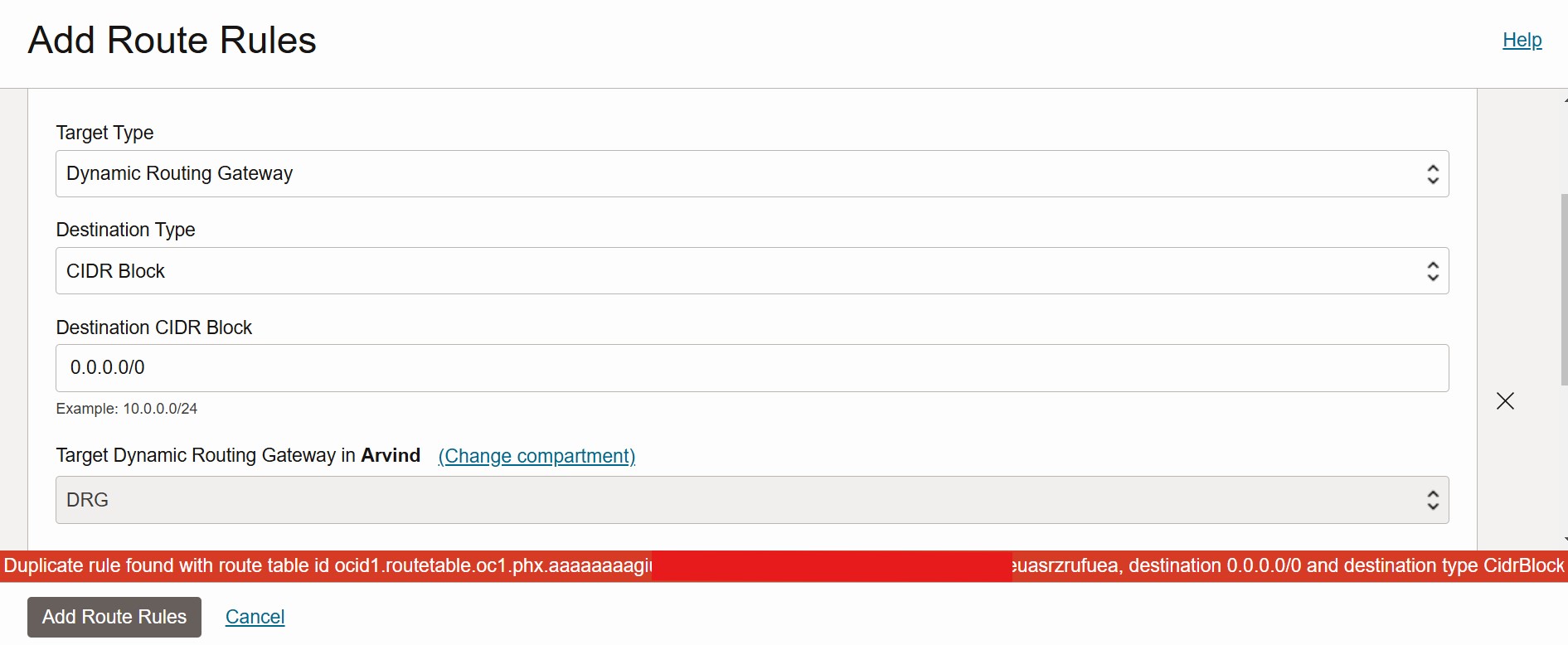
OCI’s route tables do not support multiple rules for the same destination, preventing routing ambiguity. If a duplicate route is added, OCI returns an error message, restricting the ability to enforce different paths for different source instances within the same subnet.
Solution: Source-Based Routing with OCI’s New Feature
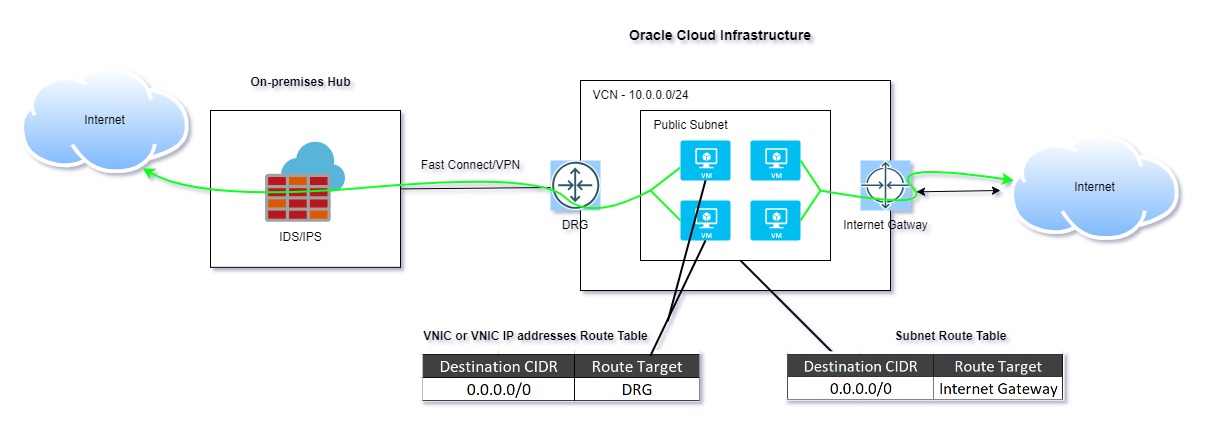
To overcome the route table constraints, we leveraged OCI’s newly introduced feature: Associating a Route Table with a VNIC or VNIC IP Address. This enhancement enables Source-Based Routing, allowing traffic to be controlled at a more granular level by directly associating a route table with a Virtual Network Interface Card (VNIC) or even specific VNIC IP addresses.
Implementing the Solution
To route traffic from the selected compute instances through the on-premises firewall, we followed these steps:
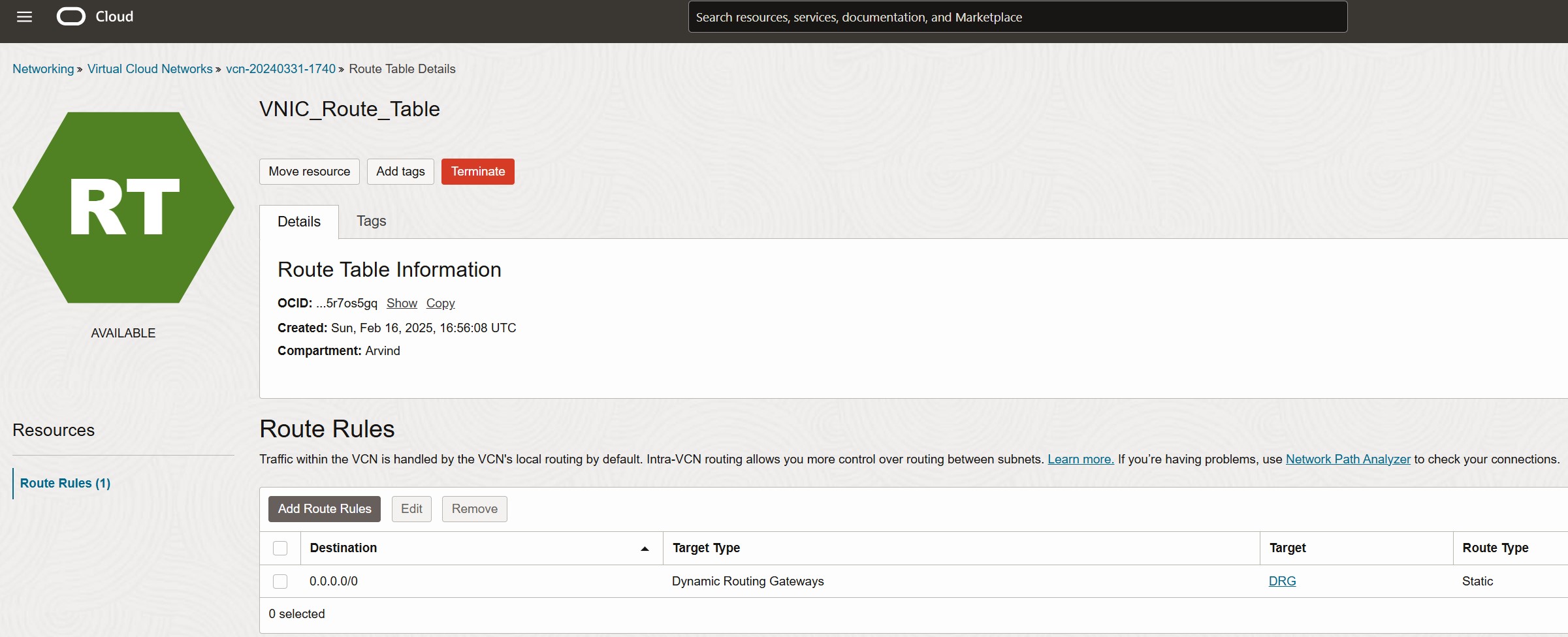
- Created a separate route table
- Added a default route (0.0.0.0/0) targeting the Dynamic Routing Gateway (DRG)
- Associated this route table directly with the VNICs of the instances requiring traffic inspection
- (Optional) Associate the route table with specific VNIC IP addresses, if needed
Associating the Route Table with a VNIC
To apply Source-Based Routing, you need to associate the newly created route table with the specific VNIC of the target compute instances. Follow these steps in the OCI Console:
1. Navigate to Compute:
- Open the OCI Console
- Go to Compute → Instances
- Select the required instance
2. Edit the Attached VNIC:
- Under the Resources section, click on Attached VNICs
- Locate the target VNIC and click on the three-dot options menu
- Select Edit VNIC
3. Associate the Custom Route Table:
- In the Route Table section, choose Select custom route table for the VNIC
- From the dropdown, select VNIC_Route_Table (the route table created earlier)
- Click Save Changes
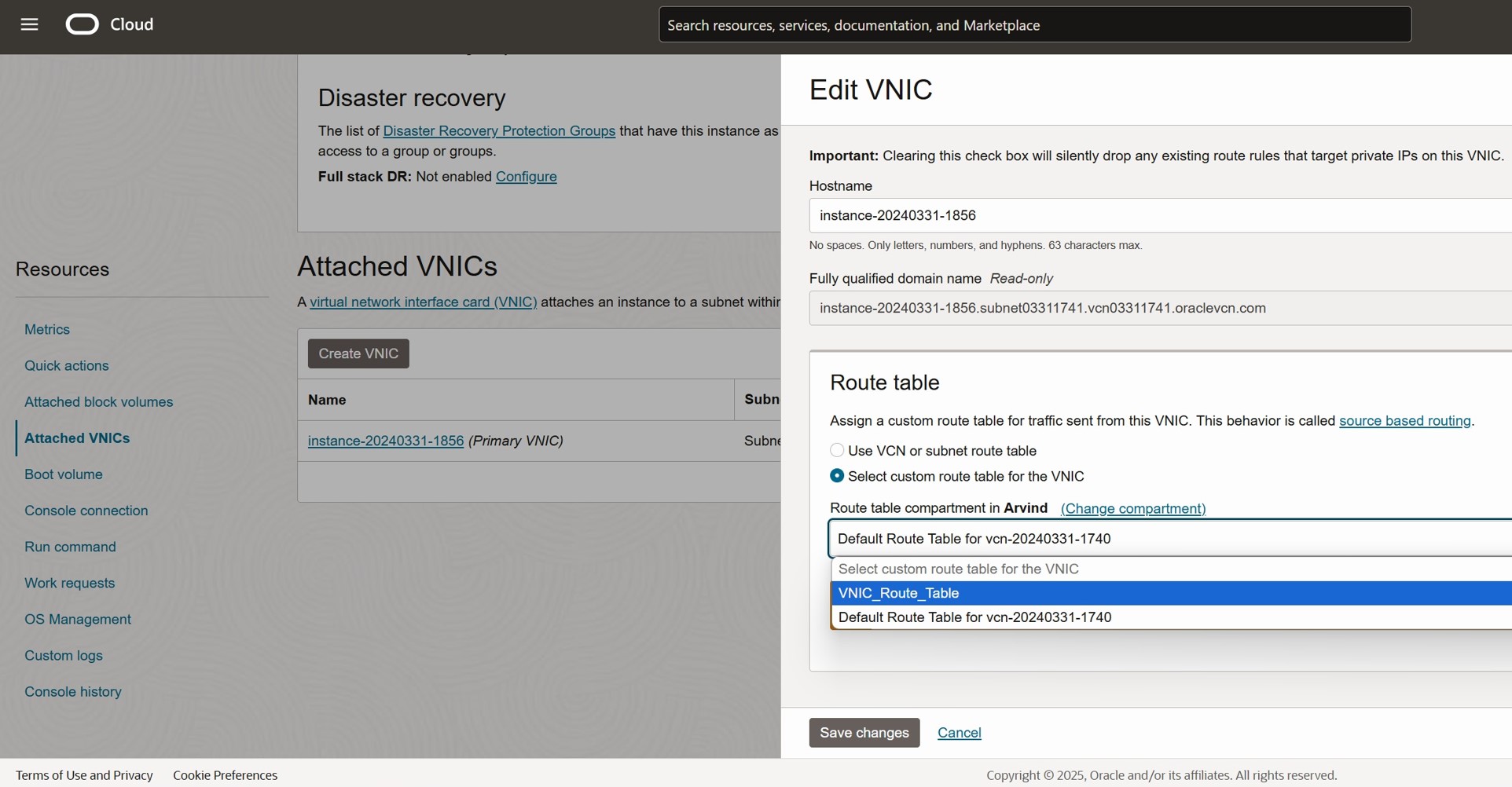
Once completed, the selected instance will use the newly assigned route table, enabling Source-Based Routing for its outbound traffic.
Outcome: A Targeted Routing Strategy
By leveraging VNIC-based Source Routing, this design successfully meets the customer’s requirements:
- Selected instances route internet-bound traffic via the on-premises firewall for IDS/IPS inspection
- Other instances retain direct internet access through the Internet Gateway
This flexible approach ensures enhanced security without disrupting existing connectivity, optimizing both control and performance within OCI.
Conclusion
The ability to associate a route table with a VNIC or VNIC IP address is a powerful enhancement in OCI networking. It introduces Source-Based Routing, allowing for granular control over traffic paths while seamlessly integrating security and compliance measures like traffic inspection.
By leveraging this feature, OCI users can:
- Customize routing per instance without impacting the entire subnet
- Enhance security by directing critical traffic through inspection points
- Design flexible, scalable architectures that align with business needs
This capability empowers organizations to build more secure, efficient, and adaptable cloud networks within OCI.
Thanks for reading! I hope you found this blog insightful—feel free to share your thoughts or experiences in the comments.