
Creating a PGP key is easy. A simple gpg –gen-key command, and you have a new digital identity. But then comes the hard question, the one that should keep security teams up at night: Where does that private key live?
Too often, the answer is “on a developer’s laptop.” From there, it might be copied to a shared folder or a password manager. At every step, the sensitive private key material is exposed to a human, creating a significant risk of accidental leaks or compromise.
Our customer presented us with this exact challenge, but with a critical mandate: they needed an automated process to create PGP keys and save them as secrets in Oracle Cloud Infrastructure (OCI), but no user, administrator, or developer should ever be exposed to the raw private key.
This required a zero-trust approach to key generation. The solution was a secure, self-contained, and fully automated OCI Function.
Here’s the breakdown of the components:
OCI Function: A Python function that serves as a temporary, clean-room environment. It runs our python-gnupg logic and nothing else.
OCI Vault: The final, secure destination for the keys. It uses HSMs to ensure the secrets are protected.
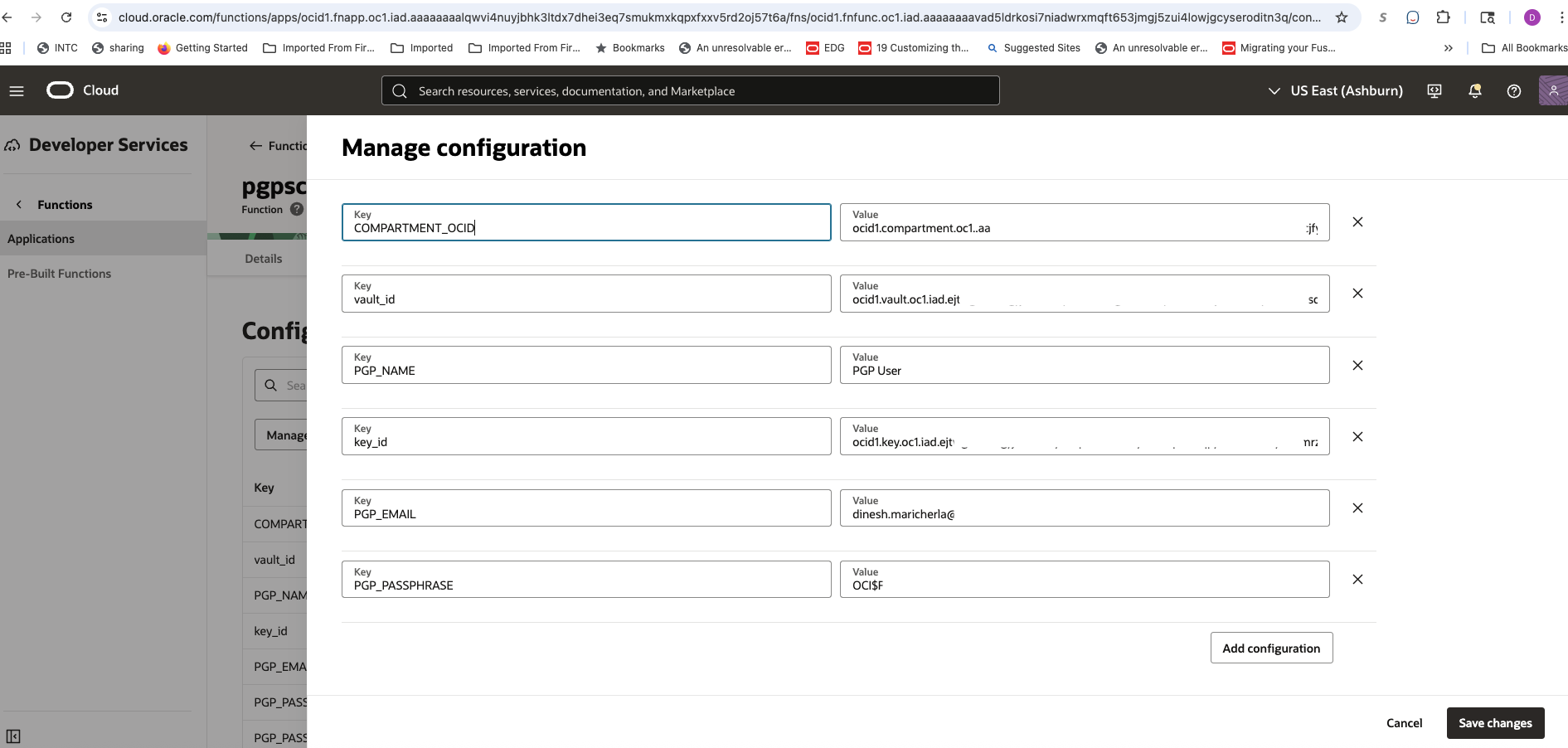
Function Configuration: Instead of passing data in the request, we store all static parameters (PGP name, email, and the OCIDs for the vault and compartment) as environment variables. This makes the function self-contained.
IAM Dynamic Groups: We use Resource Principals for authentication. The function has its own identity and a narrowly scoped IAM policy that only allows it to write secrets to a specific vault.
The workflow is simple and secure:
- The function is triggered without any payload.
- It reads its entire configuration from the environment variables we set in the OCI Console.
- The PGP key pair is generated entirely in memory. It is never written to disk.
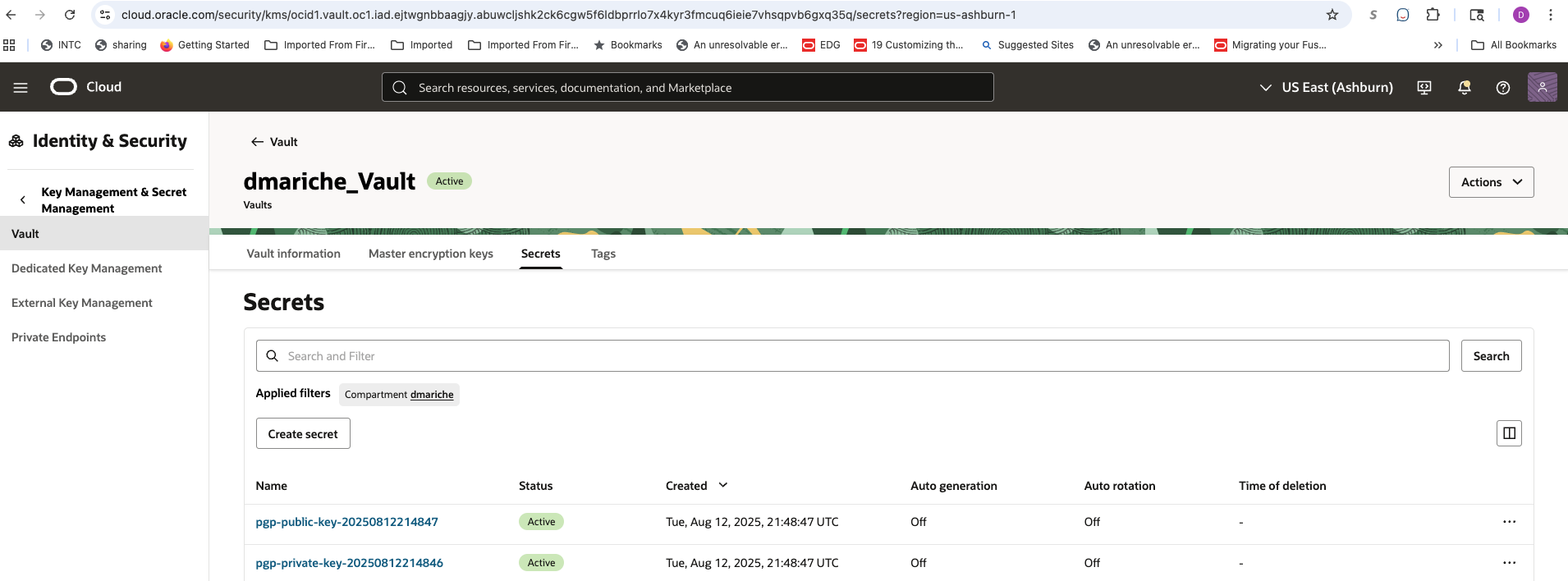
- The function immediately connects to OCI Vault and pushes the public and private keys as two separate, encrypted secrets.
- The function terminates, and its memory is wiped.
The result is that the private key’s entire lifecycle—from birth to secure storage—occurs within a few seconds in an isolated, automated process. This completely eliminates the risk of human exposure and provides a repeatable, auditable solution for PGP key management.
Here is the Python code snippet for the OCI function (pgpscretsfn.py):
import io
import json
import logging
import oci
import gnupg
import base64
from datetime import datetime

# Set up logging
logging.basicConfig(level=logging.INFO)

# --- Main Handler Function ---
def handler(ctx, data: io.BytesIO = None):
    """
    OCI Function to generate a PGP key pair and store it in OCI Vault.
    """
    try:
        # Load configuration from the function's invocation payload
        body = json.loads(data.getvalue())
        pgp_name = body.get("name")
        pgp_email = body.get("email")
        pgp_passphrase = body.get("passphrase")
        compartment_id = body.get("compartment_id")
        vault_id = body.get("vault_id")
        master_key_id = body.get("key_id")

        if not all([pgp_name, pgp_email, pgp_passphrase, compartment_id, vault_id, master_key_id]):
            raise ValueError("Missing one or more required parameters in the payload.")

        logging.info(f"Received request to generate PGP key for {pgp_email}")

        # --- PGP Key Generation Logic ---
        # Install the GPG binary
        gpg = gnupg.GPG(gnupghome='/tmp', gpgbinary='/usr/bin/gpg')

        input_data = gpg.gen_key_input(
            key_type="RSA",
            key_length=4096,
            name_real=pgp_name,
            name_email=pgp_email,
            passphrase=pgp_passphrase,
        )
        key = gpg.gen_key(input_data)
        if not key:
            raise Exception(f"PGP key generation failed. Stderr: {key.stderr}")

        fingerprint = key.fingerprint
        logging.info(f"Successfully generated PGP key. Fingerprint: {fingerprint}")

        # Export keys
        public_key = gpg.export_keys(fingerprint)
        private_key = gpg.export_keys(fingerprint, True, passphrase=pgp_passphrase)
        logging.info("Successfully exported PGP public and private keys.")

        # --- OCI Vault Storage Logic --- # Authenticate using Resource Principals
        signer = oci.auth.signers.get_resource_principals_signer()
        vaults_client = oci.vault.VaultsClient({}, signer=signer)

        # Store Private Key
        store_secret(
            vaults_client,
            "pgp-private-key",
            private_key,
            compartment_id,
            vault_id,
            master_key_id
        )

        # Store Public Key
        store_secret(
            vaults_client,
            "pgp-public-key",
            public_key,
            compartment_id,
            vault_id,
            master_key_id
        )

        response = {
            "status": "success",
            "fingerprint": fingerprint,
            "message": "PGP keys generated and stored successfully in OCI Vault."
        }
        return response

    except (Exception, ValueError) as e:
        logging.error(f"Error in function execution: {str(e)}")
        return {"status": "error", "message": str(e)}

def store_secret(client, name, content, compartment_id, vault_id, key_id):
    """Function to store a secret in OCI Vault."""
    secret_name = f"{name}-{datetime.utcnow().strftime('%Y%m%d%H%M%S')}" # Unique name
    logging.info(f"Storing secret: {secret_name}")

    encoded_content = base64.b64encode(content.encode("utf-8")).decode("utf-8")

    details = oci.vault.models.CreateSecretDetails(
        compartment_id=compartment_id,
        secret_name=secret_name,
        vault_id=vault_id,
        key_id=key_id,
        secret_content=oci.vault.models.Base64SecretContentDetails(
            content_type="BASE64",
            content=encoded_content,
        ),
    )
    client.create_secret(details)
    logging.info(f"Successfully stored secret: {secret_name}")
Note: This is a sample script provided for educational and illustrative purposes only. It should be tested thoroughly in a non-production or sandbox environment before being used in any customer tenancy. Ensure appropriate error handling, logging, and access controls are in place when adapting this for use in real-world environments.
High Level Steps:
- The Function can be created by following the documentation
- Create a Dynamic Group like this ‘PGPScrtDyGRP’
-
Create the Dynamic Group Matching Rule as below,
ALL {resource.id = ‘ocid1.fnfunc.oc1.iad.xxxxxxxxxxxx’}
-
Create OCI policies for the dynamic group , I have created the group in my domain ‘dmariche’. So, my policies would be like below
- Allow dynamic-group ‘dmariche’/’PGPScrtDyGRP’ to manage secrets in compartment dmariche
- Allow dynamic-group ‘dmariche’/’PGPScrtDyGRP’ to use keys in compartment dmariche
- Allow dynamic-group ‘dmariche’/’PGPScrtDyGRP’ to use vaults in compartment dmariche
-
Invoke the function:
- fn invoke PGPScrets pgpscretsfn
Here are some snippets from the implementation:
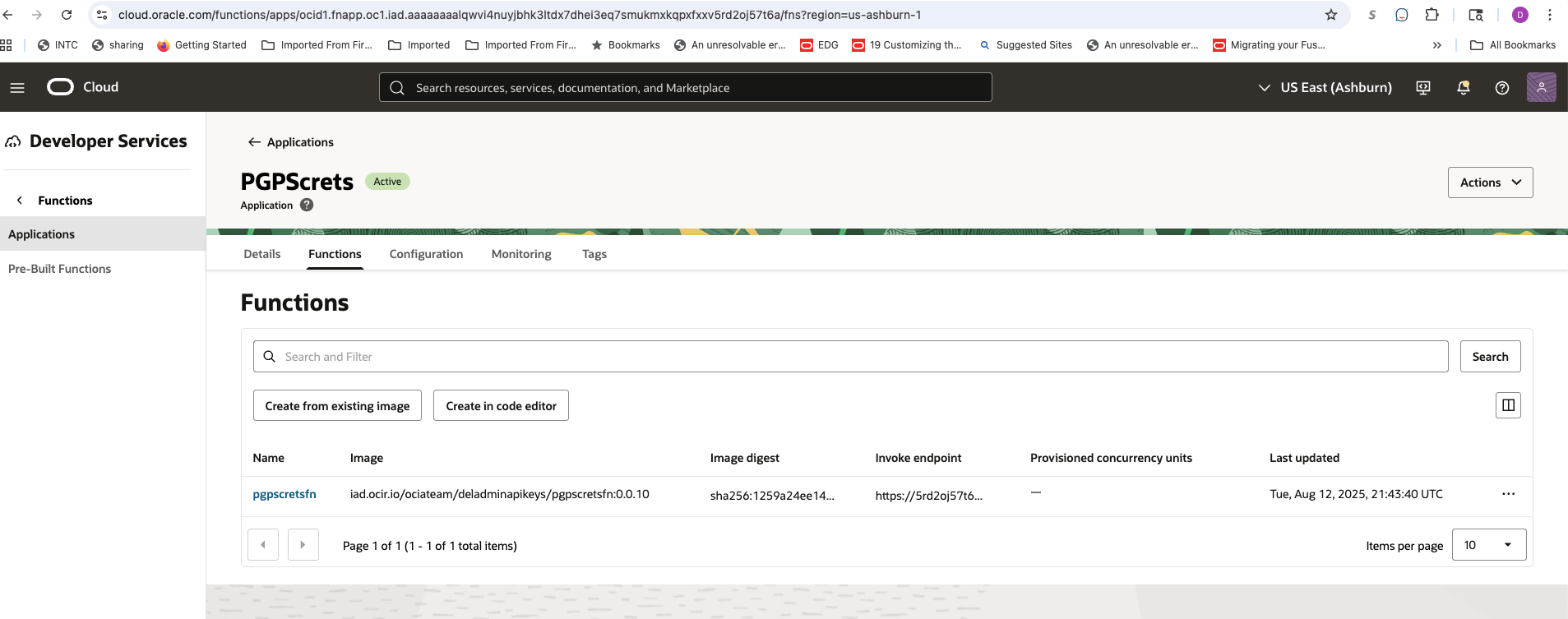
OCI Function
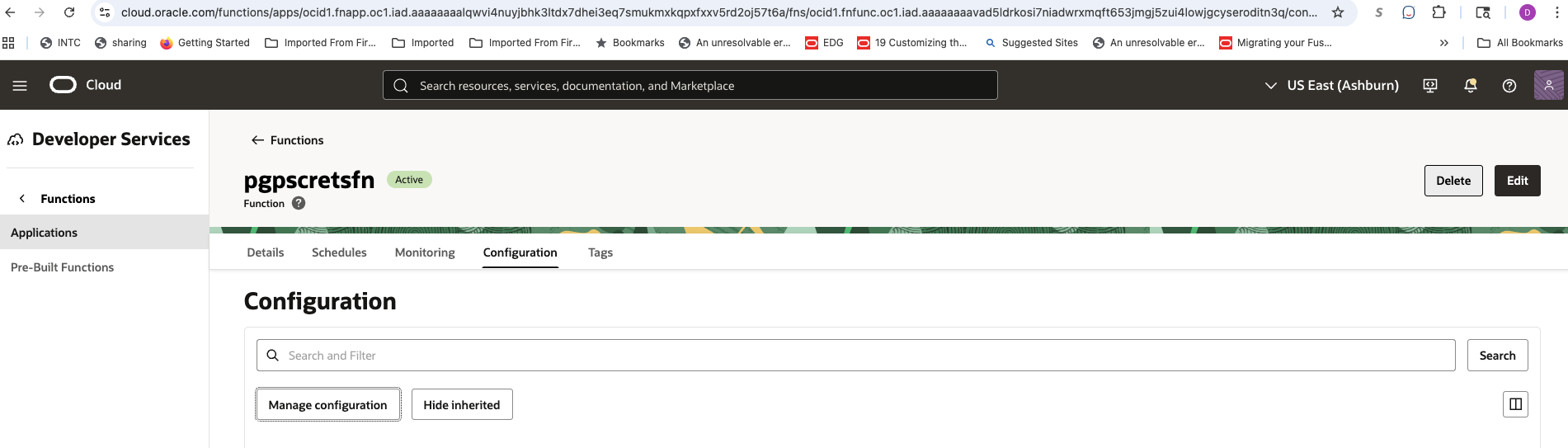
Function Configuration
Result
Conclusion:
By leveraging a serverless OCI Function, we successfully decoupled the creation of PGP keys from human interaction. This architecture provides a robust solution that not only meets the customer’s requirement but also establishes a higher security standard for managing sensitive cryptographic material. The private key is never at rest outside of the vault, is never in transit in a human-readable form, and its creation is logged and auditable within the OCI ecosystem.
However, securely creating the secret is only the first step; governing its access once inside the vault is equally critical. By default, administrators or developers with broad permissions might be able to read any secret. This necessitates the implementation of granular OCI IAM policies that adhere to the principle of least privilege, ensuring that only explicitly authorized applications or services—and never individual users—can access this private key material.
Furthermore, a secure retrieval mechanism is essential for any application that needs to use the key. Rather than allowing direct reads, a robust process should be implemented, where authorized applications use a secure token exchange to receive access to the secret. This ensures that every retrieval is authenticated, audited, and time bound.
This hands-off, automated approach is the foundation for a complete key lifecycle management system. The same function can be extended and integrated with OCI’s scheduling or event-driven services to periodically and automatically rotate these PGP keys, ensuring that we not only create them securely but also protect them at rest, in use, and throughout their entire lifecycle.