
Overview
As Oracle prepares to upgrade all the tenancies with IAM domains, there are some nuanced changes in the login experience. I will cover mapping between IDCS instances and IAM domains in the upgraded tenancies and changes in the login experience. Some of the PoC, LA, and SaaS tenancies already saw the upgrade in the last few weeks. Other tenancies will get upgraded sometime in the next few months.

IDCS to Identity Domain Mapping
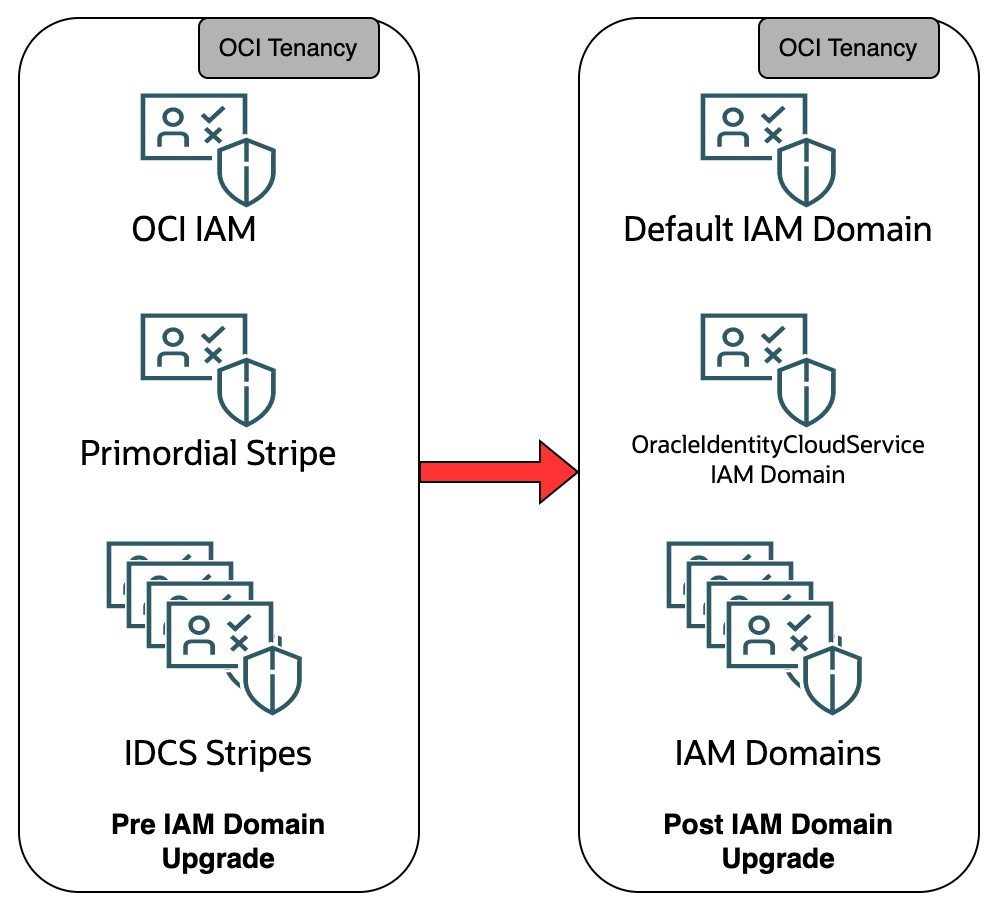
At a high level, the upgrade moves IDCS instance management and administration to the OCI console. There are no changes in the IDCS data plane, including any REST APIs. Native OCI IAM service gets upgraded to a full-fledged Identity domain. The Identity domain mapping is as below.
- Native OCI IAM service is upgraded to a default Identity domain.
- The primordial IDCS stripe is upgraded to the OracleIdentityCloudService Identity domain. We will refer to the identity domain as the IDCS identity domain for simplicity.
- All the IDCS instances, including Fusion IDCS instances, are upgraded Identity domains in the tenancy.
IAM Federation Mapping
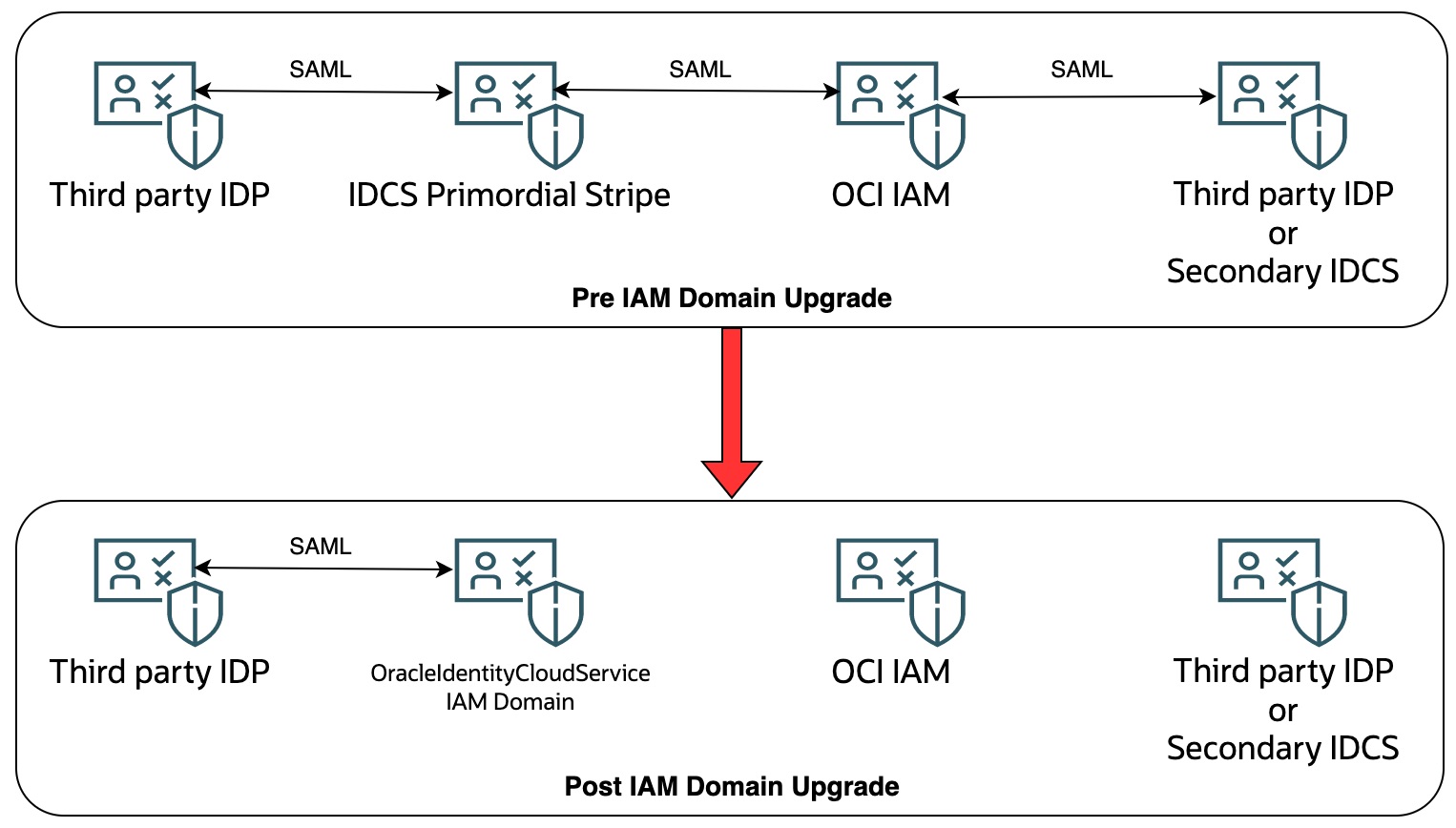
In an existing setup, SAML integration and group mapping exist between the native OCI IAM service and IDCS primordial instance. As the primordial stripe is upgraded to an Identity domain, the group mapping is retained between the default and IDCS identity domains. However, no SAML integration exists between the default and IDCS Identity domains. Below is the impact on the rest of the SAML integration with native OCI IAM and the primordial IDCS instance.
- SAML integrations with the primordial IDCS instance are retained.
- SAML integration with the OCI IAM and retained as well. However, those SAML integrations are read-only and cannot be modified.
Identity Domain Login Experience
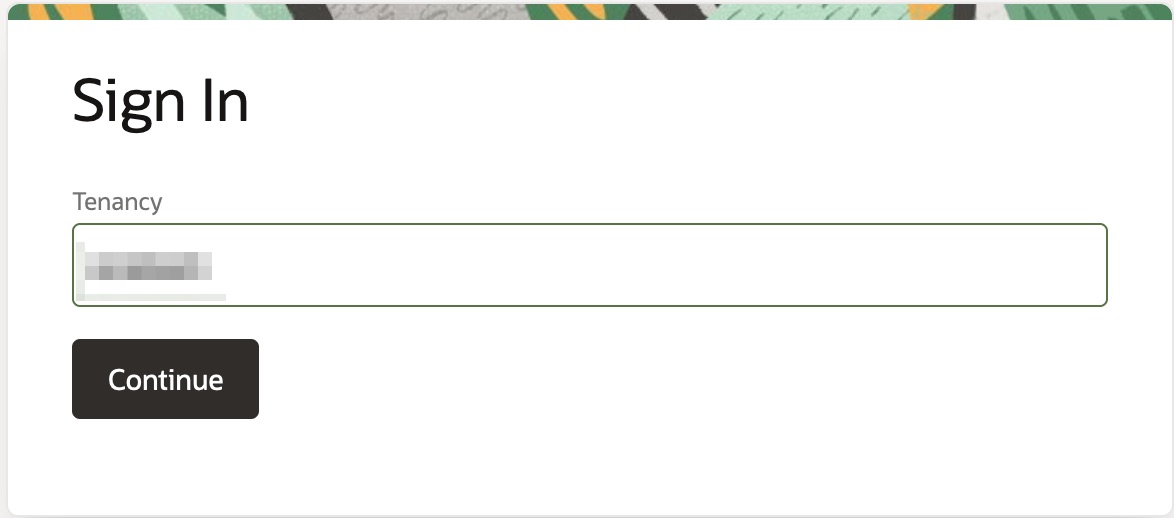
In an Identity Domain tenancy, you login to the OCI console via one of the Identity domain users. To login, browse to https://cloud.oracle.com and enter the tenancy name.
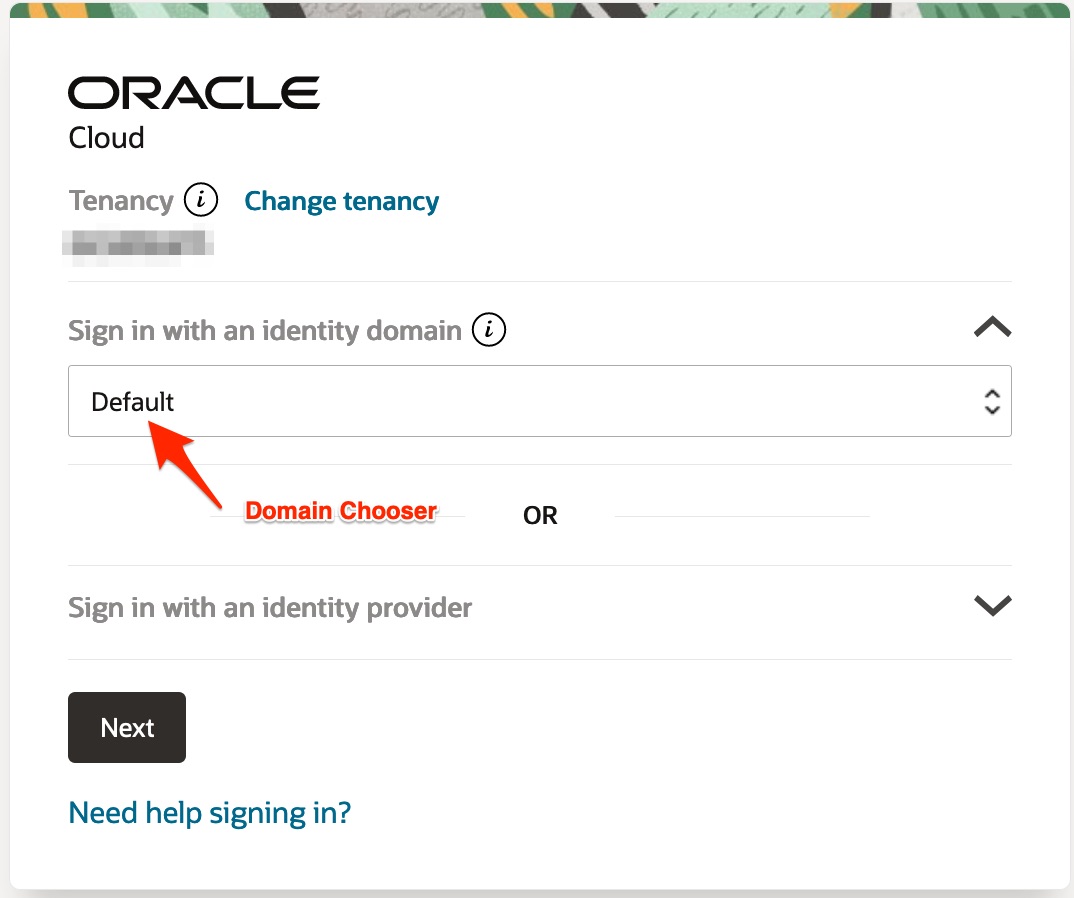
After you enter the tenancy name, you have to choose a domain to login.
Identity Domain Login Experience Upgrade
In an existing OCI tenancy setup, you can login to the tenancy using four ways. The impact and the changes in the login experience for each of the four ways is documented below.
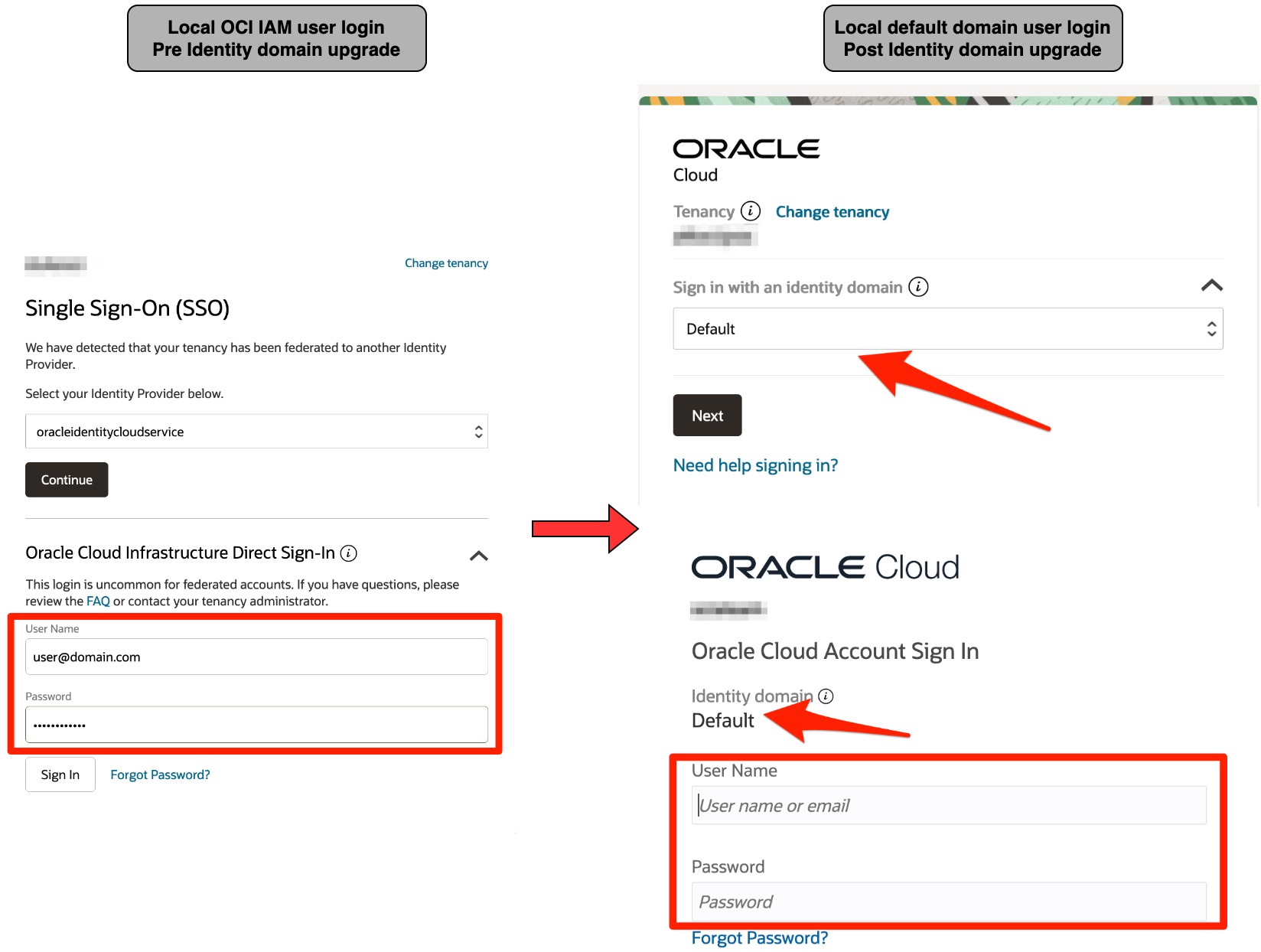
Native OCI IAM local user
If you login to the OCI console as native OCI IAM user, you can login as the same user in the Default identity domain.
The primordial IDCS stripe local user
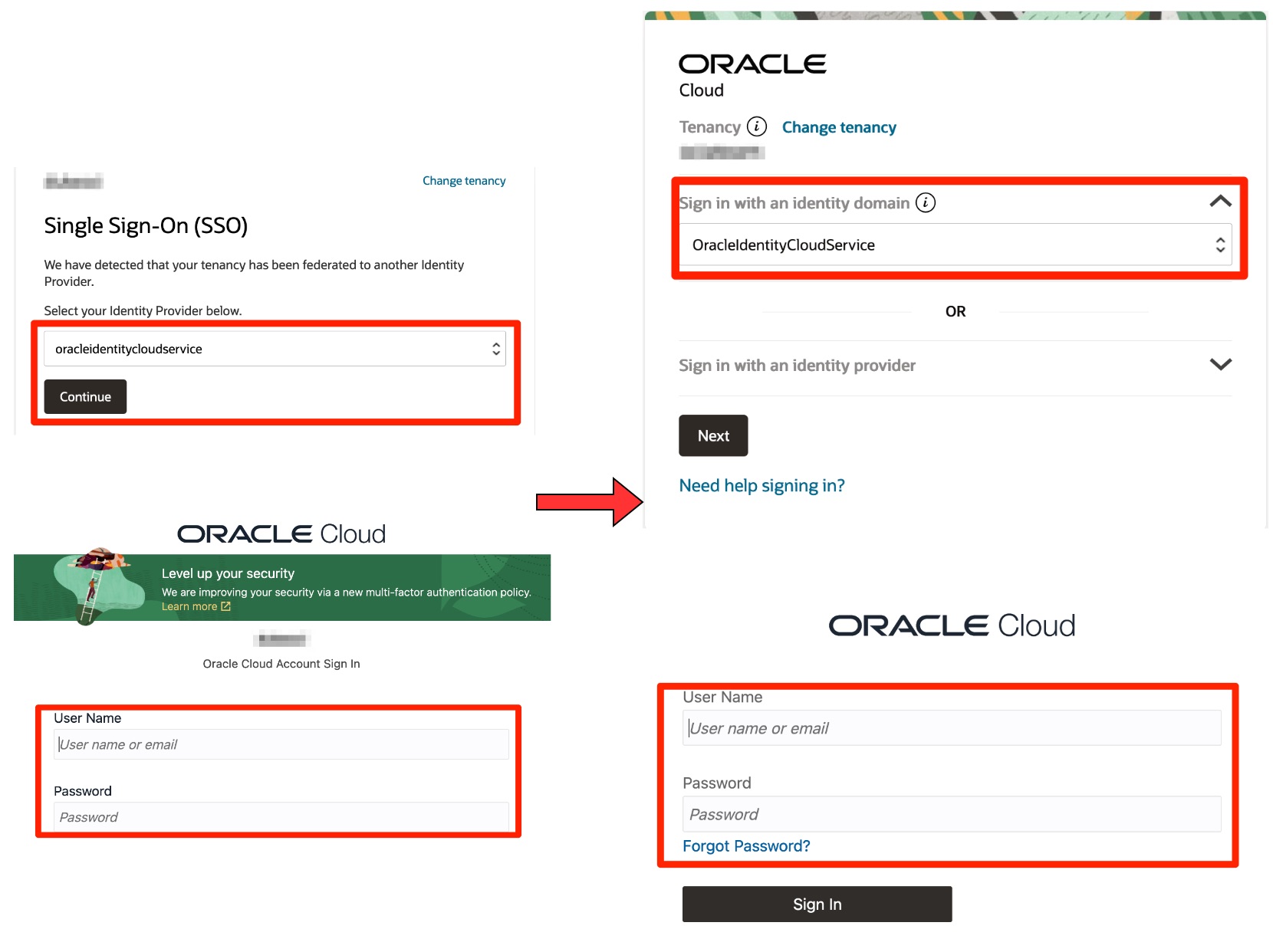
If you login to the OCI console via a local user in the primordial IDCS instance then in the upgraded tenancy, you login to OracleIdentityCloudService Identity domain as a local user.
Federated User via Native OCI IAM federation
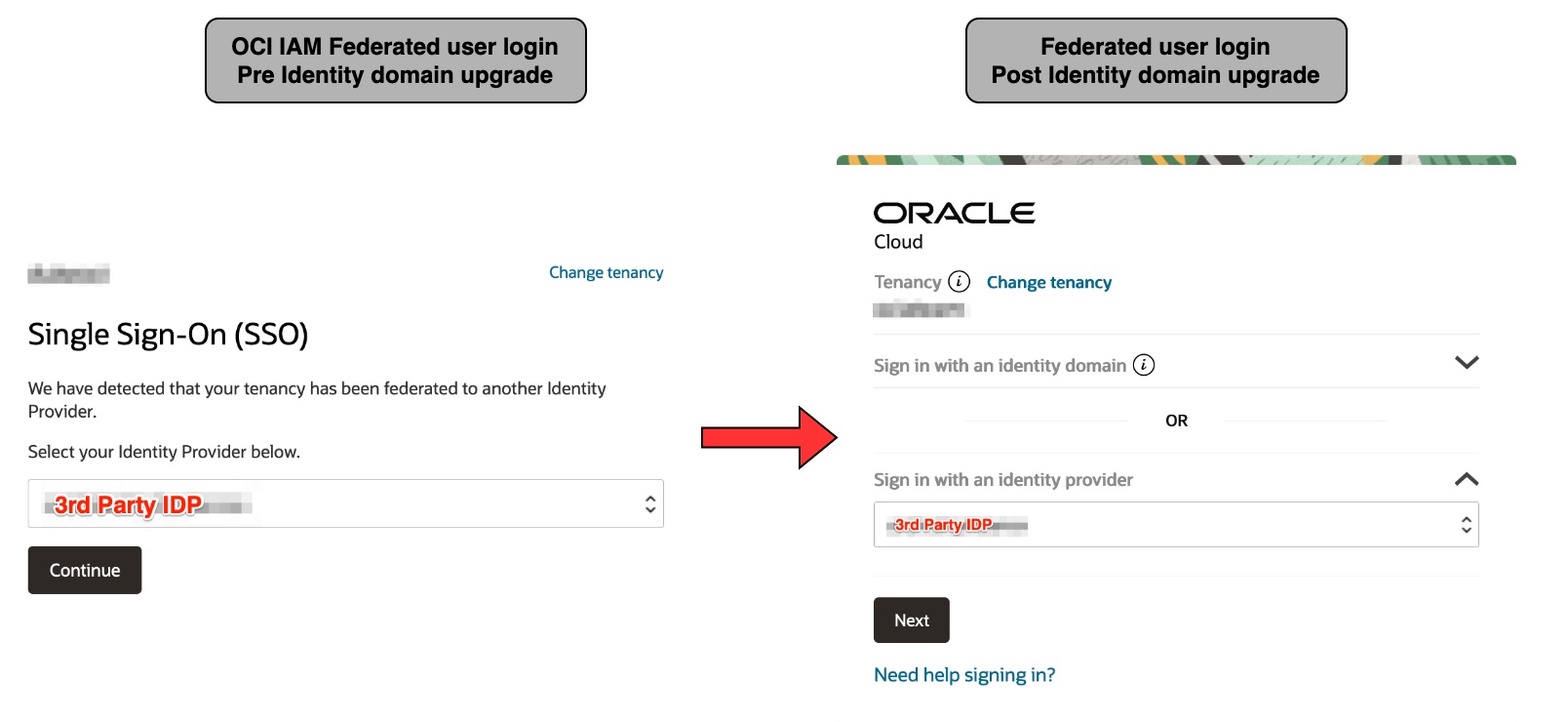
If there are any SAML federations setup with native OCI IAM, those federations along with their group mapping are preserved in the upgraded tenancy. The login experience would change as shown in the below screenshot. You do not have to choose an Identity domain. You choose 3rd party SSO provider and login through that.
Federated user via primordial IDCS stripe federation
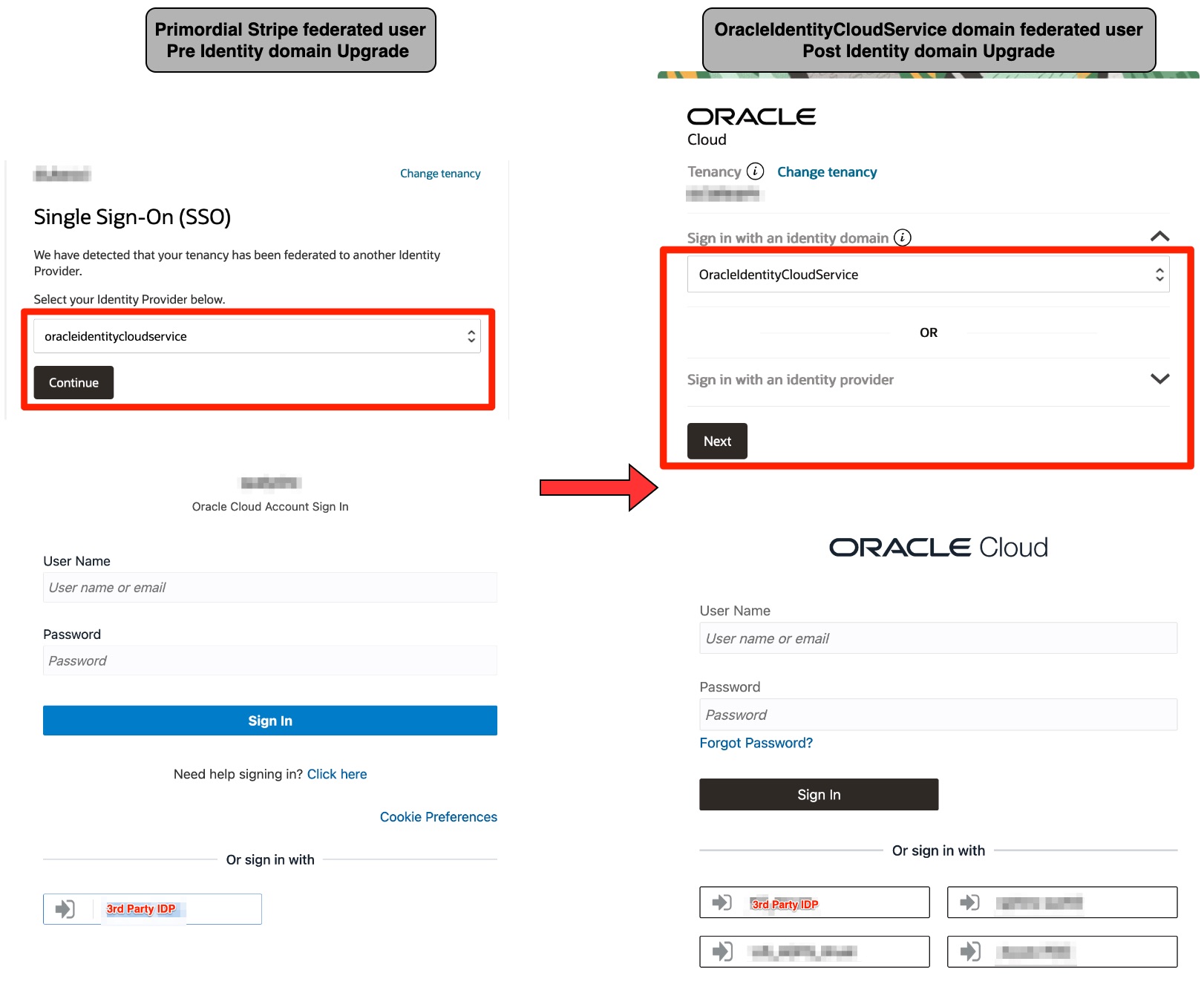
If there are any SAML federations setup with the primordial IDCS instance, those federation integrates are preserved as-is. You would choose to login to the OracleIDentityCloudService identity domain in the upgraded tenancy and login via the required SAML federation.
Conclusion
While there are nuanced changes in the login experience, all existing authentications and authorizations will succeed. You will, however, create new groups, dynamic groups, and IAM policies using the identity domain constructs. If you have any questions about the impact of the upgrade or if you want to understand identity domain mappings, please write to us in the comments below.