
In today’s multi-cloud world, organizations typically have cloud deployments across multiple cloud providers such as OCI, AWS, etc. Although cloud resources can be named while provisioning, different cloud providers handle it in different ways. For example, in OCI a user can optionally provide a name while creating the resource. Otherwise, OCI provides a name to the resource using its own convention. Similarly, in AWS, providing a name while creating a VPC is optional. To maintain consistency in naming resources across the board, organizations can employ a naming convention which will be applicable to all cloud resources whether they are in OCI, GCP, etc.
Naming Convention
Organizations can define naming convention for cloud resources according to their security and governance policies. An example could be using a convention like <sitecode>-<environment>-<resource_type>-<resource_id> where:
- <sitecode> can be <country code, cloud provider, region code>, with country code being the 2 letter country code (us, uk, in, etc.), cloud provider is from the enumeration (oci, aws, gcp, azr), region code signifies the geographic location of the cloud provider data center. Thus the sitecode for the OCI region in Ashburn, VA can be represented as <us-oci-ash>.
- <environment> can be one from the list: {prod, test, dev, sandbox}
- <resource_type> can be from the enumeration {vcn, subnet, instance, etc.}
- <resource-id> can be a free form id, say a running number 1, 2. 3, …
The above is just a hypothetical example, however, it illustrates how a resource name can help in highlighting the cloud provider, country, region, etc. where the resource is provisioned.
Tagging
Defining a naming convention is a good starting point, however, it needs to be enforced too. In OCI, the above naming convention can be realized using Tagging. Tagging is an important concept and can play a significant role in an organization’s overall governance model; my colleague Kiran Thakkar has published blogs on the governance architecture and how tagging can help fulfill them.
To illustrate how tagging can be used, let us consider the following organization of resources:
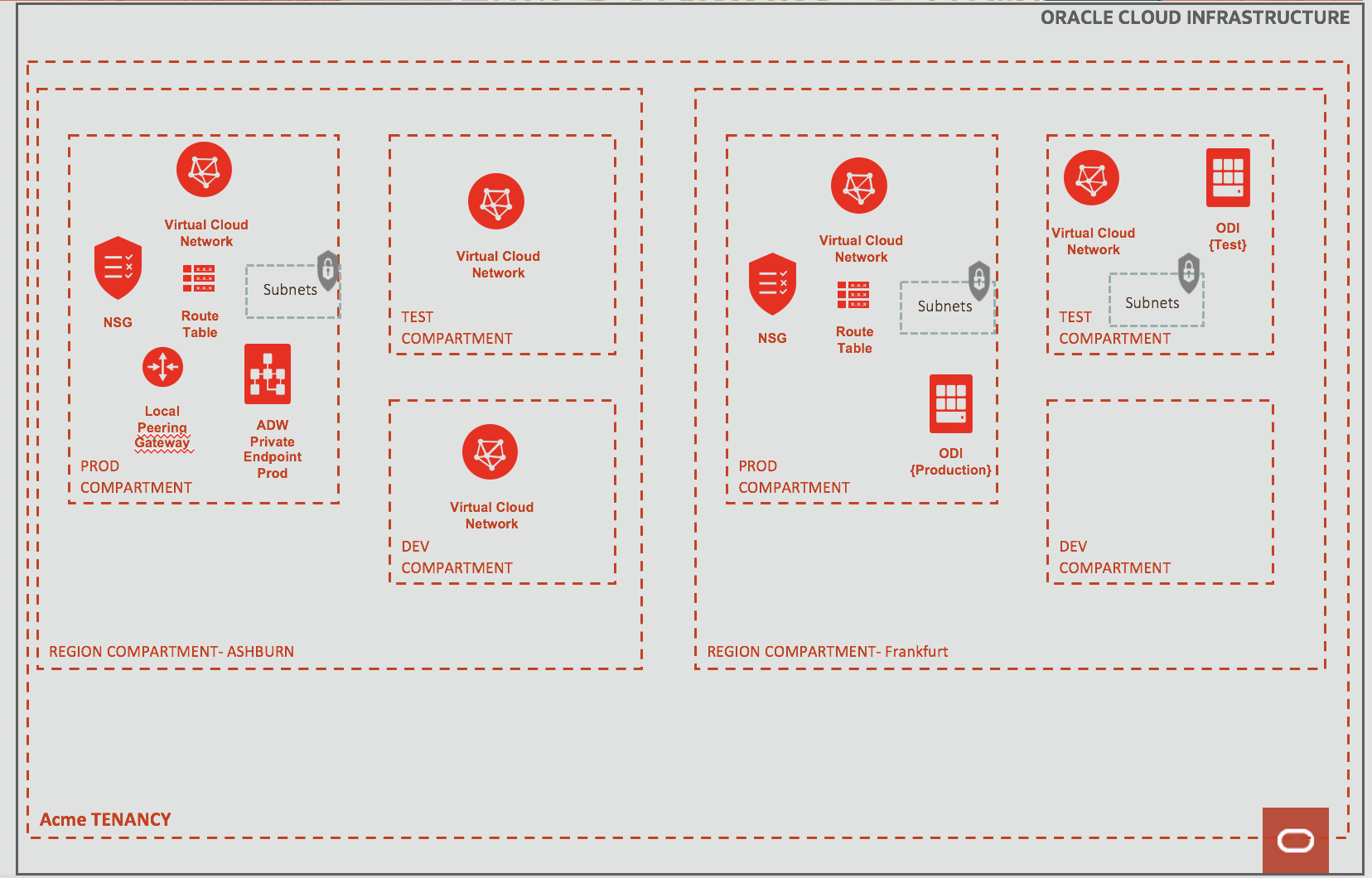
Fig 1
In the above tenancy, the company (Acme) has subscribed to two OCI regions – Ashburn in US and Frankfurt, Germany. Acme has also decided to organize its regional resources in separate compartments for better handle on governance (cost, etc.). Thus all Ashburn and Frankfurt resources are grouped in their respective compartments.
To achieve adherence to the above naming convention, tag namespaces with predefined values and default tags can be used. To start with, create a Tag Namespace in the root compartment and give a name to it say, “Naming Convention”.
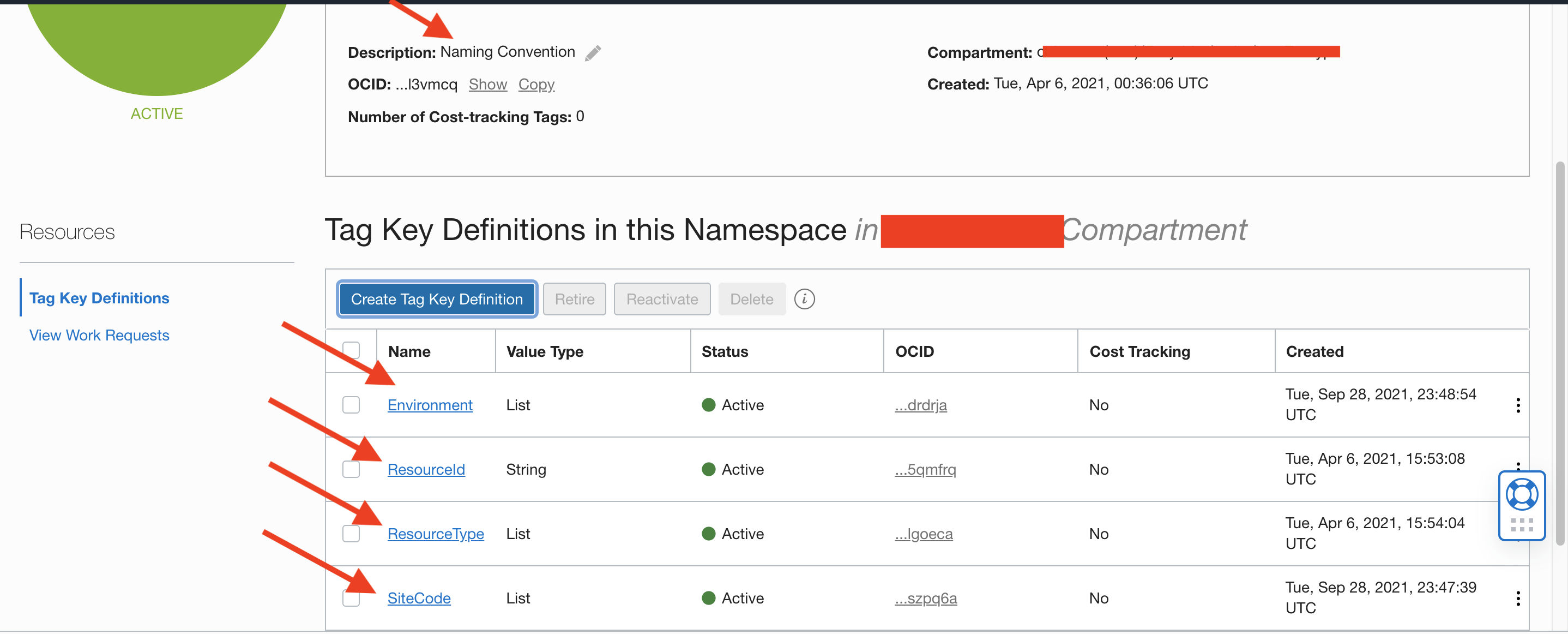
Fig 2
This namespace will have four tag key definitions:
SiteCode: a predefined tag with list of the subscribed OCI regions, here Ash and Fra –
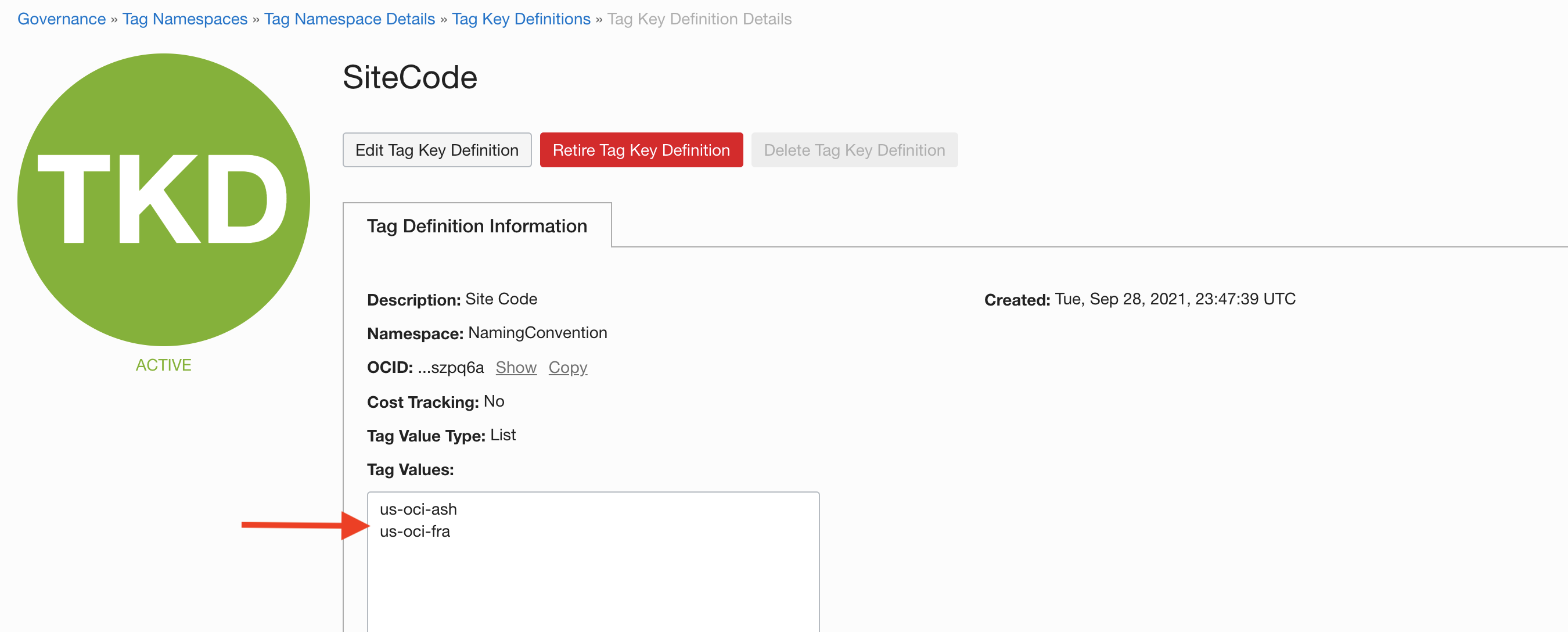
Fig 3
Environment: a predefined tag with list of all environments –
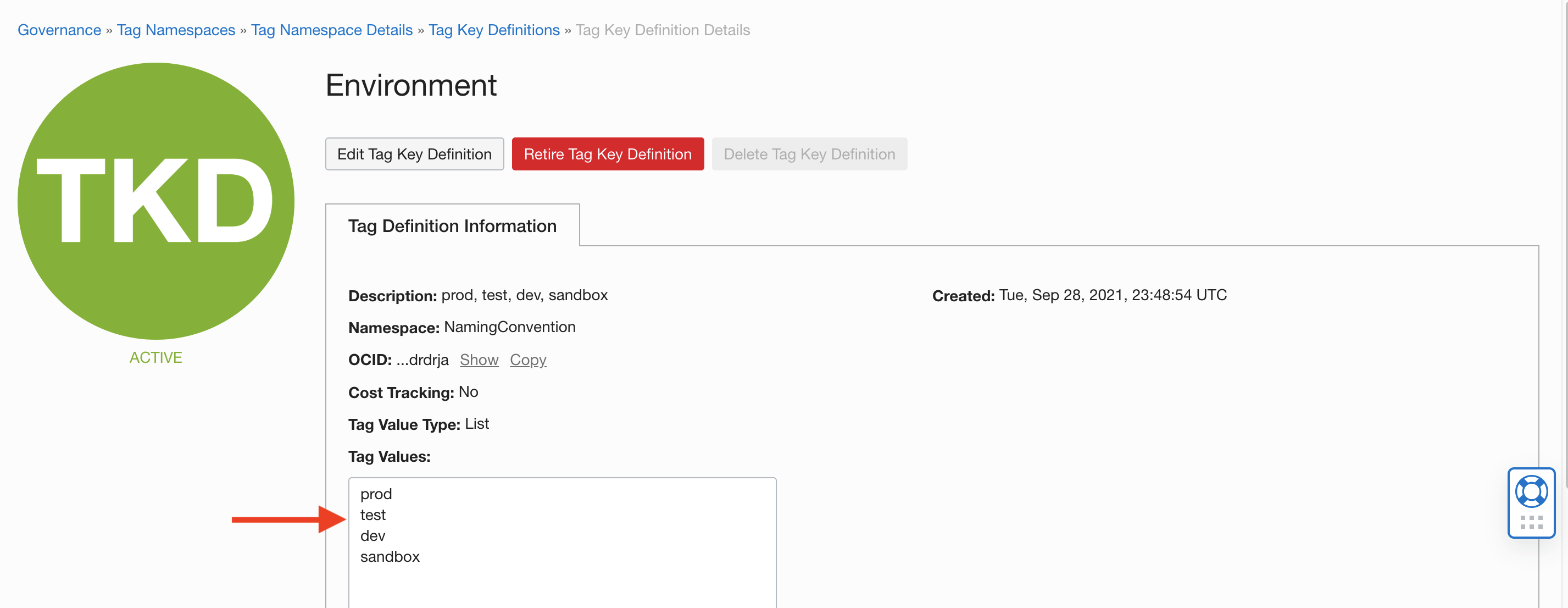
Fig 4
Resource Tye: a predefined tag with the list of all OCI resources being used –
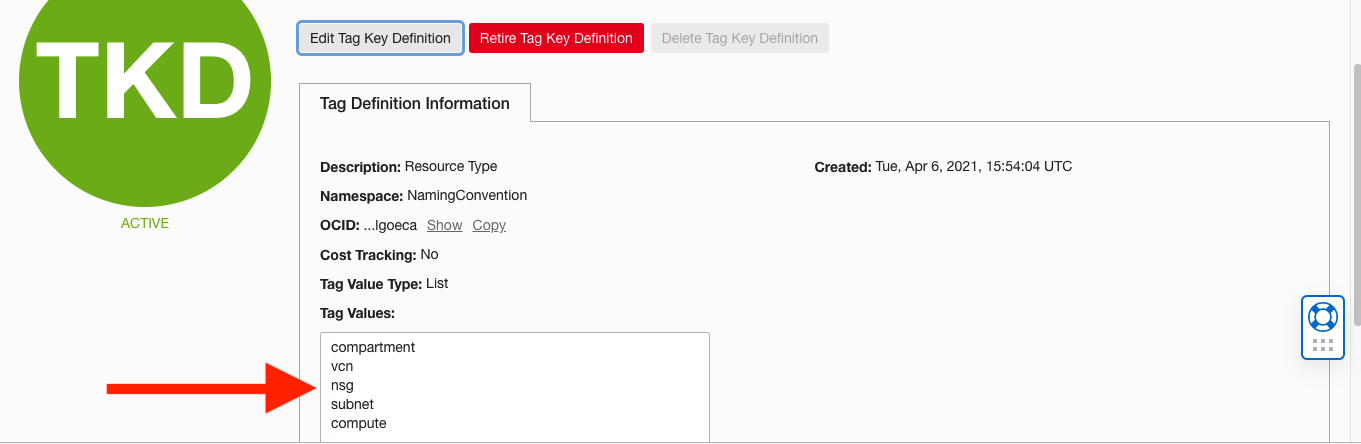
Fig 5
ResourceId: a tag where any Id may be used by the user –
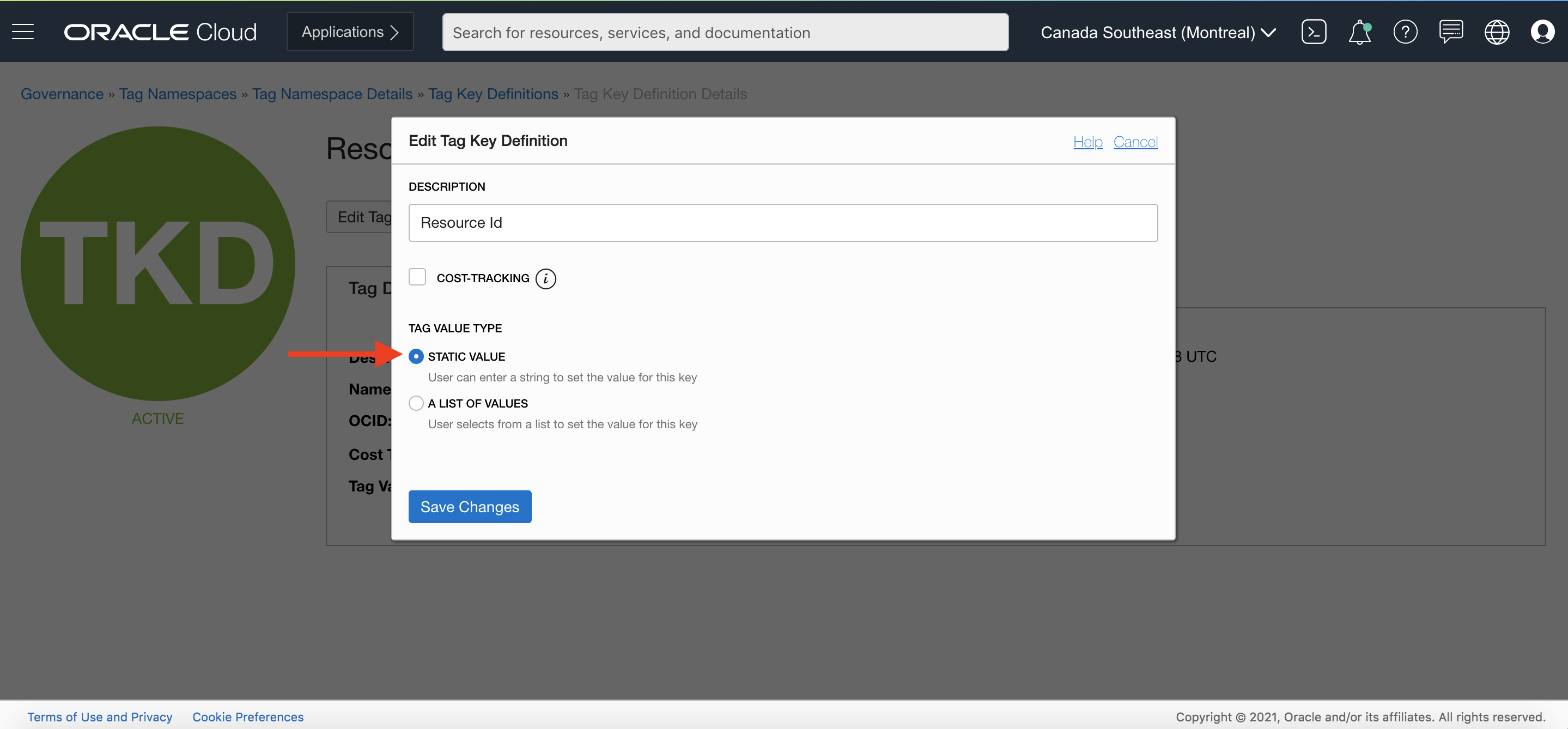 Fig 6
Fig 6
Next, add the SiteCode tag to the Region compartment, selecting the appropriate region specific value for the tag. For example, for the “Region Compartment – Ashburn” compartment in Fig 1 above, select the tag value of us-oci-ash. This is shown below –
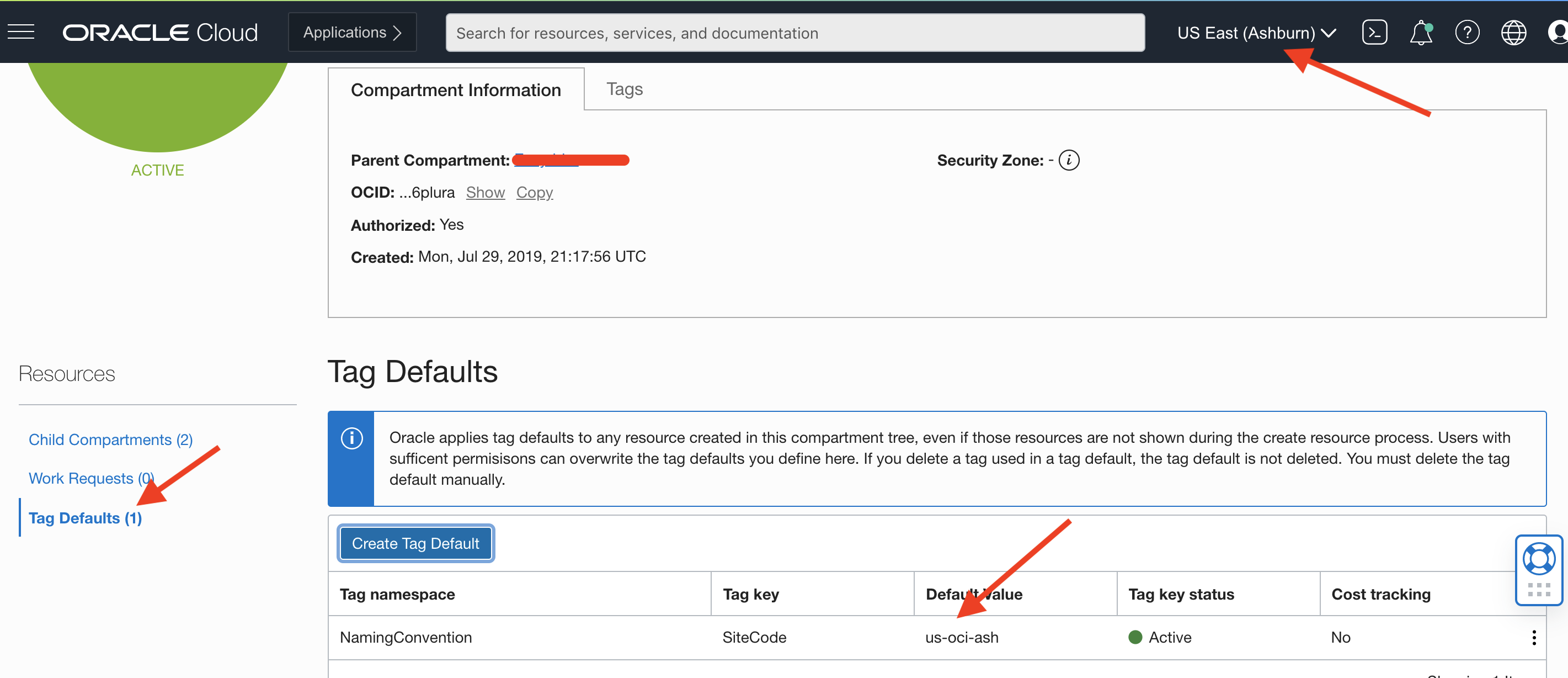
Fig 7
An implication of adding the above tag default to the Region compartment is that this tag will cascade or inherited down the compartment hierarchy and will be applied to all resources in the compartment tree. Next add rest of the tags – Environment, ResourceType and ResourceId – to the environment specific compartments. For example, the Test compartment (which is a child compartment of Region) will have the following tags defined –
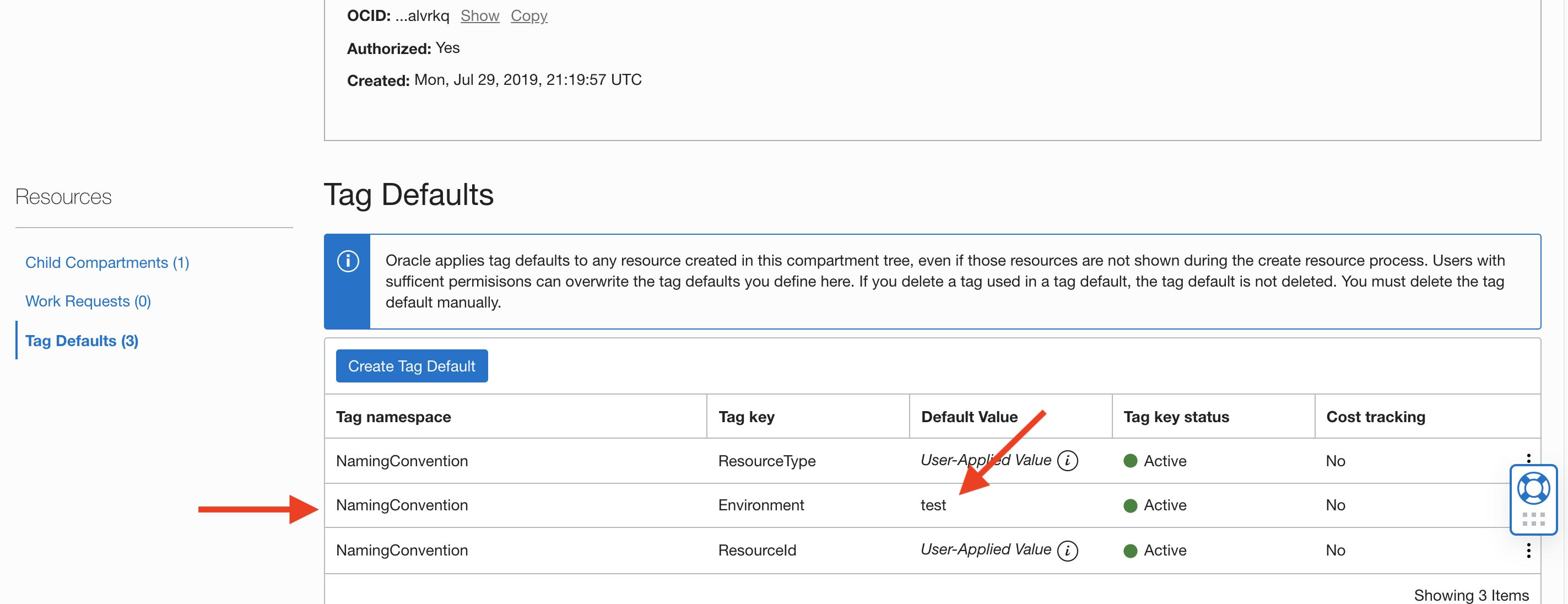 Fig 8
Fig 8
A consequence of defining the tag defaults will be that all subsequent resources created in the compartment tree will be required to have these 4 keys: 2 keys – SiteCode, Environment – will be automatically applied the default values while the user has to supply values for ResourceType and ResourceId. This holds true even with child compartments, e.g. –
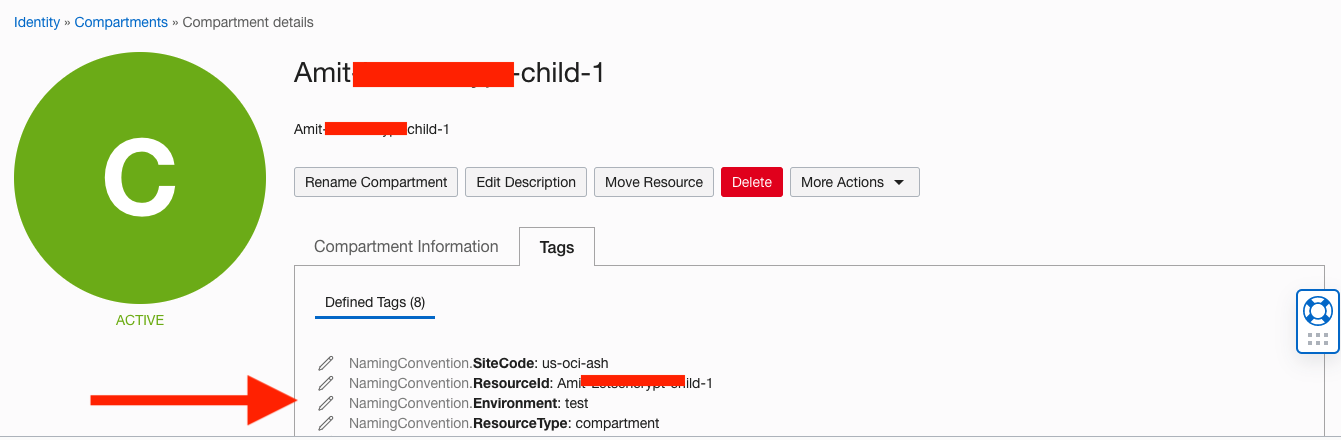
Fig 9
If a user tries to create a resource anywhere in the compartment tree without supplying ResourceType and ResourceId, OCI will flag an error as follows:
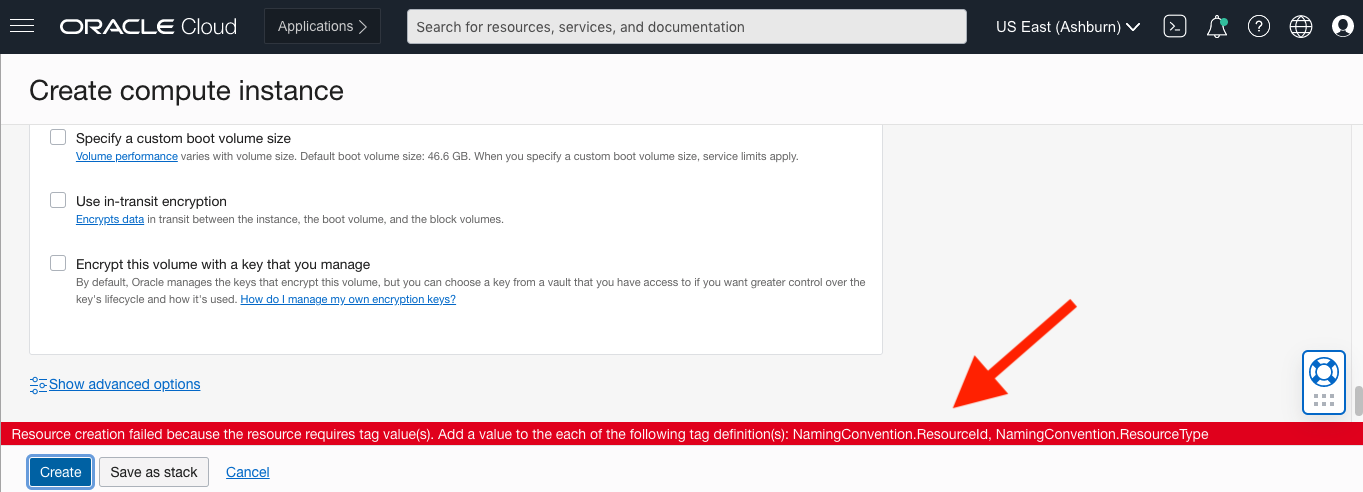
Fig 10
Otherwise, if right values are provided:
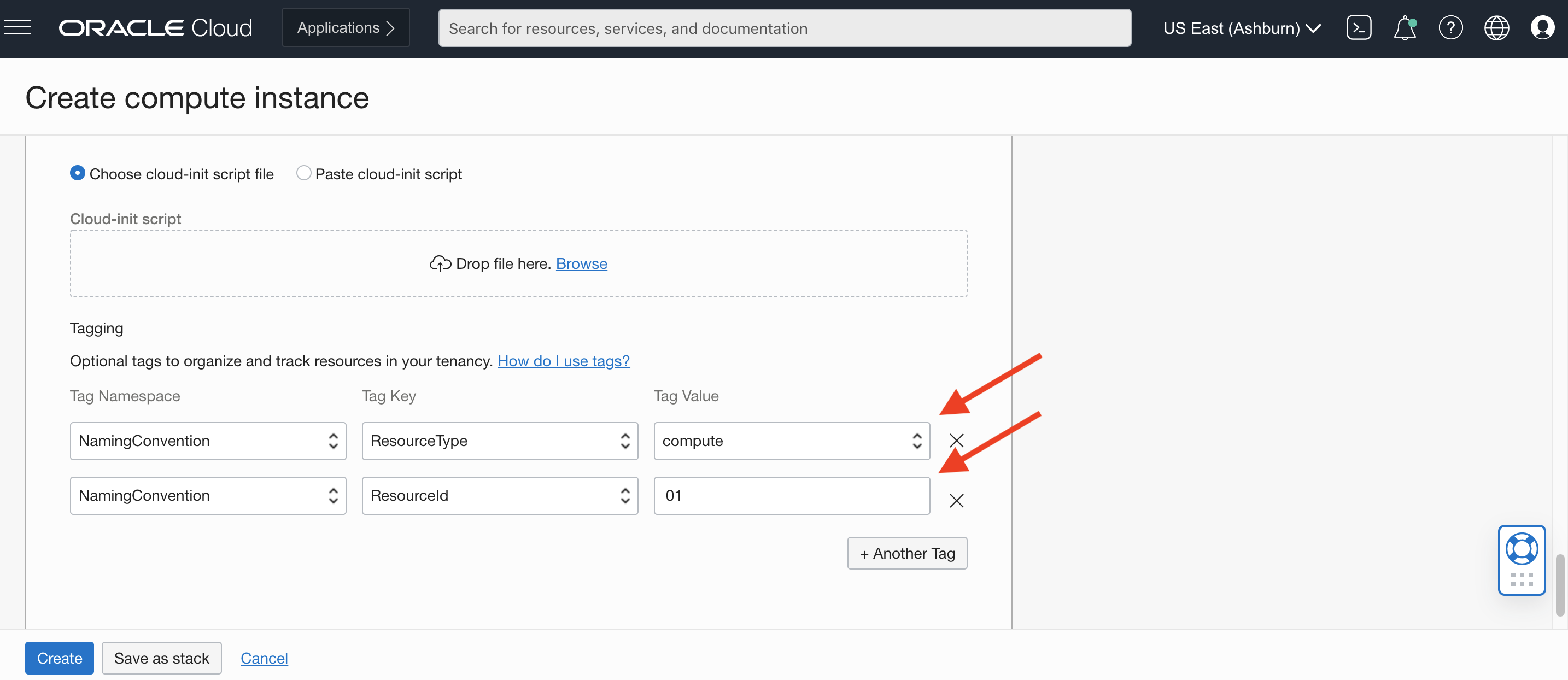
Fig 11
The tags will be applied to the compute instance:
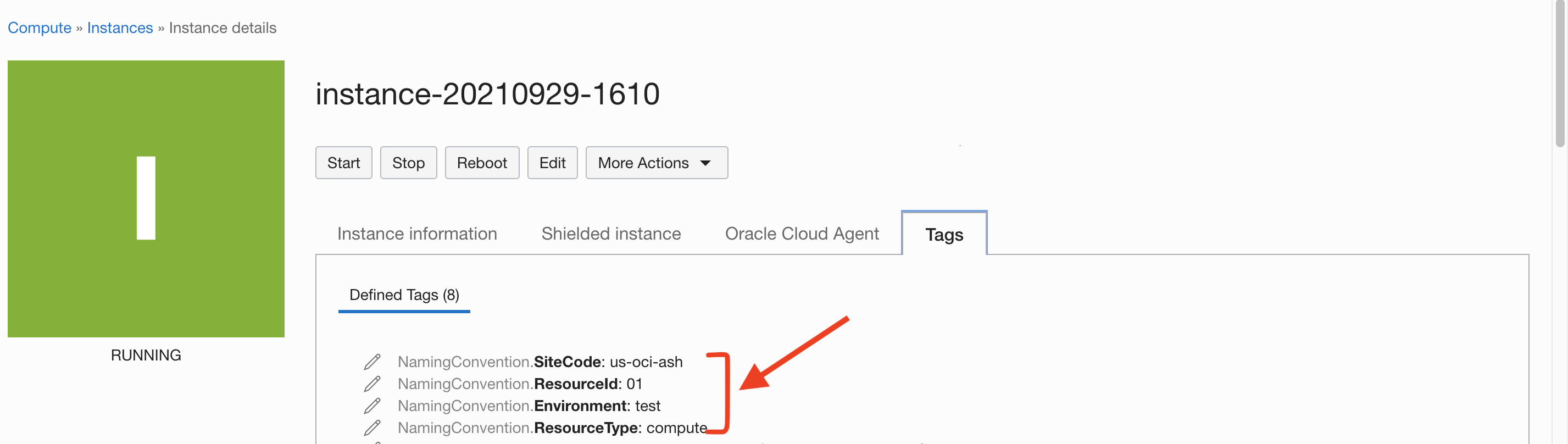
Fig 12
The above compute instance complies with the naming convention: <us-oci-ash, test, compute, 01>.
Summary
Defining a naming convention and enforcing the same helps organizations maintain consistency in naming resources across their multi-cloud deployments. In OCI, tagging can used to define and enforce such naming conventions using tag defaults and predefined tags.