Consulting Solutions Architect, Business Intelligence
Background
* This blog was last tested on Oracle Service Cloud 20B (Build 266) + ADW 18c + CXDev Toolbox 19.10.4.0 *
This article describes how to integrate Oracle Service Cloud (RightNow) with PL/SQL, illustrating how to programmatically load Service Cloud data into Oracle Autonomous Data Warehouse (ADW), making it readily available to model and display in Oracle Analytics Cloud (OAC).
PLEASE NOTE – this article is intended to provide the reader with some ideas of how to start an integration with Service Cloud. The reader would also need to consider other factors such as Limits, Fault Tolerance, Scalability, Efficiency, Latency, etc which are common with any enterprise integration. This article is intended to be part of that overall integration, and not the only piece. Please consult with an integration expert.
Two artifacts are created in the process:
1) ADW Database Table
The table is created in ADW to load / store the Service Cloud data.
2) Stored Procedure
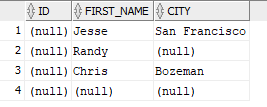
A stored procedure is created in ADW. The stored procedure uses the apex_web_service.make_request function to call an external SOAP web service; that runs a ROQL query returning the results from Service Cloud in XML format. The apex_web_service.parse_xml function is used to parse the XML output to a delimited list. The results are then separated into columns and inserted into the database table created in step 1.
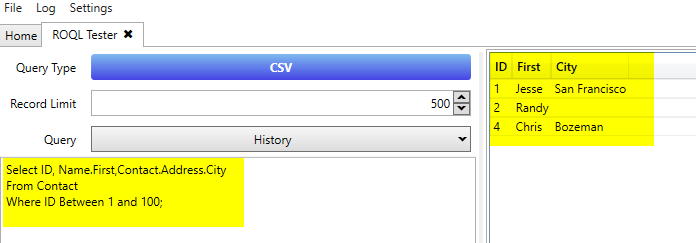
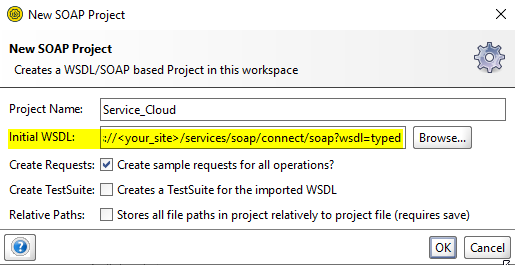
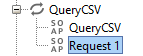
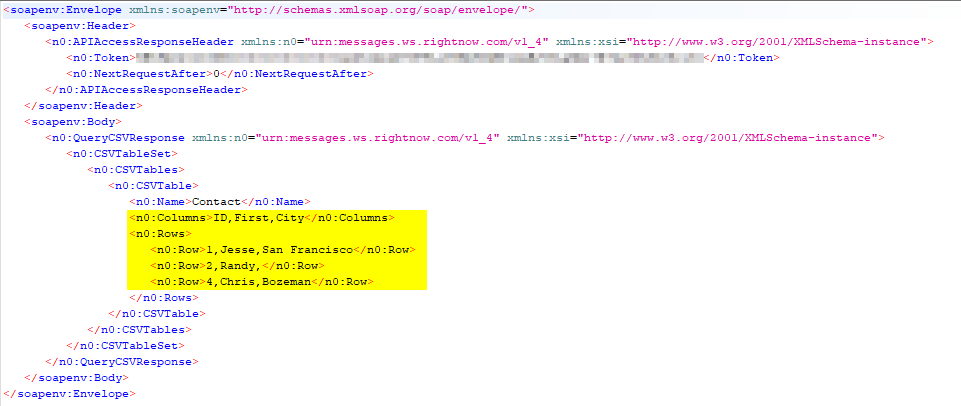
The seven steps below are covered in detail to assist in replicating and testing the integration solution. Those already very familiar with “Connect Webservices for SOAP” and “ROQL”, may prefer to jump straight to step five. That said, steps one to four are very useful for constructing, comprehending and debugging the apex_web_service.make_request and apex_web_service.parse_xml functions referenced in the stored procedure.
Create and run the stored procedure that calls the web service to pull the Service Cloud data and load’s the data into the SERVICE_CLOUD table.
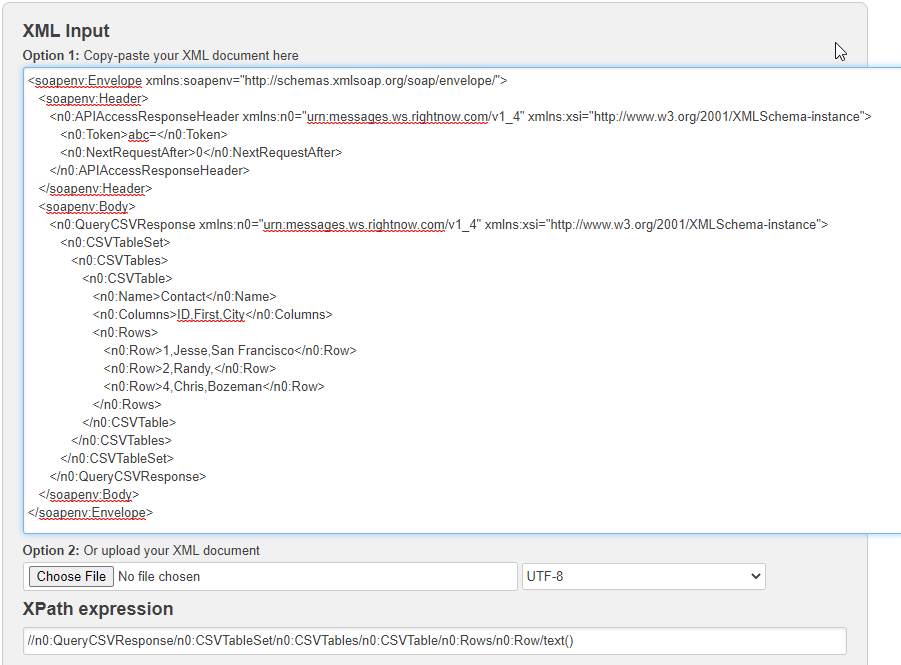
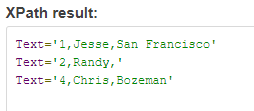
The stored procedure leverages the APEX_WEB_SERVICE API (using Apex_web_service.make_request). This example invokes a SOAP style web service. However, the APEX_WEB_SERVICE API can also be used to invoke RESTful style web services. The web service returns the results in XML. Apex_web_service.parse_xml is used to extract the data set. It is returned as a delimiter list – separated by “~”. The results are then extracted into columns and then loaded into the database table.
Replace the following highlighted values:
1) l_envelope – If changed in “Step Three – Build the Soap Envelope” then replace with custom envelope.
2) Username
3) Password
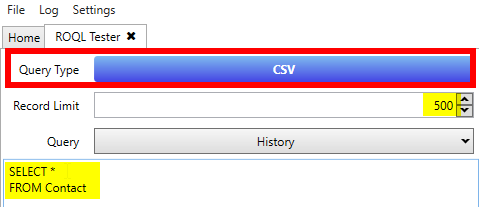
4) ROQL Query – The ROQL Query constructed in “Step Two – Construct the ROQL Query“.
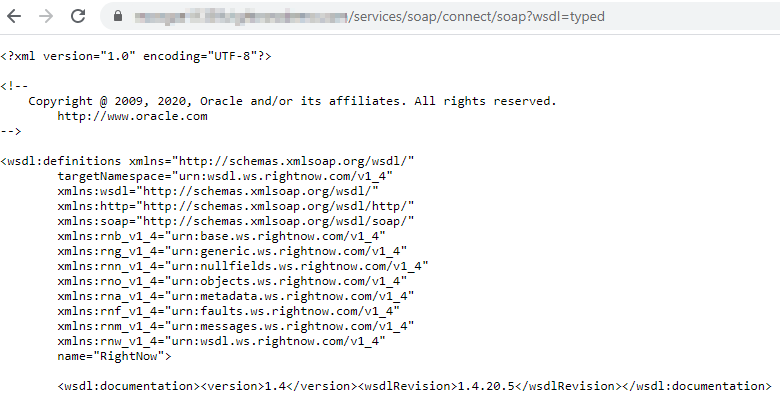
5) p_url – The Standard WSDL obtained in “Step One – Obtain the Standard WSDL” excluding the endpoint. Should end in /soap.
6) p_xpath – If changed it in “Step Four – Formulate the XPath” then replace with custom Xpath.
7) Table Name – The name of the table created in “Step Five – Create Database Table“
8) Insert Values – Duplicate for each column. Increase by +1 in the second regexp_substr parameter / position.
CREATE OR REPLACE PROCEDURE OAC_USER.RN_INTEGRATION IS l_envelope CLOB; l_xml XMLTYPE; f_index number ; l_str varchar2(1000); BEGIN l_envelope := ‘<soapenv:Envelope xmlns:soapenv=”http://schemas.xmlsoap.org/soap/envelope/”> <soapenv:Header> <ns7:ClientInfoHeader xmlns:ns7=”urn:messages.ws.rightnow.com/v1_4″ soapenv:mustUnderstand=”0″> <ns7:AppID>Basic Query CSV</ns7:AppID> </ns7:ClientInfoHeader> <wsse:Security xmlns:wsse=”http://docs.oasis-open.org/wss/2004/01/oasis-200401-wss-wssecurity-secext-1.0.xsd” mustUnderstand=”1″> <wsse:UsernameToken> <wsse:Username>User</wsse:Username> <wsse:Password Type=”http://docs.oasis-open.org/wss/2004/01/oasis-200401-wss-username-token-profile-1.0#PasswordText”>Password</wsse:Password> </wsse:UsernameToken> </wsse:Security> </soapenv:Header> <soapenv:Body> <ns7:QueryCSV xmlns:ns7=”urn:messages.ws.rightnow.com/v1_4″> <ns7:Query>Select ID, Name.First,Contact.Address.City from Contact where ID between 1 and 100</ns7:Query> <ns7:PageSize>10000</ns7:PageSize> </ns7:QueryCSV> </soapenv:Body> </soapenv:Envelope>’; l_xml := apex_web_service.make_request( p_url => ‘https://<your_cfg_site>/services/soap/connect/soap’ ,p_envelope => l_envelope –,p_proxy_override => ‘www-proxy.us.oracle.com’ ); –dbms_output.put_line ( l_xml.getCLOBVal() ); DELETE FROM OAC_USER.SERVICE_CLOUD; f_index := 0; LOOP f_index := f_index +1; l_str := apex_web_service.parse_xml( p_xml => l_xml, p_xpath => ‘//n0:QueryCSVResponse/n0:CSVTableSet/n0:CSVTables/n0:CSVTable/n0:Rows/n0:Row[‘||to_char(f_index)||’]/text()‘, p_ns => ‘xmlns:n0=”urn:messages.ws.rightnow.com/v1_4″‘ ); — dbms_output.put_line(dbms_lob.substr(l_str,24000,1)); INSERT INTO OAC_USER.SERVICE_CLOUD values ( regexp_substr(l_str, ‘[^,]+’, 1, 1), regexp_substr(l_str, ‘[^,]+’, 1, 2), regexp_substr(l_str, ‘[^,]+’, 1, 3) ); exit WHEN l_str is null; end loop; commit; END; /
Click here for the Application Express API Reference Guide – Chapter 22 – APEX_WEB_SERVICE.
Click here for the Oracle Service Cloud Connect Web Services for SOAP Developers Guide.
Click here for the Oracle Service Cloud Connect REST API Developers Guide.
Summary
This article has provided a set of example artifacts that leverage the APEX_WEB_SERVICE_API to integrate Oracle Service Cloud (RightNow) with PL/SQL using Connect Web Services for SOAP. This article may also be a good starting point for those wanting to perform similar integrations using RESTful style web services. This method could also be used to integrate Oracle Autonomous Data Warehouse (ADW) or Oracle Analytics Cloud (OAC) with other applications.
Authors
Jay Pearson
Consulting Solutions Architect, Business Intelligence