Consulting Solutions Architect, Business Intelligence
Background
This blog was written in 2015 for Oracle BI Cloud Service (BICS) + Oracle Application Express (Oracle Apex). Since Oracle Analytics Cloud (OAC) now supports direct connectivity to Oracle Fusion Sales Cloud, the BICS component of this blog has been removed and has not been converted to OAC. This is not a recommended method to integrate Fusion and Oracle Analytics Cloud (OAC). This blog has been left active to illustrate how PL/SQL may be used to integrate Oracle Transaction Business Intelligence (OTBI) Soap API.
* This blog was last tested on ADW 18c + Fusion 20D (11.13.20.10.0) *
This blog contains a sample stored procedure that extracts data from OTBI and loads it into ADW.
Three artifacts are created in the process:
1) OTBI Answers / Analysis Request
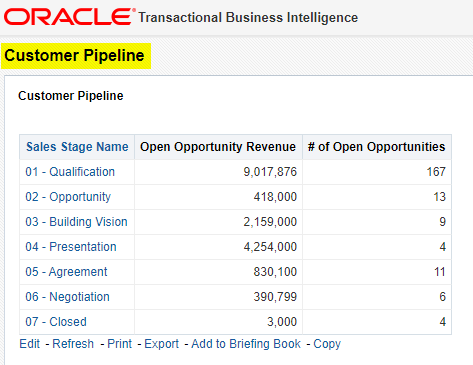
Sales Cloud data is retrieved via an Oracle Transaction Business Intelligence (OTBI) Answers / Analysis request created within Sales Cloud Analytics.
2) Database Table
The table is created within ADW to load / store the Sales Cloud data.
3) Stored Procedure
A dynamic stored procedure is created within ADW. The stored procedure calls an external SOAP web service that runs and returns the results from the OTBI Answers / Analysis request. These results are then inserted into the ADW table created in step 2.
The steps below detail how to create these three artifacts and call the data load integration process.
Creating the OTBI Answers / Analysis Request
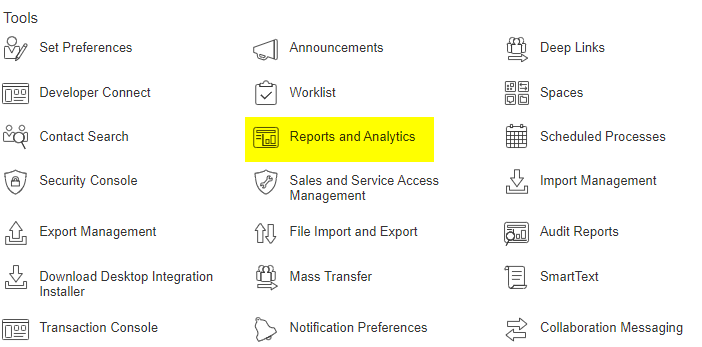
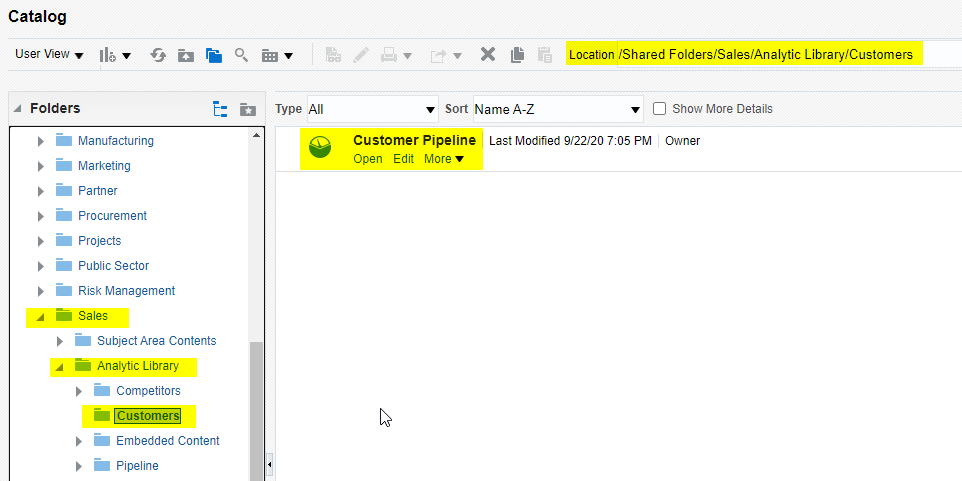
1.1 – Create or use an existing OTBI Answers / Analysis
1.2 – Depending on the design of the OTBI report will may need to disable cache – to force it to refresh each time.
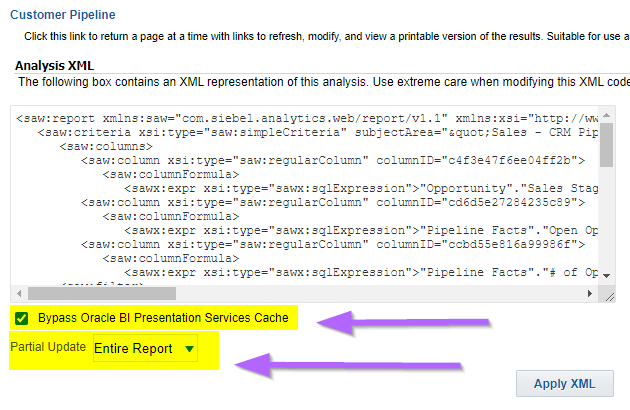
From the Advanced tab
a) Check “Bypass Oracle BI Presentation Services Cache”
b) Choose Partial Update = Entire Report
c) Apply XML
d) In Prefix: SET VARIABLE DISABLE_CACHE_HIT=1;
e) Click Apply SQL
f) Click Save
g) Close report and re-open
h) Go to Advance tab to confirm cache changes have stuck
1.3 – Confirm the request returns the desired results
Create Database Table
2.1 Create table in SQLDeveloper or SQL query tool of choice.
The table below has 2 audit columns to track data load date and loaded by user. These columns must be appended to the table if using the sample stored procedure provided.
If the required audit columns are excluded – “ORA-00947: not enough values” error will be encountered.
Creating the Stored Procedure
Create and run the stored procedure that calls the web service to pull the Sales Cloud data and load the Pipeline data into the CUSTOMER_PIPELINE table.
The stored procedure leverages the APEX_WEB_SERVICE API. In this example we invoke a SOAP style web service. However, the APEX_WEB_SERVICE API can also be used to invoke RESTful style Web services. The web service returns the results in XML, these results are then parsed, and then loaded into the database table into separate columns.
Click here for more information on using the APEX_WEB_SERVICE API.
Summary
This blog has provided a set of sample artifacts that leverage the APEX_WEB_SERVICE API to integrating OTBI with ADW. The example uses SOAP style web services. This blog may be a good starting point for those wanting to perform similar integrations using RESTful style web services.
Authors
Jay Pearson
Consulting Solutions Architect, Business Intelligence



 d) In Prefix: SET VARIABLE DISABLE_CACHE_HIT=1;