
OCI Application Performance Monitoring
OCI Application Performance Monitoring (APM) is a service that provides deep visibility into the performance of applications, offers the ability to diagnose issues quickly to deliver a consistent level of service. This includes monitoring multiple components and application logic spread across clients, third-party services, and back-end computing tiers, on-premises or in the cloud.
In this blog we will explore OCI APM overview, examine OCI REST APIs & authentication in general and finally why and how to call APM REST API from postman. I will also provide a sample OCI APM postman collection which provides the Skeleton of available REST APIs and allows us to seamlessly call from postman.
80% of the problems that end users find on application are reported by themselves. In a day and age that we’re all moving applications to the Cloud, there is obligation to find problems before end user reports it. OCI APM provides the solution to it.
OCI APM has following four key capabilities.
- Distributed tracing
- End-user monitoring
- Synthetic monitoring
- Server monitoring
Please click on this blog to know more about OCI APM which explain key capabilities in detail.
All the VBCS enthusiastic who are looking to monitor the VBCS Apps performance, please check Shay Shmeltzer’s blog here.
The Why Part
OCI APM already provides the various dashboards (Real User Monitoring, Monitors, App Server, etc..) to check different metrics that have been collected, calculated and drill down to see anomalies. It also provides trace explorer to drill down to detailed transaction level traces and spans (Page loads, ajax calls, service requests, JDBC, HTTP outbound calls, response time, user satisfaction, CPU usage, errors, SQLs) and other metrics. All these dashboard and trace explorer provide required metric and details information about application performance.
The APM is part of OCI Observability and Management platform products, there are different dashboard and metrics available for each product with OCI Observability and Management platform. There may be requirement to pull a single view from across different layers of OCI Observability and Management platform. The OCI has provided different Rest APIs to get information from OCI platform.
Oracle Cloud Infrastructure REST APIs
The OCI Rest APIs are well documented in this document. There is separate rest end point URL for each region. The end point URL is constructed as https://{{productservice}}.{{region}}.oci.oraclecloud.com/apiversion For example, the Rest endpoint to query traces and associated spans in ashburn region is https://apm-trace.us-ashburn-1.oci.oraclecloud.com/20200630
The followings blogs written in 2019 have provided detailed information about calling OCI REST APIs from postman. These blogs have provided sample postman collection and environment to be downloaded from GIT repository and which require few configurations to run the REST APIs. The pre-script mentioned in the collections doesn’t seem to work now.
https://www.ateam-oracle.com/post/invoking-oci-rest-apis-using-postman
https://redthunder.blog/2019/07/10/calling-oci-apis-from-postman/
The good news is that Oracle Developer community has come up with “Oracle Cloud Infrastructure REST APIs” workspace in postman which has collections of OCI REST APIs pre-configured. This has made calling OCI REST APIs very easy from Postman. The workspace can be downloaded into postman by simply typing “Oracle Cloud Infrastructure REST APIs” in postman search bar (shown on top in postman) and selecting it from search results drop down. Please find the below screenshot.
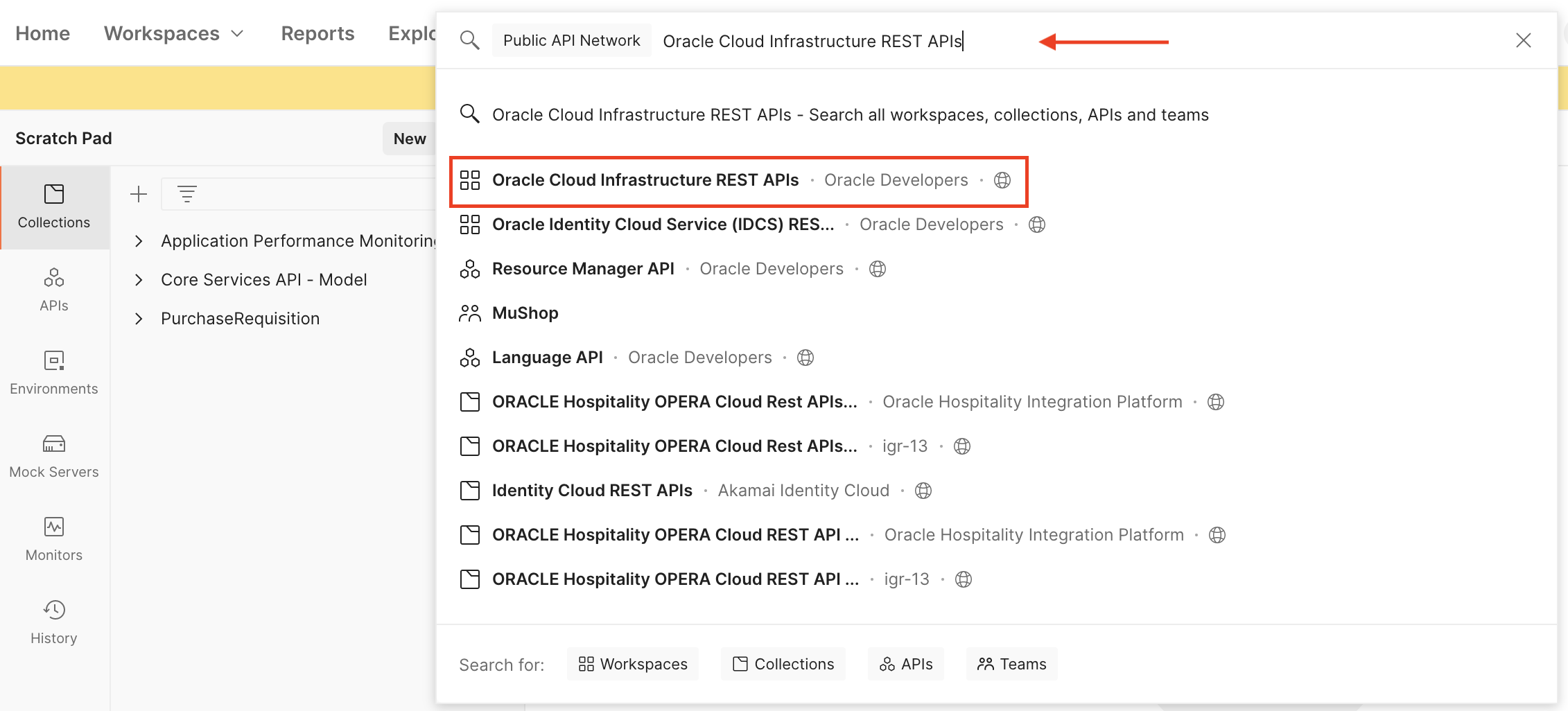
Fig. 1. Searching OCI workspace in Postman
Oracle Cloud Infrastructure REST APIs workspace: It has various collections of OCI Rest APIs.
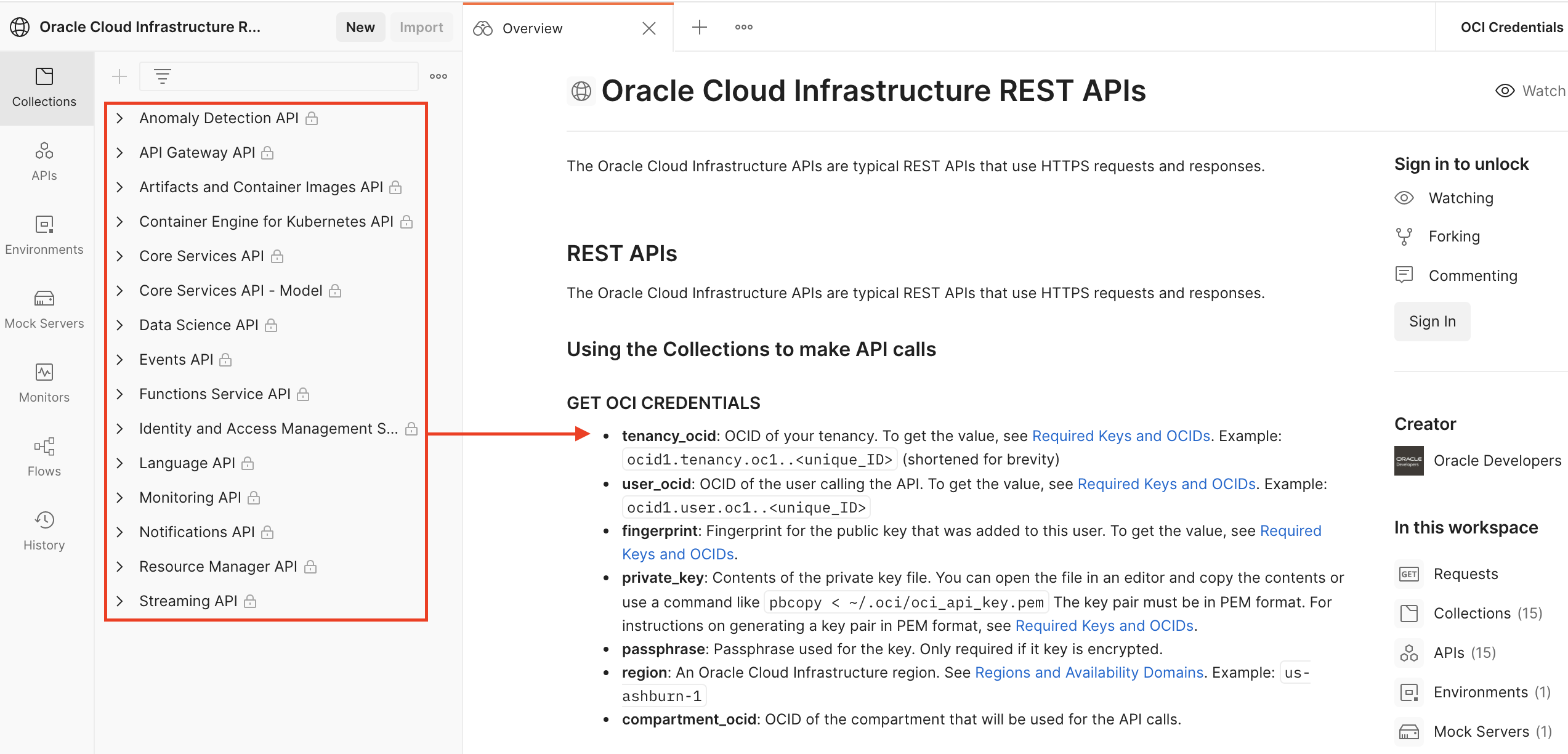
Fig. 2. Oracle Cloud Infrastructure REST APIs Workspace
OCI REST API Authentication
To call any REST APIs, user will need to supply OCI credentials (5 authentication pieces explained below). The workspace also has environment setup with required OCI credentials. The “OCI Credentials” environment needs to be selected for REST APIs calls.

Fig. 3. OCI Credentials Environment
The 5 main authentication pieces need to be constructed to call OCI REST APIs from postman.
- tenancy_ocid: OCID of your tenancy. To get the value, see Required Keys and OCIDs. Example: ocid1.tenancy.oc1..<unique_ID> (shortened for brevity)
- user_ocid: OCID of the user calling the API. To get the value, see Required Keys and OCIDs. Example: ocid1.user.oc1..<unique_ID>
- fingerprint: Fingerprint for the public key that was added to this user. To get the value, see Required Keys and OCIDs.
- private_key: Contents of the private key file. The key pair must be in PEM format. For instructions on generating a key pair in PEM format see Required Keys and OCIDs.
- passphrase: Passphrase used for the key. Only required if it key is encrypted.
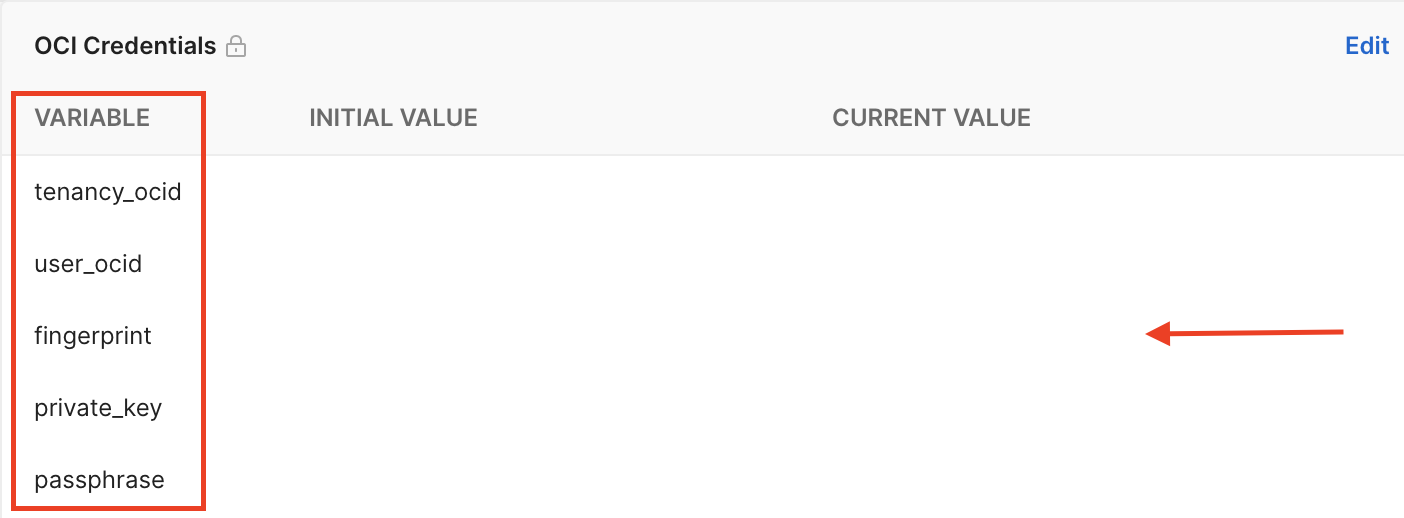
Fig. 4. OCI Credentials
The OCI REST API can expect other parameters such as region and compartment id.
- region: An Oracle Cloud Infrastructure region. See Regions and Availability Domains. Example: us-ashburn-1
- compartment_ocid: OCID of the compartment that will be used for the API calls.
I strongly recommend to go through blog by Aparna Gaonkar which explains visually to get all authentication pieces and it also shows how we can call OCI Rest API endpoints from VBCS.
OCI Application Performance Monitoring REST API
OCI APM is part of Oracle cloud infrastructure, the way to access its REST APIs is same as other OCI REST APIs. It requires same 5 authentication pieces to access it. The Oracle Developer community has not released any collection for Oracle APM yet, but we have prepared the collection for it. The collection zip file is attached in this blog which has 4 json files for each APM collection of APIs and 1 environment file. It can be easily added into postman application by clicking on import button and selecting the collection json file.
Each collection has baseUrl variable defined which sets the endpoint for each collection, for example the Trace Explorer API collection has endpoint as https://apm-trace.{{region}}.oci.oraclecloud.com/20200630 where region variable gets value from “OCI Credentials” environment as shown in below screenshot.
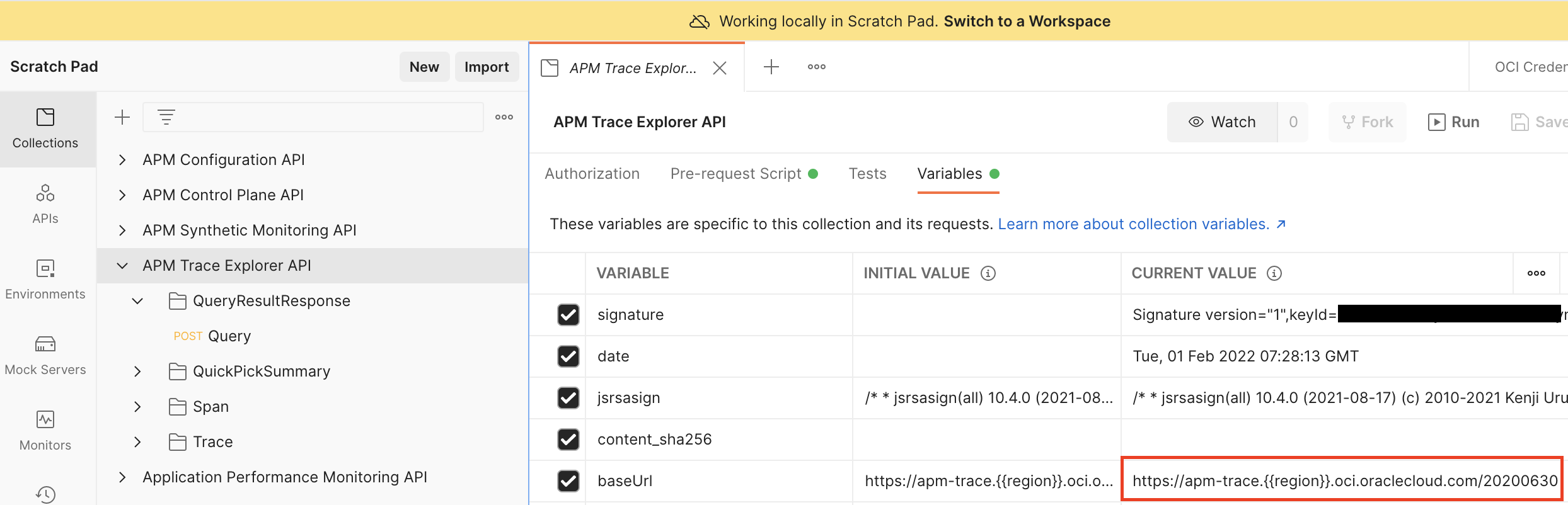
Fig. 5. OCI APM BaseUrl
Let’s call Oracle APM trace explorer rest API and see the results. The API will retrieve the results (selected attributes and aggregations) of a query constructed according to the Application Performance Monitoring Defined Query Syntax. The API executes traces query which returns all the traces for different services and its operations generated during defined interval passed in query parameters for APM domain.
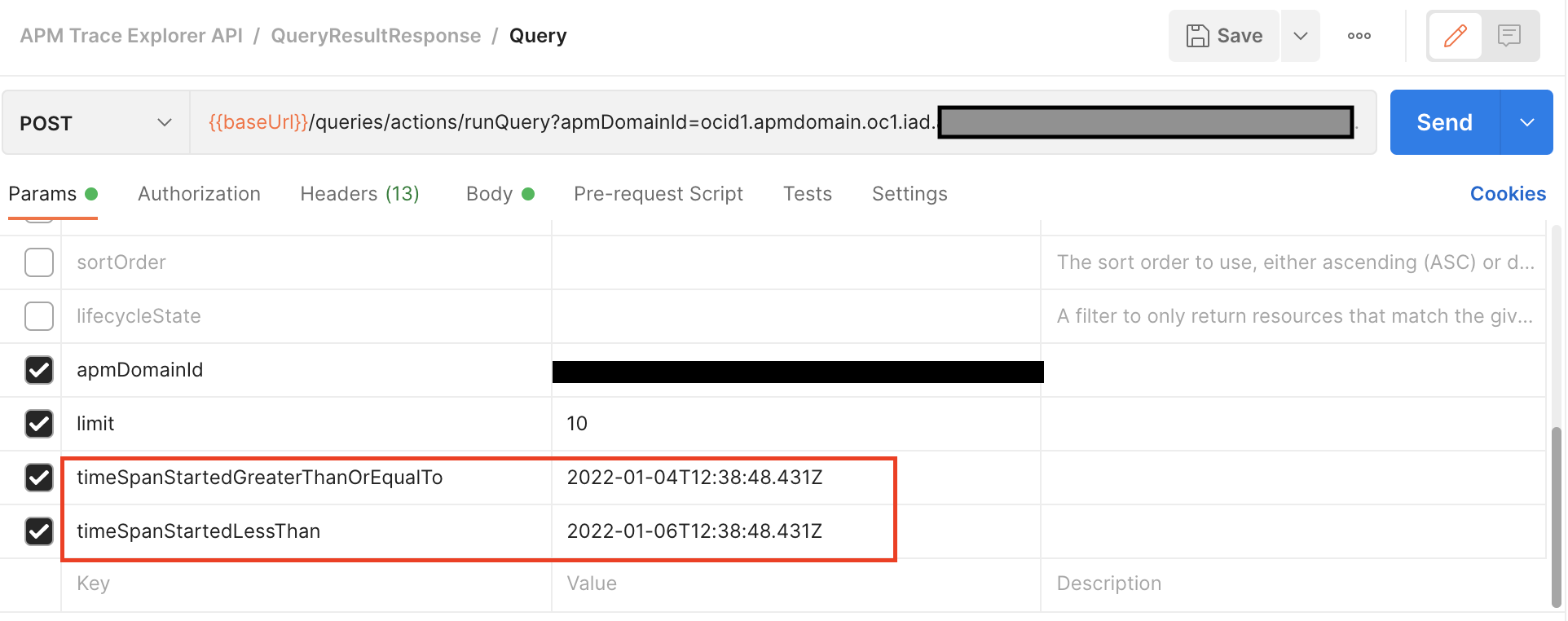
Fig. 6. OCI APM Query Parameters
Trace Query in API request body
show (traces) TraceStatus as Status,
    TraceFirstSpanStartTime as StartTime,
    ServiceName as Service,
    OperationName as Operation,
    TraceDuration as Duration,
    span_summary() as Spans,
    ErrorCount as SpanErrors
  where (ApmrumPageUpdateType<>'Click' or ApmrumPageUpdateType is omitted)
  order by TraceFirstSpanStartTime desc
OCI APM Trace Explorer REST API Execution
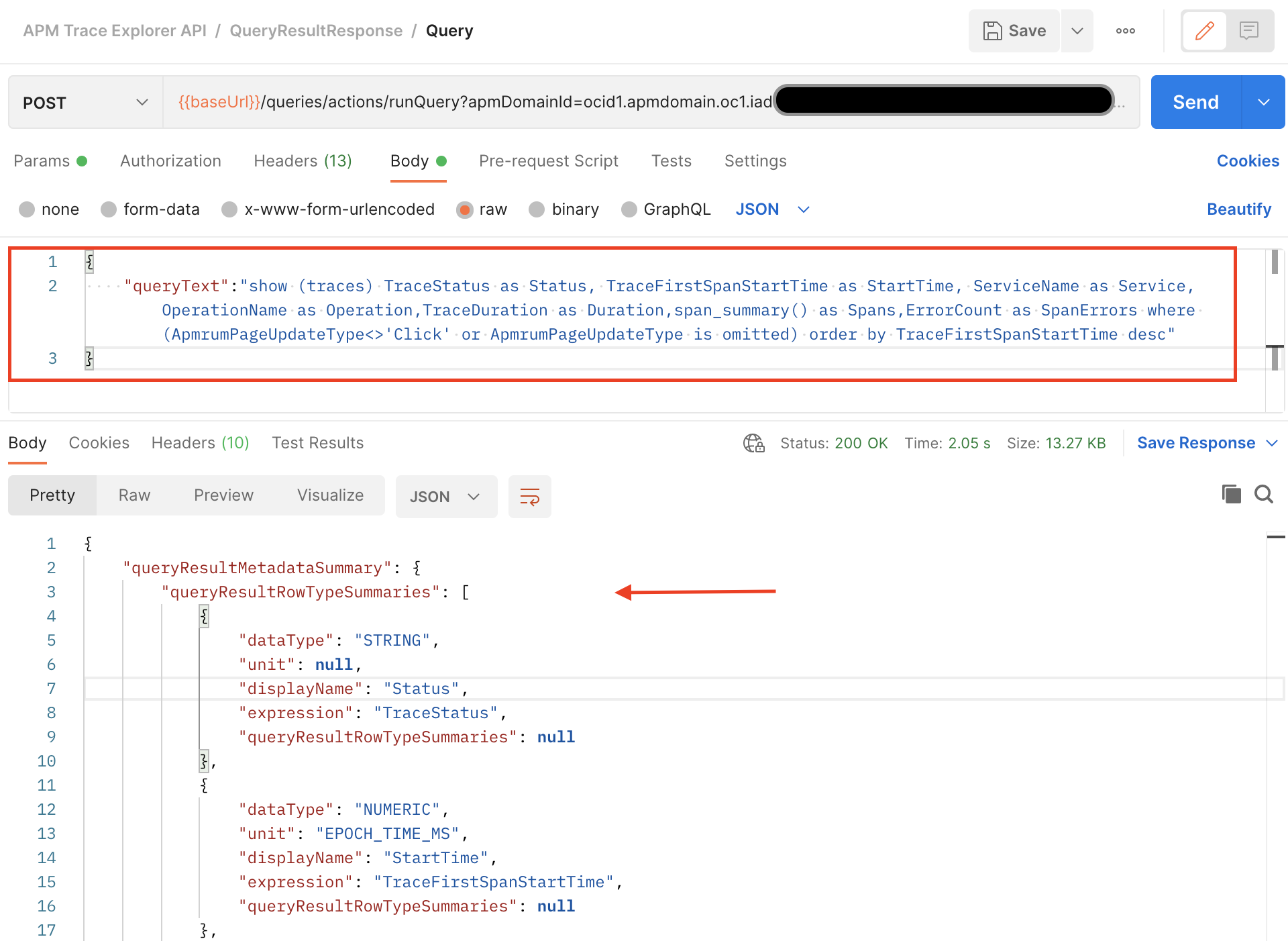
Fig. 7. OCI APM Trace Explorer REST API Execution
Summary
We have seen how simple it is to call OCI Rest APIs from postman by using Oracle Cloud Infrastructure REST APIs” workspace. We have gone through basic overview of OCI APM and its capabilities with APM trace explorer API execution flow. The postman collection for OCI APM REST APIs is attached in this blog.
Please click on OCI APM REST API Postman Collection to download the collection zip file.
Happy Learning !!