
I had previously published a blog post on the same topic (in 2019), hence an update is due. I have retained much of the text of the previous version but modified the contents where required to reflect the current features of the load balancer, including its integration with the OCI Certificates service for managing TLS/SSL certificates.
OCI provides a load balancing service which can be leveraged to distribute incoming traffic from clients amongst a set of servers. A simple example can illustrate this feature.
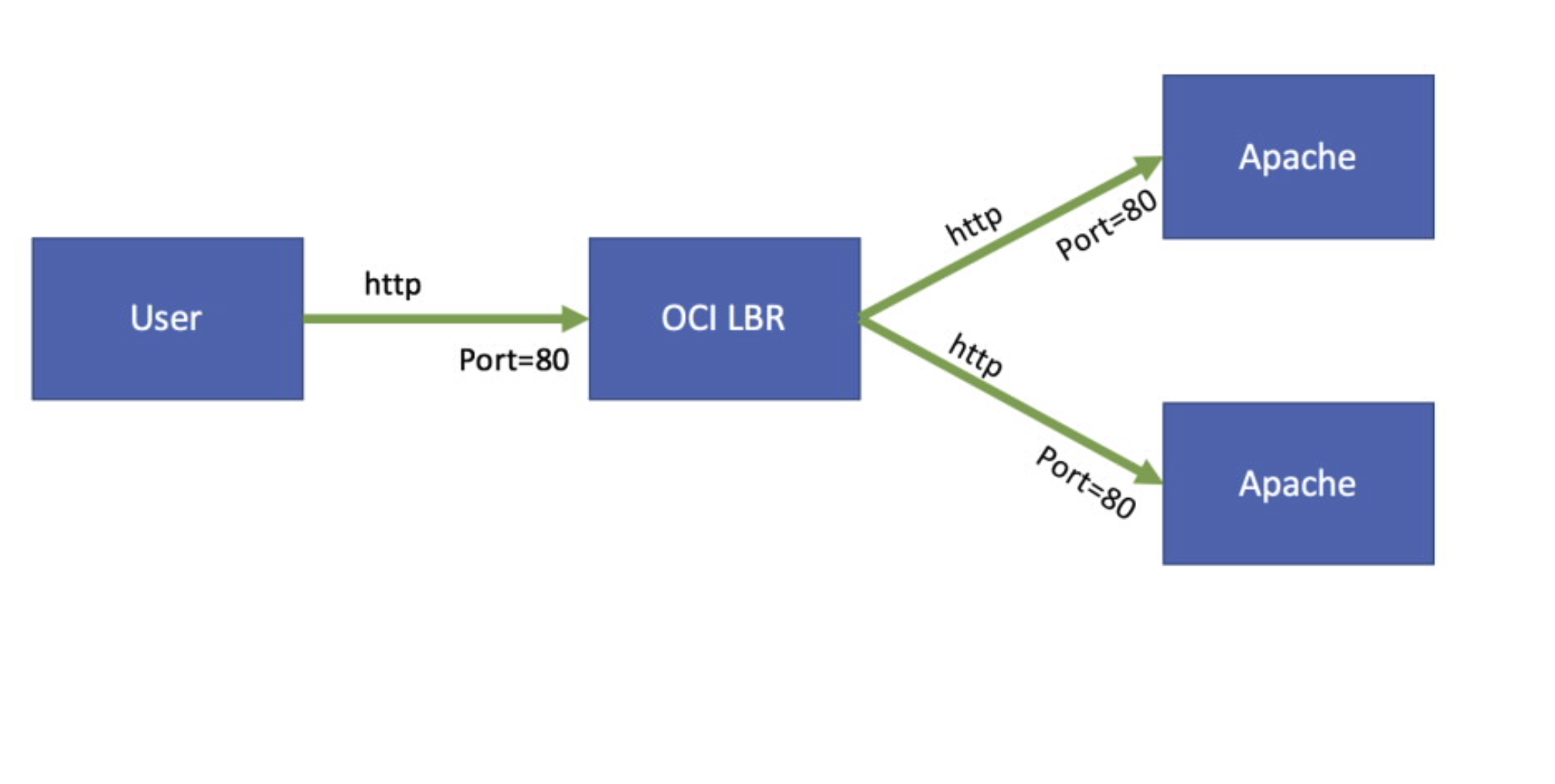
Fig 1
I have two compute instances in OCI running Apache HTTP Server. The Apaches are listening on port 80 for incoming requests. I have defined a Load Balancer in OCI which routes traffic to these two Backend servers. The Load Balancer accepts http requests over port 80 as shown in the figure above. From the browser, the first time I send a http request I get the following response:
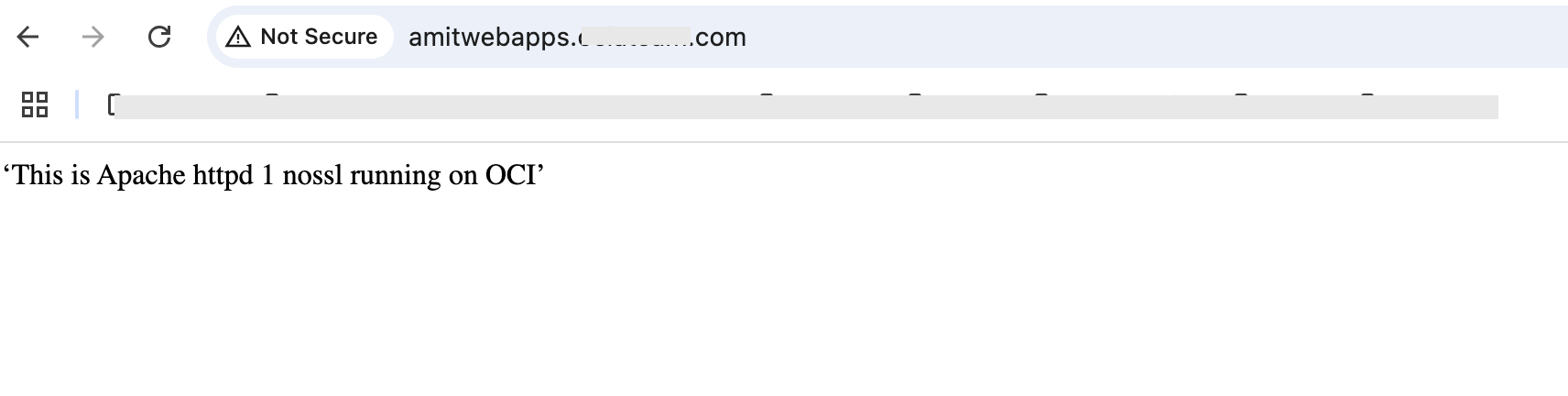
Fig 2
Notice “… Apache httpd 1 …” in the body of the message returned by the server. The response is from Apache httpd 1. Now, when I reload the page, I get the following response:
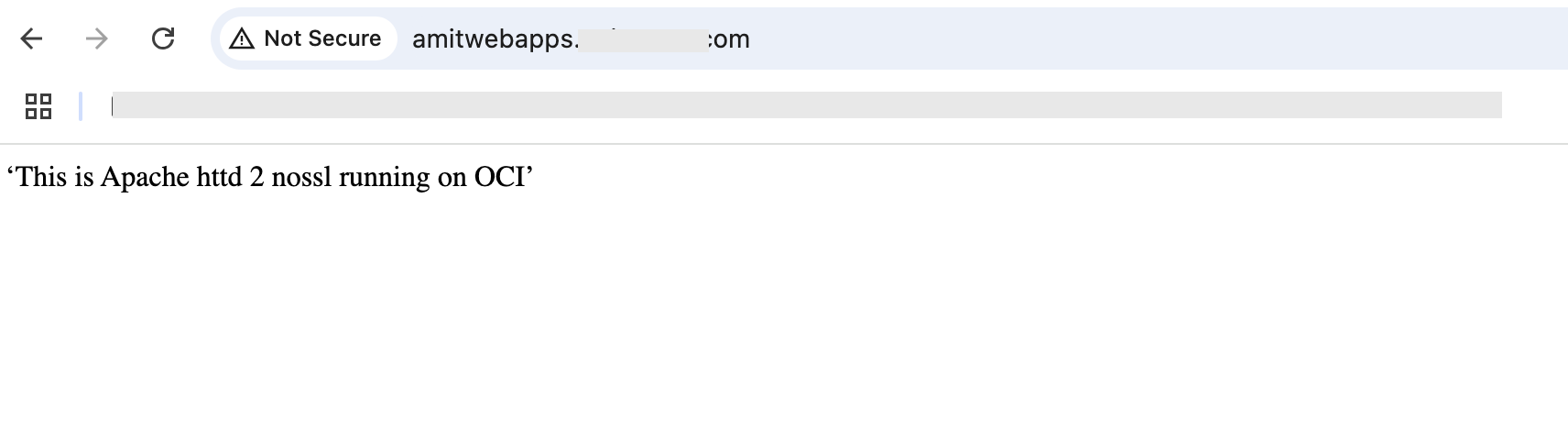
Fig 3
This time the response is from the second server Apache httpd2. If I reload the page again, the first server would respond and so on and so forth. In other words, the servers are alternately serving the incoming requests, i.e. in round robin. This distribution of traffic is managed by the load balancer.
The distribution of traffic by OCI need not be just round robin. Load balancing policies can be used to define the criteria to distribute incoming requests amongst the Backend Set.
An interesting aspect of load balancing is that although the Backend servers serve the requests, they are themselves hidden from the clients. From the clients’ perspective, it is just the load balancer which is serving the requests. The clients initiate connection with the Load Balancer: the domain name in the browser maps to the IP address of the Load Balancer.
SSL Traffic
Although the above example is useful in explaining the load balancing concepts, it has practical limitation since the traffic is insecure. OCI supports SSL (TLS v1.2,1.3) for secure transport between clients and backend servers. There are 3 uses cases which need to be considered –
- SSL Termination: in this scenario, an organization has deemed that the Backend servers serve just HTTP or TCP based requests, i.e. no HTTPS or SSL requests. However, the client requests (say from browser) still need to be secured. Both these requirements are satisfied by having the Load Balancer play the role of an intermediary where the SSL connection terminates at the Load Balancer and the connections between the Load Balancer and the Backend servers are unsecured.
- SSL Tunneling: In this scenario, it is required that the entire transport channel between the client and the Backend server is secured. In other words, no intermediate entity including the Load Balancer should be able to see any of the contents of either the request or the response.
- Point To Point SSL: in this scenario, the SSL connection from the client terminates at the Load Balancer and then a new SSL connection is initiated from the Load Balancer to the Backend server. This configuration is useful if the Load Balancer needs to filter HTTP headers in requests and responses or inspect the contents using WAF.
OCI supports all of the above 3 use cases. Let us look into these use cases in more detail.
SSL Termination
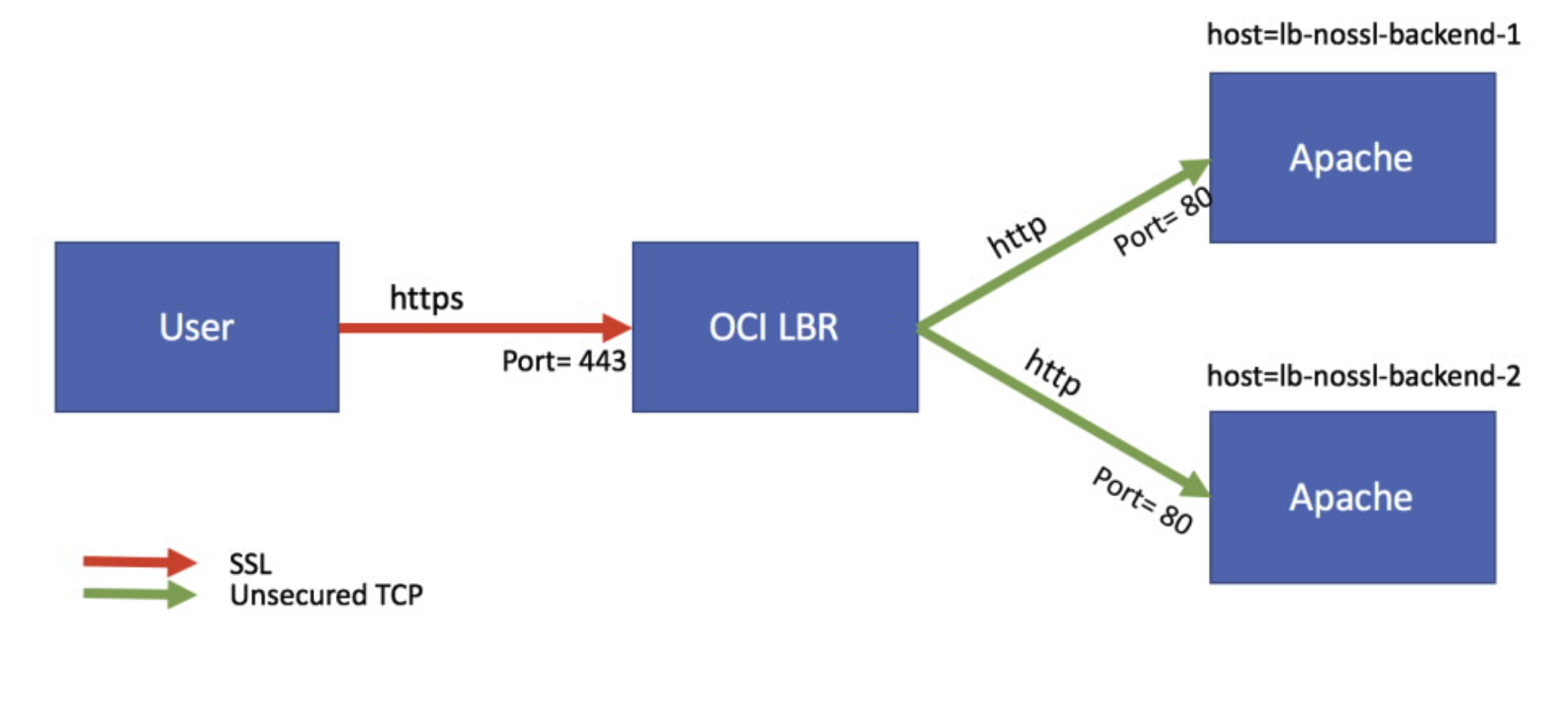
Fig 4
In the above figure, SSL is getting terminated at the Load Balancer which in turn establishes new unsecured TCP connections to the two Backend servers. To illustrate this scenario, I will use a Backend Set comprising of two Oracle Linux compute instances: lb-nossl-backend-1 and lb-nossl-backend-2. I have installed Apache HTTP Server on both the instances. On each compute instance, I have opened just the http service using the firewall-cmd, resulting in the Apache servers accepting only HTTP connections over port 80. I have added the statement – “This is Apache httpd #n nossl running on OCI” – to each Apache’s /var/www/html/index.html file where #n is 1 or 2 for the two Backends.
After configuring the two Backends, I define a Backend Set “Backend-NoSSL” and add the two Backends to this set as follows:
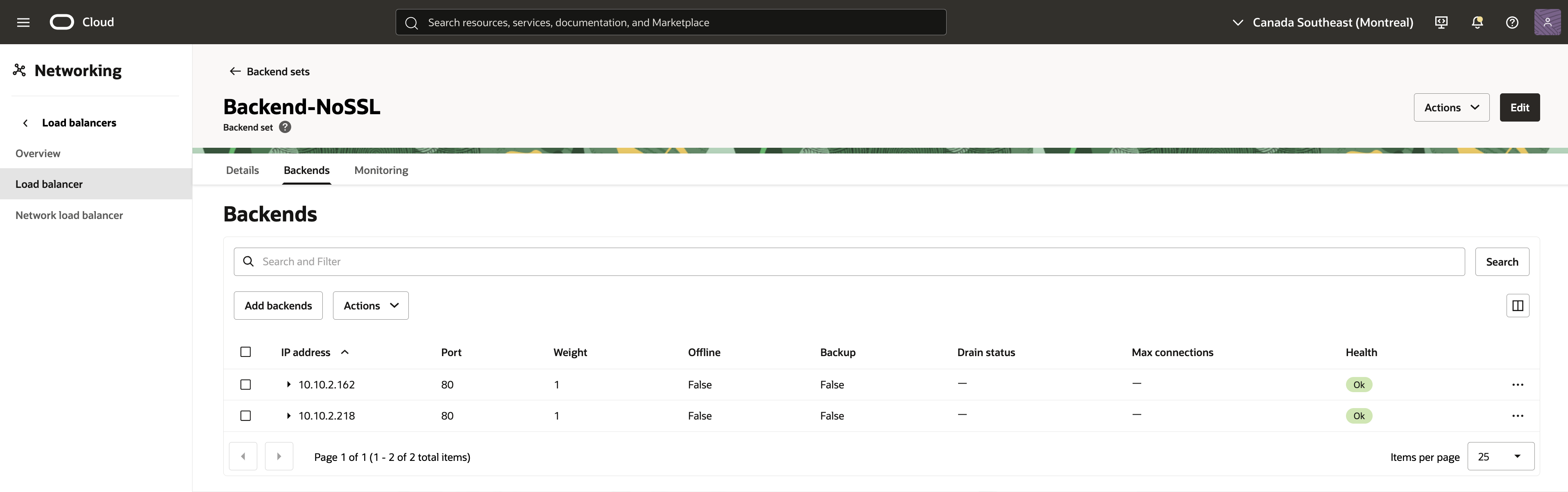
Fig 5
where 10.10.2.162 and 10.10.2.218 are the private addresses of the above two Backends. Note that the Load Balancer uses port 80 to communicate with both the Apache servers.
Since the SSL is getting terminated at the Load Balancer, the Load Balancer should have its own pair of <private key, public certificate>. This will ensure that client communication with the Load Balancer is secured. For this illustration, I have created a certificate for the domain name using Let’s Encrypt and imported it into the OCI Certificates.
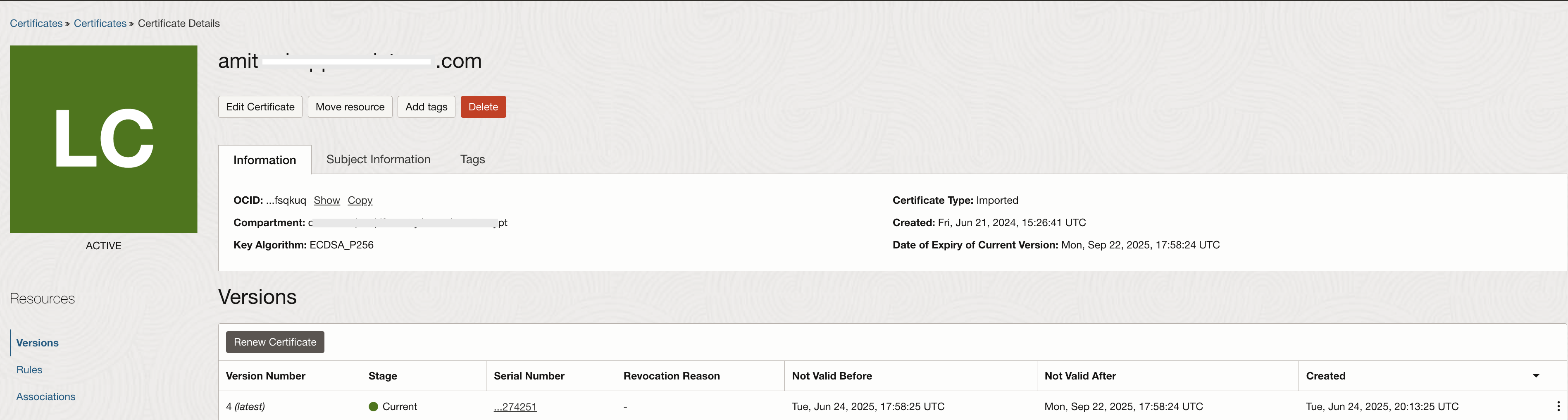
Fig 6
Next, I will define a Listener as in the following figure:
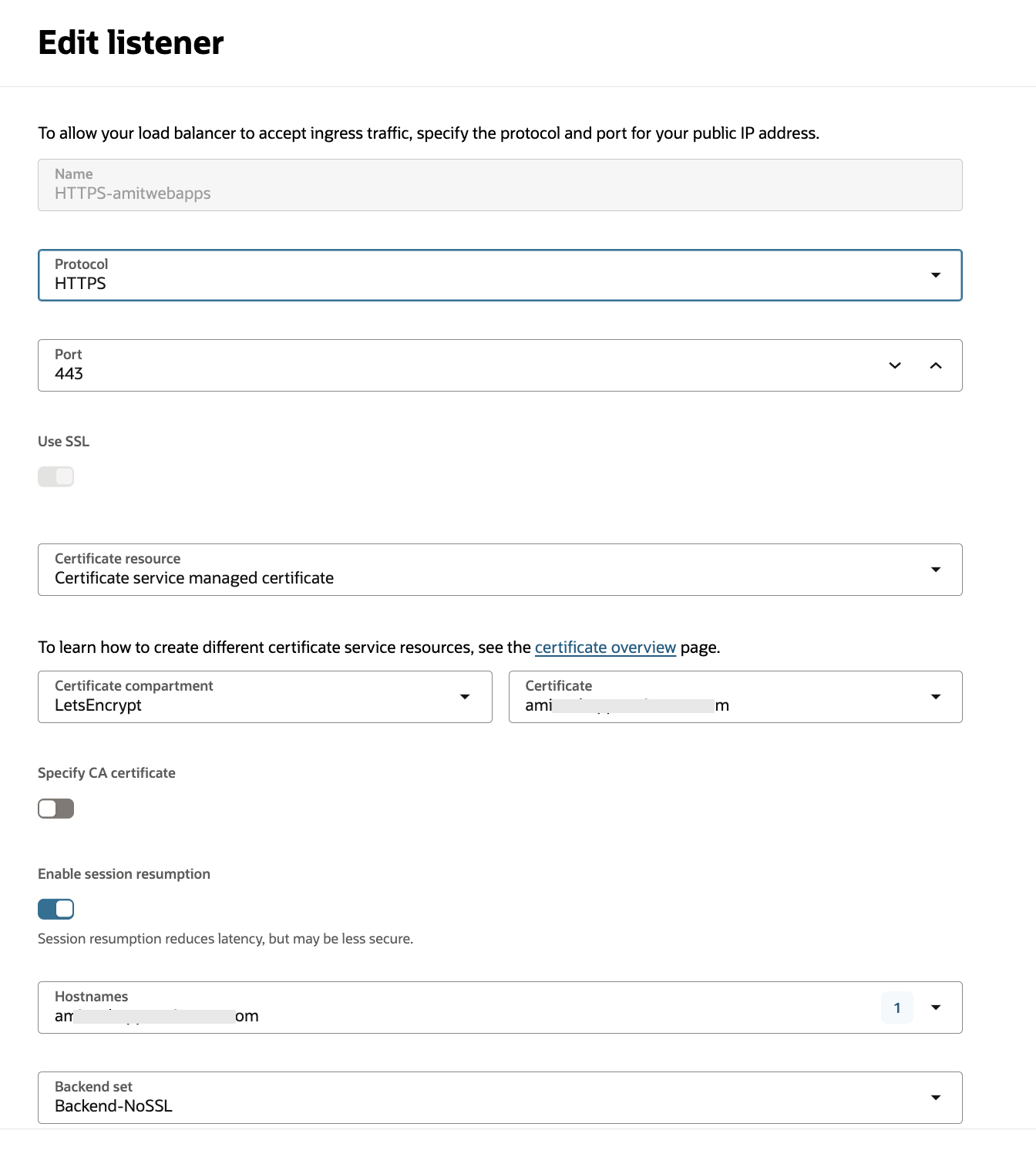
Fig 7
Note the following in the above configuration:
- The Listener listens on port 443.
- The certificate chosen is the one defined in the Certificates service.
- The Backend Set “Backend-NoSSL” created in the previous steps is selected to complete the configuration of the Listener.
Now we are ready to do some testing. To start with, I issue the following request to the Load Balancer:
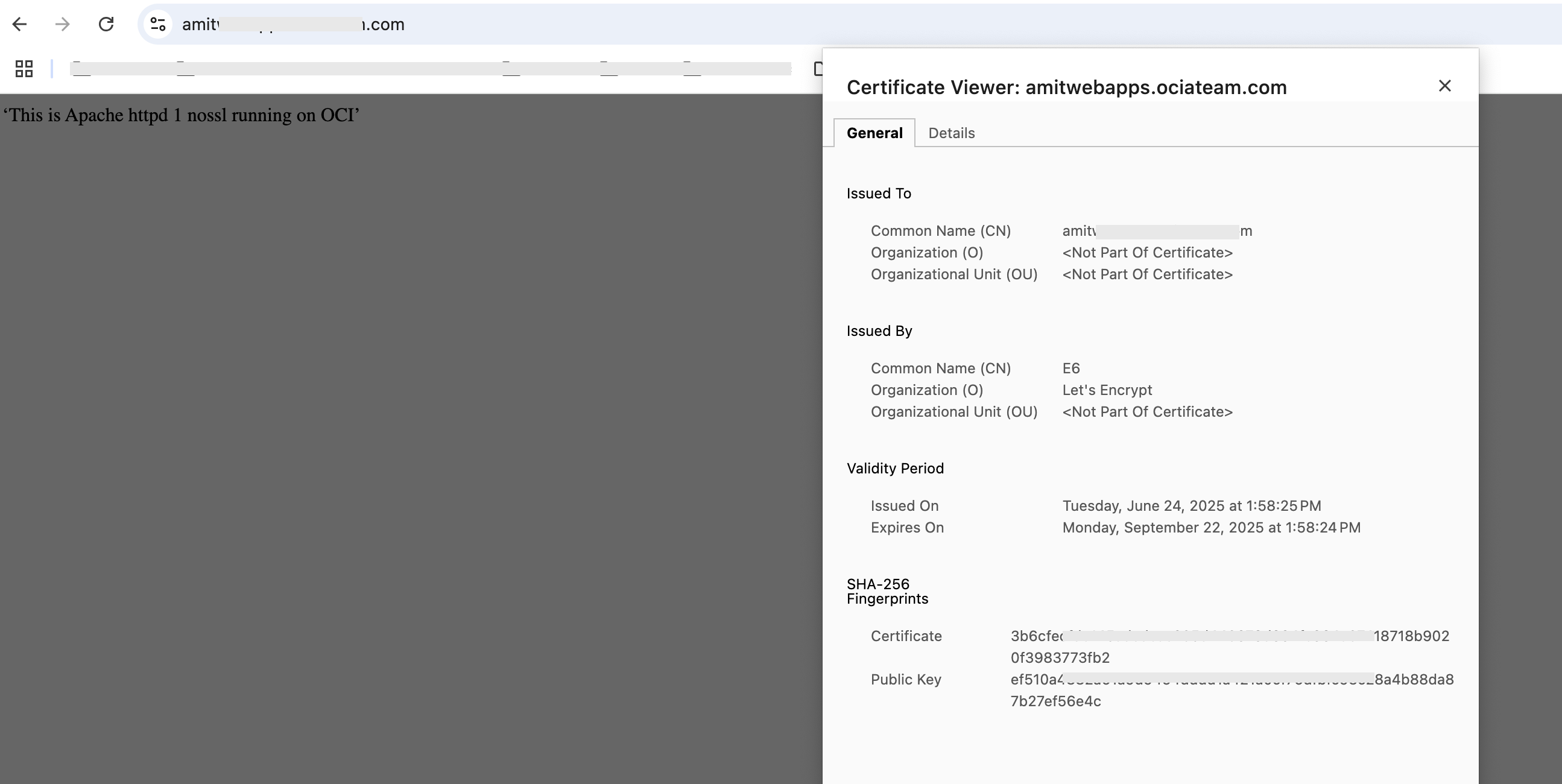
Fig 8
We observe that the response is from ‘Apache httpd 1 nossl’. Reloading the page gives us the following:
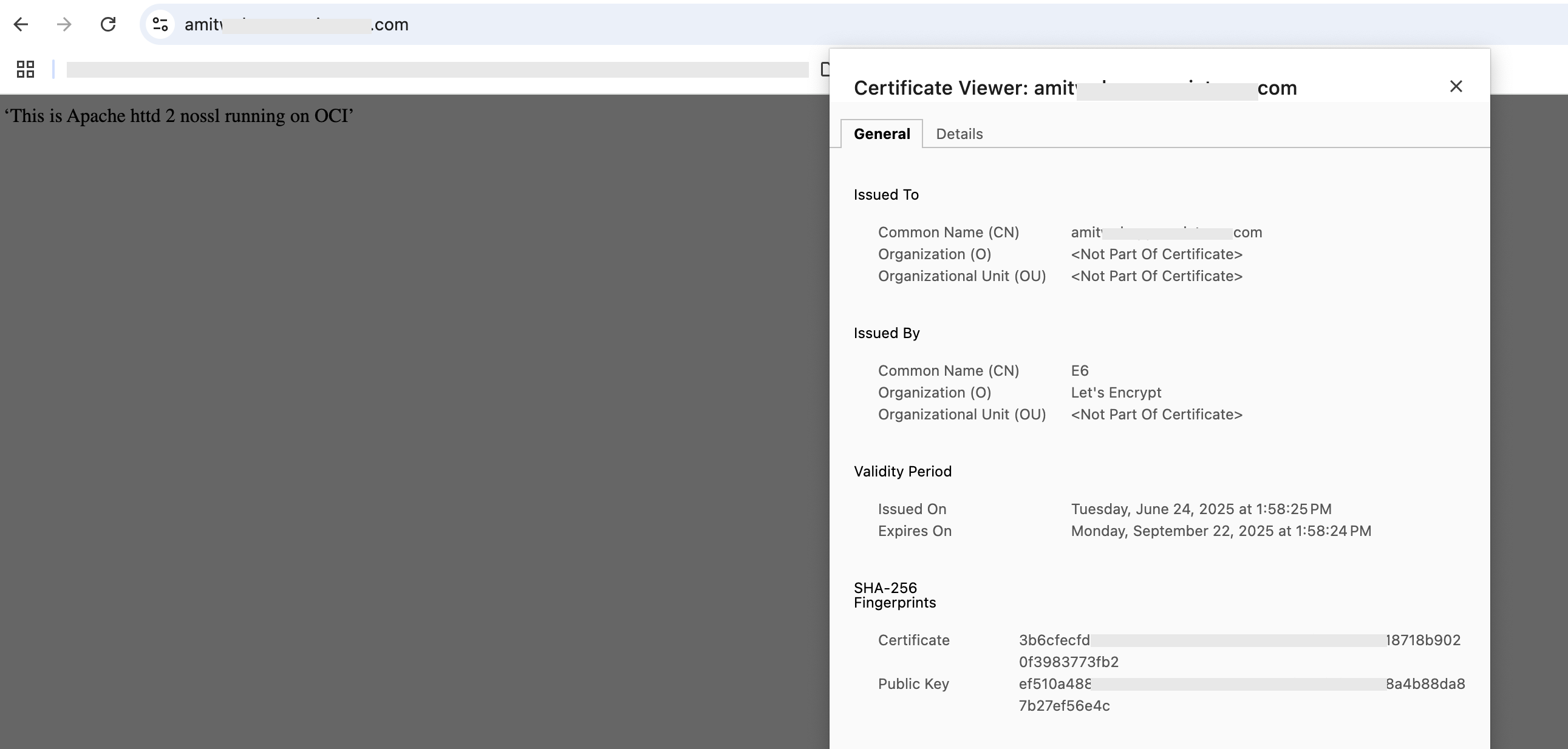
Fig 9
This time, the response is from ‘Apache httpd 2 nossl’. There are few takeaways from the above run –
- The server certificate is the one from the Certificates service, chosen in the listener for both cases. This shows that the client has established SSL connection with the Load Balancer.
- The responses are from the Apache HTTP Servers which accept only HTTP requests on port 80. This implies SSL Termination is working.
- Lastly, the two Backends alternate in serving requests in accordance with the load balancing policy which is round robin.
SSL Tunneling
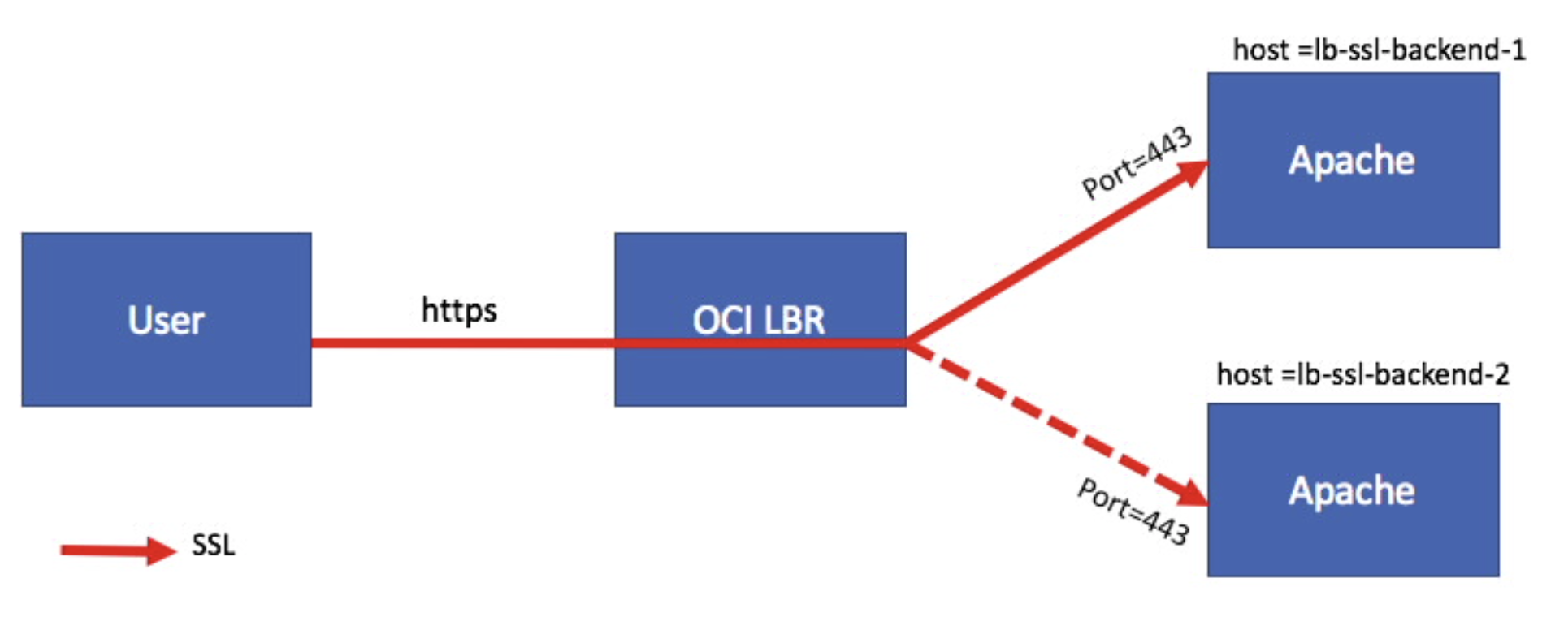
Fig 10
In the above figure, the TCP connection is tunneled through the Load Balancer all the way to a Backend. Thus the SSL connections get terminated at the Backend servers. To illustrate this scenario, I will use a Backend Set comprising of two new Oracle Linux compute instances – lb-ssl-backend-1, lb-ssl-backend-2. Unlike the SSL Termination scenario where the two servers had just Apache HTTP Server installed, here I have installed Apache with mod_ssl package on both the instances. The installation generates a self-signed certificate with the hostname as the Common Name of the certificate. On each compute instance, I have opened just the https service using the firewall-cmd, resulting in the Apache servers accepting only SSL connections over port 443. I have added the statement – “This is Apache httpd #n SSL running on OCI” – to each Apache’s /var/www/html/index.html file where #n is 1 or 2 for lb-ssl-backend-1 and lb-ssl-backend-2 respectively.
After configuring the two Backends, I define a Backend Set and add them to this set.
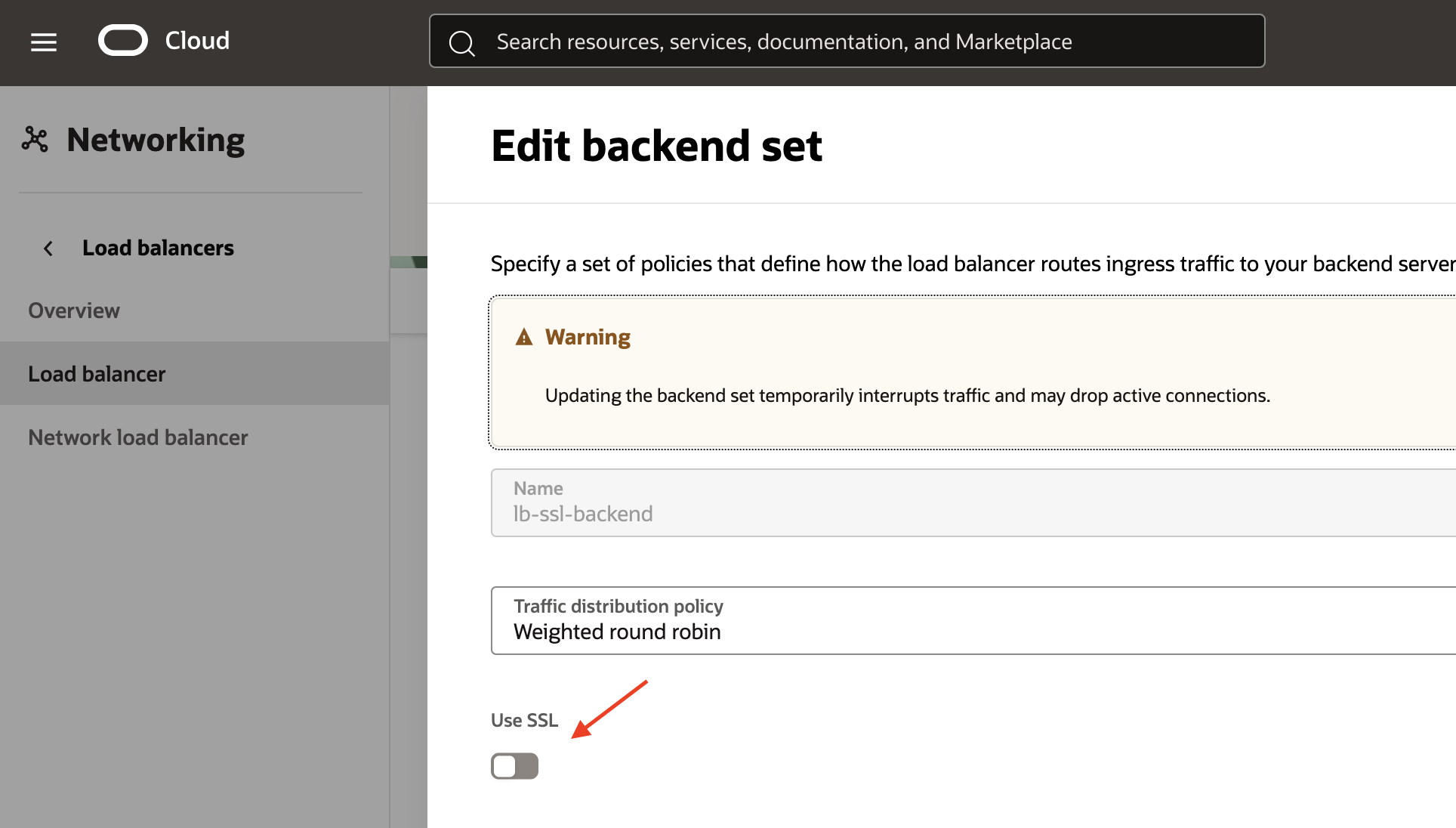
Fig 11
Note that the ‘Use SSL’ flag is checked off. Load Balancer uses port 443 to communicate with both the Apache servers.
The health check policy uses TCP over port 443 to check the health of the Backends.
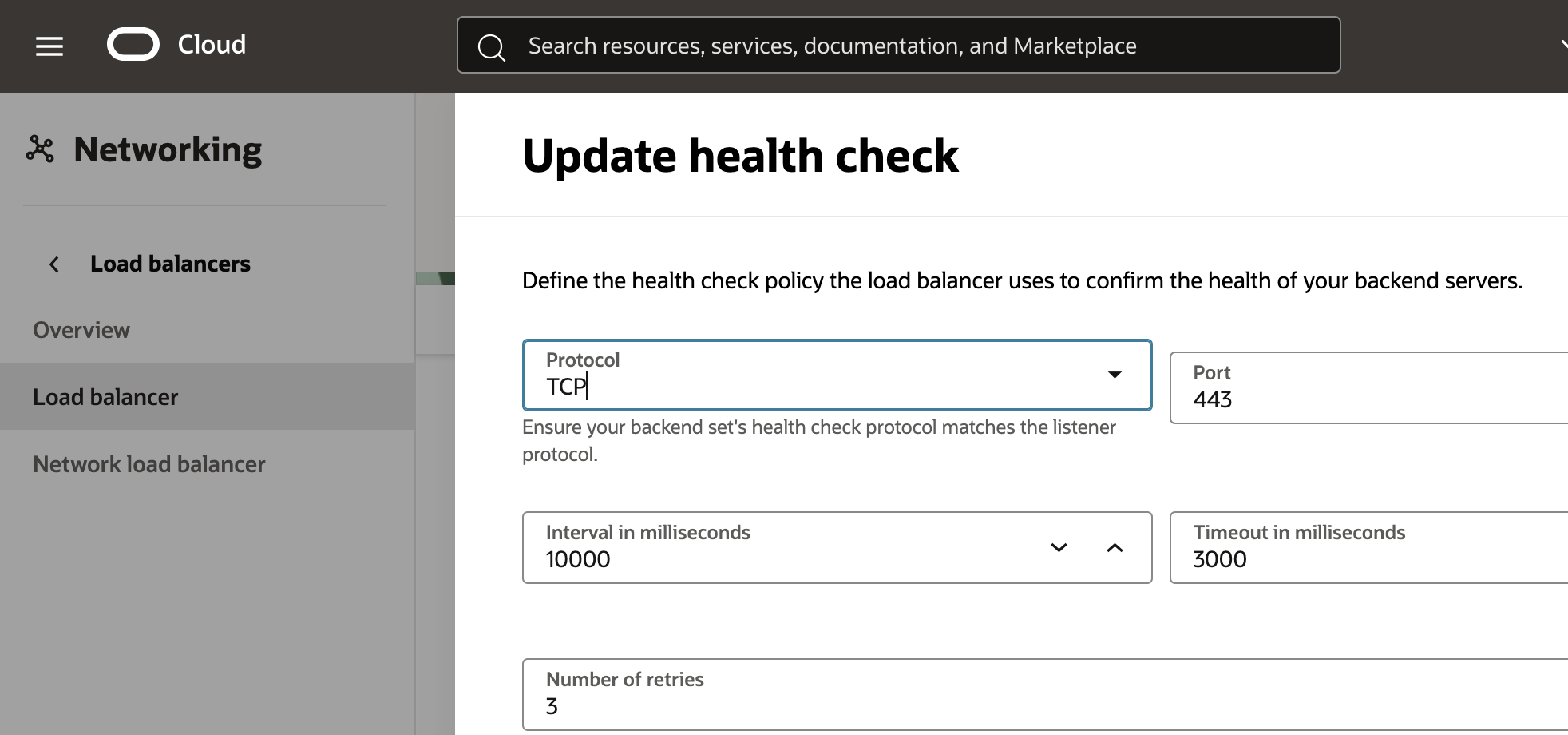
Fig 12
Next, I define a Listener as follows:
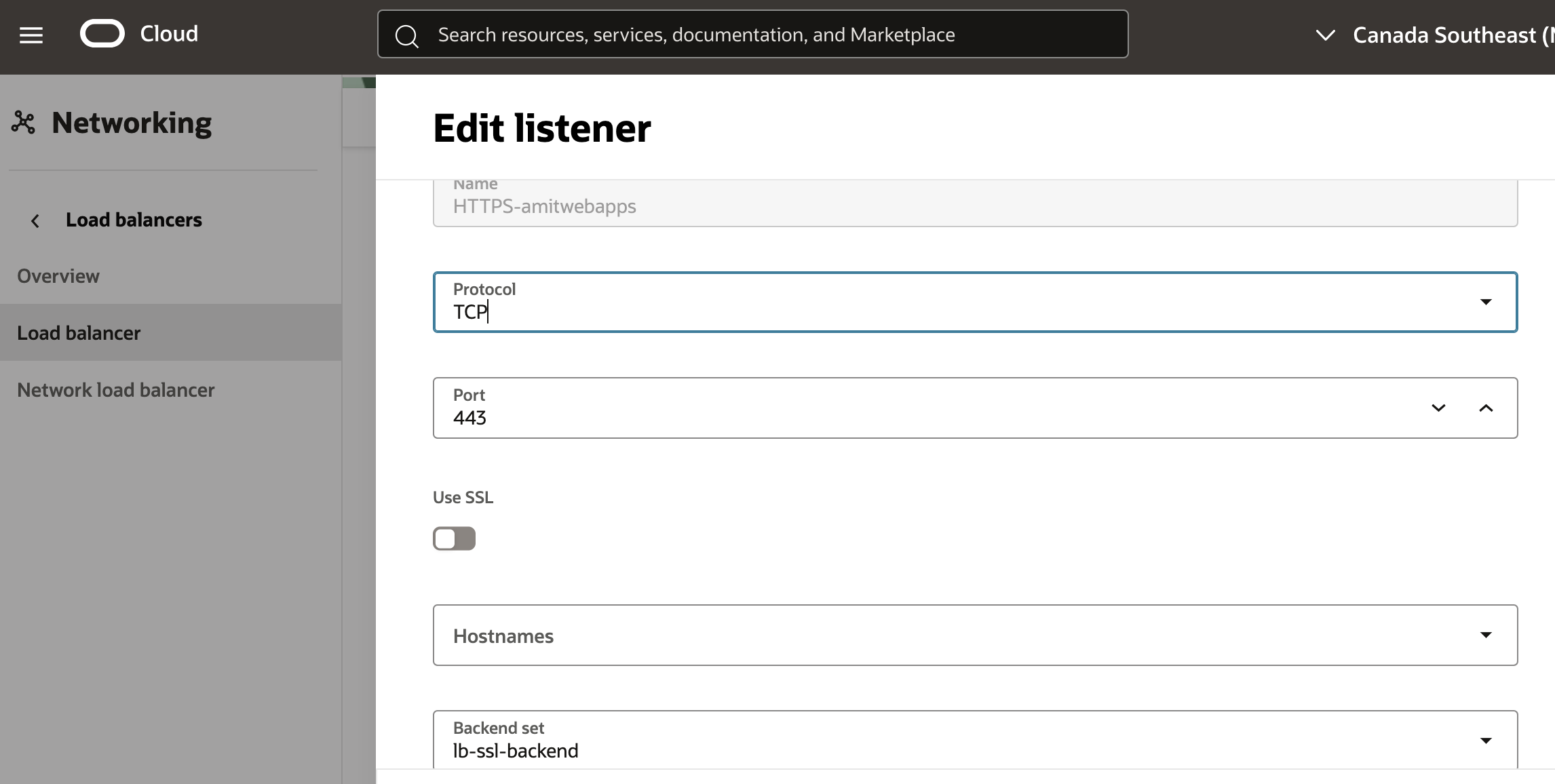
Fig 13
Note the following in the above configuration:
- For SSL Tunneling, the “Protocol” field should be “TCP”. This has some ramifications and we will discuss them shortly.
- Also, the “Use SSL” check box should remain unselected (default) as shown in the figure below.
- The Backend Set selected is the one which we defined in the previous step.
In SSL Tunneling mode, the Load Balancer works at the TCP protocol level. Since the TCP payload is SSL records, hence encrypted, the Load Balancer does not have any insight into the data being transported. OCI Load Balancer supports many advanced features such as session persistence which rely on HTTP artifacts. Since such information is unavailable to the Load Balancer in SSL Tunneling mode, these features cannot be used in this mode.
Now we are ready to do some testing. To start with, I issue the following request to the Load Balancer:
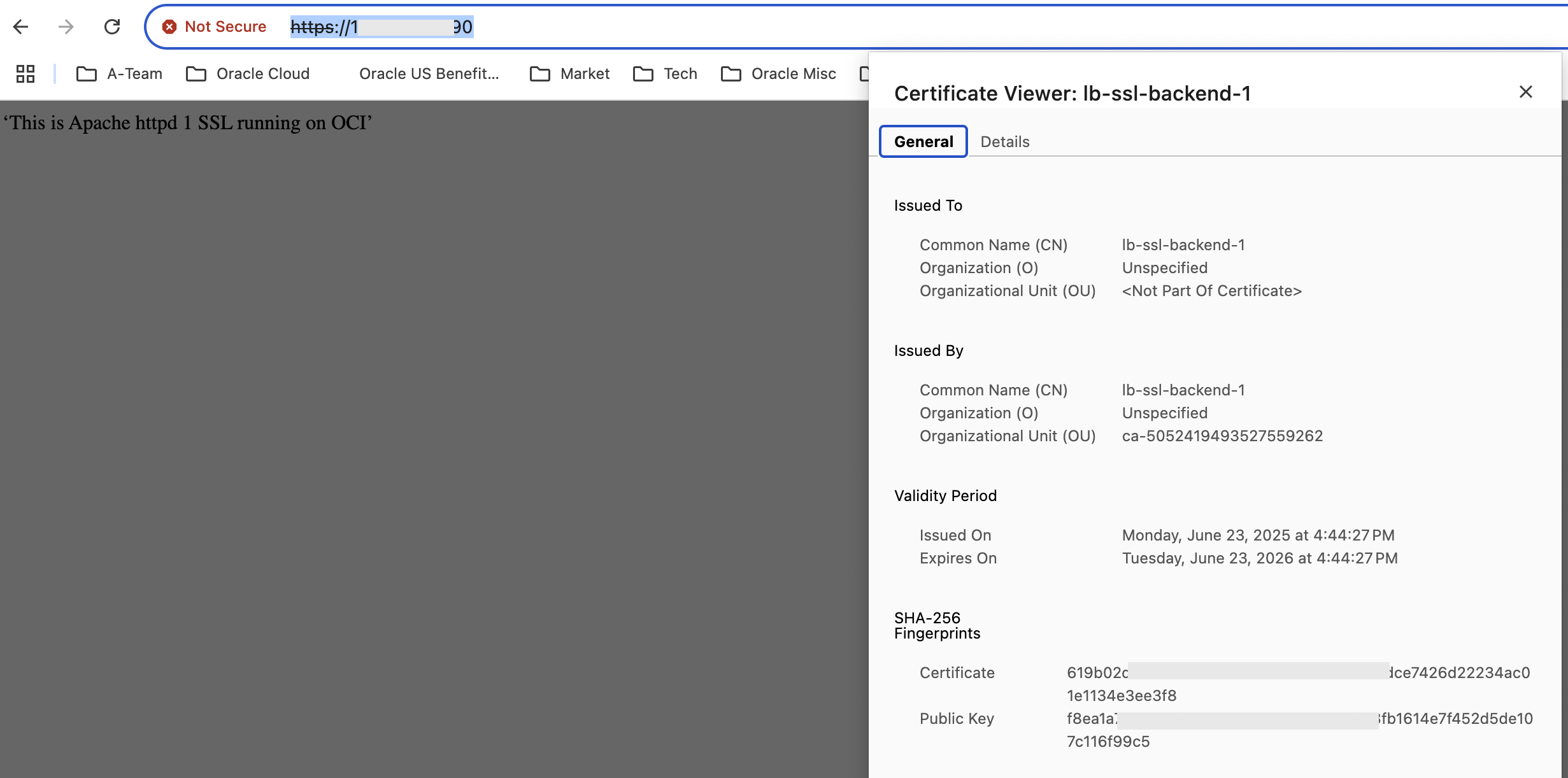
Fig 14
Note that the response is returned by the Backend lb-ssl-backend-1. Also, the certificate is that of the Backend itself. Reloading the page gives us the following:
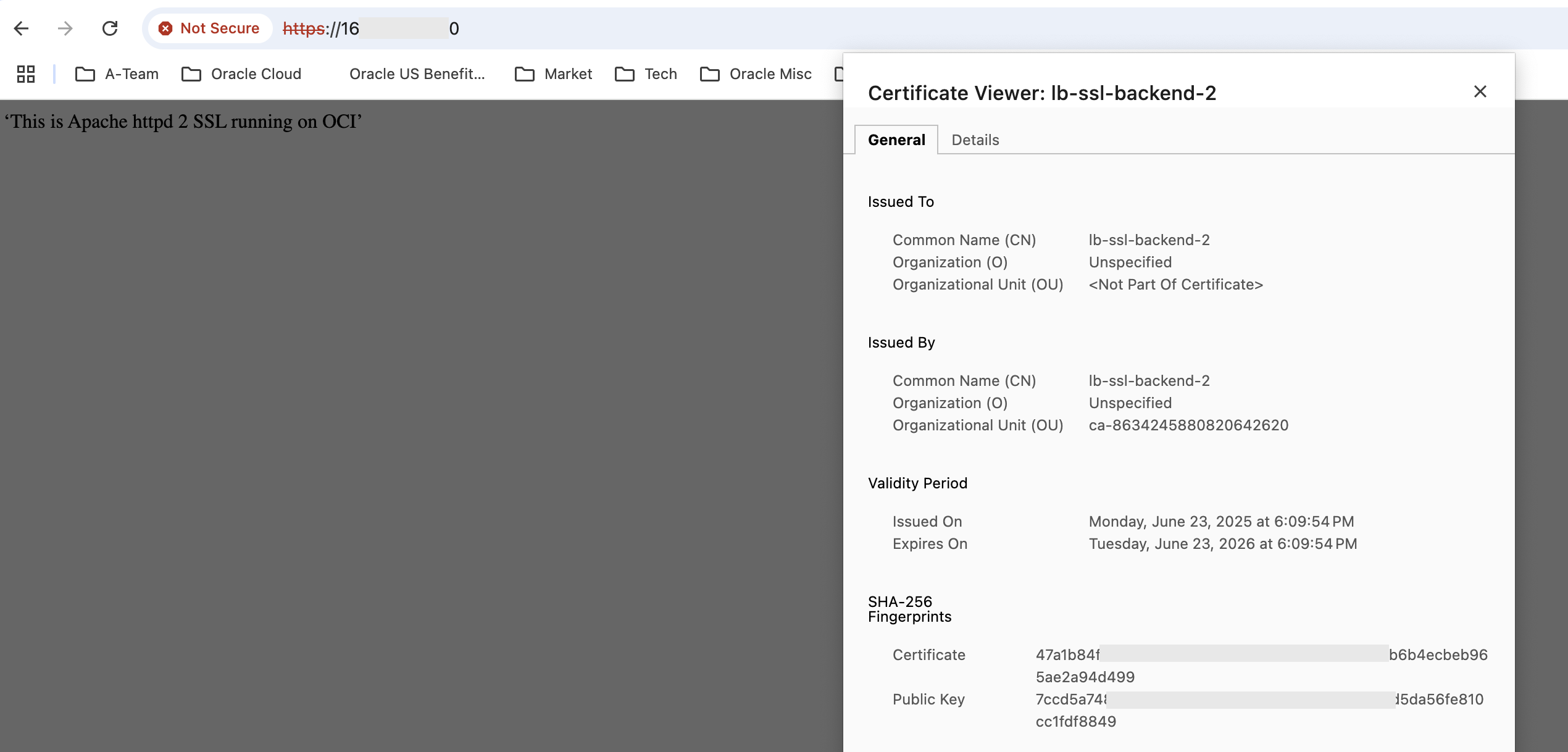
Fig 15
This time the response is from the other Backend lb-ssl-backend-2. Also the certificate is that of lb-ssl-backend-2.
The takeaways from the above run are as follows –
- The two Backends alternate in serving requests.
- The server certificate is that of the Backend which responds. This shows that the client establishes SSL connection with the Backend servers.
- The responses are from the Apache HTTP Servers which accept only HTTPs requests on port 443. This implies SSL Tunneling is working – the Load Balancer merely routes the SSL payload to the Backends.
Point To Point SSL
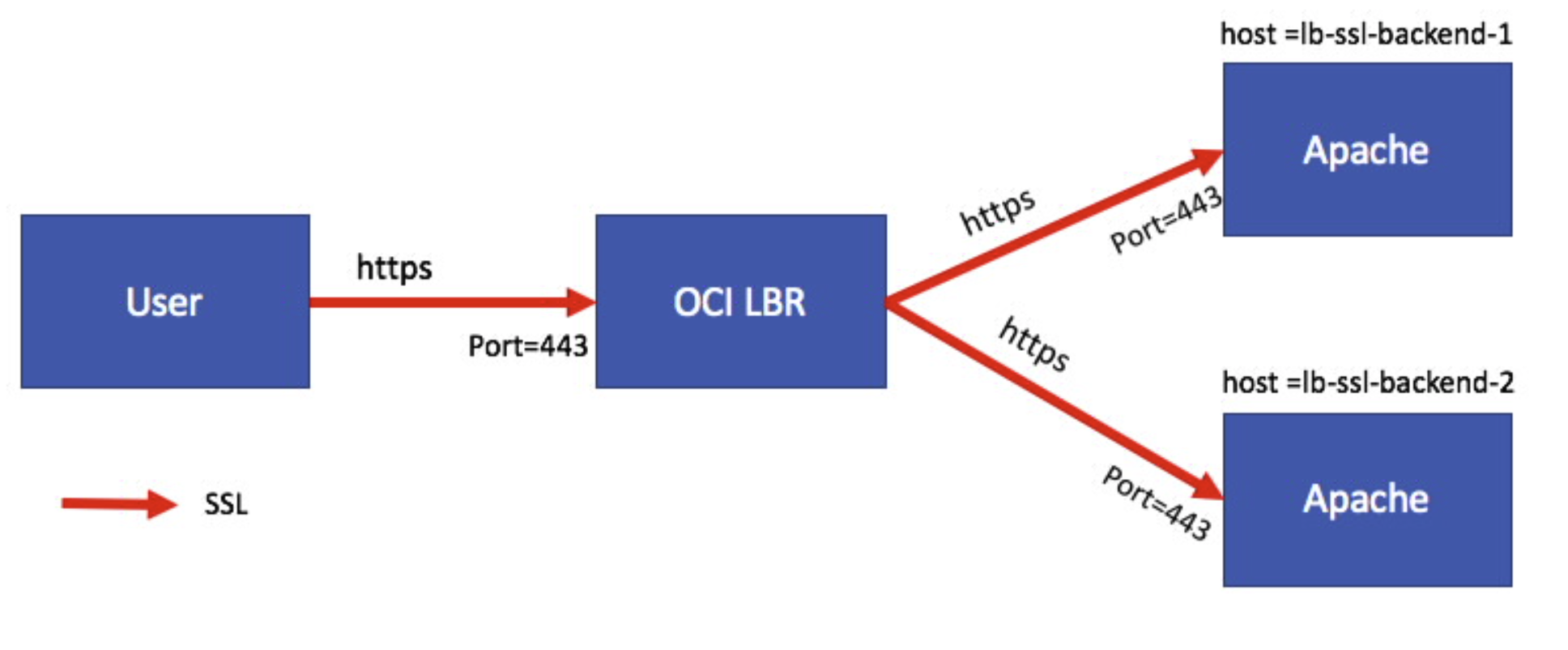
Fig 16
In the above figure, the SSL connection from the user is getting terminated at the Load Balancer which then initiates new SSL connections to the Backend servers. To illustrate this use case, I will reuse the Backend Set of the SSL Tunneling where both the Backends – lb-ssl-backend-1 and lb-ssl-backend-2 – accept just HTTPS requests.
The Backend Set configuration is as follows:
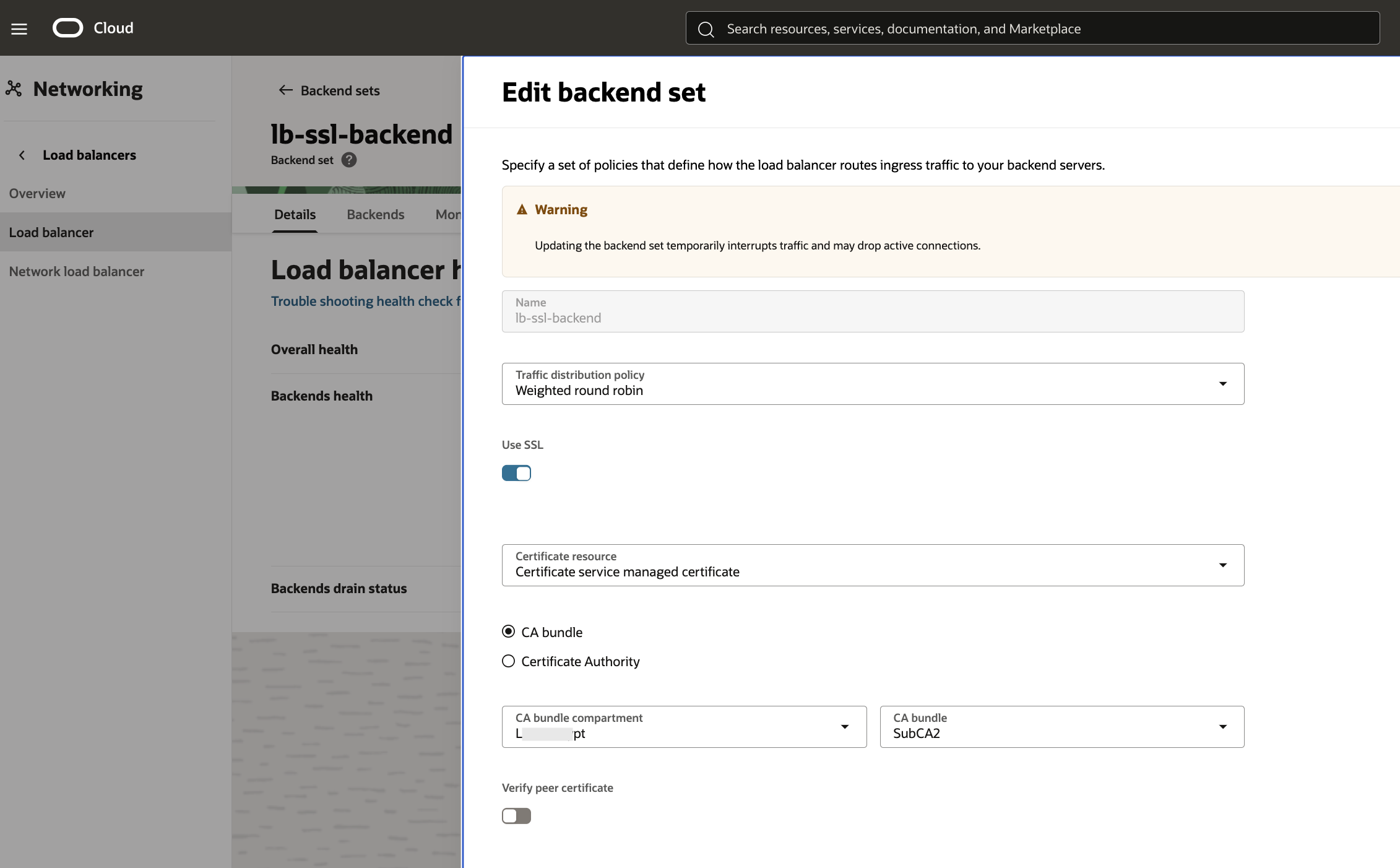
Fig 17
The “Use SSL” flag is checked. Since peer certificate verification is turned off, any arbitrary CA bundle can be chosen. The above configuration ensures that the Load Balancer will initiate SSL connections with the Backends.
With the Backend Set ready, let’s define the Listener. The Listener is very similar to SSL Termination use case with the exception of the Backend Set which in this case is “lb-ssl-backend” (Fig 17). This time the Load Balancer initiates SSL connections with the two Backends lb-ssl-backend-1 and lb-ssl-backend-2.
Now let us run few requests. The first request is as follows:
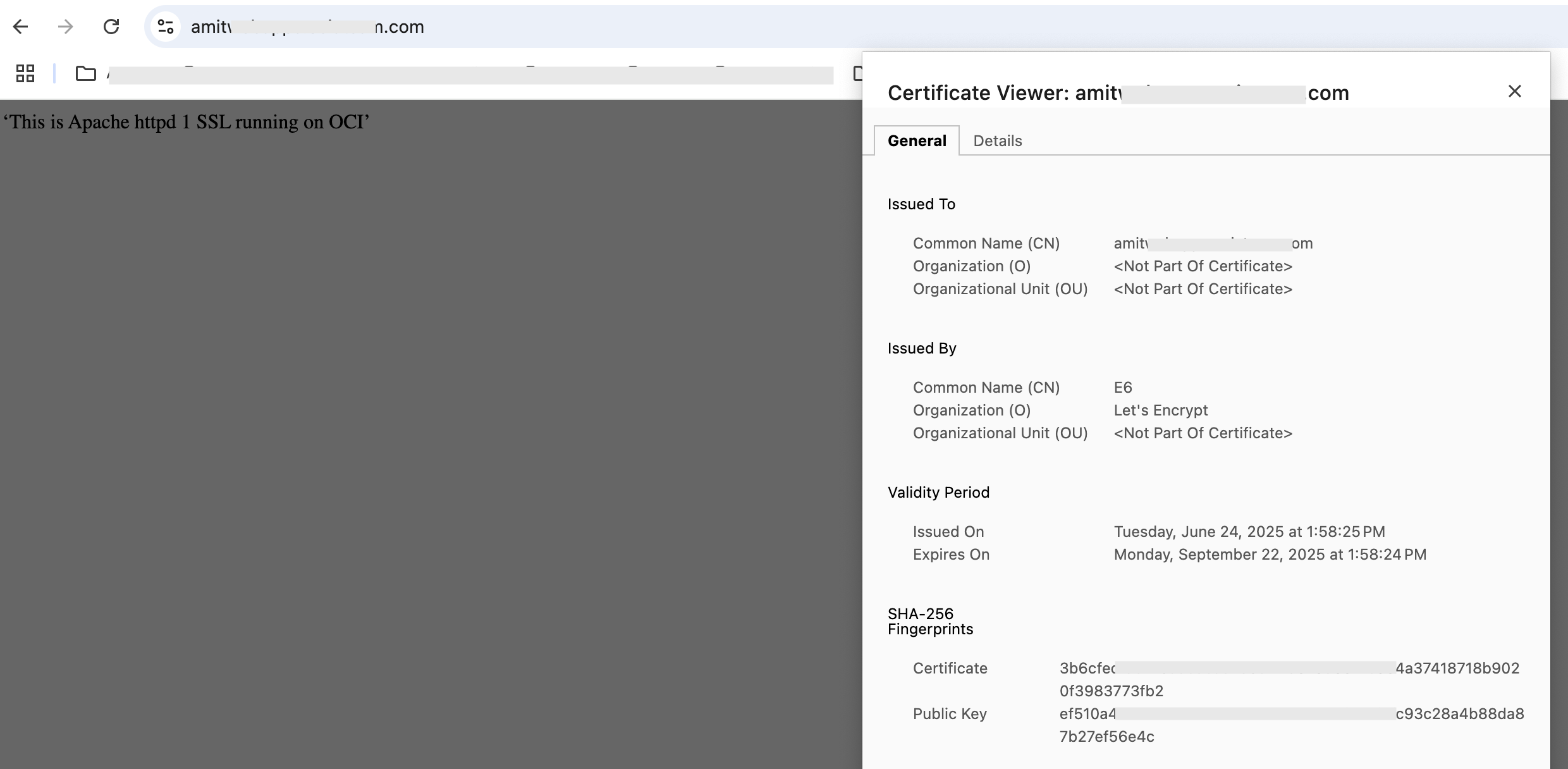
Fig 18
The Backend lb-ssl-backend-1 responds. Note the server certificate. Reloading the page results in lb-ssl-backend-2 responding.
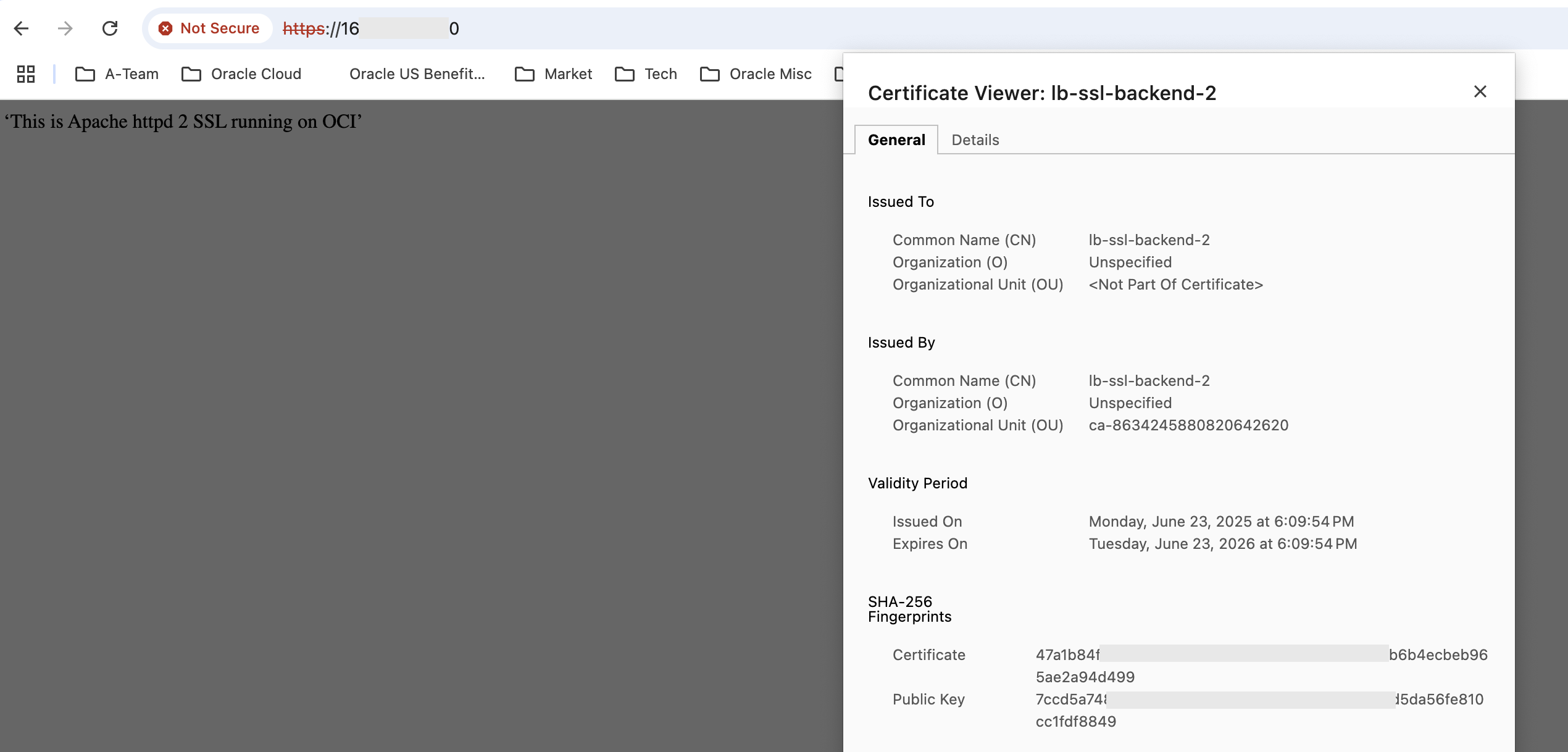
Fig 19
The takeaways from the above run are as follows –
- The server certificate is the one from the Certificates service, chosen in the listener for both cases. This shows that the client has established SSL connection with the Load Balancer..
- The responses are from the Apache HTTP Servers which accept only HTTPS requests on port 443. This implies Point To Point SSL is working – the SSL connection from the client terminates at the Load Balancer, while the Load Balancer creates a fresh SSL connection to the Backend.
- Lastly, the two Backends alternate in serving requests.
Summary
OCI provides a comprehensive load balancing functionality including handling of SSL secured transport. To recap, there are three primary use cases –
- SSL Termination: the SSL connection originating from the client gets terminated at the Load Balancer and the Load Balancer forwards the contents to the Backend servers as unsecured data.
- SSL Tunneling: the SSL connection gets terminated at the Backend. The Load Balancer merely routes the SSL traffic to the Backends.
- Point To Point SSL: the SSL connection gets terminated at the Load Balancer, but it then initiates a new SSL connection to the Backends.
OCI supports all three use cases.