
Introduction
In an era defined by vast amounts of information, businesses are constantly seeking ways to extract meaningful insights from their operational data. Oracle Fusion Data Intelligence (FDI) comes up with powerful, cloud-native analytics solution designed specifically for Oracle Cloud Applications. While FDI offers robust analytical capabilities, a critical aspect of its deployment often revolves around network access to its console and security.
This blog post will explore Oracle Fusion Data Intelligence, its core components, why it’s a game-changer for businesses, and crucially, how you can configure it for enhanced security using private endpoints. We’ll walk through the prerequisites and key steps to ensure your analytics environment is protected properly.
Prerequisites before getting up and running Oracle Fusion Data Intelligence
- When you order Oracle FDI, it utilizes several other OCI services, such as Oracle ADW and Oracle Analytics (OAC). Therefore, along with access to FDI, you will also receive access to Oracle ADW and OAC subscription. I won’t focus on FDI or its component subscription activation in this blog. However, for more information and to understand the typical workflow to activate your FDI, check out this link!
- OCI networking component for creating private endpoint, such as Virtual Cloud Network (VCN) with private subnet, security list, NAT gateway, etc.
Note: For more information about the prerequisites needs to set up Oracle FDI pillars including Oracle Fusion CX Analytics, Fusion ERP Analytics, Fusion HCM Analytics, and Oracle Fusion SCM Analytics, please check this link out.
Agenda
- What is Oracle Fusion Data Intelligence?
- Oracle FDI Deployments Models
- Configuring Oracle Fusion Data Intelligence with Private Network
- Conclusion
What is Oracle Fusion Data Intelligence?
Before we begin with Oracle Fusion Data Intelligence deployment, let’s have a short description about FDI and its components.
Oracle FDI is a prebuilt, cloud-native analytics application suite designed to empower business users with AI-powered, self-service analytics. It provides comprehensive capabilities ranging from data preparation and visualization to enterprise reporting, augmented analysis, and natural language processing.
FDI operates on Oracle Cloud Infrastructure and leverages the Oracle PaaS Cloud services. Oracle FDI availability is tied to several vital Oracle services:
- Oracle Fusion Application: This serves the primary data source for FDI. The service efficiently extracts and loads data from your Oracle Fusion Cloud Applications instances into a dedicated data warehouse.
- Oracle Autonomous Data Warehouse (ADW): FDI leverages ADW as its robust and scalable data warehouse. This is where all the extracted and transformed data from your Fusion Application is stored and optimized for high-performance analytics.
- Oracle Analytics Cloud (OAC): OAC provides the powerful visualization and reporting layer for FDI. Business users can create and customize rich dashboard, workbooks, and visualizations based on the data processed and stored withing the FDI environment.
Oracle FDI Deployments Models
Out of the box, FDI is accessible via public endpoint. However, for enterprise focused on data security, deploying FDI using a private endpoint is a powerful option. This approach ensures that all traffic between FDI and other OCI resources remains within a customer’s Virtual Cloud Network (VCN), avoiding exposure to the public internet.
Configuring Oracle Fusion Data Intelligence with Private Network
You have two ways to configure you Oracle FDI instance.
First, use Integrations in Fusion Application Environment detail page. (This is Oracle recommended approach if you already have an active Fusion Cloud Application)
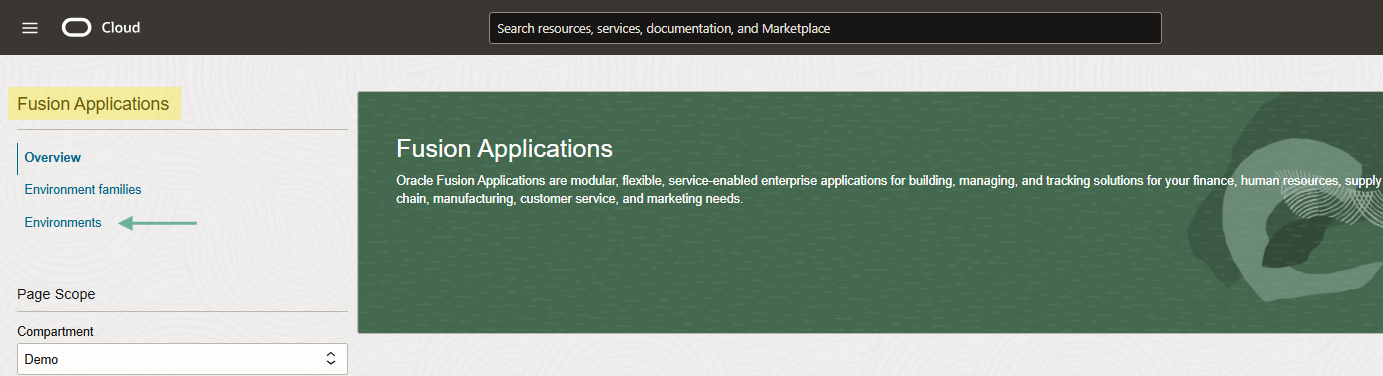
And second, create Data Intelligence from Analytics& AI menu in your Oracle Cloud tenancy with specifying the data source like Fusion Application and ADW, or without specifying the data sources. Use this way to connect and analyze data from non-Oracle Fusion Cloud Applications sources even if you don’t have any Oracle Fusion Cloud Applications products.
In my blog, I used the second way to create FDI instance from the OCI Console.
Prior to create an instance, we need to ensure prerequisites to create FDI with private network access type such as Virtual Cloud Network within the region where you plan to deploy FDI private subnet with enabled DNS hostnames and resolution are already in place.
Note: Ensure that you have the required policies to access the VCN. Check out this link.
Let’s get start it with sign into the OCI console.
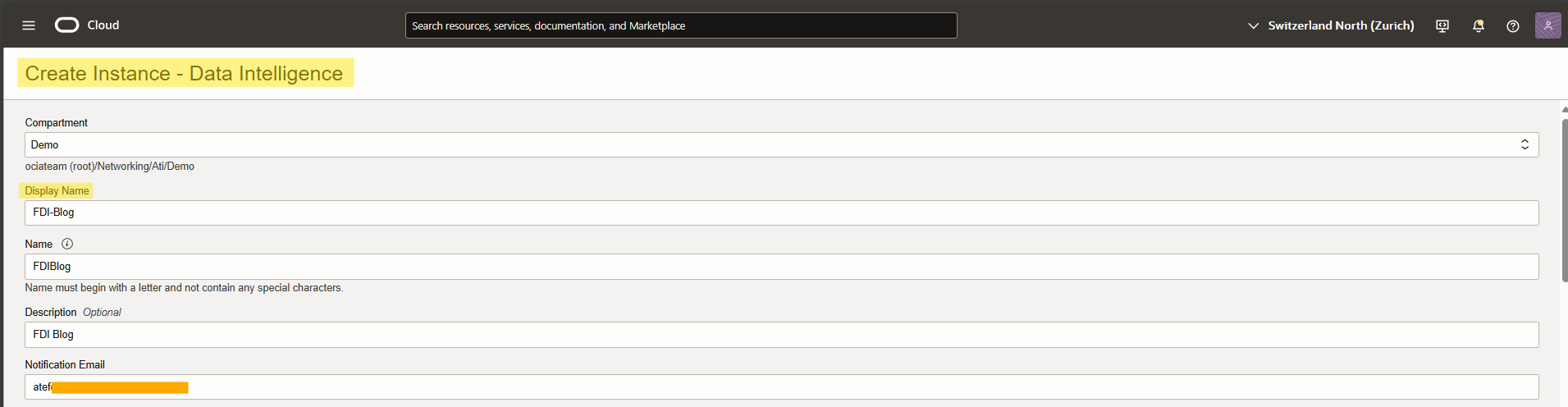
From the hamburger menu, navigate to Analytics & AI. Under Analytics, click Data Intelligence, create instance.
Check the screen shots below.
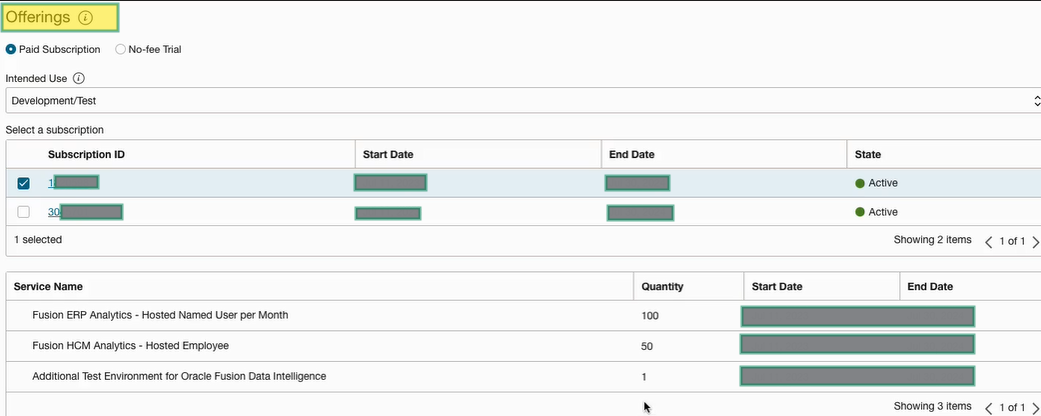
This section shows the offering entitlements granted for this account. From offering section, verify your subscriptions and provide details such as whether it’s a test or production instance.
Next is Fusion Application Connection that you can check the box to set up Fusion connection now, or leave it uncheck.
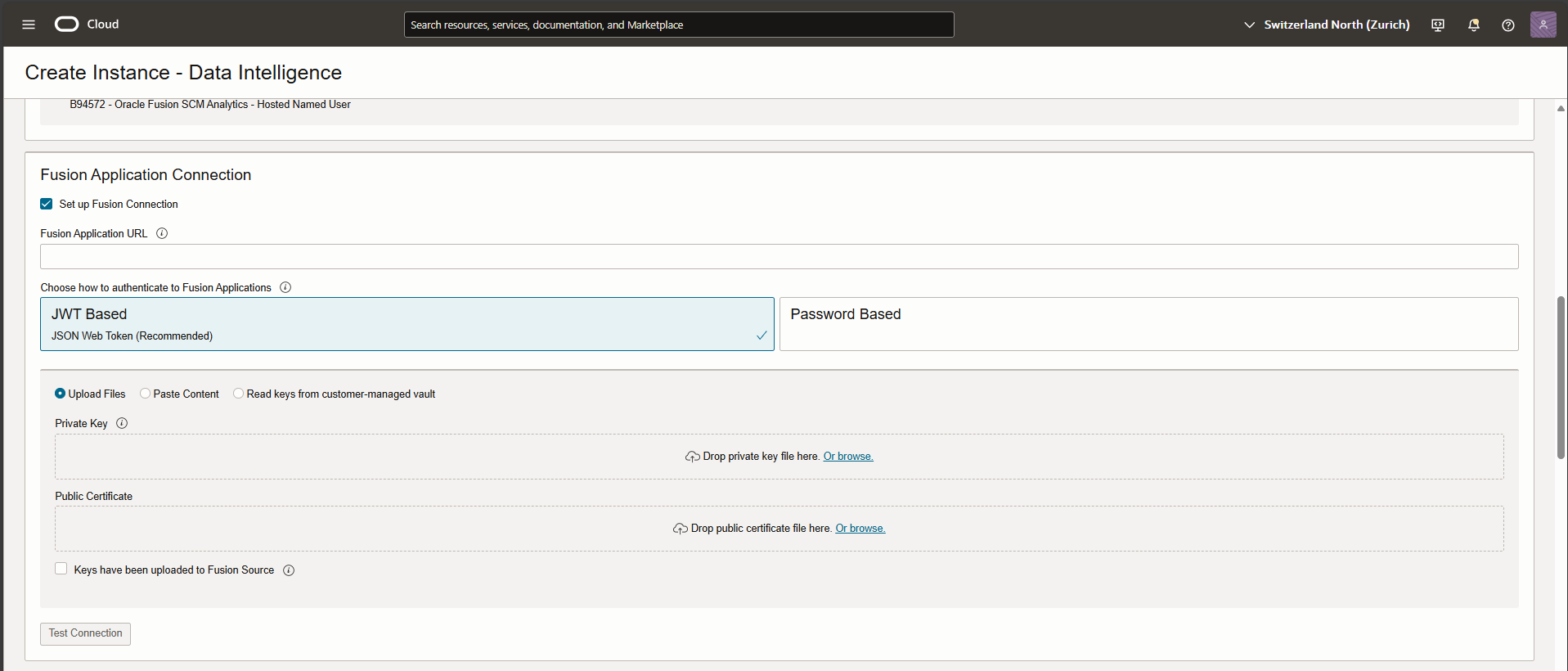
Note: You need to provide your Fusion Application URL if you check the box to set up Fusion connection.
Note: You have two authentication methods and can set up the identity provider of your choice for your Fusion Application. JWT based or Password based. For more info check the links below.
Create a User in Oracle Fusion Cloud Applications to Extract Data
In Autonomous Data Warehouse Credentials, fill out the required fields and move to Network Access.
From Network Access type section, select Private and choose your VCN and private subnet.
With creating FDI with a private endpoint, you provide the access to Oracle Fusion Data Intelligence from an Oracle Cloud Infrastructure VCN that deployed in any regions, tenancies, and on-premises. Therefore, FDI with private endpoint can be access via VCN resources, and any private target outside of OCI if there is a proper connectivity available. (Like Site-to-site VPN, Fast Connect, and Azure/GCP Interconnect).
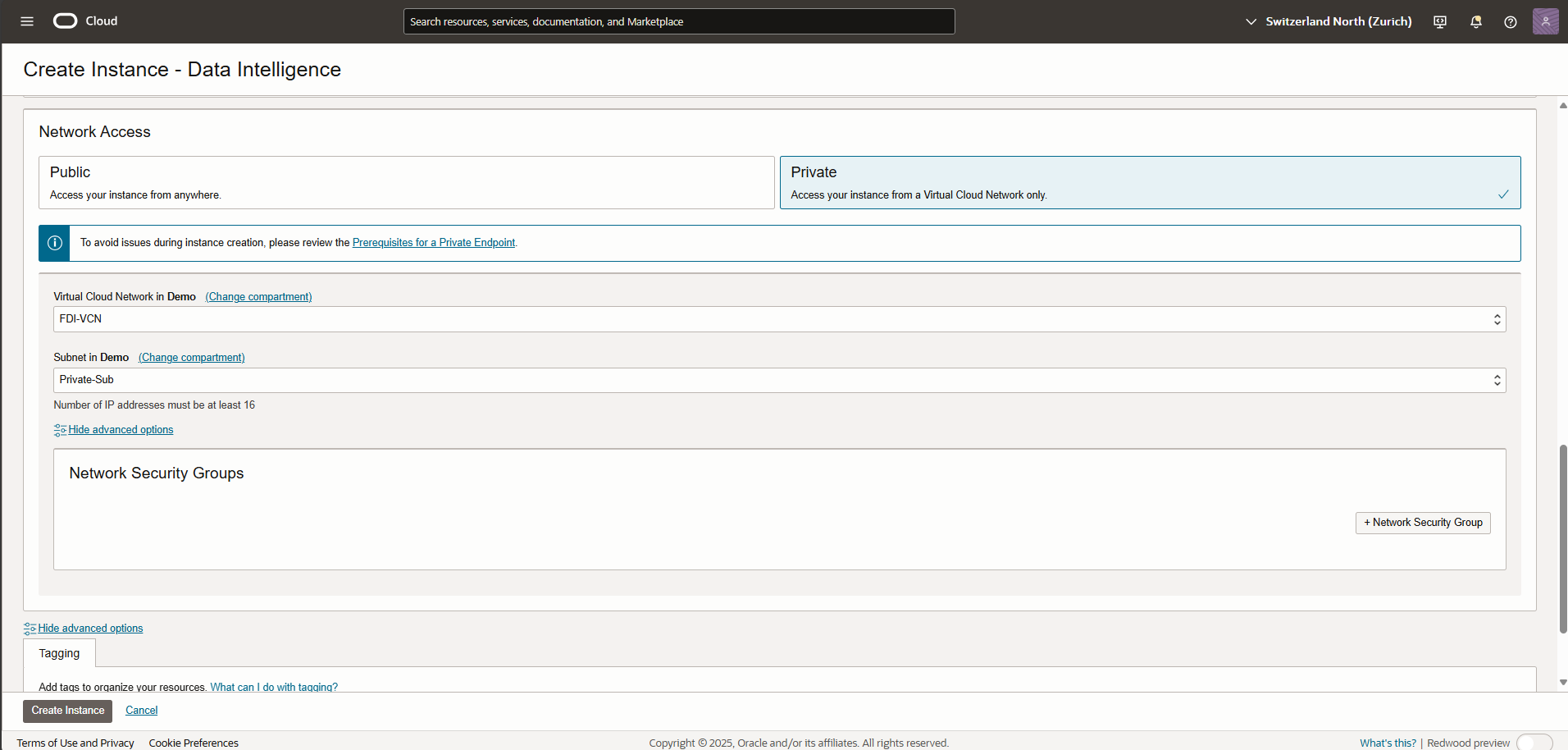
Now, in advanced options, select your existing Network Security Group, if there is any NSG available there.
And Create Instance.
After you create an instance, Oracle sends an email to the designated email address (You added earlier in a configuration as a notification email). Keep in your mind, for at least one hour you see the message that system initialization is in progress.
According to the Oracle official documentation, during this period, Oracle Fusion Data Intelligence runs an initialization process that involves extraction of setup data from the source Oracle Fusion Cloud Applications system. You must wait for the system initialization process to complete before creating data pipelines for the functional areas.
Oracle sends an email to the designated email address when your Oracle Fusion Data Intelligence service instance is ready.
For successfully accessing FDI console with private endpoint, we need to connect to FDI URL through the resources like jump host (Windows VM) created inside the same VCN with FDI private endpoint, or any private target outside of OCI with proper connectivity to the mentioned VCN above. (I will demonstrate this part in my future blog)
Note: Don’t forget to configure your private subnet security list properly. Ensure that the VCN/SUBNET CIDR block allows ingress and egress in the rules to ports 443 for Oracle Analytics instance and 1522 for Oracle ADW.
At the end, when you test the connection to FDI console with private endpoint:
- FDI reaches and authenticates to Fusion Application. Usually handled internally if the Fusion Apps are correctly referenced during FDI setup.
- The Private Endpoint configured in FDI will use VCN Gateways to reach the public OAC and ADW instances, based on the subnet routing. Therefore, we would use:
- A Service Gateway to reach the OAC and ADW instances if they are in the same region as the FDI Endpoint.
- A NAT Gateway if the target OAC and ADW instances are in a different region. Note that the NAT Gateway can also be used for the same region, but the Service Gateway path would be preferred.
Conclusion
Oracle Fusion Data Intelligence provides a robust analytics platform that delivers prebuilt insights and supports customization to meet specific business needs. By configuring FDI with a private endpoint, organization can enhance security, comply with regulatory requirements, and improve performance by keeping data traffic withing their private networks. This setup is particularly beneficial for enterprises that prioritize data security and network control in their analytics deployments.
I hope you enjoyed it!