

Oracle AI Data Platform is an enterprise-grade, unified platform that simplifies the cataloging, preparation, and analysis of data across an organization’s data estate. It brings together data, AI, analytics, and governance services within a single, cohesive experience enabling users to build and operationalize AI-powered applications securely and at scale. Oracle AI Data Platform unifies Autonomous AI Lakehouse, Oracle Analytics Cloud, Oracle Object Storage, OCI Generative AI and Fusion Data Intelligence into a single, governed platform to build, deploy, and scale data and AI applications on your enterprise data.
Common use cases for Oracle AI Data Platform include implementing a Medallion Architecture with bronze, silver, and gold layers; performing ETL and data engineering tasks using Spark-based workflows; training and deploying machine learning models; managing enterprise data catalogs and governance; and ensure seamless integration across data sources.
This guide walks through configuring a new Oracle AI Data Platform (AIDP) environment and running the sample notebooks available on Github: https://github.com/oracle-samples/oracle-aidp-samples. The process is simple. You get a Spark cluster running, prepare your workspace, add a required Python library, download the samples, and try out a basic example.
Open AIDP in the Console
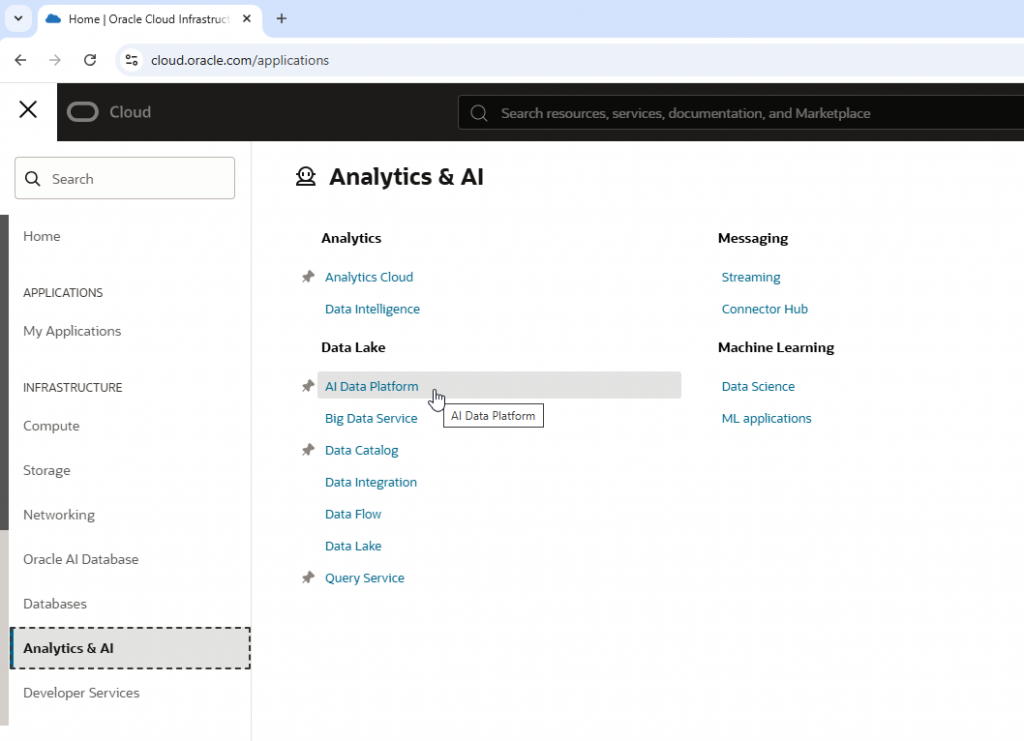
- Go to the console at https://cloud.oracle.com.
- Find Analytics and AI.
- Click on AI Data Platform.
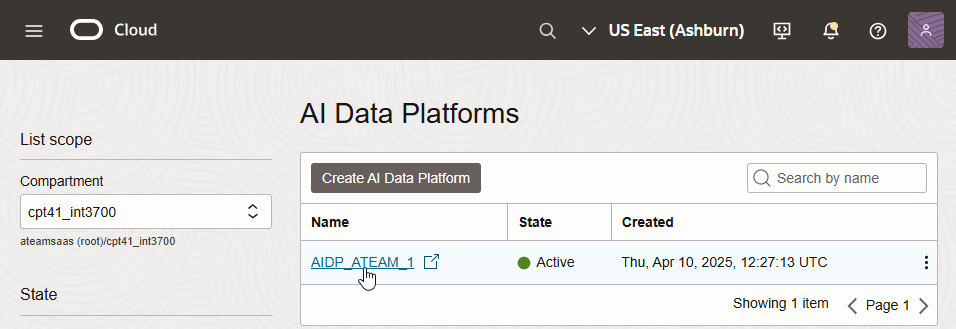
- Select your AI Data Platform Workbench from the list.
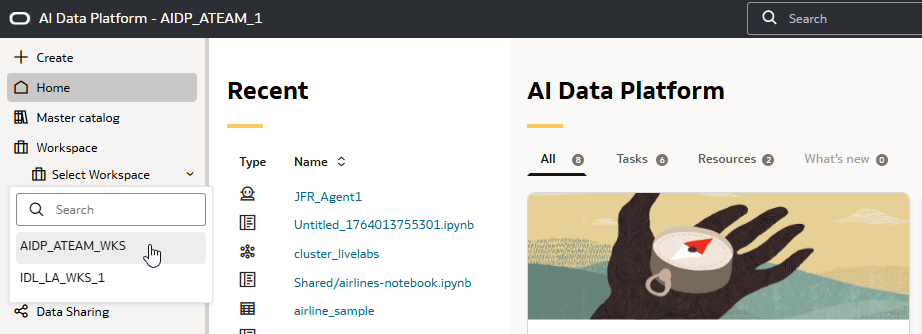
Create a Spark Cluster
- Open an existing workspace or create a new one.
- In your workspace, start by creating a cluster by going on Compute, then use the (+) icon.
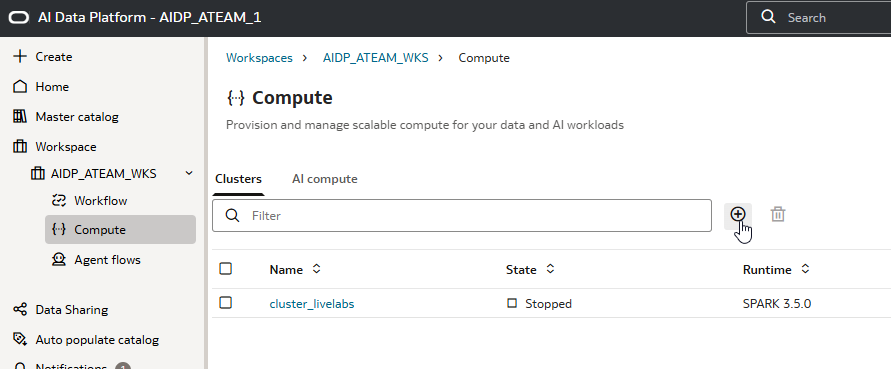
- You can use the default settings for development purposes.
Prepare a Working Folder
- Click on your Workspace name and open the shared directory.
- Create a new folder. This is where you’ll put sample notebooks, scripts, sql , and any other files you need.

Add Required Python Library
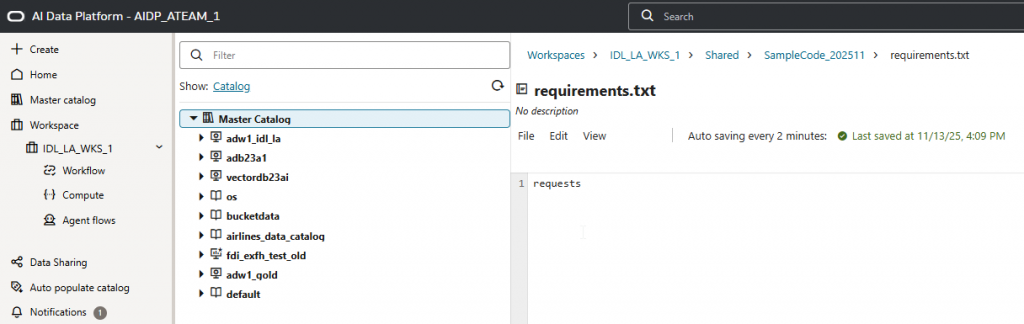
- In your folder, create a requirements.txt file.
- Inside requirements.txt, add:
requests- Save the file.
Upload and Install the Library
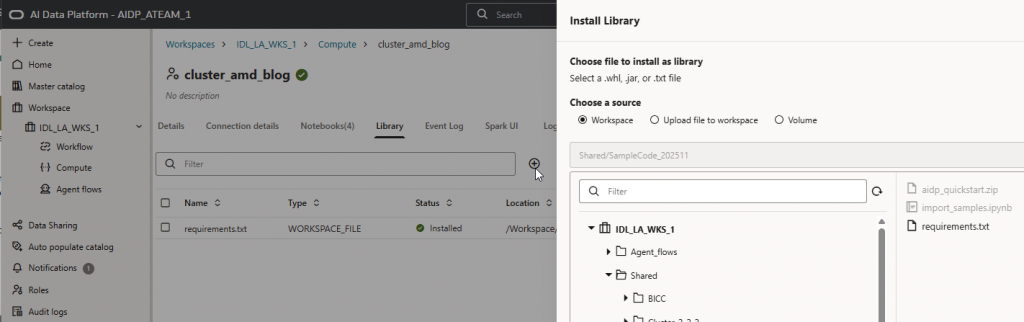
- Go back to the compute section, find your cluster.
- Click on the library section.
- Click the + button, navigate to your shared directory and select the requirements.txt you just created.
- Install this as a custom library. It will add the requests Python package.
Create and Run the Import Samples Notebook
- Go back to your folder and create a new notebook in your workspace. Name it “Import Samples”.
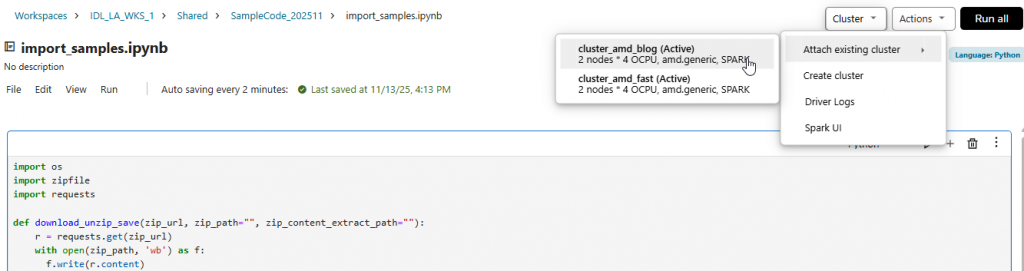
- Write python code to download the sample notebooks from github and import it in your workspace. Something like this:
import os
import zipfile
import requests

def download_unzip_save(zip_url, zip_path="", zip_content_extract_path=""):
    r = requests.get(zip_url)
    with open(zip_path, 'wb') as f:
      f.write(r.content)
    with zipfile.ZipFile(zip_path, 'r') as zip_ref:
      zip_ref.extractall(zip_content_extract_path)
    return zip_path

download_unzip_save("https://github.com/oracle-samples/oracle-aidp-samples/archive/refs/heads/main.zip", "/Workspace/Shared/SampleCode/aidp_quickstart.zip", "/Workspace/Shared/SampleCode/")- Save the notebook.
- Attach the Spark cluster you created to this notebook.
- Run the notebook.
What the Code Does:
- Downloads the sample zip files from GitHub.
- Saves and extracts them in your working folder.
- At this point, you’ll see a zip file and an extracted folder with many sample notebooks.
Try the Object Storage Sample
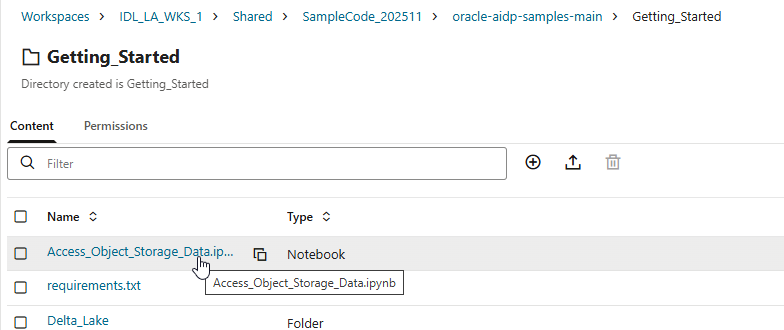
- Open the extracted samples.
- Start with the one that uses object storage. This notebook reads and writes data to Oracle Object Storage.
- Set your parameters: use your bucket names and adjust as needed.
- Run the code. It writes sample data, saves it to object storage, then reads it back.
Check the Output
- Go to object storage in the console.
- Look for your data files and CSVs inside the correct bucket and folder. If you see them, it worked.
Next Steps
You can now run any sample provided. There are many to try out, each with its own documentation. Use these to learn how different features in Oracle AIDP work.
That’s it. Now you’re set up and can run AIDP sample notebooks.