
A Web Application Firewall (WAF), in general, protects a web application from attacks with malicious content coming from the internet. OCI WAF is no different in this aspect, providing a wide gamut of rules to protect a web application against malicious traffic, including the ones categorized by OWASP (top 10) and various CVE. However, OCI WAF includes other useful security features which complement the protection rules: Access Control is one of them, and we will discuss it today.
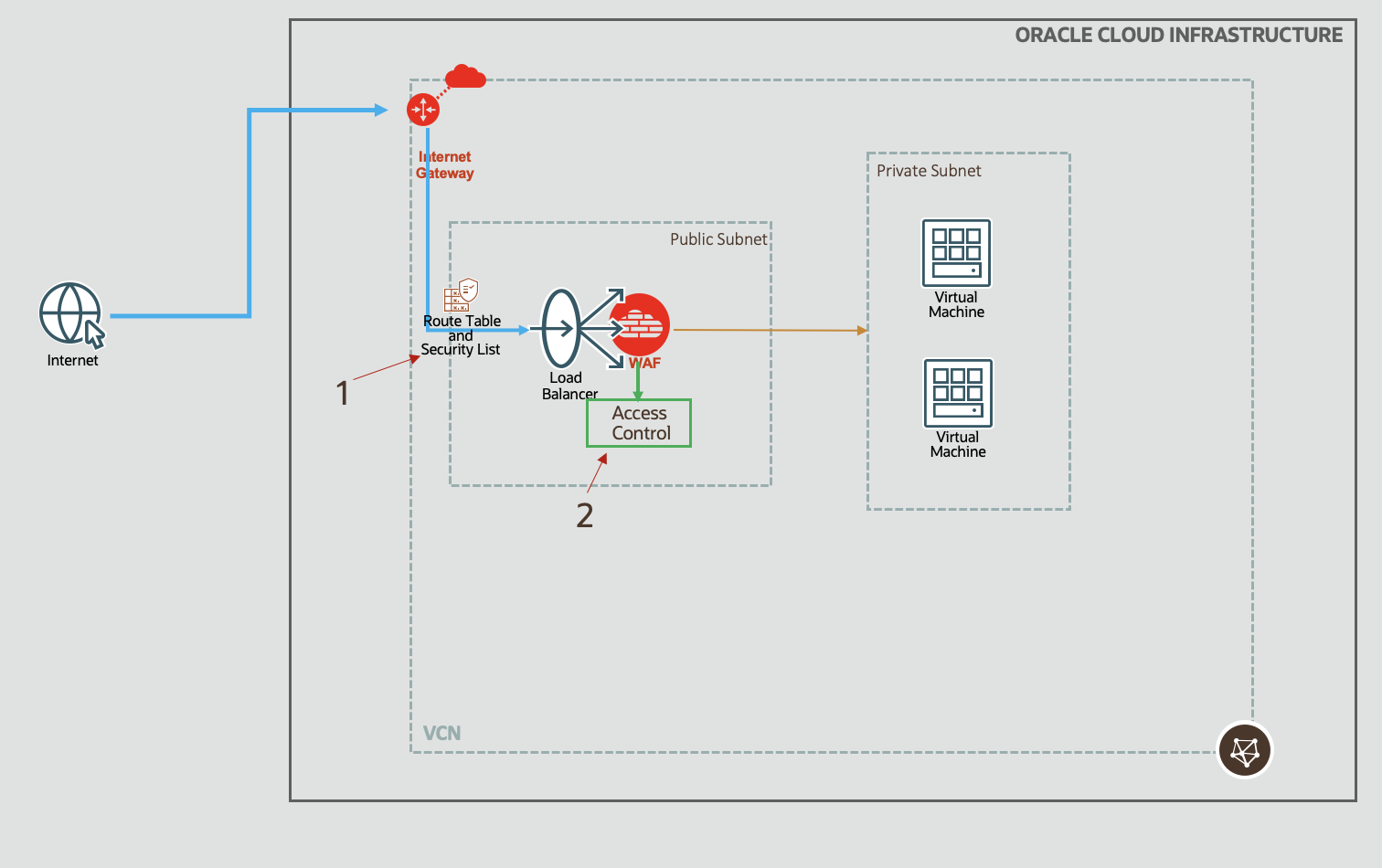
Fig 1
Access Control
Access Control, true to its name, is a plain old vanilla control: allow traffic to enter based on some criteria (rules). Since web traffic uses HTTP protocol, the rules allow you to define entry criteria based on various aspects of the HTTP protocol. And not just the HTTP protocol, the OCI WAF Access Control also allows you to define rules based on geo locations as well as IP addresses of the source. This way, you may filter out traffic originating from certain countries and/or IP addresses. How cool is that?

Fig 2
Note: OCI WAF also allows you to control outbound traffic, i.e., responses from the web application to the client. This is termed as ‘Response Control’. We are discussing the inbound traffic, requests which are orginating externally in the internet and sent to the web application. In OCI WAF, this is termed as ‘Request Control’.
So far so good! Having introduced you to OCI WAF Access Control, let’s turn our attention to the actual intent of this post – best practice for using the access control.
Deny by Default
One of the cardinal principles of any firewall, WAF or network, is ‘deny-by-default‘. This principle is enshrined in the NIST publication ‘Guidelines on Firewalls and Firewall Policy‘. The principle is simple, yet powerful:
- deny all incoming (or outgoing traffic) by default,
- while explicitly allowing any valid application request or response. The word explicit is the key here.
This principle is followed by all firewalls. For example, OCI security list (1 in Fig 1), which is a virtual firewall, blocks all traffic by default. Similarly, in Linux, firewalld daemon has to be instructed to open the required services.
In OCI WAF Access Control, multiple rules can be defined, and they can be ordered. There is a pre-defined action also, called the ‘Default action’.
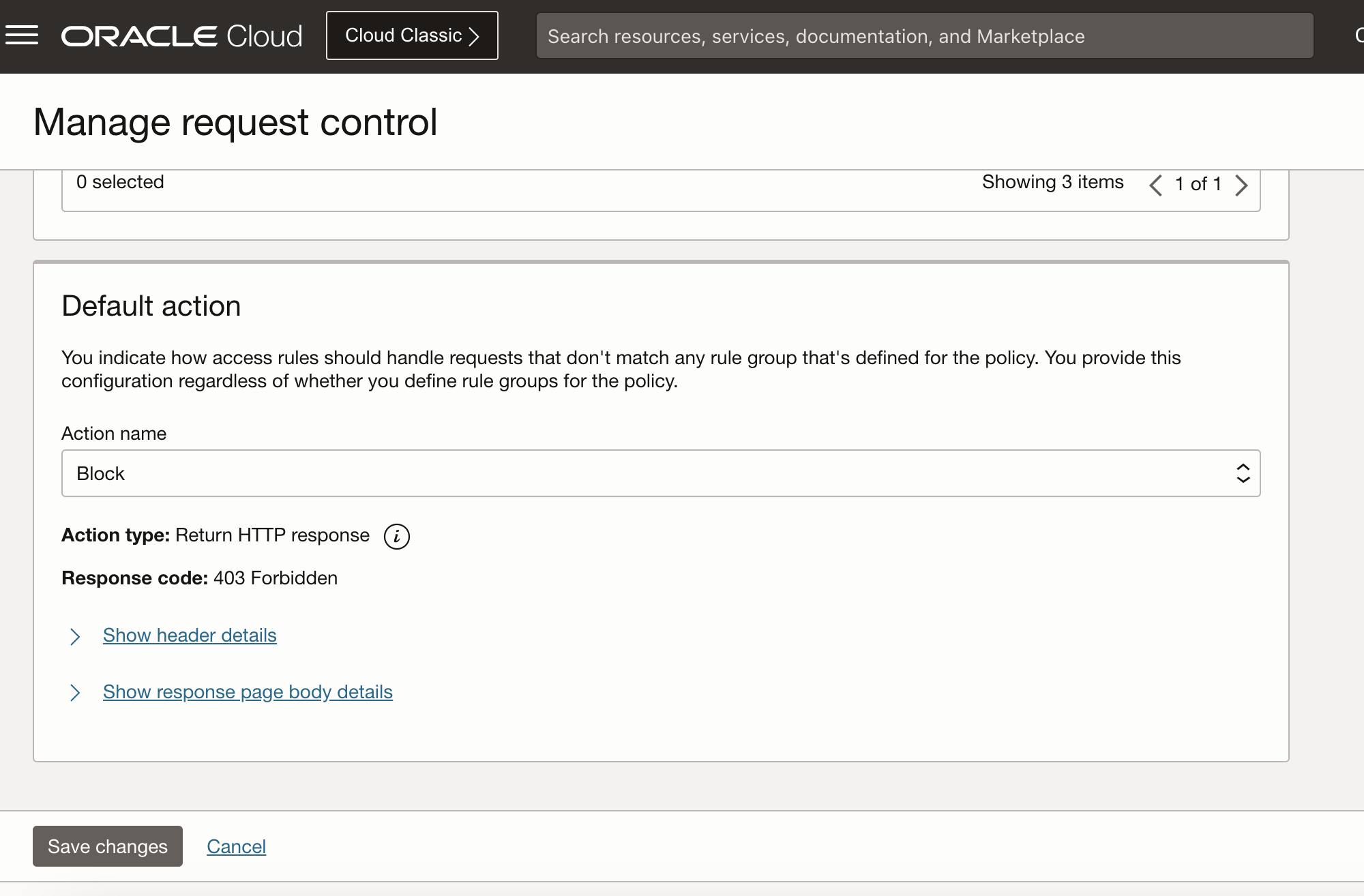
Fig 3
When a request arrives, rules are evaluated as in the ordered list. If none of the rules match, then the Default action triggers. To achieve #1 above for deny-by-default, ensure that the Default action is set to block mode, e.g., returns HTTP status code 400 (Bad Request).
Note: There is no pre-defined Block action as in Fig 3. I have added the Block action and set that as the Default action.
Now to #2: so how do we define these explicit access control rules? This requires an understanding of the web application as well as the clients who will be the consumer of the webapp. Few things to consider:
- In which countries the end users are located?
- Are there any specific IP addresses these users use?
- Enumerate the matrix <HTTP method, URL, other HTTP params> supported by the webapp.
Let us take an example. Say, you have developed a web application and deployed on OCI. Your partners will use this webapp for various business purposes. These partners are located in US, and use specific IP addresses. Also, the webapp has the following matrix:
- [GET, /test/*]
- [POST, /postapp]
The webapp allows only GET operations on /test/*, and supports POST on /postapp.
The following figure shows how the rules can be crafted.
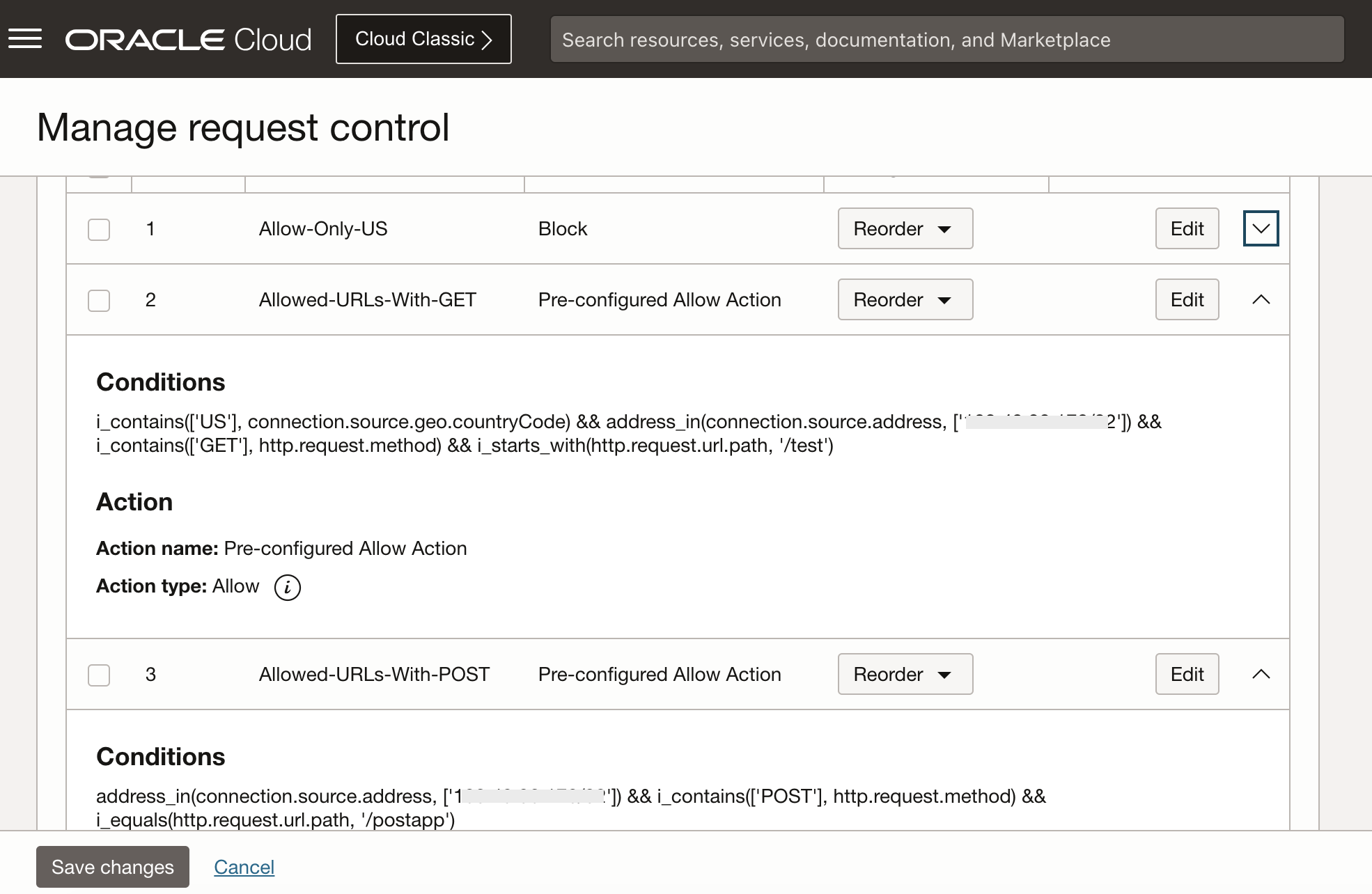
Fig 4
The first condition allows requests only from US. The second and third are webapp specifc, allowing HTTP operations on certain endpoints.
You may note that the second condition includes a check for the US. I purposely included that, to highlight that the US only rule can be folded into individual rules. However, that may lead to complexity. Better to keep it simple.
With the above rules in place, if I access /test.html using my browser, as long I am US and sending the request from an allowed source IP, I should get the content from the webapp.
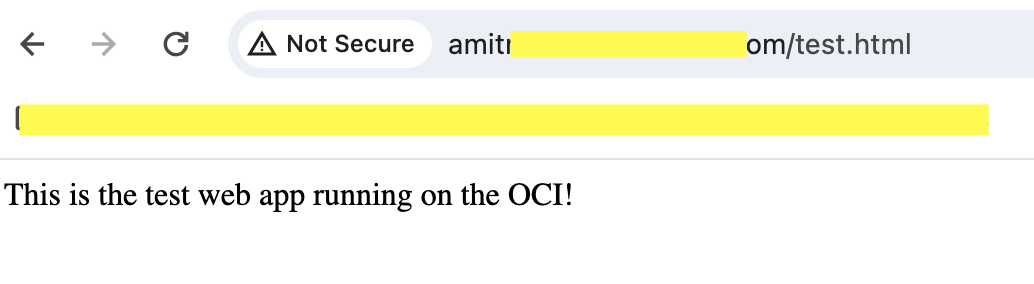
Fig 5
Accessing the /postapp using POST also results in successful response.

Fig 6
However, accessing /postapp with GET should not be allowed. Since none of the rules match, the Default rule should kick in and result in a block.

Fig 7
Admittedly, it may not be feasible to enumerate all the possible URLs of a business application. However, by listing URLs as deep as possible, it can go a long way in keeping unwanted traffic out!
Summary
As a best practice while using the OCI WAF Access Control, adhere to the ‘deny-by-default’ principle, allowing only the relevant application URLs and using the Default Action in block mode.