
Introduction
On this first part of the blog series, having the main page here, I will start the configuration for the OCI side. This will help us to connect two Oracle Cloud Infrastructure (OCI) Regions using the Megaport Infrastructure and can be used as a replacement for the OCI Remote Peering Connection (RPC) that has all the benefits of Megaport SLAs.
For the Megaport side configuration, the second part of the blog, please go here for complete details.
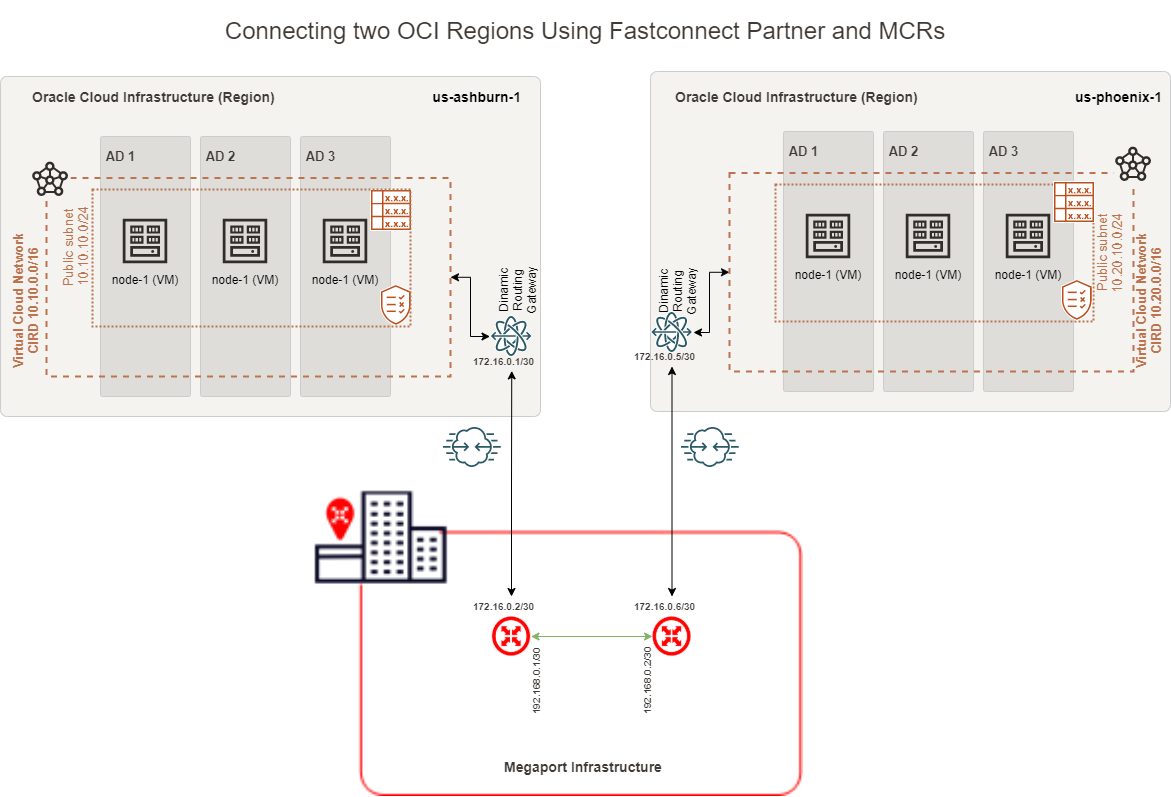
For this connectivity model, we will use 2 FastConnects using Megaport as a Partner, 2 Megaport MCRs, and the Megaport Infrastructure.
In this Blog, we will use the following technologies:
– Virtual Cloud Network (VCN) – for more information, please access official documentation at https://docs.oracle.com/en-us/iaas/Content/Network/Tasks/managingVCNs.htm
– Dynamic Routing Gateway v2 (DRGv2) – for more information, please access official documentation at https://docs.oracle.com/en-us/iaas/Content/Network/Tasks/managingDRGs.htm
– OCI Compute – for more information, please access official documentation at https://www.oracle.com/cloud/compute/
– OCI FastConnect Partner Connectivity Model – for more information, please access official documentation at https://www.oracle.com/cloud/networking/fastconnect/connectivity-models/
Prerequisites
In this blog, we will cover how to provision OCI FastConnect. To do this, we will need the following resources already provisioned and configured:
1. VCNs – in our case, we will have a VCN in Ashburn region with 10.10.0.0/16 CIDR and another VCN in Phoenix region with 10.20.0.0/16 CIDR with all routing and Security List / Network Security Groups to allow connectivity between Ashburn and Phoenix CIDR Blocks
2. 2 DRGs – in our case, one DRG in Ashburn and one DRG in Phoenix with VCN attachments and routing in place to allow traffic between Ashburn VCN and Phoenix VCN
3. 2 Compute VMs – in our case, one compute VM in Ashburn with IP 10.10.10.193 and one in Phoenix with IP 10.20.10.165
4. Prepare and have in handy all the needed data to configure this solution. In our case, what I have prepared is:
# Ashburn VCN CIDR = 10.10.0.0/16
# Ashburn subnet = 10.10.10.0/24
# Ashburn Compute instance IP = 10.10.10.193
# Ashburn FastConnect BGP subnet = 172.16.0.0/30
# Phoenix VCN CIDR = 10.20.0.0/16
# Phoenix subnet = 10.20.10.0/24
# Phoenix Compute instance IP = 10.20.10.165
# Phoenix FastConnect BGP subnet = 172.16.0.4/30
# Megaport MCR’s Link subnet = 192.168.0.0/30
# Megaport BGP ASN = 133937
# Oracle BGP ASN = 31898
Solution Description
This solution is not focusing on redundancy, and the connectivity will be based on this network diagram:
This blog will focus on how we can configure OCI FastConnect using Megaport Partner Provisioning, which is done by following the next steps:
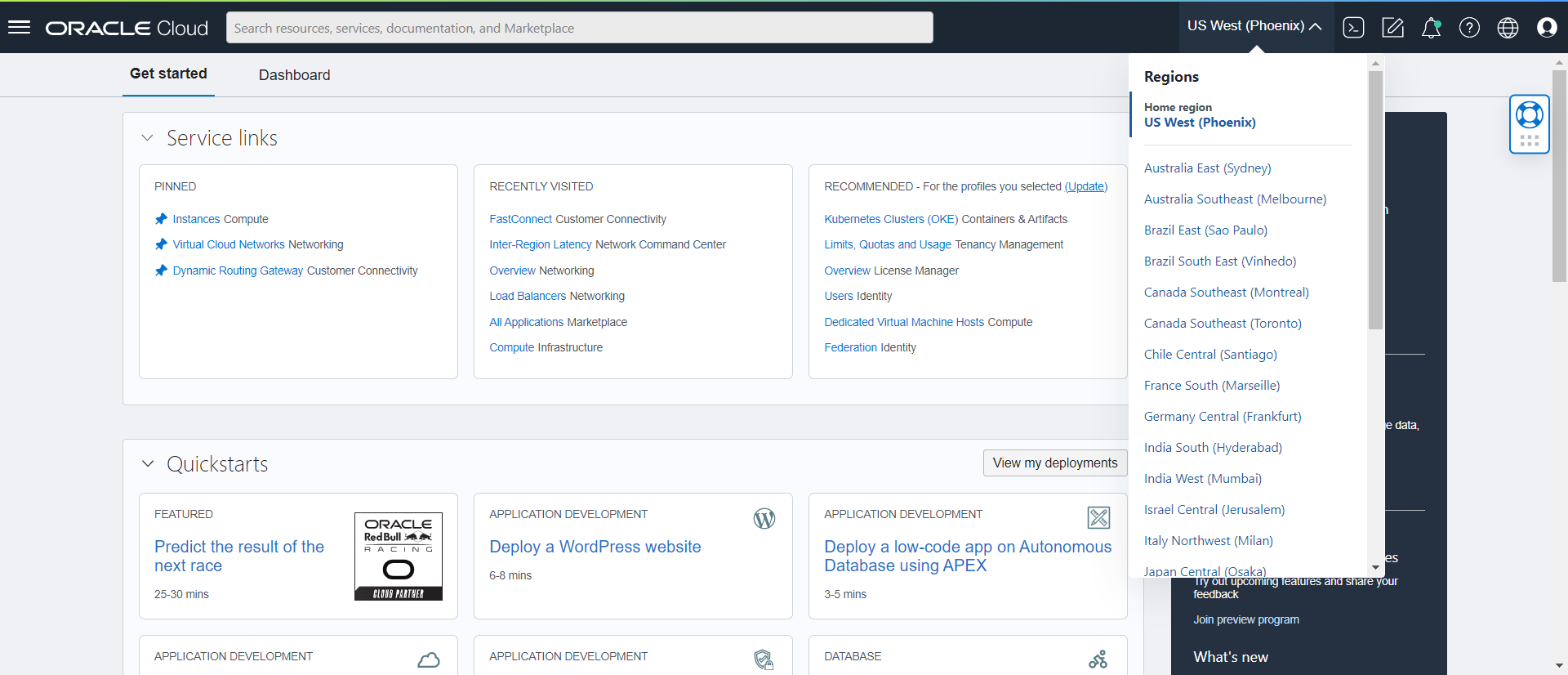
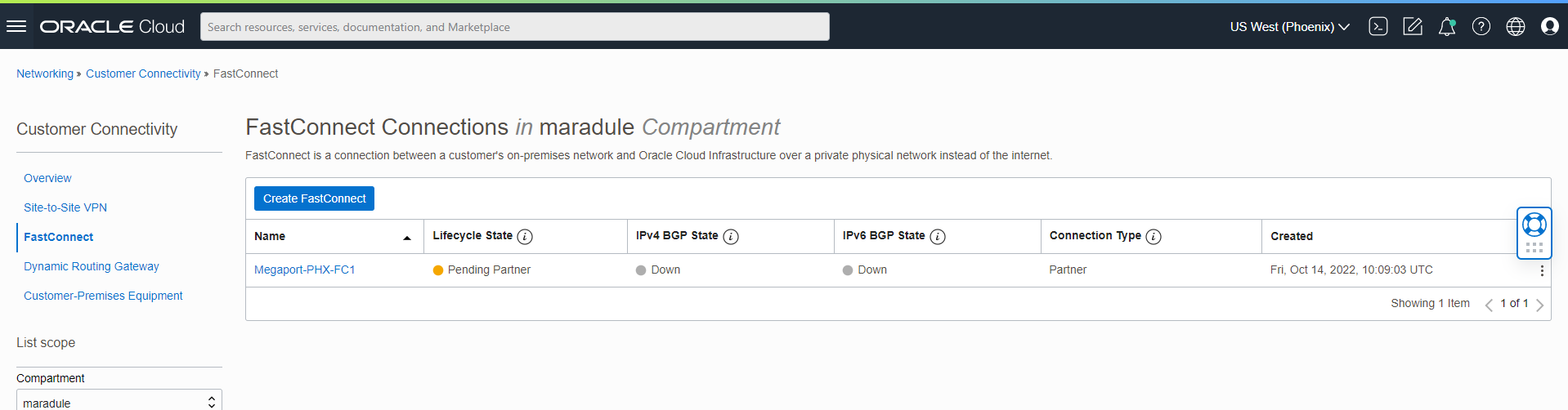
a. Select Phoenix Region.
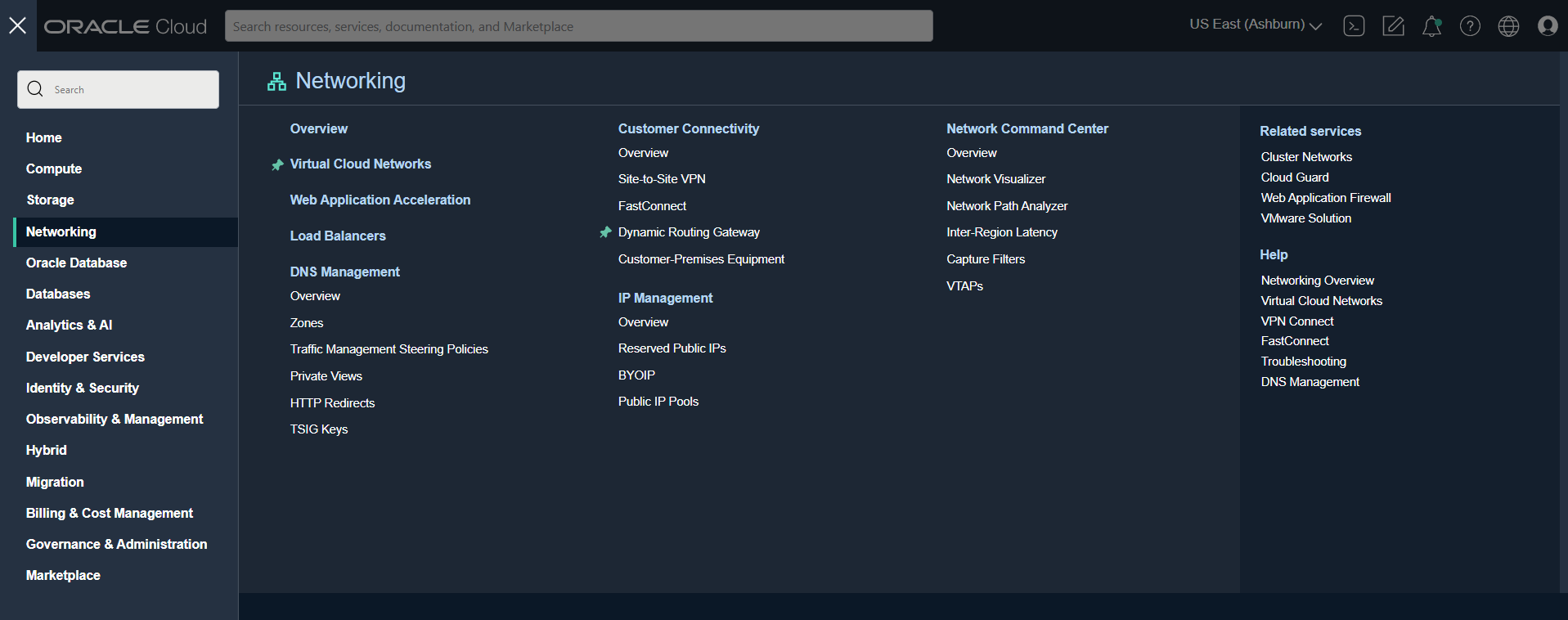
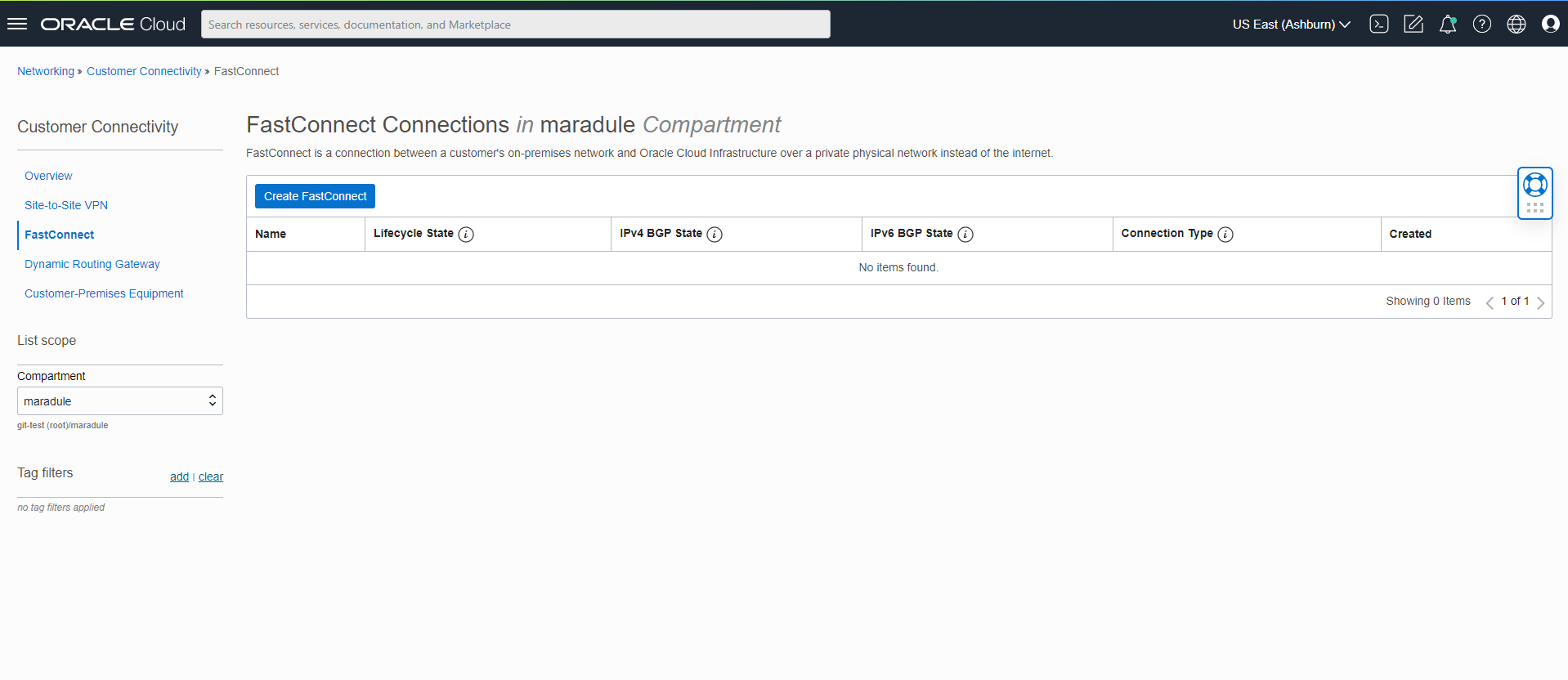
b. Go to FastConnect under Customer connectivity.
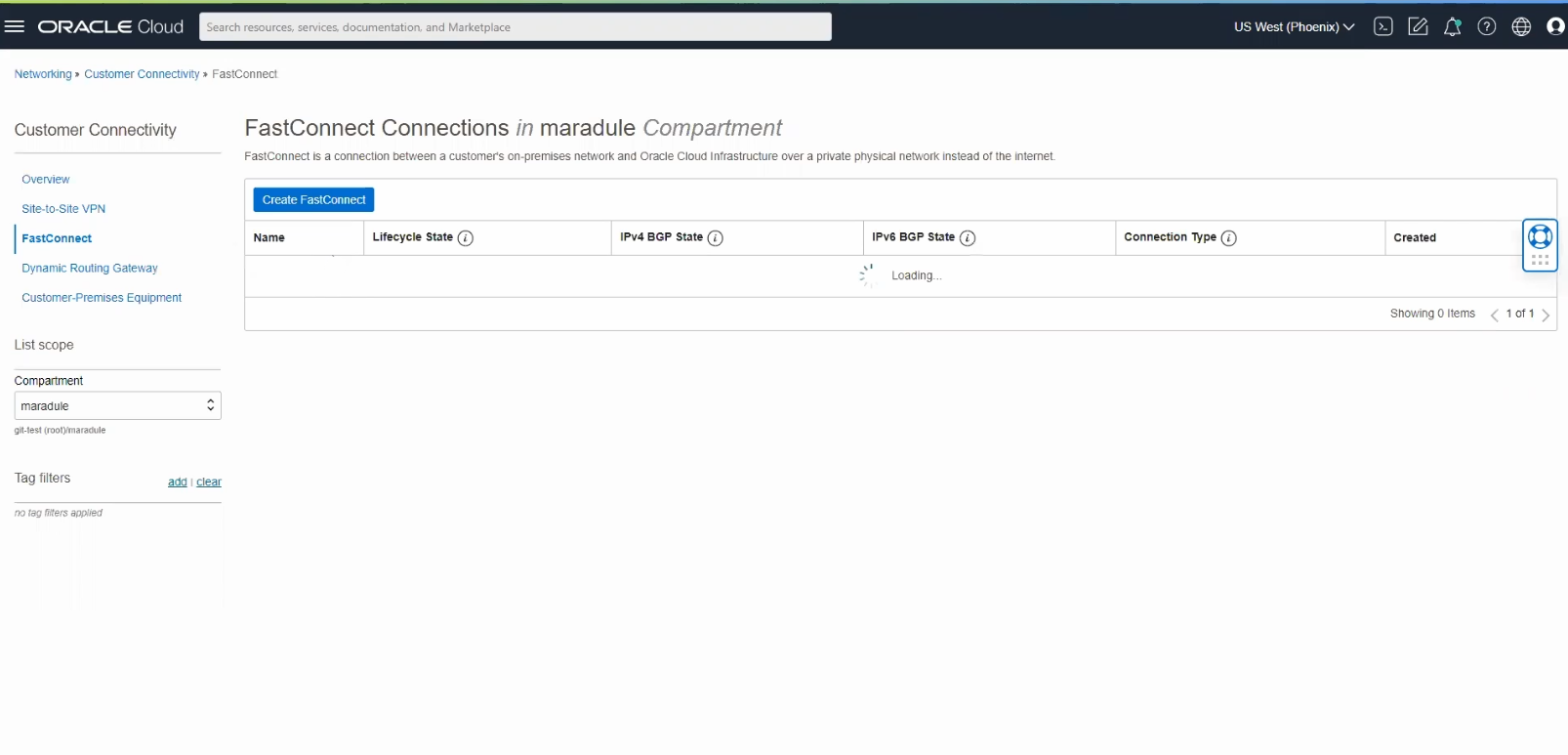
c. Select Create FastConnect.
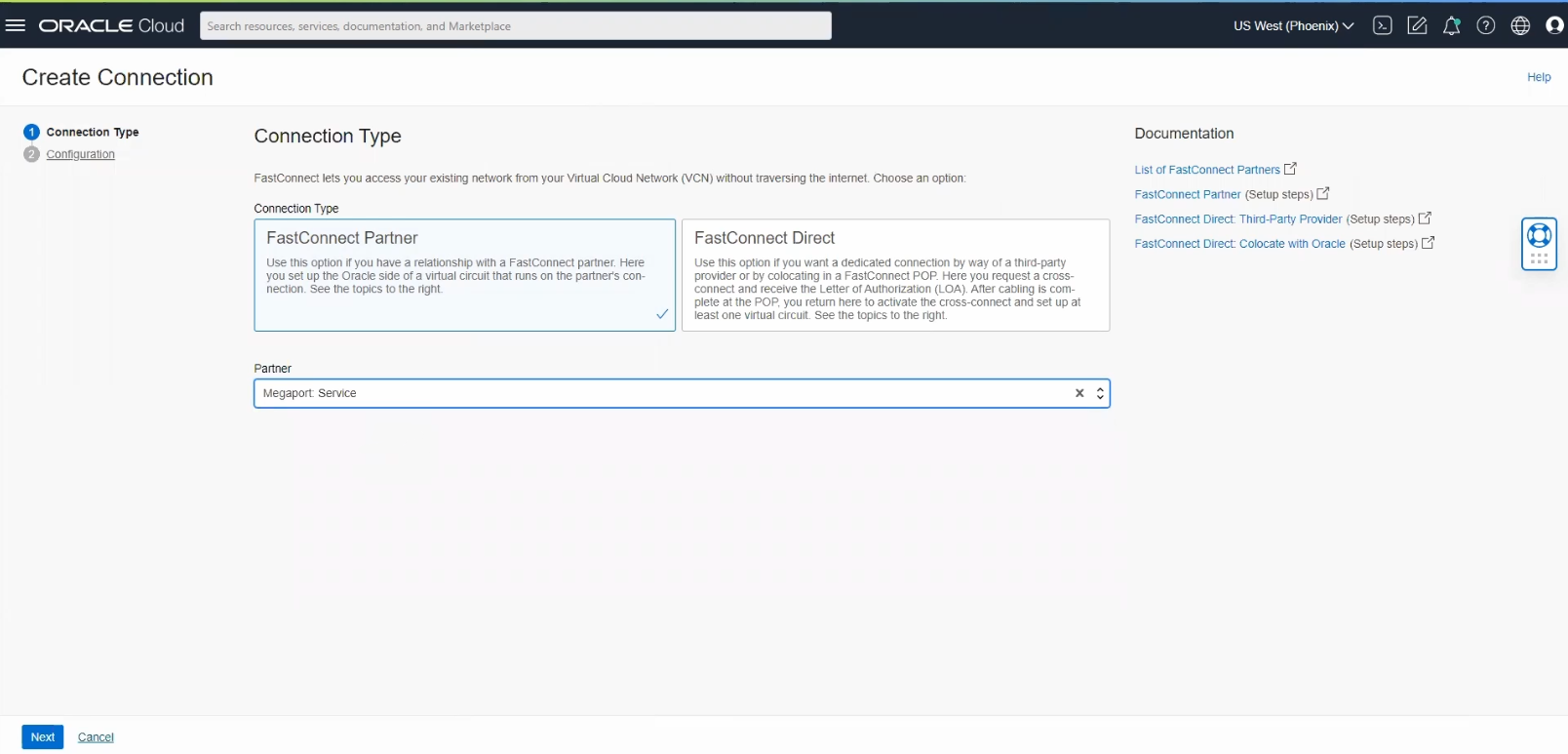
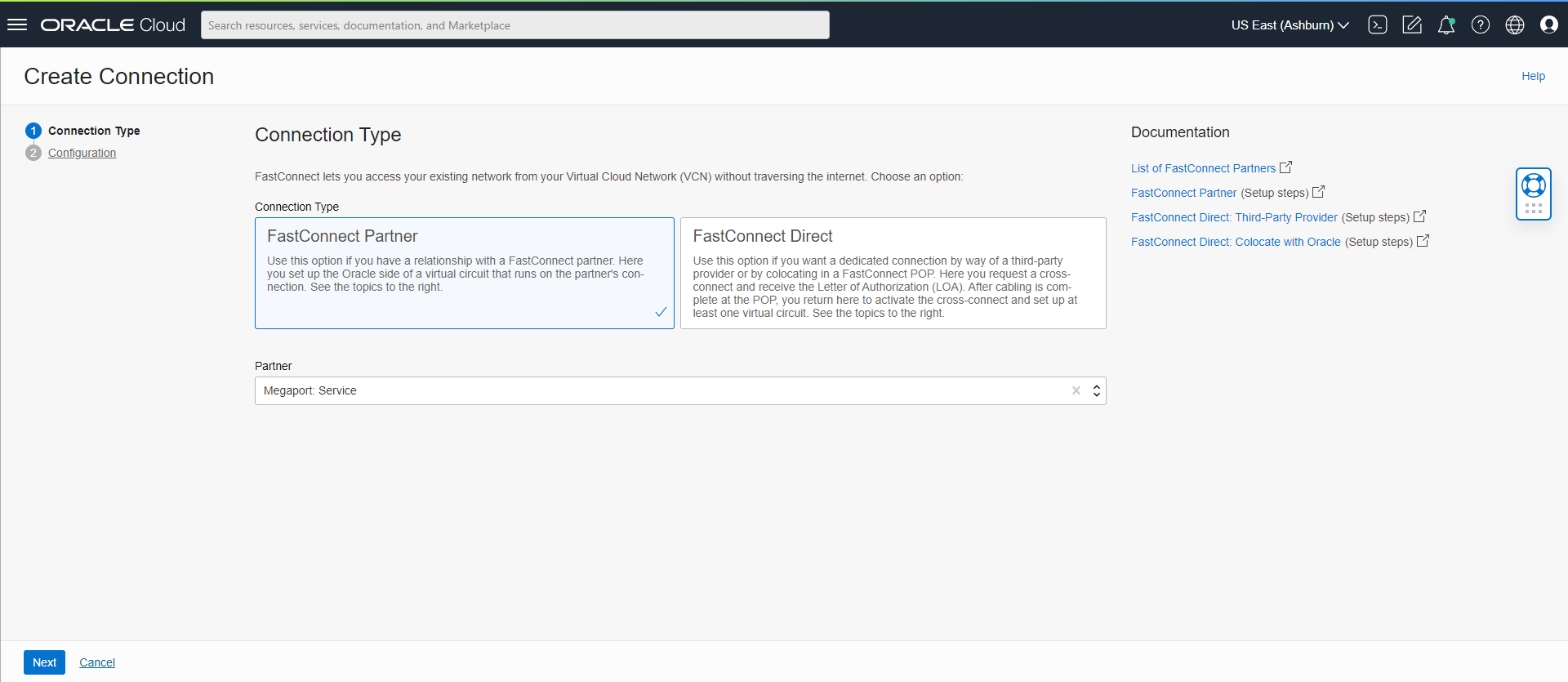
d. Select the Connection type as “FastConnect Partner” and select Partner as “Megaport Service” and click Next.
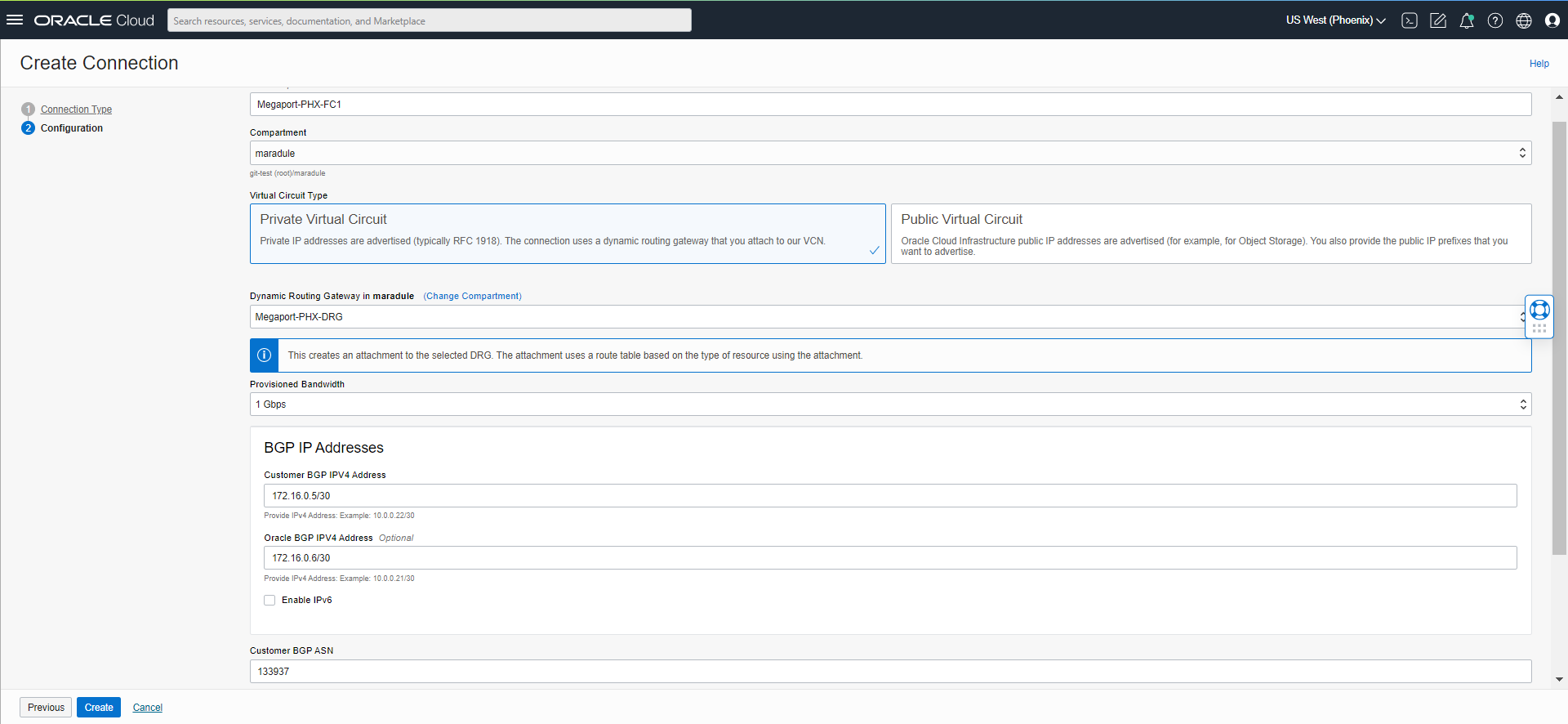
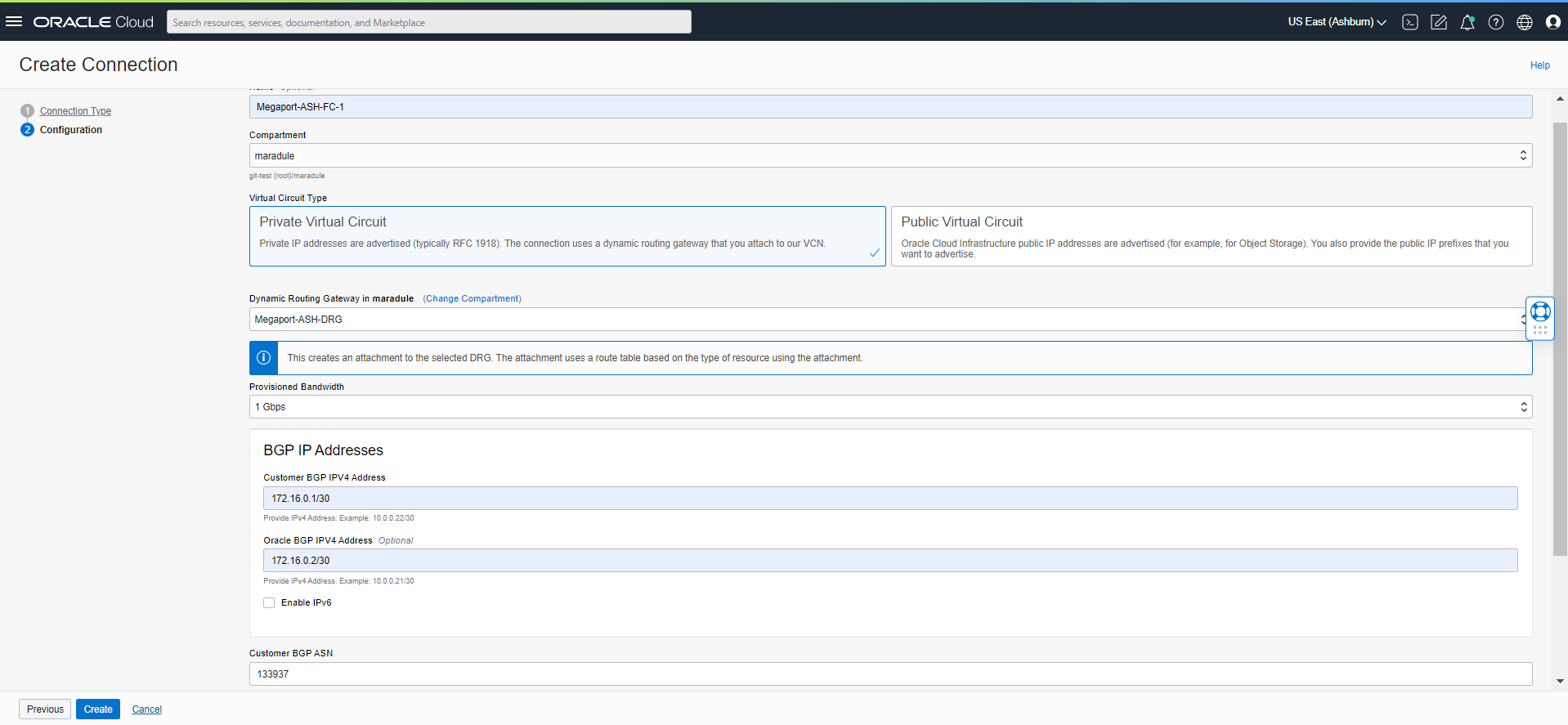
e. Provide a name for this connection, select DRG, Bandwidth, and fill in the BGP IP addresses for Customer IP (Megaport in this case) and Oracle IP. After we add the IP addresses, we need to provide the ASN on the Megaport side; in this case, we used 133937.
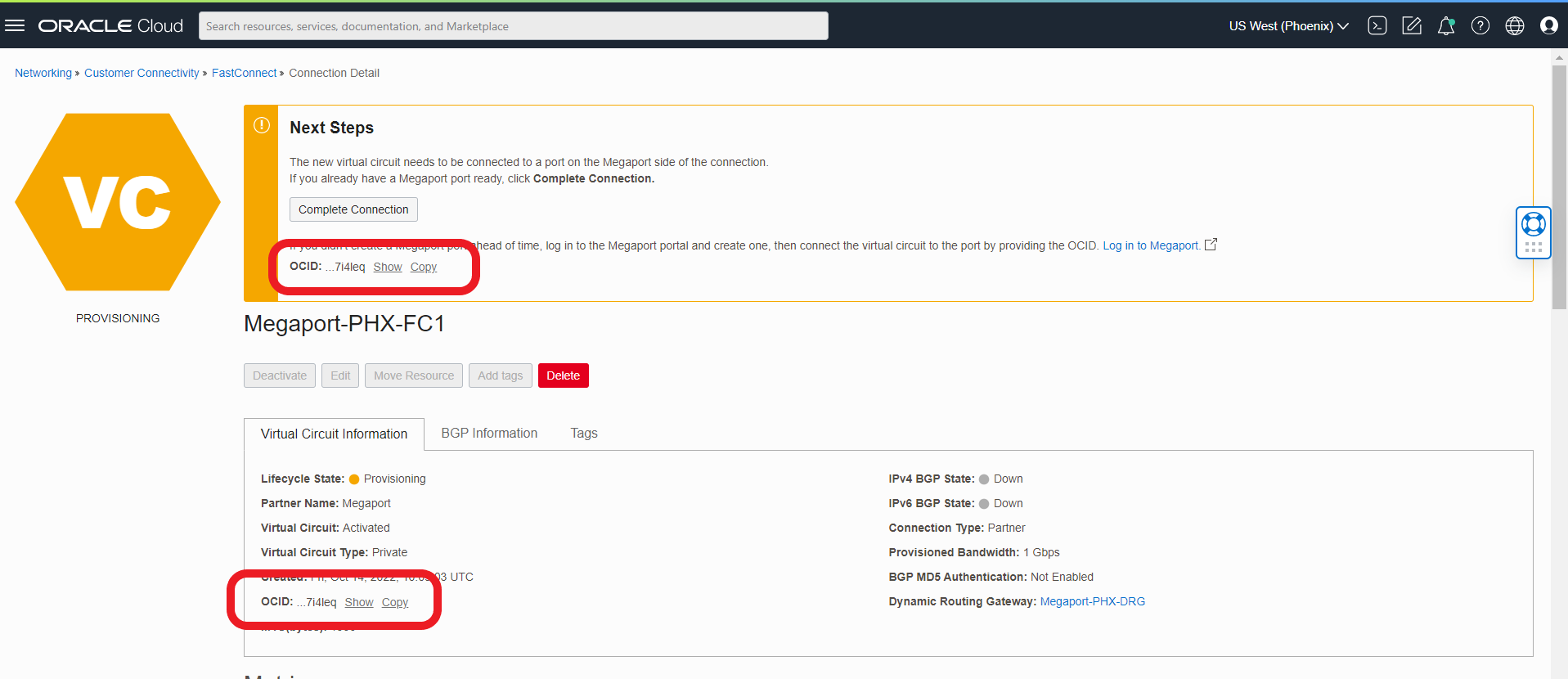
f. Now that we have configured this FastConnect, it will appear as in the below picture. On this screen, we can see the OCID of this Fastconnect. This OCID is needed later to create the Megaport side.
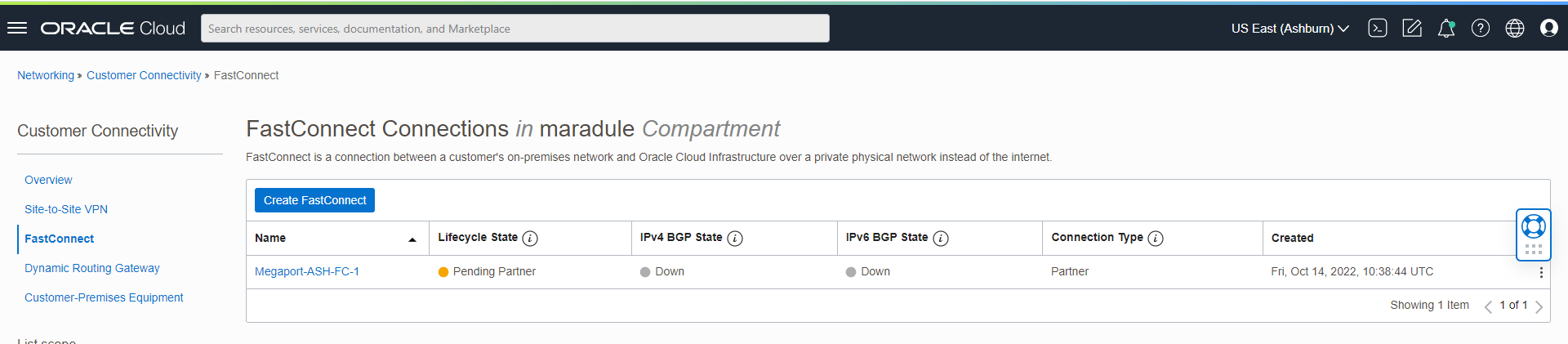
g. Now we can move to the Ashburn region and create a FastConnect in that OCI Region using the steps in this section points (a to (f with the difference that for the Ashburn region, we will use IPs from the Ashburn FastConnect BGP subnet.
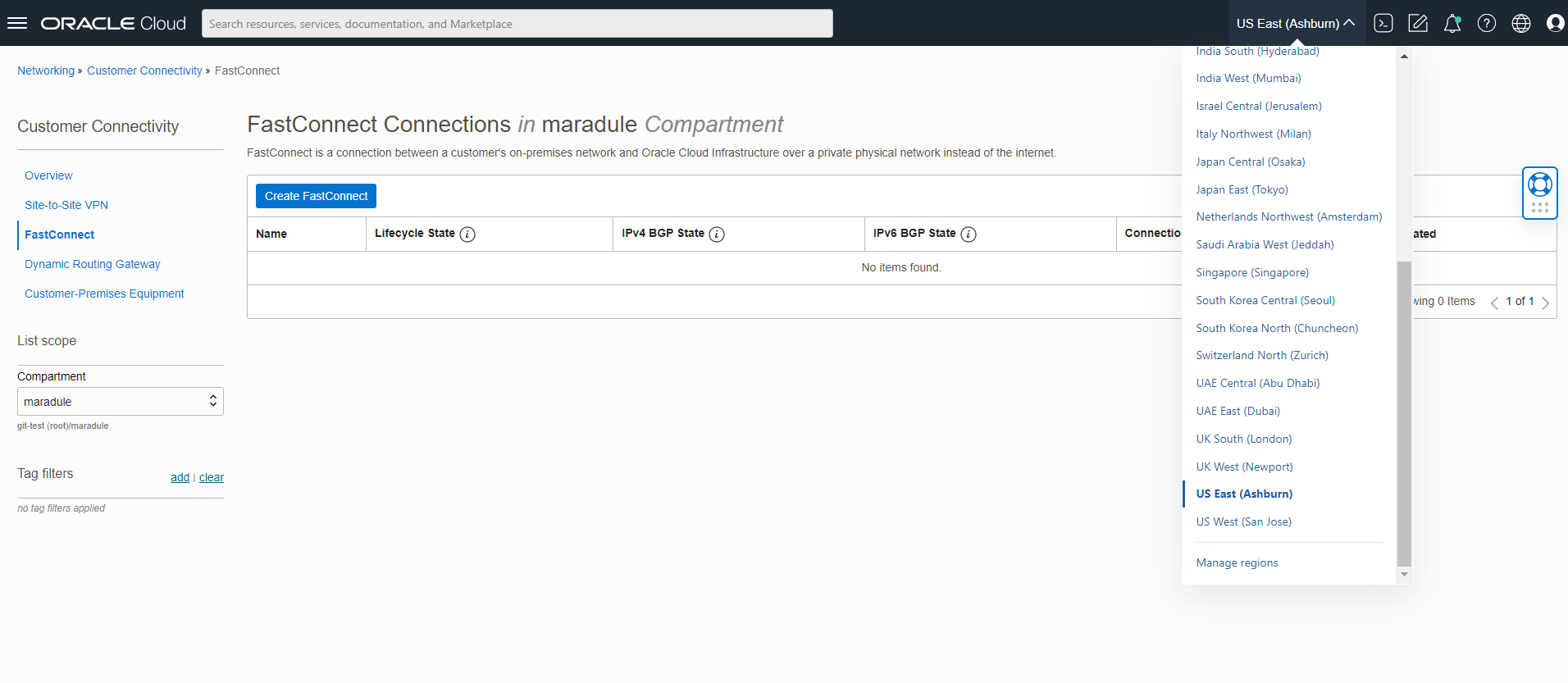
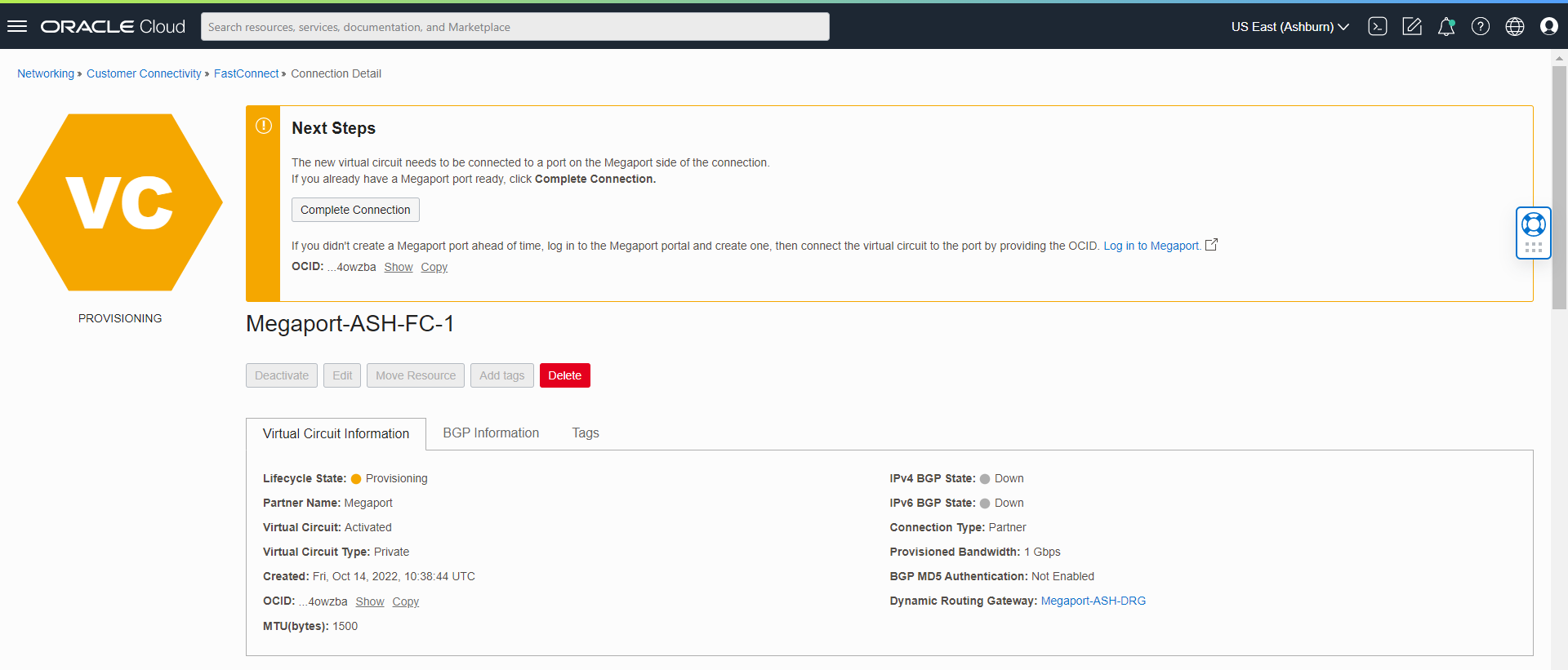
We should have 2 FastConnects configured in the state “Pending Partner,” one in each region.
For Megaport side configuration, please go here for complete details.
.
I hope you enjoyed this blog. Thank you for reading!