
Introduction:
Oracle recently released a new feature to the Dynamic Routing Gateway (DRG) which allows you to selectively import either VCN CIDRs or subnet CIDRs from a VCN attachment.
The purpose of this blog is to focus on how to configure this new feature. We will also briefly talk about the benefits based on different use-cases
Description:
Before getting in more details about this new feature, it’s worth mentioning that DRG had the capability to only advertise subnet CIDRs of VCN attachments over VPN/FastConnect/RPC. This is generally not an issue when there are fewer subnets within a VCN. However, over time, the existing environment can quickly grow. Because of this, multiple new subnets would likely be created and the customer’s edge devices would start receiving multiple subnet CIDRs which can quickly fill the router’s RIB/IP RIB. In this case, the responsibility of route summarization falls on customer’s shoulders and must be implemented at the customer’s edge device.
With the introduction of this new feature, customers can simply select to advertise VCN CIDR from OCI, to receive a single summarized route in the customer’s routing table.
Alternately, if there are comparatively few subnets within a VCN, customers still have the option to advertise subnet CIDRs from OCI.
Network Setup:
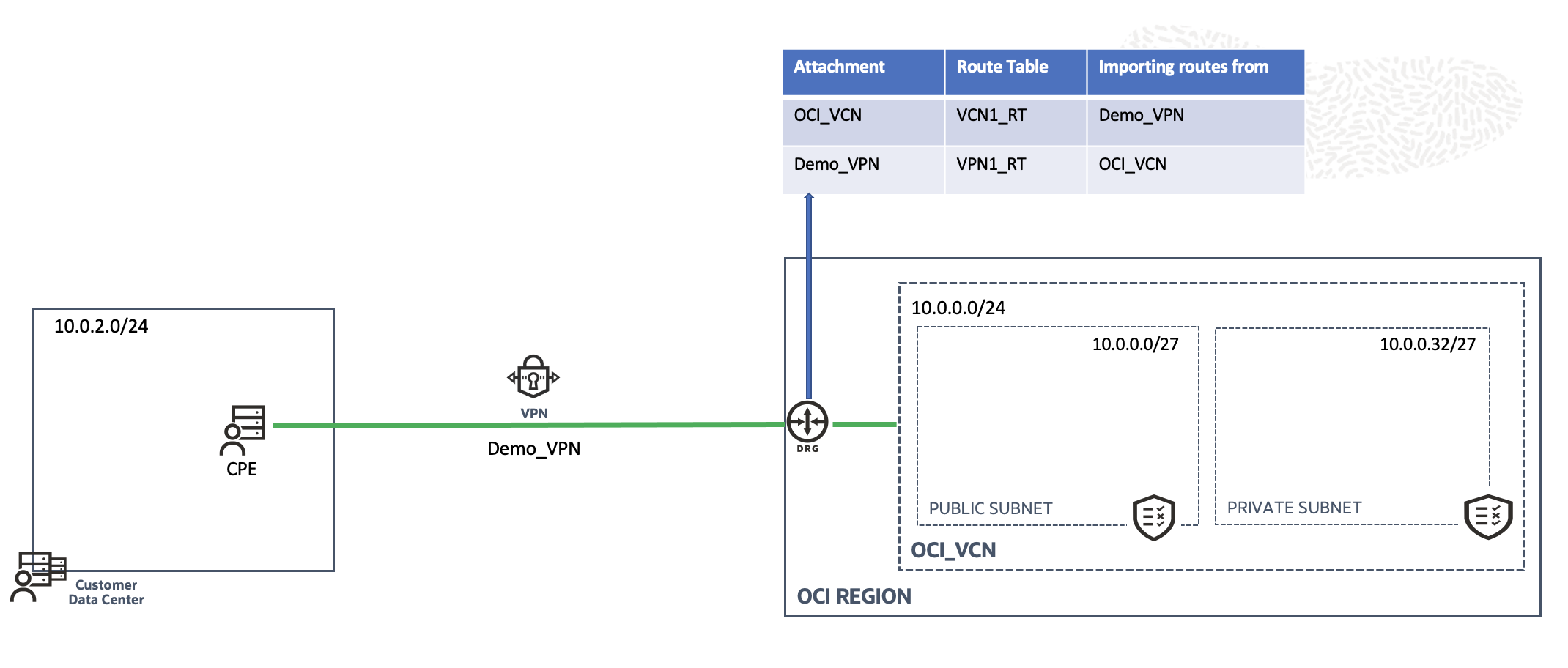
To do a quick demo about this new feature, a VPN connection was created using BGP. The VCN named “OCI_VCN” has two subnets inside it with CIDRs as shown in the above diagram. OCI_VCN is already attached to the DRG with an attachment named “OCI_VCN_ATTCH”. Both the attachments (OCI_VCN and Demo_VPN) are importing routes from each other as shown in the table above.
Configuration:
To select the route type, you want to advertise from OCI, follow this process:
Go to Networking Customer Connectivity Dynamic Routing Gateways Select appropriate DRG.
Under Resources, click on Virtual Cloud Network Attachments and select the appropriate VCN attachment for which you want to change the route advertisement.
Click on Edit Show advanced options.
Under VCN route type, you can either select VCN CIDRs or Subnet CIDRs to import from the attachment:
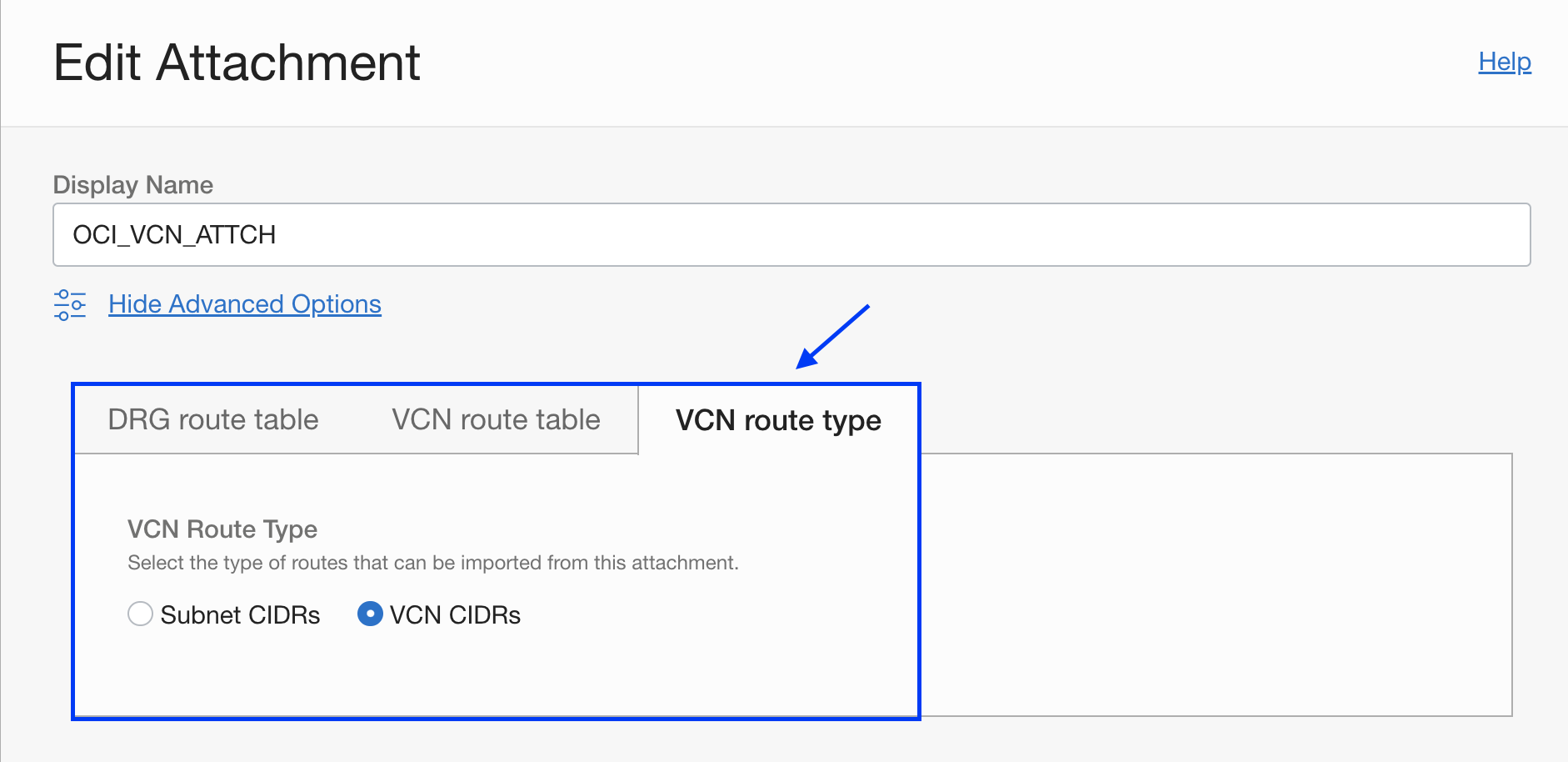
Click on ‘Save Changes’.
Under Virtual Cloud Networks Attachments, you can also view the summary of what VCN attachments are importing what VCN Route Type.
Verification:
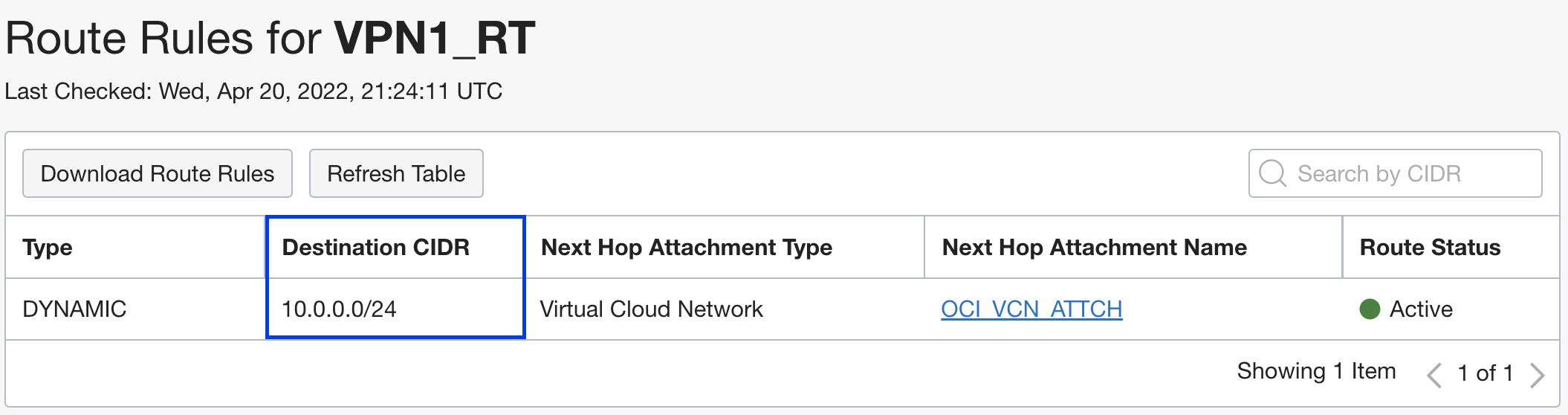
Now, after selecting the VCN CIDRs for OCI_VCN_ATTCH, let’s see what routes are imported in the DRG route table (VPN1_RT) for the corresponding VPN attachment. The same can be verified on the On-Premises edge device’s local RIB to see what routes have been learned:
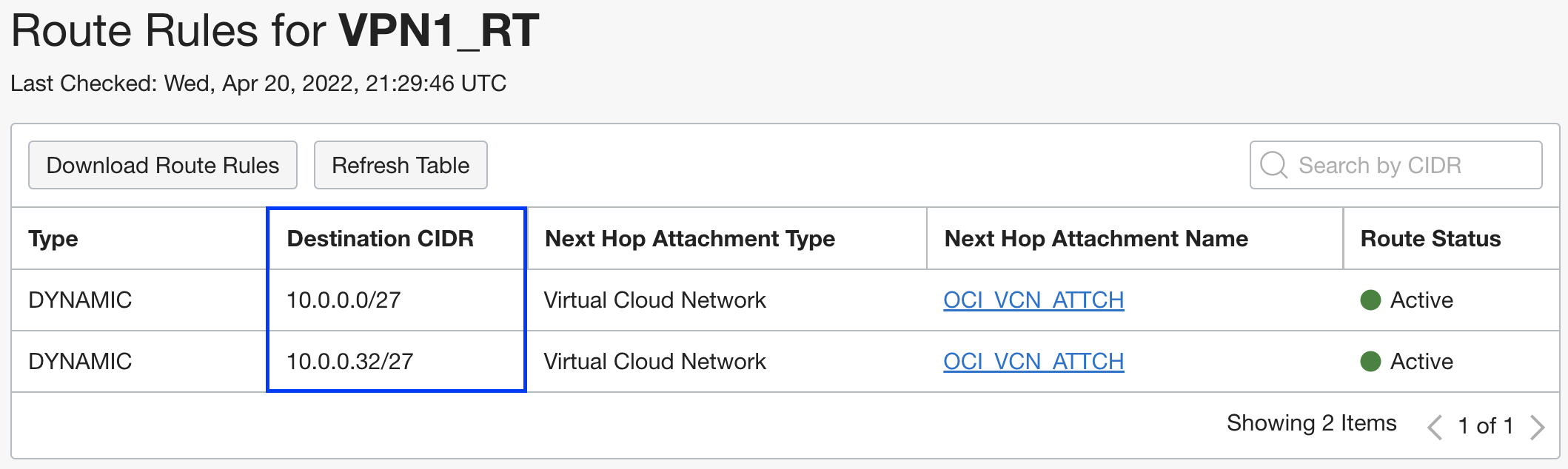
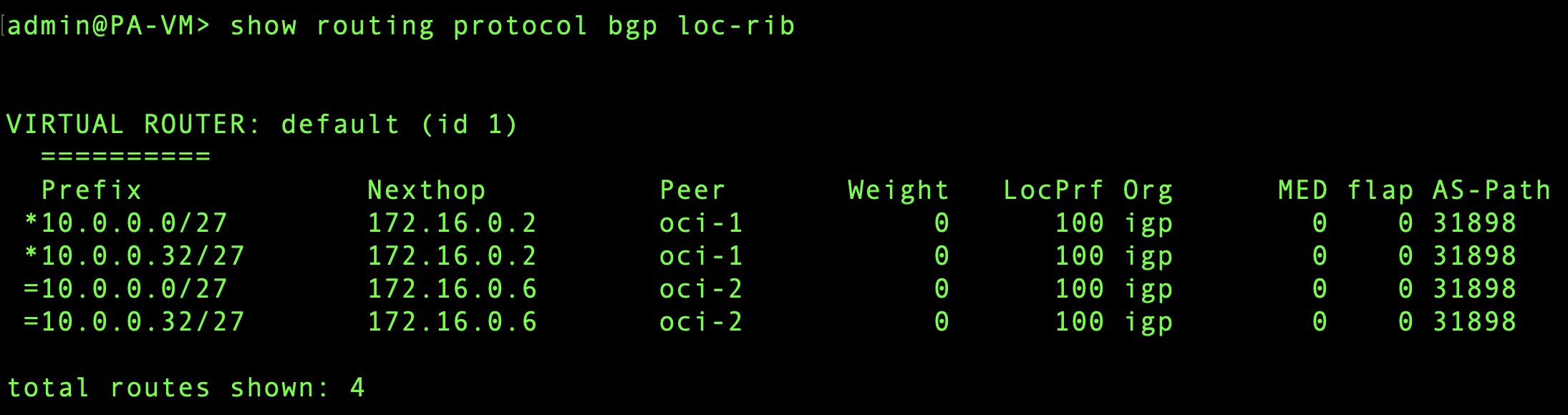
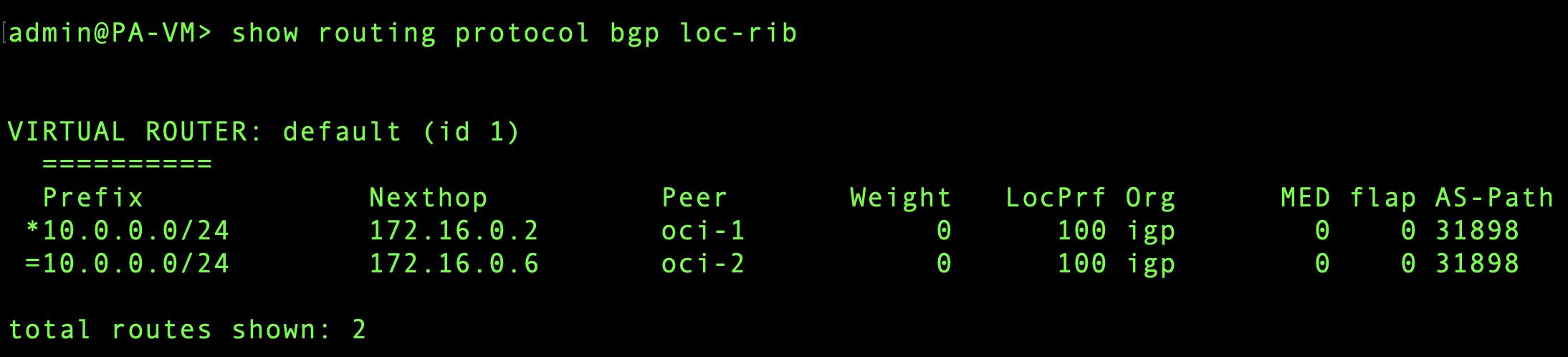 After switching the VCN route type and selecting subnet CIDRs, we can see individual subnet CIDRs getting advertised and populated in edge device’s local RIB:
Conclusion:
To conclude, DRG’s new route filtering enhancement allows customers to import either VCN CIDRs or subnet CIDRs from VCN attachments based on the requirements. Importing VCN CIDRs would reduce the burden of route summarization at customer’s edge device whereas importing subnet CIDRs would help customers advertise only subnet CIDRs where VCN’s broad CIDR advertisement is not necessary.
Watch the companion video of this blog post below: