
Introduction
In my previous blog I gave an overview how OCI Data Science and SaaS implementers may use a data pool using an existing Oracle Database on-premise. This might be a preferred option for all those customers who run Oracle on-premise databases and have good reasons to keep on running them. The blog described how data can be extracted from SaaS and loaded into an Oracle database by using various command-line scripts. Its obvious to mention that there are plenty of other tools and solutions available that provide more comfort than using self-written scripts. Once SaaS data have been loaded into an on-premise data pool they can be enriched and merged with 3rd party data as required and made accessible to OCI Data Science. A comprehensive overview of all blogs published about SaaS extensions with AI/ML can be found here.
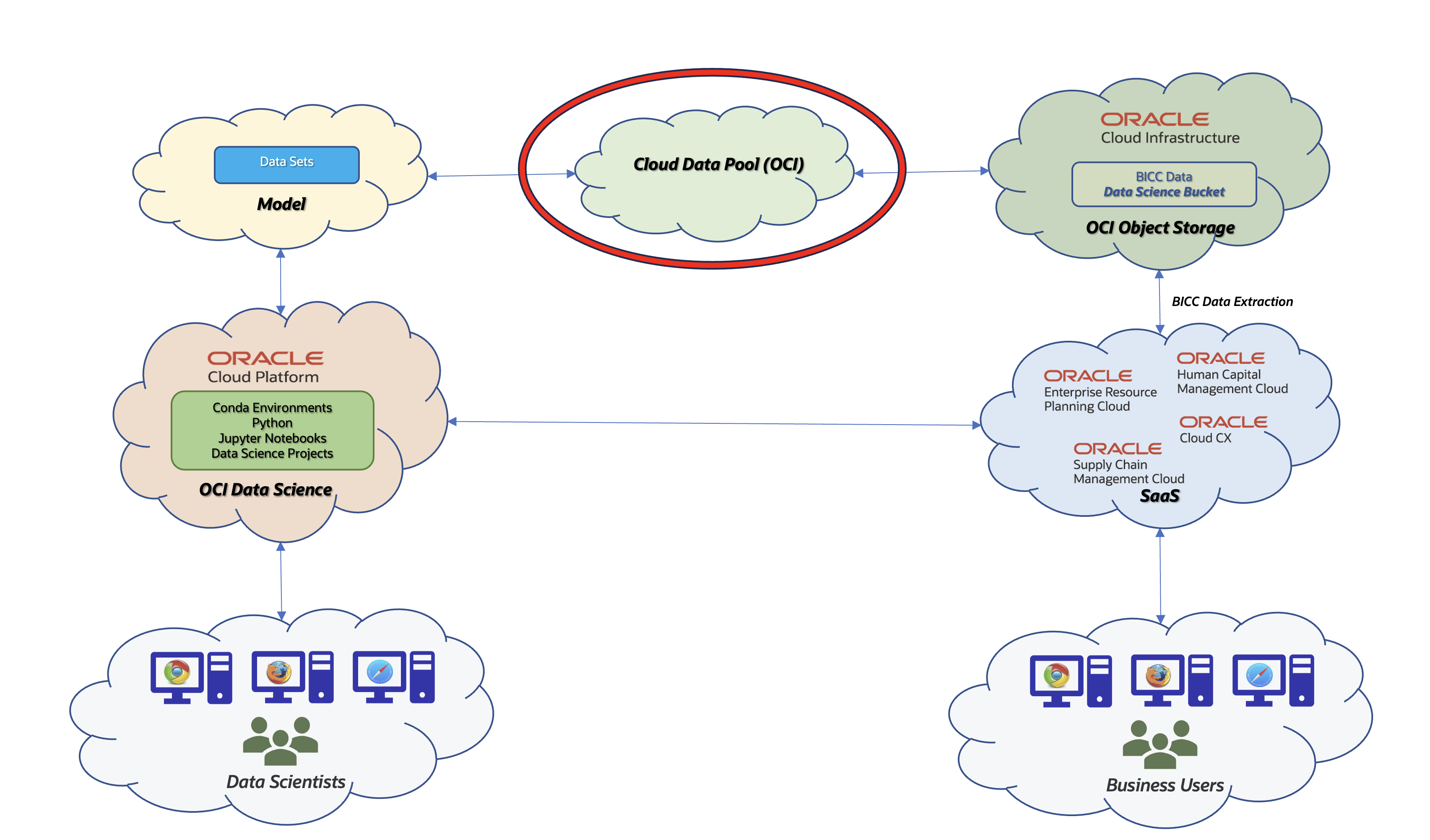
Architecture Overview using OCI as a Data Pool
An alternative to an on-premise data pool would be a cloud based variant and so this article should be seen as an extension to the previous one. In this article I’ll give an overview about the various options being available. Such a solution would make sense in customer scenarios where no on-premise database is in use or planned and all the benefits of an Oracle managed OCI database like Autonomous (ADB) is preferred.
The core architecture on SaaS remains the same compared to the on-premise variant: the data extraction in SaaS is performed by BICC with the destination OCI Object Store. This version of a data pool entails as a service with a database hosting by Oracle, but with an alternate handling of the data import. By running a solution using cloud resources the integration with OCI Data Science becomes more seamless and more straightforward in terms of maintenance and implementation efforts.
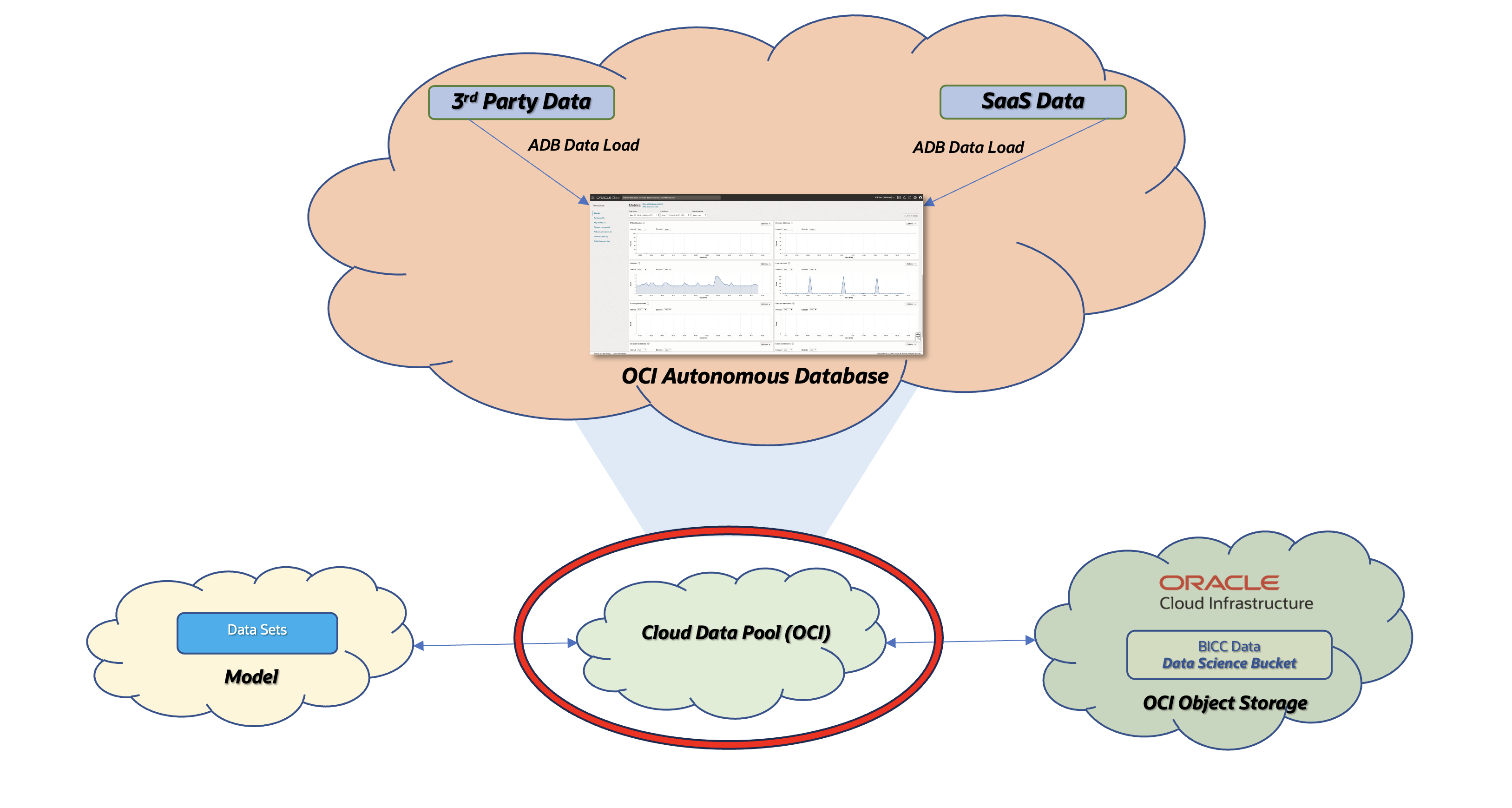
Data Pool using OCI Autonomous Database
For those implementers who used a SaaS Data Pool running on an own on-premise database and also created their own script-based framework, it could be possible to reuse most of the tools. Same as an on-premise database is used as a service it would be possible to replace this one by a cloud based alternative. Am ultimate difference is the capability how to load data. In previous blog I’ve used a sample to create a staging table based on a CSV file. Such a onfiguration requires database admin rights we won’t be able to obtain in a cloud based database. This will result in a changed architecture to load BICC extract data (also any 3rd party data) into the database. Further down below I will also highlight that these methods will differ between a command line level and native OCI tools option being used.
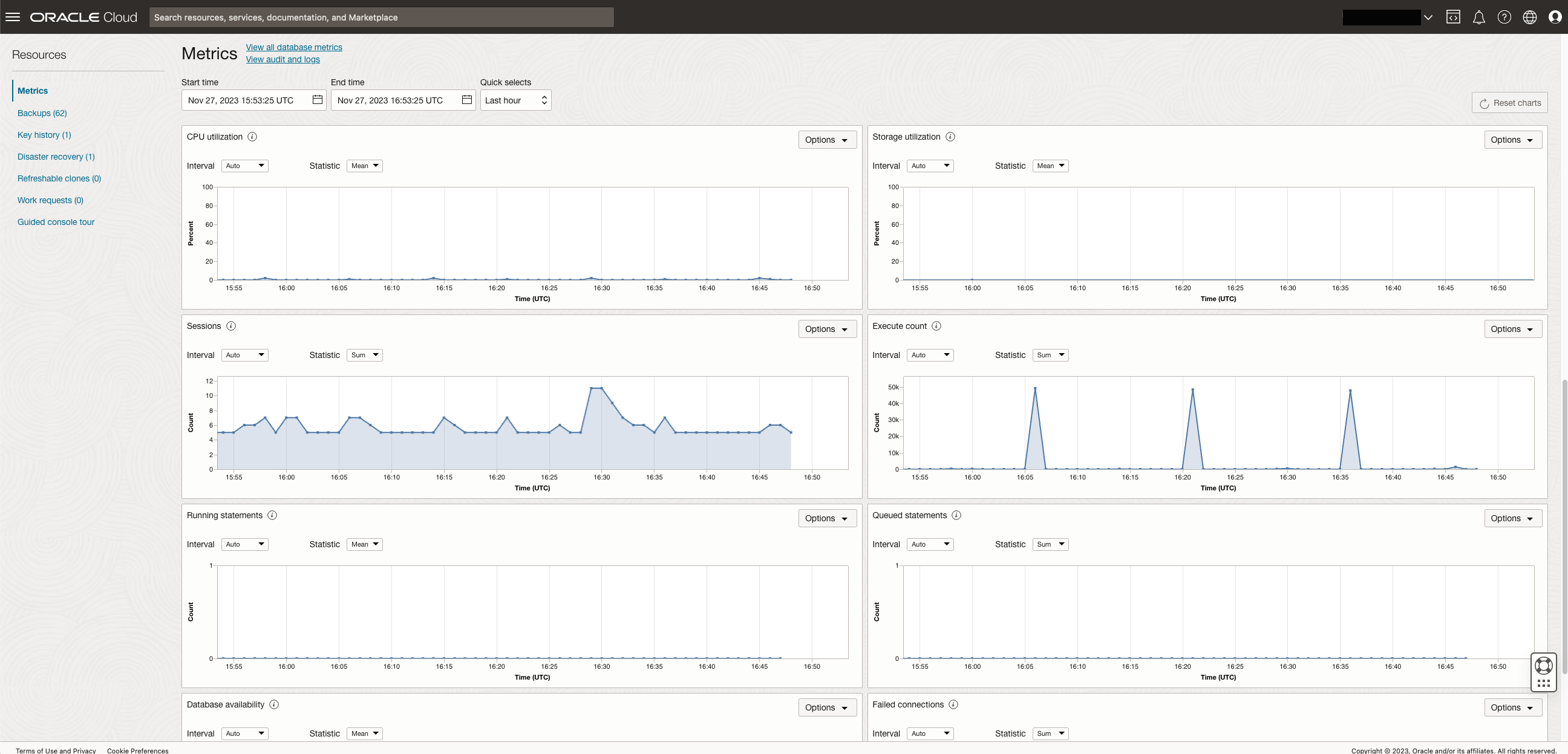
Container for ML Data will be in in OCI
In the suggested architecture we will focus on an Autonomous Database running on OCI. Alternate configurations like Autonomous Warehouse were not in scope of this evaluation, but it doesn’t mean they would not work. Maybe worth investing more efforts to check also the feasibility of following that route. Also not mentioned here in this article is the use of alternative out-of-the-box solutions in Oracle Cloud like OCI Data Integration. I’d suggest to check A-Team Chronicles for dedicated articles and to check matching the solution for a use as an appropriate option.
Option 1: Implementing an OCI Data Pool controlled on command line level
The solution explained here will follow an idea that we can reuse a possibly existing custom framework using SQL scripts to automate the SaaS data handling and provisioning of data into a pool. As mentioned above an on-premise database is being used a service running under the implementers ownership and responsibility. As a core assumption we can consider such a service as an abstract element in our architecture. Once we start following this thought we can logically replace the on-premise service by a cloud service.
Using a cloud service is also available for locally installed tools on customer owned systems or OCI Compute Cloud instances. Screenshot below visualizes the benefit of using such a configuration: we have a freedom of choice to use the tools of our preferences. On the left in that screenshot we see a web based UI as it comes with the OCI UI while the tool on the right is a locally installed SQL Developer.

Data visible and accessible via Web UI or native tools like SQL Developer
The both UI’s offer a similar set on DML and DDL operations as shown via screenshot below. Like mentioned above the users and implementers have the choice to work with the tools of their preference.
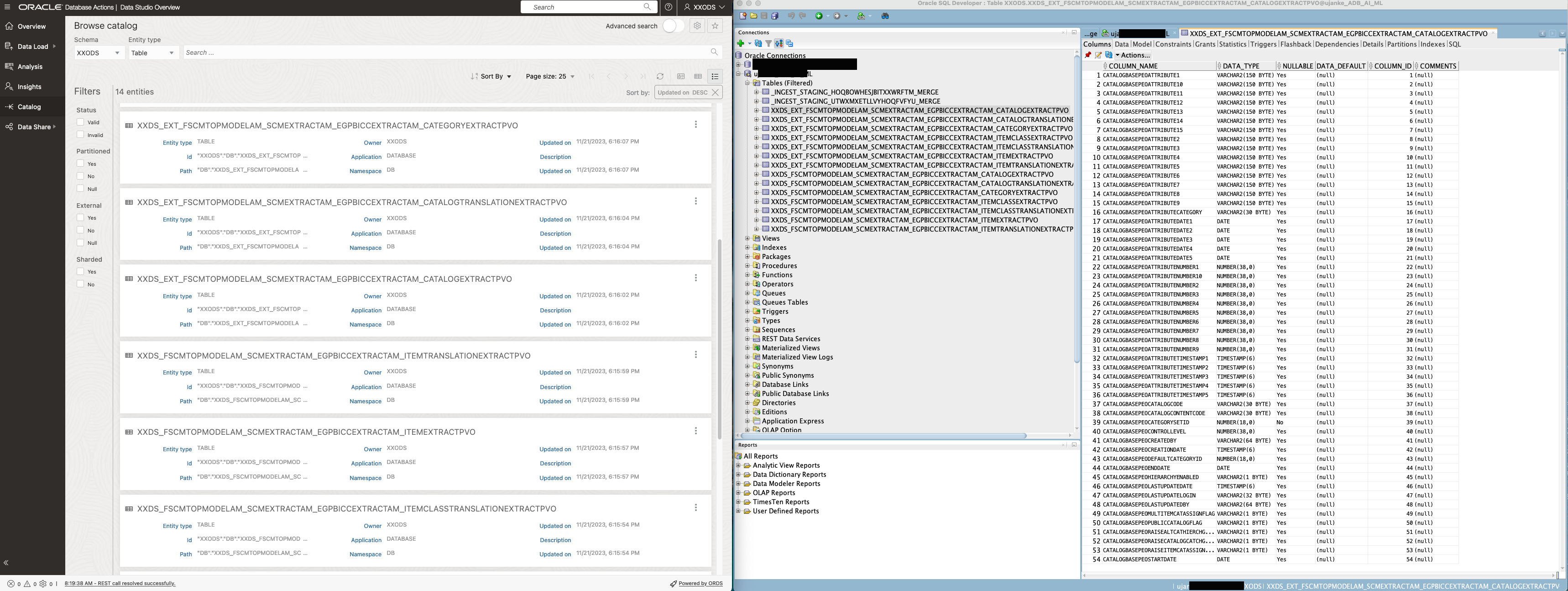
Object Catalog visible and accessible via Web UI and SQL Developer
Accessing a cloud database like ADB from a local environment requires the availability and installation of local client components. While SQL Developer can connect directly to a cloud database, any other tools like SQL Plus or SQL Loader must be installed separately.
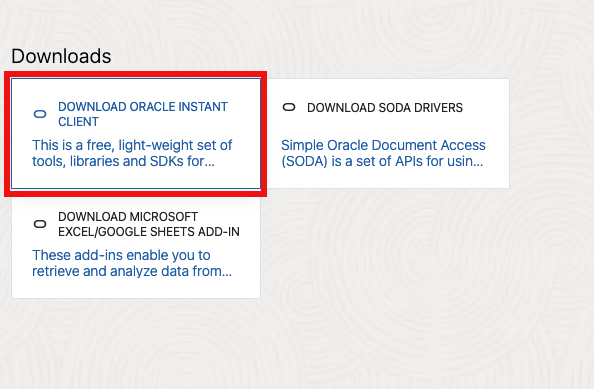
Download of Oracle Instant Client available via ADB Database Actions Portal
Those command line tools are called Oracle Instant Client and can be downloaded directly from an Oracle OCI web site. They are available for all major operating systems. An installation is very much straight forward and can be performed in a couple of minutes.
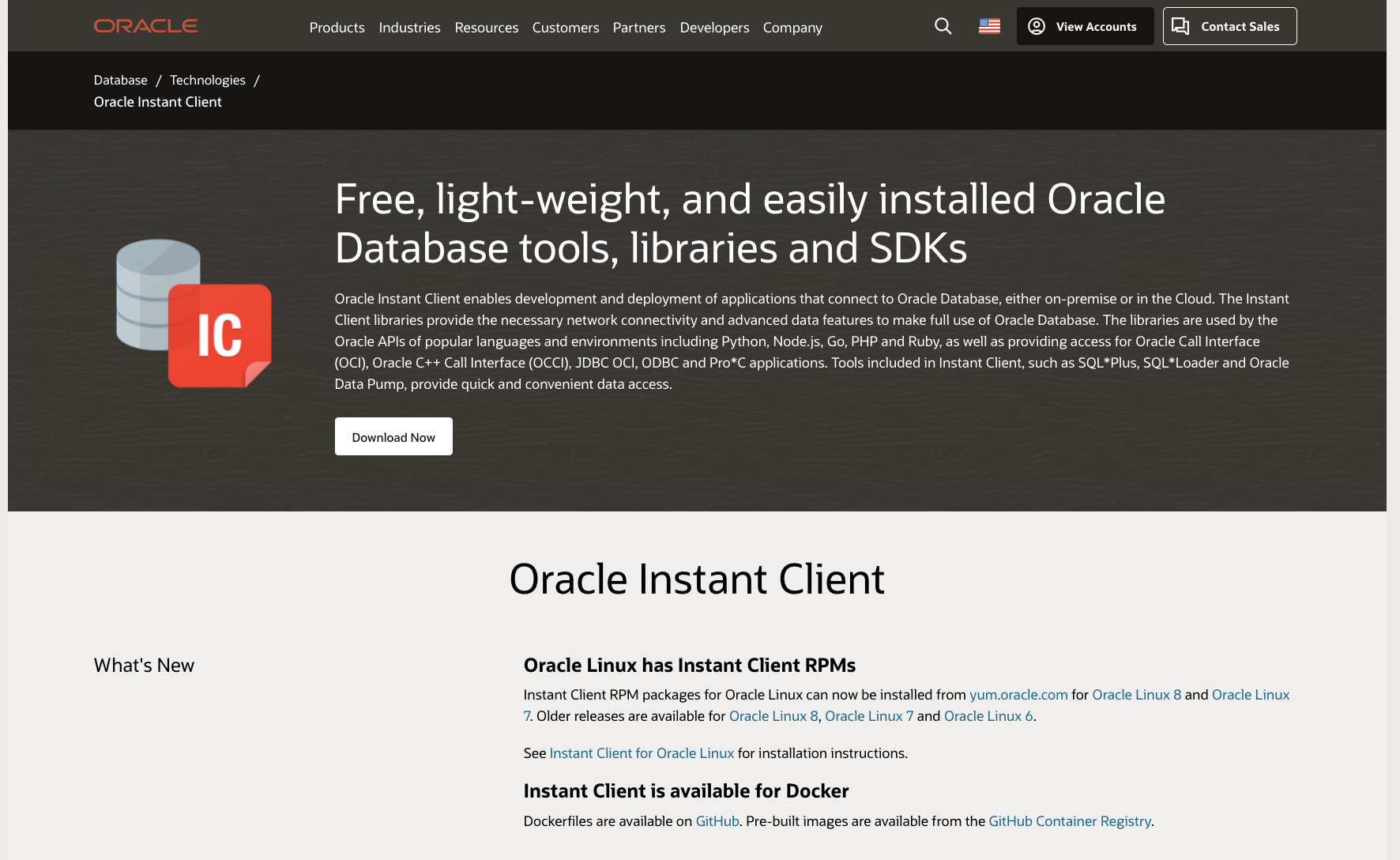
Landing Page to Download Oracle Instant Client
Before using these instant client tools the instance specific connection information must be downloaded. That would be i.e. client credentials available in a wallet for tool usage like SQL Developer. Using command-line tools like SQL Plus will require a valid TNS connection to access ADB. Also here a ready to use configuration can be downloaded for various DB configurations with low, medium and high capacity assignments.
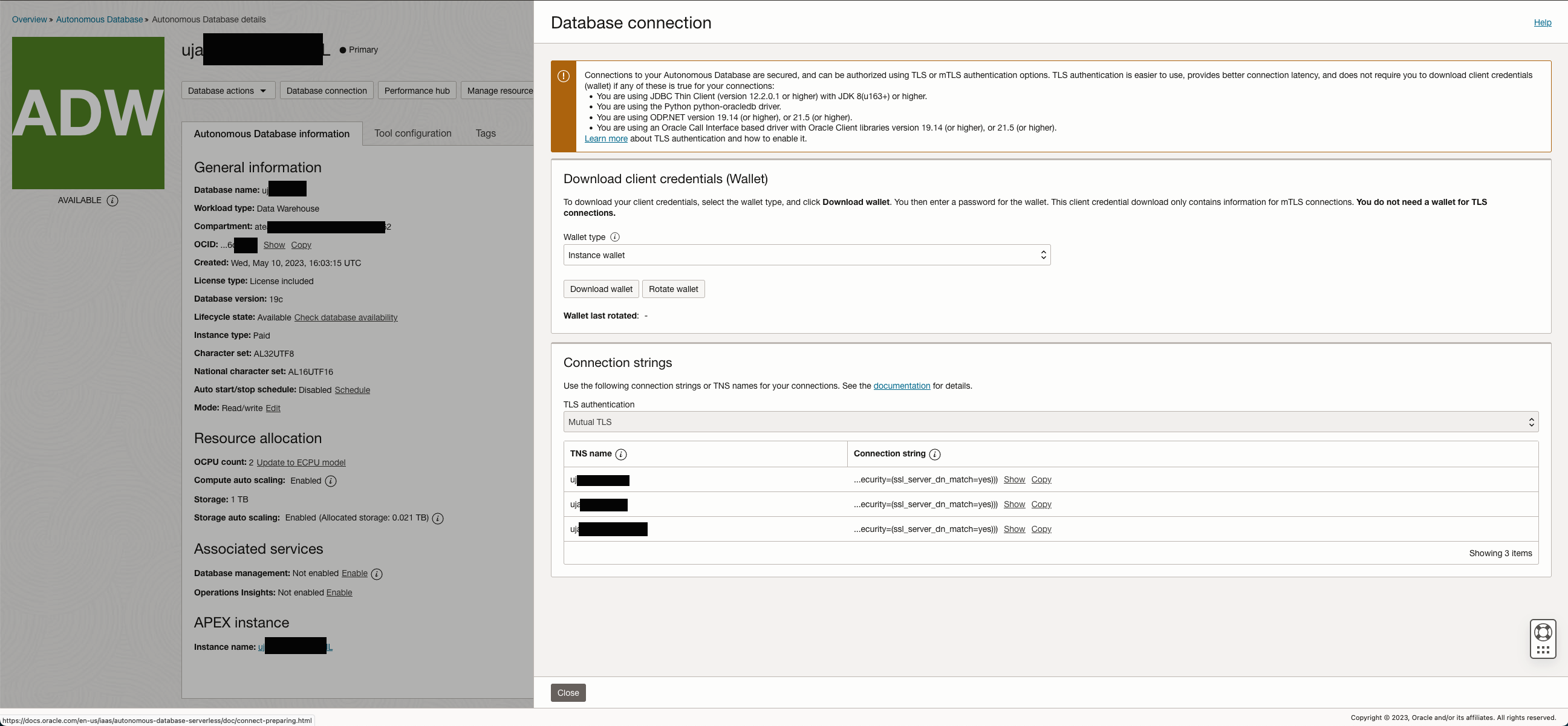
Configuration information and Wallet provisioning for TNS Connections
The Wallet file can be used directly in SQL Developer to create a connection or referenced in a TNS configuration. The ZIP file as shown below contains all necessary information like various key files and connection properties.
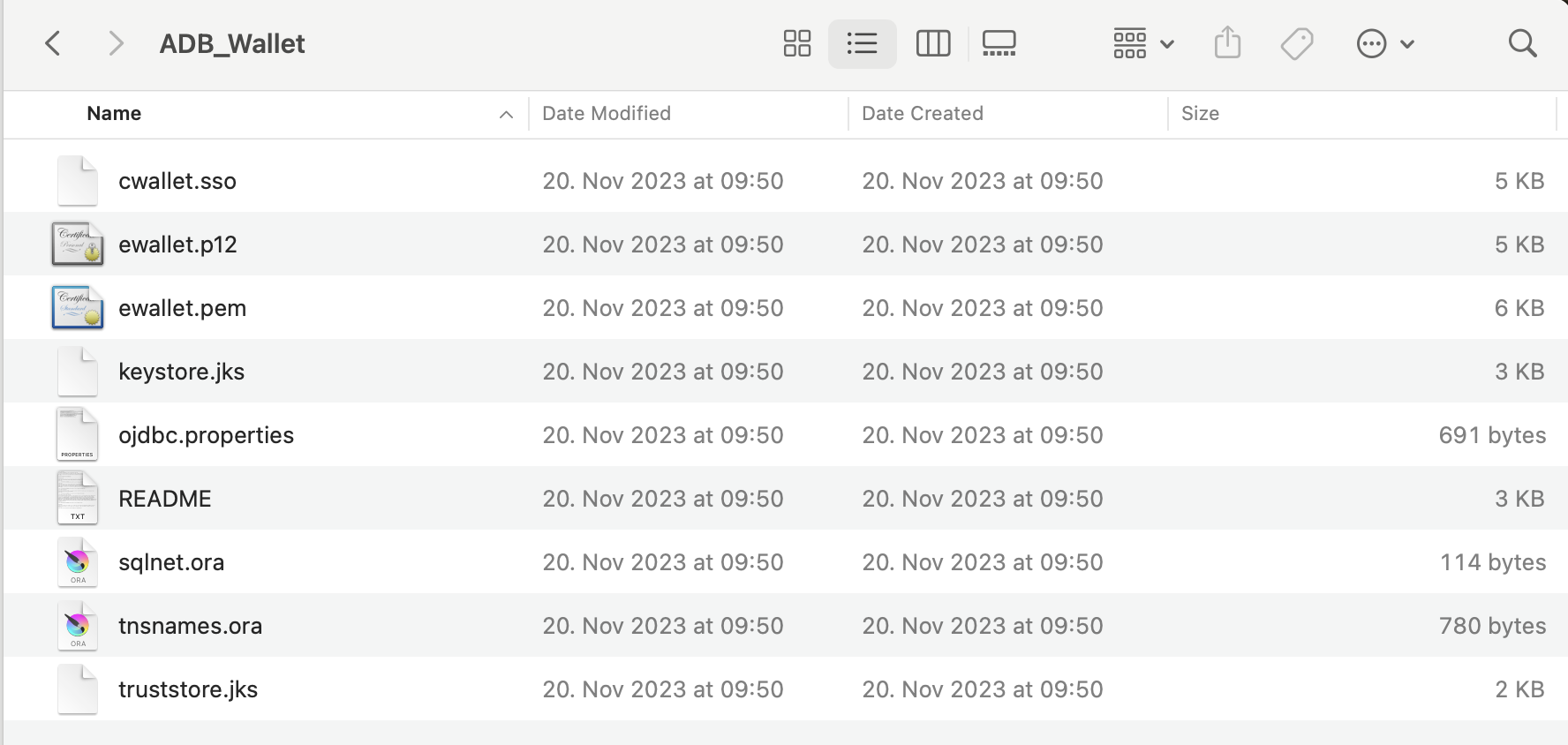
Content of an ADB Wallet ZIP file
File TNSNAMES.ORA configuration providing access information to an Autonomous Database doesn’t differ from any legacy TNS files. As mentioned above the file can be downloaded via the ADB Web Administration console.
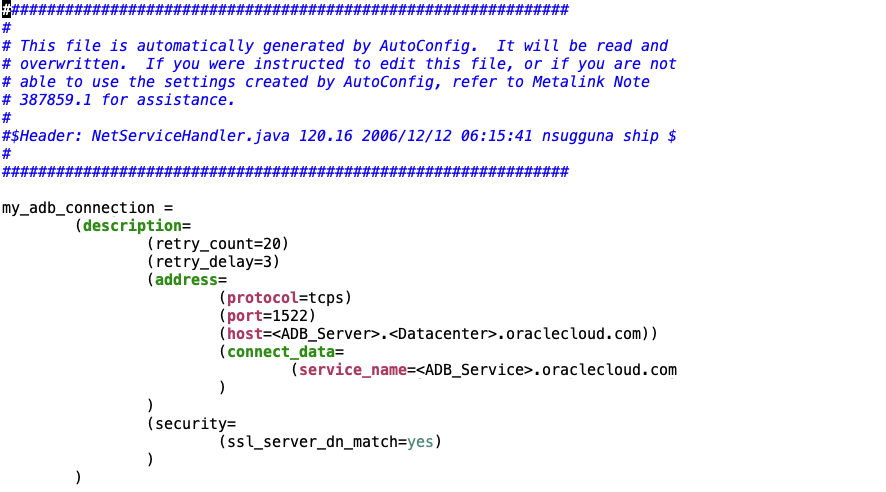
Sample configuration of a TNSNAMES.ORA
File SQLNET.ORA uses an entry named WALLET_LOCATION which points to the directory providing the Wallet ZIP file.
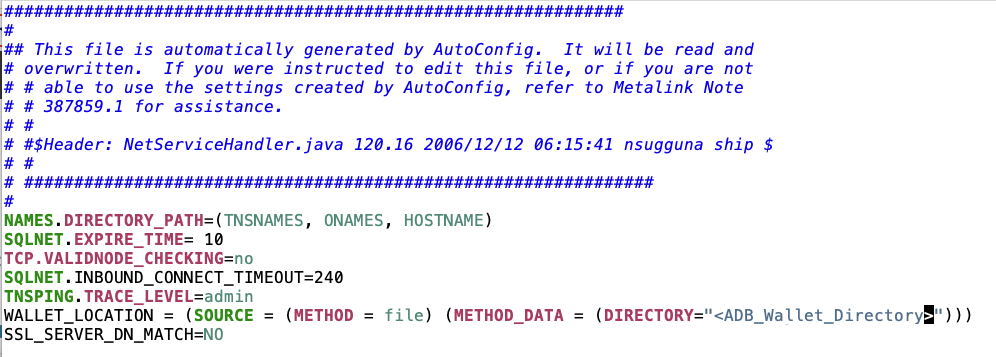
Sample configuration of a SQLNet.ORA
Loading BICC data via command line could be performed via SQL Loader. As mentioned earlier in a cloud based data pool it won’t be possible to create a staging table using an external CSV file due to misisng administration features. Instead we suggest to create this table as a regular one and to use a tool like SQL Loader to run the loading of BICC data. The TNS configuration explained above will be used for the SQL Loader connection as shown below.

Sample of a SQL Loader Command
Using a control file like shown below must be created for each single BICC PVO extract. It’s obvious that a implementation scenario using dozens or hundreds of PVO’s will end up in a very complex environment with advanced efforts for maintenance. In those cases the alternative architecture like described under Option 2 below might be the better choice.
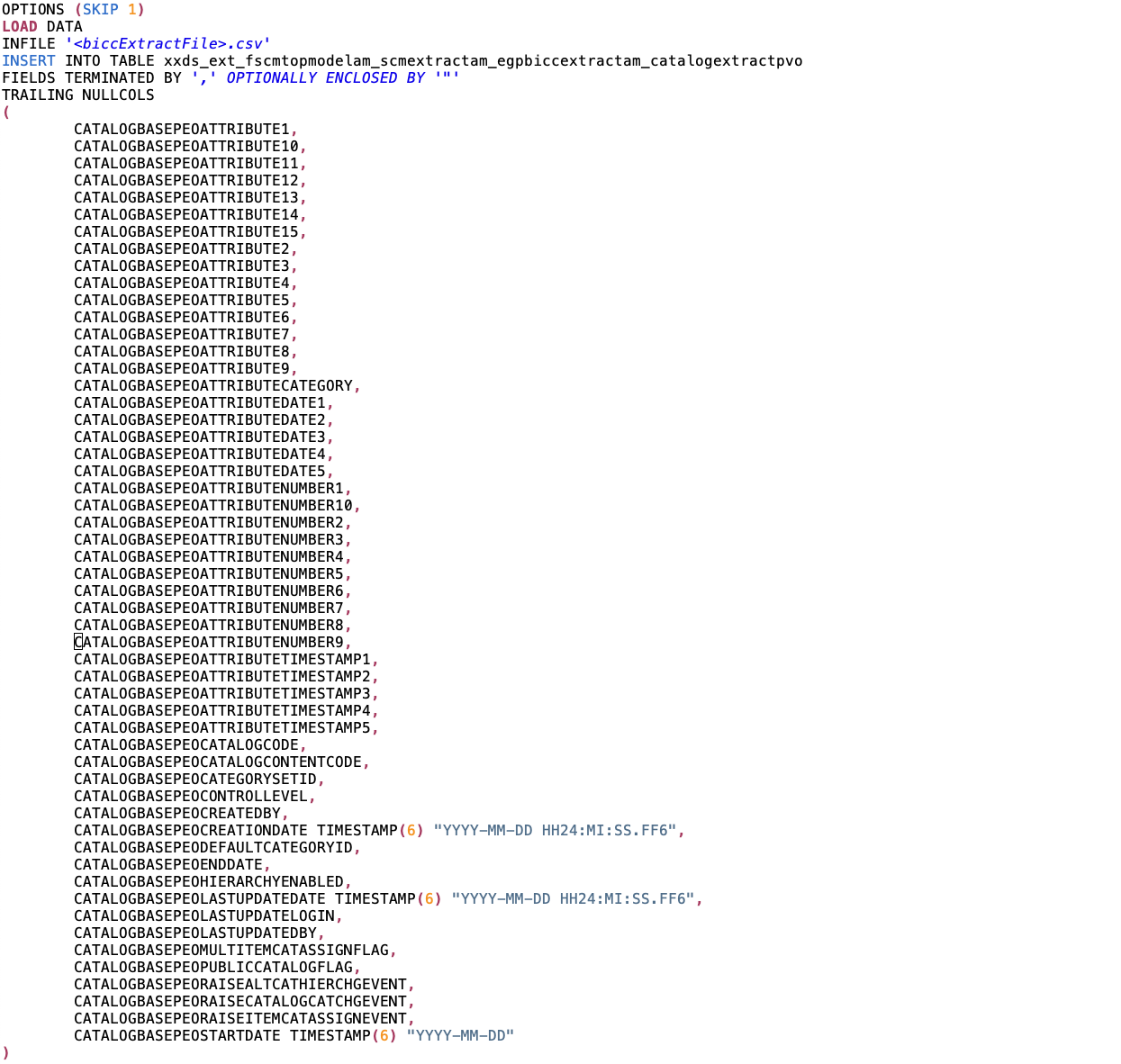
Sample of a SQL Loader Control File
Apart from the changed data load method via SQL Loader a full reuse of the solution explained in Part 5 would be possible based on a command-line architecture connecting to ADB. The benefits of such an approach is the possibility to (re)use own written scripts under full implementers responsibility.
Summarizing the solutions from previous article and as explained under option #1 we used a scenario where a command-line interface (running either on OCI Compute Cloud or on local hardware) was used on hybrid environments (partially using OCI for Object Storage together with a local database) or fully cloud based (also database in OCI).
Option 2: Implementing a Data Pool using native OCI tools and features
Another option will follow a complete avoidance of a command-line interface if implementers have such preferences. The available tools and API’s provided by OCI do support an end-to-end implementation from processing the BICC data extracts to data load into ADB. It is also possible to create a pipelining of execution tasks to automate those data loads.

Sample of using two buckets for BICC file handling
The BICC extract files come in a zipped format. This is unfortunately unusable for a processing directly performed by ADB Data Load tool. It is possible to use just one single bucket via the command-line solution as the unzipping and moving of files can be implemented in-line or by using local directories. In a solution using OCI API’s and Functions there might be a need for two different buckets.
As shown above the one bucket (1) is used as a target for the zipped BICC extraction files and the other bucket (2) is used to receive the uncompressed files. It might also be organized in various sub-directories named like to_load and processed for a better structuring of automated processing.
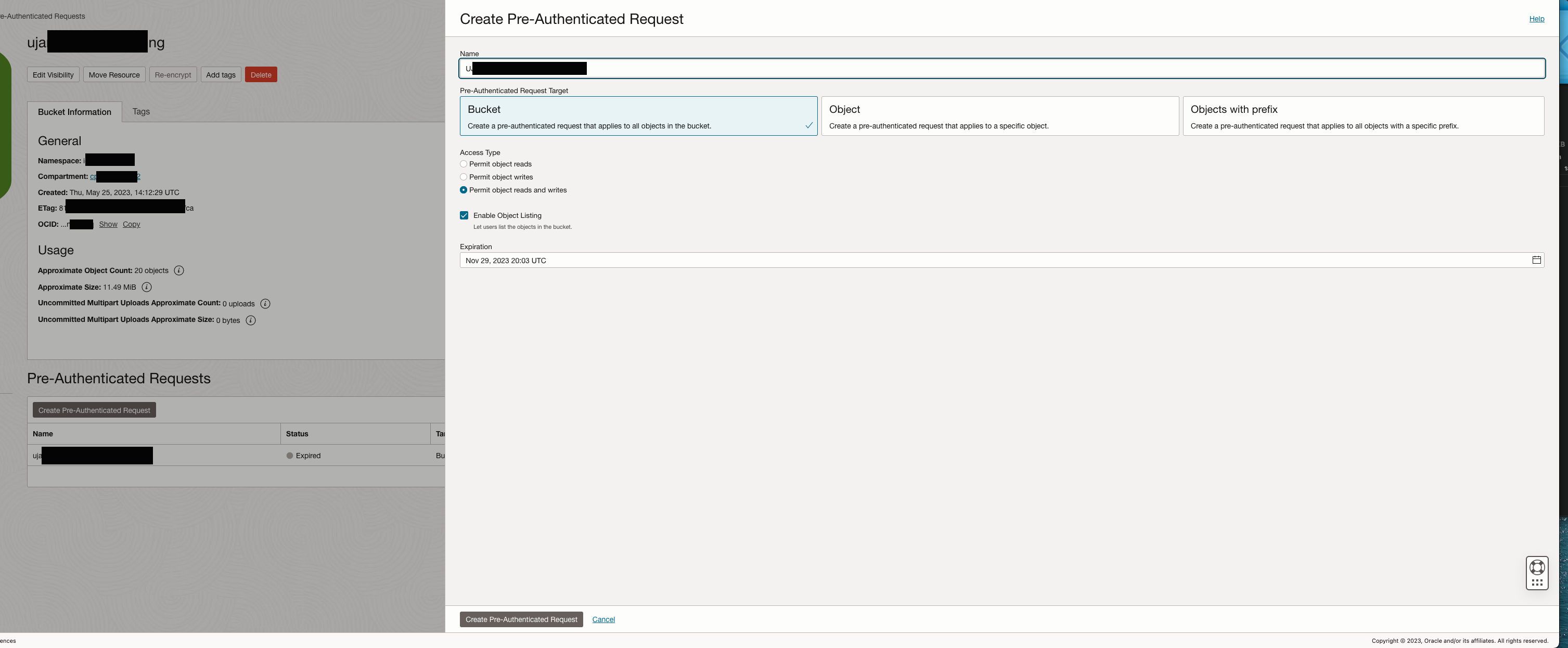
Pre Authentication Request definition for a bucket
An authentication is required to access a bucket from ADB Data Load. The key will be generated via a Pre Authentication Request in OCI Object Storage as shown above.
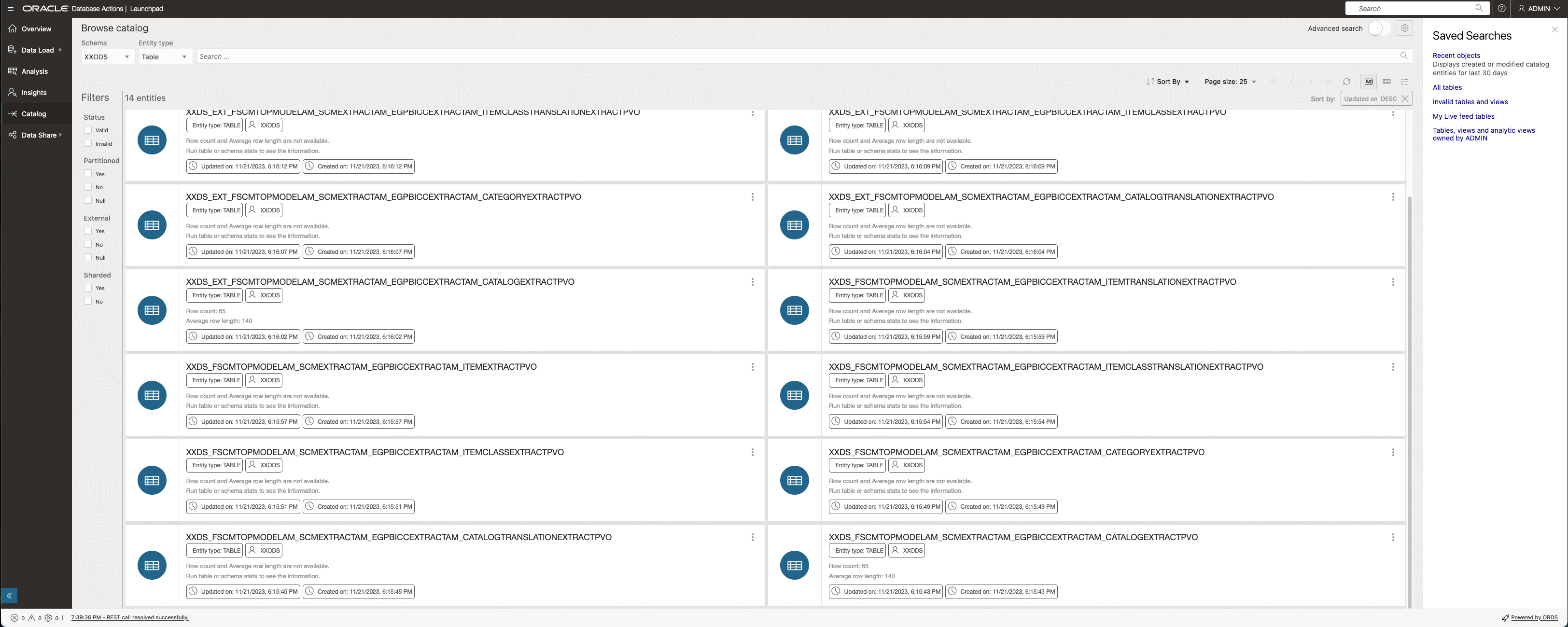
ADB Browse Catalog
The ADB Data Catalog enlists the receiving tables as potential targets for a data load. Also here we have two choices for a data load strategy: staging tables (containing _EXT_ in name) to receive the data first before merging with the target table. Alternately the merging into the target table might happen directly with the data load.

ADB Data Load Options
In a next step the Data Load will be initiated via the ADB Database Actions. Here we are showing the option to load the data physically into a target table. It is possibly considerable to use a Link Data operation instead of Data Load. However, with a continuous and periodic loading of BICC data in mind that option could create multiple challenges as the data extract files are becoming created constantly and not of a static nature including continouosly changing file names.
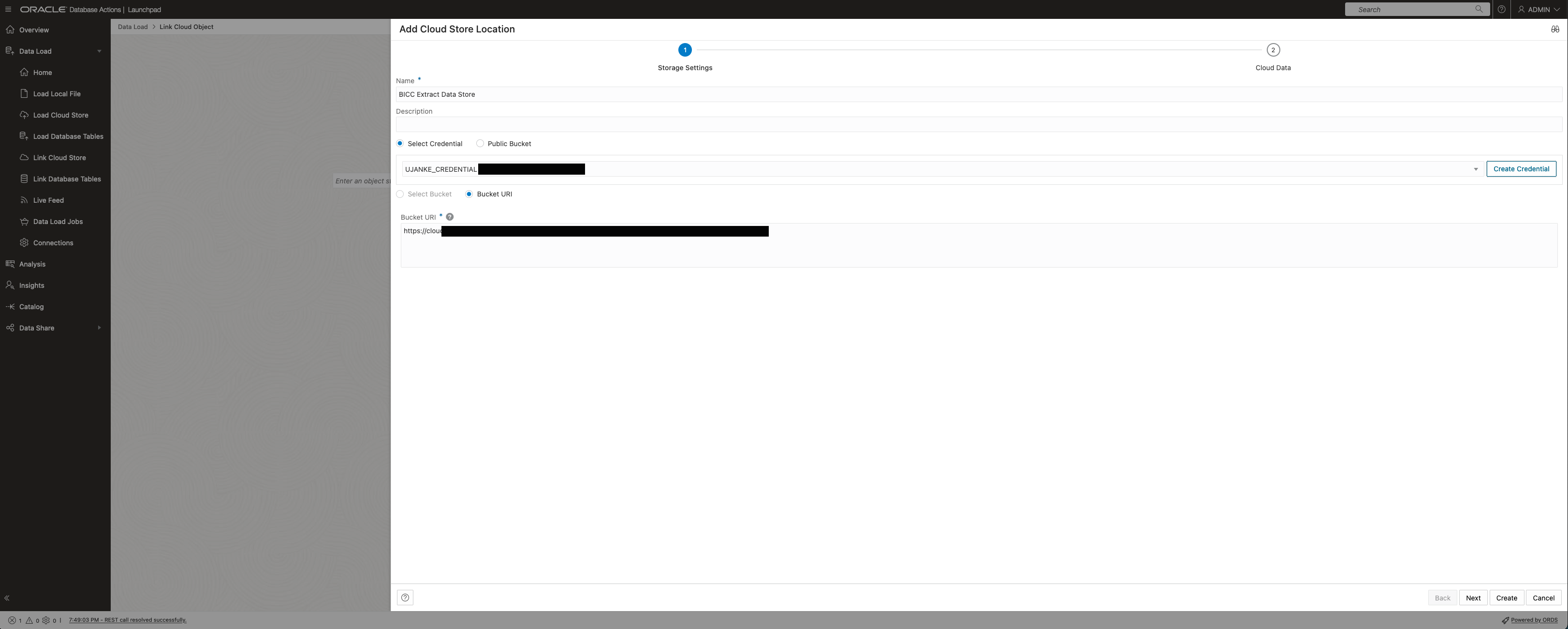
Adding a Cloud Store Location
First step of creating a Cloud Store connection will ask for a basic decision how to authenticate ADB Data Load against the bucket containing the BICC data. Credentials as being created via the Pre Authentication Request previously must be entered as in screenshot below.
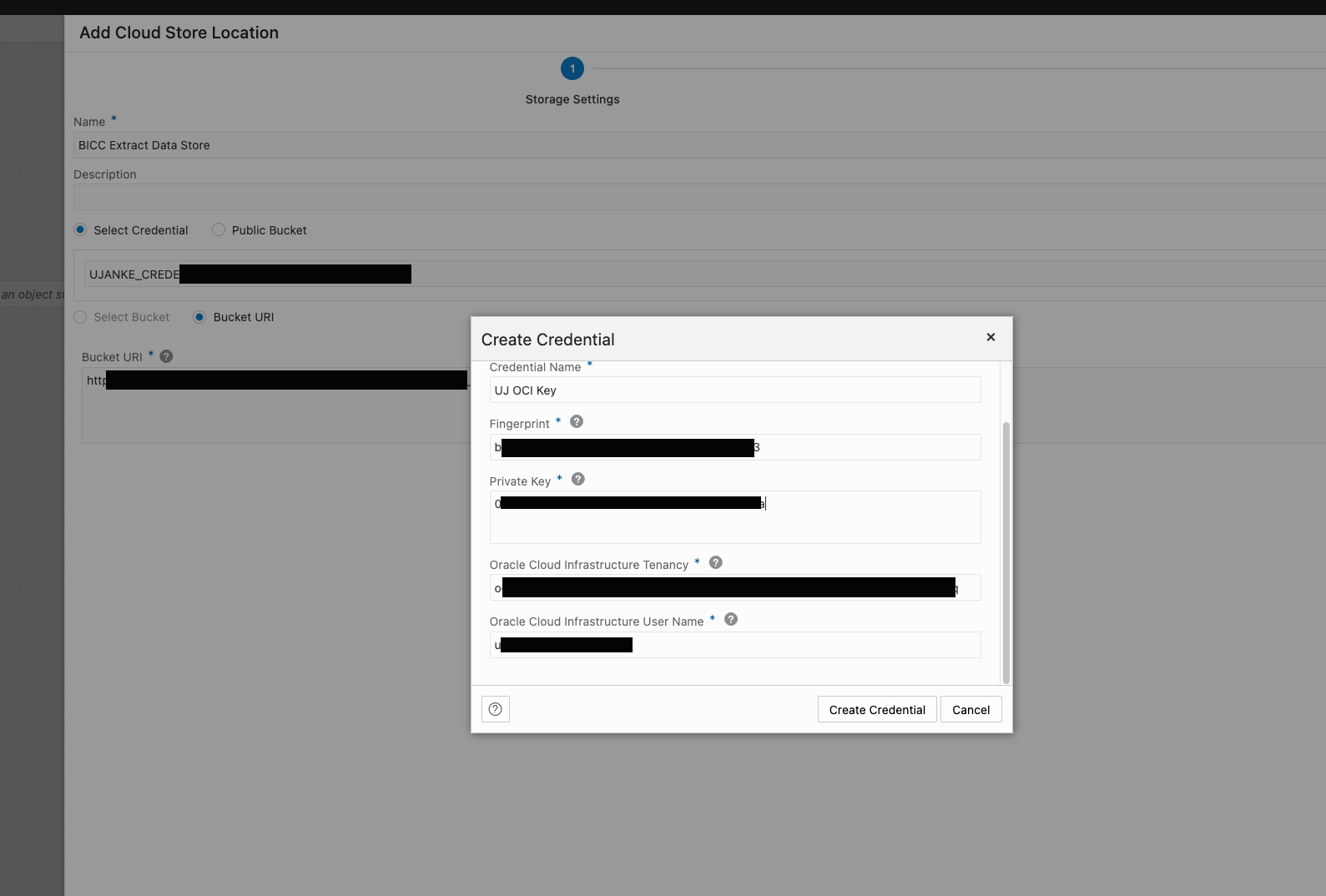
Entering Credentials for Cloud Store Location
Success criteria for a working connection to the bucket containing the BICC extract files is a listing of those files as showing below.
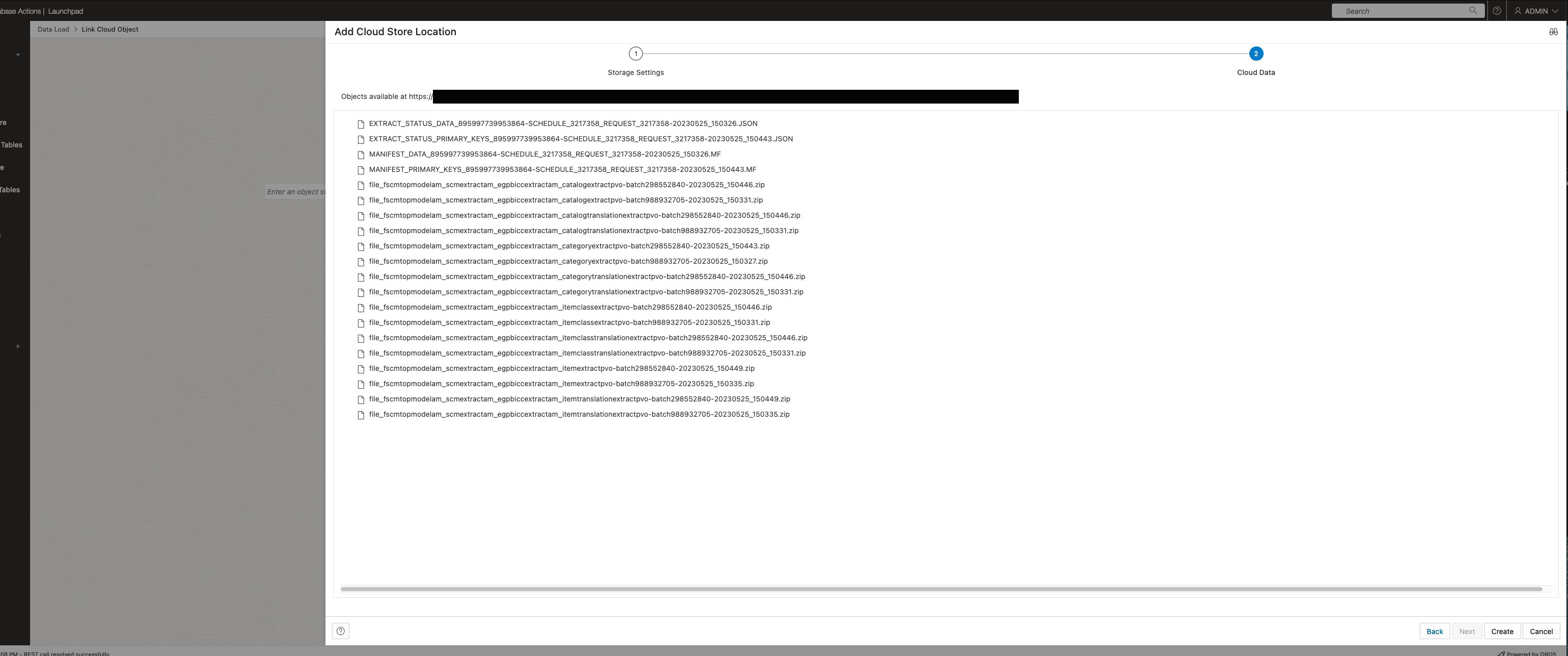
Successfully entered Cloud Store Location showing content
Screenshot below shows the finally configured connection to the bucket as a prerequisite to setup the data load process.

Finally configured location containing BICC extract files
The ADB Data Load initiation itself starts by chosing the appropriate Cloud Storage connection as being configured before.
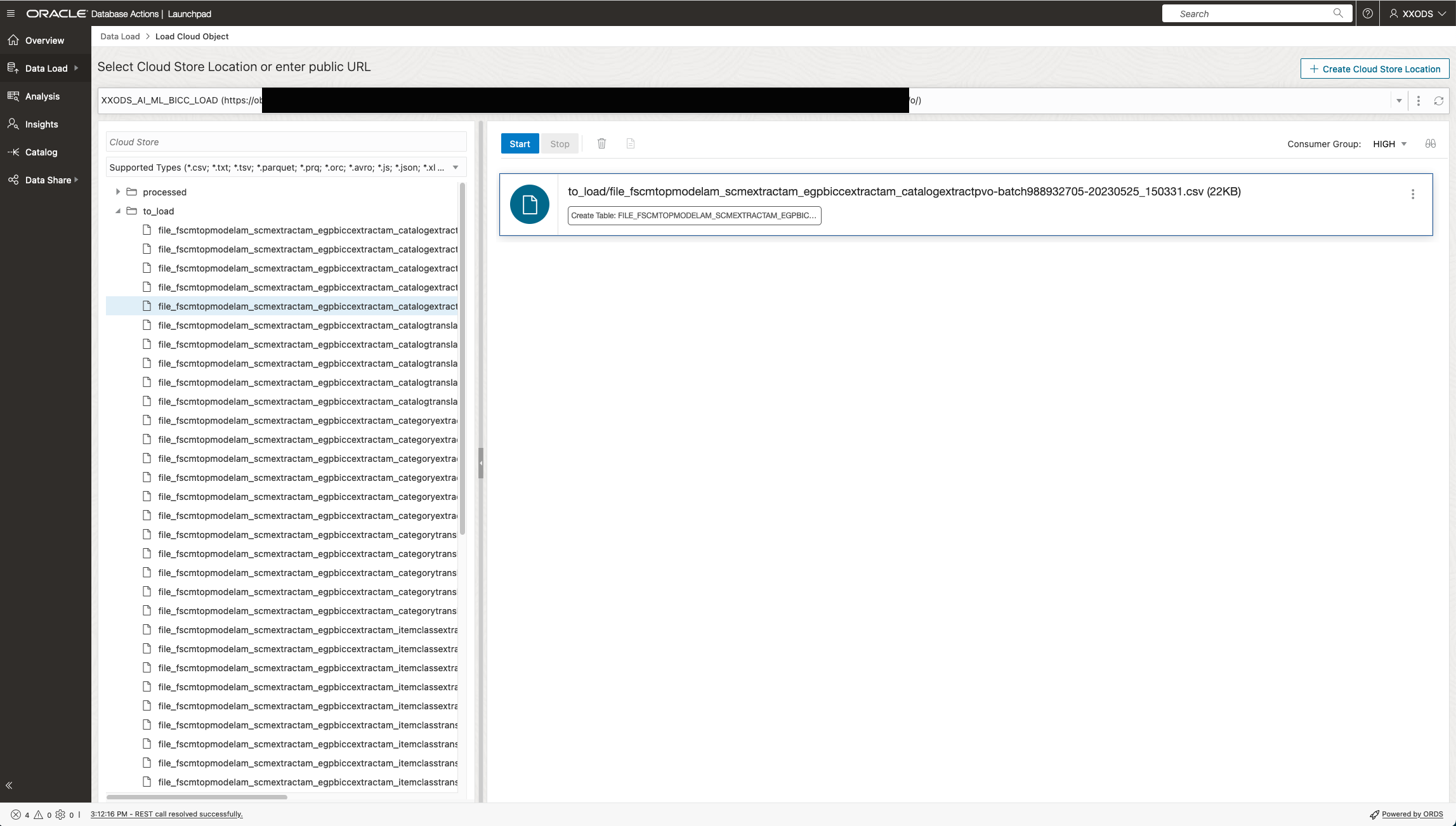
Configuring a Data Load Job
In a next step the BICC extract file will be linked to the receiving database table and loading option Insert was chosen as shown below.
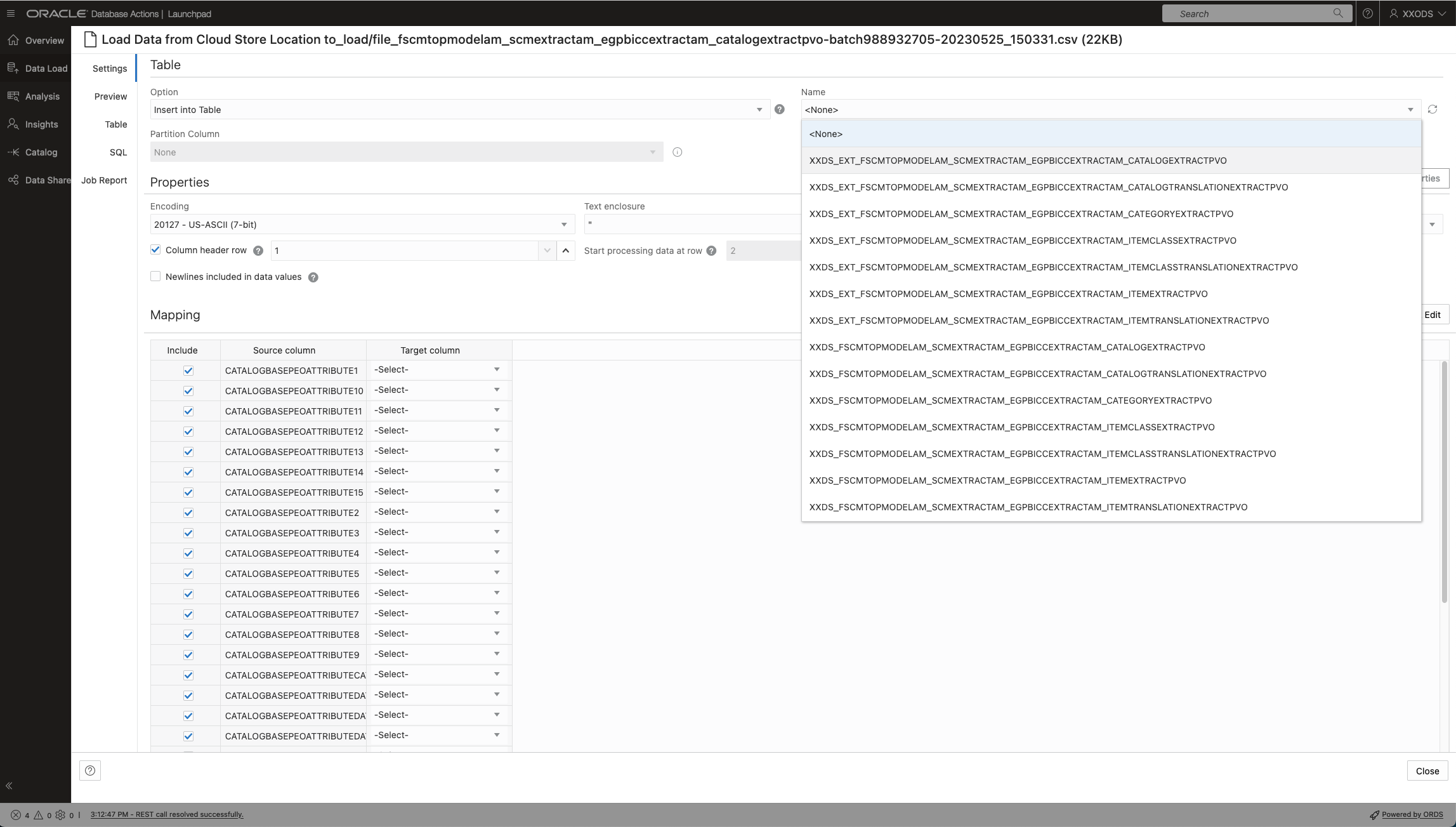
Data Load variant doing an INSERT into a staging table
In case the Merge operation had been chosen the configuration looks somewhat different. One major difference is the requirement to enter a (possibly also combined) key of merge conditions. The entire concept of merging is more straight forward as it eliminates the need of a staging table. However sometimes a staging table would make sense for any additional data validation, special formatting or enrichment tasks. So it was important to highlight that the implementers can follow various strategies to import data into the data pool.

Data Load variant doing a MERGE directly into a destination table
The statistics per database table provide an overview about value distributions for each column like shown in screenshot below. This supports a great opportunity to evaluate loaded data at a glance after a successful load.
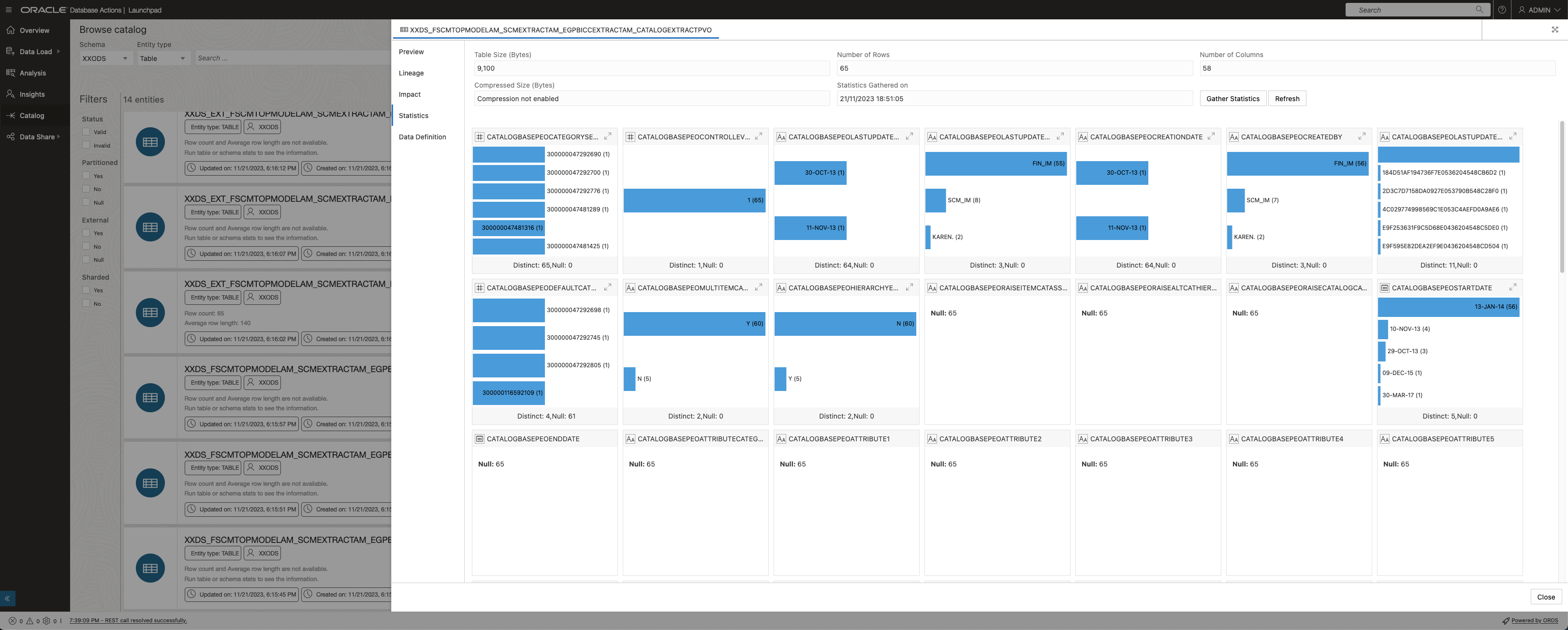
Data Load Statistics
Via the Preview menu item table data will be shown in detail as shown below.
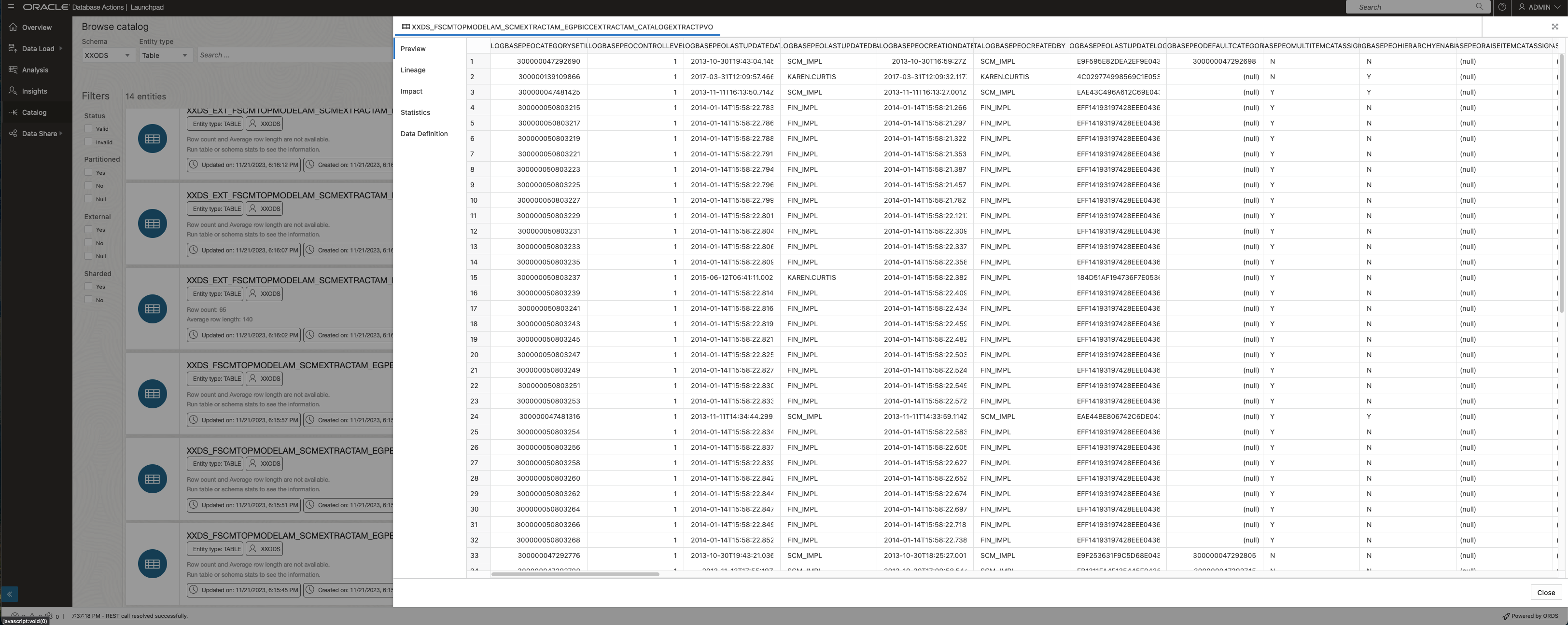
Showing data after a successful load
In addition to occasional data loads the automation of such tasks can be implemented with much comfort. Sample below shows a database task for a merge operation from staging into target tables implemented as a Stored Procedure. Such database driven scripts support also autonomously running activities including the involvement of other OCI components such as Object Storage like explained further down below.
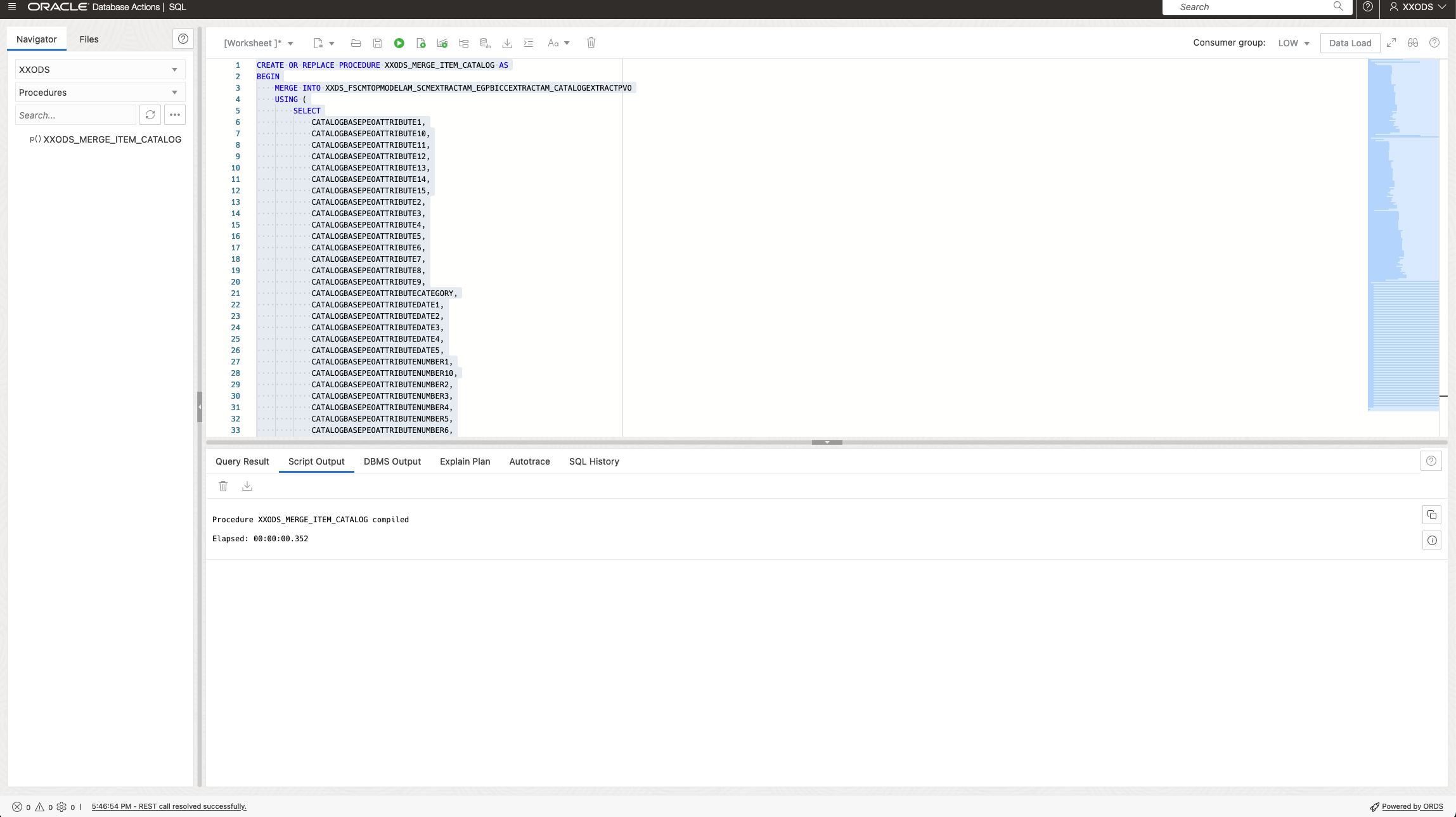
Automating Data Merge via a Stored Procedure
Procedural programming including the potential reuse of existing SQL scripts can be implemented via the Job definitions. That will support the implementation of an automation to load SaaS data frequently into the pool. The screenshots below are supposed to share more details of a job creation functionality. As being ADB features all those activities are database centric.
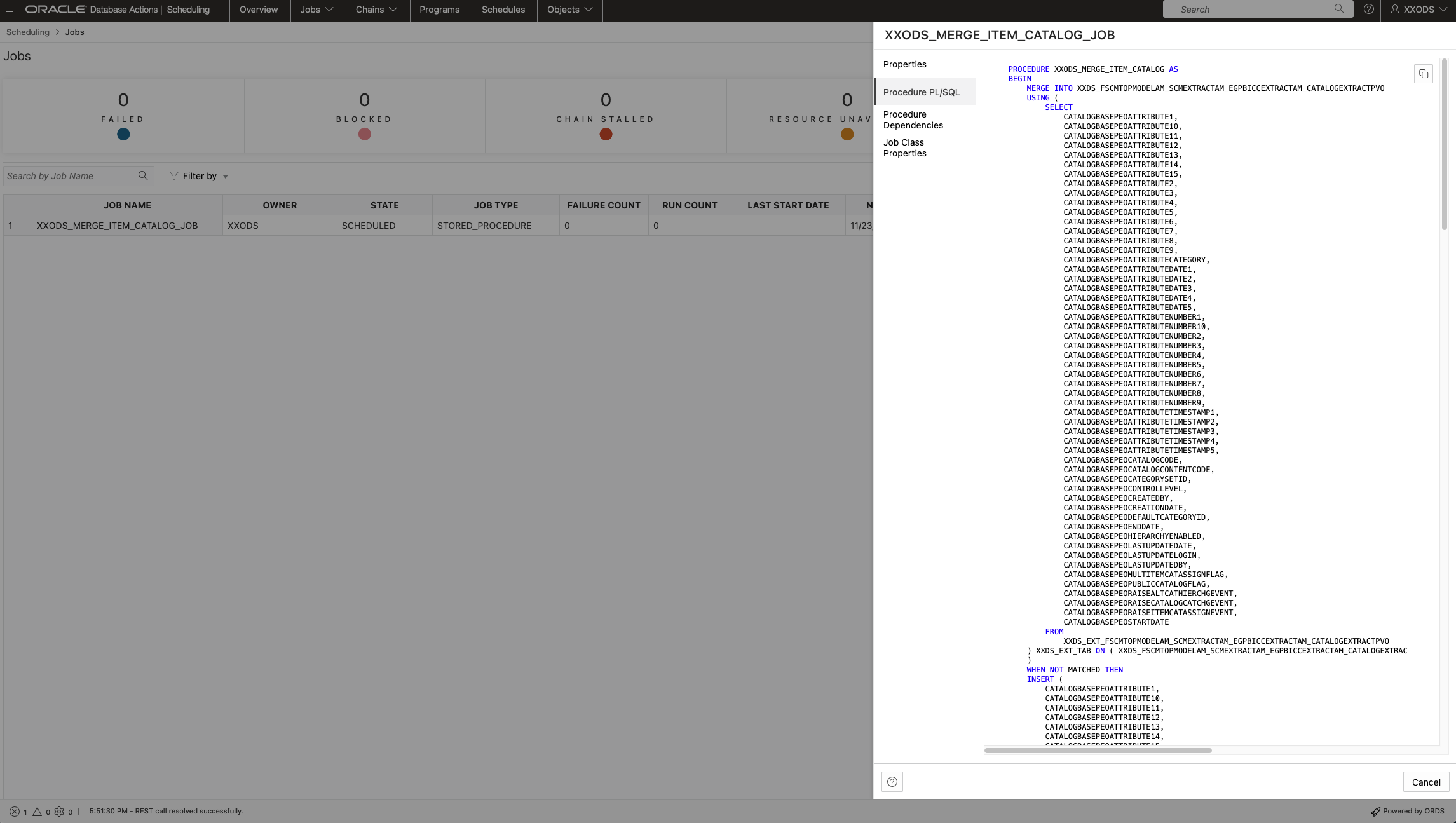
Data Load Job Definition using a Stored Procedure

Data Load Job Details

Data Load Job Property Definition
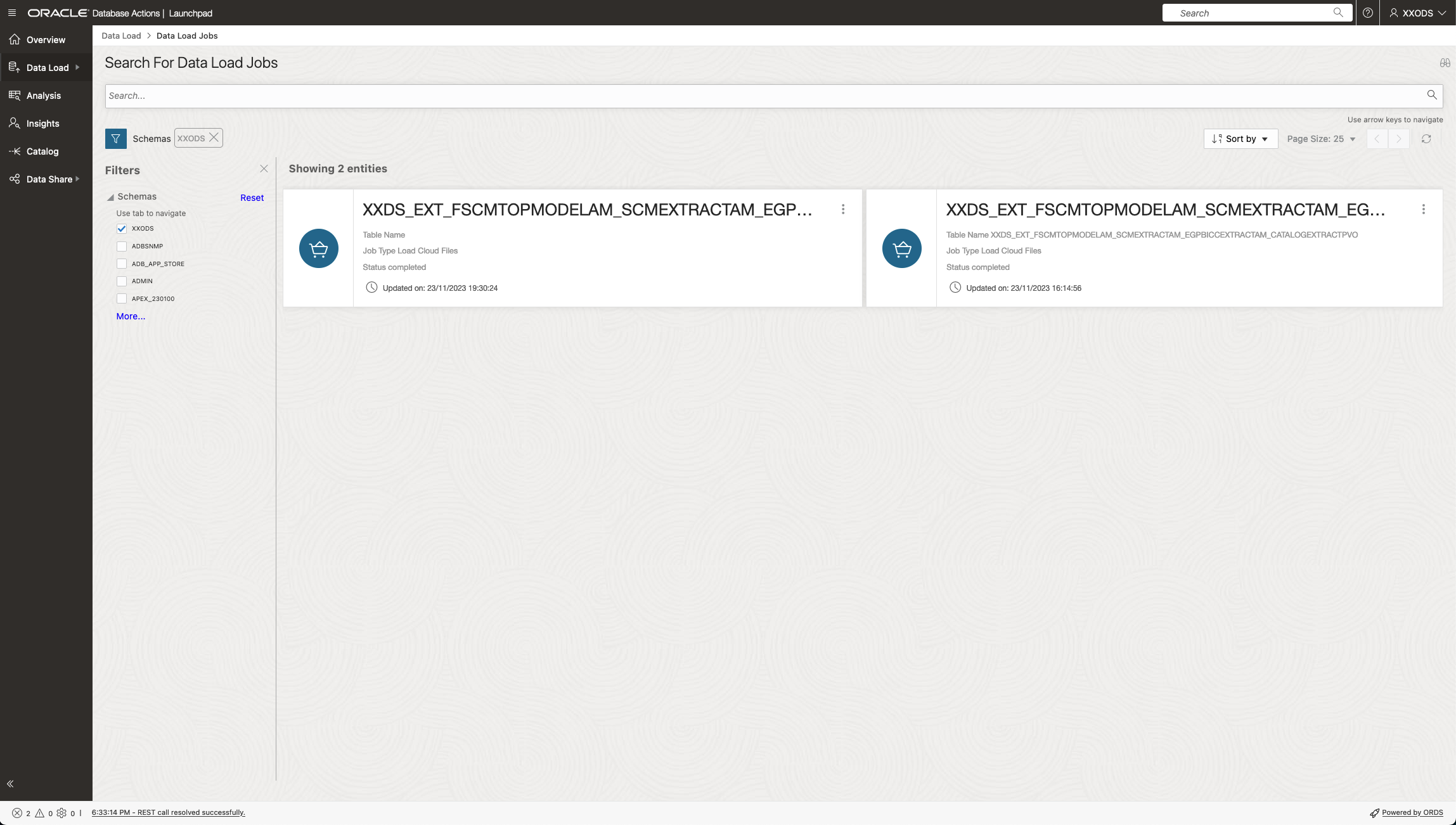
Data Load Job Catalog
In addition to manual initiation of data loads such an ADB Data Load can be defined and executed as regular job for recurring runs. It is possible to monitor these job executions via ADB Web UI as shown via screenshots below.

Monitoring a Data Load job using a Stored Procedure
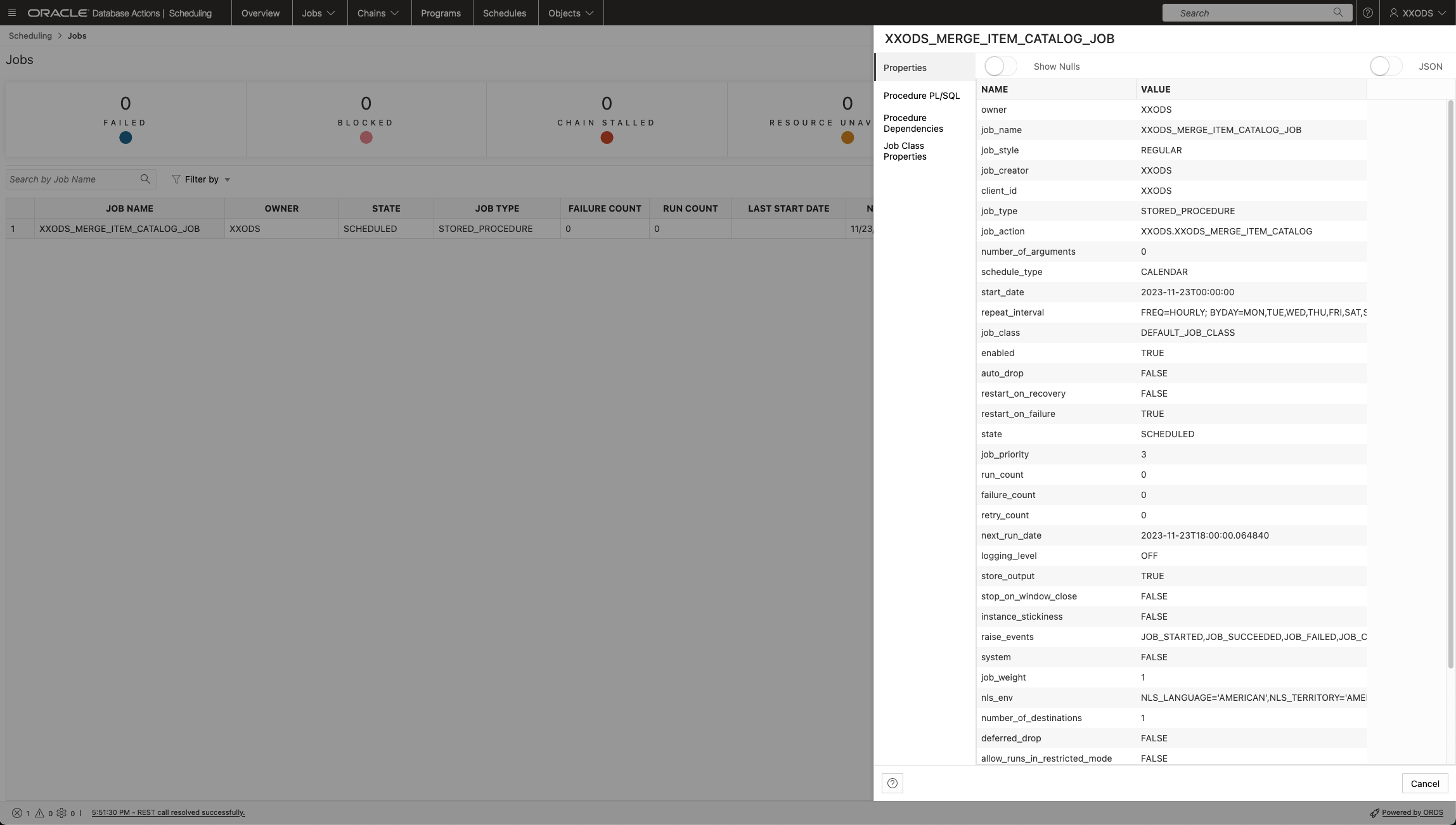
Data Load Job Properties
Those DB PLSQL API’s contain also a functionality to access BICC objects on OCI Object Storage if required. This hasn’t been fully evaluated in preparation of this article yet. However, the potential looks promising: via one single job the end to end loading of BICC data into the ADB data pool can be triggered and controlled by including unzipping and moving/copying files from bucket to bucket.

Object Storage File Zip Documentation for Database API
As an alternative to the previously suggested DB driven architecture we can assume also a “mixed” solution. While the ADB Data Load remains implemented as a database stored procedure being scheduled periodically, the BICC object handling might run independently as an OCI Function. Screenshot below highlights the standard documentation of the File Extractor Function in Object Storage. That means the processing of a zipped BICC file in the staging bucket (destination being configured in BICC) und extracting to a folder in another bucket can be managed by such a function.
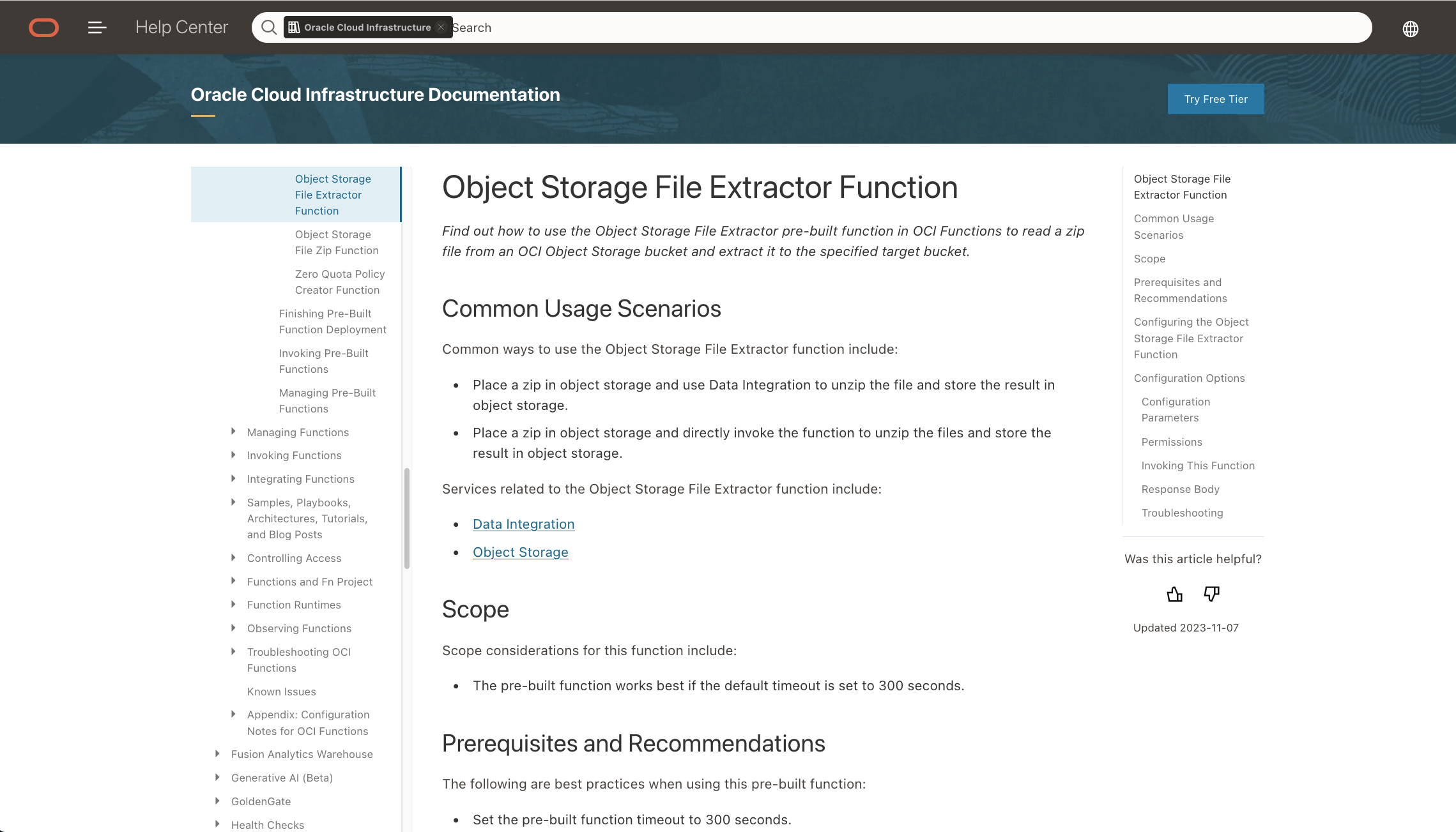
OCI Function Object Store File Extractor Documentation
Screenshots below shows the stub of a function and application creation that would hold the implementation logic to read and process the BICC files. This process willrun separately from the ADB Data Load job. Running two independent processes, one for the file handling and another one for data loading, might demand some maintenance oververhead to synchronize the order of execution and any exception handling. It’s up to the implementers choice to check whether the one or the other solution might have a priority.

OCI Function Object Store File Extractor Application Definition

OCI Function Object Store File Extractor Function Definition
Similar like in ADB, implemented via PLSQL, there exists also an OCI Function API to provide some file extraction (including moving/copying) functionality within OCI Object Store as shown in the both screenshots below. Those features will run outside of ADB and do the BICC file handling only.
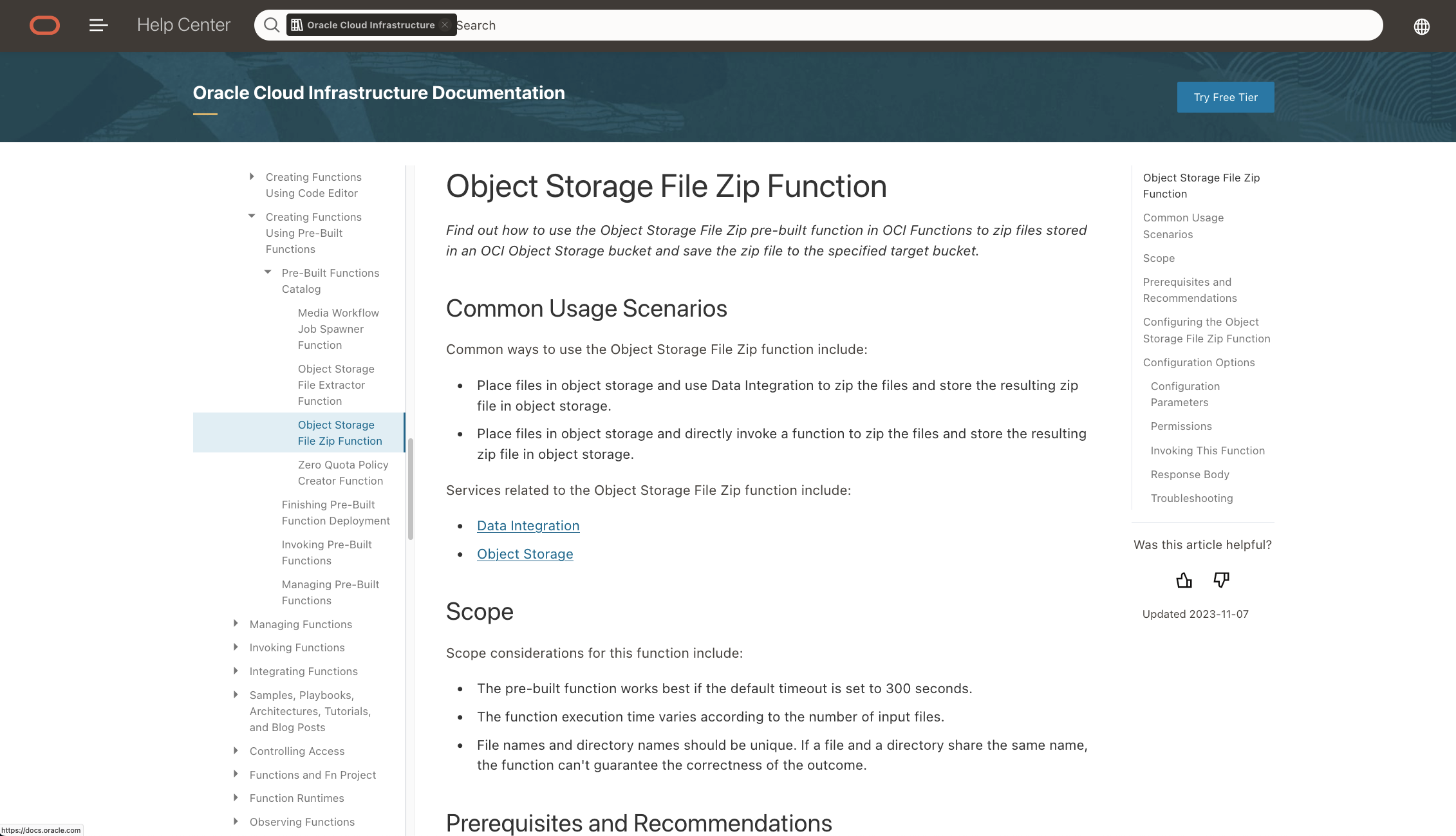
Object Storage File Zip Function Documentation

Object Storage Function other Database API Documentation
We’ve seen two different implementation paths when using native OCI tools instead of a self-written framework that runs on a command-line or is embedded in a 3rd party UI. Those OCI tools will be preferably using ADB for data loading. The loads can be controlled by ADB Jobs. BICC file handling could run also controlled by ADB and a job controls or alternately be implemented via OCI Functions.
Conclusion
The recent two articles in this series of blogs were enumerated with Part #5 and Part #6. Both were dedicated to the question: how can we as implementers create a data drain from SaaS and setup a data pool that can be used by Data Scientists for modelling. There are plenty of tools available like Applications Data Warehouse or others that cover the data drain and analytics, but possibly less ready for modelling. Other offerings like OCI Data Integration are providing much more comfort to setup a data drain from SaaS, but come possibly with some tight boundaries for the design of pooled datai holding.
The both articles intentionally started on a more basic level of suggestions how to configure SaaS data extraction for ML data modelling. The previous article was addressing those implementers who are in favour of using an Oracle on-premise database while this article covered the recent options when using OCI for a data holding in the cloud.
The OCI option has greater benefits resulting from minor maintenance efforts on DB level and a tighter integration with OCI Data Science from a network and security perspective.
Addressing a great flexibility for making the best fitting choice of an architecture was the main mission of this series of articles. I hope, sharing these ideas will be beneficial to every of our customers and implementers who are investing more time and efforts in a promising data modelling for AI/ML extensions.