
When discussing various performance aspects of a connection into OCI, the ultimate goal is to provide the highest level of availability, lowest latency, and highest bandwidth at the lowest cost. Many customers looking to interconnect various facets of their network to OCI find themselves wanting to utilize a Site-to-Site VPN for it’s practicality, but find that bandwidth is contentious for their use case. In this article, we will look at how to overcome this problem by significantly increasing the bandwidth of a Site-to-Site VPN. This solution will save time on bulk file transfers and large migration projects, as well as provide a high bandwidth connection to SD WAN routers and remote offices, saving money and time versus provisioning a private circuit.
Before you begin, I recommend becoming familiar with deploying a VPN on Oracle Cloud. This article does not walk through the initial “bring-up” of the IPSec tunnels between OCI and the CPE. If you are looking for guidance on the bring up process, here are some resources to get you started.
Site-to-Site VPN Quickstart
Troubleshooting VPN
IPSec VPN Best Practices
IPSec Simple Implementation
High-Level Deployment Diagram
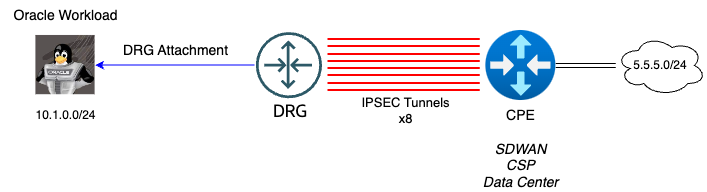
High-Level Configuration
OCI Config
-Build 4 IPSec Connections to the CPE (2 tunnels are build for every IPSec connection)
-Enable ECMP on the DRG route table
CPE Config (SD-WAN Hub, Remote Office, Cloud Service Provider, etc)
On the remote side of the OCI connection, the following is assumed and not configured in this blog.
-Peering is established with each of the IPSec tunnels
-ECMP is enabled and functioning properly
Considerations During Implementation
-Throughput can vary greatly depending the the latency of your connection as well as how many streams of data you are sending.
-Oracle Cloud does not guarentee IPSec tunnel bandwidth.
-The ECMP algorithm load balances from a 5-Tuple hash (SourceIP/DestIP/SourcePort/DestPort/Protocol). Single flow throughput performance will not be increased with this configuration.
-Different encryption algorithms may yield different performance. I’m testing using Oracle’s recommended parameters.
-Traffic will be asymmetric across this connection. Latency will be unpredictable so this configuration not recommended for real time/UDP applications or applications sensitive to out of order packets.
-Why can’t we do more than 8 tunnels? There are two reasons, and both of them have to do with limits built into OCI.
1.) There is a limit of 4 IPSec connections totaling 8 tunnels (Site-to-Site VPN Limits -> Site-to-Site VPN IPSec Connections). A Service Request can be opened to request a limit increase.
2.) The DRG will not recognize more than 8 ECMP paths. (DRG Limits -> DRG Route Table Limits)
Configure the Tunnels
Before
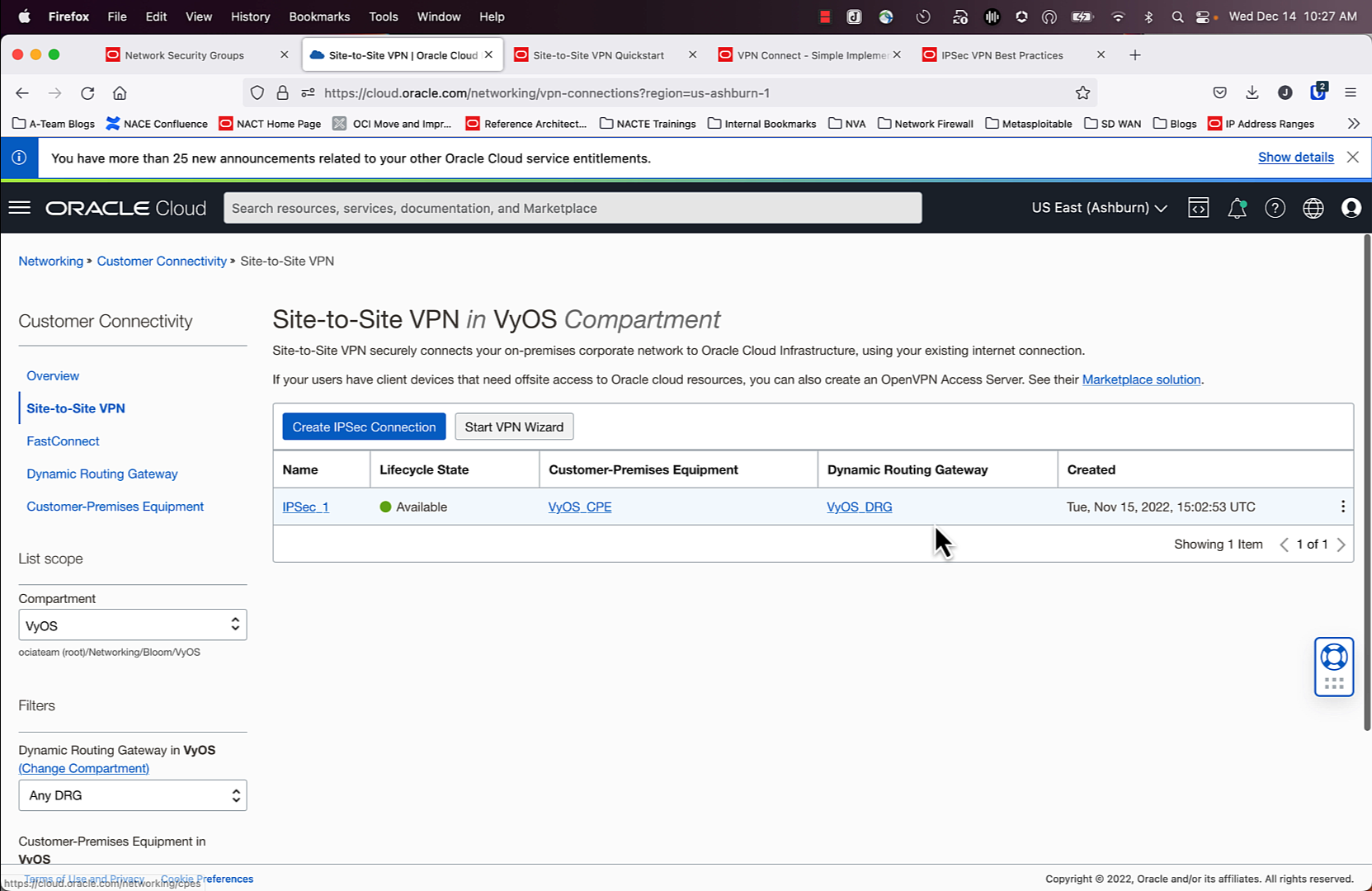
As seen in the screenshot above, I have my first tunnel created. It’s not pictured, but if you click on the tunnel, you will see the IPSec status is UP, as well as BGP.
After
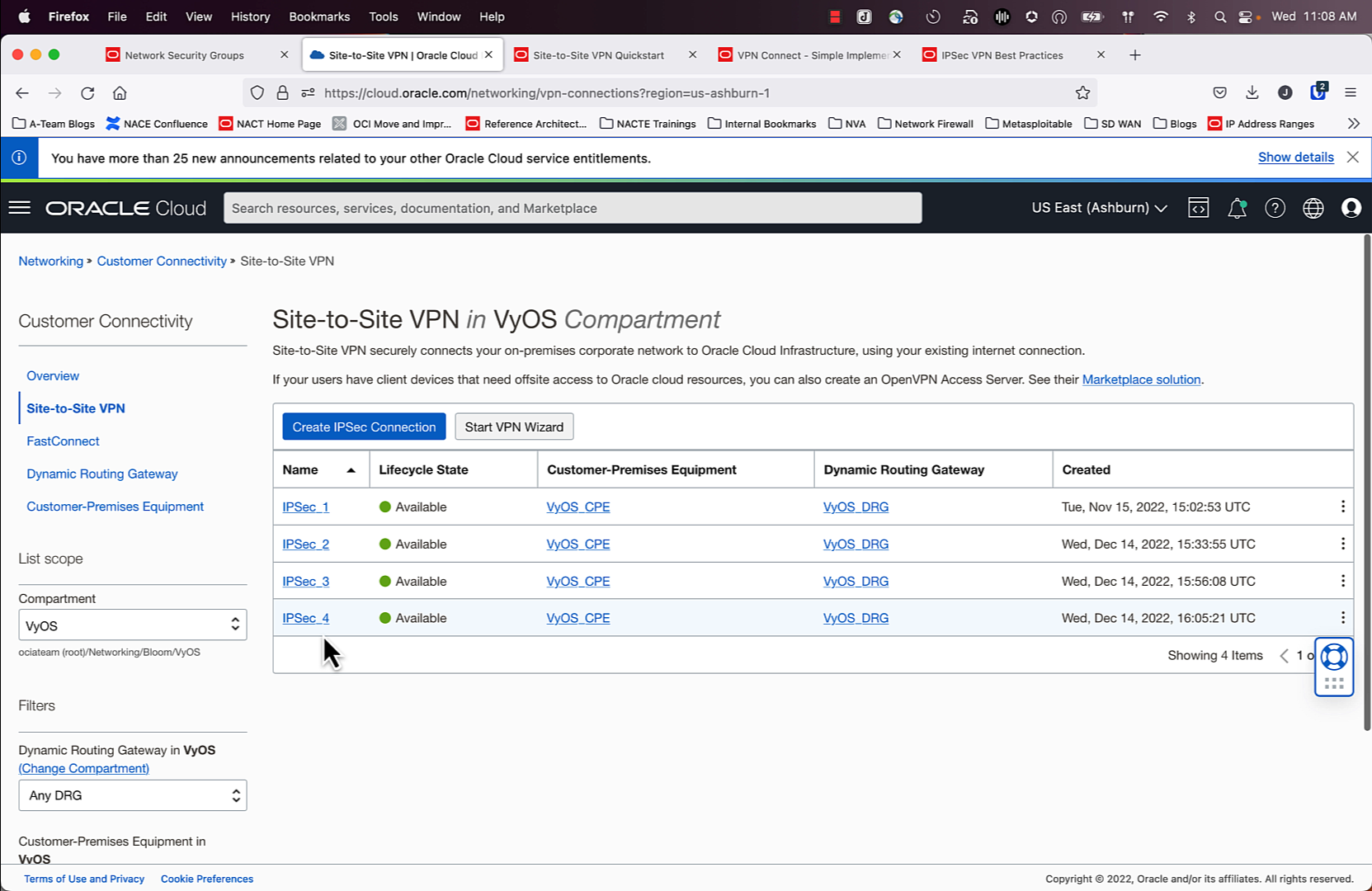
As seen in the screenshot above, “VyOS_CPE” is referenced 4 times. OCI allows you to use the same CPE template on multiple IPSec connections. Now that we have 4 IPSec connections created, we can take advantage of the tunnel pairs that are a part of each IPSec connection and use them to our advantage!
Now it is time for you to configure your CPE to connect into OCI using these connections.
Enable ECMP
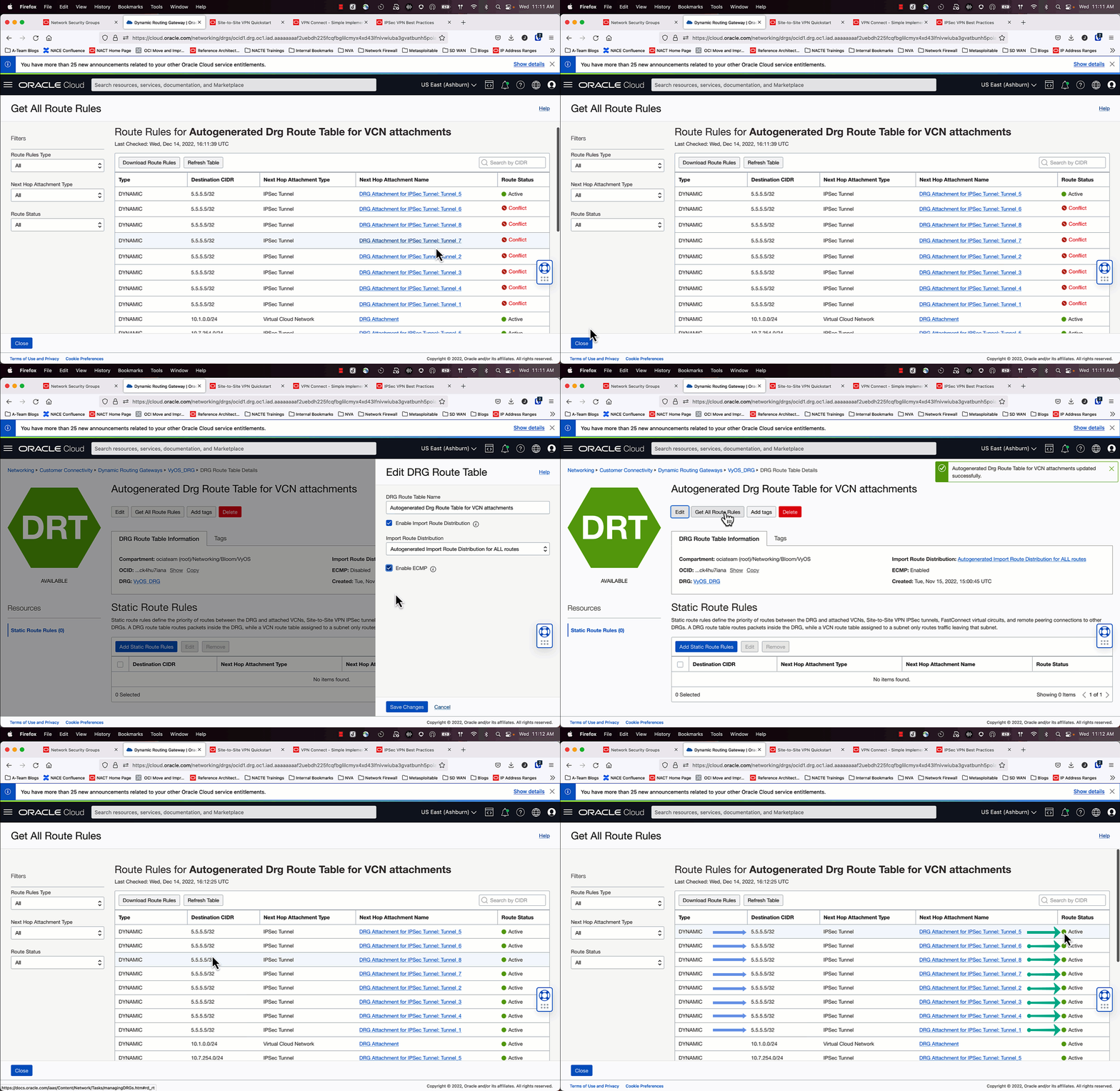
Once the IPSec and BGP configurations are working, you will see in the route table for the DRG that the “Route Status” for 7/8 routes are in “Conflict”. ECMP is not enabled by default, so a tie breaker decision is made to have one best path. We want to override that. Follow the animation above to learn how to make this change.
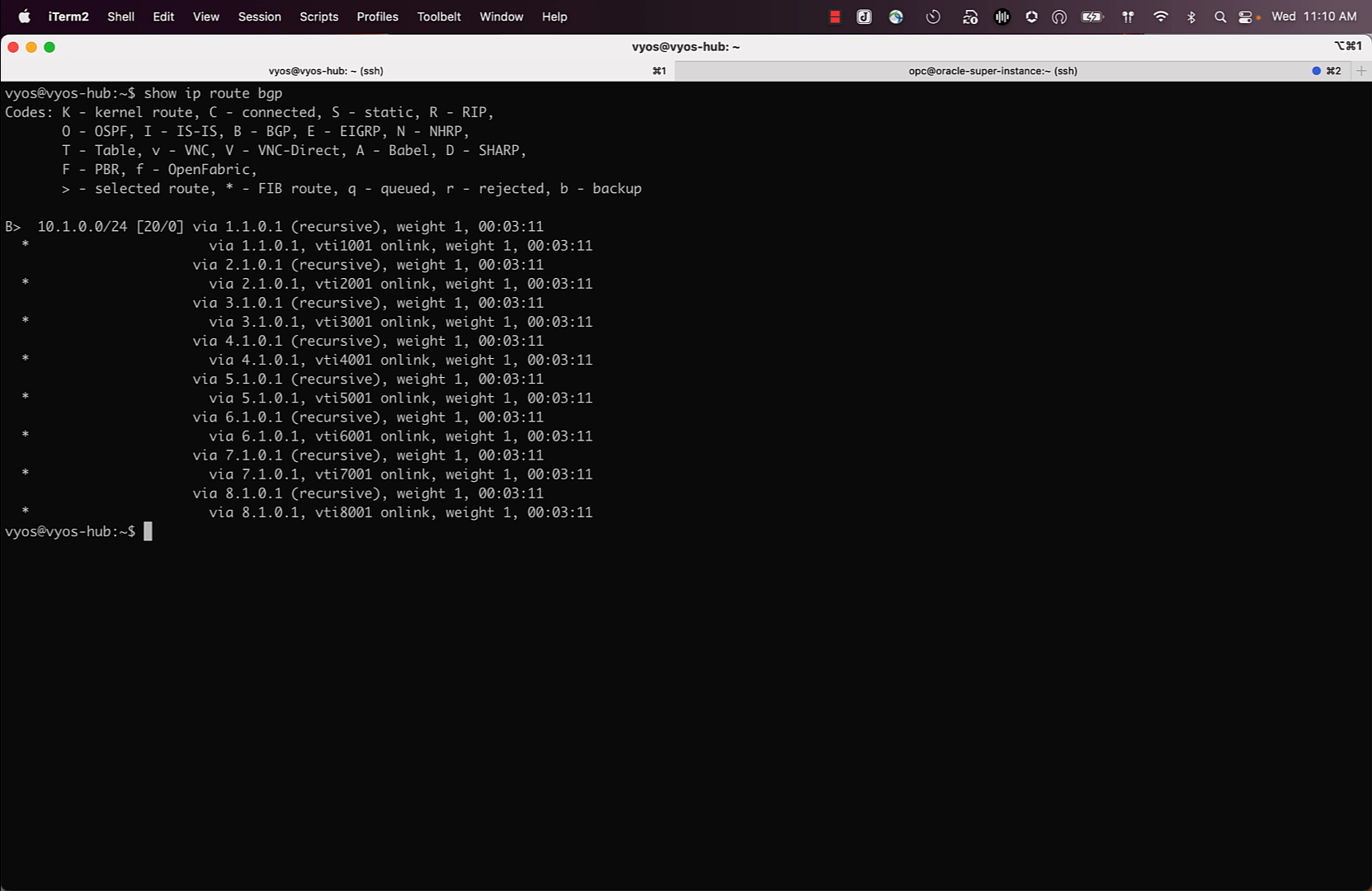
I also logged in my CPE (a VyOS router) and confirmed that ECMP was working for the routes I was expecting to see on OCI. At this point everything should be configured and we can test the outcome of the configuration.
Testing
The results are pretty good! Here is the performance I’m seeing before and after.
Before
Single Flow Performance (1gbit/s)
[ ID] Interval Transfer Bitrate Retr
[ 5] 0.00-10.00 sec 1.22 GBytes 1.05 Gbits/sec 359 sender
[ 5] 0.00-10.00 sec 1.22 GBytes 1.05 Gbits/sec receiver
After
Multiple Flows with ECMP over IPSec Performance (5gbit/s)
[ ID] Interval Transfer Bitrate Retr
Concurrent Session #1
[ ID] Interval Transfer Bitrate Retr
[SUM] 0.00-10.00 sec 1.49 GBytes 1.28 Gbits/sec 4228 sender
[SUM] 0.00-10.00 sec 1.48 GBytes 1.27 Gbits/sec receiver
Concurrent Session #2
[ ID] Interval Transfer Bitrate Retr
[SUM] 0.00-10.00 sec 1.23 GBytes 1.06 Gbits/sec 4120 sender
[SUM] 0.00-10.00 sec 1.23 GBytes 1.05 Gbits/sec receiver
Concurrent Session #3
[ ID] Interval Transfer Bitrate Retr
[SUM] 0.00-10.00 sec 1.46 GBytes 1.25 Gbits/sec 4101 sender
[SUM] 0.00-10.00 sec 1.46 GBytes 1.25 Gbits/sec receiver
Concurrent Session #4
[ ID] Interval Transfer Bitrate Retr
[SUM] 0.00-10.00 sec 1.40 GBytes 1.20 Gbits/sec 3841 sender
[SUM] 0.00-10.00 sec 1.40 GBytes 1.20 Gbits/sec receiver
Bonus: Here is the command I used to test multiple flows over the IPSec connection (4 destination IP’s, 4 parallel streams for each destination, and unique port for each destination IP).
If you want to learn more about testing throughput between two endpoints, my colleague Radu has a great writeup on how to set up and tune these bandwidth tests
Concluding Thoughts
IPSec tunnels are an extremely flexible and cost effective option to connect your workloads into OCI. Using the native constructs of OCI you can set up a connection that might have higher bandwidth than your private connection!