
We will continue the wonderful world of IPv6 with a new discussion based on one of the latest IPv6 feature we introduced on OCI, the Unique Local IPv6 Unicast Addresses or for short, ULA. For a quick accommodation with IPv6 on OCI please refer to the first IPv6 blog post OCI IPv6 Routing and Security.
The ULA is described in the rfc4193 and we will analyze some particularities of the ULA on OCI.
Taking into account that more and more customers adopts IPv6 on OCI, this is a really good time to explore all the IPv6 features that OCI can offer.
Unique Local Addresses (ULA) are globally unique addresses that permit communication between nodes on different links within the same site or between sites. They are administratively segmented and are not for routing on the Internet. The ULA is somehow similar with the private IPv4 space.
The format of an IPv6 ULA is depicted in the below picture:
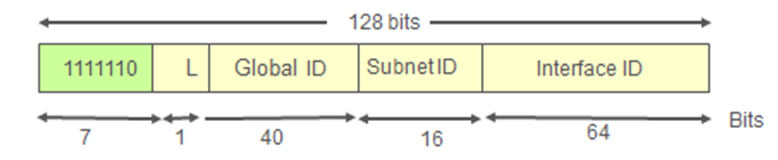
Let’s explore the ULA parts.
1. The first seven bits represents the Prefix, which according to the RFC is FC00::/7;
2. The 8th most-significant-bit (MSB) is called L or Local bit flag and based on the RFC it indicates a locally assigned prefix when set to 1 and is undefined when set to 0 or may be defined in the future. Thus, technically only prefixes from FD00::/8 should be defined and used (L bit set to 1). In reality, there is nothing preventing an administrator to define and use an IPv6 prefix with the L bit set to 0 thus using the FC00::/8 portion of the allocation.
3. The Global ID consists of 40-bit global pseudo-random identifier. The pseudo-random allocation is actually used to maximize the probability of ULA unicity within the site and across the entire Internet (even if, at this point the ULAs are not routable over the Internet).
4. The next 16-bit portion of the address represents the Subnet ID;
5. The last 64-bit portion of the address represents the Interface ID – a method to populate the last 64-bit of an IPv6 address. Sometimes the EUI-64 is used.
Now, as we mastered the ULA technical details let’s proceed and see how we can use the ULA on OCI.
I’m proposing two use cases, the first one is to use the ULA for IPv6 connectivity between two VCNs in the same region connected to the same DRG. The second use case implies the IPv6 connectivity using ULA between two different regions using the RPC between the regions. As we know from the previous IPv6 blog, the DRG is one of the OCI Gateways supporting IPv6 traffic.
Use Case 1 – IPv6 traffic using ULA between two different VCNs in the same region (San Jose) connected to the same DRG
1. Add the IPv6 ULA in the first VCN:

2. Create an IPv6 enabled subnet using the ULA defined:
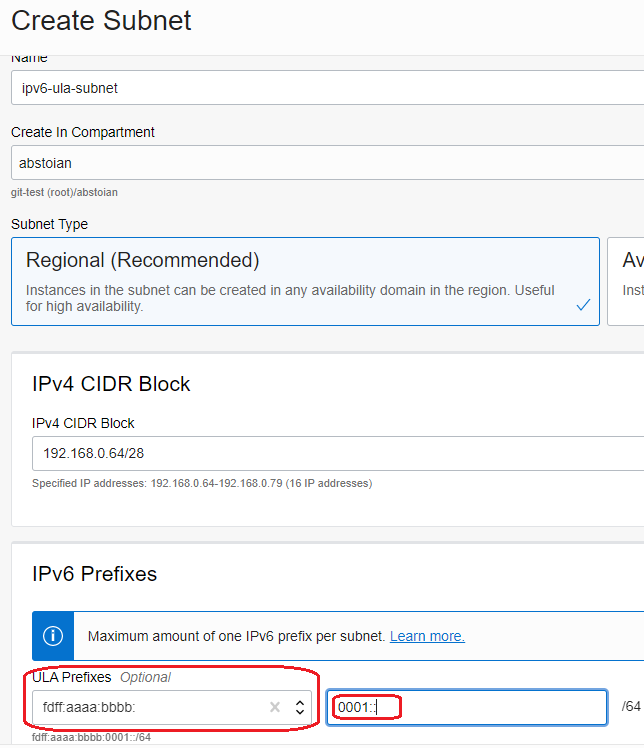
3. Create a VM and assign the IPv6 ULA address:
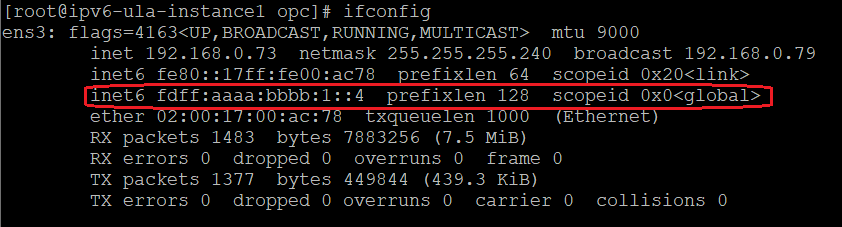
4. Add the IPv6 ULA in the second VCN:

5. Create an IPv6 enabled subnet using the ULA defined:
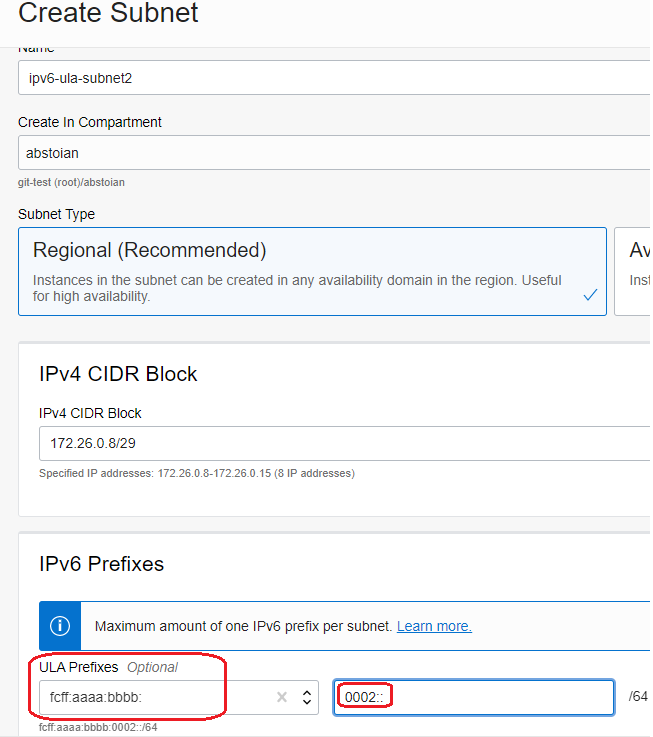
6. Create a VM and assign the IPv6 ULA address:
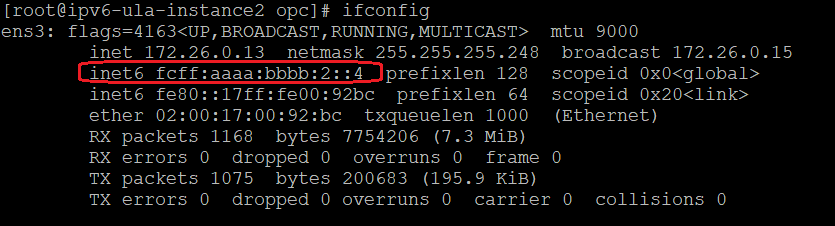
7. Test the IPv6 connectivity using ULA IP addresses:

After the subnet routing and security for IPv6 is configured we can see that the IPv6 traffic is established using the ULA.
Use Case 2 – IPv6 traffic using ULA between two different VCNs in different regions (San Jose – Ashburn) over RPC
For this test we will use an existing VM from San Jose region with the IPv6 address of fdff:aaaa:bbbb:1::4.
1. Add the IPv6 ULA in the VCN from Ashburn:

2. Create an IPv6 enabled subnet in Ashburn region using the ULA defined:
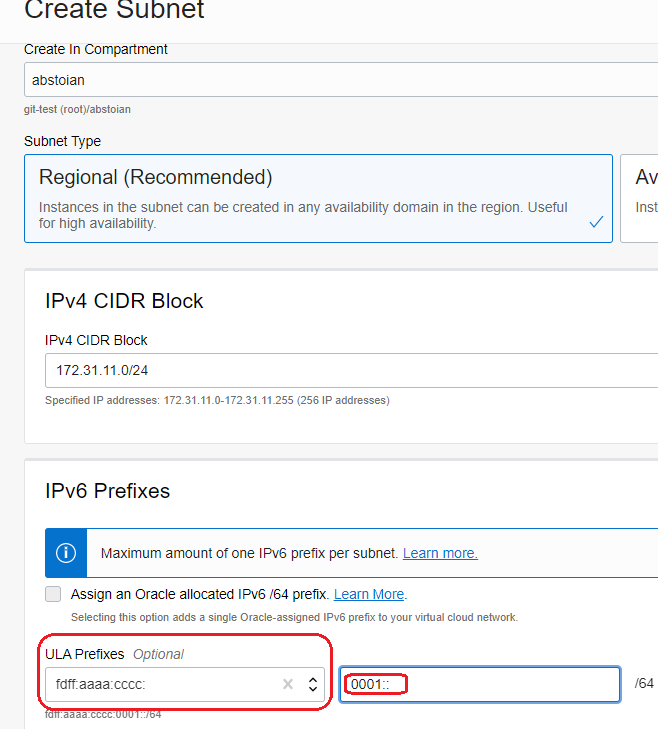
3. Create a VM and assign the IPv6 ULA address:
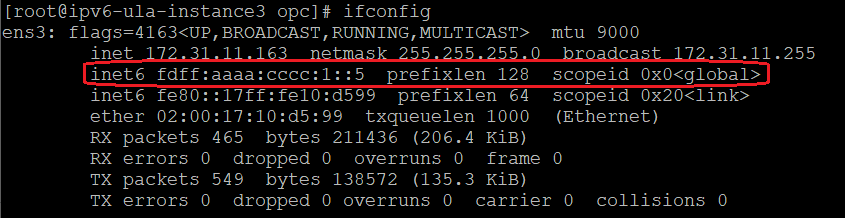
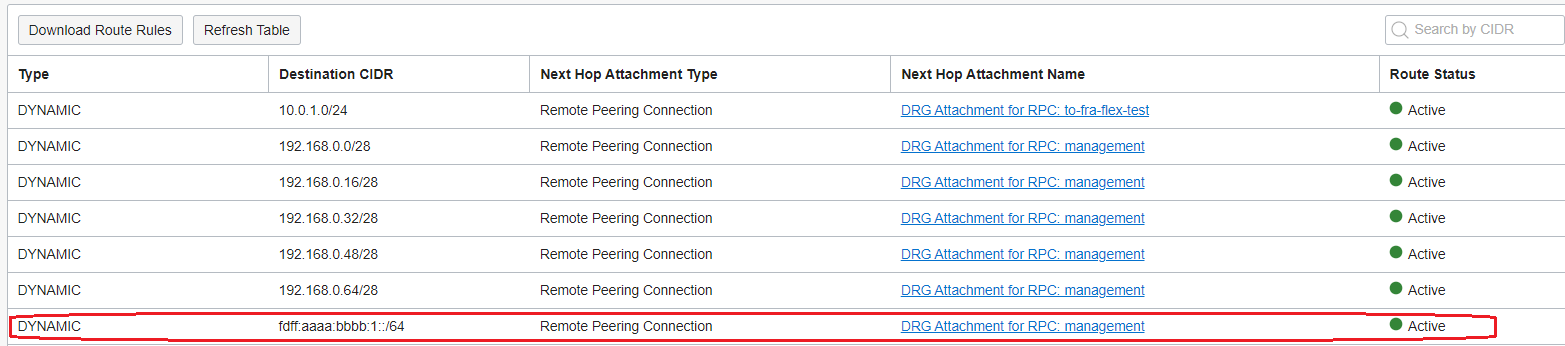
4. Create the RPC between regions, import the IPv6 ULA in the DRG VCN RT attachments, create the routing and security at the subnet level and test the IPv6 connectivity using the ULA IPv6:

That’s all for the IPv6 ULA, let’s use the feature!