
Introduction
Different customers often asked me if they could upgrade or downgrade a shape for a firewall installed on Oracle Cloud Infrastructure.
Because there is no easy answer, I created this blog to bring some light to this question.
1. First, there are two types of license for the Palo Alto firewall, on OCI:
a. Bring your own license (BYOL) – In this case, the provisioning of the VM is not linked to a license, so all you pay is for the shape you are selecting. This model requires purchasing a Palo Alto License and installing it on the VM after provisioning.
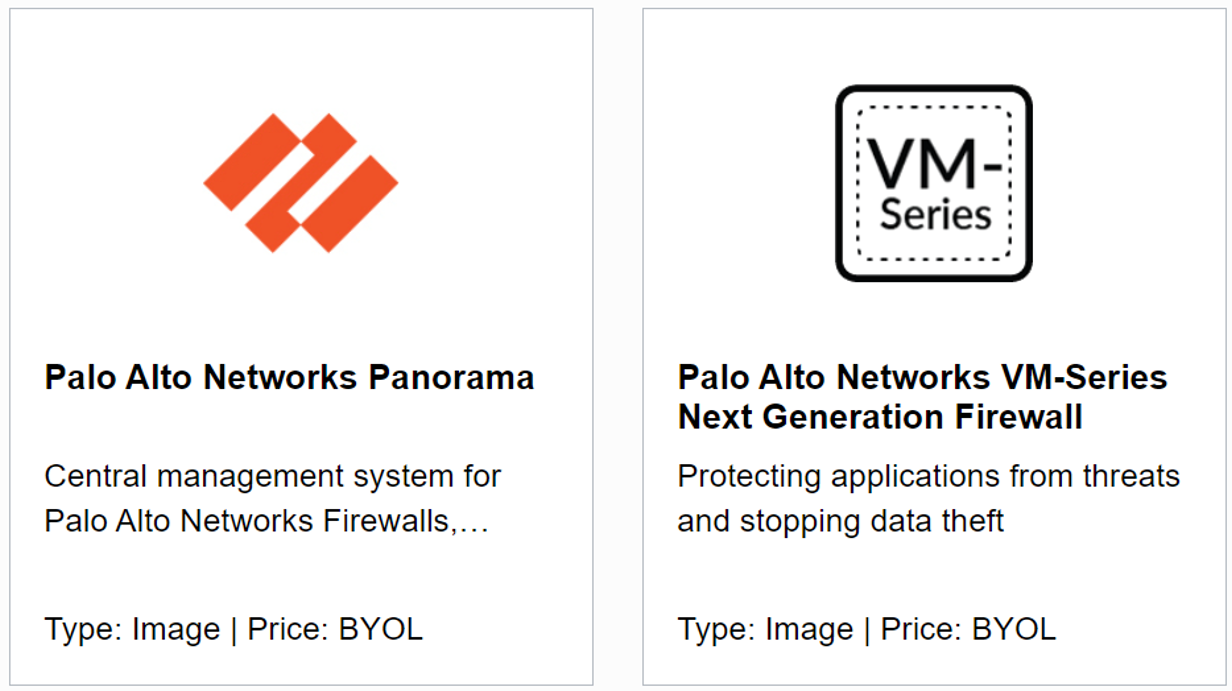
b. Paid – In this case, the image/software will come with an additional cost, besides the VM costs, depending on what type of the firewall you chose (bundle and OCPUs) and it includes the license and support, etc. This cost will be per hour of usage; for example, a Bundle1 – 4 OCPUs will cost $1.42/hour, and a Bundle2 – 8 OCPUs will cost $3.45/hour.
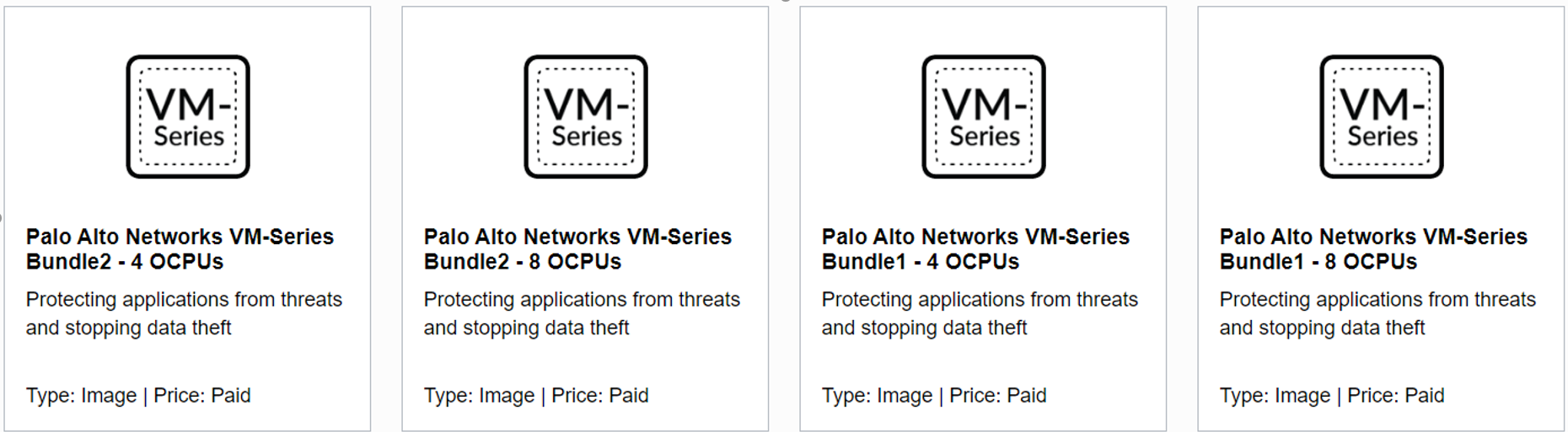
2. Depending on the license type you want, you can select the shape and you can choose:
a. BYOL – you can select the following shapes:
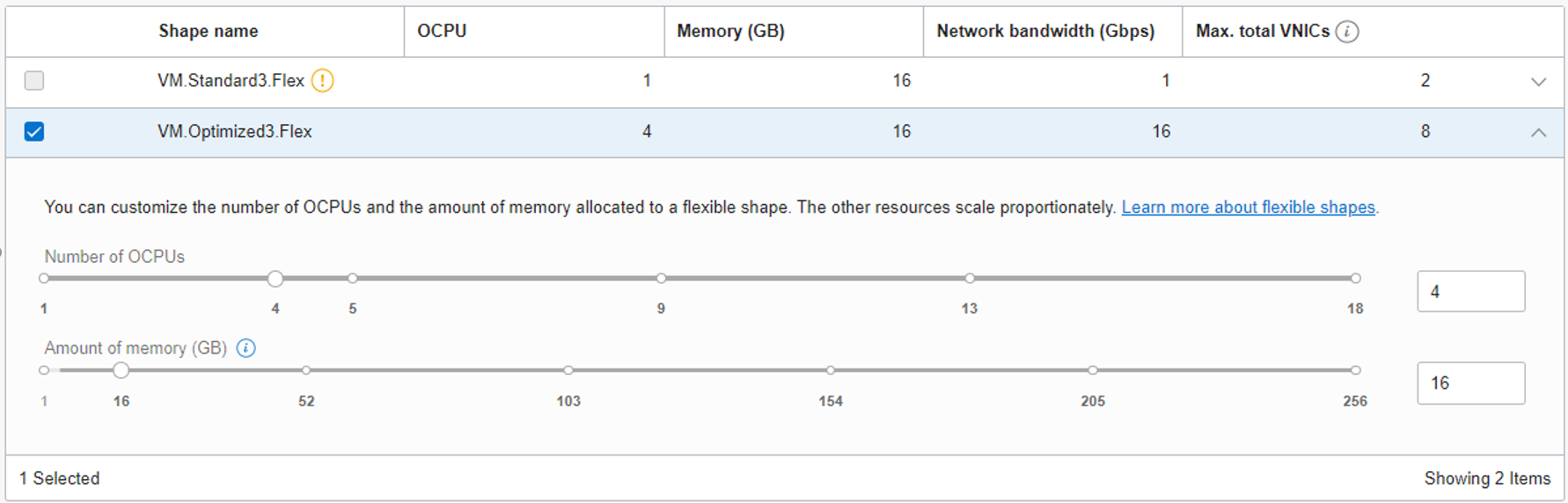
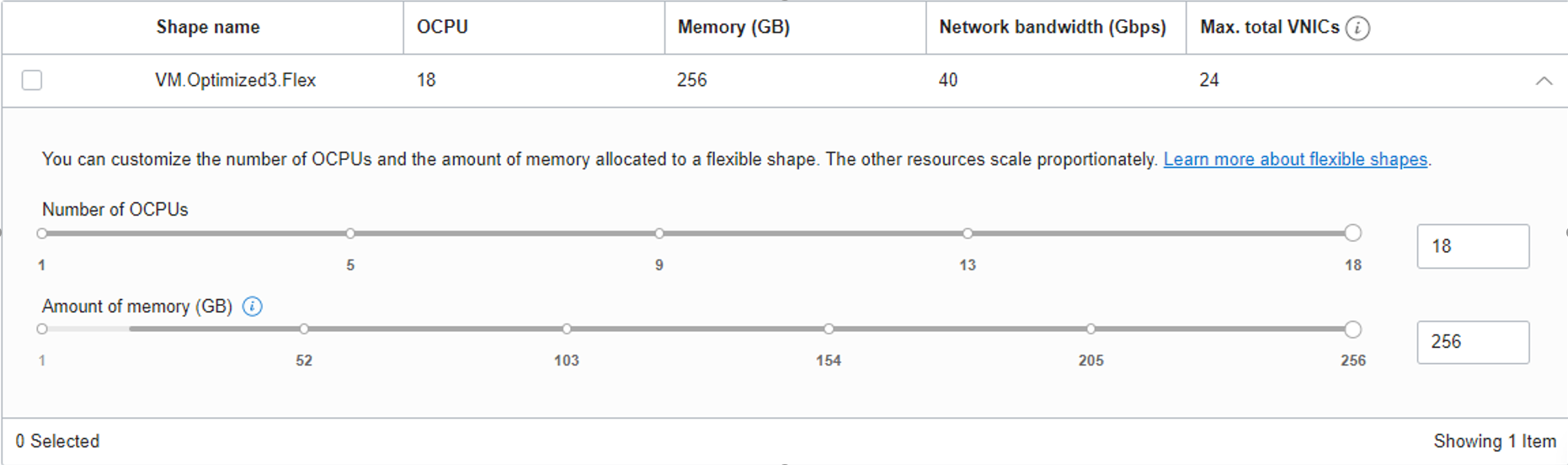
- Intel VM.Optimized3.Flex with 4 to 18 OCPUs that will provide up to 256 GB of memory, 2 Gb network bandwidth per OCPU up to a maximum of 40 Gb network bandwidth, and 2 VNICs per OCPU up to a maximum of 24 VNICs
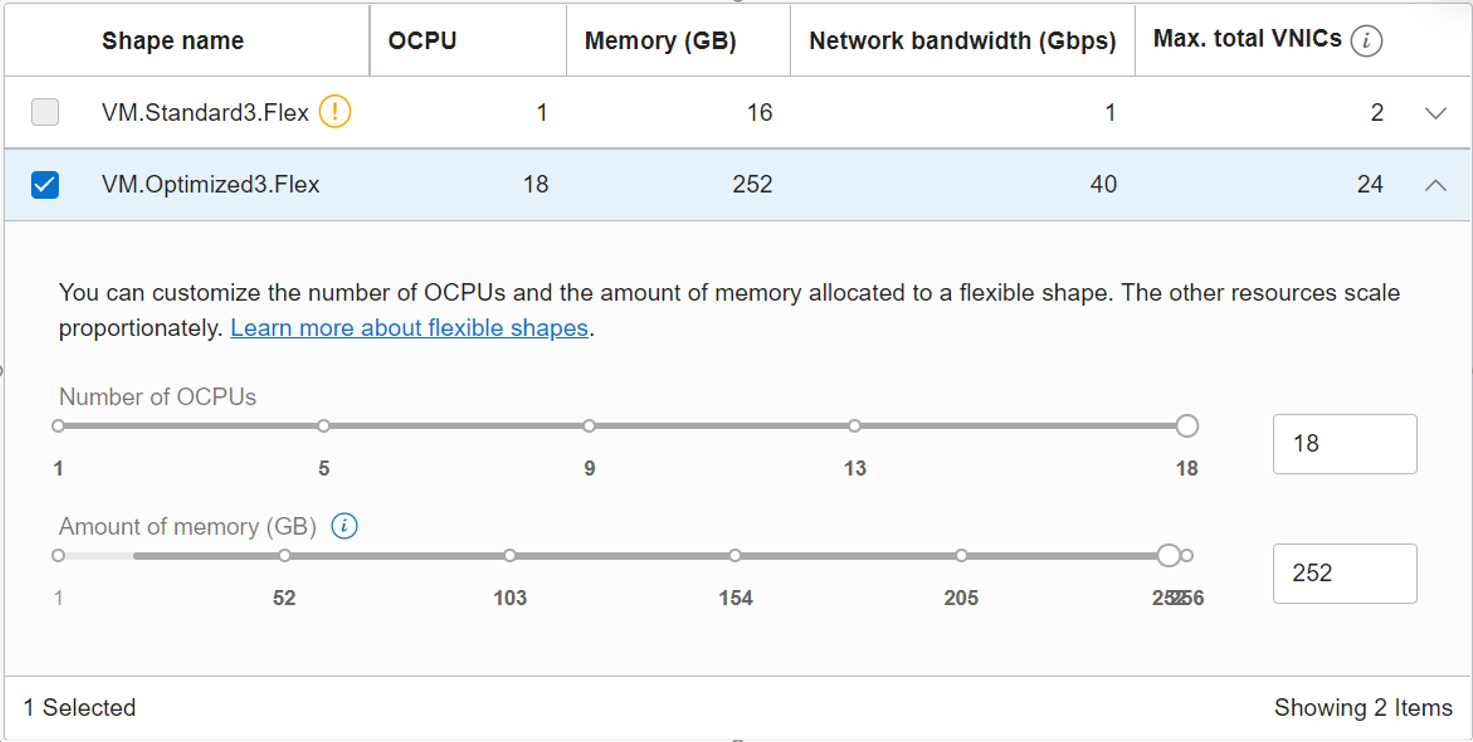
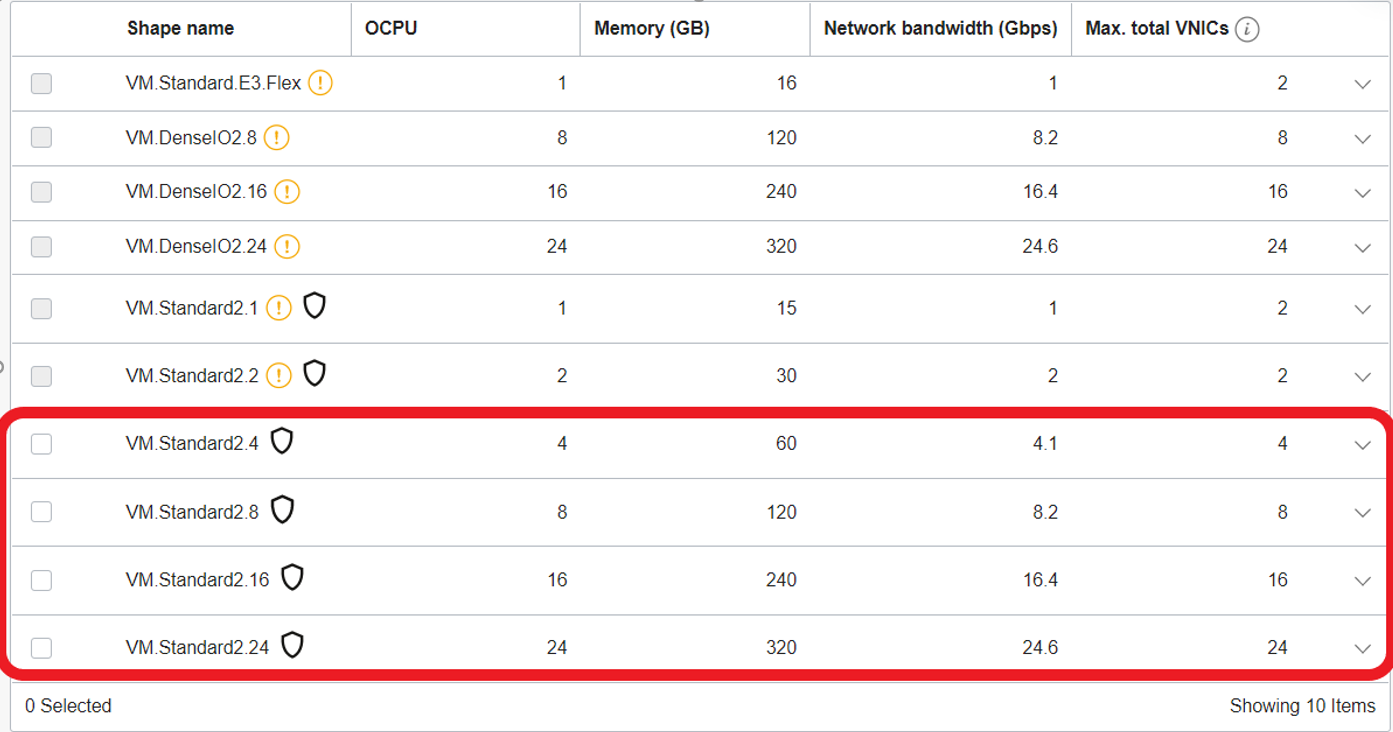
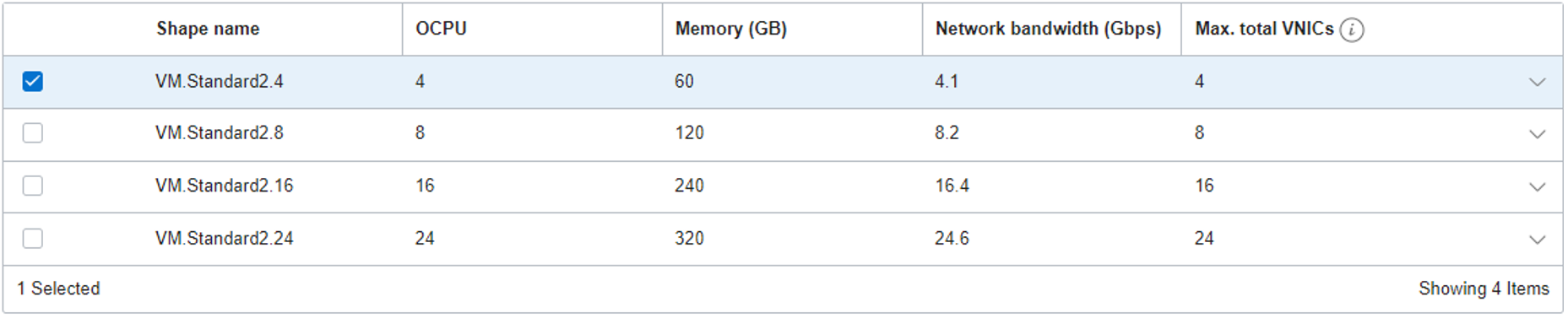
- Intel VM.Standard2.4, VM.Standard2.8, VM.Standard2.16 or VM.Standard2.24. These shapes will provide static RAM, Network Bandwidth, and VNICs as in the following picture:
b. Paid – On the paid license, the number of OCPUs is based on the number of OCPUs on the bundle. For example, if we are choosing a bundle with 4 OCPUs, we can select the following shapes:
- VM.Optimized3.Flex with only 4 OCPUs and memory between 16 GB and 256 GB
- VM.Standard2.4 only shape
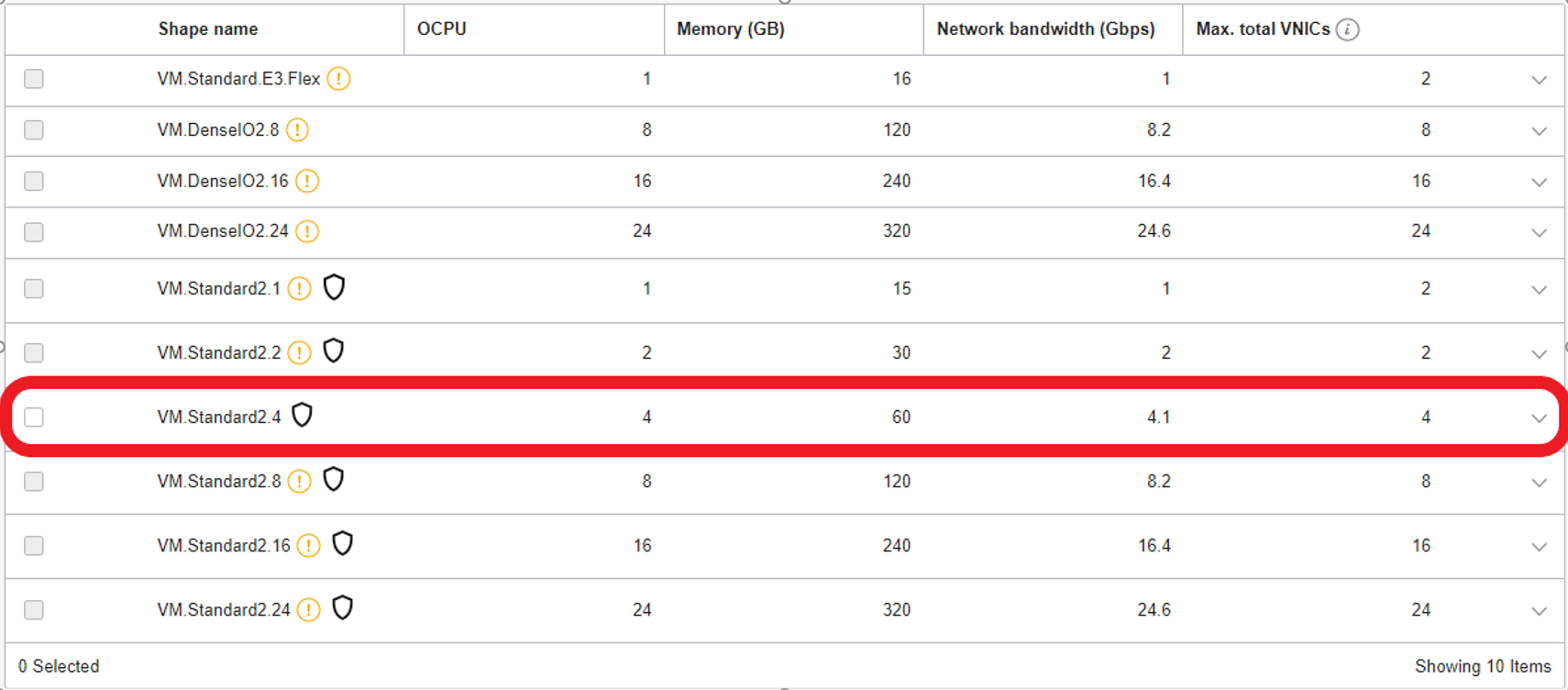
If you want to keep the option to change shape at any point, you can see that the only option is to use the BYOL because if you choose to use a Paid option, the only change you can do is from a VM.Optimized3.Flex with 4 OCPUs to a VM.Standard2.4 and vice versa.
Solution description:
3. To demonstrate this, I did the following tests:
a. Paid
- I created a Paid VM using Palo Alto Networks VM-Series Bundle1 – 4 OCPUs using the latest version available.
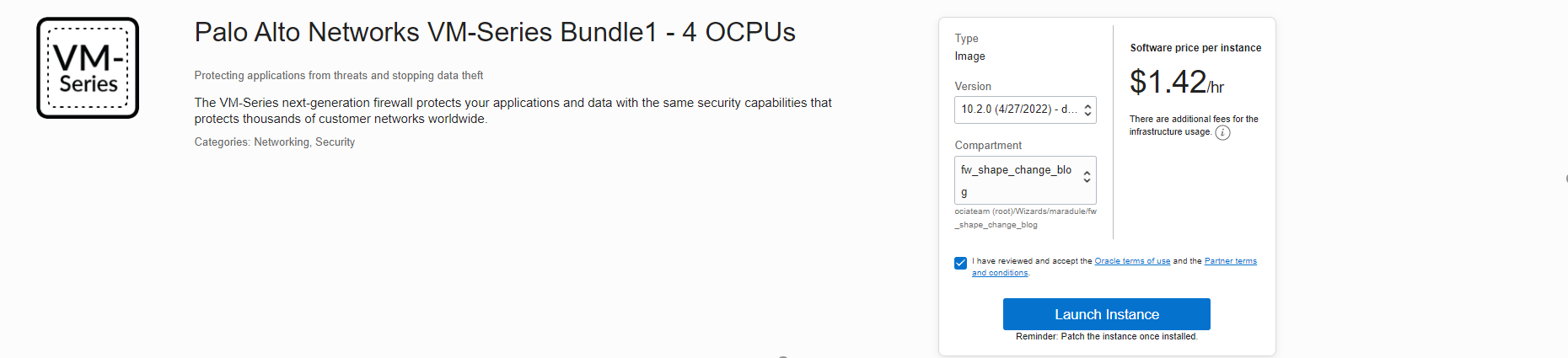
- I selected the shape VM.Standard2.4 and launched the instance.
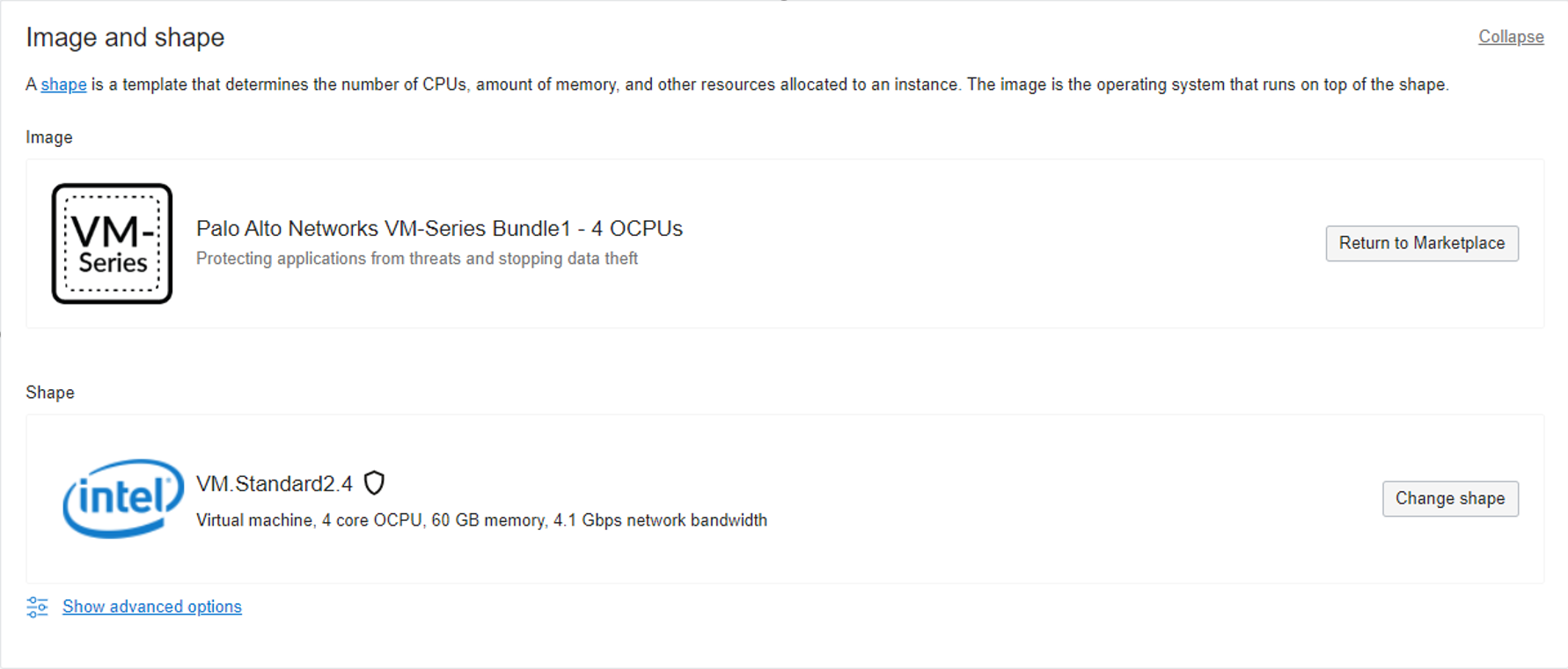
- Once the instance is up, we can see the shape configuration.
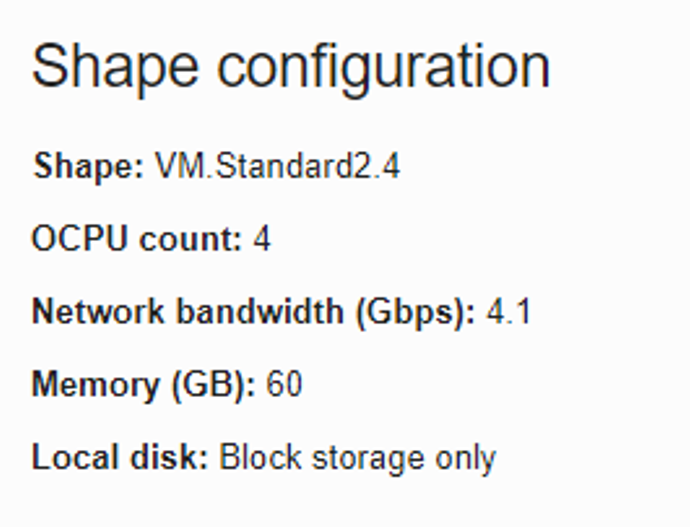
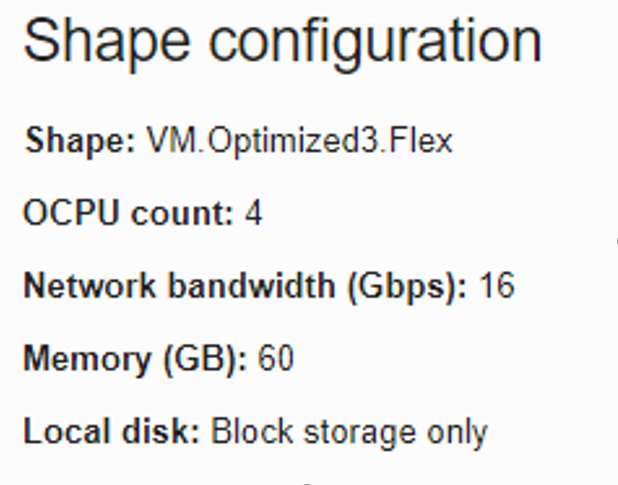
- Next, I edited the shape to a VM.Optimized3.Flex, and after the instance rebooted, I could see the following shape configuration.
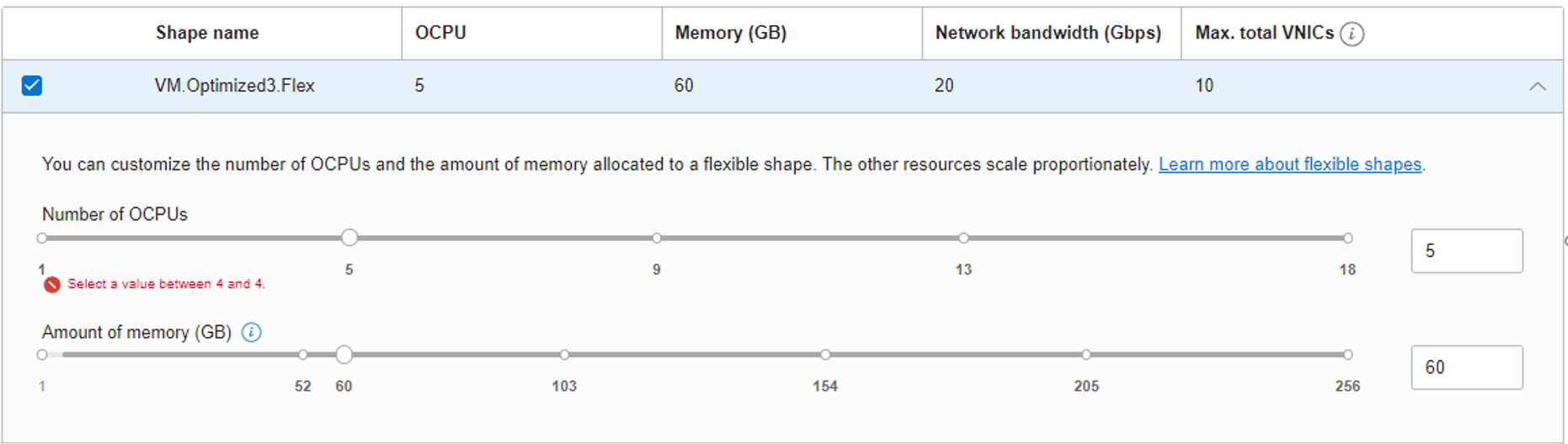
- For any other changes, we will get an error message like:
b. BYOL
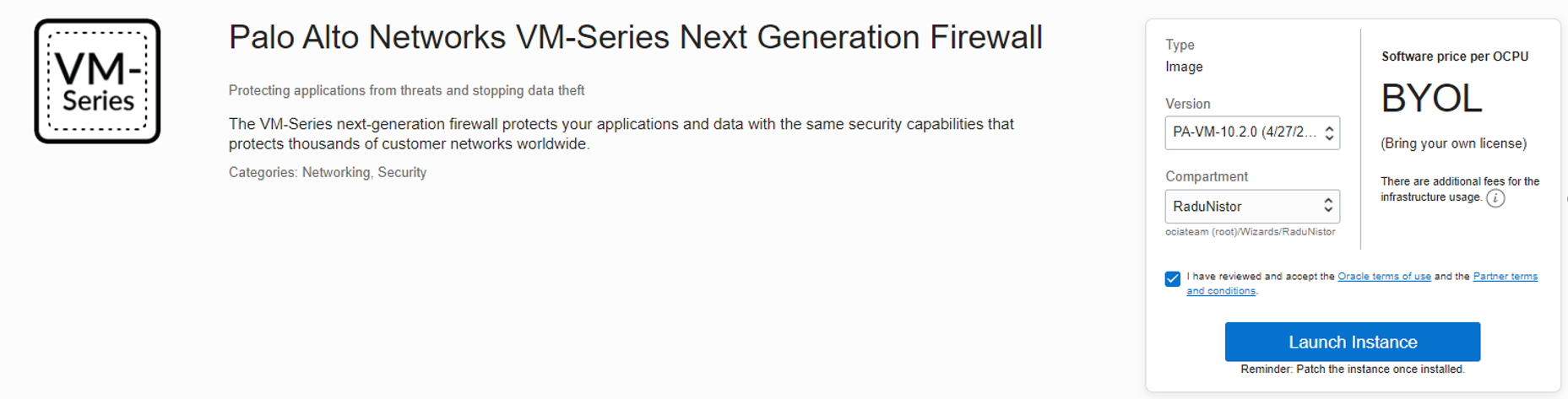
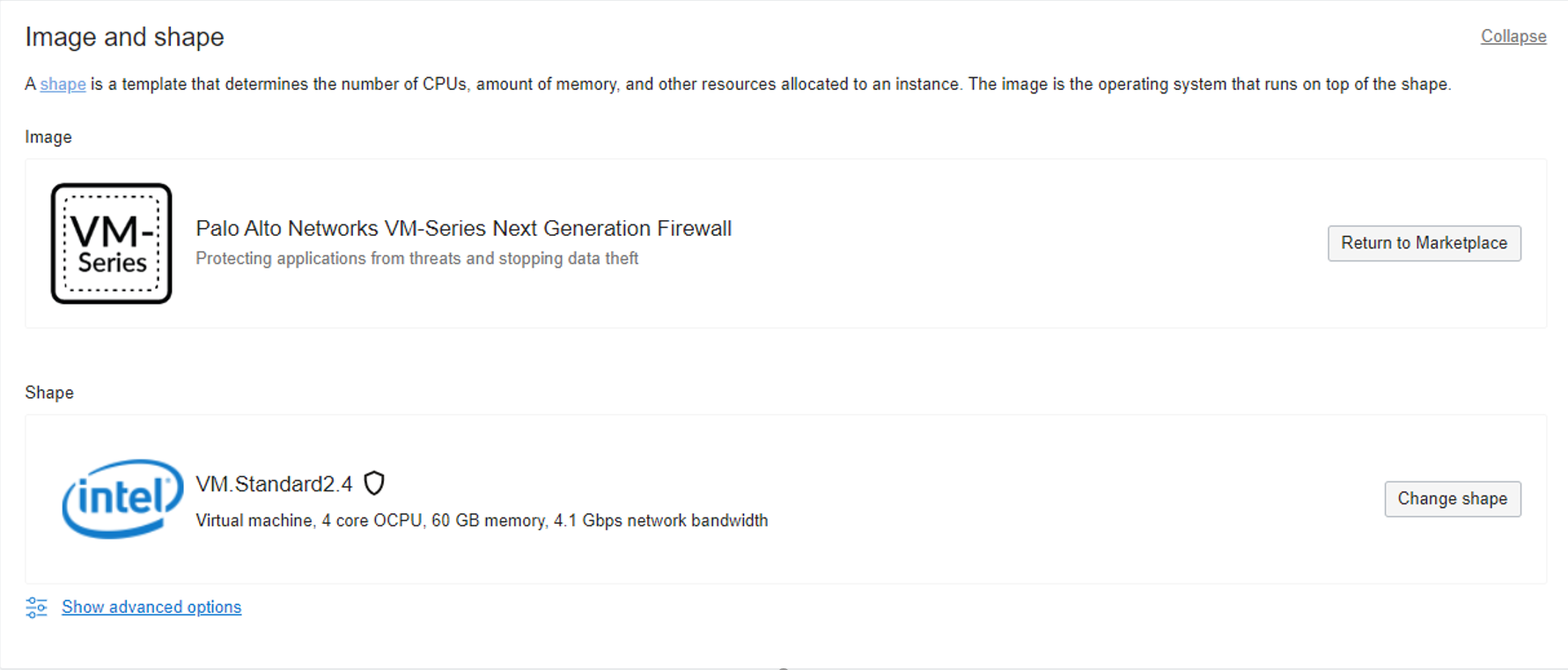
- I created a BYOL VM using Palo Alto Networks VM-Series Next Generation Firewall
- I selected a VM.Standard2.4
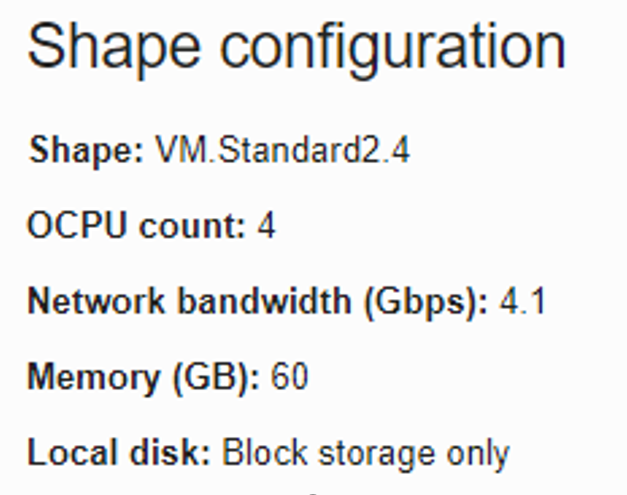
- Once the instance is up, we can see the following shape configuration
- Now, I can see multiple shapes available for the VM on the edit, all Standard2.x shapes
- Also for VM.Optimized3.Flex I can edit the number of OPCUs from 4 to 18.
- After I edited the shape to a VM.Optimized3.Flex with 4 OCPUs, and after the instance rebooted, I did see the following shape configuration.
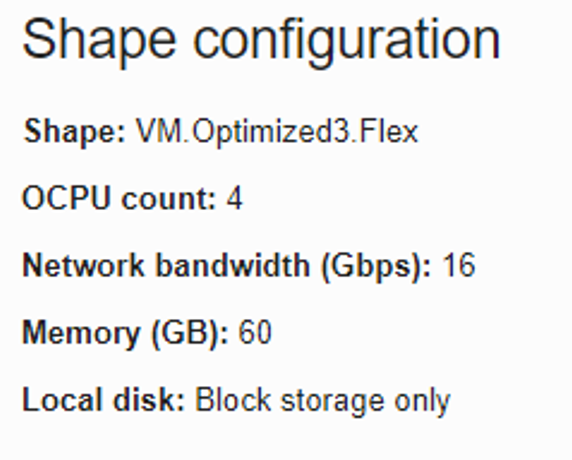
- At this point, I checked on the Palo Alto console to see how many processors we will see on the firewall. I noticed there were 8 CPUs (1 OCPU = 2 CPU)

- The next test was to move to a new shape such as VM.Optimized3.Flex with 8 OCPUs. After the instance rebooted, I saw the following shape configuration:
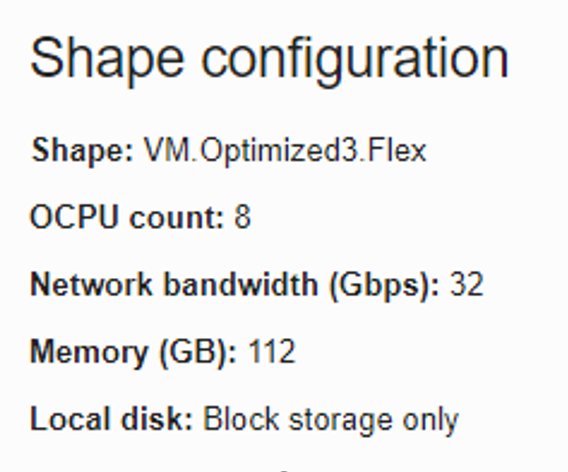
- I rechecked the number of CPUs on the VM. Now I could see 16 CPUs (1 OCPU = 2 CPU) because the license was not installed on the firewall. The license will tell how many CPUs to use on the VM. As an example, if you have a license of 8 CPU’s on a shape that will provide 8 OCPUs (16 CPUs), the firewall will only use 8CPUs not 16 CPUs

- Now I changed back the VM shape to a VM.Standard2.4 and after a reboot, we can see the following shape configuration:
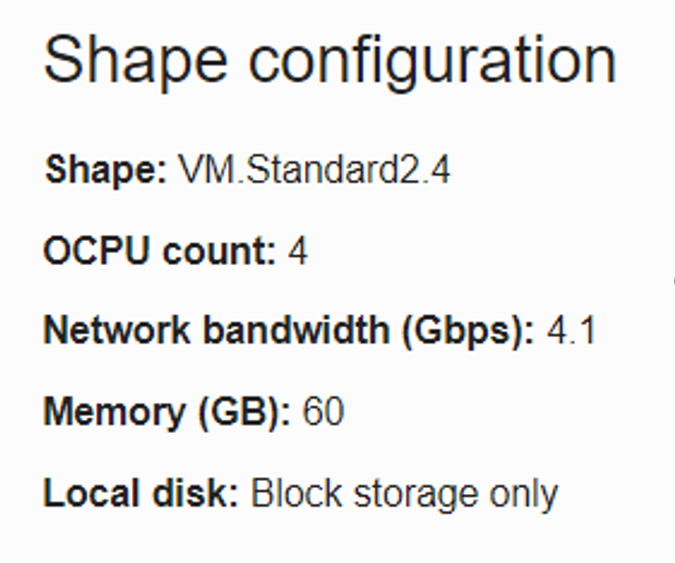
- Once again, I checked the number of CPUs on the VM and I saw 8 CPUs (1 OCPU = 2 CPUs)

Conclusion
So yes, we can change the shape of a Palo Alto firewall on the Oracle Cloud Infrastructure, but before we can do that, we need to understand precisely what license we have and why we need to change:
- If we want to increase or decrease the CPUs count, we need a license to have those CPUs locked in. Also, in this case, the better option is to use a BYOL image.
- If we only want to increase VNICs count, memory, or network bandwidth, then we can change the shape to one that will provide us the numbers we need, but also, in this case, the better option is to use the BYOL license to allow us the flexibility.
- If we want to have a firewall deployed quickly, and we don’t what to go through the hassle of buying the license, the Paid option is better since it will provide us the license and support on an hourly basis but will not allow us to be flexible in the future.