ADW Version Oracle Database 19c Enterprise Edition Release – Production Version 19.5.0.0.0
Oracle Cloud Application 21B (11.13.21.04.0)
Fusion Analytics Warehouse Application Version 21.R2.P3
Background
Fusion HCM Analytics provides comprehensive workforce, turnover data sourced from Fusion HCM Cloud in a warehouse designed to support broad set of analytics use cases. In some specific use cases, Fusion HCM Analytics data can be complemented with additional Payroll, Cumulative Earning – Deduction or Costing data sets. For such data, Fusion HCM Cloud provide with an extract mechanism named HCM Extracts. HCM Extracts uses BI Publisher as the delivery mechanism for extracted data.
This blog is part of in a series covering topics on how to utilize Oracle ETL / Data Integration tools to extract data from various data sources to complement Fusion Analytics Warehouse factory data. Future blog topics will cover extracting from: Oracle SaaS Applications, Oracle on-premise applications (e.g. EBS), and other Oracle applications such as Responsys, Eloqua and third party data sources like Salesforce or Workday.
This blog walks though how to configure Oracle Data Integrator (ODI) on Oracle Cloud Marketplace to replicate data from Fusion HCM Cloud, using HCM Extracts, into an Autonomous Data Warehouse (ADW) database that is part of the FAW product.
* Follow the steps in the first blog for instructions on:
Policies Assignment (Step 1)
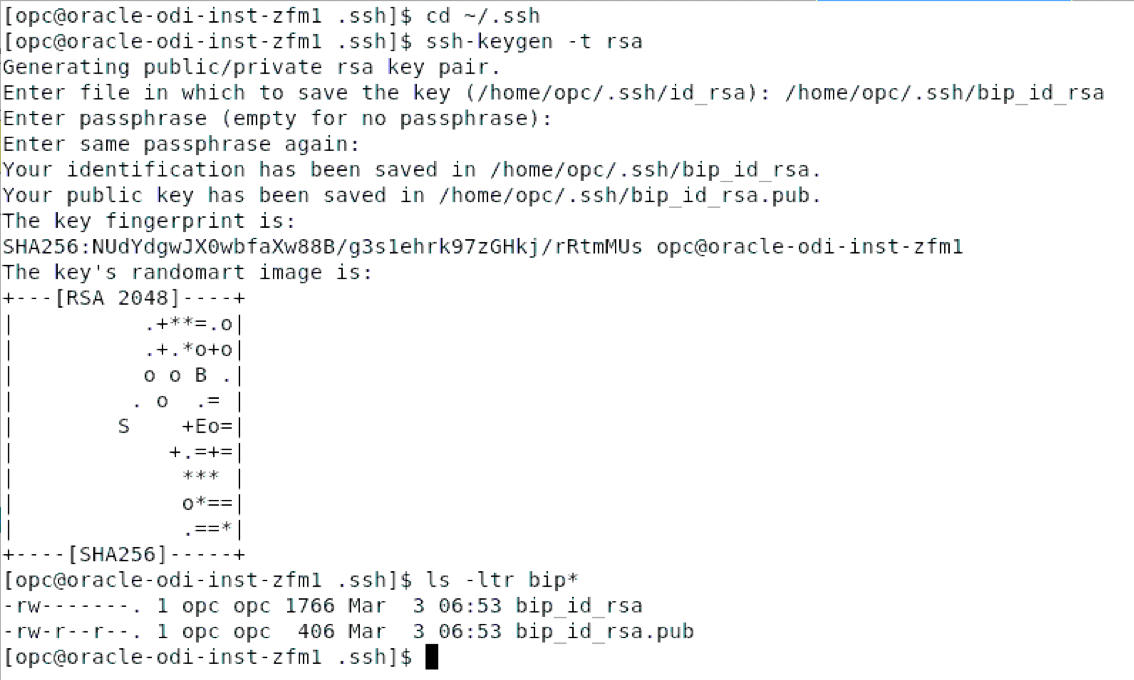
SSH key-pair Generation (Step 4-b and 4-c)
ODI Marketplace Provisioning (Step 2)
ADW Configuration (Step 5-h, 5-i, 5-j and 6-d)
Architecture Overview
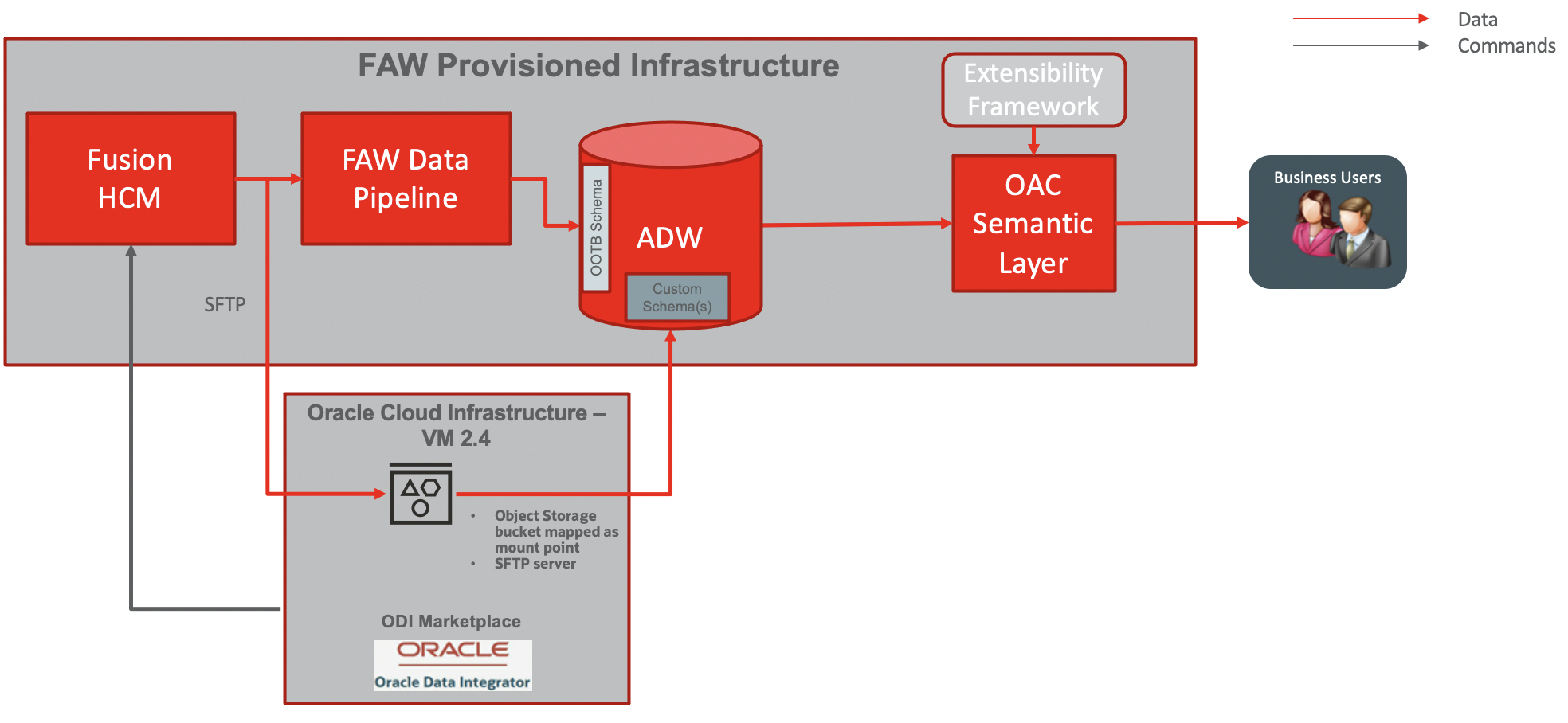
The diagram below details the architecture blue print for this use case:
Figure 1 : Architecture overview
The data flow is as follow:
ODI Market Place (MP) will be installed in Linux VM
An object storage bucket will be mounted as a folder mount point on the ODI MP VM (with s3sfuse)
An SFTP Server will be configured with private key authentication with opc user on the ODI VM
Create and Prepare an HCM Payroll Data Extract
Edit/ Create HCM Extract Definition in Fusion HCM : Extract Parameters, Blocks + Filter Records, Data Elements, Validate Extract
Integrate HCM Extract with BIP: Create RTF template and report in BI Publisher
Set Up Report Options: Define Delivery Method (SFTP) and Associate Report location in BI
Run / Schedule Extract using FlowActionService SOAP API to push the HCM Extract to SFTP
ODI MP will wait for the HCM Extract to be deliver to the SFTP before integrating it into ADW with the LKM File to Oracle
All additional transformations will happen inside the ADW
HCM extracts can be scheduled once every day
Semantic model will be extended by customizing an existing subject area or addition of a new subject area to allow reporting on HCM data extracted in ADW, as per the CEAL Team blog available here.
Setting up the SFTP Server using Object Storage Bucket mounted as a file system on the ODI VM
Setting up s3fs-fuse on the ODI VM
s3fs-fuse allows Linux and macOS to mount an OCI bucket via FUSE. s3fs preserves the native object format for files, allowing use of other tools like OCI CLI.
Installing s3fs-fuse on the ODI VM
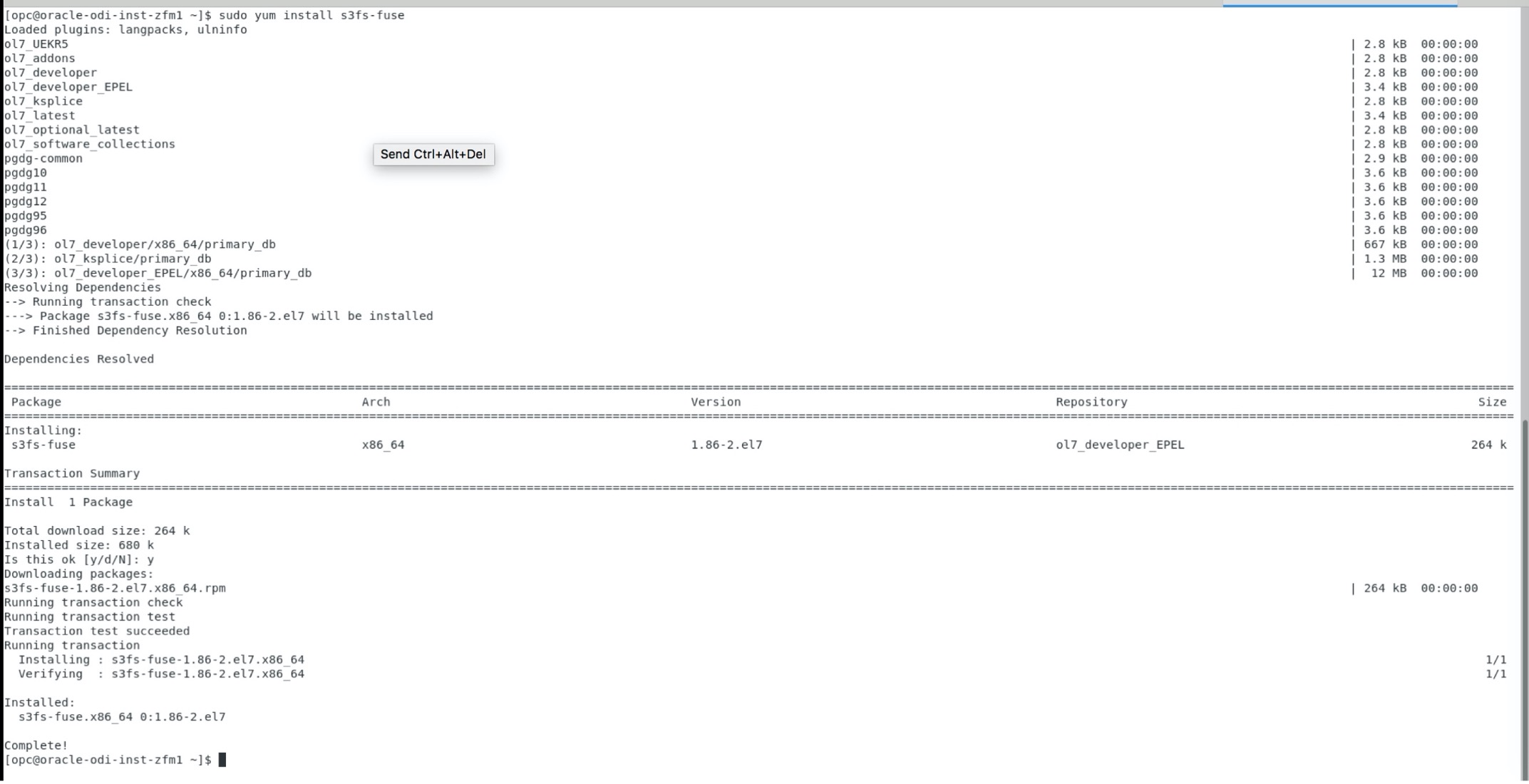
s3fs-fuse is being installed using yum so the installation required the ODI VM to have access to internet. To install s3fs-fuse, execute the following command
sudo yum install s3fs-fuse
Figure 2 : s3fs-fuse installation
Configuring the s3fs-fuse access credentials and mount a bucket
To configure the credentials for s3fs-fuse, one needs to generate a secret key for an OCI local user (not federated), update the s3fs-fuse password file and execute the s3fs-fuse mount command
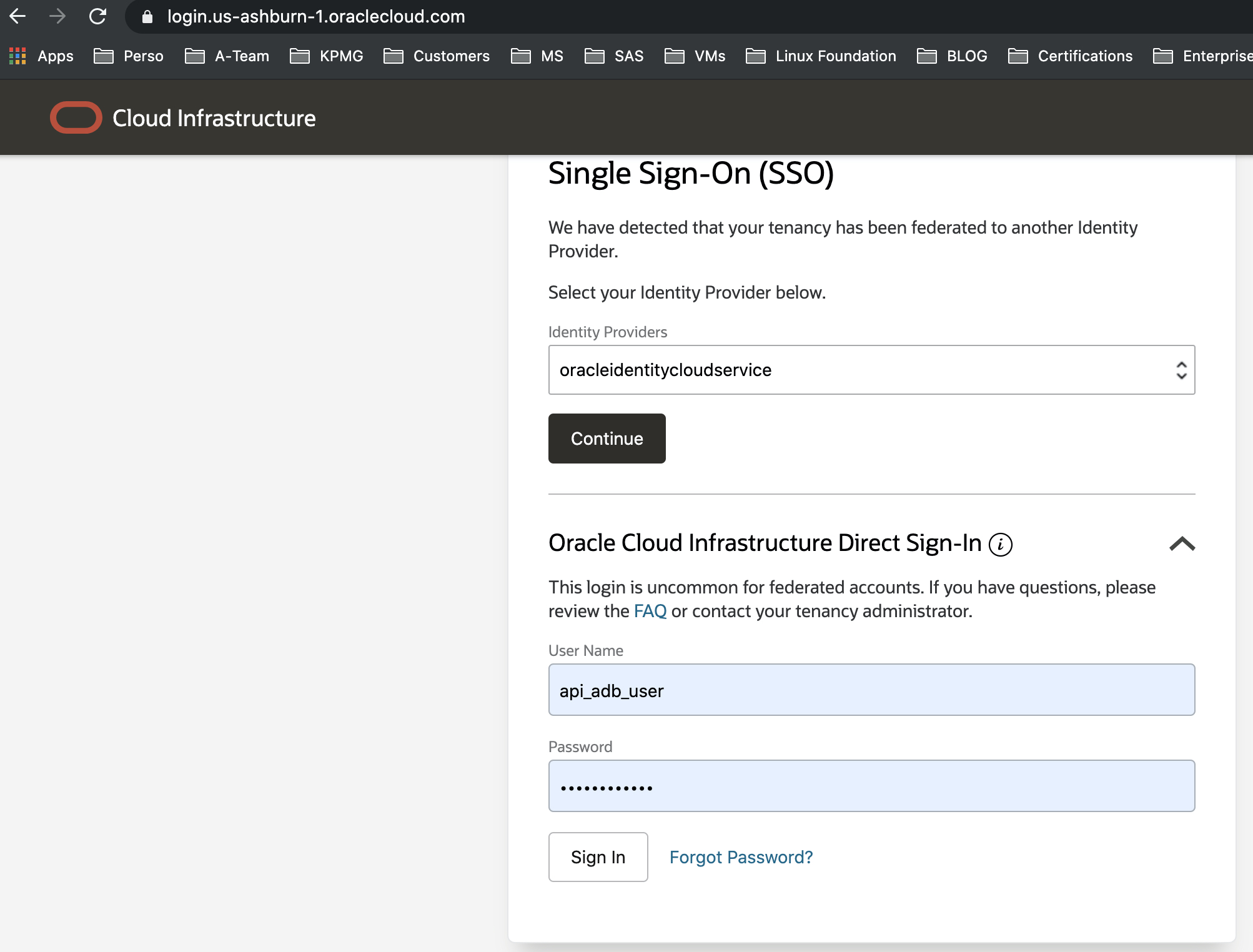
a) Connect to the OCI console with the OCI local user
Figure 3: Login with OCI Local User
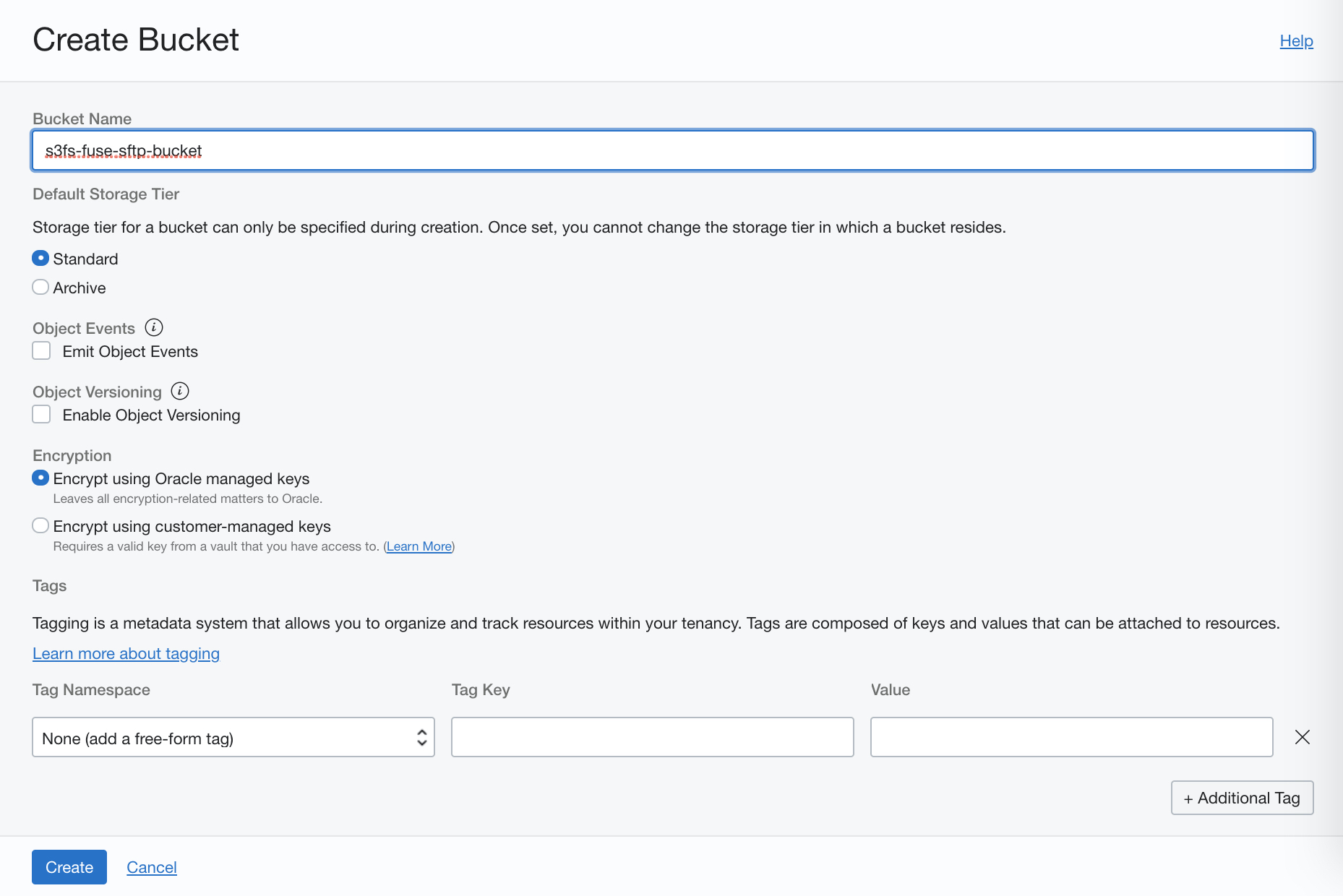
b) Create an Object Storage bucket names s3fs-fuse-sftp-bucket in the desired compartment
Figure 4: Create the Object Storage Bucket
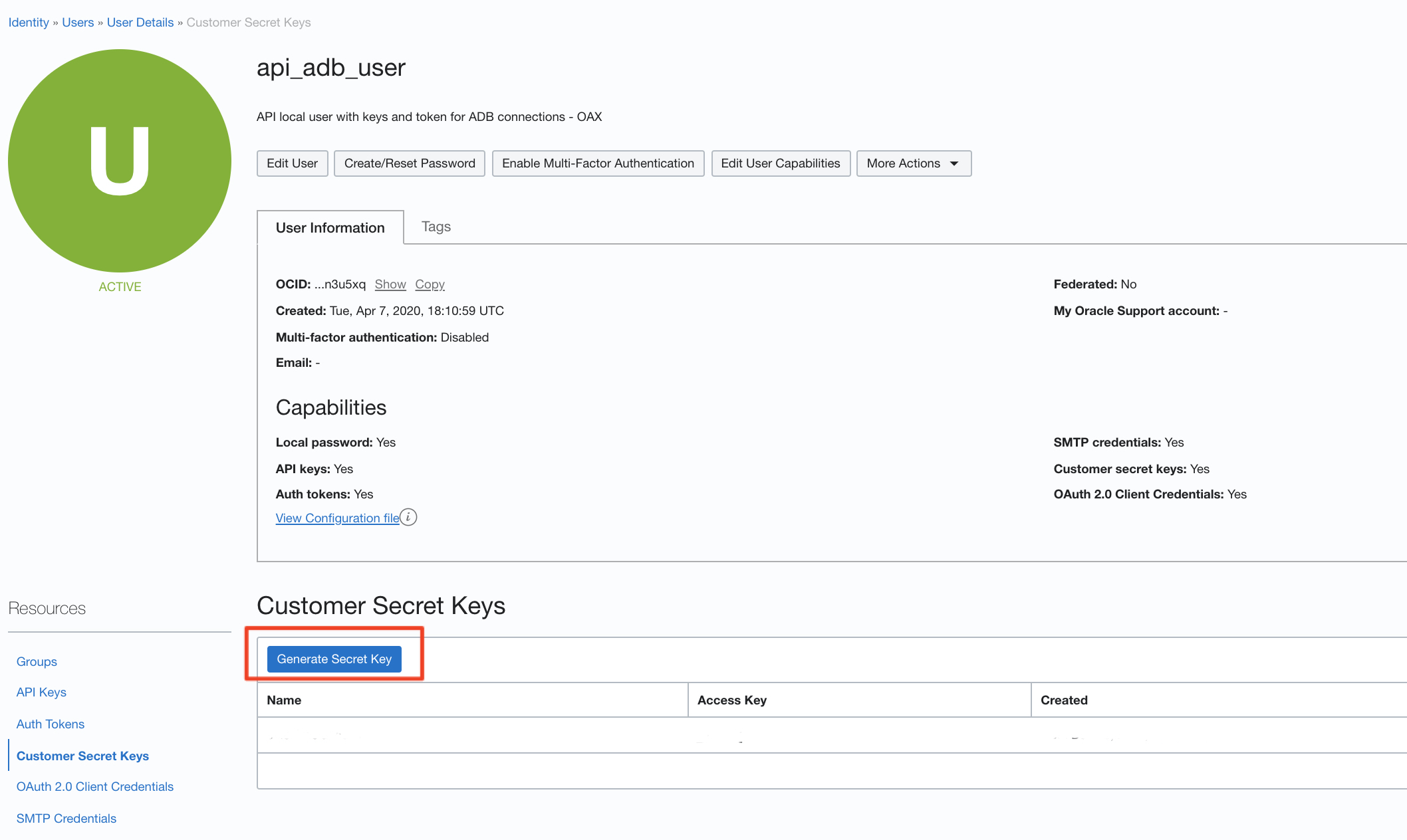
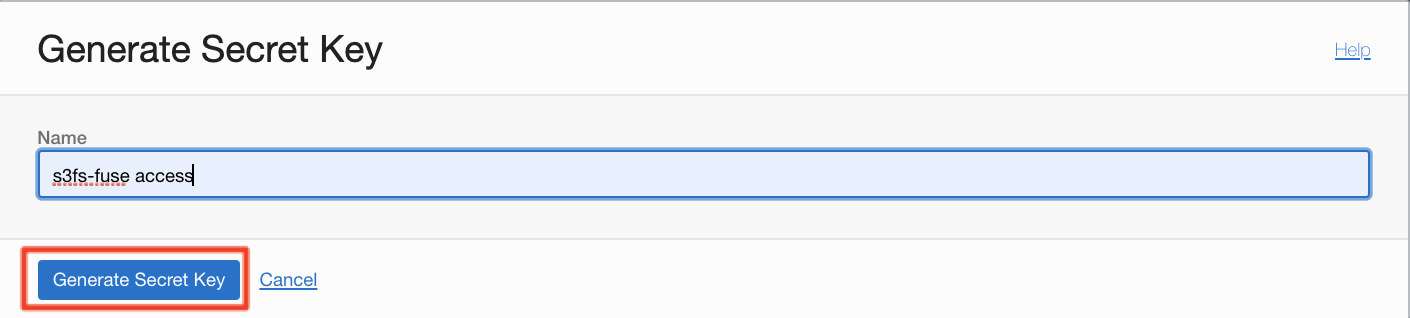
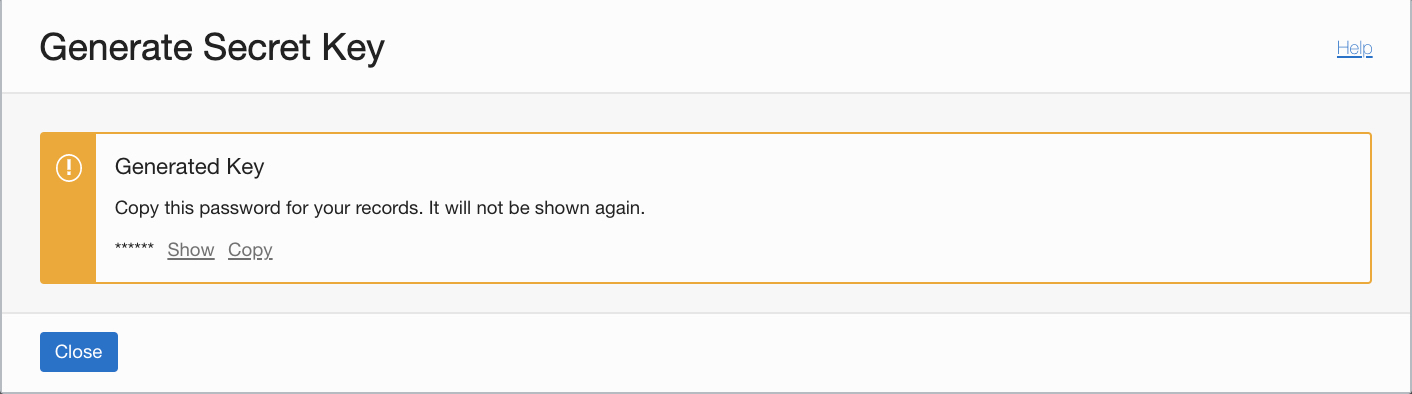
c) Access the OCI local user details, generate a secret key and save the secret key
Figure 5 : Generate the secret key
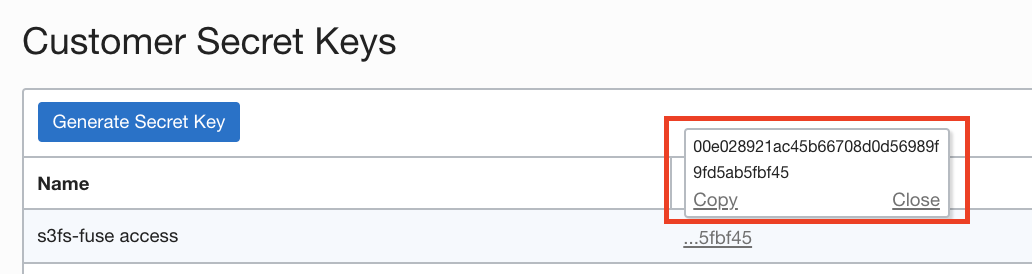
d) Copy and save the access key of the secret key generated previously
Figure 6 : Generate the secret key and copy the access key
e) Connect to the ODI VM and generate the password file for s3fs-fuse using the access key and the secret key saved previously
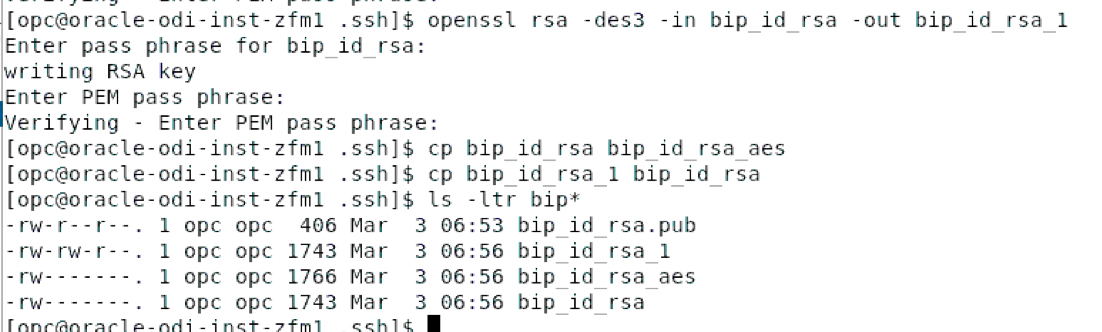
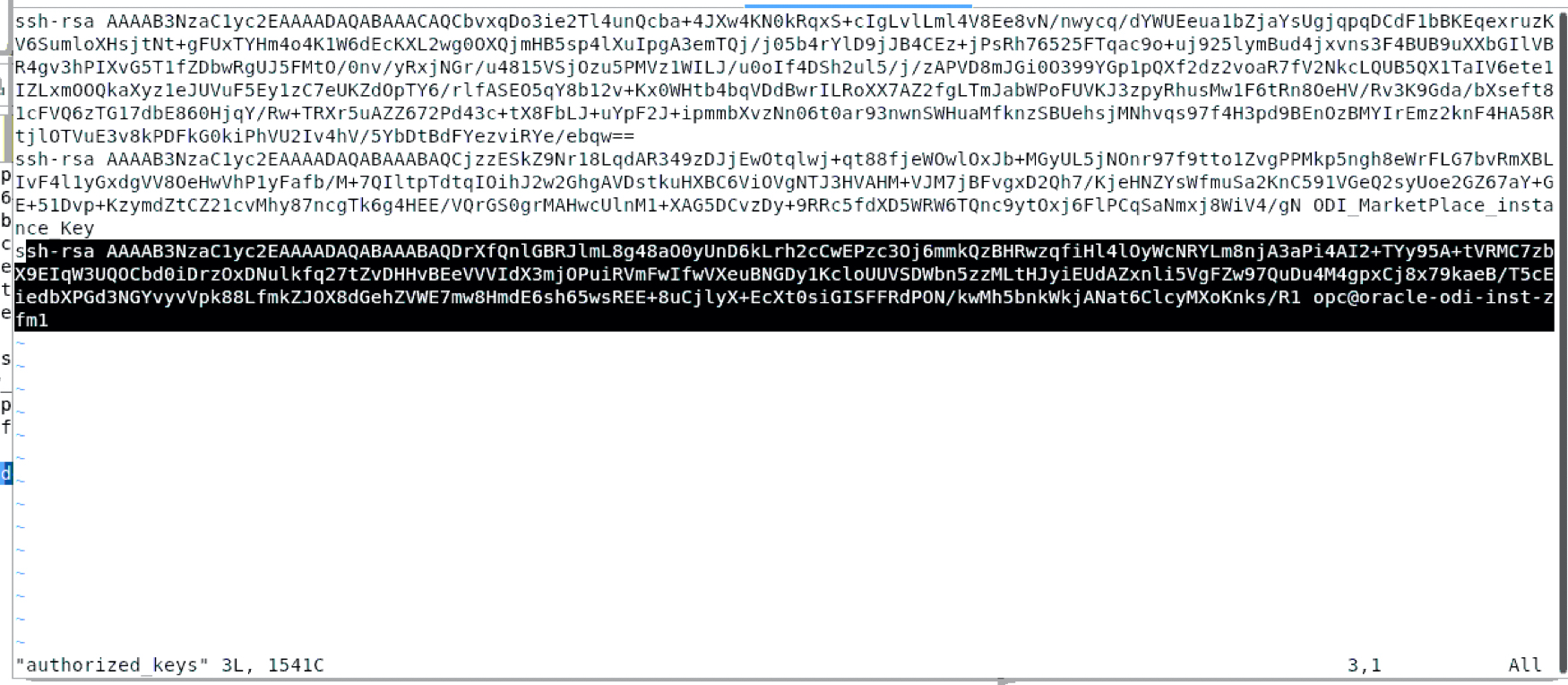
c) Update the authorized_keys file for opc user on the ODI VM to add the bip_id_rsa.pub public key for Fusion BIP Publisher
Figure 15 : Convert the private to DES3 format
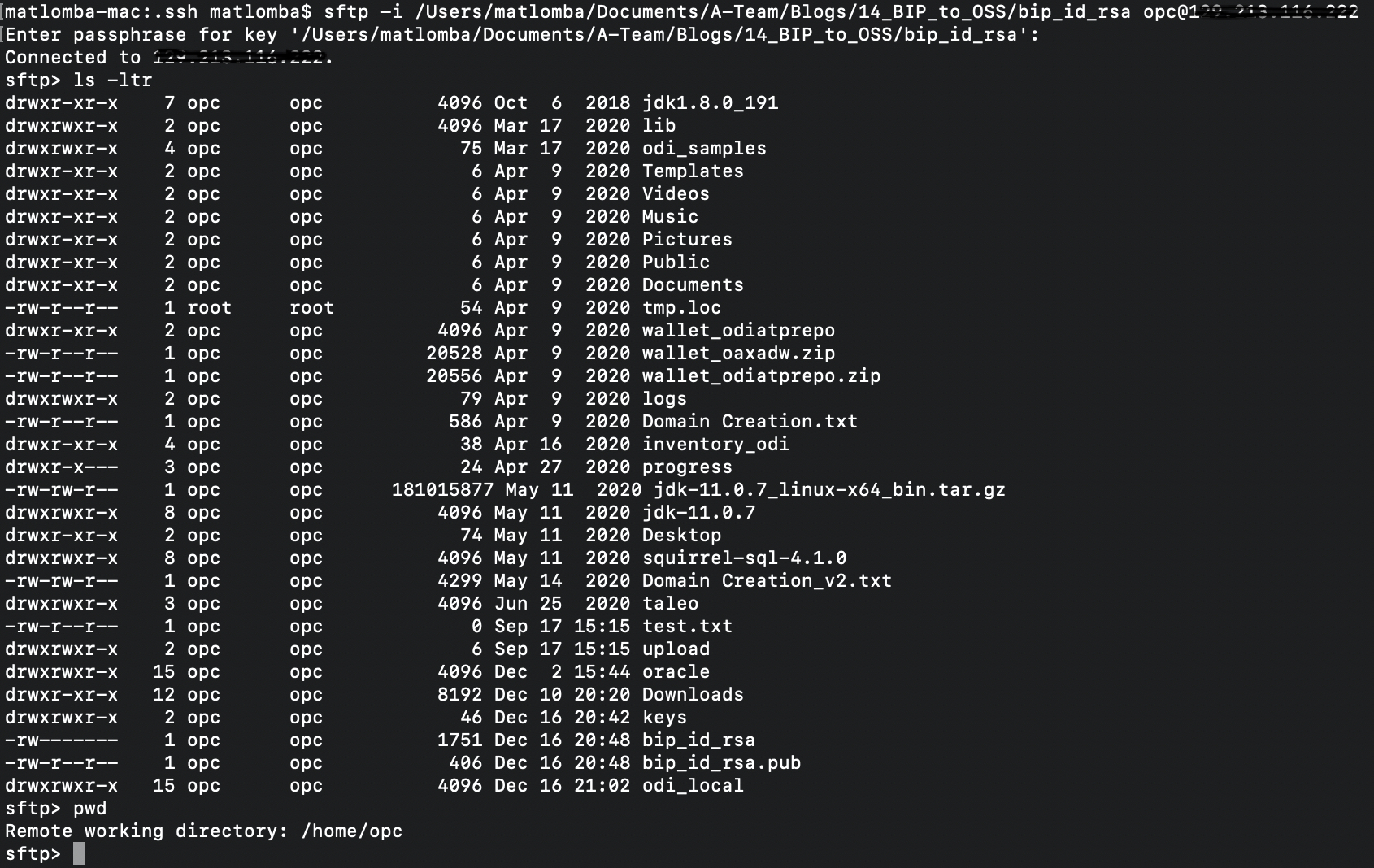
d) Copy the private key on the client and connect to sftp server on the ODI VM
Figure 16 : Connect to SFTP Server on the ODI VM from client
Updating the BIP Fusion Publisher Server and Delivery Configuration
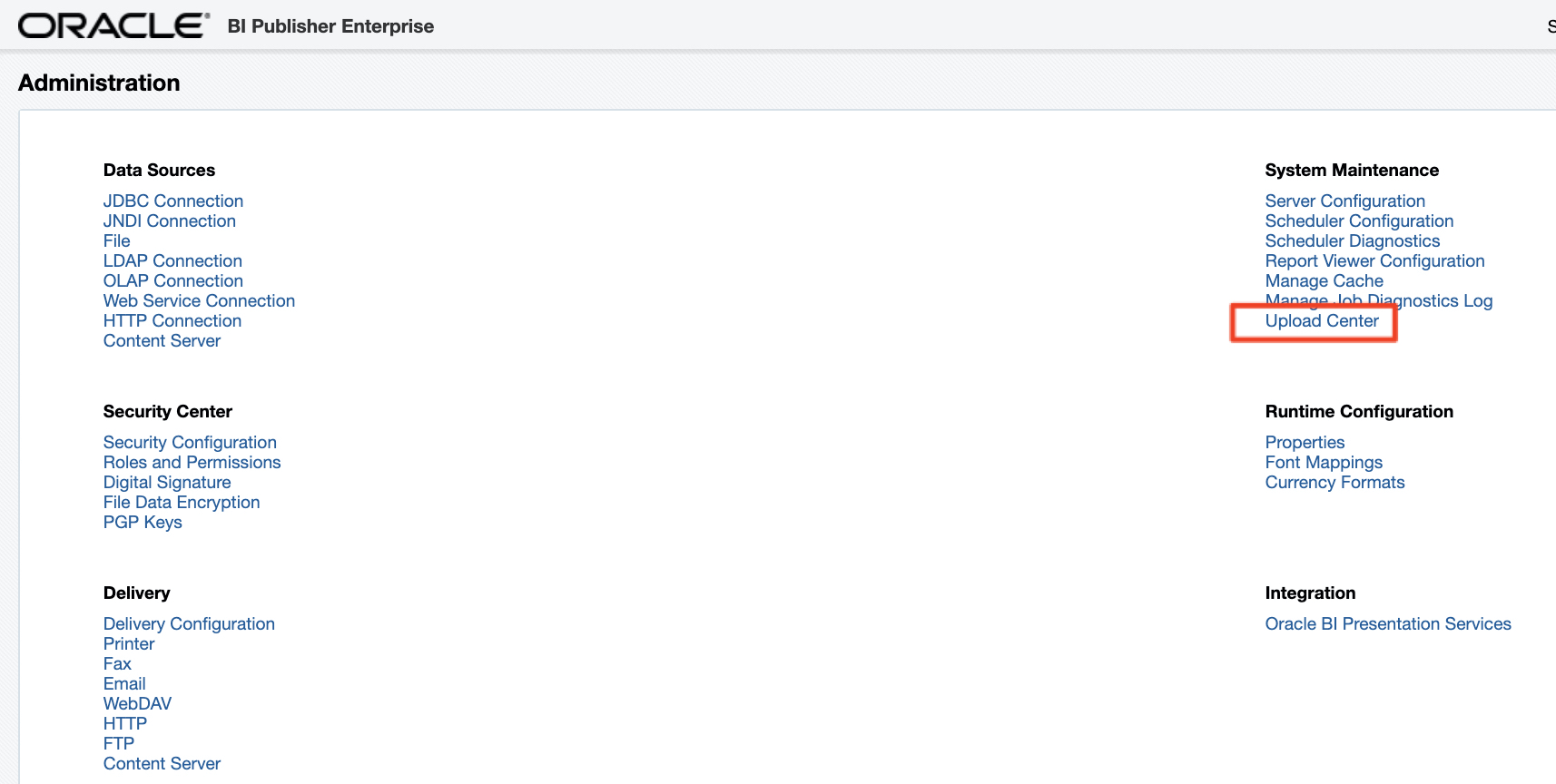
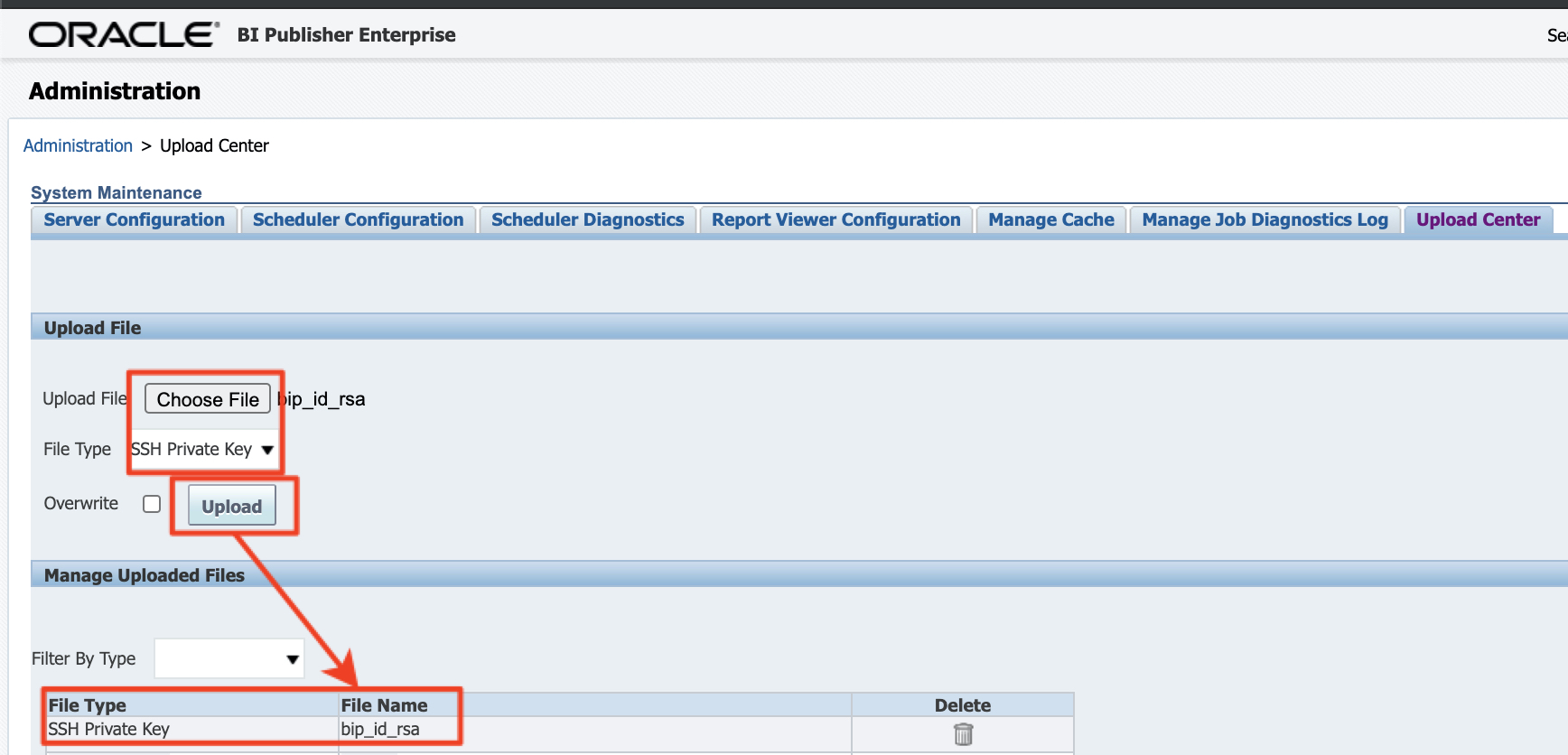
a) Connect to Fusion BI Publisher Upload Center in Administration and upload the private key bip_id_rsa
Figure 17 : Connect to SFTP Server on the ODI VM from client
b) Create the SFTP Delivery in BI Publisher
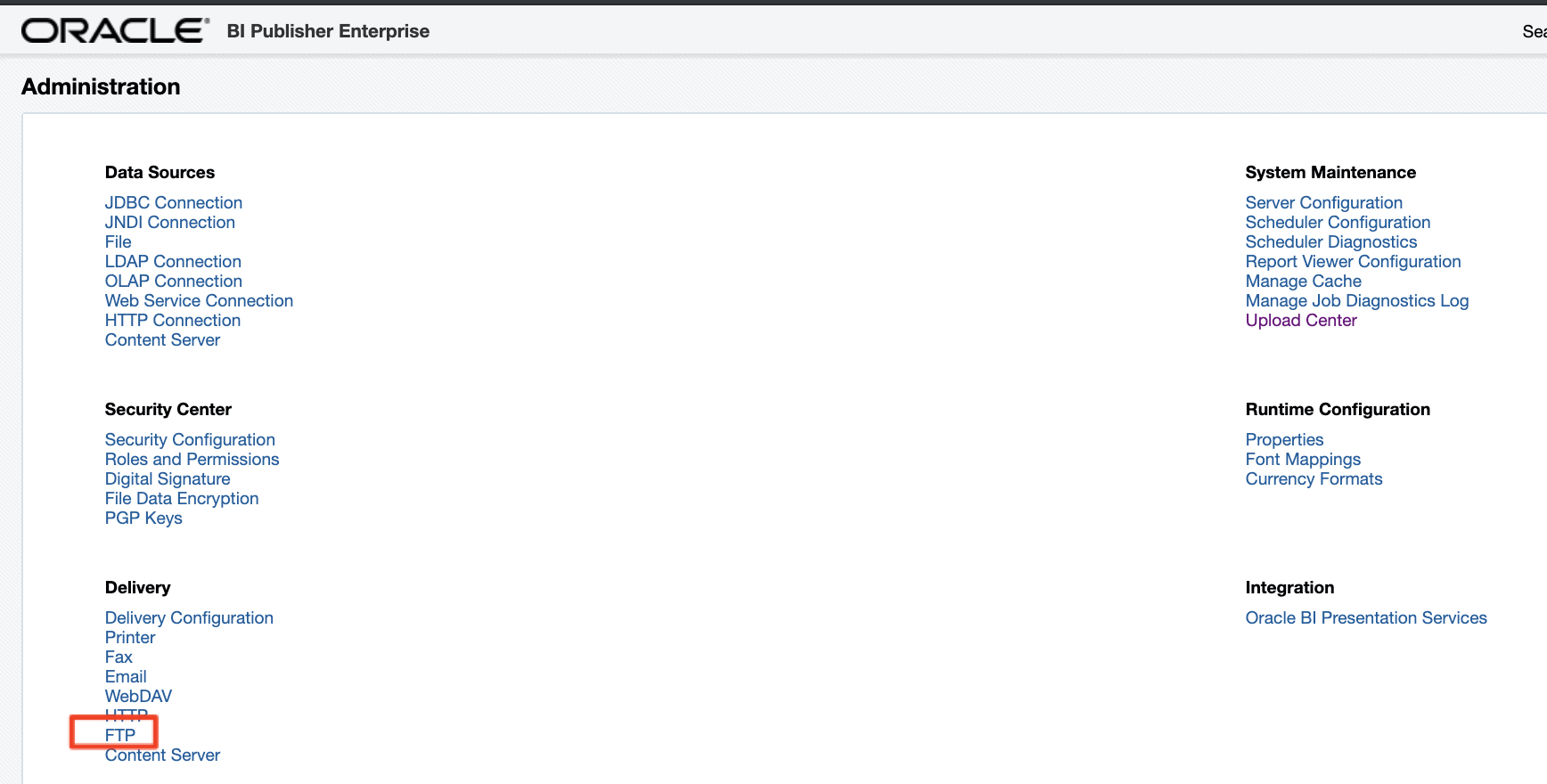
Access to FTP Delivery configuration
Figure 18 : Fusion BI Publisher FTP Delivery
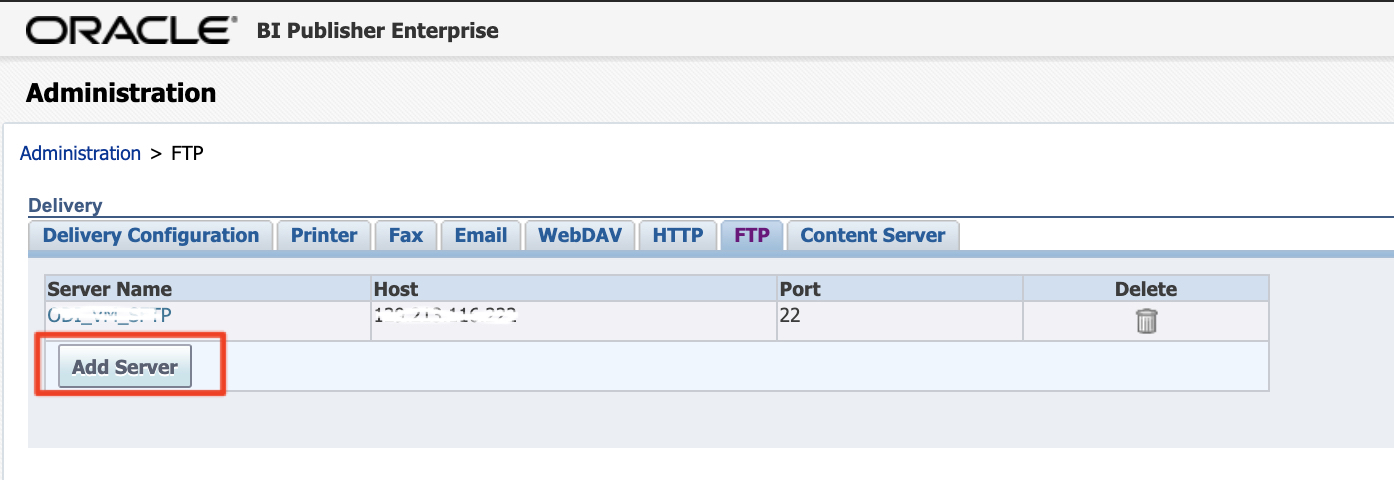
Click on Add Server
Figure 19 : Add FTP Server
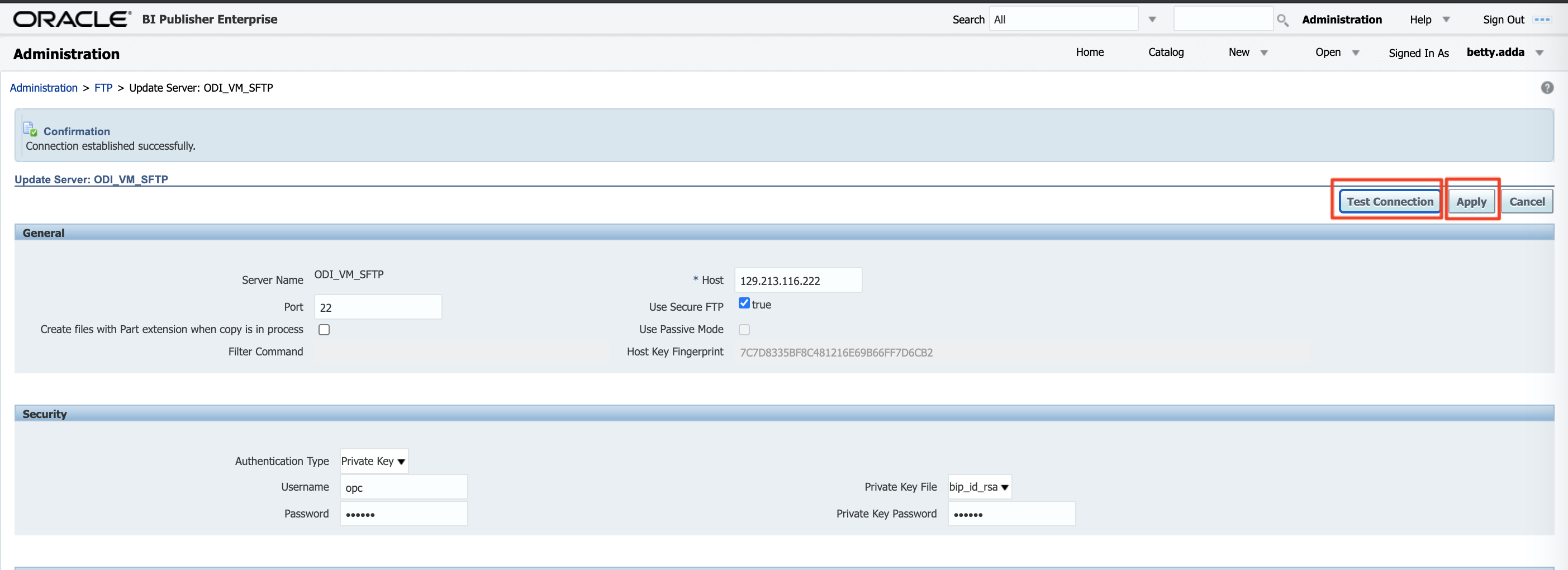
Enter a server name, the ODI VM Public IP for the host, 22 for the port. Choose Private Key authentication, select the bip_id_rsa key uploaded previously, enter opc as user and the private key passphrase in the password and Private Key Password fields. Test the connection and click apply.
Figure 20: FTP Server configuration details
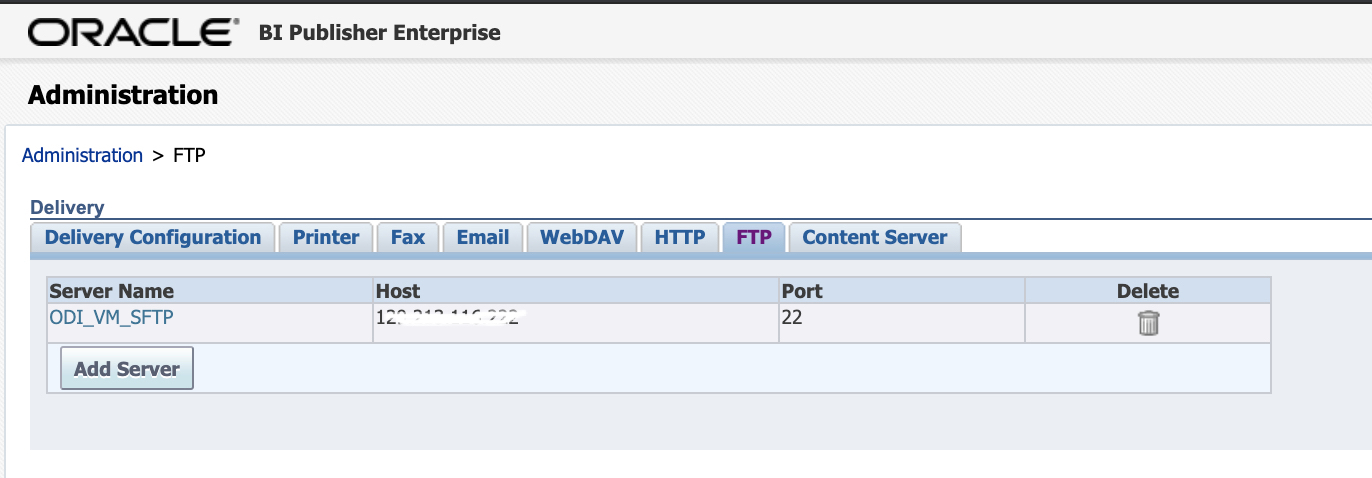
Validate the FTP Delivery server is added in the BI Publisher configuration
Figure 21: SFTP Server on the ODI VM configured in BI Publisher
Testing the SFTP Server and BI Publisher delivery
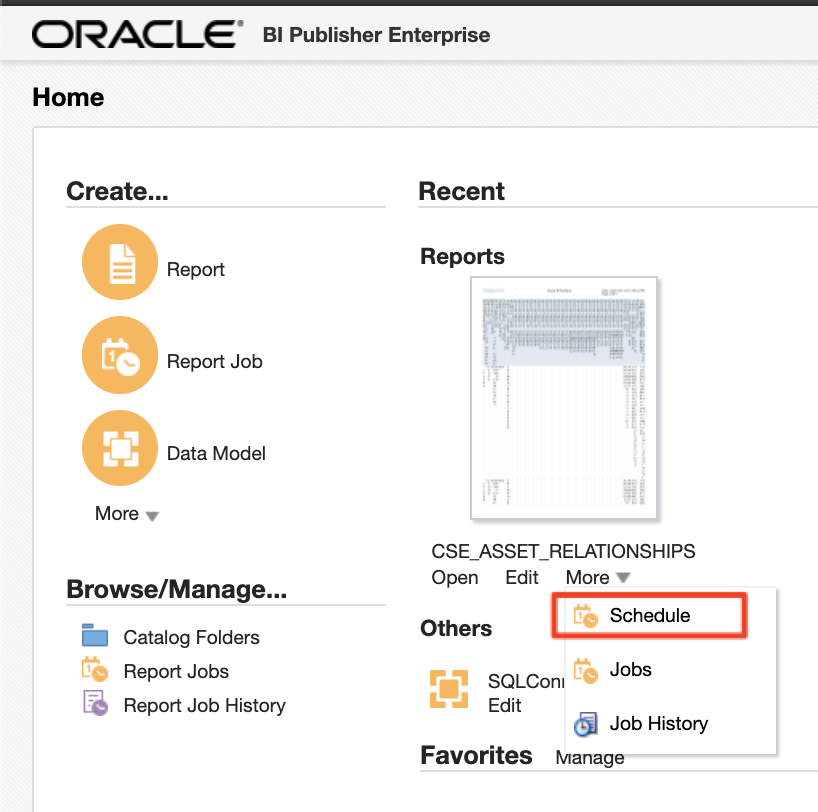
a) Connect to Fusion BI Publisher and Schedule a Report Job for an existing report
Figure 22: Schedule a Report Job for an existing report
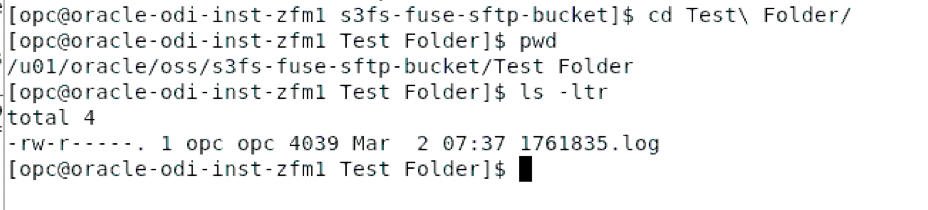
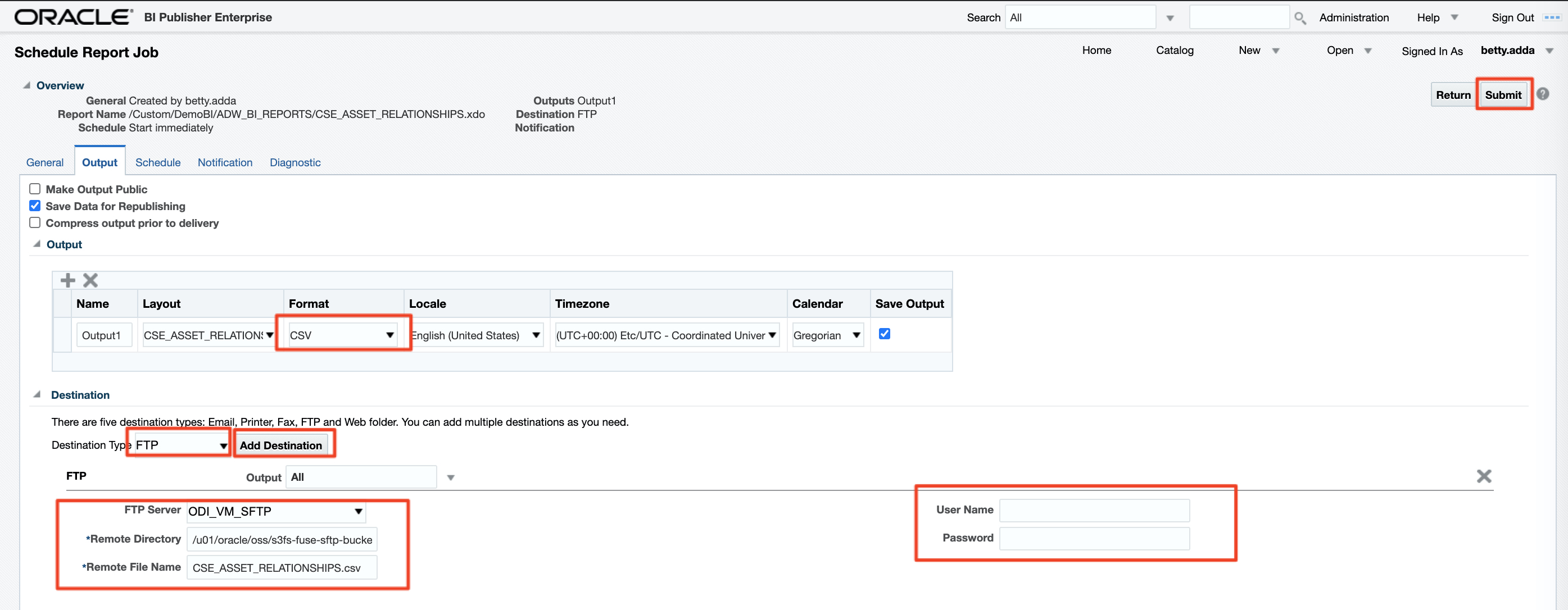
b) In the output configuration, choose the CSV format. Add an FTP destination, select the ODI_VM_SFTP server, enter the folder created in the bucket mount point configuration earlier, i.e. /u01/oracle/oss/s3fs-fuse-sftp-bucket, enter a name for the Remote CSV file, leave the user name and password blank and click submit.
Figure 23: Enter BI Publisher Report job output and destination details
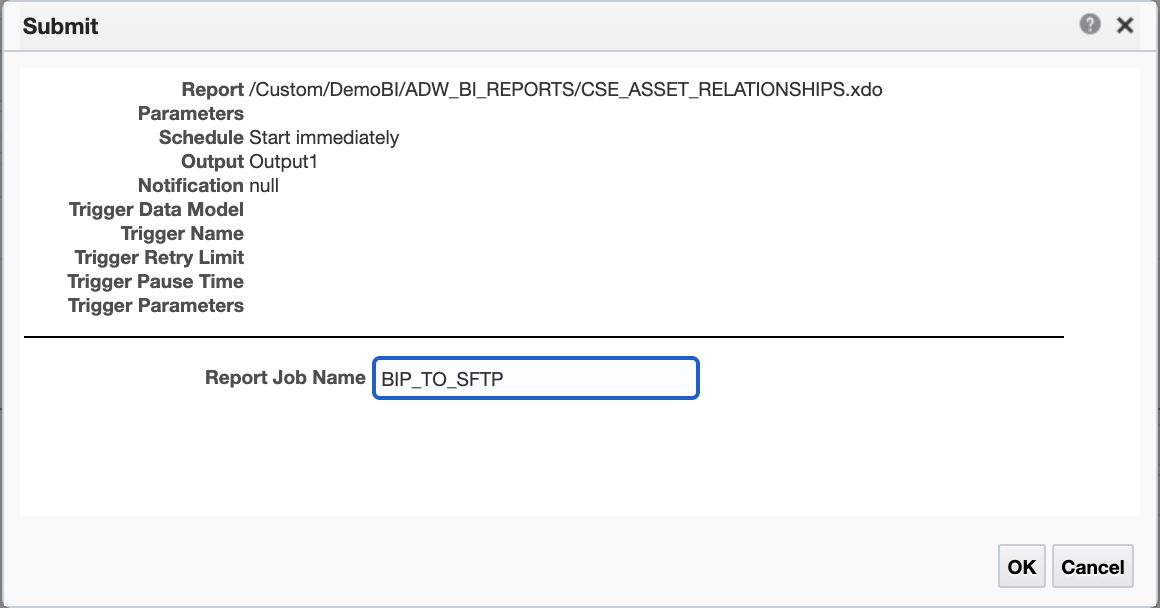
c) Enter a name for the Report Job
Figure 24: SFTP Server on the ODI VM configured in BI Publisher
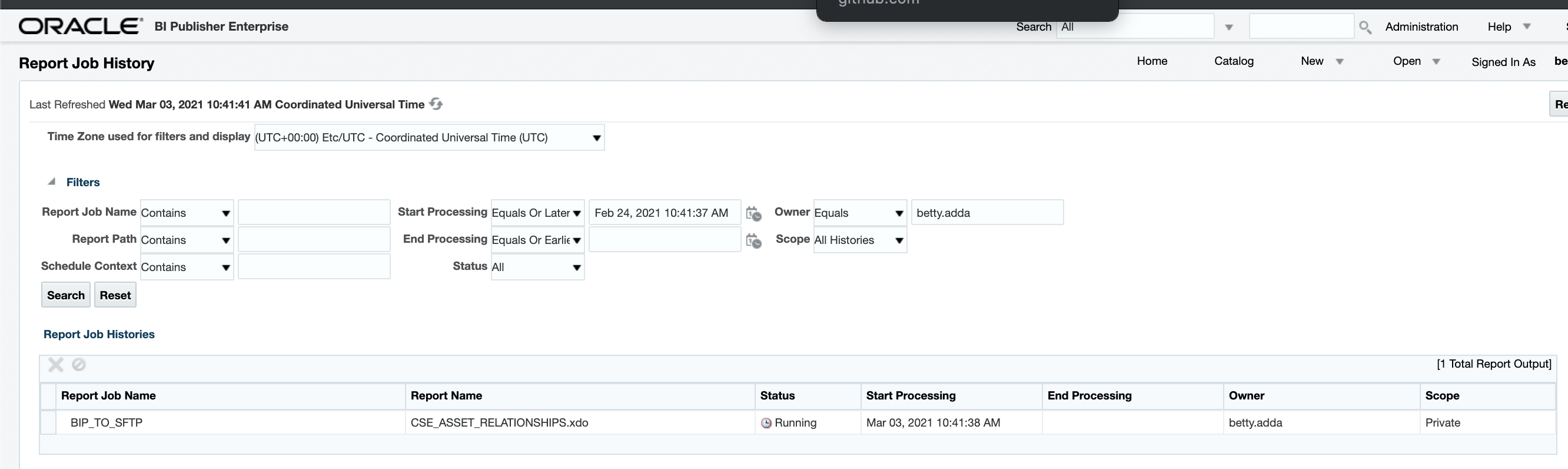
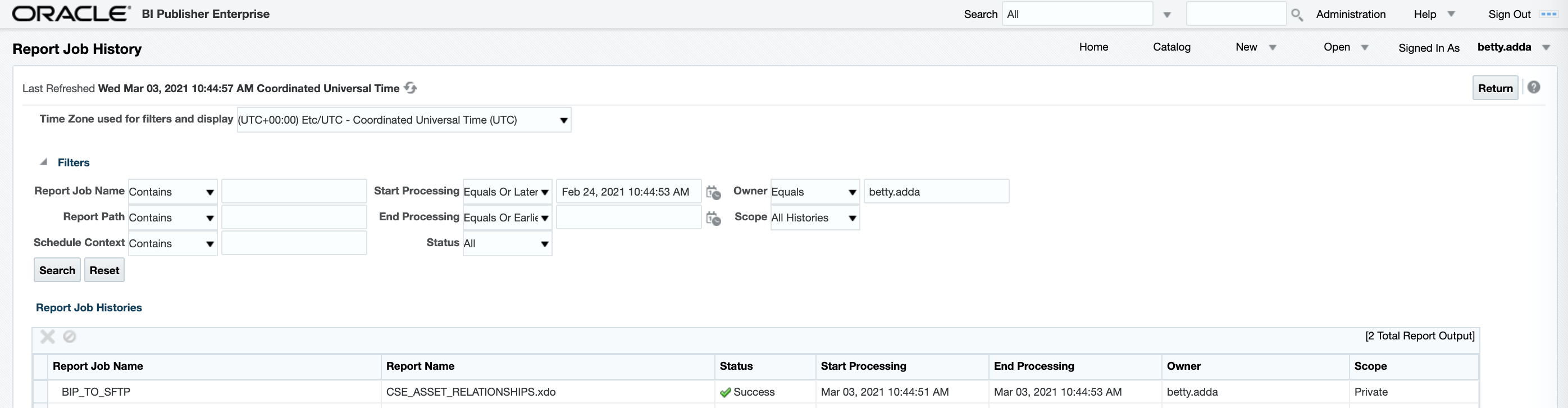
d) Go to the report job history and monitor the report job execution
Figure 25: SFTP Server on the ODI VM configured in BI Publisher
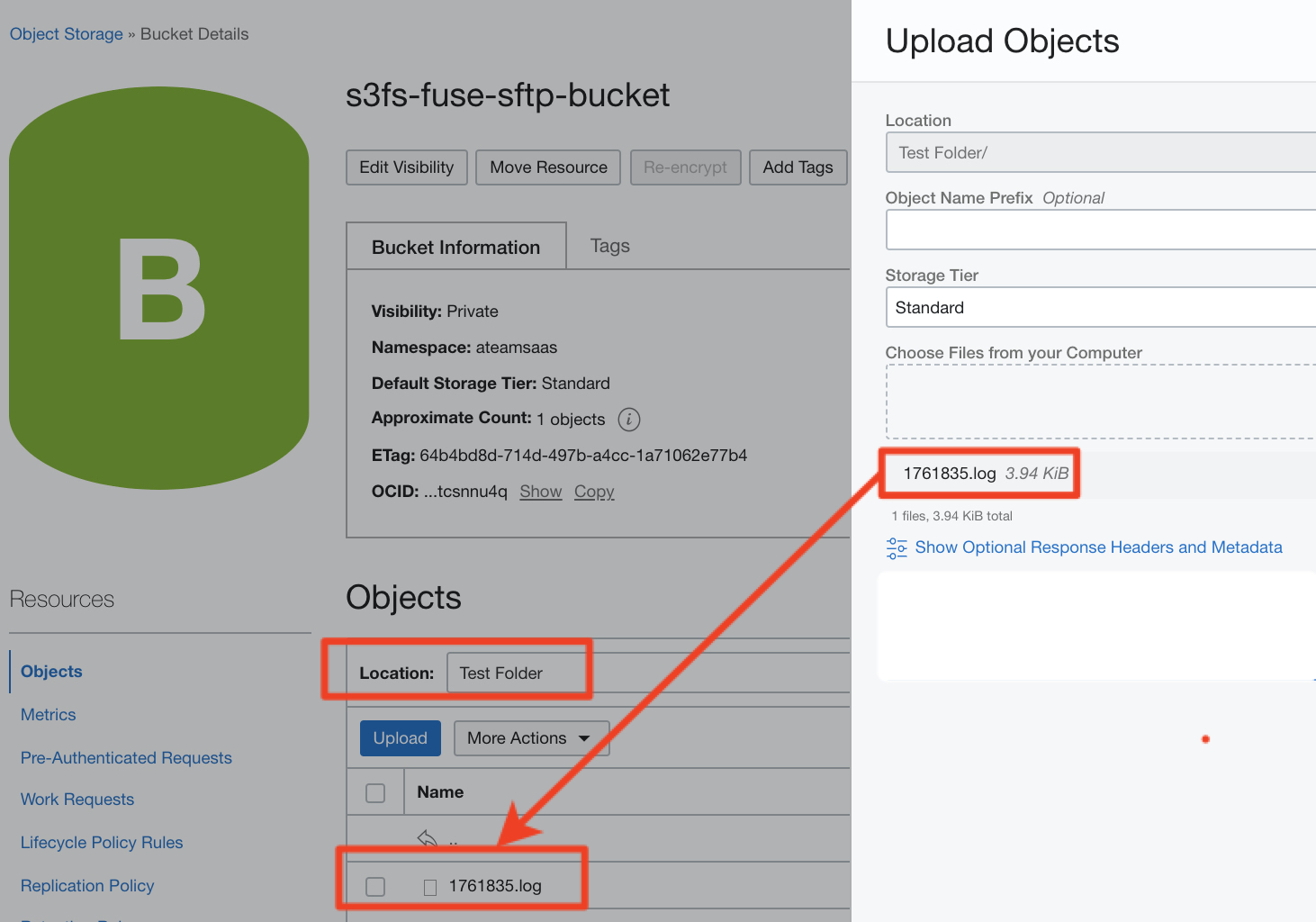
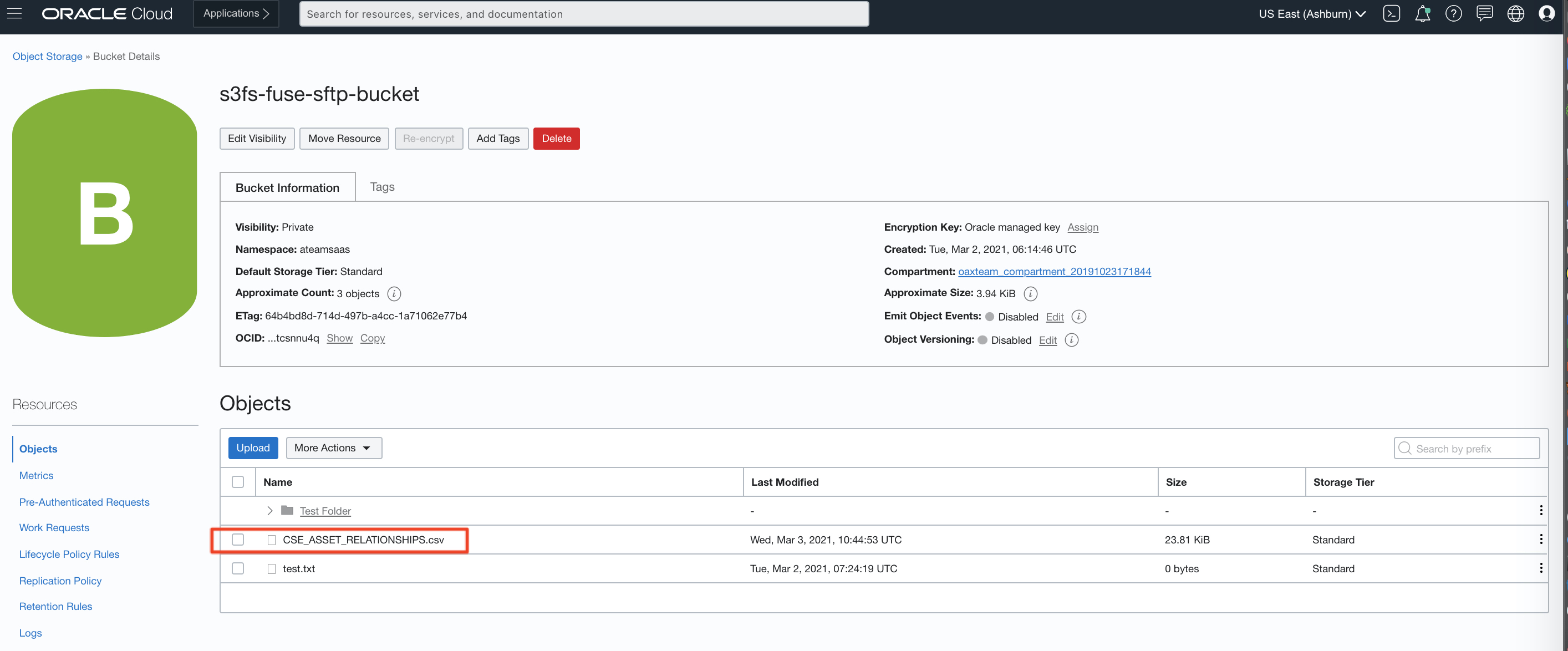
d) Access the OCI Console and look into the bucket created in the bucket mount point configuration earlier, i.e. s3fs-fuse-sftp-bucket, and validate the CSE_ASSET_RELATIONSHIPS.csv file has been generated
Figure 26: SFTP Server on the ODI VM configured in BI Publisher
This concludes the activities in this article.
The next articles will cover :
Part 2 – Defining and preparing the HCM extract to deliver to SFTP Server using Object Storage Bucket mounted as a file system on the ODI VM
Part 3 – Configuring ODI Artefacts to consume the HCM Extract
Part 4 – Scheduling the HCM Extracts from ODI
Want to Learn More?
Click here for more A-Team Oracle Data Integrator (ODI) Blogs.
Click here to sign up to the RSS feed to receive notifications for when new A-team blogs are published.
Click here to access the ODI Marketplace documentation library.
Summary
This article walked through the steps to configure Oracle Data Integrator (ODI) on Oracle Cloud Marketplace to replicate data from Fusion HCM Cloud, using HCM Extracts, into an Autonomous Data Warehouse (ADW) database that is part of the FAW product, particularly the Part 1 – Setting up the SFTP Server using Object Storage Bucket mounted as a file system on the ODI VM.
Bookmark this post to stay up-to-date on changes made to this blog as our products evolve.
Authors
Matthieu Lombard
Consulting Solution Architect
The Oracle A-Team is a central, outbound, highly technical team of enterprise architects, solution specialists, and software engineers.
The Oracle A-Team works with external customers and Oracle partners around the globe to provide guidance on implementation best practices, architecture design reviews, troubleshooting, and how to use Oracle products to solve customer business challenges.
I focus on data integration, data warehousing, Big Data, cloud services, and analytics (BI) products. My role included acting as the subject-matter expert on Oracle Data Integration and Analytics products and cloud services such as Oracle Data Integrator (ODI), and Oracle Analytics Cloud (OAC, OA For Fusion Apps, OAX).