
Introduction
Securing north-south internet traffic flowing between external users and cloud workloads is a critical aspect of network design. By deploying Cisco Firepower Threat Defense (FTD), we can inspect inbound traffic before forwarding it to private resources.
In this blog, I’ll walk through configuring Destination NAT(DNAT) on Cisco FTD to allow external access to a private Linux VM (Blog VM) behind a load balancer (LB) in a spoke VCN while ensuring all traffic is inspected. Please refer to the architecture below.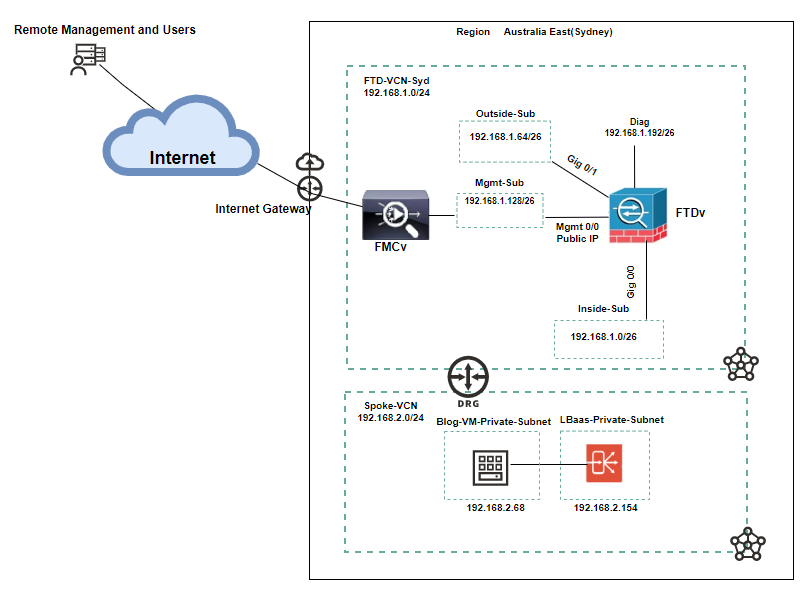
Architecture Overview
Key Components
Hub VCN (FTD-VCN-Syd): Hosts the Cisco FMC and FTD firewall.
Spoke VCN: Contains the OCI Load Balancer and Linux VM (running Nginx).
Dynamic Routing Gateway (DRG): Provides connectivity between hub and spoke VCNs.
Internet Gateway (IGW): Allows inbound traffic to reach FTD’s outside and FMC management interfaces.
DNAT on FTD: Translates FTD’s public IP to the private IP of the Load Balancer in the spoke VCN.
Agenda
- Evaluating OCI Networking Configurations
- Configuring DNAT on Cisco FTD
- Traffic Verification
- Conclusion
Evaluating OCI Networking Configurations
Let’s start it with OCI networking components.
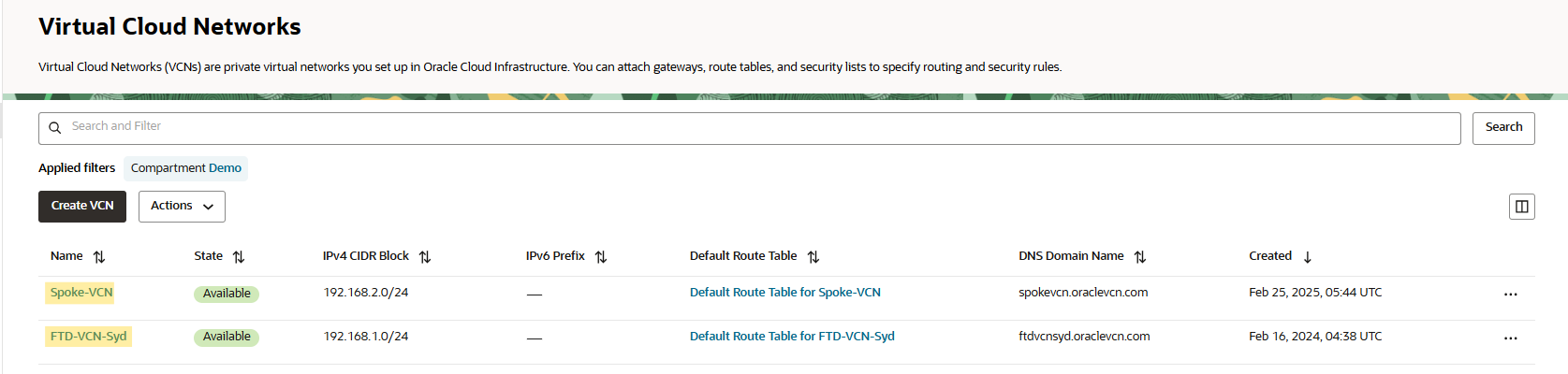
Log into the OCI portal, navigate to Networking -> Virtual Cloud Network.
As you see below, we have created two VCNs.
Click on FTD-VCN, navigate to route tables under the VCN resources.
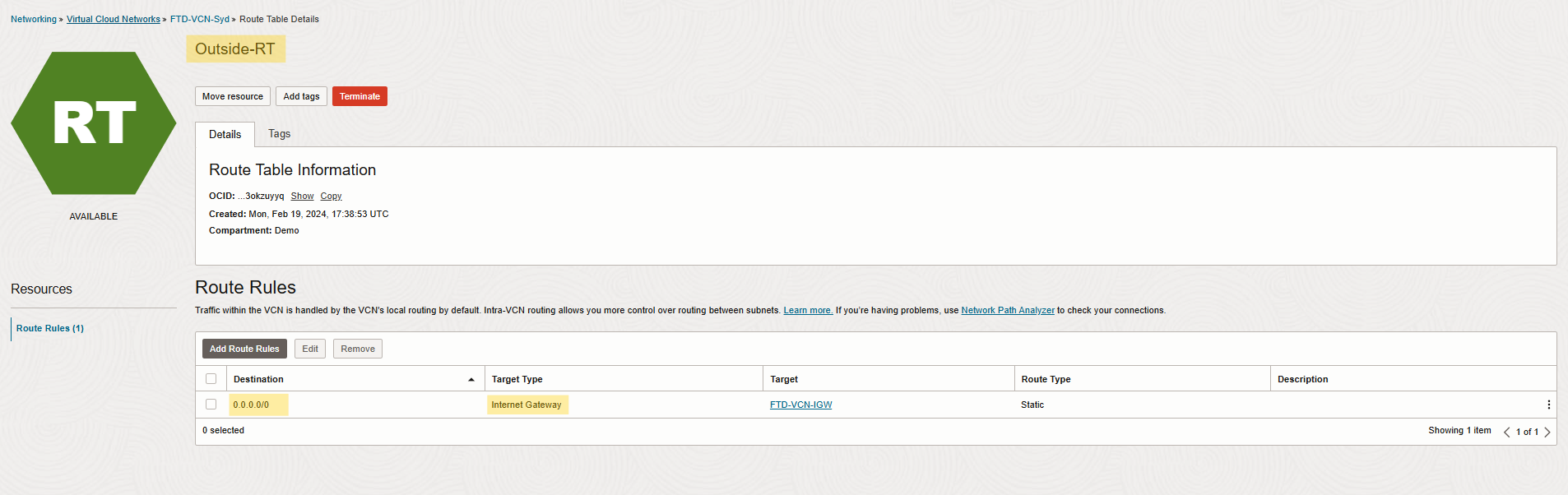
Since the FTD’s outside interface handles public traffic, ensure:
An Internet gateway (IGW) is configured in the outside interface route table.
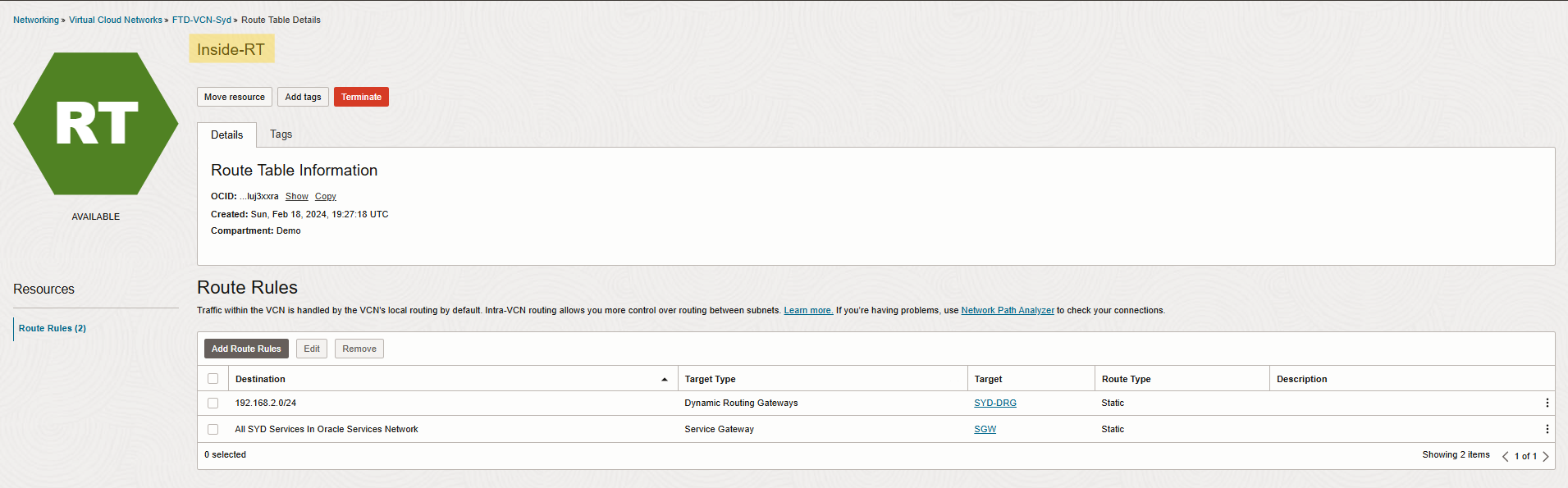
 Inside route table also needs to have a route to spoke VCN through DRG, check below.
Let’s move on to the next route table which is very important for ingress traffic to hub VCN.
VCN-Ingress route table exists in hub VCN and is configured with a default route to send traffic to the Cisco FTD firewall for traffic inspection and is associated with DRG VCN attachment.
Note: Target is FTD inside interface private IP.

Now we have checked the VCN route tables, we can move on to DRG.
DRG consists of two VCN attachments with custom route tables named From-Firewall and To-Firewall and each one is associated with custom import route distribution to handle the traffic between hub and spoke VCNs. For more details, check the screenshots below.
Note: FW-VCN-Att attachment has an FTD-VCN Virtual cloud network with custom route table From-Firewall.
Note: Spoke-VCN-Att attachment has a Spoke-VCN Virtual Cloud Network with To-Firewall custom route table.
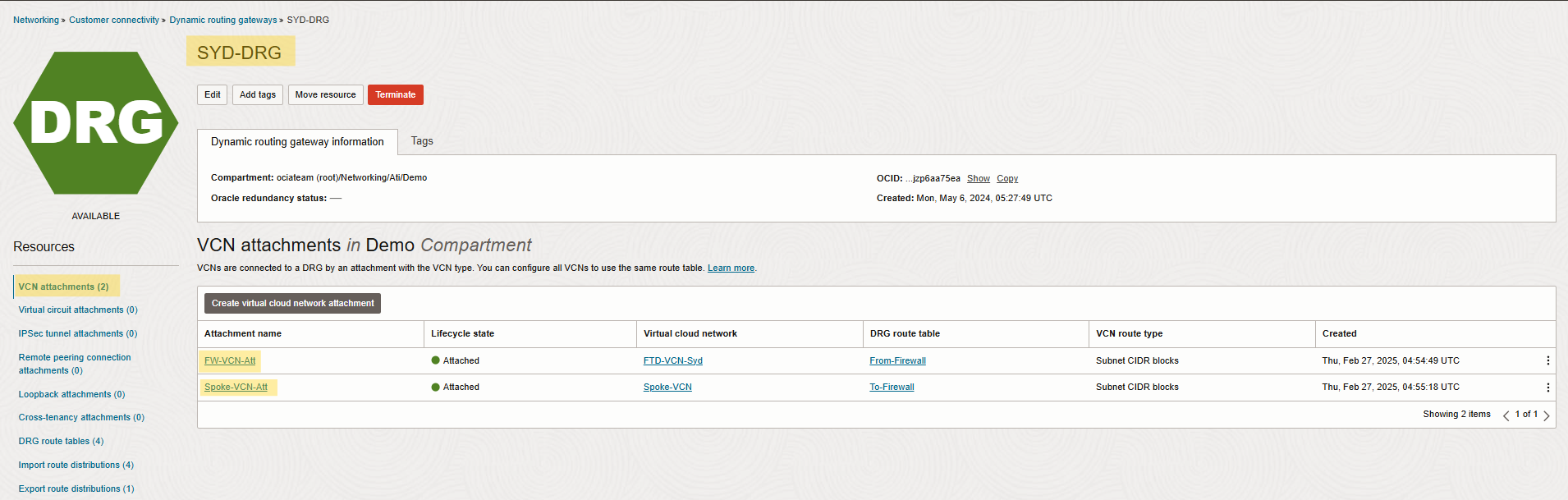
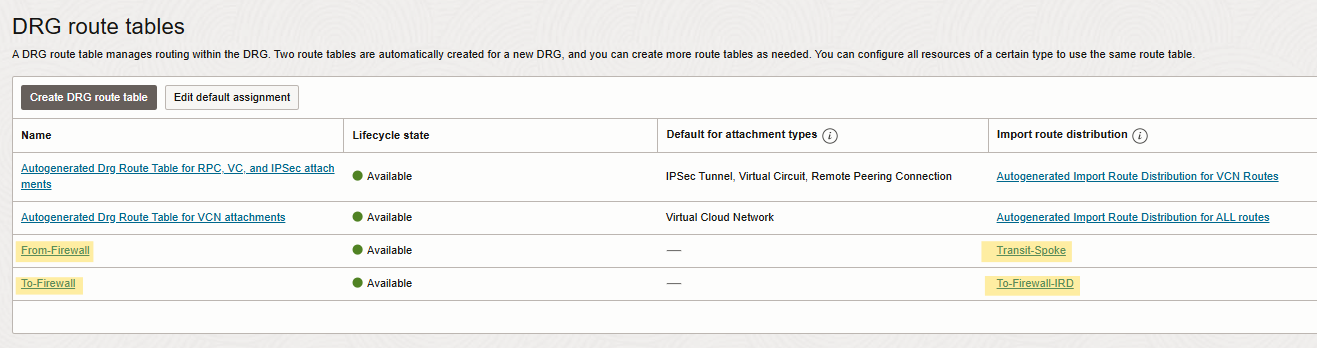 Note: I considered custom Import Route Distribution for each DRG created DRG route tables.
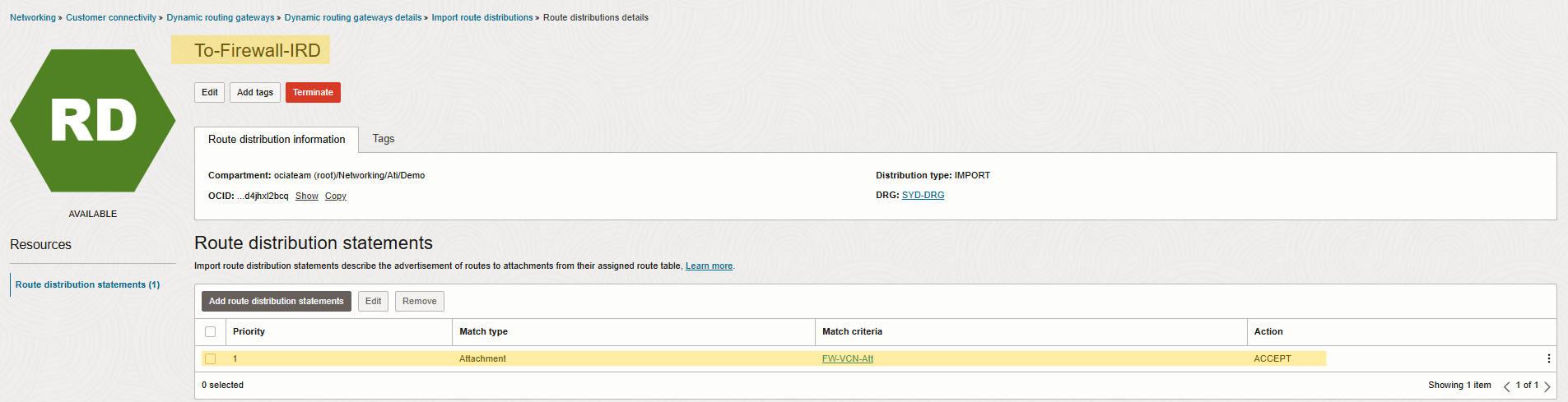
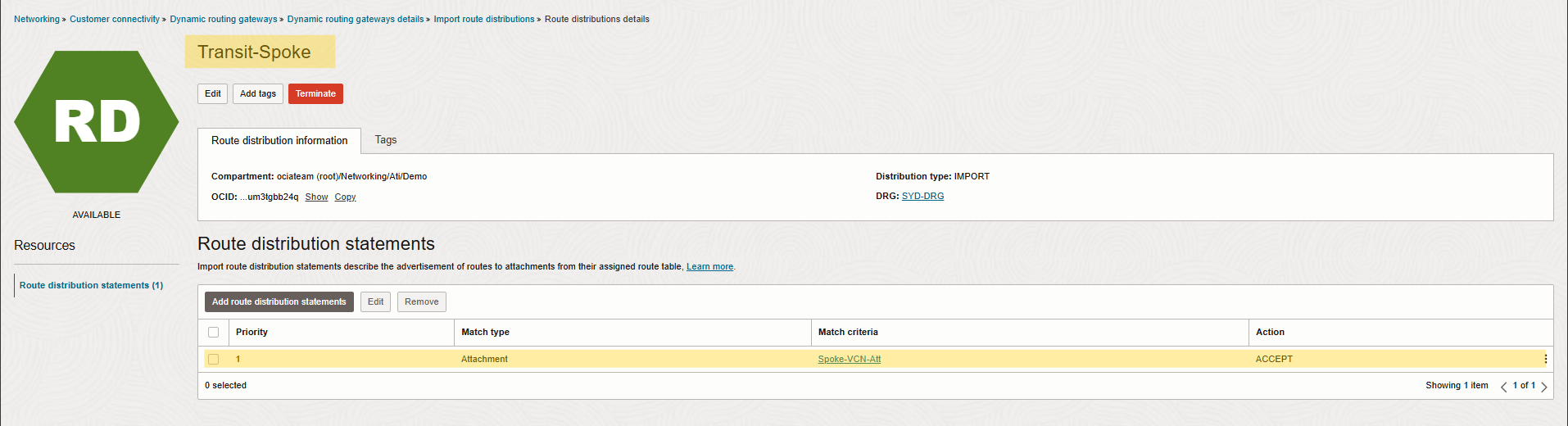 Now, we can move to load balancer to ensure the status of the LB is OK and to obtain the LB private IP for a next step config in FTD.
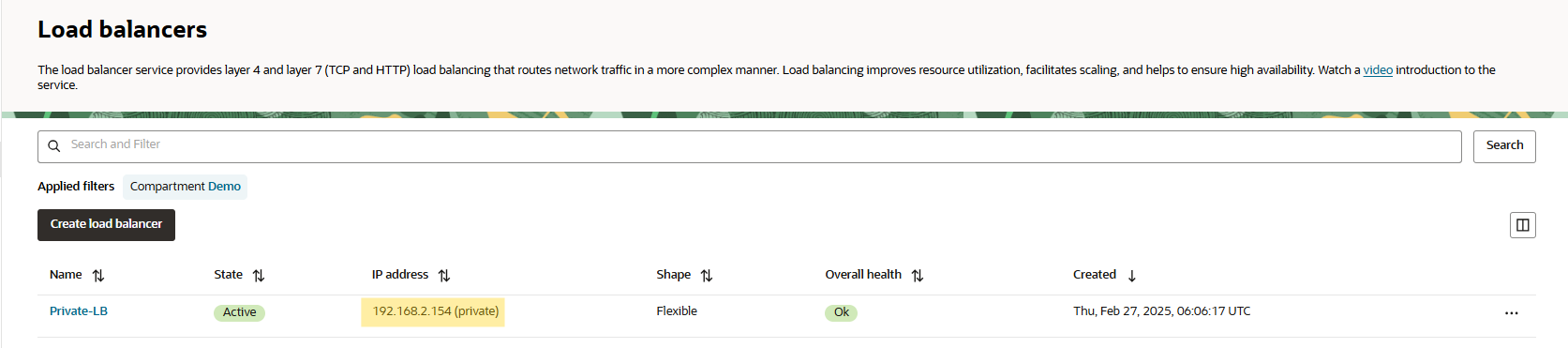 Note: The load balancer has a backend server with the private Linux VM located in spoke VCN.
Configuring DNAT on Cisco FTD
Log into the Cisco FMC dashboard.
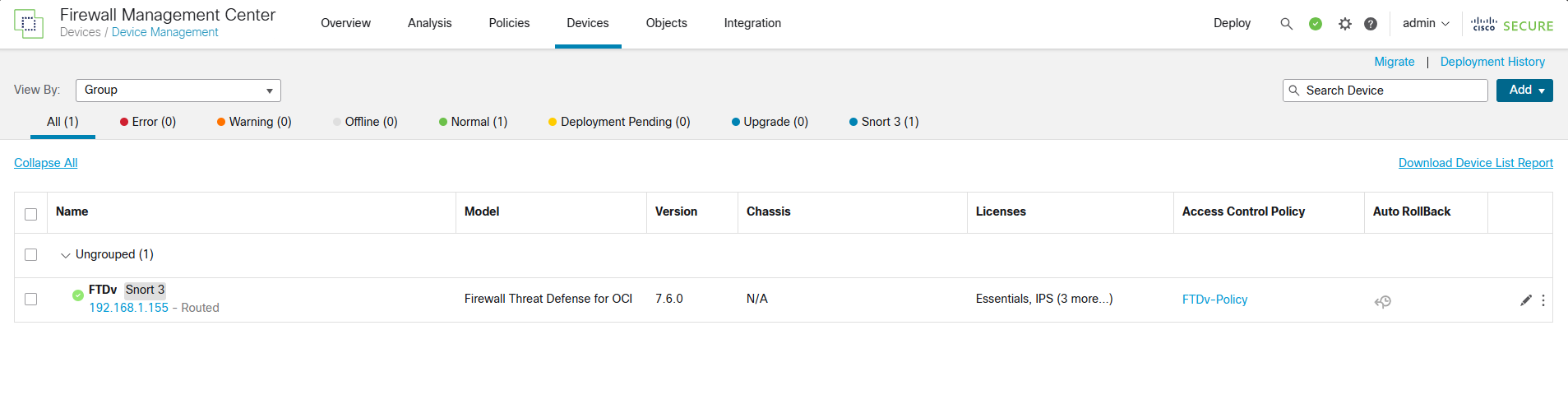
Before we start with DNAT configuration, we need to double check a few configs here.
Navigate to devices to confirm your interface status.
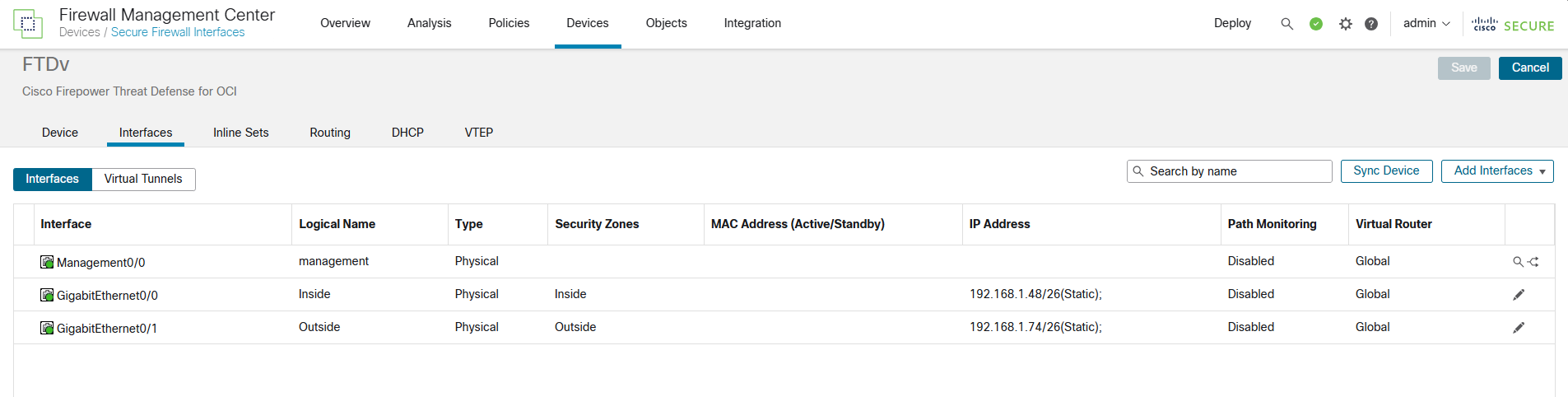 After confirming your interfaces are up and running, click routing to ensure you have the proper routing configured there.

Now let’s check FTD access policy.
Note: For blogging purposes, I created a rule will Allow ALL. Don’t create this in a production network.
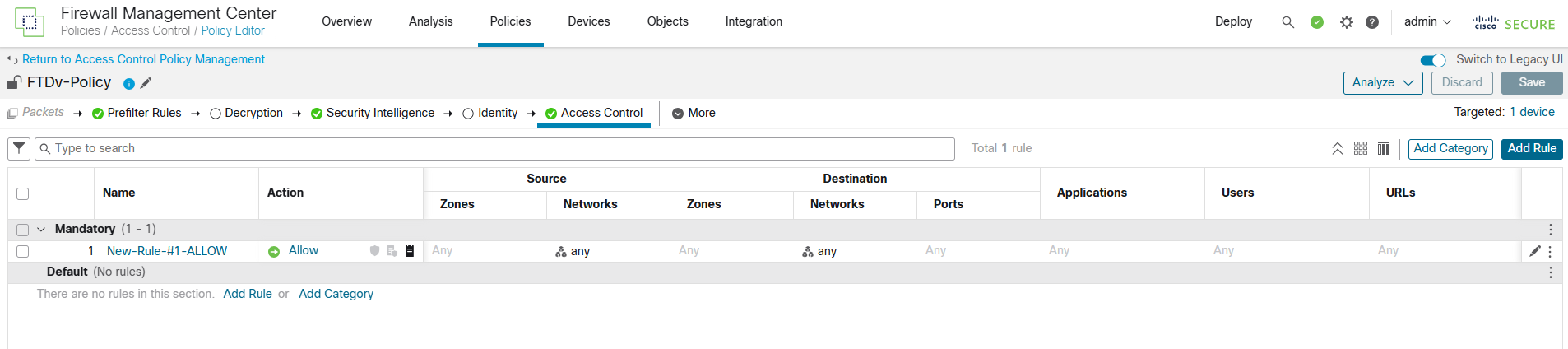
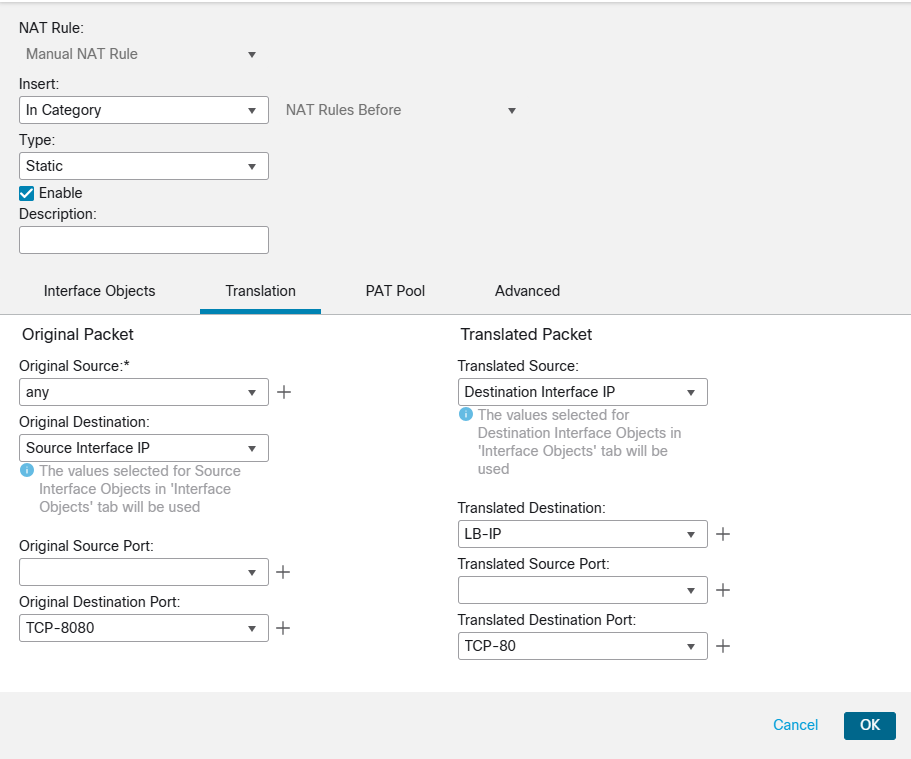
After we finished with FTD routing and policy, we move to Device menu and navigate to NAT to create a new rule. Check the config and screenshots below please.
Source Interface Object: Outside Interface
Destination Interface Object: Inside Interface
Original Source: Any
Original Destination: FTD Public IP (Outside Interface Public IP- 152.67.100.144)
Translated Destination: Load Balancer Private IP (192.168.2.154)

Traffic Verification
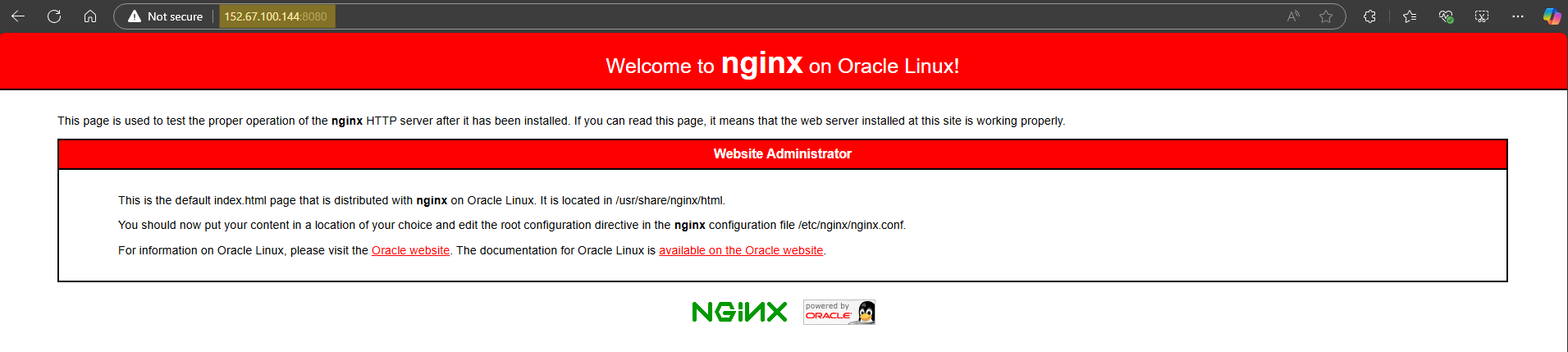
Open a browser and enter FTD’s public IP. If configured correctly, you should see the Nginx default page served by the VM. Please check the traffic flow below.
Traffic Flow
- You enter the public IP of the FTD outside interface in a browser.
- FTD performs DNAT, forwarding the request to the Load balancer in the spoke VCN.
- The load balancer forwards traffic to the private VM, which serves the Nginx webpage.
You can view the logs in FMC Analysis, Unified Events.
Check the screen recording below.
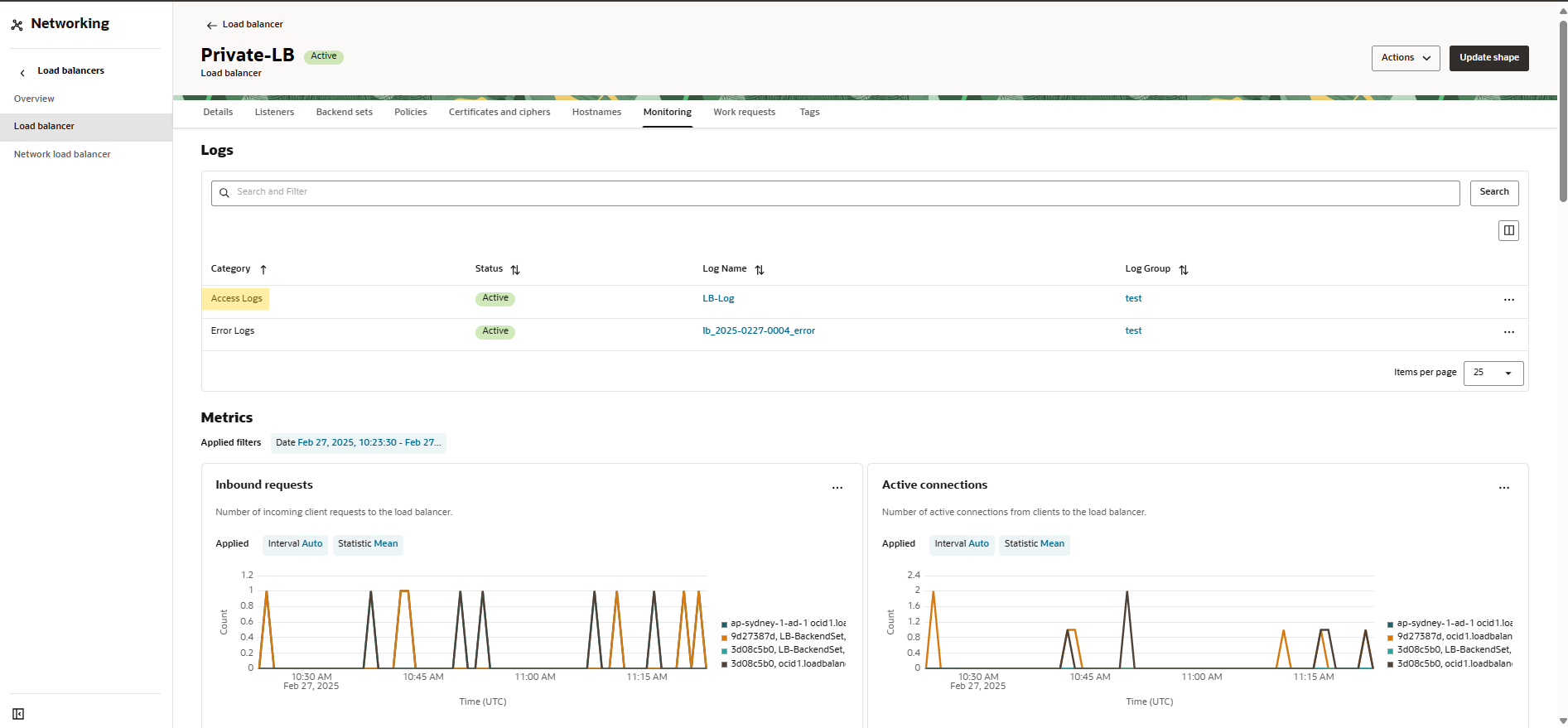
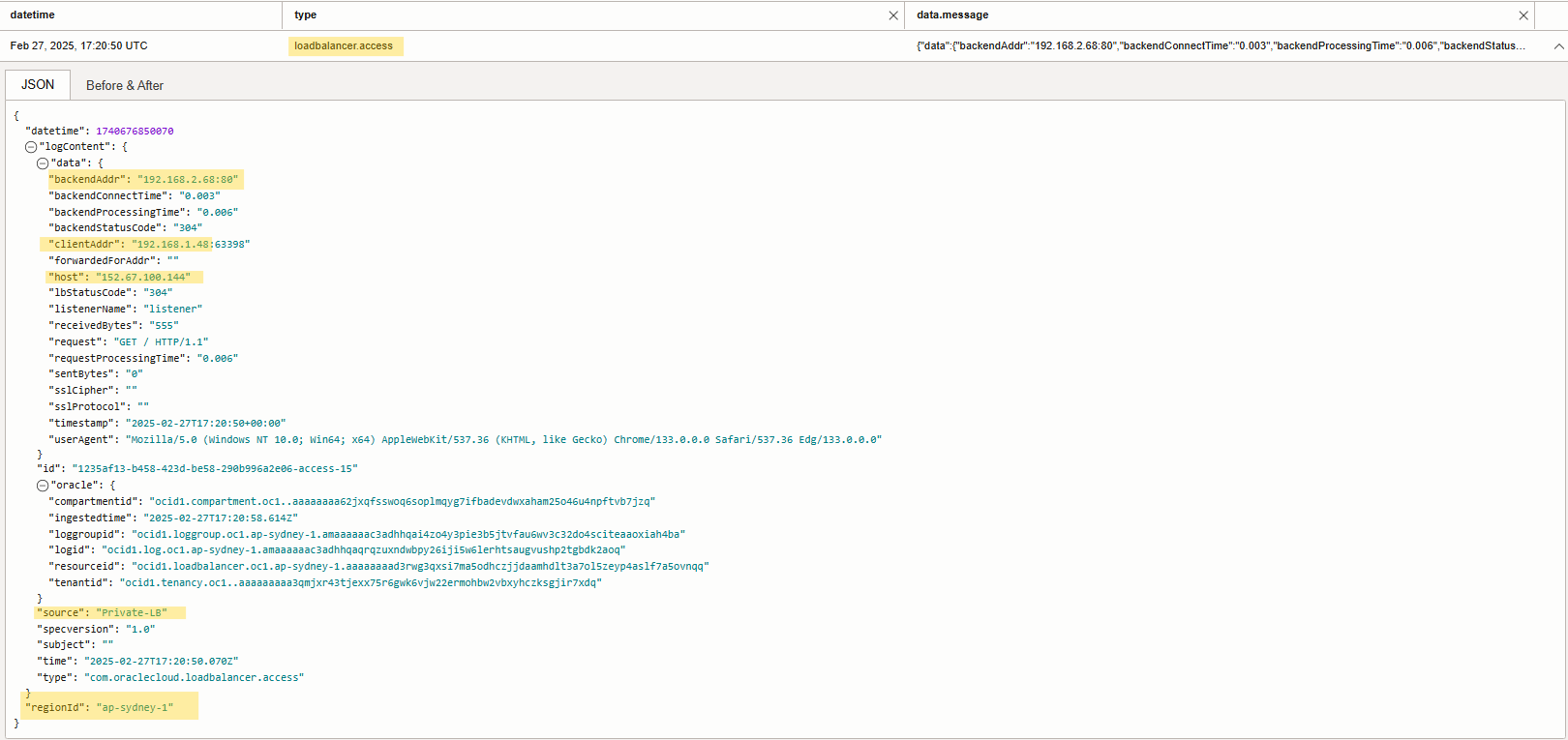
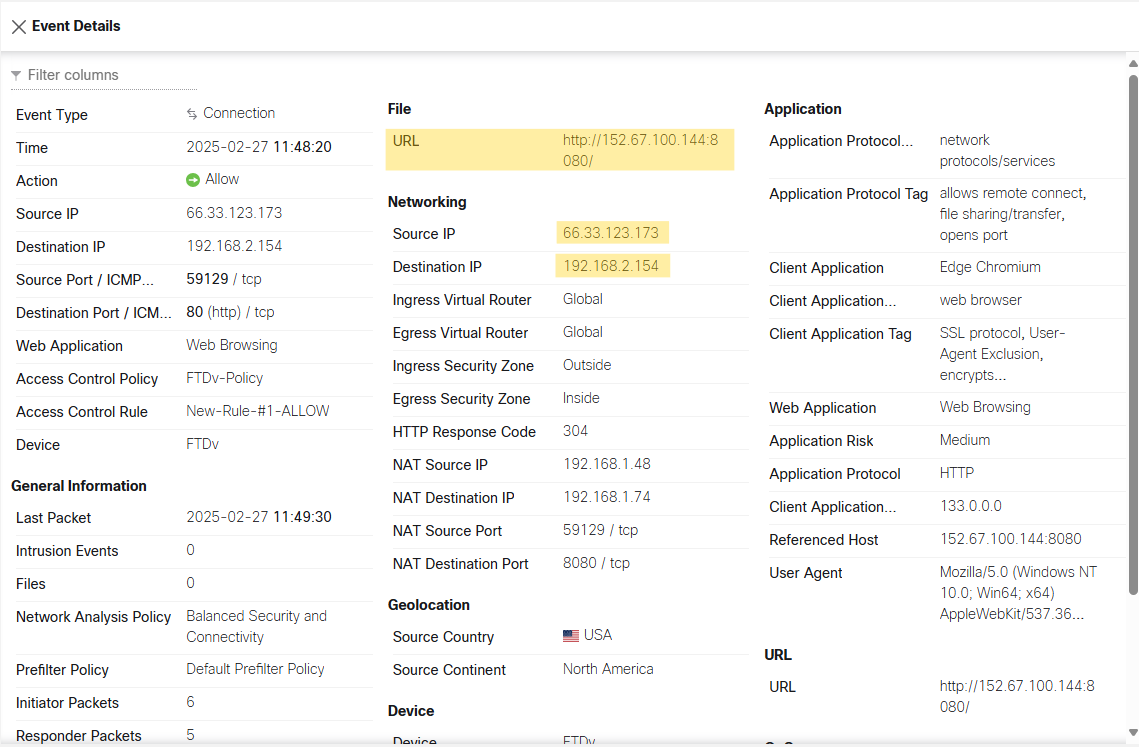 You also can view logs under private load balancer monitoring tab in OCI.
Conclusion
By configuring DNAT on Cisco FTD, we successfully enabled secure north-south traffic inspection for a private VM behind an OCI load balancer. This setup ensures that all inbound traffic is inspected before reaching the application, enhancing security in your architecture.
This blog is a great addition to my Cisco firewall series blog, where I’ve previously covered FTD and FMC deployment. With each blog, I aim to provide practical, real-world solutions for securing OCI environments using Cisco firewall.
I hope you enjoyed it!