
Introduction
Oracle Cloud Infrastructure (OCI) Generative AI brings advanced text summarization and content generation capabilities. Pairing OCI Generative AI with Oracle Integration enables organizations to automate workflows that enable automation of text summarization, dynamic content creation, and much more.
OCI Generative AI comes with models from Cohere and Meta.
- Cohere Command R: Command R is suited for various applications, including text generation, summarization, translation, and text-based classification.
- Cohere Command R+: Command R+, is designed for more complex language tasks that require deeper understanding and nuance, such as text generation, question-answering, sentiment analysis, and information retrieval.
- Cohere Embed: These English and multilingual embedding models (v3) convert text to vector embeddings representation.
- Meta Llama 3.1: Llama 3.1 models have 128K context window and support for eight languages. It supports fine-tuning using the low-rank adaptation (LoRA) method.
- Meta Llama 3.2: Multimodal support allows these models to achieve image-based use cases, such as summarizing charts and graphs and writing captions for images and figures. Additionally, Llama 3.2 models provide multilingual capabilities, supporting text-only queries in eight different languages.
In this blog, we will use the Cohere Command R model for text summarization.
Steps
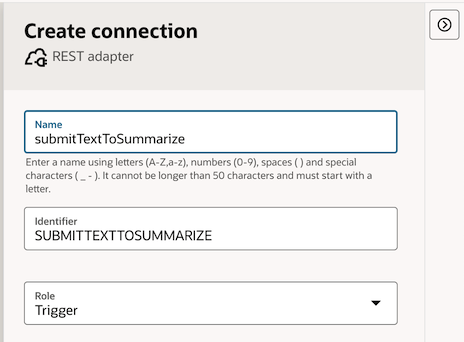
1. In Oracle Integration, create a REST adapter Connection.
- Set the Name as
submitTextToSummarize. - Assign the Role as
Trigger.
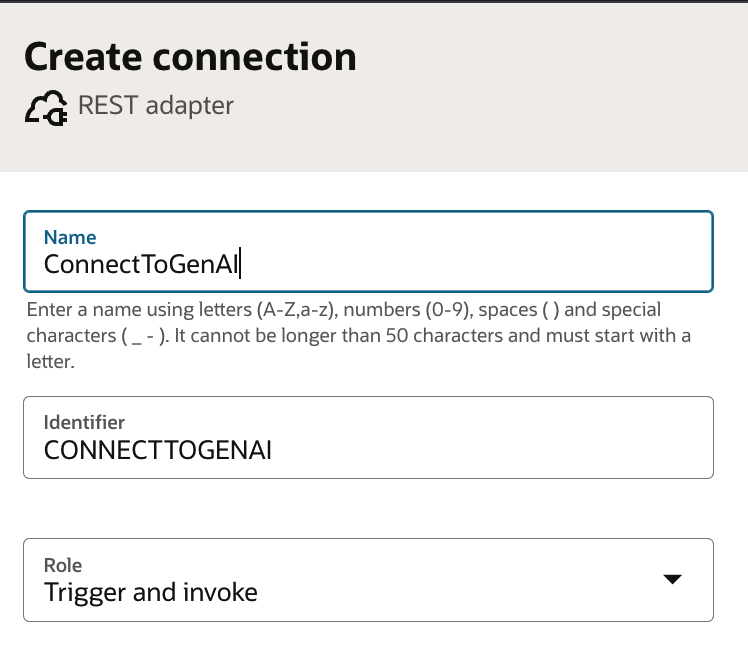
2. Create another connection to connect to the OCI Generative Service.
- Set the Name as C
onnectToGenAI. - Assign the Role as
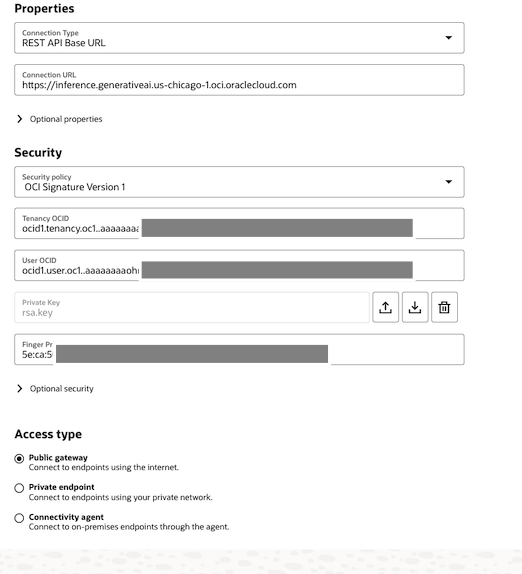
Trigger&Invoke. - Use the inference endpoint URL of the OCI Generative AI service as the Connection URL.
- Choose
OCI Signature Version 1as the Security Policy. - You’ll need to provide the Tenancy OCID, User OCID, Private Key, and Fingerprint to connect using OCI Signature: For further guidance, refer to the detailed instructions here.
3. Now, let’s create an integration using the two connections we’ve set up.
The integration, once completed, will be structured as shown below.
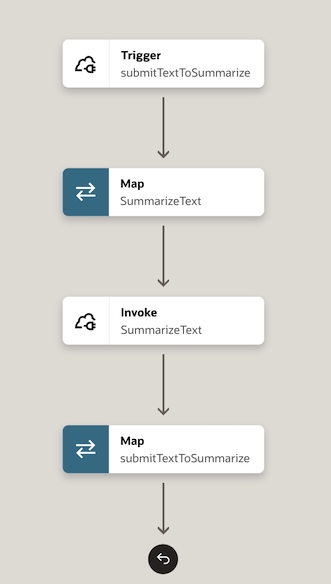
The steps to create this integration are outlined below:
3.1: Start by creating a new integration and select submitTextToSummarize as the trigger for the integration.
3.2: Next, configure the properties for submitTextToSummarize as shown below.
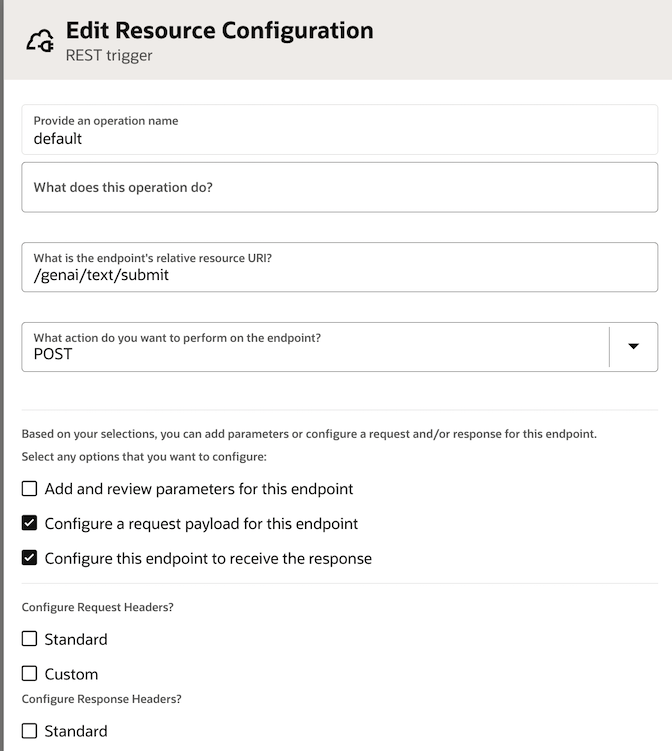
Enter a request and response sample payload. These sample payloads define the input and output formats for the integration.
The request contains the text to be summarized, and the response contains the summarized text generated by OCI Generative AI.
Add JSON sample request payload as shown below:
     {
        "inputText" : "this is the text to summarize"
      }
Add sample response JSON payload as shown below:
    {
       "textSummary" : "summarized text from gen AI"
    }
3.3: Next, add an Invoke Action in the integration, selecting the Connection, connectToGenAI created earlier.
Configure its properties as shown below.
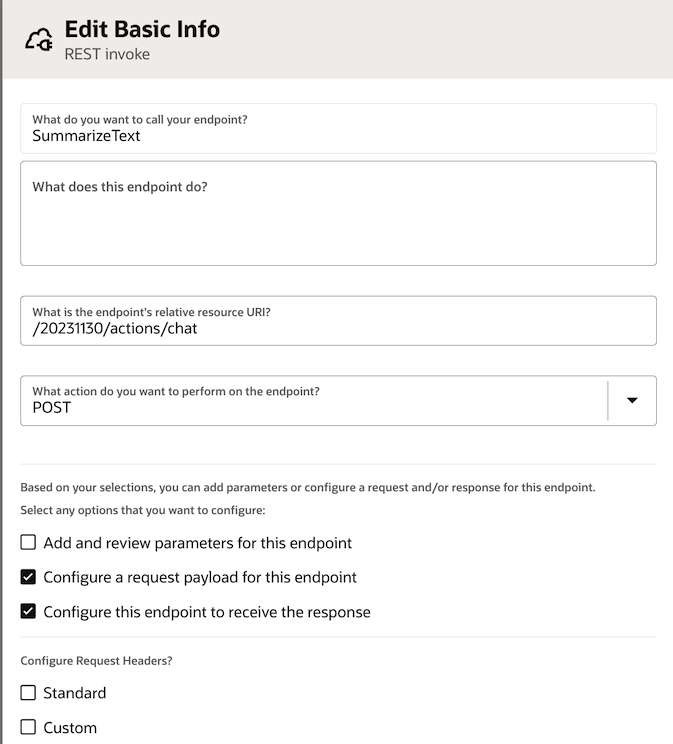
The sample JSON request payload is shown below. The structure of the request JSON is derived using the CohereChatRequest reference.
{
  "compartmentId" : "ocid1.compartment.oc1.ID",
  "servingMode" : {
    "modelId" : "cohere.command-r-08-2024",
    "servingType" : "ON_DEMAND"
  },
  "chatRequest" : {
    "message" : "Summarize this text.....",
    "maxTokens" : 600,
    "apiFormat" : "COHERE",
    "frequencyPenalty" : 1.0,
    "presencePenalty" : 0,
    "temperature" : 0.2,
    "topP" : 0,
    "topK" : 1
  }
}
The response json from OCI Generative AI will look like below. This is obtained from the ChatResponse format reference. Add this as the sample response JSON payload.
{
  "modelId" : "",
  "modelVersion" : "modelVersion",
  "chatResponse" : {
    "apiFormat" : "",
    "text" : ""
  }
}
3.4: Configure the Map SummarizeText as shown below.
Set the Model Id to specify the model you want to use for summarization. For instance, use "cohere.command-r-08-2024"
Set Serving Type as "ON_DEMAND".
Set the API Format to "COHERE".
Enter appropriate values for Frequency Penalty, Top P, Top K, Temperature, etc.
To summarize a text, start with the temperature set to 0. A high temperature encourages the model to produce creative text, which might also include hallucinations and factually incorrect information.
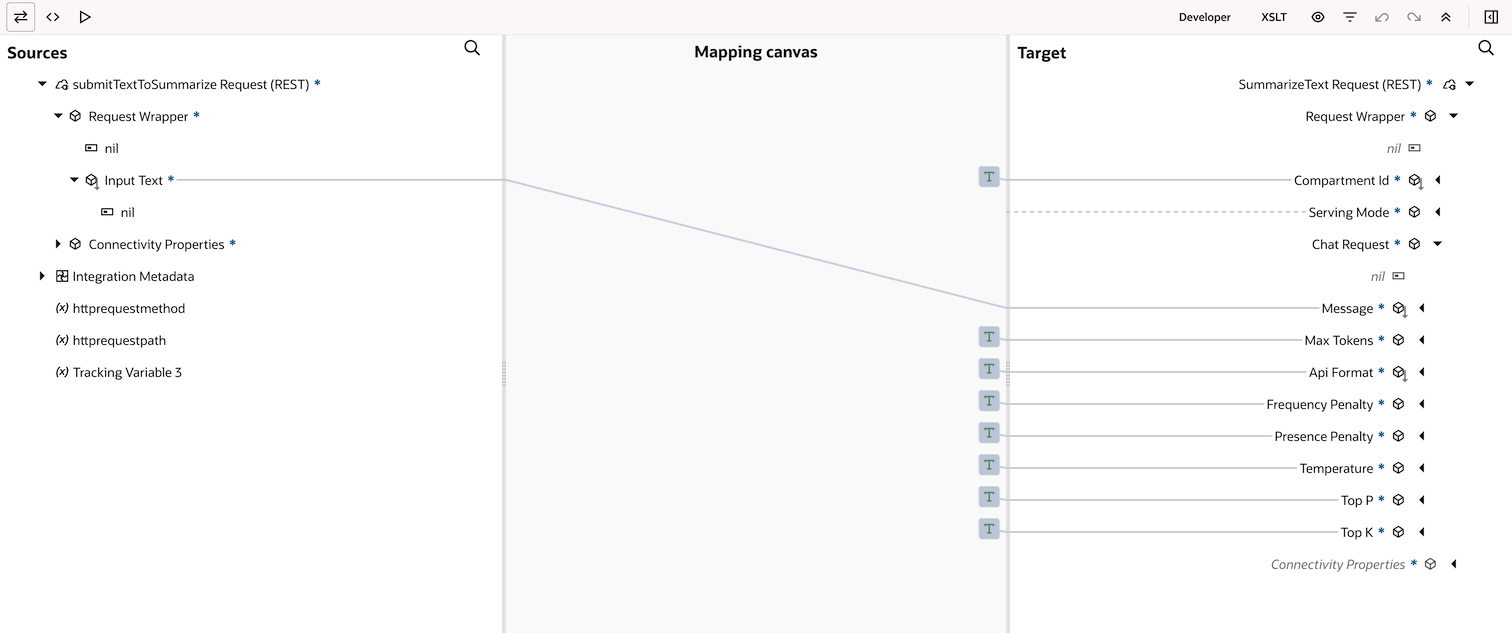
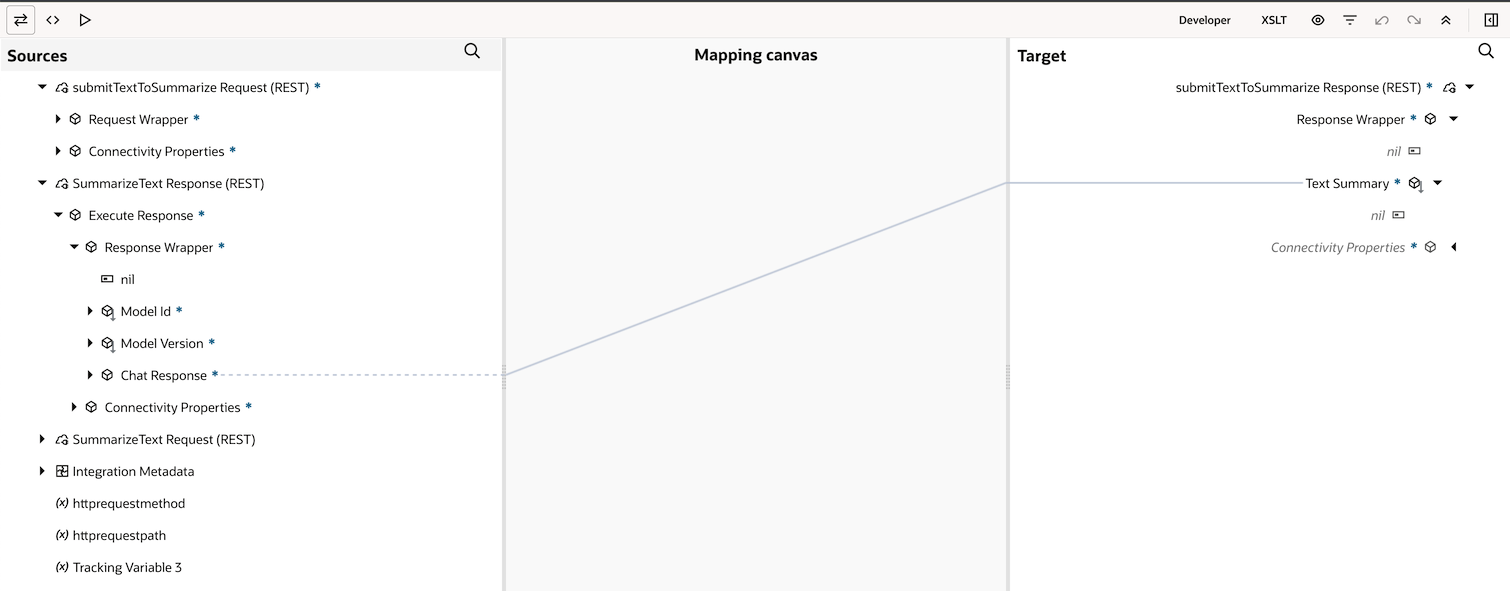
3.5: Configure the Map submitTextToSummarize by connecting Chat Response from Source to Text Summary in Target.
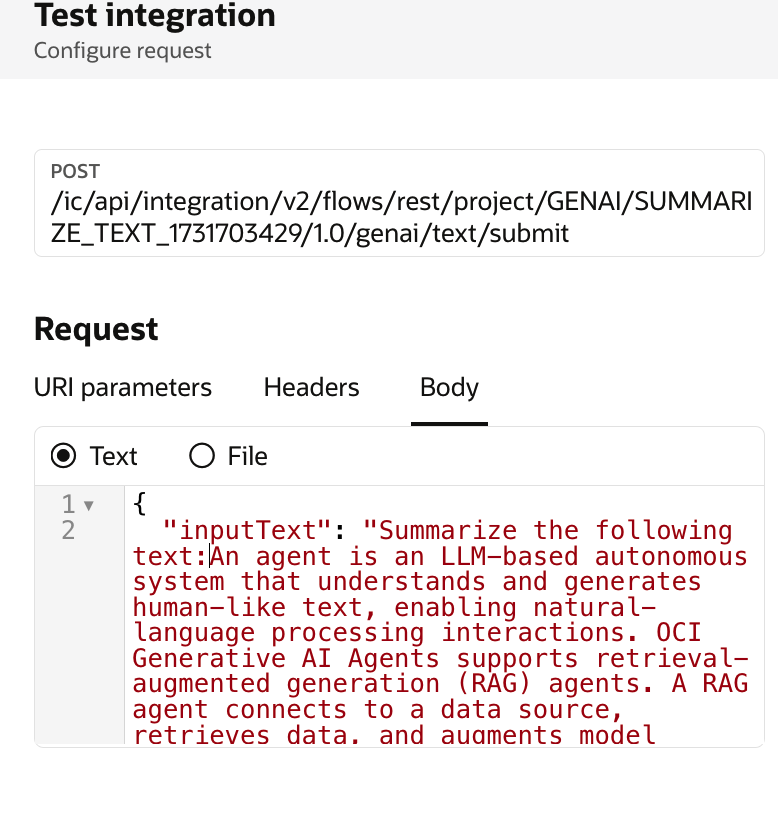
4. Now that integration is configured, it’s time to run the integration and provide a sample input for summarization. For this, you will send an input payload with clear instructions to the model on what to do (i.e., summarize the provided text). You will get the summarized text as the output.
Conclusion
I hope this blog has given you an idea of how to use Oracle Integration to connect with an OCI Generative AI endpoint. You can enhance this by adding business flows and APIs to the integration. This allows you to provide business context as input to the LLM, making it an active part of your business processes.