Introduction
In one of my recent engagements, a customer is implementing OPA processes to automate employee onboarding processes. As the onboarding process moving through multiple human tasks, documents of various types are attached to the instances. One of the customer’s requirements is to save these attachments to an external storage such as HCM Document of Records after the OPA process instance finishes.
Currently, there is no out of the box capability to implement such requirement in OPA. But there are APIs available in OPA that allow us to create a custom solution. There are many different ways to implement a custom solution. In this blog, we will use Oracle Integration Cloud (OIC) to achieve our goal.
Connecting OPA to OIC is straight forward via REST API. The interface message exposed by an OIC integration to OPA can be as complex as anyone wants. In this blog, we will simplify our example in that we let the sample OIC integration take only one attribute named “instanceID”. This instanceID is the identifier of the OPA process instance.
Example Integration Overview
The image below shows the entire example integration.

Here are the sequence of steps:
- An OPA process instance invokes the example async integration with its instanceID via REST at the last step in the OPA process.
- The integration, via REST, queries OPA with the instanceID for a list of documents attached to this instance
- Next is a loop for each of the document in the retrieved list.
- Inside the loop, the integration uses REST to download the document as a binary form. At this step, the response header “Content-Type” is set dynamically by OPA depending on the nature of the attachment. The request header “Accept” must match the response header “Content-Type”. Fortunately, the content type of the attachment is an attribute that is returned when the integration queries for a list of the document in the prior step.
- The last step in the integration is sending the downloaded document to an external storage. In this example, the documents are sent to a user’s Document of Records in HCM. We will use the pre-seeded FA user curtis.feitty in the example.
In the next sections, we will dive deeper into the implementations.
Implementation Details of the Example Integration
OPA REST API Authentication
OPA REST API security requires OAuth based authentication. Further more, OPA requires a user principal in the authentication token (no Client Credential OAuth). In the example integration, we created an admin user in OPA. This admin user is specified as the resource owner in our resource-owner-based OAuth authentication to OPA.
Trigger Start
The trigger node in this example integration defines a simple JSON payload with a single attribute named “OPAInstanceID” as a string. Additional attributes can be added to make the integration more dynamic. For example, a person ID can be added to the input payload to identify which person’s Document of Records the attachments are saved in. But in this example, we will use a hard-coded person ID for “Curtis Feitty”.
Query for a List of Instance Documents
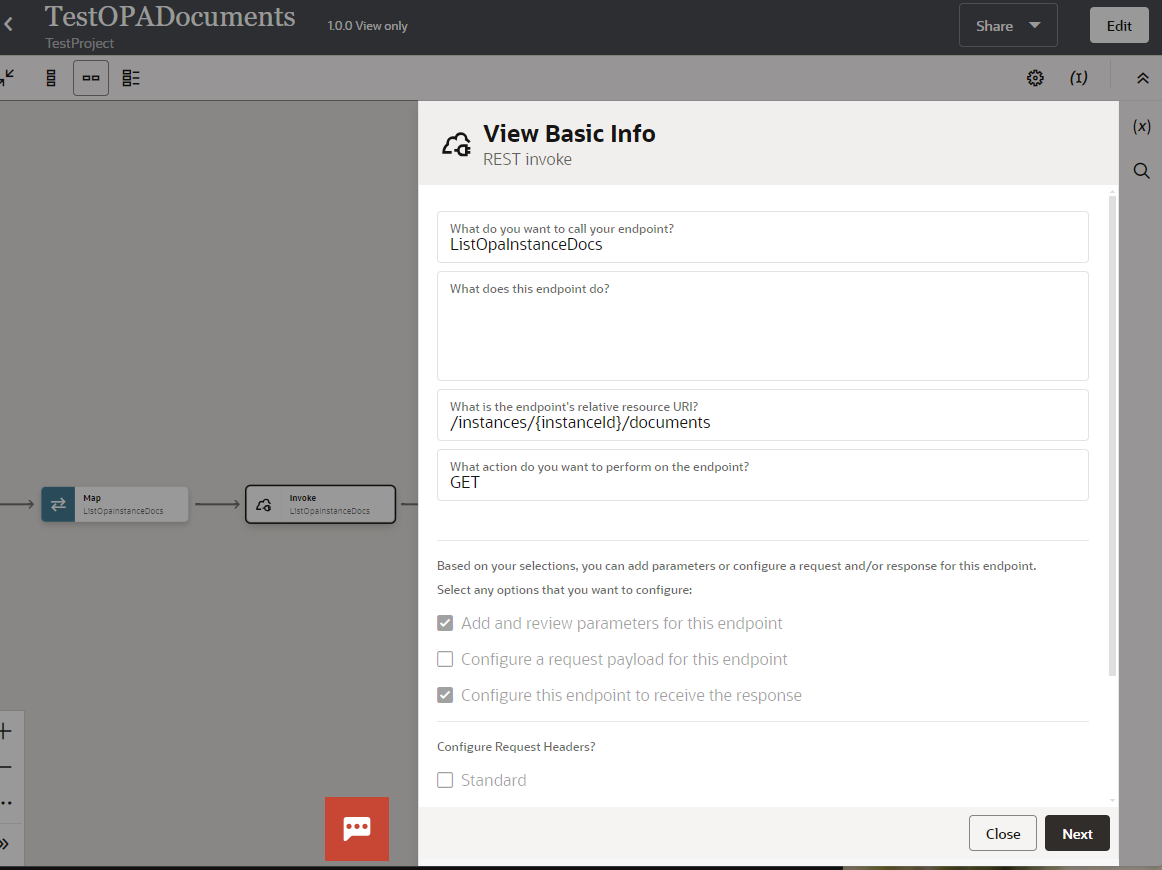
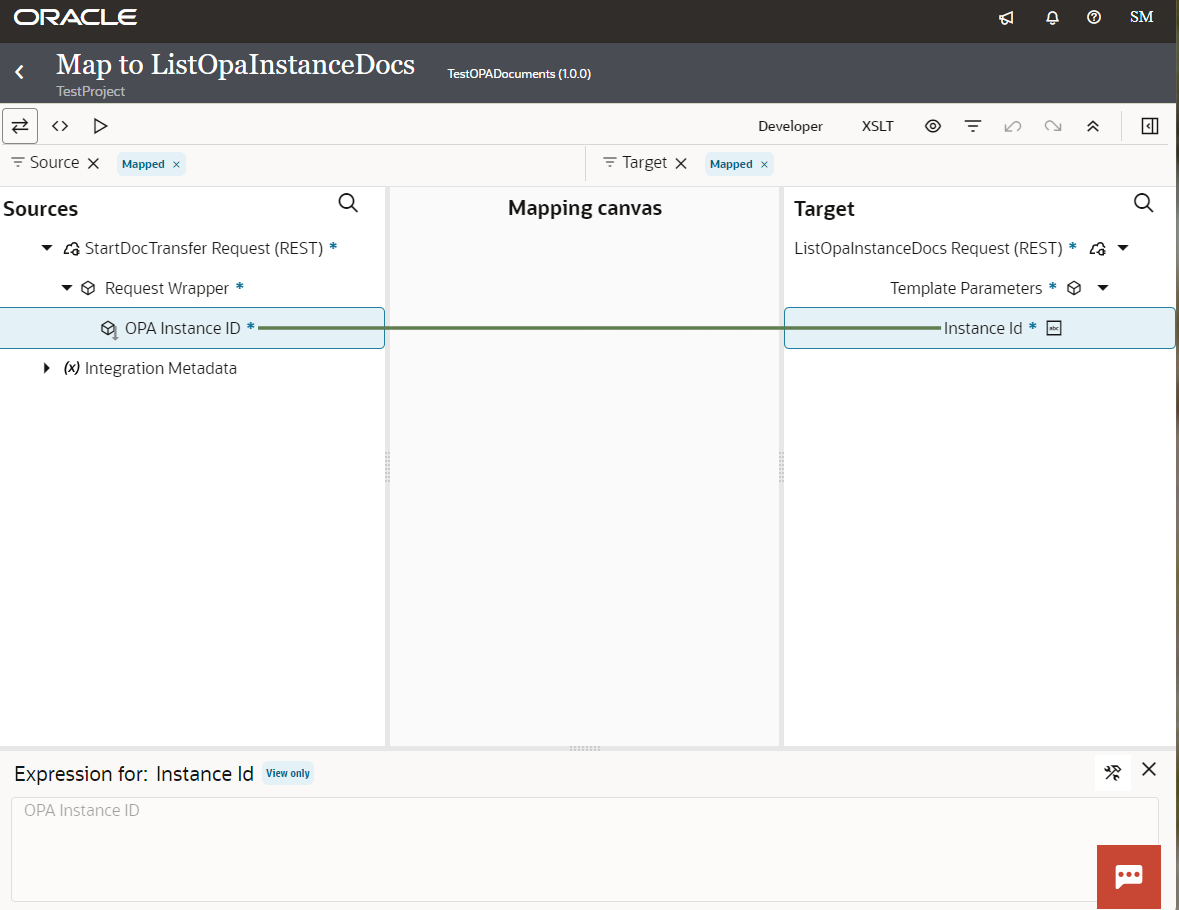
Querying for a list of OPA instance documents is straight forward. We only need the instance ID of the OPA process instance.The following images show the REST connector configuration and mapping. The instance ID is specified as a path parameter of the REST query URL. The response JSON payload can be obtained by running the REST call manually in tools like Postman.
Download Each Document
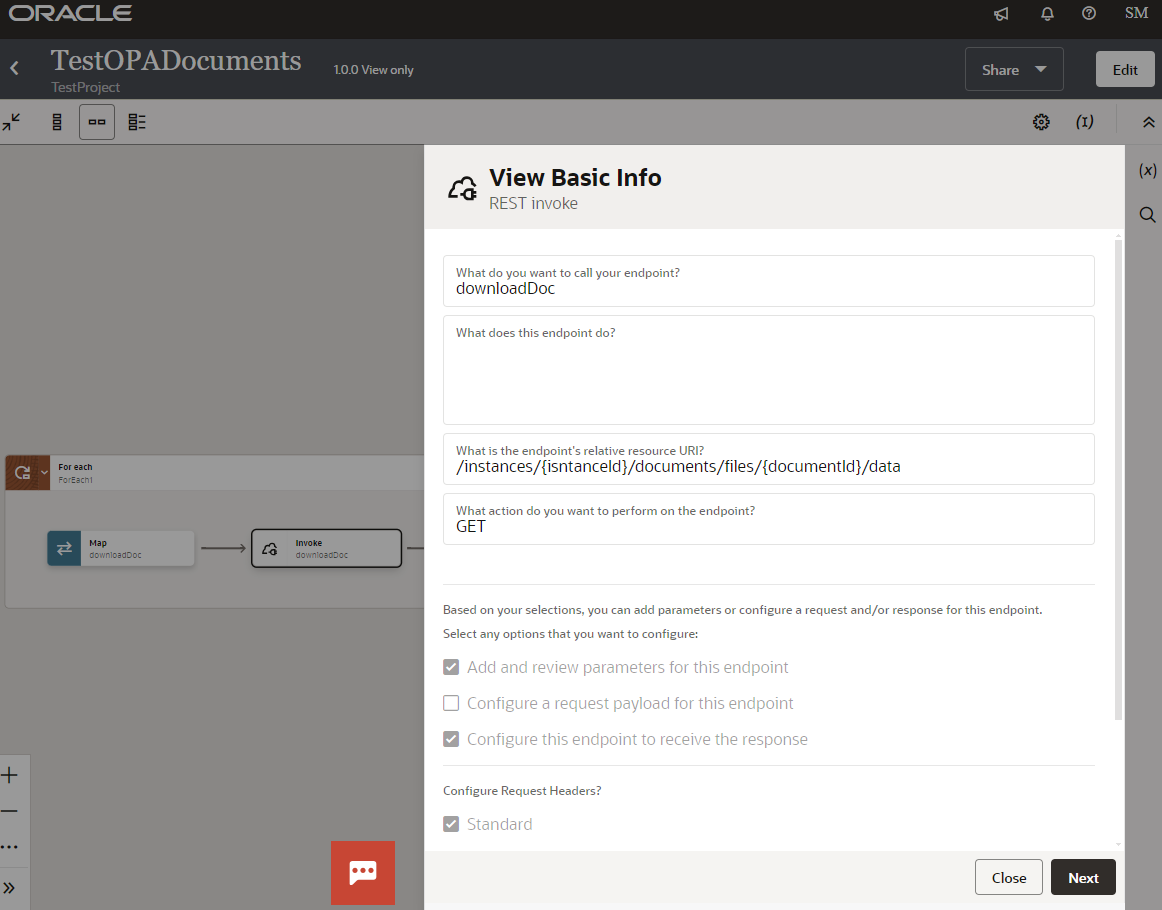
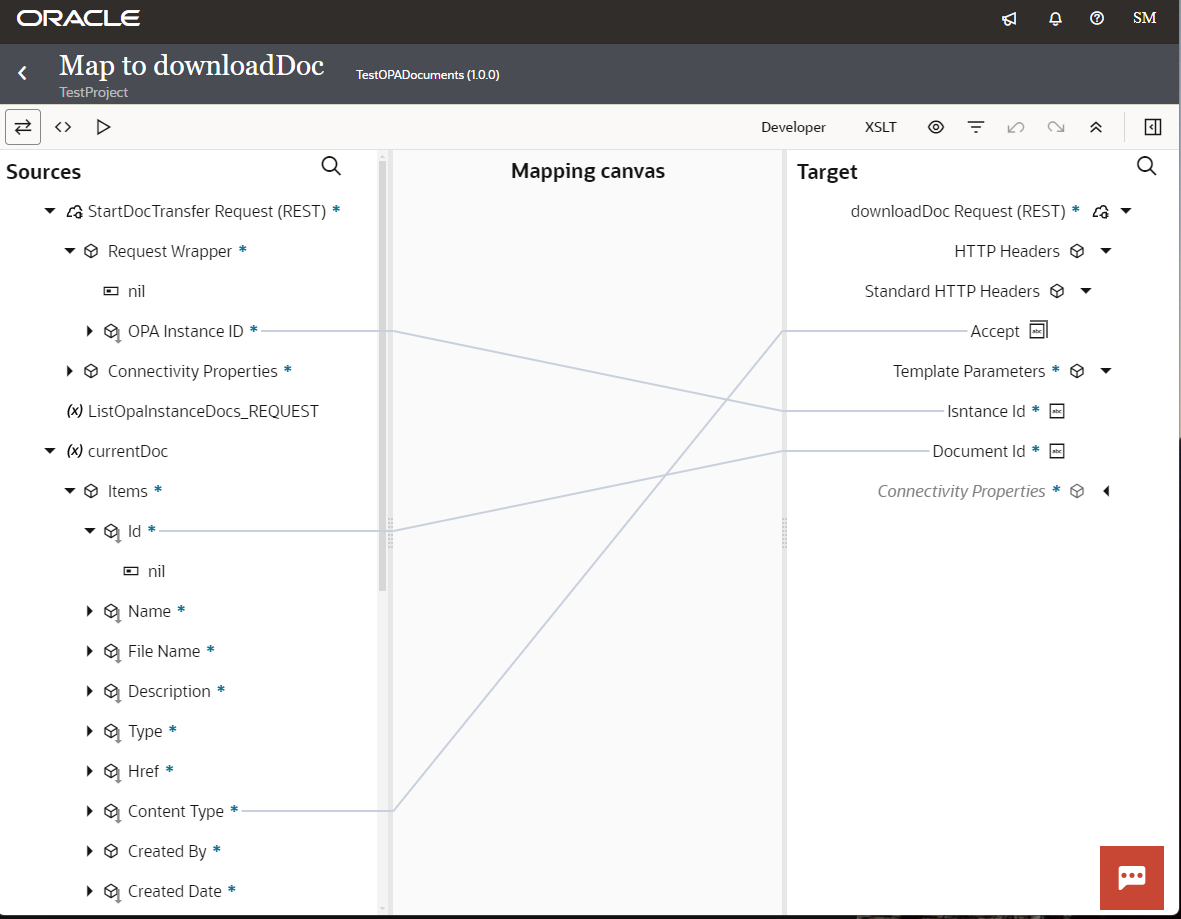
To download a document of an OPA instance, we need the document ID. The document ID is an attribute in the response payload from the list query above. The document ID is passed to the query as a path parameter as shown in the image below.
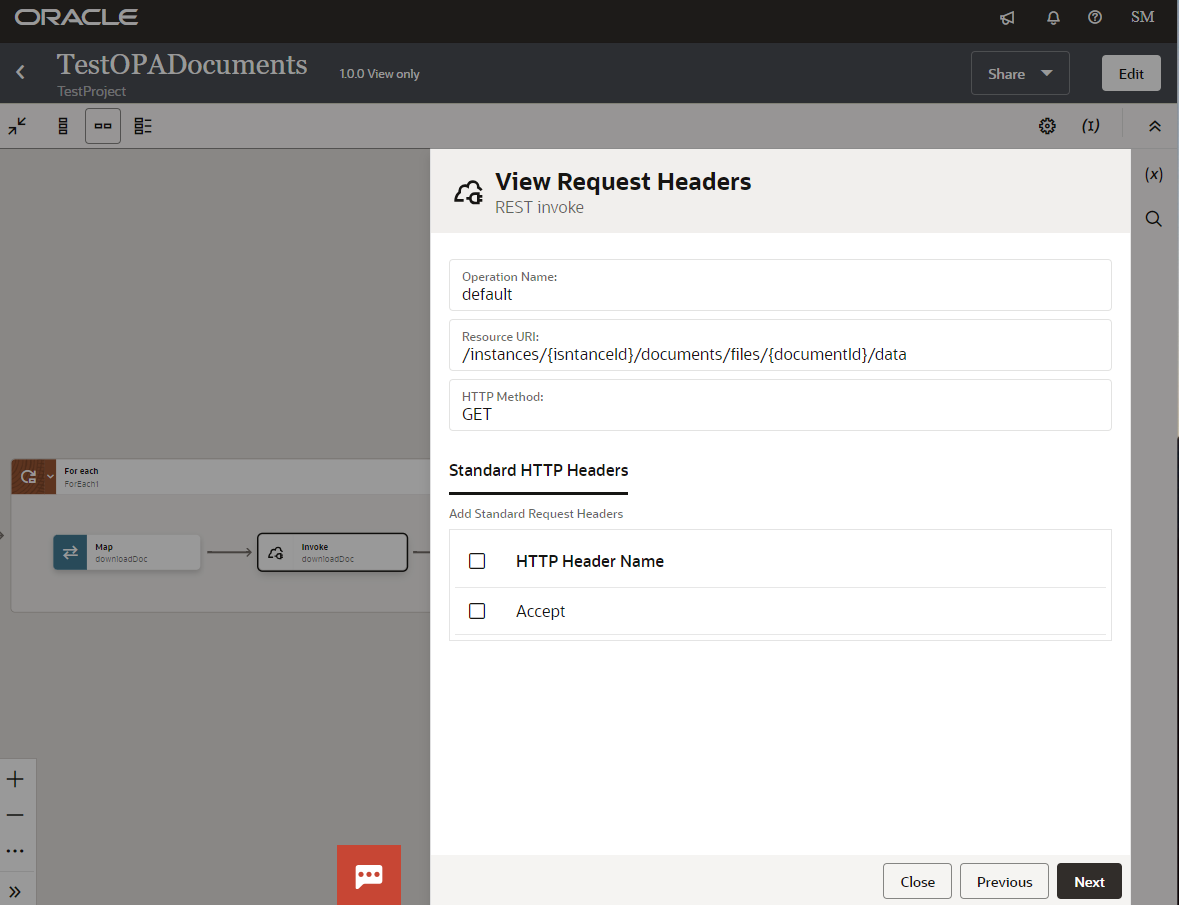
To correctly receive a response from the REST download call, we need to match the value of the Accept attribute in the request header with the Content-type attribute of the response header. The content type is another attribute in the response payload from the list query above. When configuring the download REST connector, we need set “Accept” as a custom standard HTTP header.
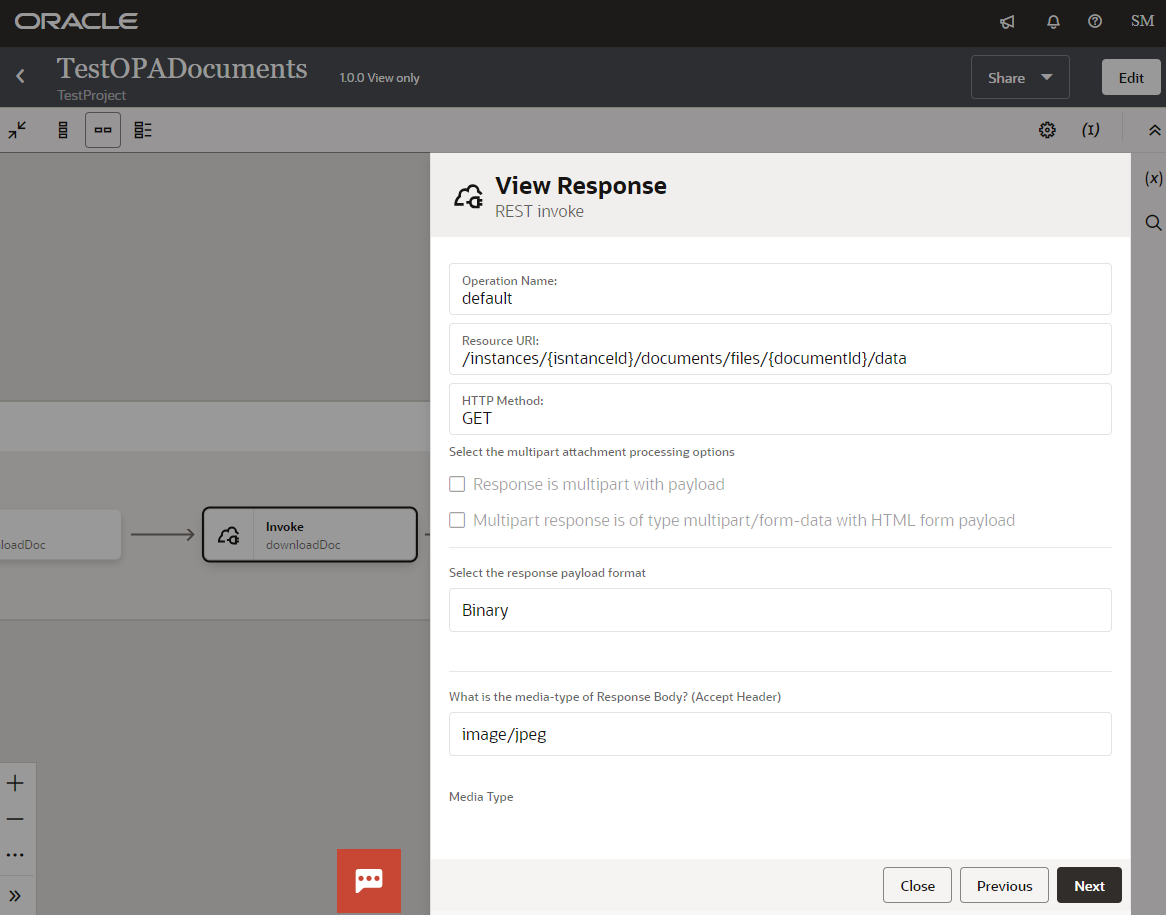
In other configurations, the response payload format must be Binary. The media-type of Response Body field can be set to any value in the list. This is the value for the Accept header attribute in the request head. It will be customized in the mapping.
The following pictures show the configuration and data mapping.
Upload Document to HCM Document of Records
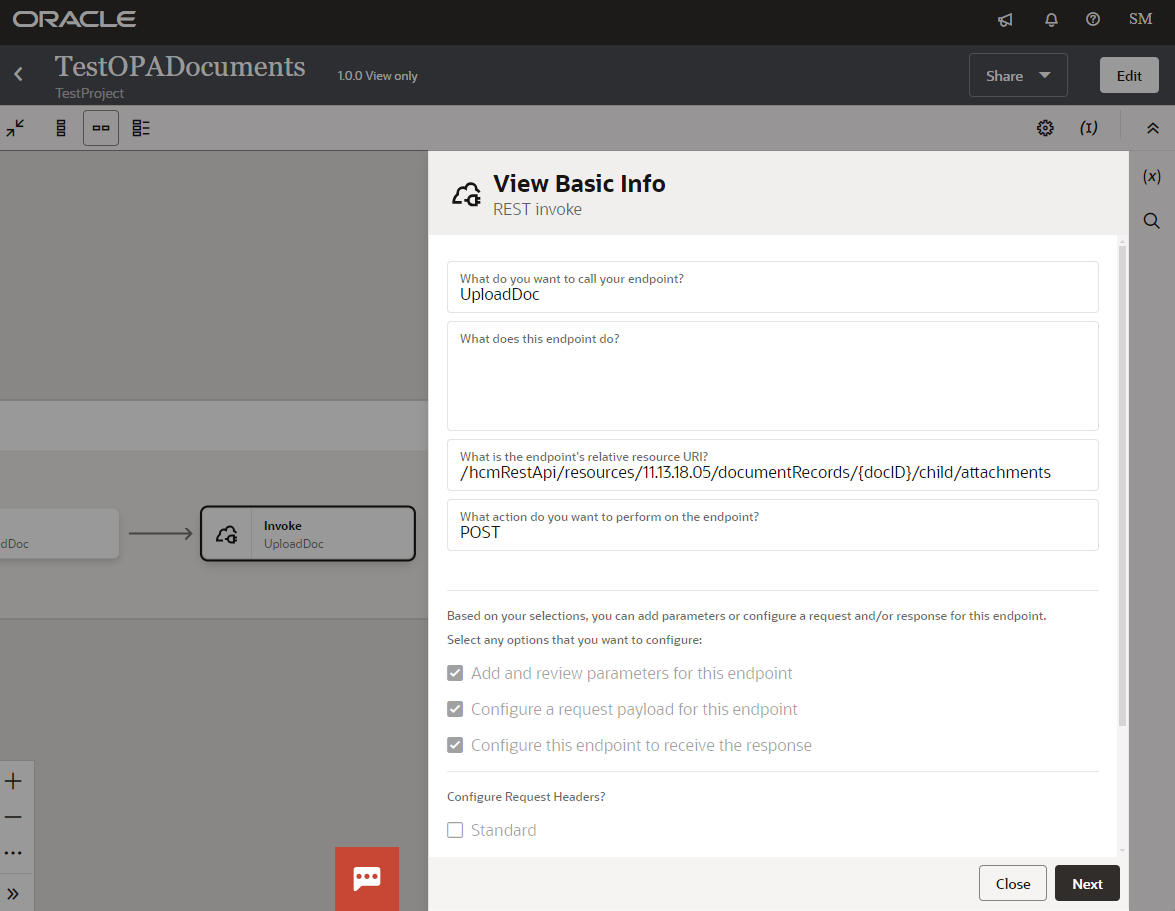
In this simplied example, I manually created a document named TestDoc of type Employment Agreement for Curtis Feitty. I obtained the ID of the TestDoc via REST call in Postman. The document ID will be used as a path parameter for the upload REST API. These manual steps can be further automated in the integration via REST APIs.
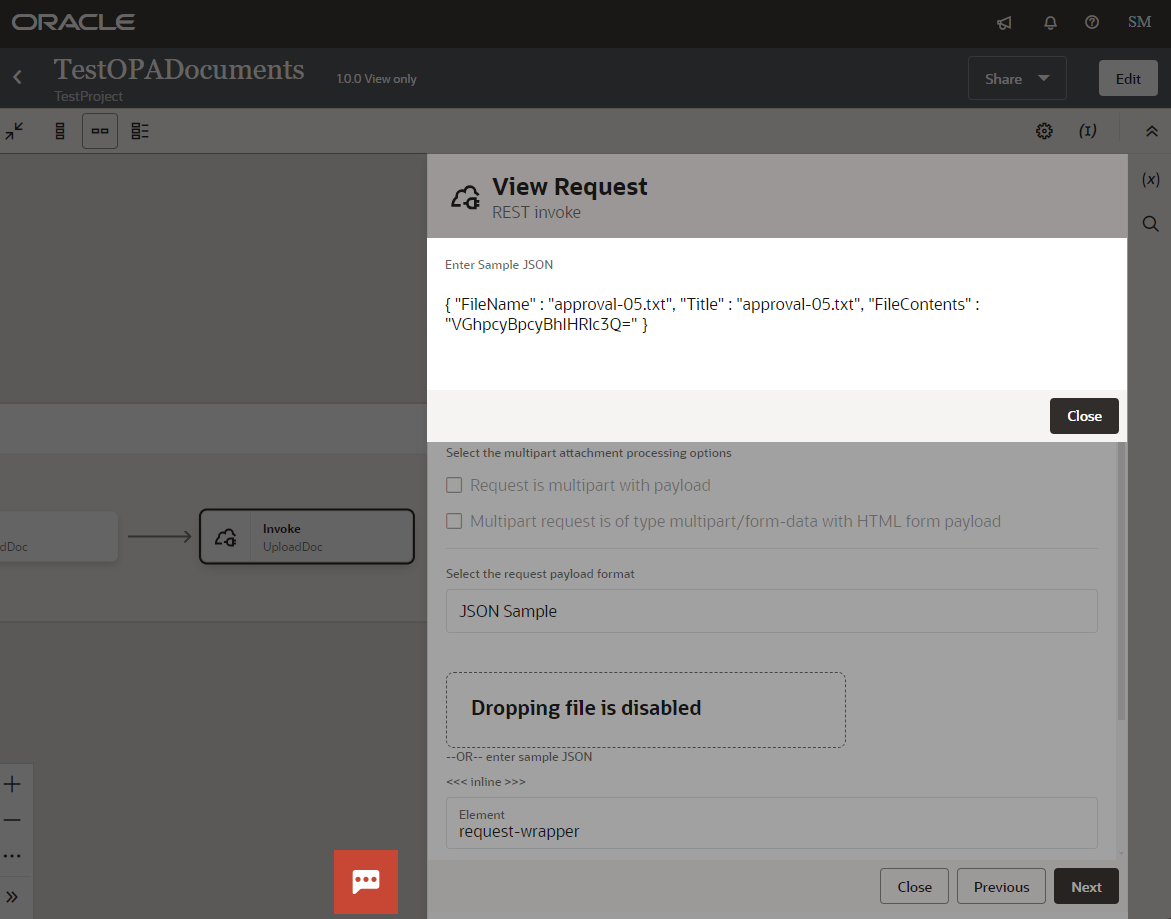
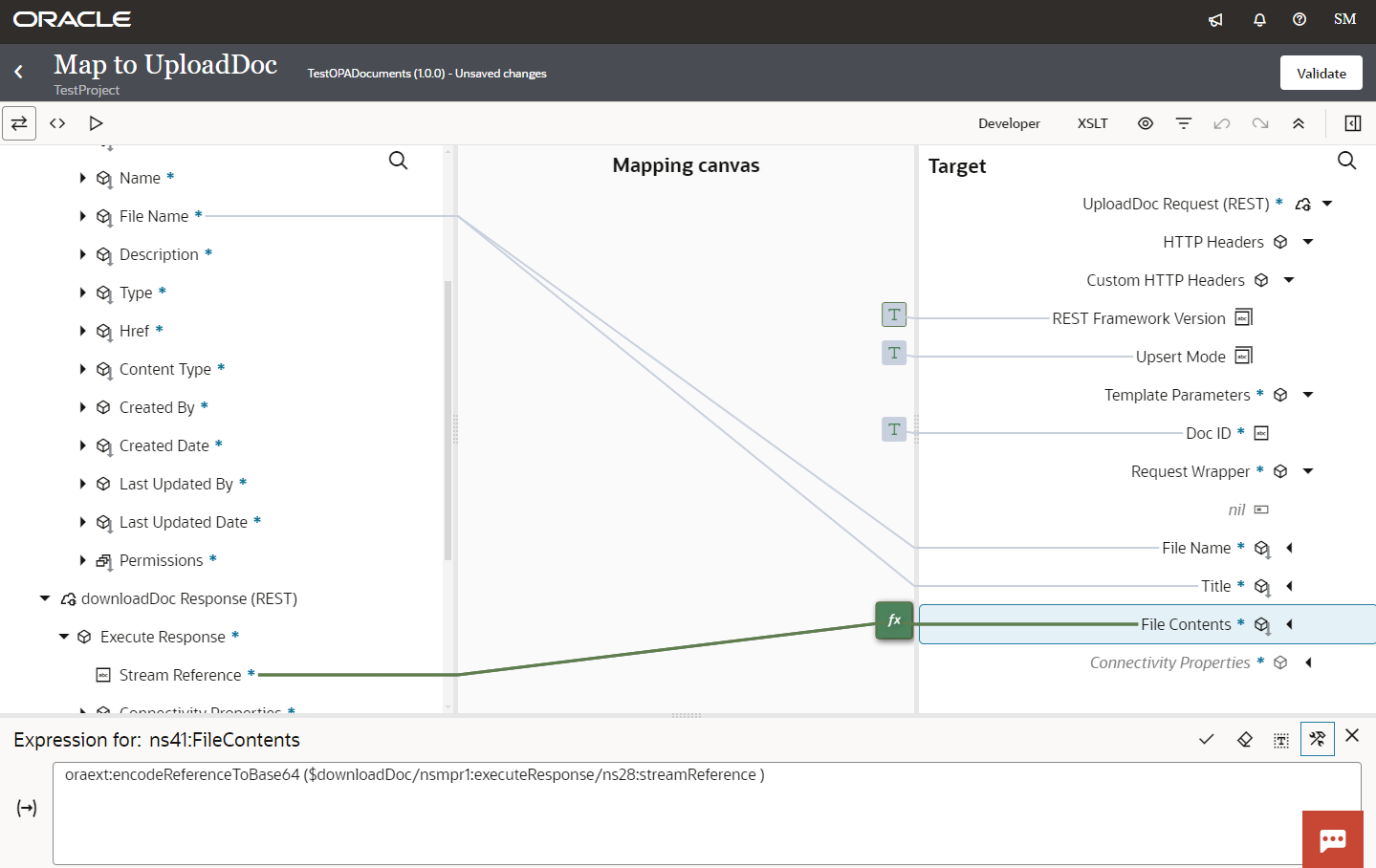
The following images show configuration of the upload document connector. The content of the file to be uploaded is specified in the “FileContents” attribute of the request payload. This field must be a base64 encoded string value. The mapping picture shows how we can convert binary content downloaded from the previous download call into base64-encoded string value.
Test
OPA and File Upload in an OPA Start Form
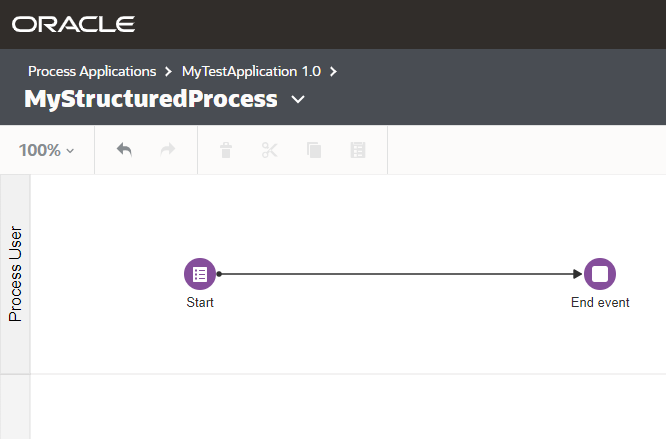
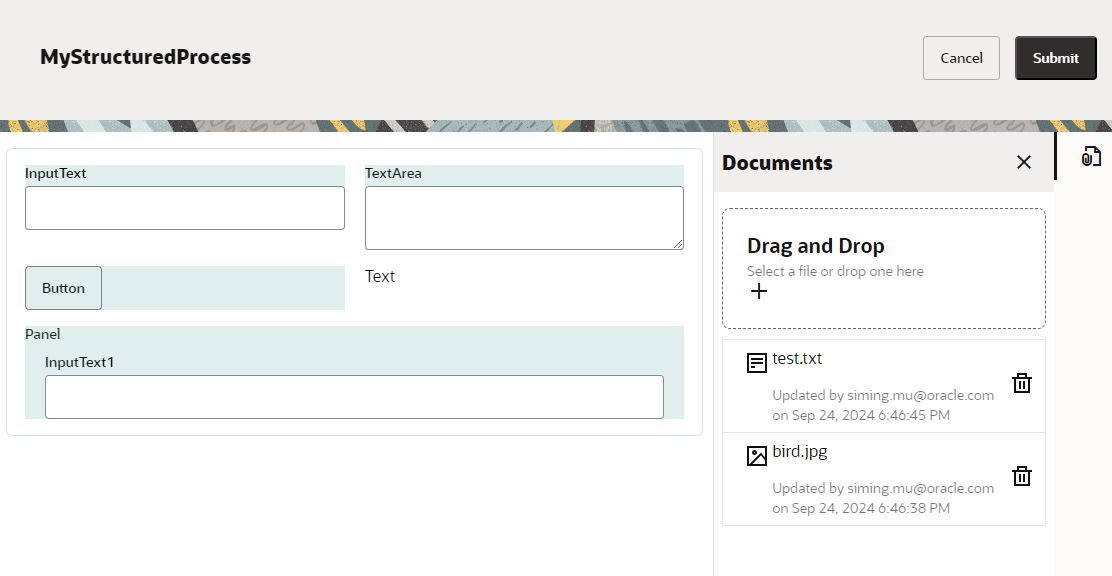
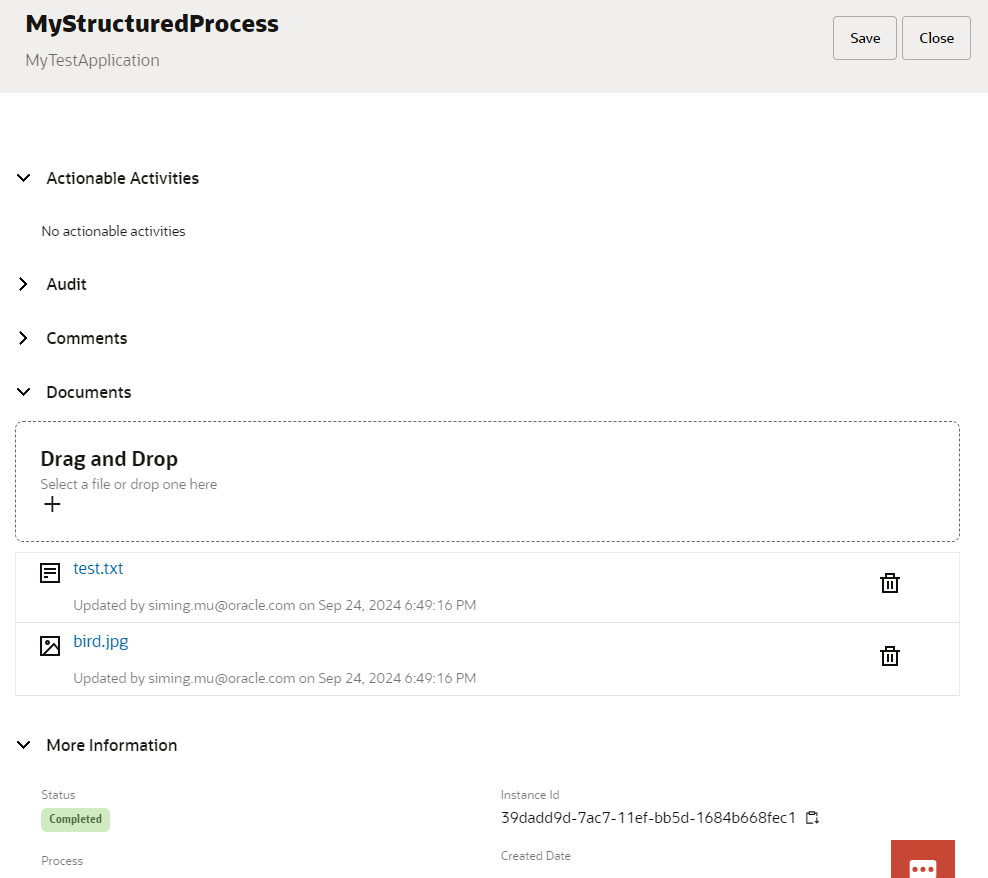
To test the integration, we need an OPA process with a form start node. After the OPA process is deployed, we can simply start this process via the start form. In the start form, we will attach two sample files (one text and one image) to the start form. Once submited, the process immediately goes to the end. The follow images show the process, forms and file attachments.
OIC Integration Test
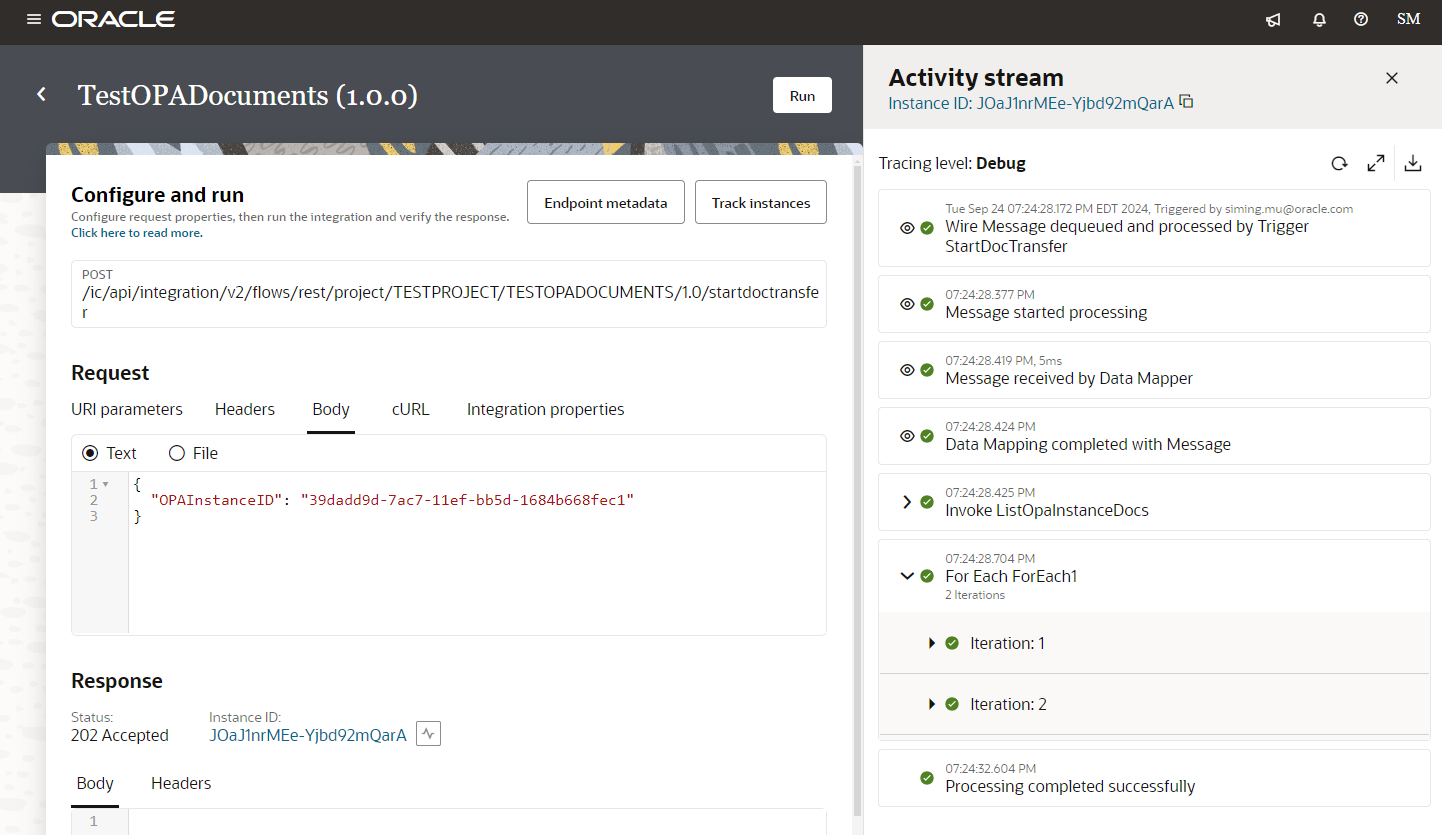
Once we have a completed OPA instance, we can manually test the integration by copying and pasting the OPA instance ID. The image below shows the OIC test run.
Document Upload Verification in HCM Document of Records
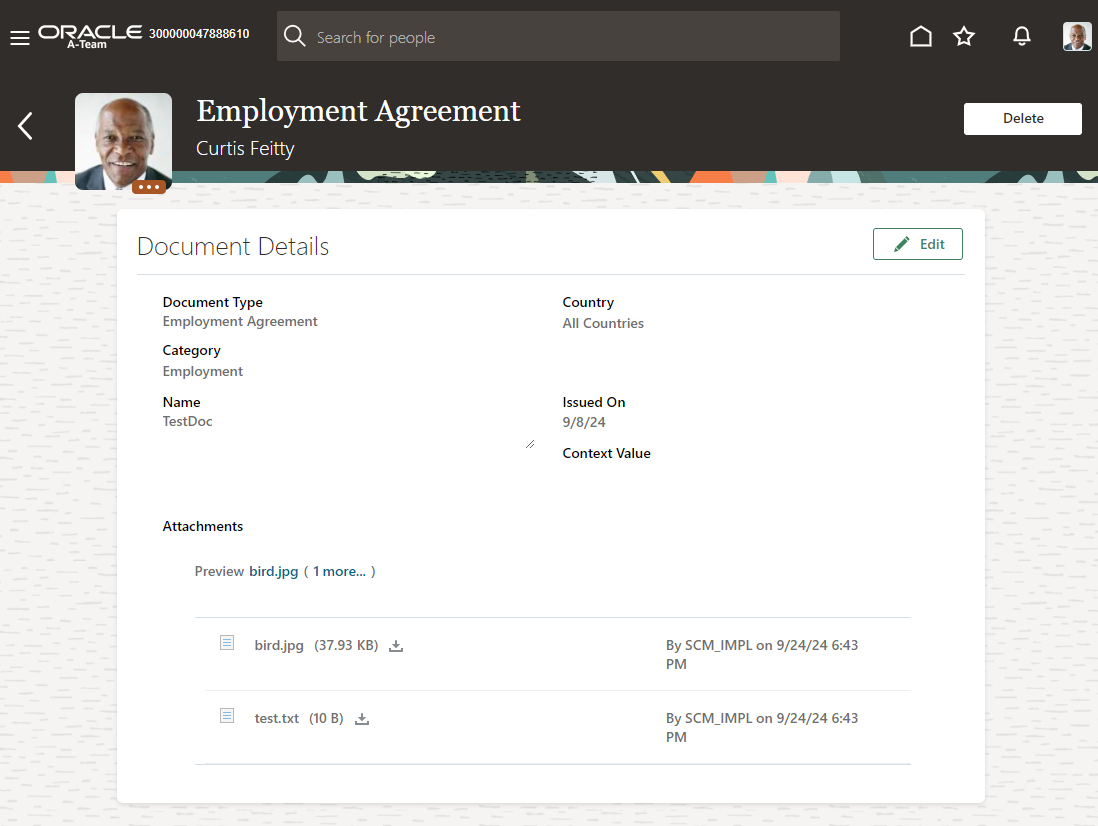
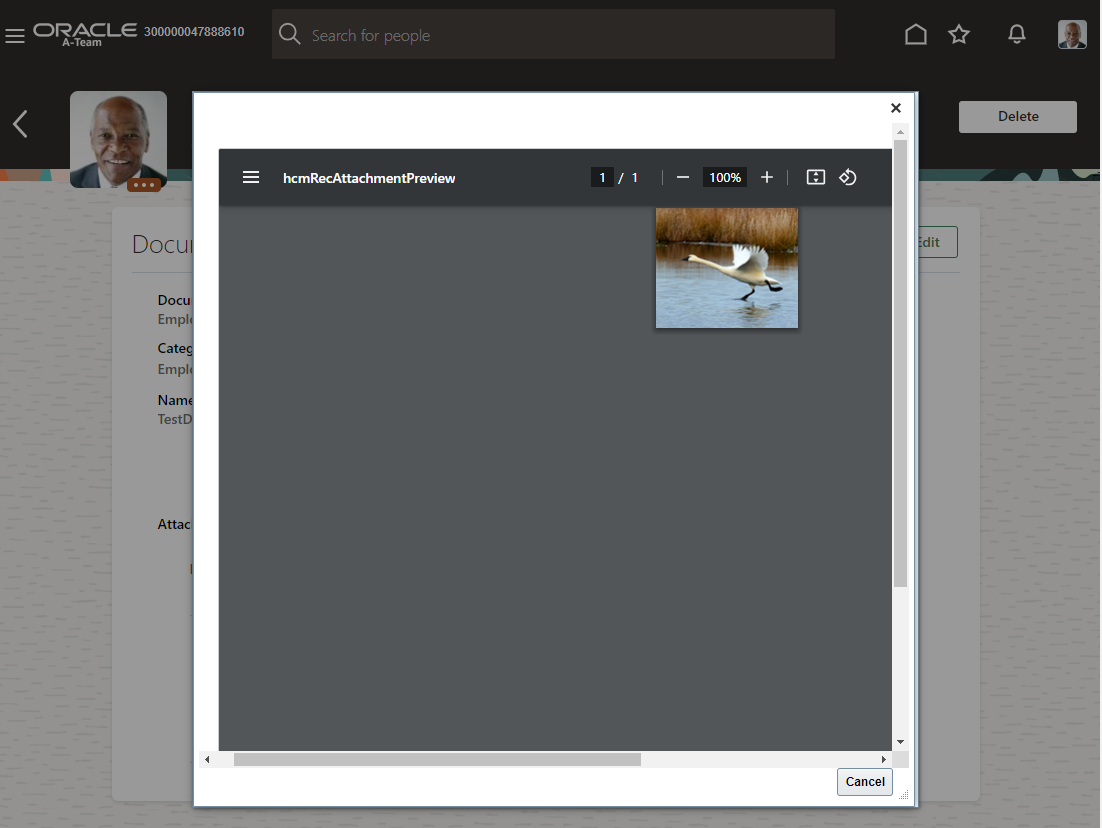
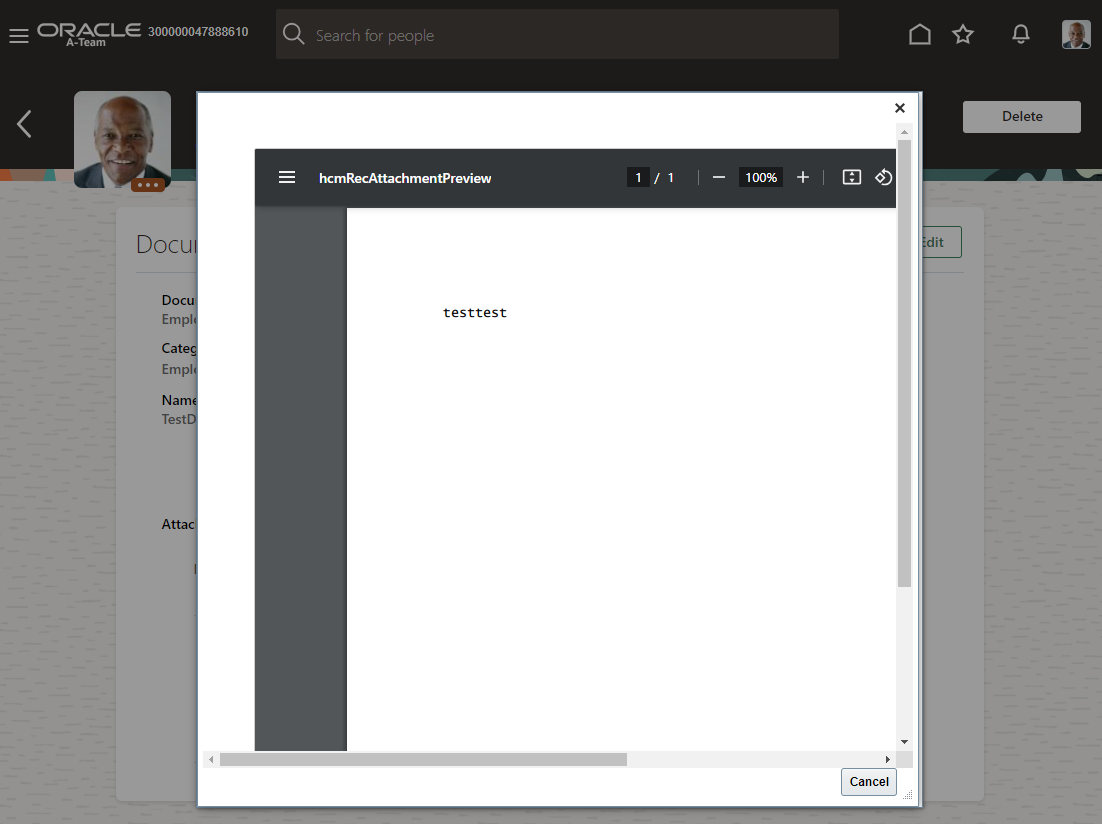
As a final step, let’s verify the two files are in the document of records under the TestDoc for Curtis Feitty. The images below prove it.