
Introduction
As you know , export and import of Incentive compensation(IC) plan can be done manually by using export/import options provided in the UI page.It doesn’t support bulk export and import of IC Plans. Many customers are facing issues in exporting bulk IC Plans and importing the same again to the fusion IC with small modifications for the next year plan.
One of the suggestion is to automate the process by integrating VBCS page in IC and include all the business logic as per the requirement. In this case , we have a option to insert/update parameters data in the VBCS tables for tracking purposes and process multiple plans at time . This automation will avoid the manual process of doing export and import functionalities in IC page which is limited only to a single plan process at a time.
The scope of this blog is to show the integration of VBCS page in the incentive compensation page and calling IC export/import REST APIs in the VBCS page using different parameters and to process single plan. Customers can write a logic to process multiple plans using export and import functionalities.
Pre-requisite
- Oracle Fusion Incentive Compensation application access
- EXPORT and IMPORT REST API of IC Plan
- Visual Builder Cloud Service (VBCS)
- Sandbox and Page Composer access
Steps Involved
- FA User setup to access IC
- Test Export and Import IC Plan REST APIs
- Create VBCS Page and Call REST API tested in the step no 2
- Test EXPORT and Import Functionalities in VBCS
- Integrate VBCS page in Oracle Fusion Incentive Compensation
- Test Export and Import Functionalities of IC Plan
Detailed description of each step
Step1. FA User setup to access IC
A.Create user and add below mentioned roles
- Financial Integration Specialist
- Incentive Compensation Application Administrator
- Incentive Compensation Application Administrator US1 Business Unit(specific to your requirement)
- Incentive Compensation Integration Specialist
- Incentive Compensation Manager
- Incentive Compensation Plan Administrator
- Incentive Compensation Plan Administrator US1 Business Unit (specific to your requirement)Note:
Add “Application Implementation Consultant” role to create/access sandbox
B. Manage Data Access Set Data Access for Users
Please add Business Unit access to the newly created user/roles.
C. Manage Incentive Calendars (Task)
Please open incentive compensation period (if required)
Step2. Test Export and Import IC Plan REST APIs
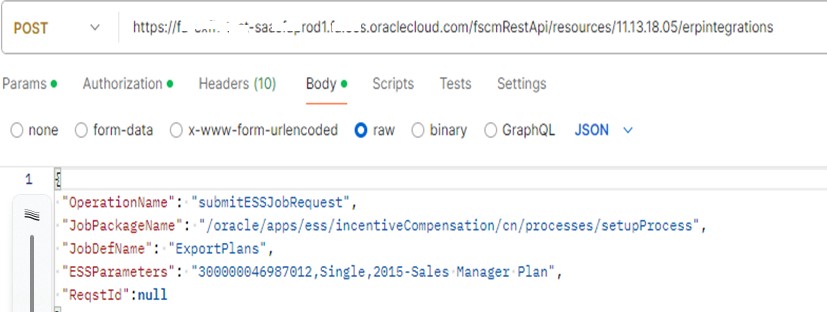
A. Test Export Rest API in postman and check status of ESS Job and log files
POST – https://<FA_URL>/fscmRestApi/resources/11.13.18.05/erpintegrations
{
“OperationName”: “submitESSJobRequest”,
“JobPackageName”: “/oracle/apps/ess/incentiveCompensation/cn/processes/setupProcess”,
“JobDefName”: “ExportPlans”,
“ESSParameters”: “300000046987012,Single,2015-Sales Manager Plan”,
“ReqstId”:null
}
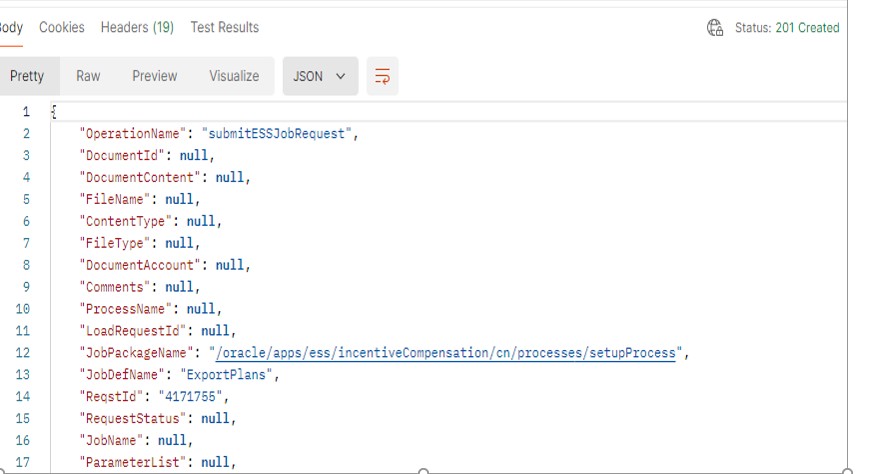
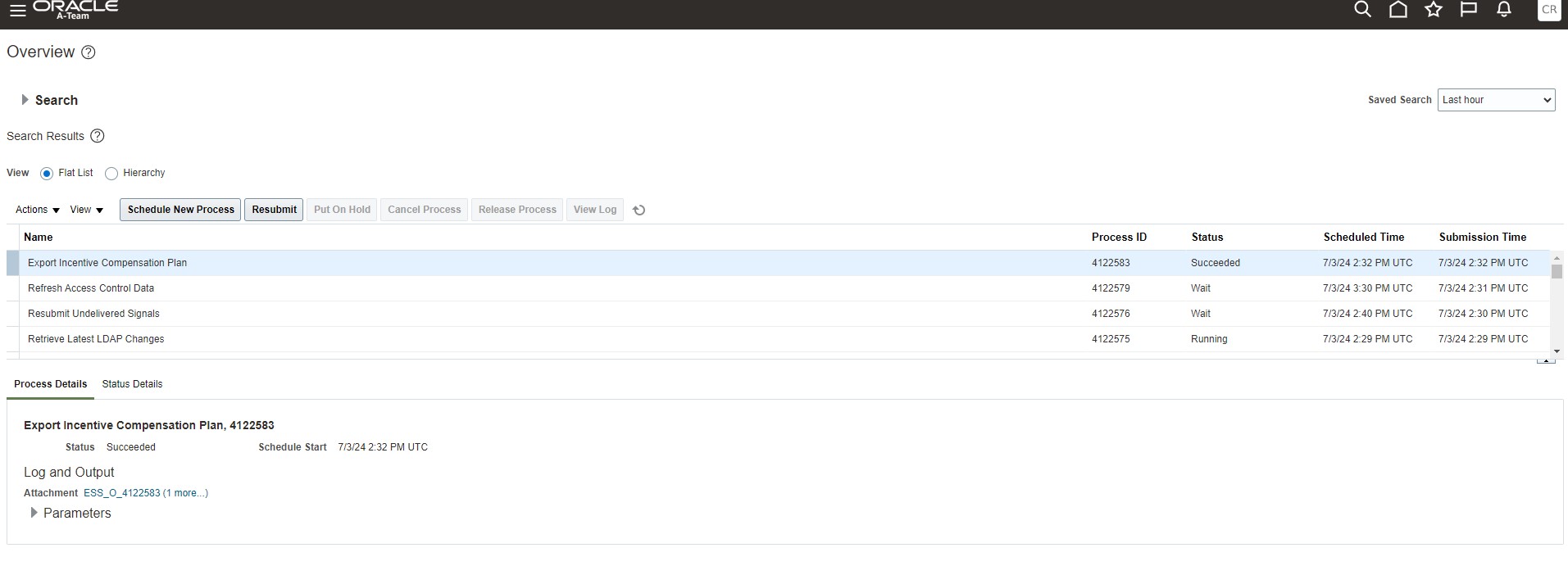
Log file:ExportPlansProgram:Export Plan and upload Job: Successfully uploaded zip file with UCM
Doc ID: UCMFA04374081 and dID: 4393204
This export program download IC Plan “2015-Sales Manager Plan” to the UCM.
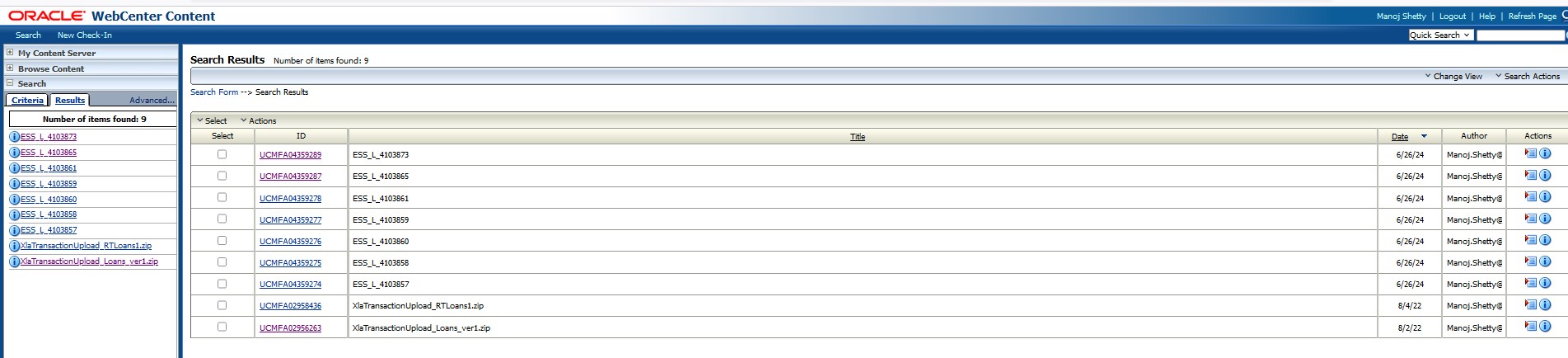
B. Login to UCM and add your user name in the search criteria and search the files after ESS job completes successfully.
C. Test Import Rest API in postman and check status of ESS Job and log files
POST- https://<FA_URL>/fscmRestApi/resources/latest/erpintegrations
{
“OperationName”: “submitESSJobRequest”,
“JobPackageName”:”/oracle/apps/ess/incentiveCompensation/cn/processes/setupProcess”,
“JobDefName”: “ImportPlans”,
“ESSParameters”: “30087012,REUSE,UCMFA04374081,2023,2017,,,2017-01-01,2017-12-31”,
“ReqstId”: null
}
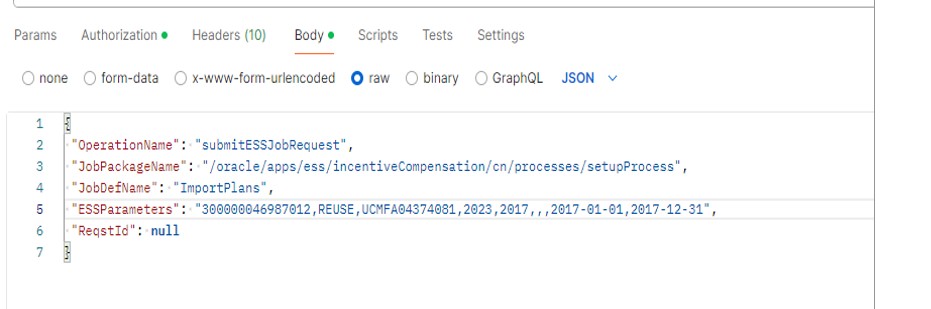
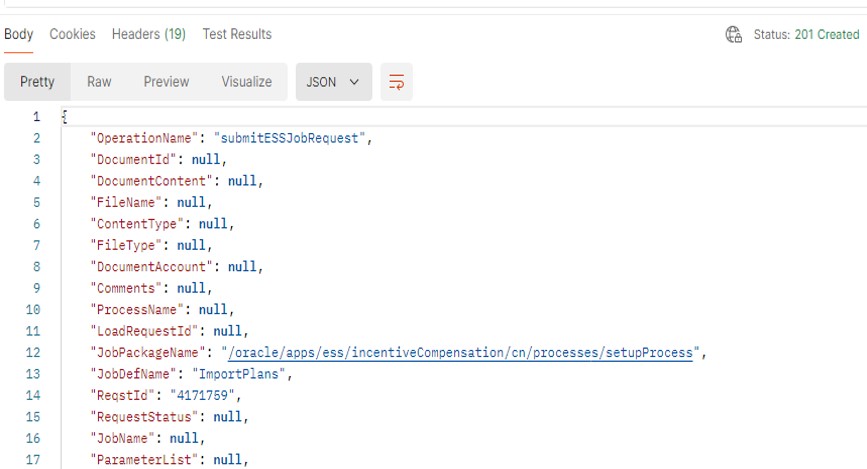
Notes: 1. UCM Doc Id taken from log file/UCM would be one of the parameter in the import program
2. Please refer 23B New Feature : Automate Plan Copy using REST API (Doc ID 2944278.1)
D. Check the status of “ImportPlans” ESS Job
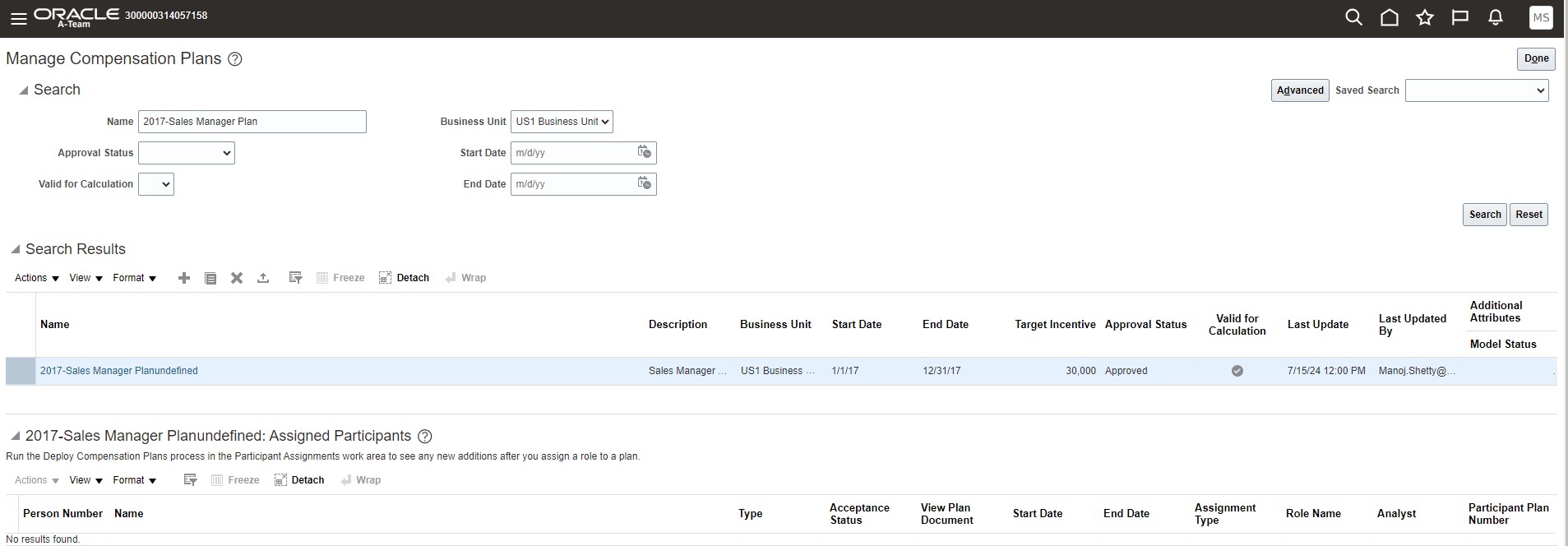
E. Navigate to Incentive compensation plan page and query the newly uploaded plan
In this case we have replaced year 2018 with 2017 and respective date ranges during import.
Incentive Compensation=>Compensation Plans=> Manage Compensation Plans=>Search=>Enter newly created plan name =>Search
Step3. Create VBCS Page and Call REST API tested in the step no 2
We are assuming reader of this blog has knowledge on page composer and VBCS application.
A. Page design
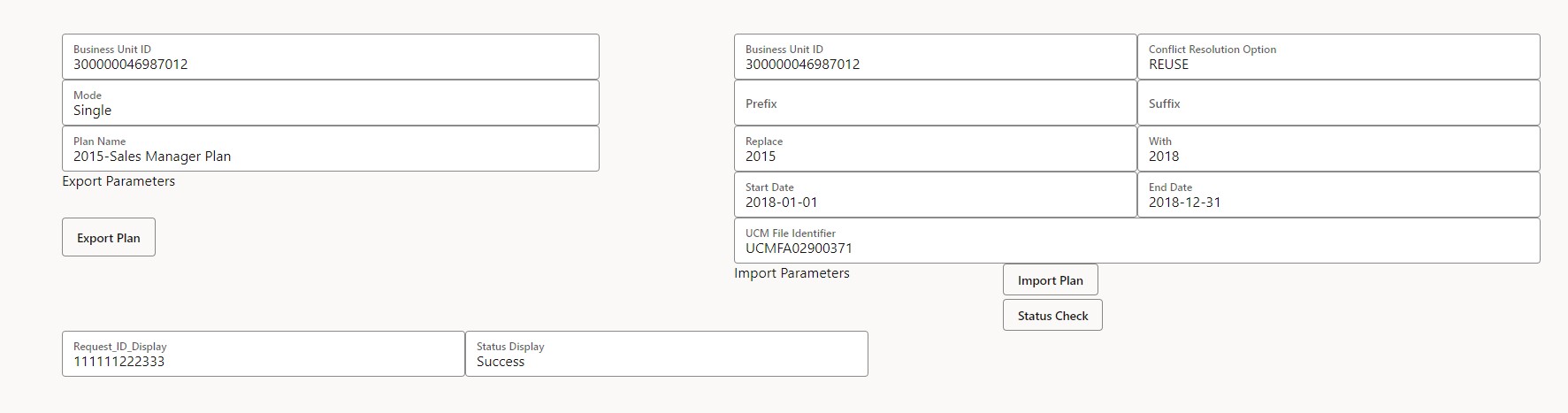
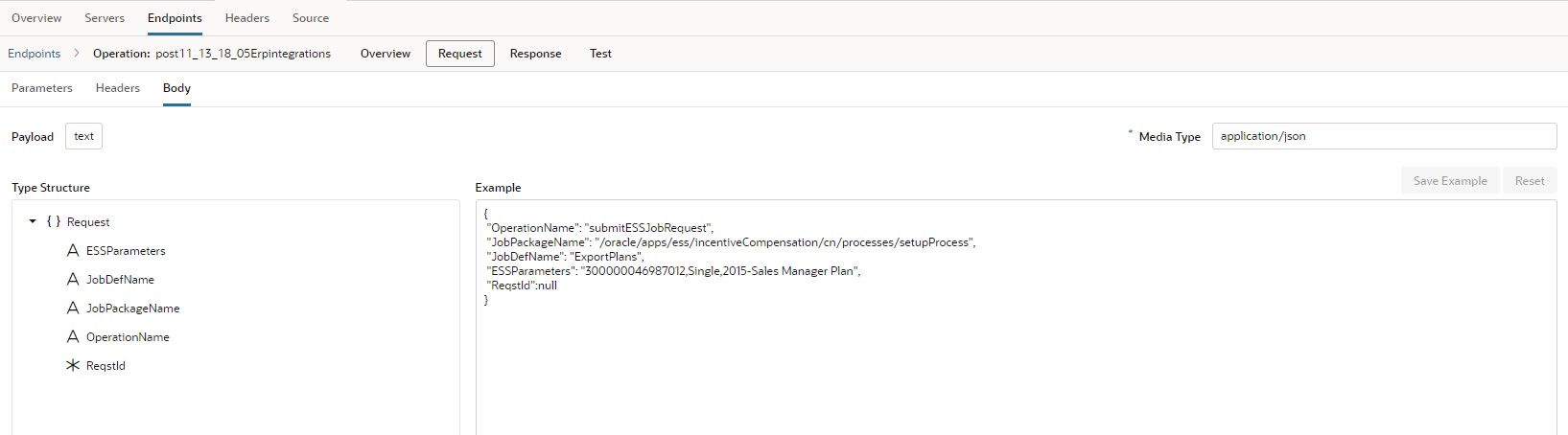
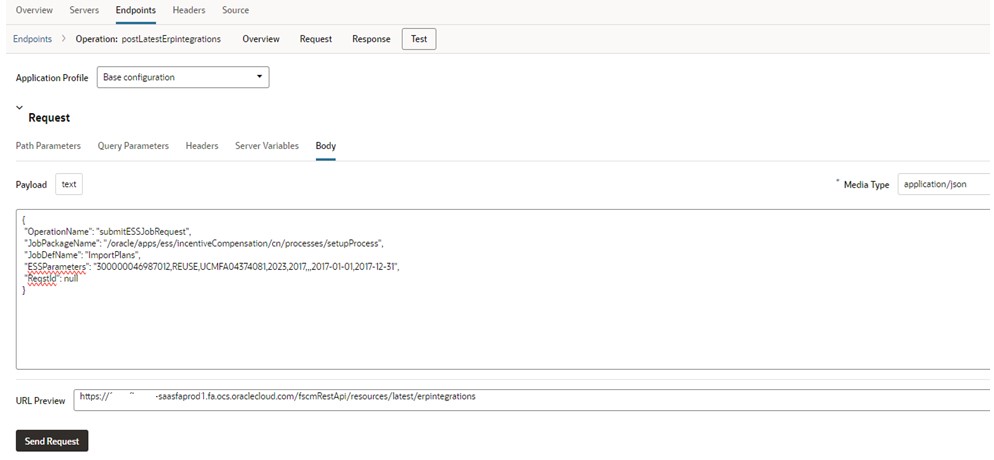
B. Create 2 service connections for ExportPlans and ImportPlans
ExportPlans
ImportPlans
C. Map service connections
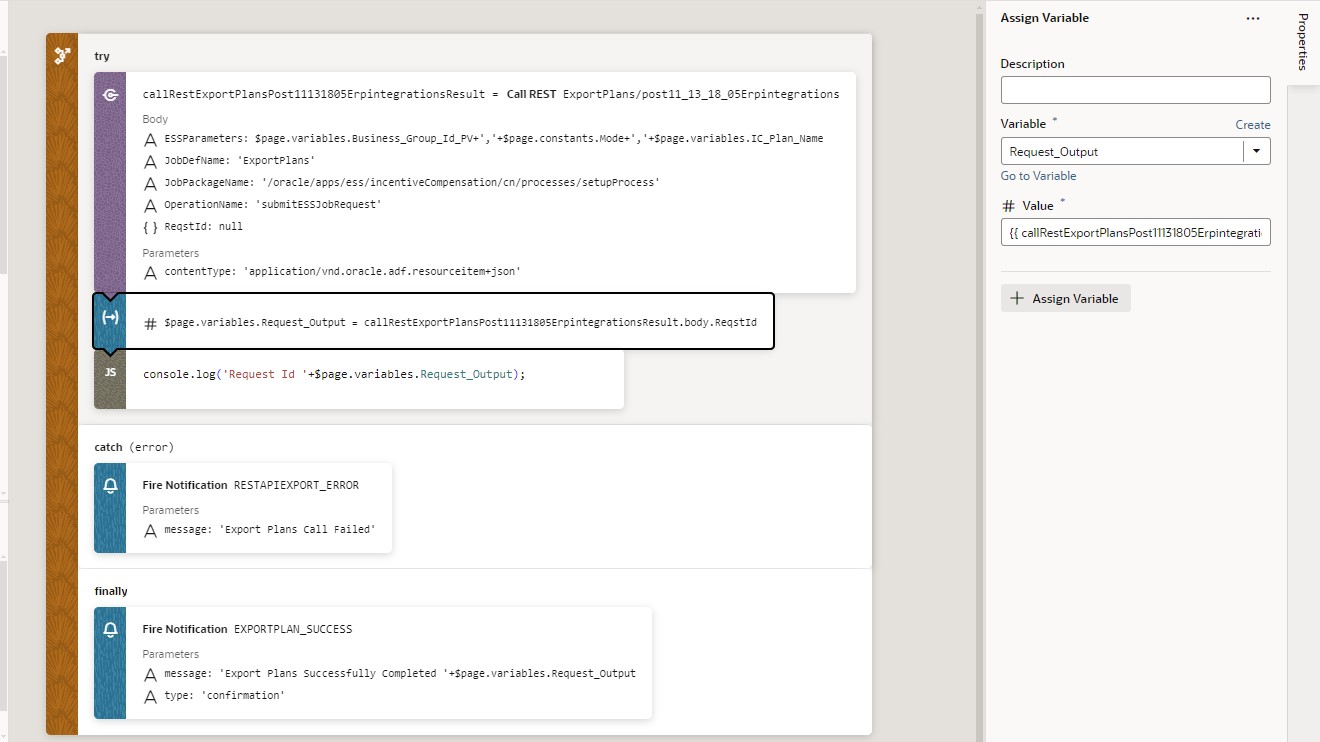
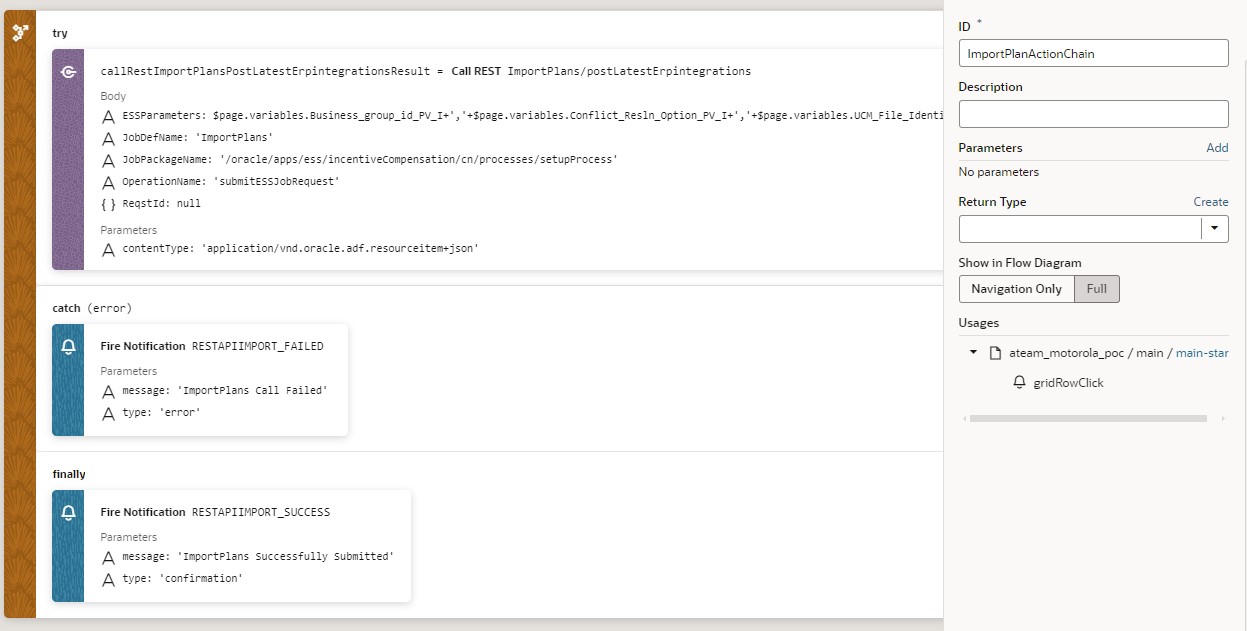
Create event on Import button and map the details in the action chain as shown below
Step4. Test EXPORT and Import Functionalities in VBCS
A. Pass the parameters in the VBCS compensation plan landing page and test export and Import functionalities.
B. Check the ESS Jobs simultaneously
Step5. Integrate VBCS page in Oracle Fusion Incentive Compensation
A. Copy the live URL
B. Create Sandbox and Page composer
C. Open sandbox and navigate to incentive compensation where you want to integrate the VBCS page
D. Add HTML component and add Live URL and adjust the height and width
Step6. Test Export and Import Functionalities of IC Plan in Fusion application (IC)
Please test the export and import functionalities by passing proper parameters.

Scroll Down the page and test for export and import functionalities as explained earlier.
Conclusion
This is a basic requirement captured to integrate compensation plan REST API in VBCS page and embedded in IC Page . In this blog , export and import functionality works based on single plan and can be extended for export and import of huge no of IC plans . This approach will help lot of customers in mass download and upload of IC plans so that they can save lot of time from the manual process (single plan process-Built-in) . I hope these details will help you in planning and designing mass export and import of IC plans. Thank you.