
OCI Threat Intelligence service collects threat data from multiple sources and classifies them based upon various categories such as threat indicators, threat types etc. It maintains this information in a threat database which you can leverage to enhance your security posture in OCI. In this blog post, we will specifically look into how to use such threat information for crafting the WAF access control rules. We will also look into another use case about restricting invocation of the OCI data plane APIs such as accessing contents of the Object Storage buckets.
Threat Actor Source IP Address
One of the threat indicator types available in the database is the source IP address of the threat actors. You may query the database about these IP addresses. For example, from the console, you can query the list of source IP addresses based on certain criteria.

Fig 1
Selecting a particular IP address, you can get more details, e.g. who reported this IP address (Oracle in this case), geolocation, the threat type, etc.

Fig 2
This information is also available using CLI and the API. For example, the following CLI sample fetches the IP addresses of threat actors specifically associated with Sqlinjection kind of attacks.
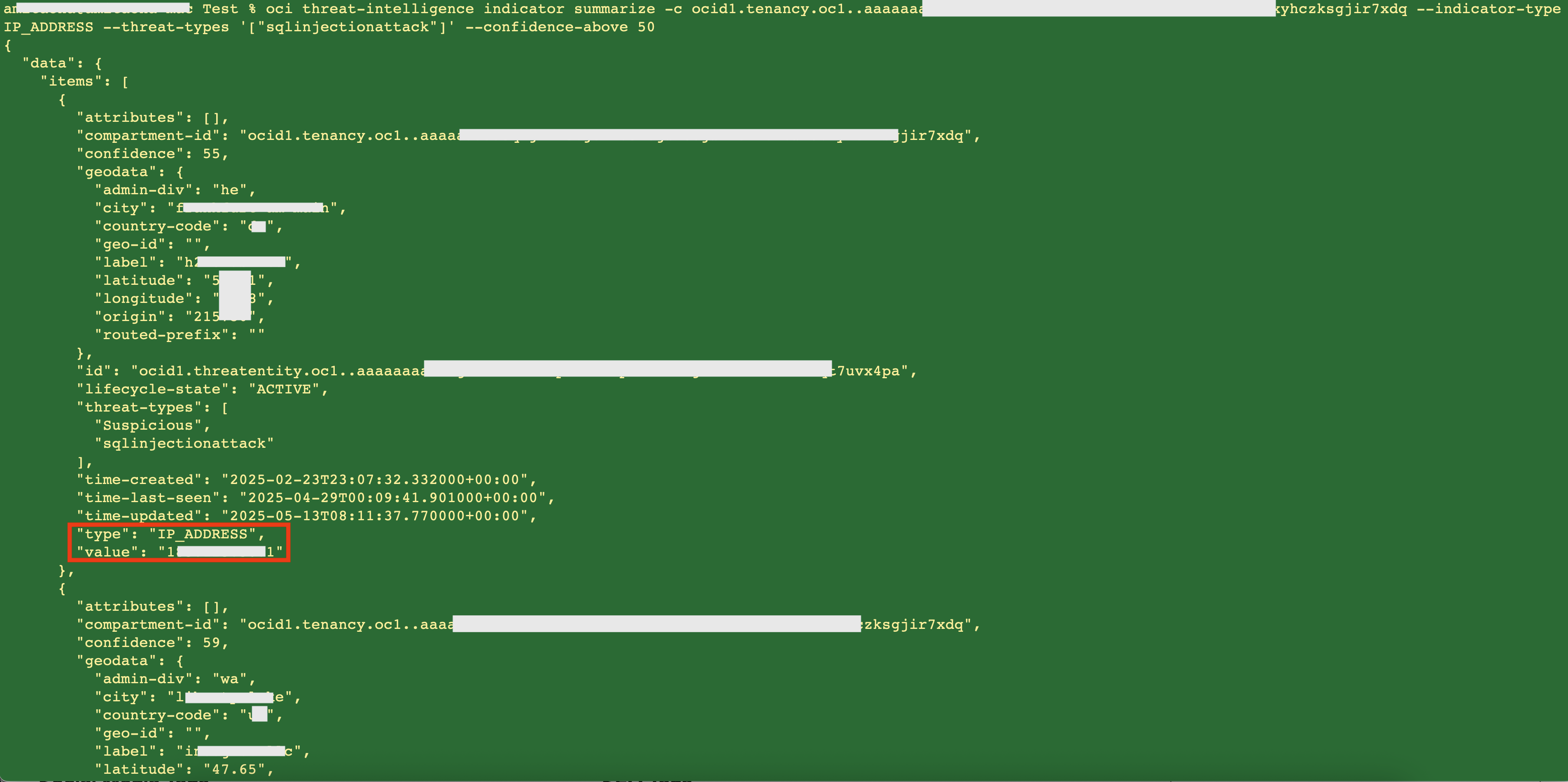
Fig 3
The return data is a list of threat actors containing their particulars including their IP addresses. This data is in the JSON format which can be parsed to extract the IP addresses. The API also returns a similar kind of list.
WAF Configuration
The IP addresses available from Threat Intelligence can be blocked from accessing web applications deployed on OCI by the WAF. You may create an access control rule as follows, blocking the IP addresses fetched from the Threat Intelligence database:
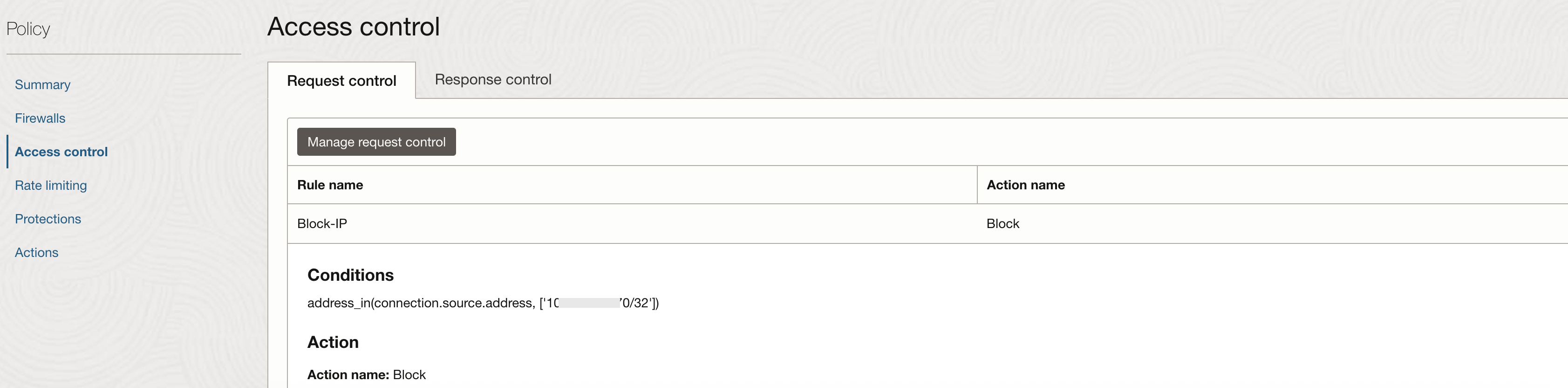
Fig 4
This rule should be the first rule amongst all the access control rules defined.
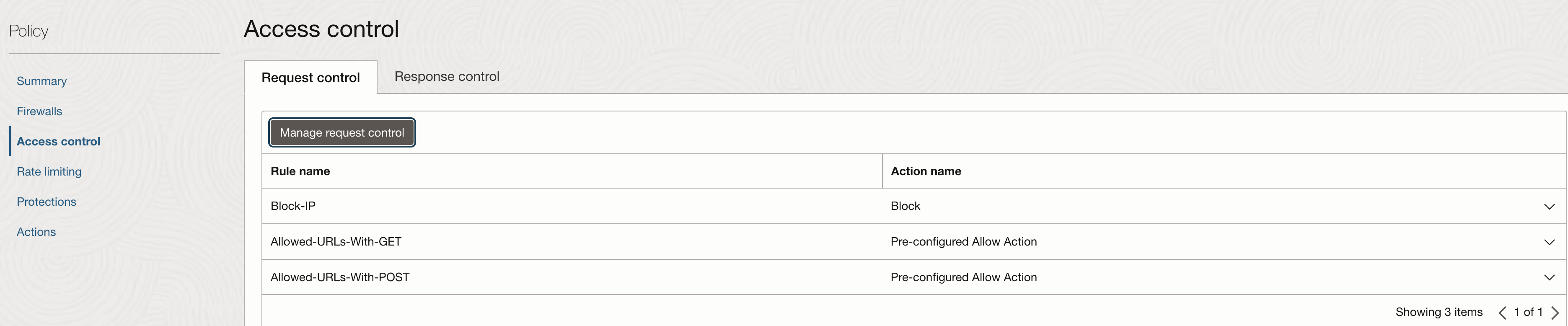
Fig 5
With this rule in place, if any bad actors originating from those (threat) IP addresses try to access your web applications (protected by the WAF), they will get blocked.

Fig 6
The WAF logs confirm that the ‘Block-IP’ rule triggered.
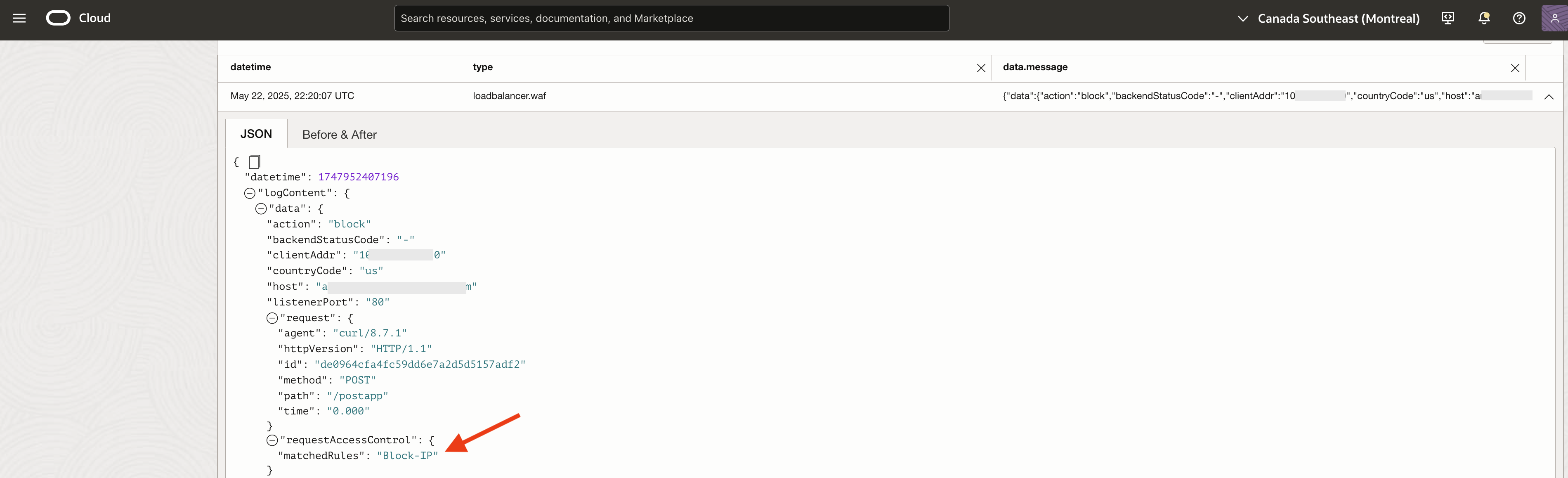
Fig 7
OCI Data Plane API
Certain OCI services facilitate managing user data. For example, in Object Sorage buckets, you may keep any arbitrary data or objects. A typical use case is you generate some data and place it in a bucket for consumption by your client/consumer. Since you do not control your consumers, there could be a case where you would like to filter out or block requests originating from IP addresses flagged by Threat Intelligence. Although these user data are not OCI defined resources – they don’t have ocid – Object Storage has API to manage the lifecycle of these objects: create objects in buckets, lists these objects, fetch/get these objects, etc. These API are data plane API, meant to be used by the end users for using the data (objects in the buckets), in contrast to the control plane API which manage the lifecycle of OCI resources (having ocids) such as buckets. And just like any other API in OCI, these object specific API too are governed by IAM Policies. OCI IAM policies allow you to restrict or allow access from certain IP addresses. This is achieved by defining Network Sources.
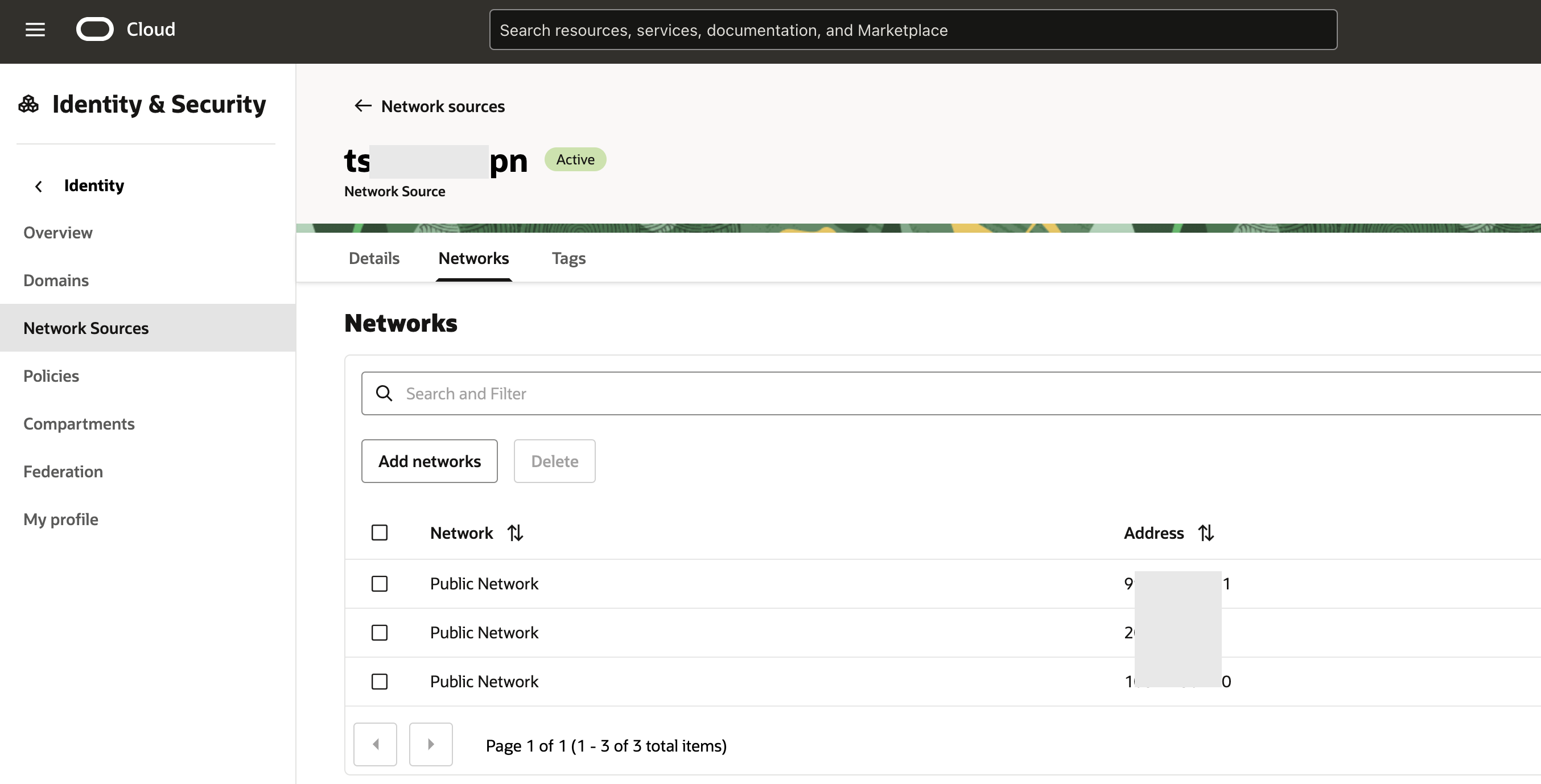
Fig 6
This network source can be populated by the IP addresses flagged by Threat Intelligence. Using this network source in an IAM policy can help us achieve our goal.
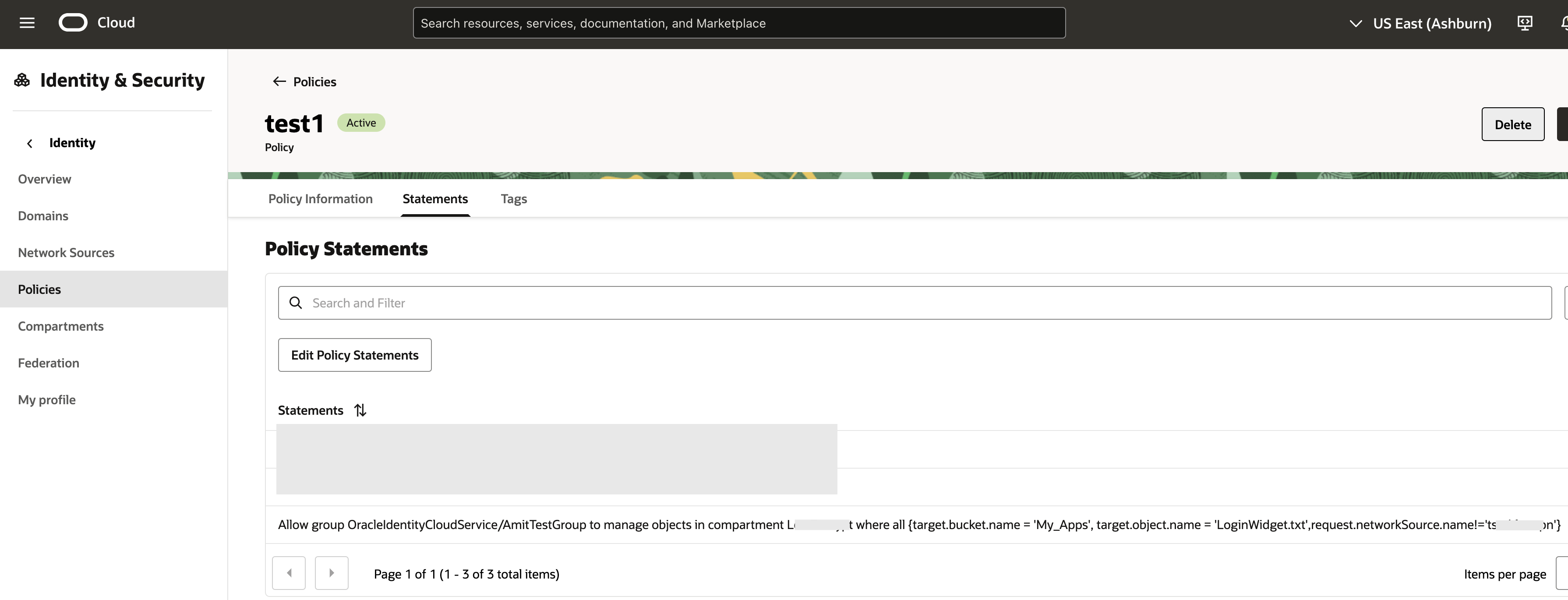
Fig 7
With the above policy in place, access to the object ‘LoginWidget.txt’ in the bucket ‘My_Apps’ will be blocked if coming from an IP address included in the network source (Fig 6), as the following CLI invocation shows –
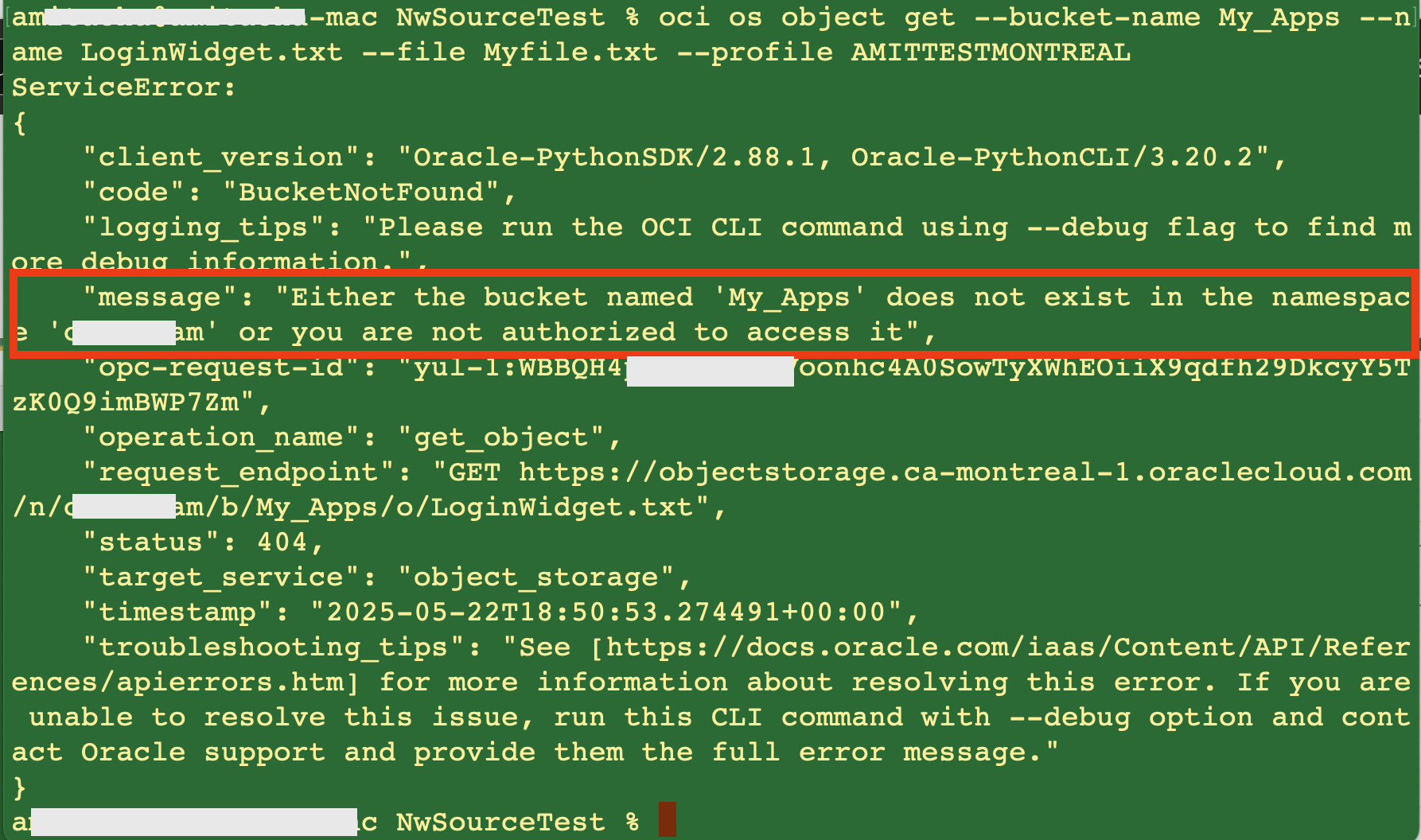
Fig 8
If the network source is removed from the IAM policy (Fig 7) –
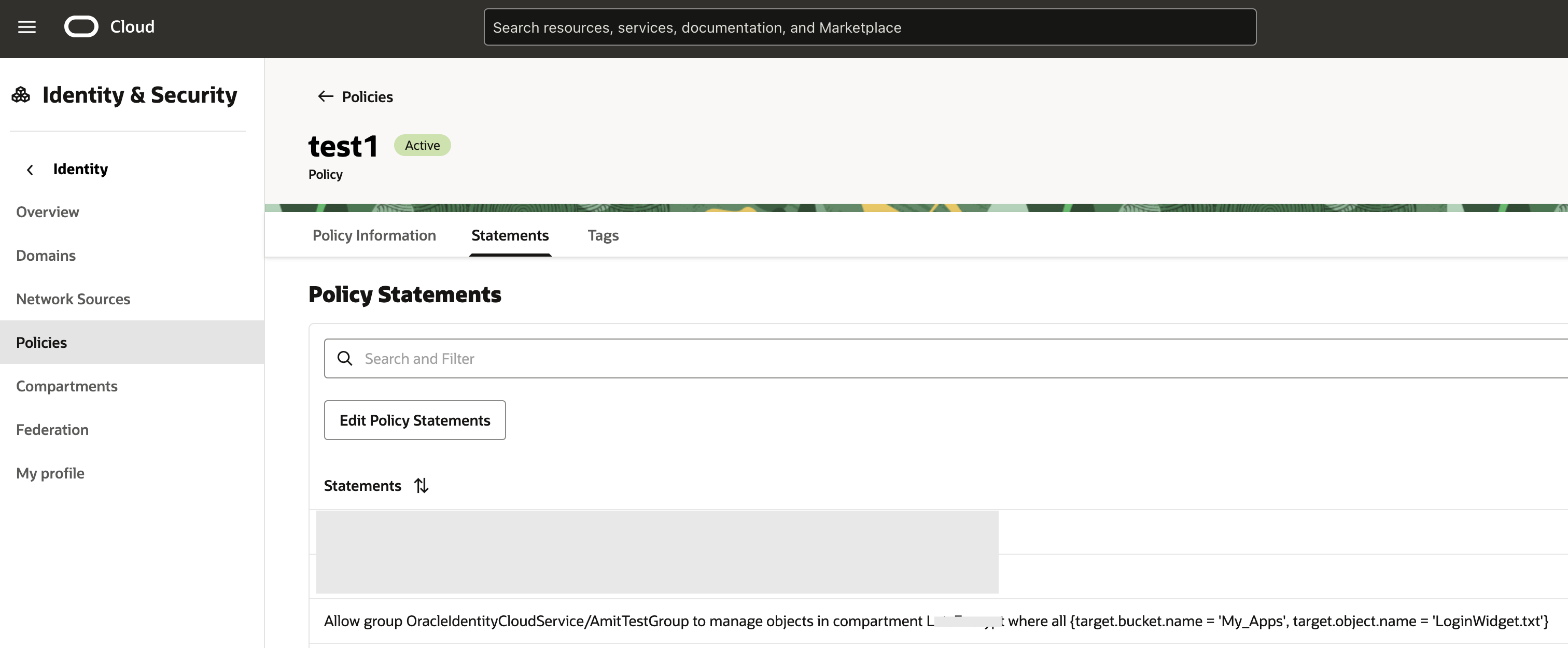
Fig 9
The CLI command succeeds –

Fig 10
Automation
You can wrap the whole process of a) polling Threat Intelligence about IP addresses, b) configuring WAF access control rules with these IP addresses, c) updating Network Source with the IP addresses and, d) using Network Addresses in IAM Policies by creating OCI Functions and schedule it using the OCI Resource Scheduler.
Summary
In this blog post we discuss some solutions in using Threat Intelligence to protect web applications and the OCI data plane API.