
OCI Load Balancer makes building a TLS secured HA solution for your web applications quite simple. I had written a blog post on this topic few years back. From a high level, a load balancer has primarily two components, a) a listener which listens for incoming TCP connections from clients and handles them before routing the message (TCP/HTTP) to the backends, and b) a backend set comprising of the backends. i.e., the web servers hosting your web applications. Clients such as browsers initate a TLS connection which terminates at the load balancer (typically; there are other use cases such as tunneling, however, we won’t address them here). The load balancer may, depending upon configuration, initiate a new TLS connection to the backends. Following is an example.
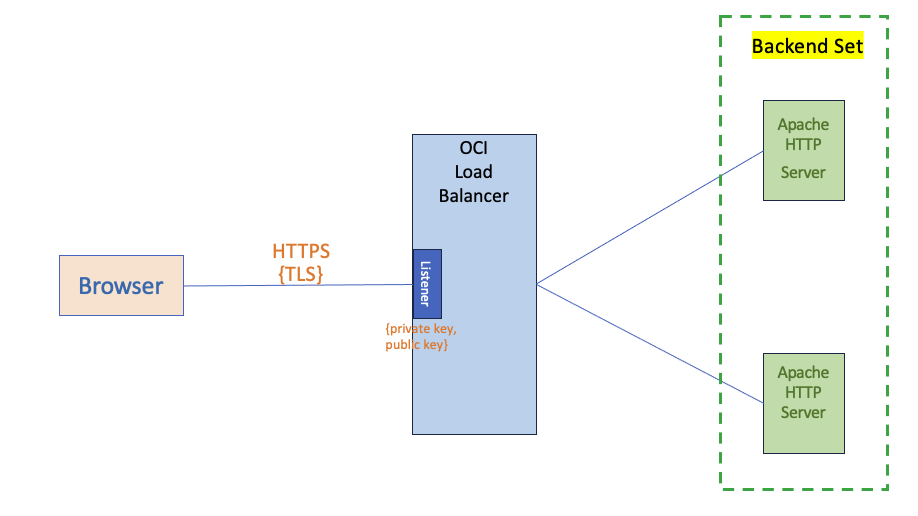
Fig 1
To get the above working, you would require a certificate from your CA. The process involves –
- first generate a <private key, public key> using a tool such as OpenSSL.
- next, generate a CSR. The CSR will contain the public key along with other important information about your business including the domain name, org name, address etc. The CSR is signed using the private key and sent to the CA.
- The CA will verify all the information and if successful, create a certificate. The certificate will include all the information in the CSR including the public key of the server.
Upload the certificate and the private key on to the OCI Certificate Service (along with any cert bundle) and use it in the load balancer’s Listener configuration. Running the above use case, you would expect to access the site –
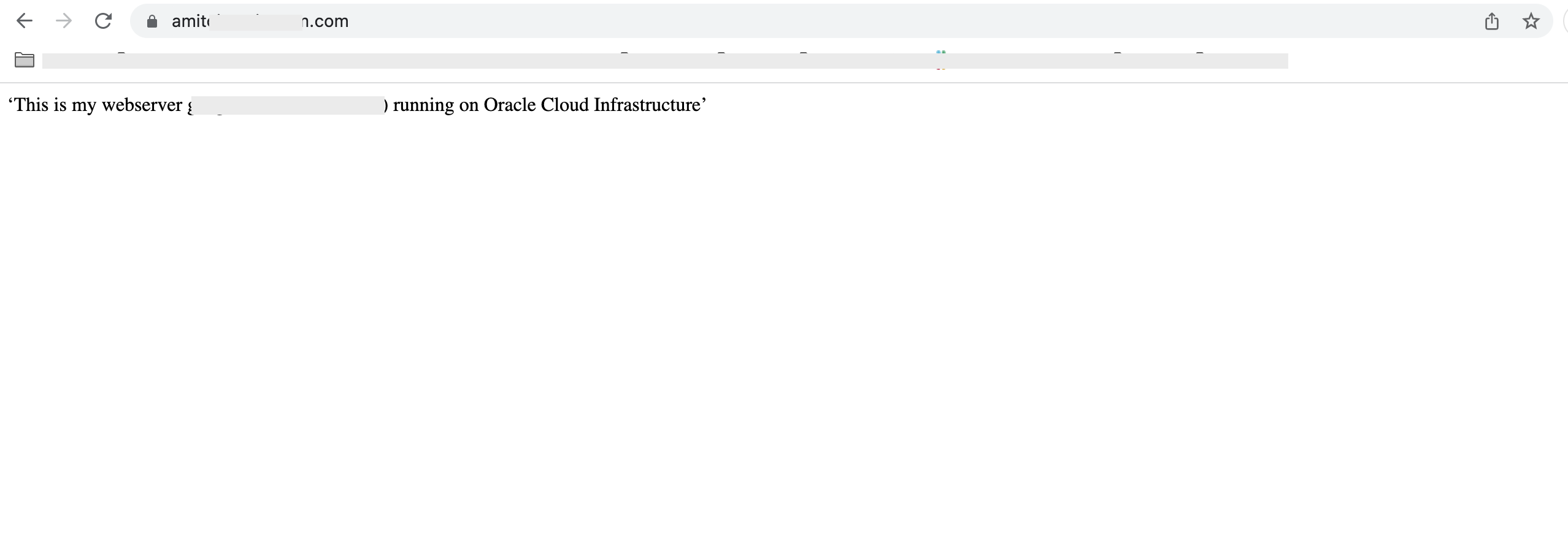
Fig 2
However, there if you make certain mistakes, you may be unable to access your web site and instead experience –
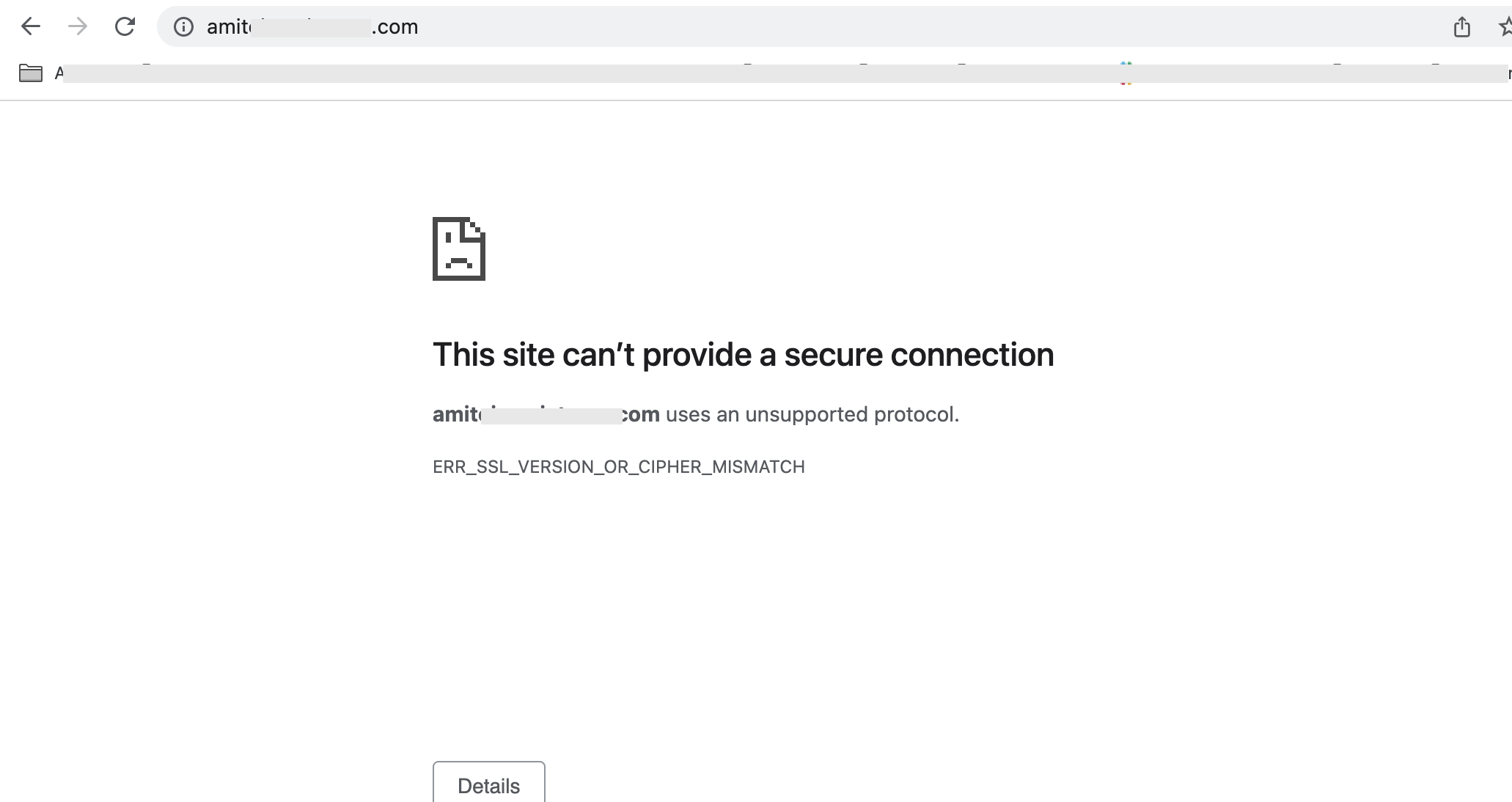
Fig 3
Chrome spits out the message ERR_SSL_VERSION_OR_CIPHER_MISMATCH indicating some problem. If OpenSSL is used to check out the connectivity, it points to a handshake error, specifically during ‘Server Hello’ phase.
CONNECTED(00000003)
4390803116:error:14004410:SSL routines:CONNECT_CR_SRVR_HELLO:sslv3 alert handshake failure:/AppleInternal/Library/BuildRoots/a0876c02-1788-11ed-b9c4-96898e02b808/Library/Caches/com.apple.xbs/Sources/libressl/libressl-2.8/ssl/ssl_pkt.c:1200:SSL alert number 40
4390803116:error:140040E5:SSL routines:CONNECT_CR_SRVR_HELLO:ssl handshake failure:/AppleInternal/Library/BuildRoots/a0876c02-1788-11ed-b9c4-96898e02b808/Library/Caches/com.apple.xbs/Sources/libressl/libressl-2.8/ssl/ssl_pkt.c:585:
---
no peer certificate available
---
No client certificate CA names sent
---
SSL handshake has read 7 bytes and written 0 bytes
---
New, (NONE), Cipher is (NONE)
Secure Renegotiation IS NOT supported
Compression: NONE
Expansion: NONE
No ALPN negotiated
SSL-Session:
    Protocol  : TLSv1.2
    Cipher    : 0000
    Session-ID:
    Session-ID-ctx:
    Master-Key:
    Start Time: 1685476022
    Timeout   : 7200 (sec)
    Verify return code: 0 (ok)
--- |
Fig 4
The Chrome error message regarding cipher mismatch and the OpenSSL error message regarding Server Hello provides a clue that the issue is related to cipher suites. Let’s dig further.
Cipher Suites, a Brief Primer
A cipher suite is essentially a family of protocols and algorithms which are used in establishing a TLS connection between a client (browser) and the server (OCI Load Balancer). It essentially has 4 parts –
- key exchange mechanism
- digital signature algorithm for authentication
- bulk encryption algorithm
- hash/MAC function
ECDHE-RSA-AES128-GCM-SHA256 is an example of a cipher suite. I will not go into the details how these individual algorithms play a role in the TLS handshake; that’s a subject by itself and there are excellent articles as well as books on TLS. For this blog post, I will focus on the digital signature part of the cipher suite. The example cipher suite I provided above uses RSA for authentication (using digital signatures). This has a direct correlation to the pair <private key, certificate(public key)> which got loaded on to the server, in this case the OCI Load Balancer in Fig 1,and is used for authentication. It implies that the pair has RSA keys. However, RSA is not the only type of algorithm which is used for keys. Increasingly, ECDSA is used as digital signature algorithms and many CAs such as Let’s Encrypt have switched to ECDSA based keys.
Although clients and servers support many cipher suites, only one gets selected (by the server) during TLS handshake. The following figure shows the ciphes suites supported by the client, as part of ‘Client Hello’ message.
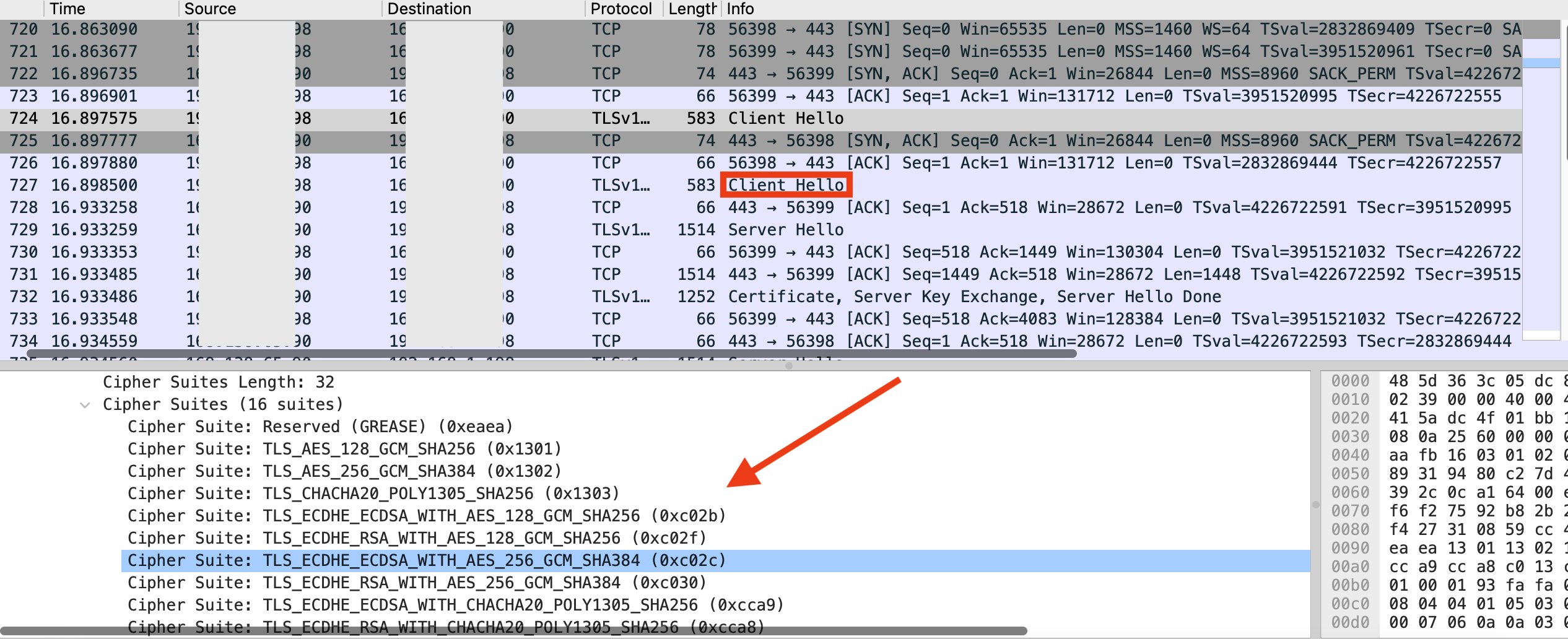
Fig 5
The server selects one of them and lets the client know about its selection in the ‘Server Hello’ message.
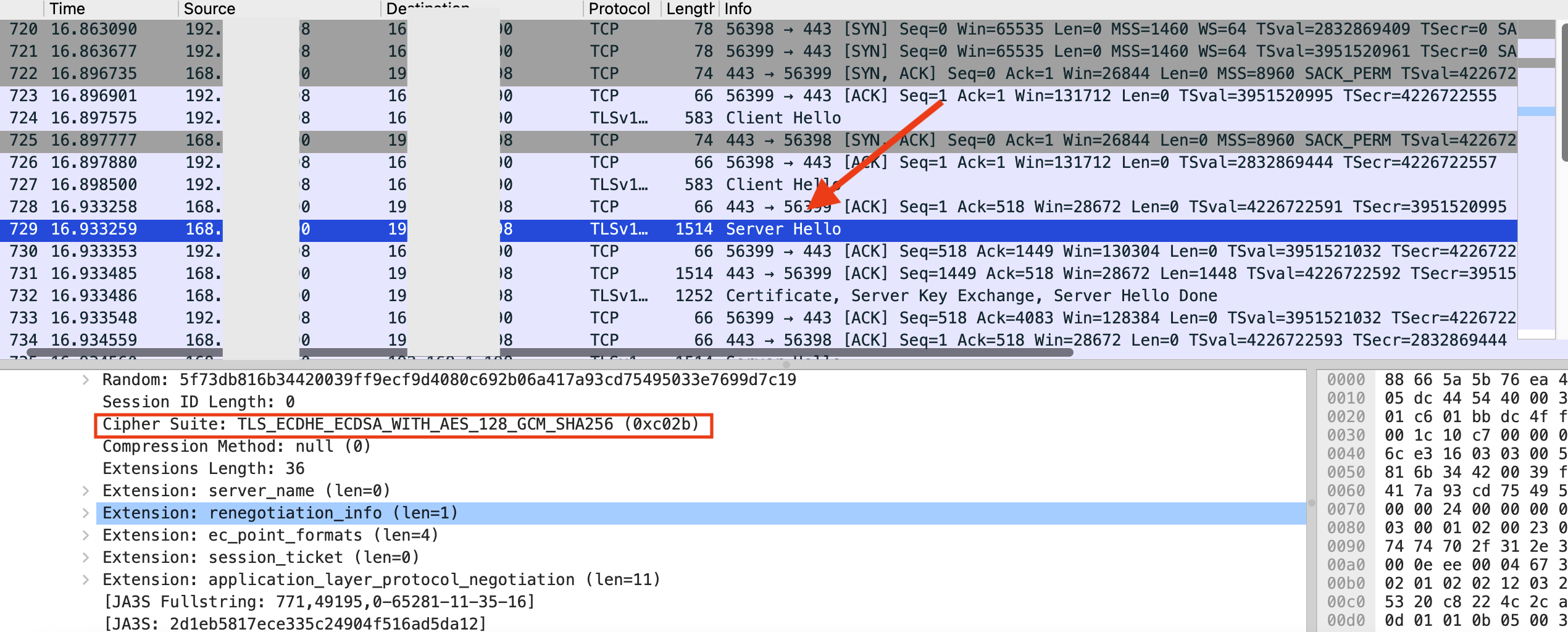
Fig 6
Listener Configuration
OCI Load Balancer supports all cipher suites for TLS 1.2. Not all of them have similar strength. They are divided into various groups such as oci-default-ssl-cipher-suite-v1, oci-modern-ssl-cipher-suite-v1, etc based on similar characteristics. For example, oci-default-ssl-cipher-suite-v1 includes ciphers which can be used for strict compliance requirements but uses RSA as the digital signature algorithm, i.e. RSA keys are used. Administrators can choose the group in the Listener configuration according to their security policy. However, to simplify TLS configuration, the listener configuration includes oci-default-ssl-cipher-suite-v1 by default. This would be fine if RSA keys are used (not surprising since they are widely prevalent). If instead, ECDSA keys are used, then it would result in a mismatch (between the keys used and the cipher suite) leading to the issue of Fig 3. The packet trace shows the termination of the TLS handshake initiated by the load balancer, as expected.
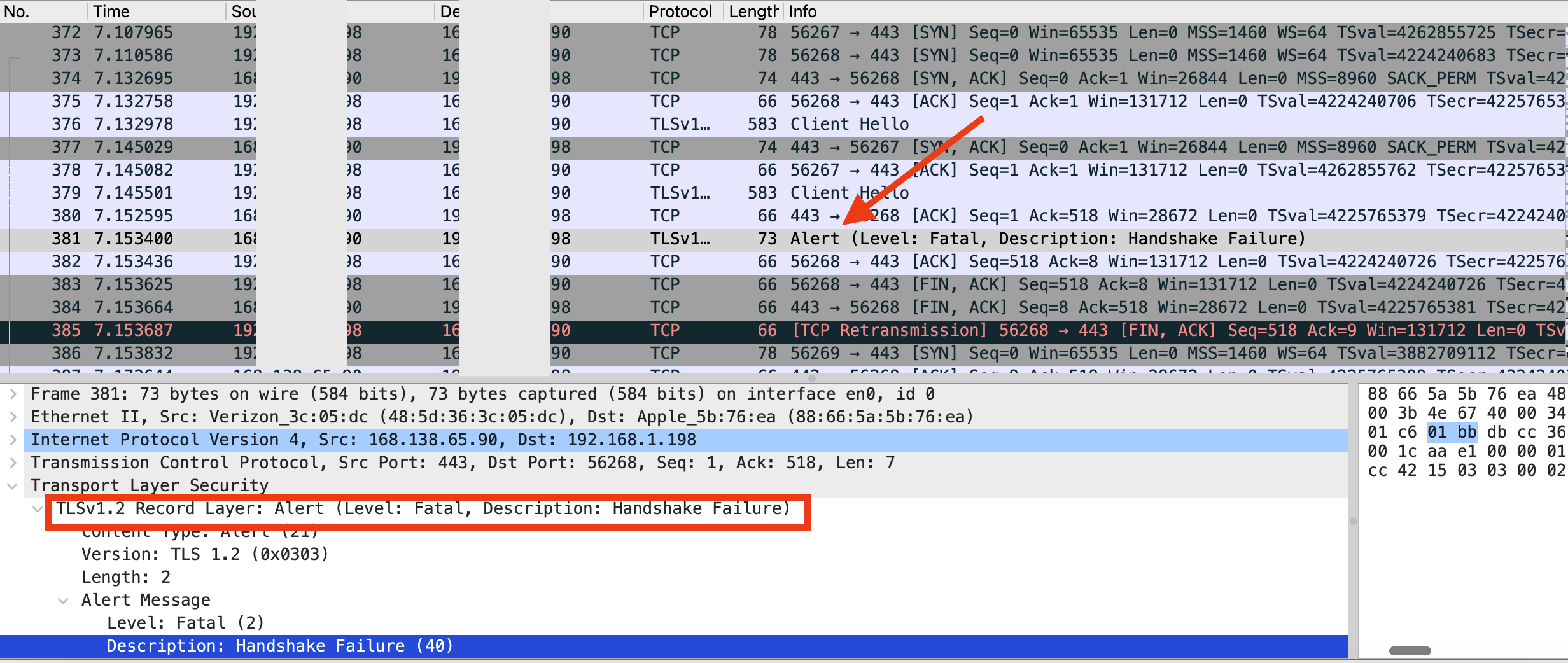
Fig 7
oci-modern-ssl-cipher-suite-v1 includes a wider set of cipher suites including the ECDSA based ones. This group can be selected using the Advanced configuration tab.
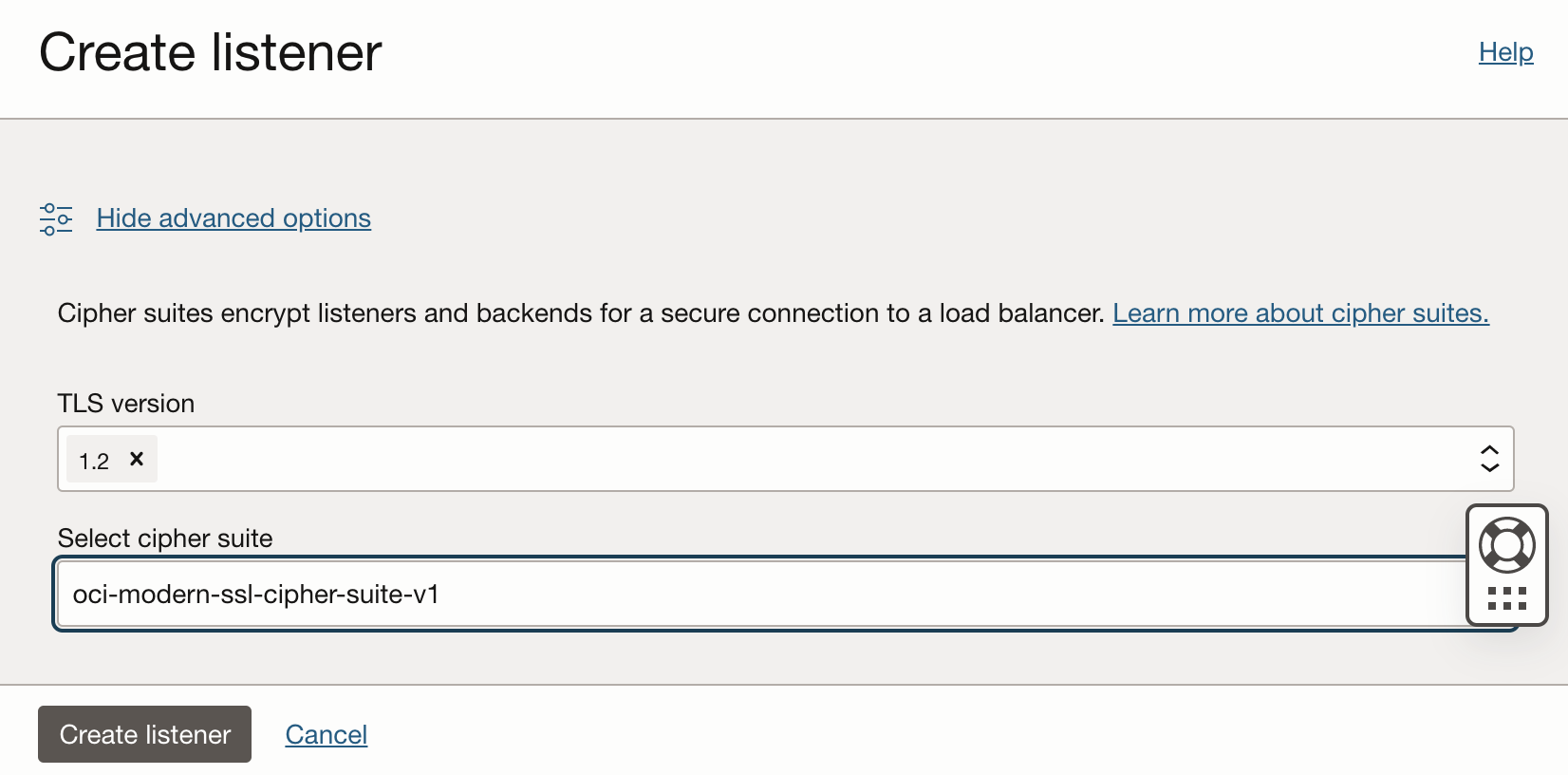
Fig 8
With the right cipher suite selection, you will no longer get any errors as in Figs 3 and 4. Running OpenSSL now will result in –
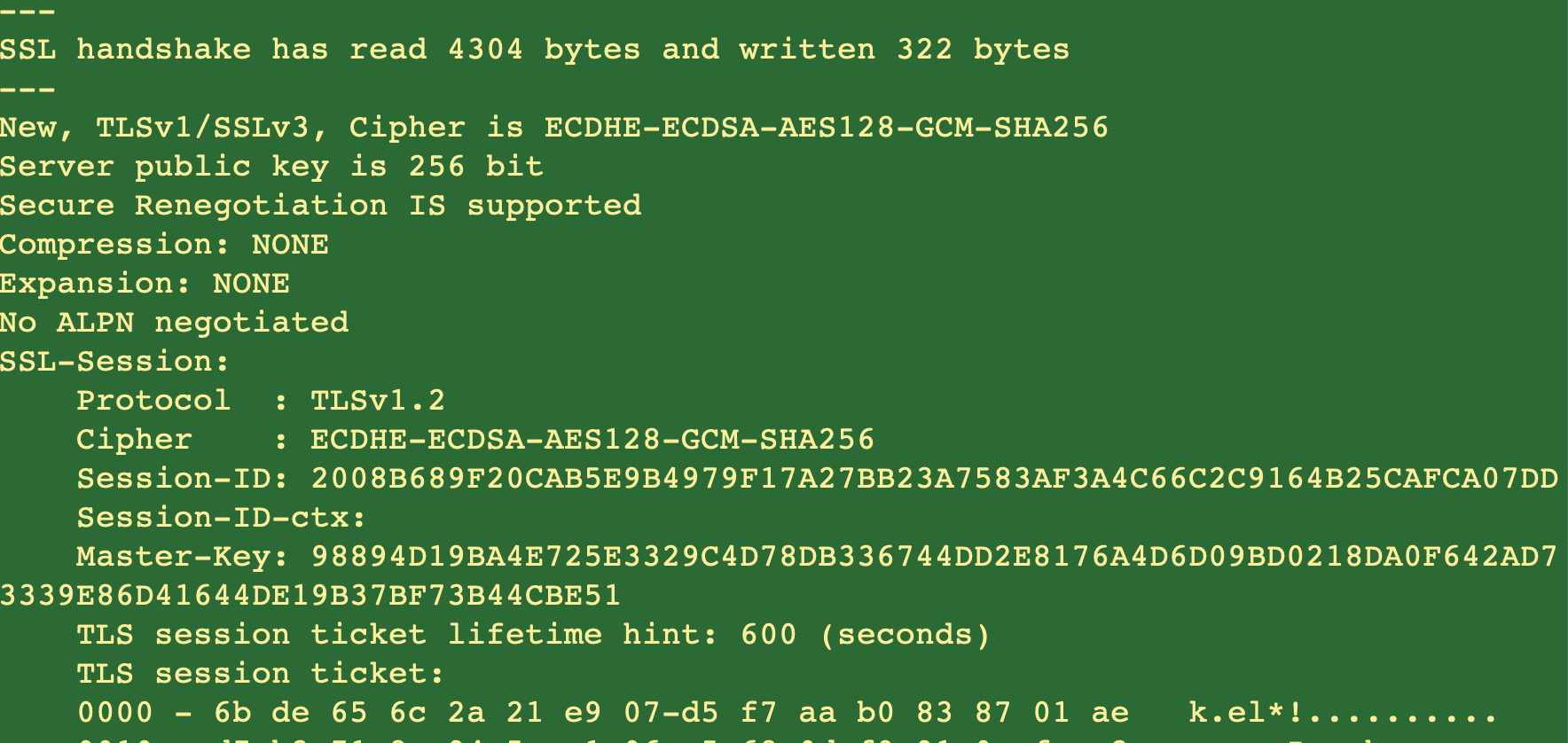
Fig 9
The documentation also has a note highlighting the need to align the keys used with the cipher suite selected for TLS session establishment.
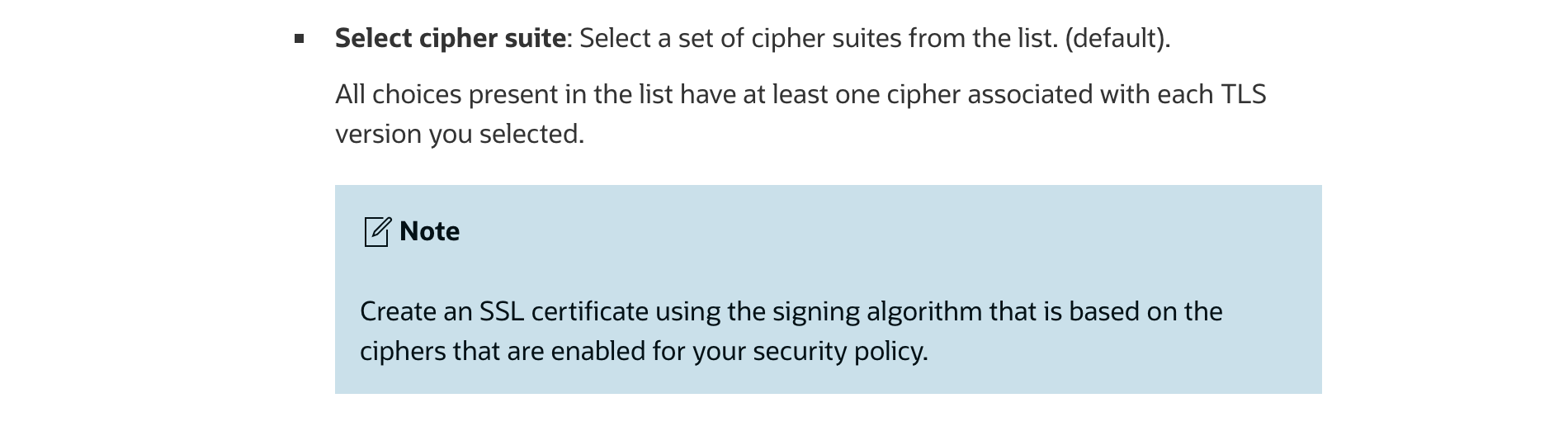
Fig 10
Summary
OCI Load Balancer provides a robust set of cipher suites which can be used in TLS session establishment. It supports both RSA and ECC certificates, and supports easy to use configuration to choose the appropriate cipher suite to align with a buisiness’s security policy.