One of the most promising features of ODI 11g is its SDK that allows you to perform any action you want against the repository. A good introduction to the SDK is available here (and I used this as a starting point for my code)
One of our customers was asking for a way to perform massive changes (basically change the same parameter in all interfaces of the repository) and the best approach for this type of change is to leverage the ODI 11g SDK. First step: how to list all interfaces of the repository. In a separate post, we will see how to make these changes and persist them in the repository.
The approach here is to leverage both Groovy and the ODI SDK: Groovy gives us the ability to code in Java directly from within the ODI studio: no need to compile java code: I simply create an ODI procedure and run it.
A few notes of caution:
- This code has been tested on ODI 11.1.1.5 and will not work with earlier releases of ODI.
- You will need to update the code with your parameters to connect to your repository.
- Make sure that you have a backup of your repository before you attempt any changes through SDK operations. A small mistake in automated operations can lead to massive headaches!
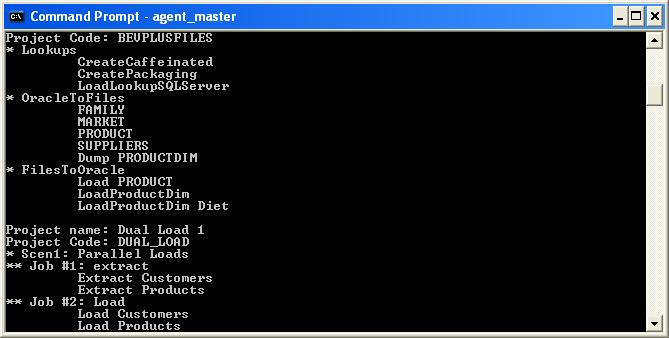
- To see the output of the procedure, you will need a standalone agent: all the information is printed out to the console. I have no doubt that real developers will want to improve this and write out to something more convenient.
You will find the ODI procedure here. You should be able to import the procedure directly in one of your projects. If you have any issues with the import process, you will find the source code of the procedure here.
Sample result for the output in the agent console: