
When orchestrating business flows, you often need to interact with other systems via their APIs. Most organizations will choose to leverage REST-based APIs, but scenarios exist where alternative APIs are required. One use case with Oracle Fusion Applications (FA) is asynchronous requests with a callback, accomplished using FA SOAP APIs. This blog post will focus on the asynchronous get purchase order SOAP API (https://docs.oracle.com/en/cloud/saas/procurement/22d/oeswp/get-purchase-order-34663.html). As we will see later, this API requires message protection (encryption) for the callback. This requirement forces the client application to include its public certificate that FA will use to encrypt the callback message.
Purchase Order Service V2 WSDL
One of the first things you will notice is there are no details around sync vs. async operations in the online documentation. However, the WSDL contains all the supported operations and details (https://fs-your-cloud-hostname:443/fscmService/PurchaseOrderServiceV2?wsdl). Open the WSDL and then search for getPurchaseOrder. You should be able to locate something like the following:
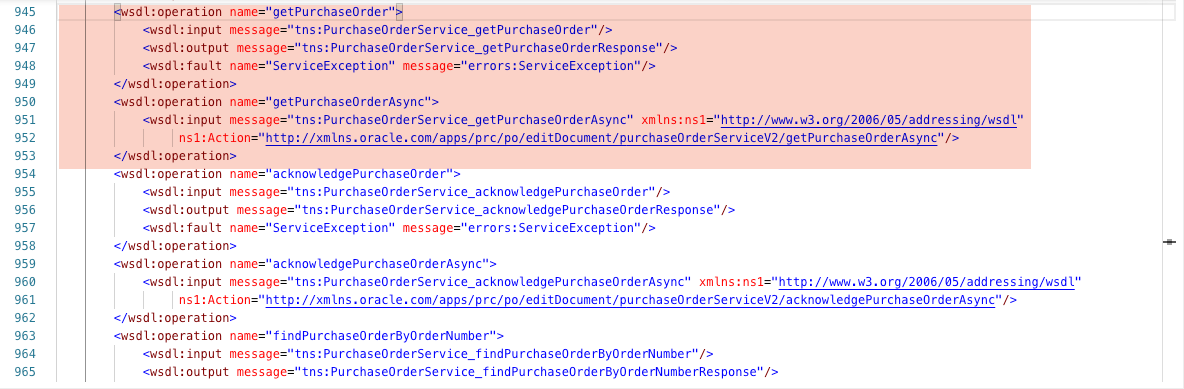
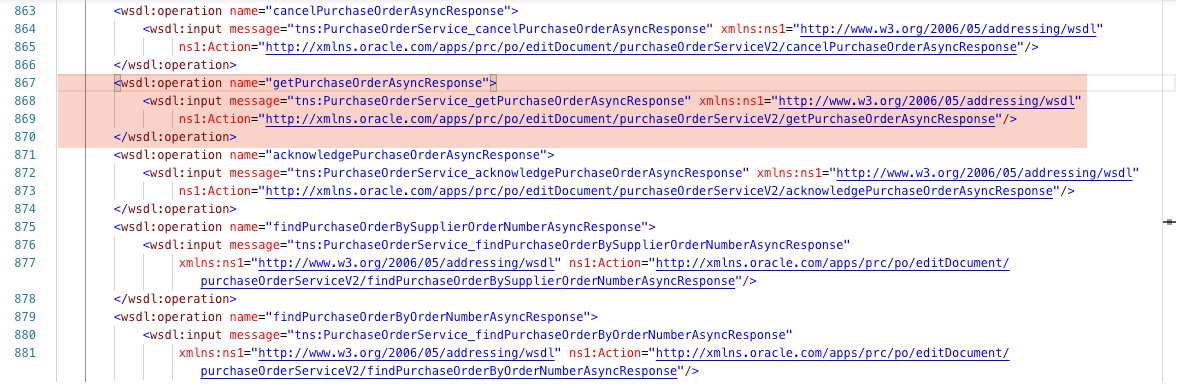
You will notice that for every synchronous operation there is a corresponding asynchronous (i.e., the asynchronous operations have an Async suffix for the operation name). Additionally, if you keep searching, you will locate the getPurchaseOrderAsyncResponse (aka, callback):
Operation Security Policy
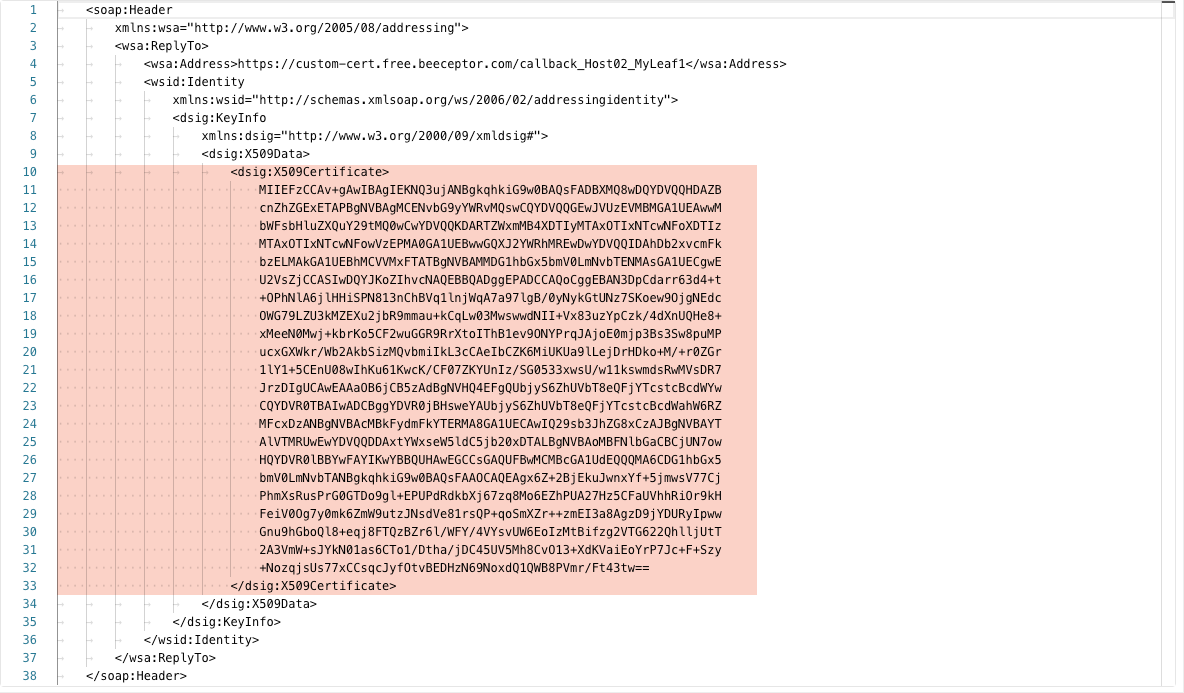
Finally, if you look at the binding for both the PurchaseOrderService (request operations) and the PurchaseOrderServiceResponse (callback operations), you will find they have a PolicyReference of wss11_saml_or_username_token_with_message_protection_service_policy and wss11_saml_token_with_message_protection_client_policy respectively. For our use case, the focus is on the client policy associated with the callback. Because of this policy, we will need to provide the public key for the client application’s certificate in the SOAP Header of the getPurchaseOrderAsync operation:
FA Certificate Self-Service
If your client application includes the public certificate in the SOAP Header (see above) and your getPurchaseOrderAsync operation returns an HTTP 202 Accepted response, but you get no callback from FA, then there is a high probability you need to add the public certificate to your FA environment. Luckily, we can manage the certificates via the FA console under Tools > Security Console > API Authentication:
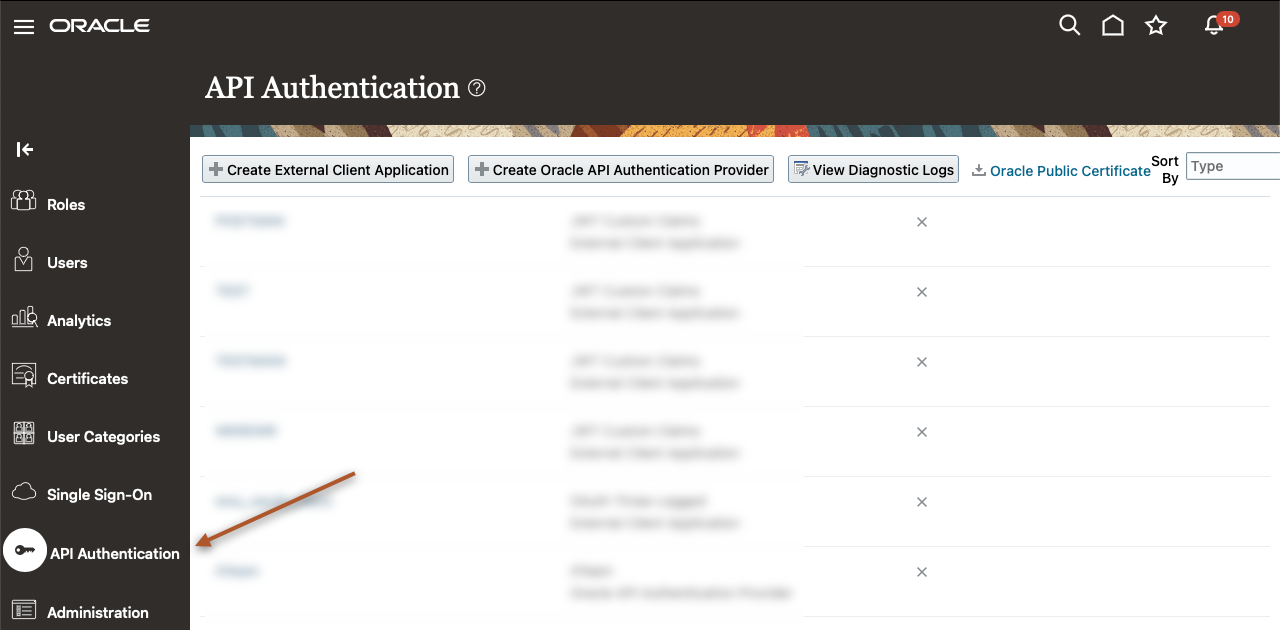
Once on the API Authentication page, you can either “Create Oracle API Authentication Provider” or select an existing one. For our example, a new Trusted Issuer was created with the Token Type of JWT:
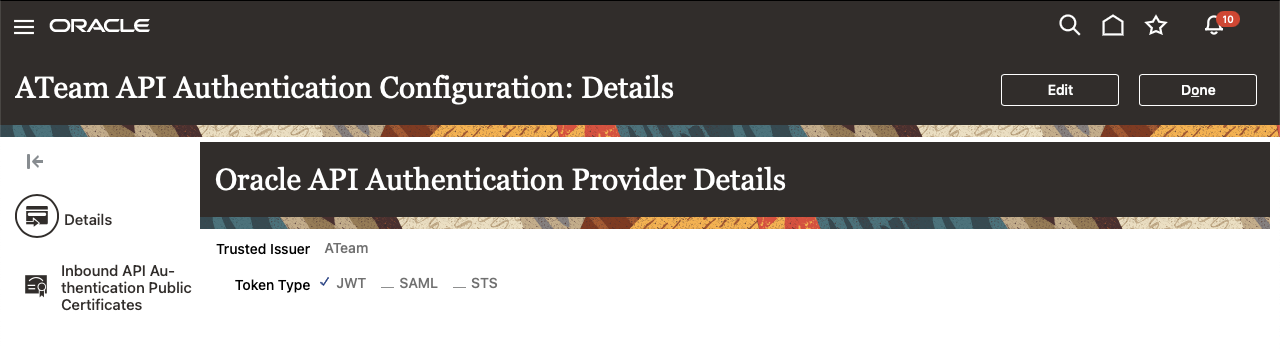
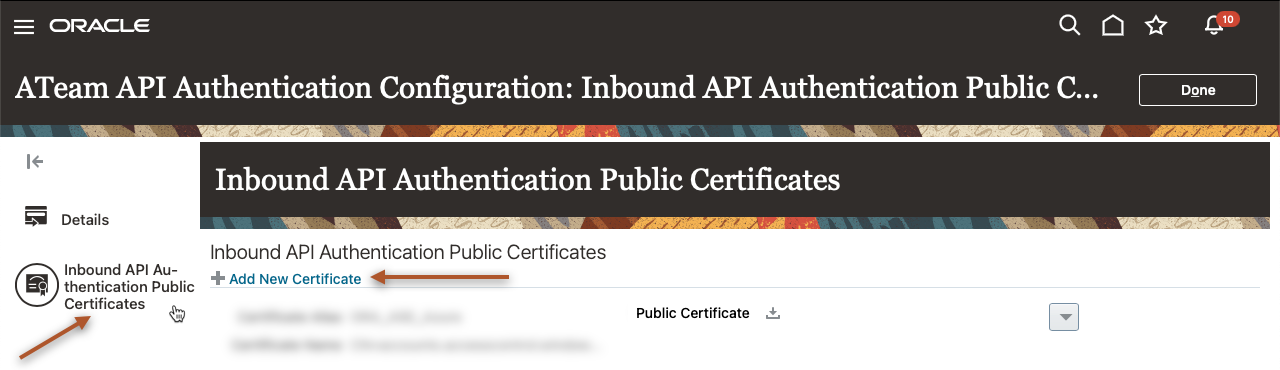
Now we click on the “Inbound API Authentication Public Certificates” on the left-hand side to access certificate management and “Add New Certificate”:
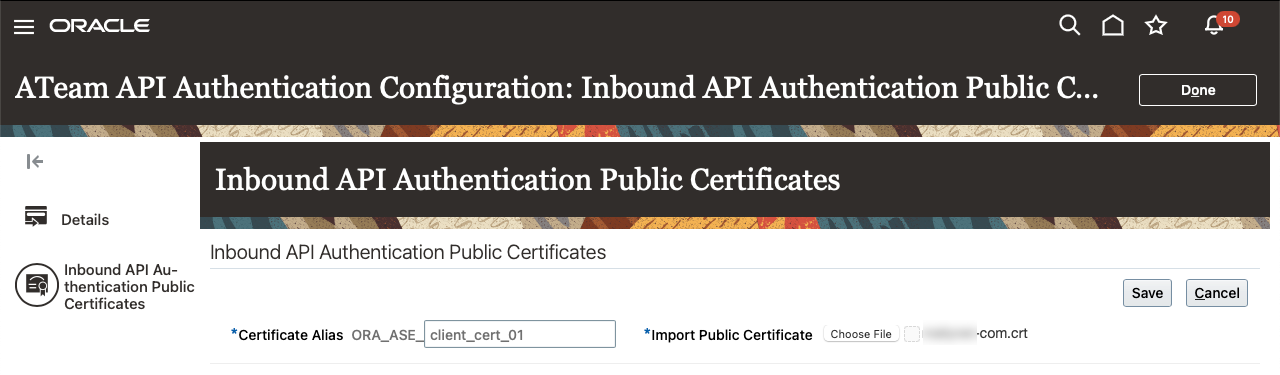
Provide a descriptive alias name and choose the file for upload. Then click on “Save” to add the public certificate to the FA environment:
NOTE: It is imperative to understand that adding or removing certificates requires time to propagate throughout the FA environment. If you immediately try to test your API and still do not get a successful callback, try every 5 minutes until the callback is successful. If after 15 to 20 minutes you still do not have a callback, you will need to involve Oracle Support to review the FA logs for any errors.
Use Postman to Test
Sometimes it is helpful to have a quick way to test the configuration instead of relying on your standard client application. I have included a Postman collection that can be used to test your environment: Download Postman Collection Here
Once you have downloaded the file, unzip the contents and import it into Postman. If your import is successful, you should see something like the following:
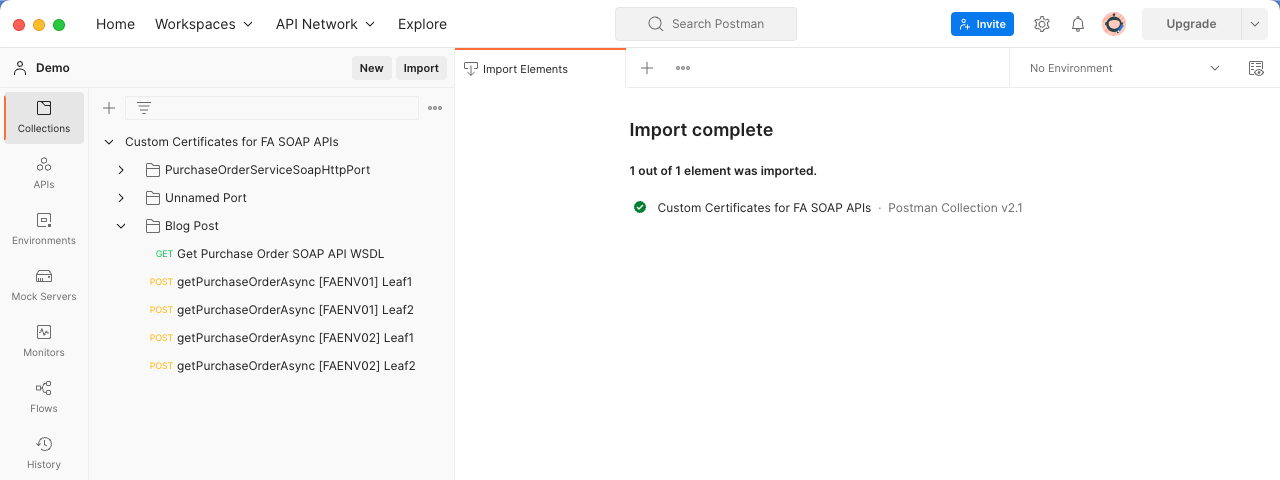
This collection was created using the Postman feature of importing WSDL (https://learning.postman.com/docs/designing-and-developing-your-api/importing-an-api/). The import process generates everything found in the first two folders, and the “Blog Post” folder contains the requests specific to this blog post.
Collection Configuration
Before we can start using the requests, we will need to update the “Authorization” and “Variables” located in the root collection folder called “Custom Certificates for FA SOAP APIs”:
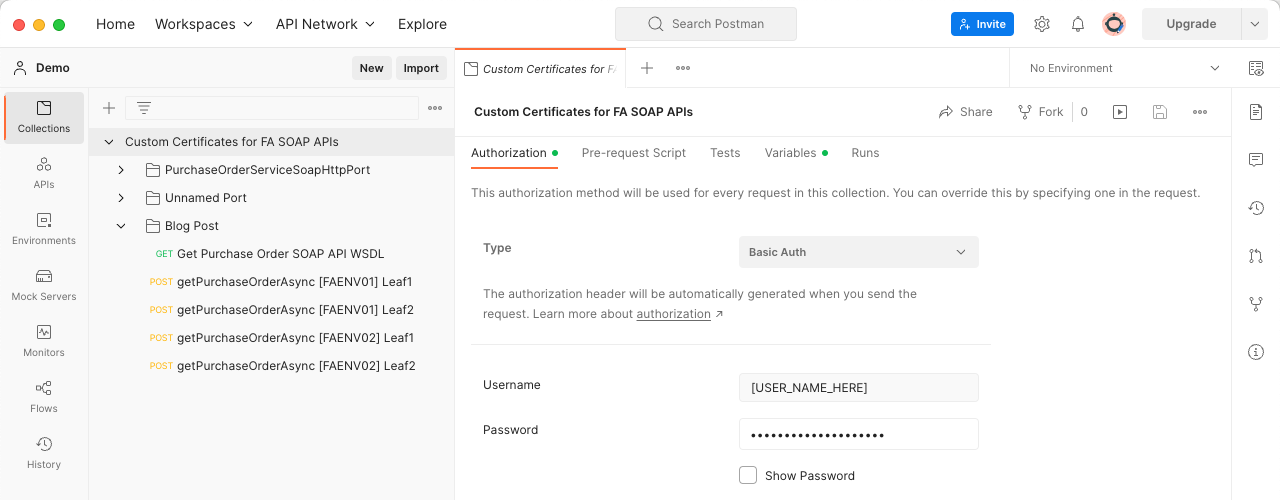
Add an FA user with grants to call the SOAP APIs in the “Username” and “Password” fields for “Authorization”. This configuration is used when a request is set up for “Inherit auth from parent”. Next, we will add values to our “Variables”:
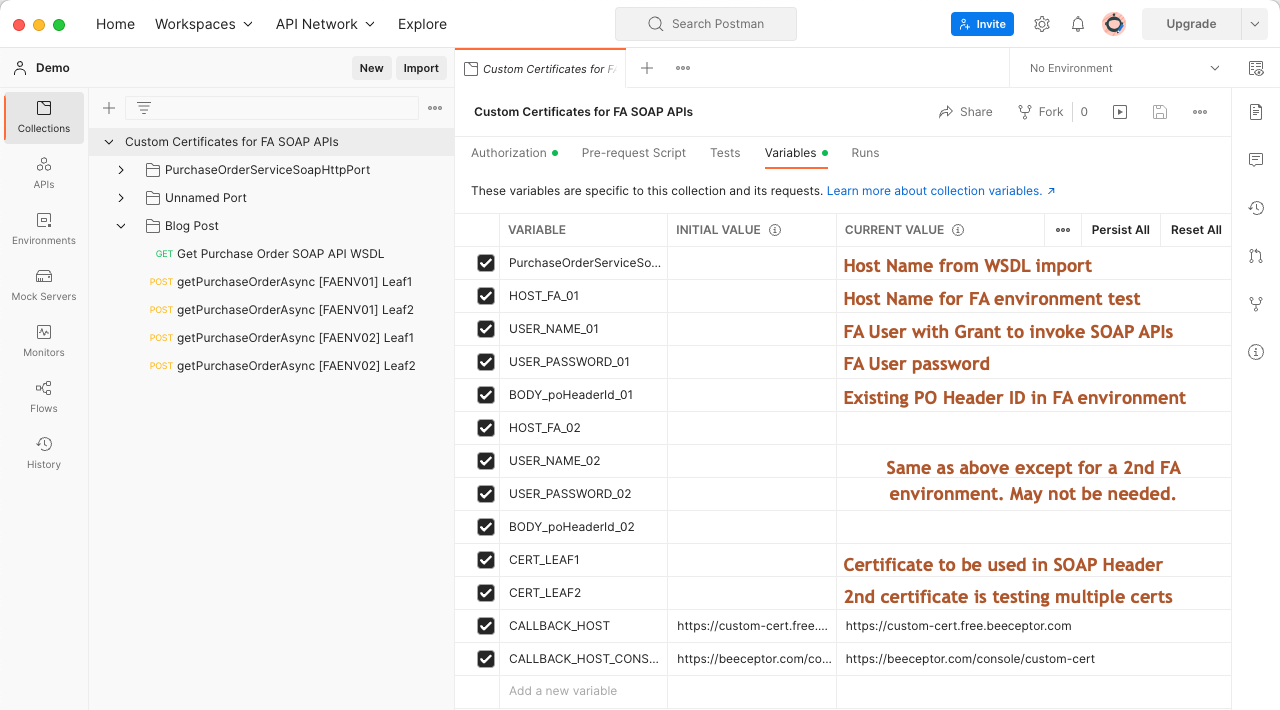
The brown text in the “CURRENT VALUE” column hints at what is needed. Your configuration should look something like the following:
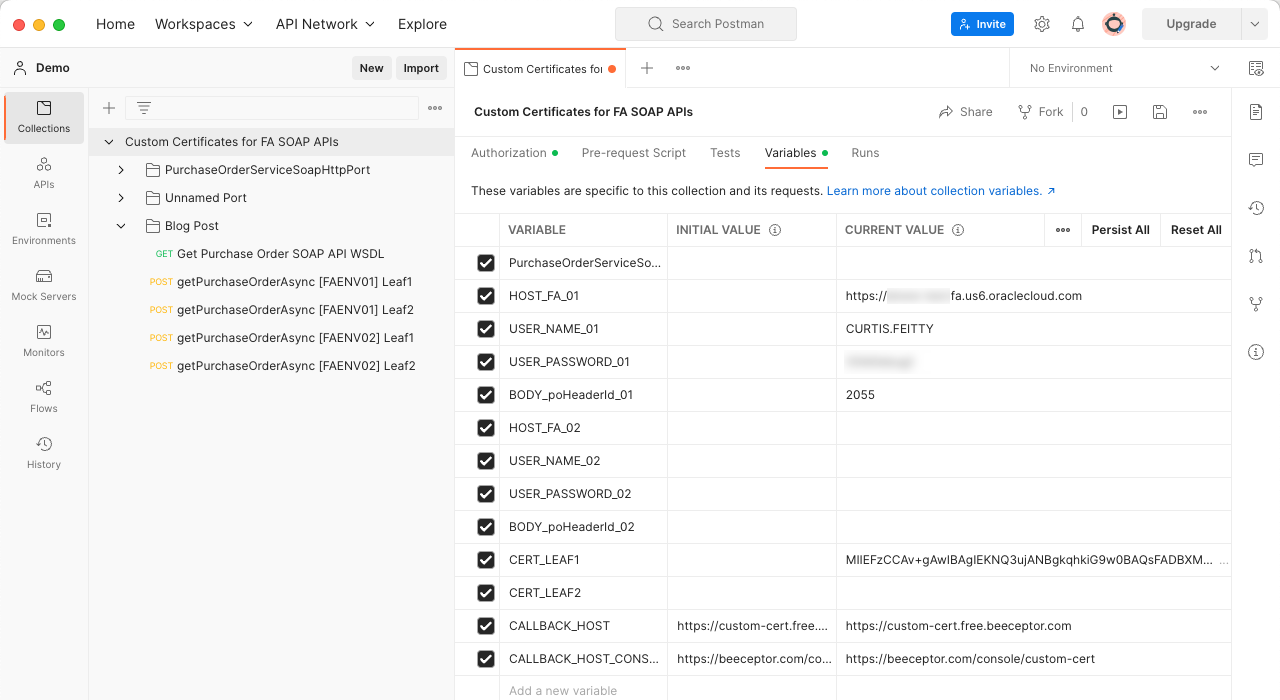
NOTE: It is essential to save the “Authorization” and “Variables” before running a request because the values are not recognized until they are saved.
Run Postman Requests
With the configuration above, we can run two of the Postman requests in the Blog Post folder:
- Get Purchase Order SOAP API WSDL
- getPurchaseOrderAsync [FAENV01] Leaf1
The “Get Purchase Order SOAP API WSDL” request is handy for reviewing the SOAP API WSDL and doesn’t need any explanation. So, we will now take a closer look at the “getPurchaseOrderAsync [FAENV01] Leaf1”:
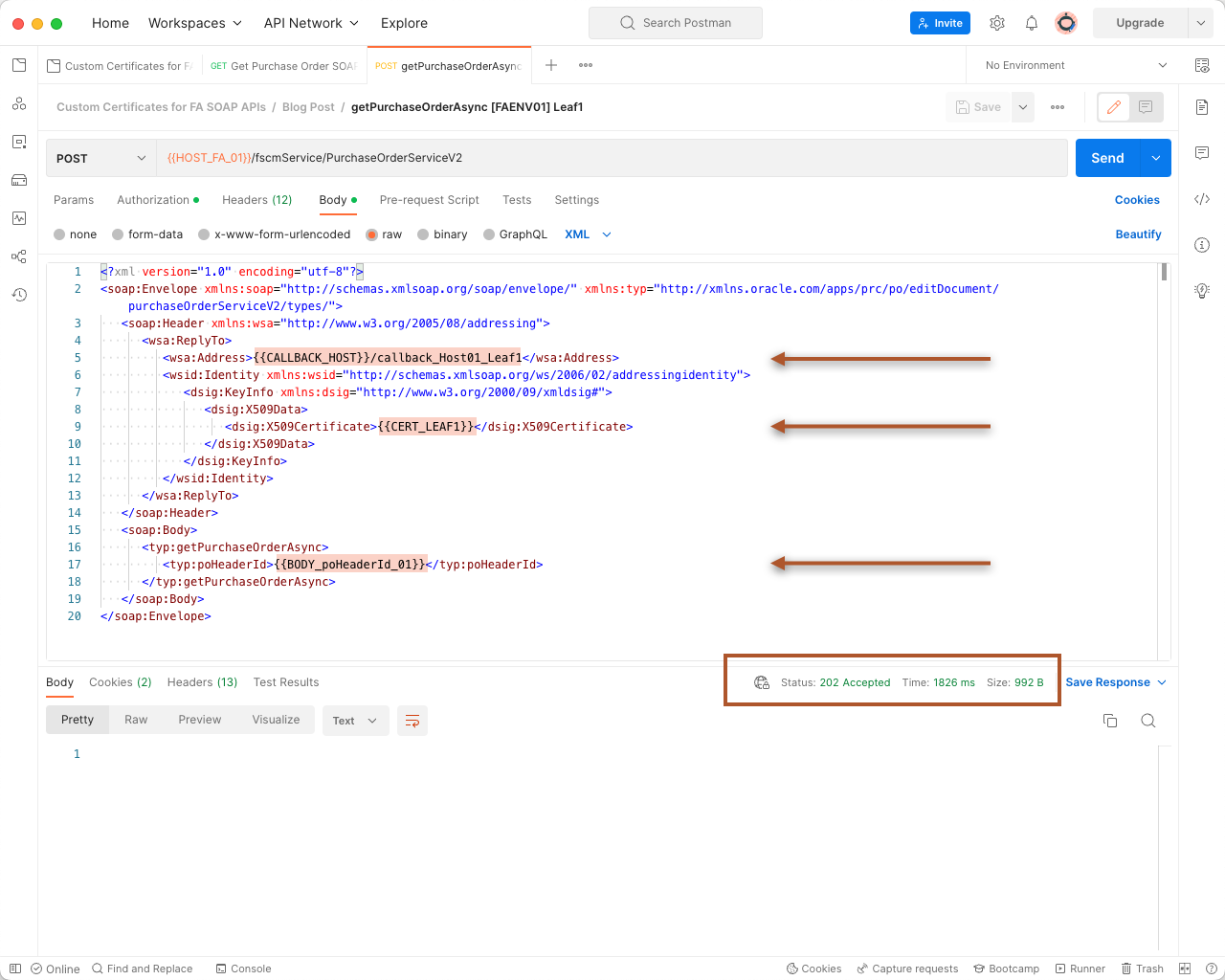
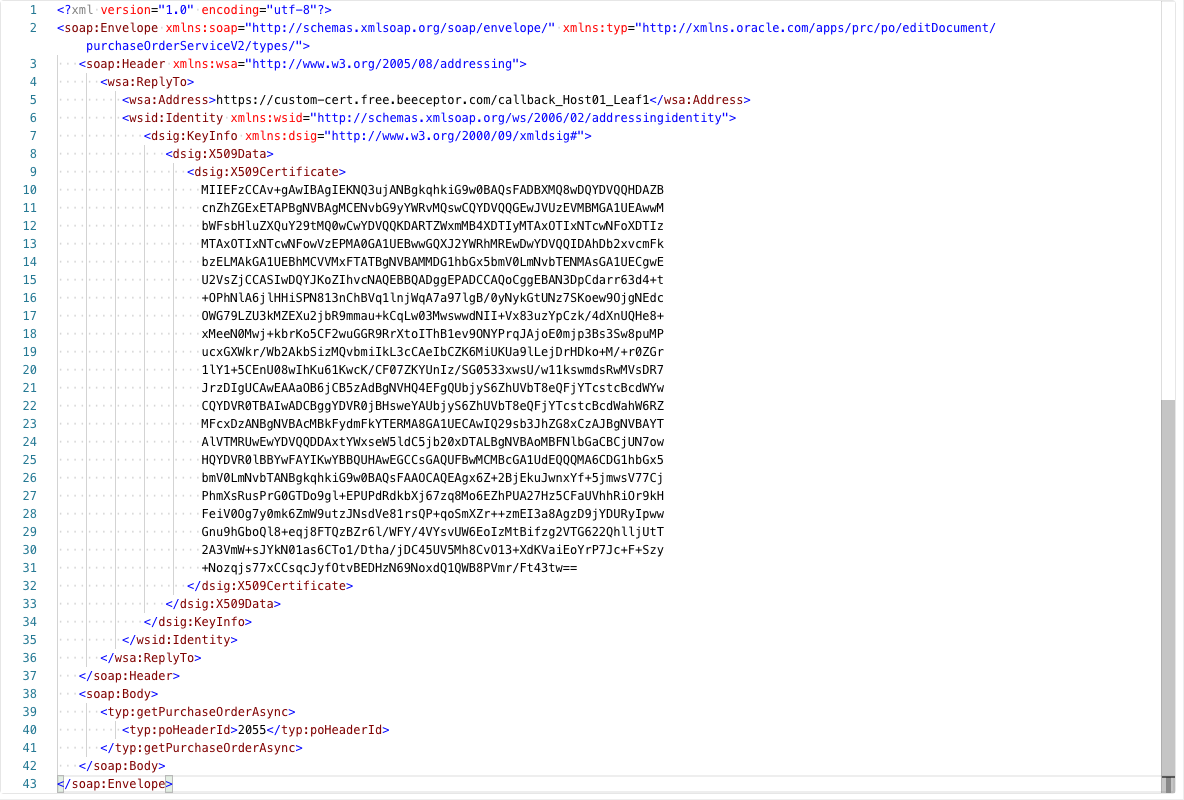
The request “Authorization” (not shown) and the “Body” are set up to use the Postman variables. We will go into more detail about the CALLBACK_HOST in a moment, but the <dsig:X509Certificate> is the crucial element for what we’ve been discussing. The value for this XML element is the public key that we uploaded in the FA Security console and is what FA will use to encrypt the callback payload. It’s important to understand that a successful request will result in an HTTP 202 Accepted even if the certificate in the SOAP Header has not been uploaded via the FA Security Console. Whatever your client application is for your business flow, the request payload will need to look something like the following:
{{CALLBACK_HOST}}
One of the challenges with testing an asynchronous SOAP API is how we know if the callback is happening, and if it is, what is being sent from FA? Something that I frequently use for capturing HTTP requests is a site called Beeceptor (https://beeceptor.com). Before you run the Postman request, ensure your browser is open with the following URL: https://beeceptor.com/console/custom-cert. This page is the console for displaying the captured callbacks for our Postman requests. At this point, run your “getPurchaseOrderAsync [FAENV01] Leaf1” request and then monitor the Beeceptor console for the callback. If everything is in place, you should see something like the following:
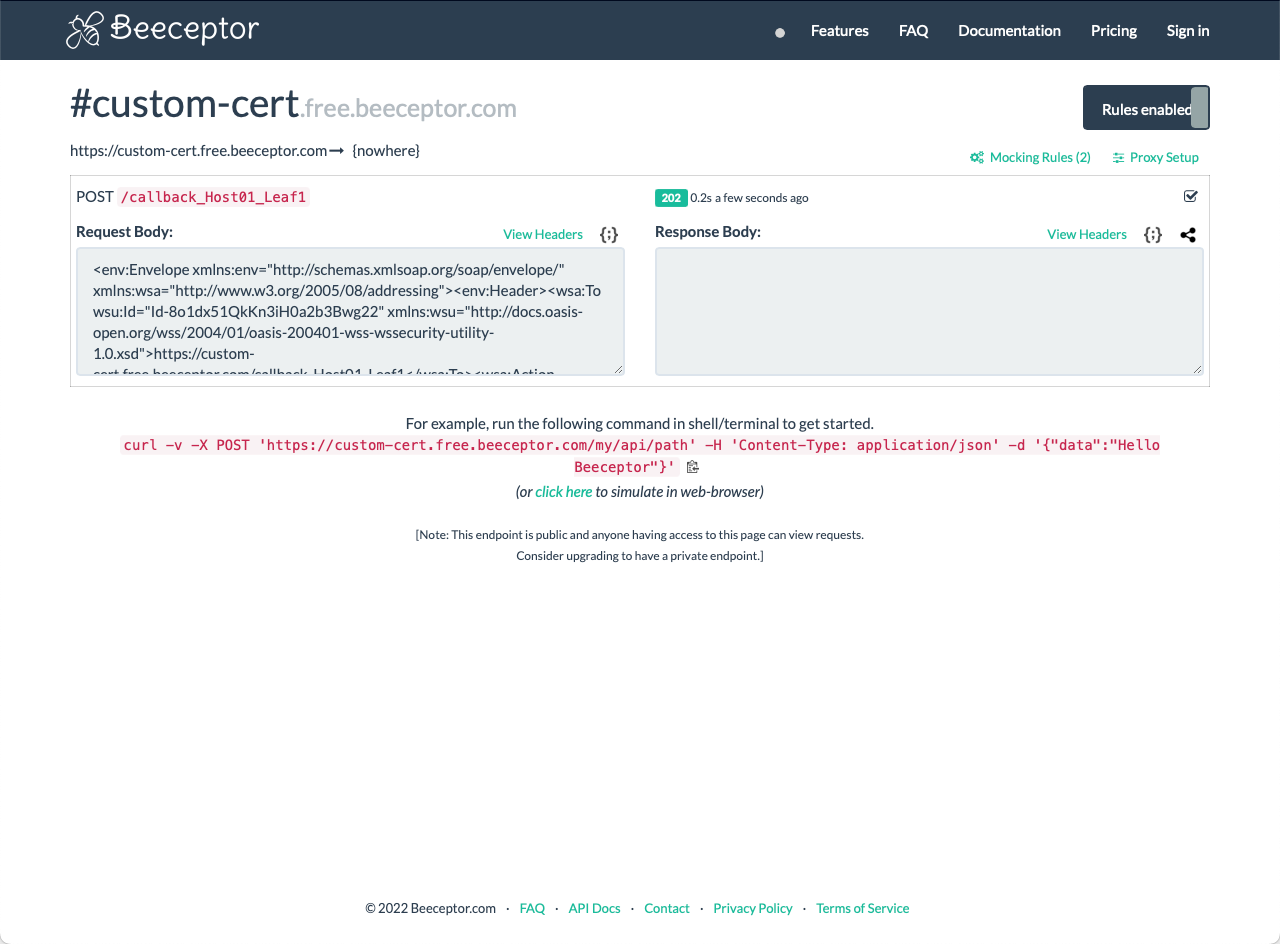
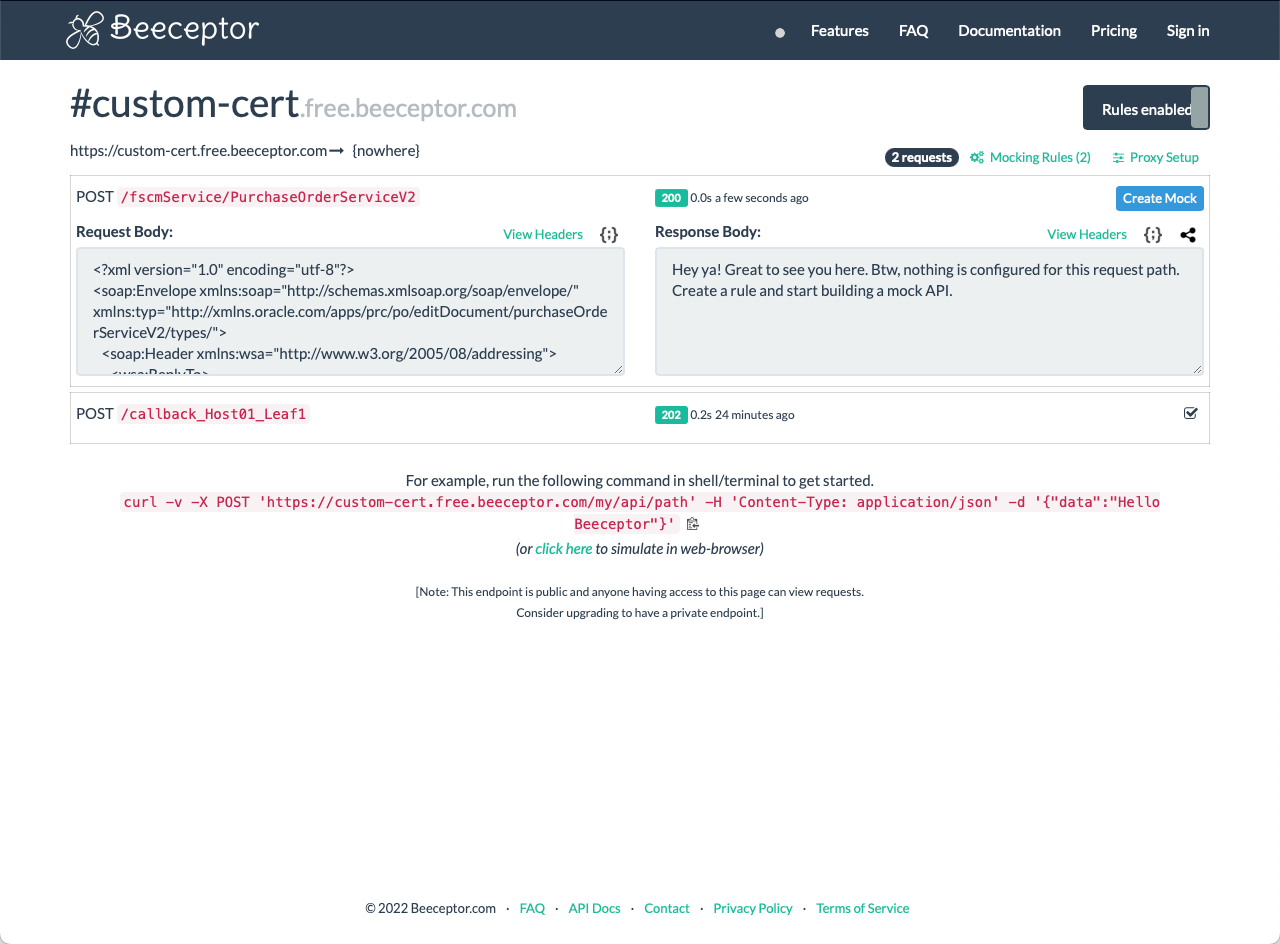
If this is your first time using Beeceptor, take some time to poke around and see what is available. For example, you can copy the “Request Body” and paste it into your favorite XML editor to review it in detail. Something else you can do is change the URL in your Postman request from {{HOST_FA_01}}/fscmService/PurchaseOrderServiceV2 to {{CALLBACK_HOST}}/fscmService/PurchaseOrderServiceV2. Then when you run the request, you will see the details of the HTTP request coming from Postman in Beeceptor:
I hope you find this blog post helpful in using and troubleshooting custom certificates with your SOAP APIs with Fusion Applications.