

Customers running Oracle Autonomous AI Database Serverless (ADB-S) in Oracle AI Database@AWS often need to load data from customer-managed Amazon S3 buckets for analytics, reporting, or application workflows. When that data transfer must remain private, they need a secure path between ADB-S and Amazon S3 that does not traverse the public Internet.
For example, a team running operational reporting in ADB-S needs to load daily files from its Amazon S3 bucket. Without the VPC Lattice integration, the team may need to permit outbound access to a public S3 endpoint or design and maintain an alternative private routing path. This adds network-security review, configuration effort, and uncertainty about how database-to-storage traffic is routed.
With the VPC Lattice integration, ADB-S reaches the customer-managed S3 bucket through a managed private service network path. The team still uses AWS IAM to restrict the bucket permissions, while ADB-S routes outbound S3 requests through its private endpoint.
| Customer requirement | Public customer-built route | VPC Lattice integration |
| Load S3 data into ADB-S | ✓ | ✓ |
| Keep database-to-S3 traffic off the public Internet | ✗ | ✓ |
| Use a managed private connectivity path | ✗ | ✓ |
| Reduce network configuration and operational risk | ✗ | ✓ |
This post shows how to use Amazon VPC Lattice to configure private connectivity from ADB-S to a customer-managed Amazon S3 bucket. You will enable Amazon S3 access on the Oracle Database (ODB) network, configure AWS authentication and authorization, and use DBMS_CLOUD to validate access and load data into ADB-S. For additional information, see VPC Lattice for Oracle Database@AWS.
Architecture Overview
When a new ODB network is created, a default VPC Lattice service network is provisioned in your account and comes pre-configured with a default service network endpoint for outbound access to Amazon services such as S3.
Access to Amazon S3 from an ODB network supports two primary use cases: Oracle-managed S3 buckets for automated backups and customer-managed S3 buckets for data import, export and custom backups. Oracle manages access for automated backups, so no additional customer configuration is required. Access to a customer-managed S3 bucket, however, requires the configuration steps described in this post.
For additional information, see Oracle Database@AWS network connectivity using Amazon VPC Lattice.
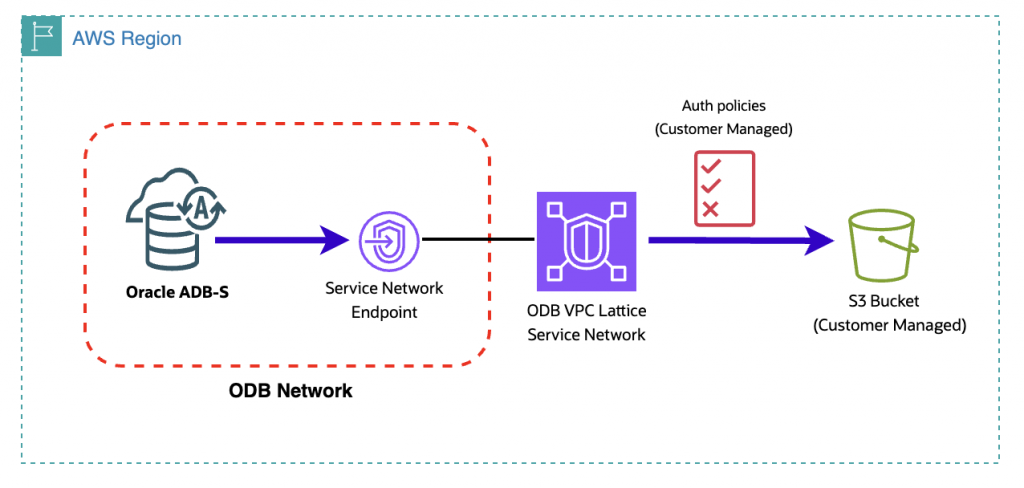
To enable ADB-S to access a customer-managed S3 bucket, complete the following steps:
1. Enable Amazon S3 Access on the ODB Network.
2. Configure authentication and authorization for S3 Access.
3. Access the Amazon S3 Bucket from ADB-S.
Step 1. Enable Amazon S3 Access on the ODB Network
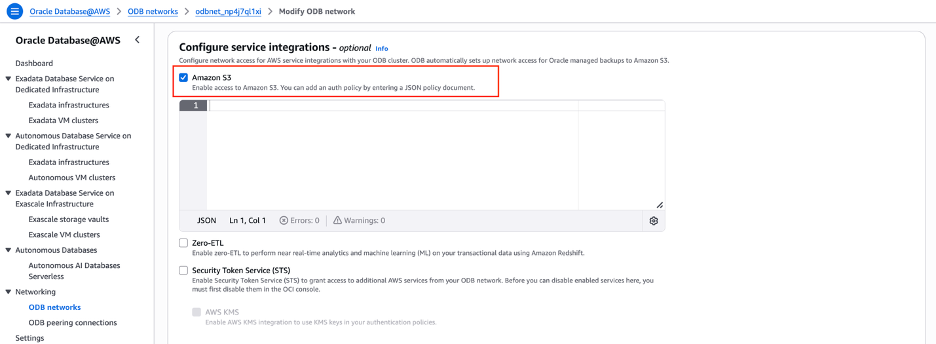
To load data from an Amazon S3 bucket into ADB-S, first enable self-managed Amazon S3 access on the Oracle Database (ODB) network.
In the AWS Management Console, navigate to your ODB network, select Modify, and under Configure service integrations, select Amazon S3.
After the ODB network update completes, Amazon S3 appears as an enabled service integration, along with an endpoint IP address and S3 endpoint domain name. Record the endpoint domain name; you will use it later to access the bucket.
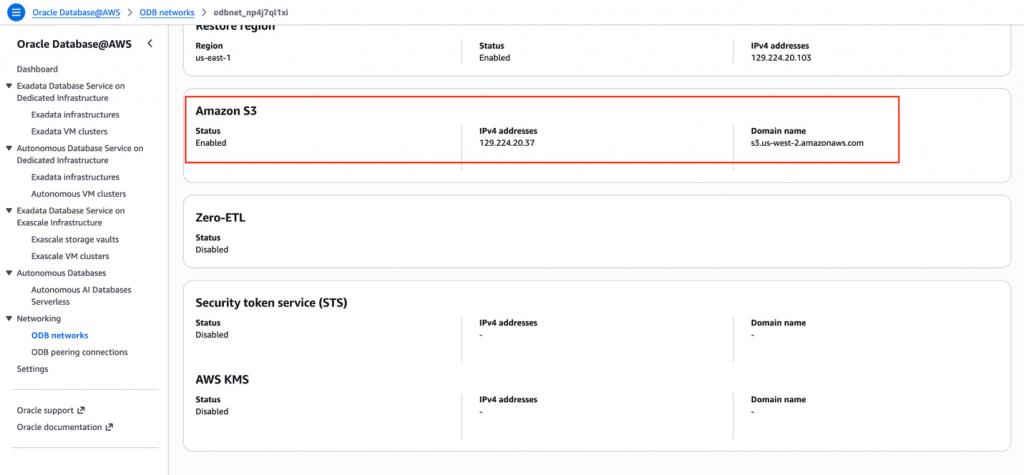
Step 2. Configuring Authentication and Authorization for S3 Access
First, configure an IAM policy to grant the principal used by ADB-S the required access to the S3 bucket and its objects. In the AWS Management Console, navigate to IAM, select Policies, and then Create policy. Select JSON and then paste the policy below. Remember to add your bucket name to the policy.
Note: If the Amazon S3 bucket is owned by a different AWS account from the account hosting the Oracle AI Database@AWS deployment, configure the IAM policy in the bucket-owning account.
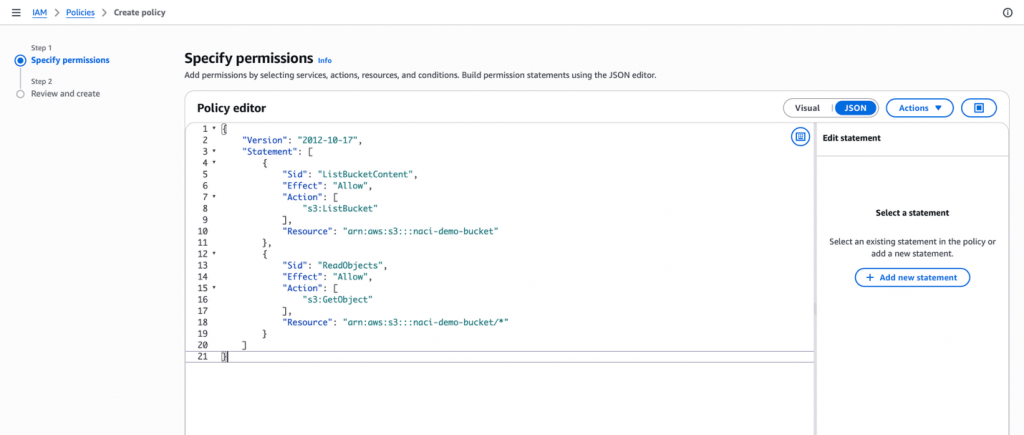
{
    "Version": "2012-10-17",
    "Statement": [
        {
            "Sid": "ListBucketContent",
            "Effect": "Allow",
            "Action": [
                "s3:ListBucket"
            ],
            "Resource": "arn:aws:s3:::<your_bucket_name>"
        },
        {
            "Sid": "ReadObjects",
            "Effect": "Allow",
            "Action": [
                "s3:GetObject"
            ],
            "Resource": "arn:aws:s3:::<your_bucket_name>/*"
        }
    ]
}
Note that the policy above provides read-only access to the bucket to allow ADB-S to import data from it. Update permissions accordingly if you want to export data to the bucket.
The next step is to set up authentication with AWS to access the S3 service privately. This can be achieved via access key and secret or IAM Role ARN. For this blog we’re going to use access key and secret, but if you’re interested in IAM Role ARN authentication, see Use Amazon Resource Names (ARNs) to Access AWS Resources.
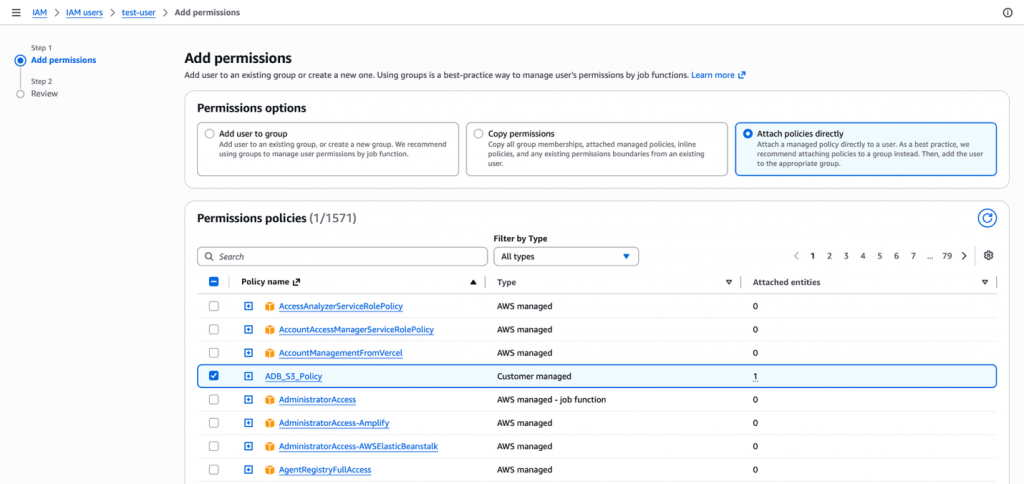
In the AWS Management Console, navigate to IAM, select IAM Users, and then select the IAM user. Under Permissions, select Add permissions and associate with the policy created above.
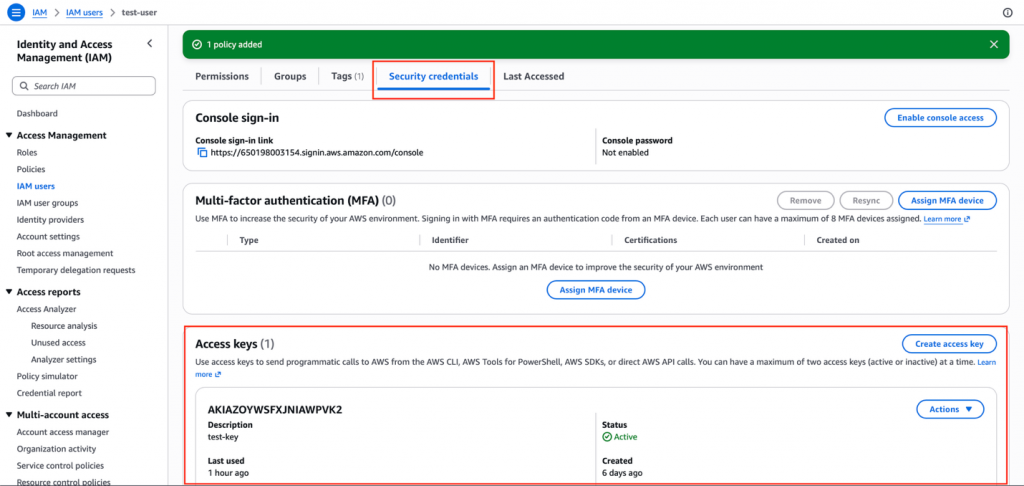
Finally, go to Security credentials and create and download an Access key.
Step 3. Access an Amazon S3 Bucket from ADB-S
The remaining steps are performed in the database. First, connect to ADB-S with a SQL client. For the blog, we used SQL*Plus with a Wallet (mTLS) running on a Linux VM.
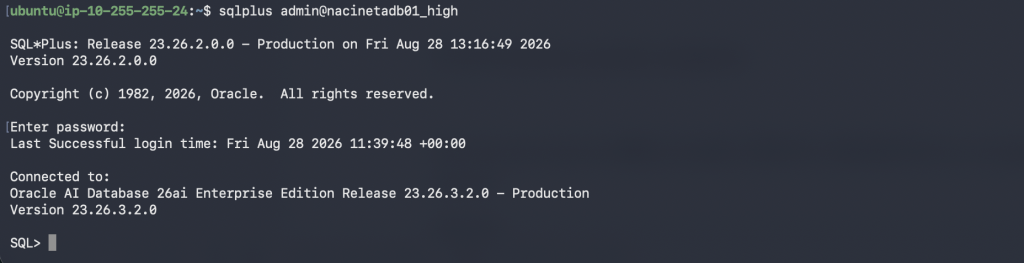
Below are the configuration steps for ADB-S:
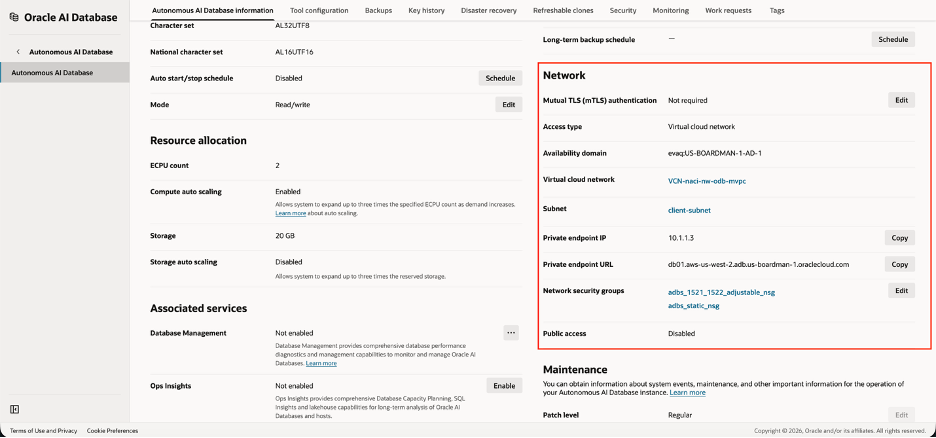
1. Confirm that your ADB-S network access has been configured to use private endpoints. This walkthrough requires ADB-S private endpoints; configure them before continuing. For more information, see Configure Network Access with Private Endpoints.
2. Set the ROUTE_OUTBOUND_CONNECTIONS database property to ENFORCE_PRIVATE_ENDPOINT so all outbound connections to target hosts, such as the Amazon S3 service, get routed through the private endpoint and inspected by the egress rules in the VCN security list or the NSG associated with the private endpoint. For more information, see Enhanced Security for Outbound Connections with Private Endpoints.
ALTER DATABASE PROPERTY SET ROUTE_OUTBOUND_CONNECTIONS = 'ENFORCE_PRIVATE_ENDPOINT';
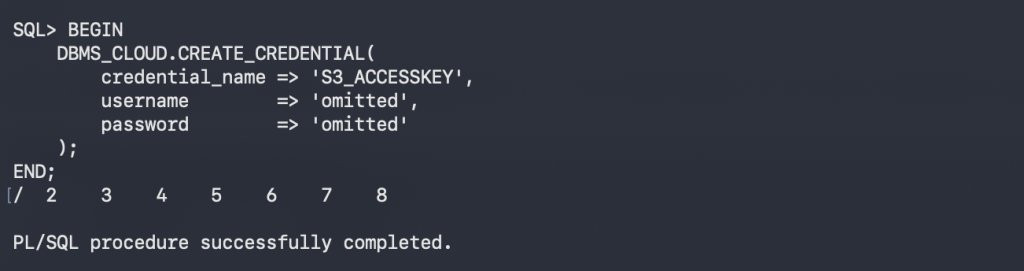
3. Use the procedure DBMS_CLOUD.CREATE_CREDENTIAL to create a credential with your AWS access key and secret and authenticate access to Amazon S3.
BEGIN
    DBMS_CLOUD.CREATE_CREDENTIAL(
        credential_name => '<CREDENTIAL_NAME>',
        username        => '<AWS_ACCESS_KEY_ID>',
        password        => '<AWS_SECRET_ACCESS_KEY>'
    );
END;
/
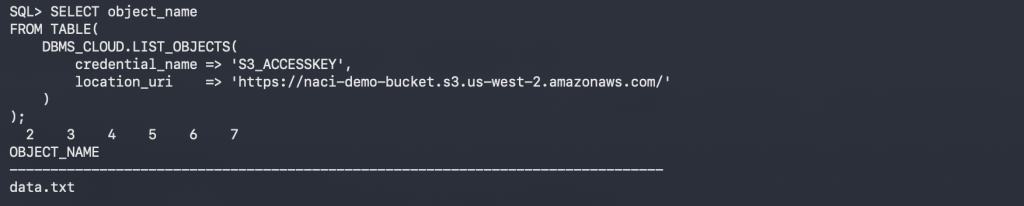
4. Use the procedure DBMS_CLOUD.LIST_OBJECTS to validate access to your S3 bucket. Use the S3 endpoint domain name that you recorded when you enabled S3 Access on the ODB Network.
SELECT object_name
FROM TABLE(
    DBMS_CLOUD.LIST_OBJECTS(
        credential_name => '<CREDENTIAL_NAME>',
        location_uri    => 'https://<your_bucket>.<your_s3_endpoint_domain_name>/'
    )
);
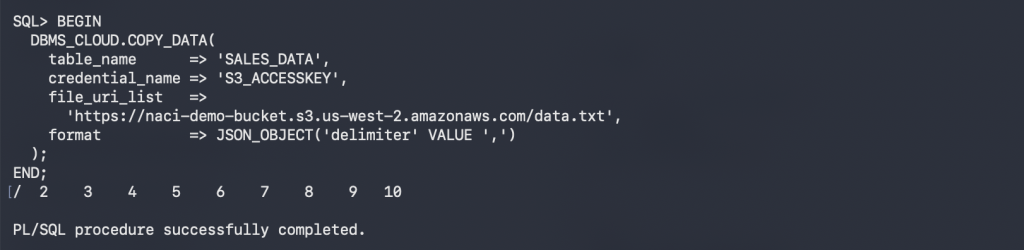
5. Use the procedure DBMS_CLOUD.COPY_DATA to load files from Amazon S3 into database tables.
CREATE TABLE sales_data (
  id   NUMBER,
  name VARCHAR2(100)
);

BEGIN
  DBMS_CLOUD.COPY_DATA(
    table_name      => 'SALES_DATA',
    credential_name => '<CREDENTIAL_NAME>',
    file_uri_list   =>
      'https://<your_bucket>.<your_s3_endpoint_domain_name>/<your_file_name>',
    format          => JSON_OBJECT('delimiter' VALUE ',')
  );
END;
/

SELECT * FROM sales_data;

Final Thoughts
By combining Oracle Autonomous AI Database Serverless (ADB-S) with Amazon VPC Lattice, you can load data from customer-managed Amazon S3 buckets over private connectivity without exposing database-to-storage traffic to the public Internet. The configuration brings together three layers: enabling Amazon S3 access on the ODB network, granting the required AWS permissions, and configuring ADB-S to route outbound connections through its private endpoint.
After validating access with DBMS_CLOUD.LIST_OBJECTS, use DBMS_CLOUD.COPY_DATA to load files from Amazon S3 into database tables. The same private connectivity pattern can also support additional S3-based workflows such as data export and self-managed backup operations.
Related Resources
– Connecting Oracle Autonomous AI Database@Azure to Azure Blob Storage
– Connecting Oracle Autonomous AI Database@Google to Google Cloud Storage