
Hi! In this blog entry we will talk about using Cloudflare to build a DR solution for an application built on APEX/ORDS, running on Oracle Autonomous Database Serverless.
For a high-level overview of the solution, please read the previous blog.
Oracle ADB-S quick recap
Oracle Autonomous Database Serverless is a fully managed cloud database that automatically scales, secures, tunes, and patches itself. When focusing on the networking side, we can have this summary, also discussed in this blog post:
- The ADB instance default deployment is with a Public IP and DNS name, part of Oracle Services Network.
- The ADB instance can be switched to a private IP deployment, part of your OCI IaaS layer, in one of your VCNs Subnet.
- The ADB instance can also pe deployed in a mode where both public and private Endpoints are available.
Oracle Autonomous Database Serverless also includes ORDS and APEX, making it easy to expose REST APIs and rapidly build low-code web applications. Both APEX and ORDS are accessed via HTTPS which introduces a layer of SSL and DNS that adds complexity.
When talking about Disaster Recovery, any ADB-S deployment allows you to create a Backup instance in a different OCI region. Because this is Platform as a Service, the replication of data is handled by the service through Autonomous Data Guard and switching between the Primary and the Backup is as easy as pressing a button. However, each ADB-S deployment will have its own IP and DNS entry, and we need to find a solution to make the DR switch, from a user point of view, as smooth as possible, without any change on the user side.
Focusing on APEX and ORDS, during a DR event, there are a few options to automate the client facing access:
1) With OCI-only services you can use:
- An ADB-S Private Endpoint on each side;
- A Public Load Balancer with your own SSL Certificates;
- OCI DNS Traffic Steering with OCI Health Checks.
2) You can use a Content Delivery Network, such as Cloudflare, to automate the failover. We’ll explore this in the remaining part of the blog.
ADB-S ORDS/APEX DR with Cloudflare
To use Cloudflare as the brain behind the failover, we can use the following architecture:
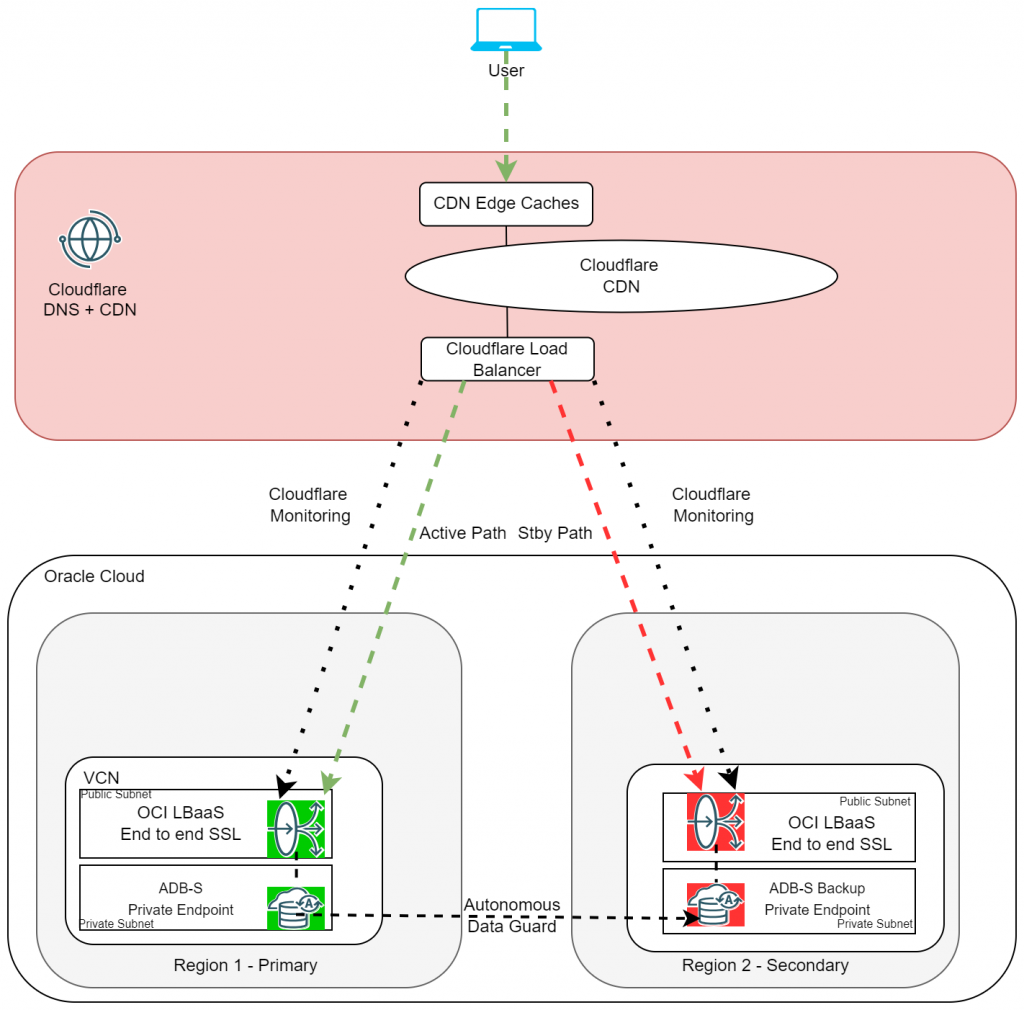
Note that even though the ADB-S is a Platform Service which gets deployed with a Public IP, we will use the Private Endpoint mode and additional IaaS resources such as VCNs and Load Balancers, for this demo.
Demo
For the demo part, we will go over each step, and I’ll provide details as needed.
Requirements to implement this:
- Cloudflare enterprise account and an OCI account;
- A DNS domain onboarded into Cloudflare, I will use the domain cdn-lab.cloud;
- Licenses in Cloudflare to deploy Load Balancers.
- Origin SSL Certificate.
The communication will be over HTTPS, so we need SSL Certificates on the OCI Load Balancer. The easiest way is to generate Origin Certificates in Cloudflare. Note that, if you do that, only Cloudflare will trust the Origin and if you do a direct connection (bypassing Cloudflare) you will get an SSL error.
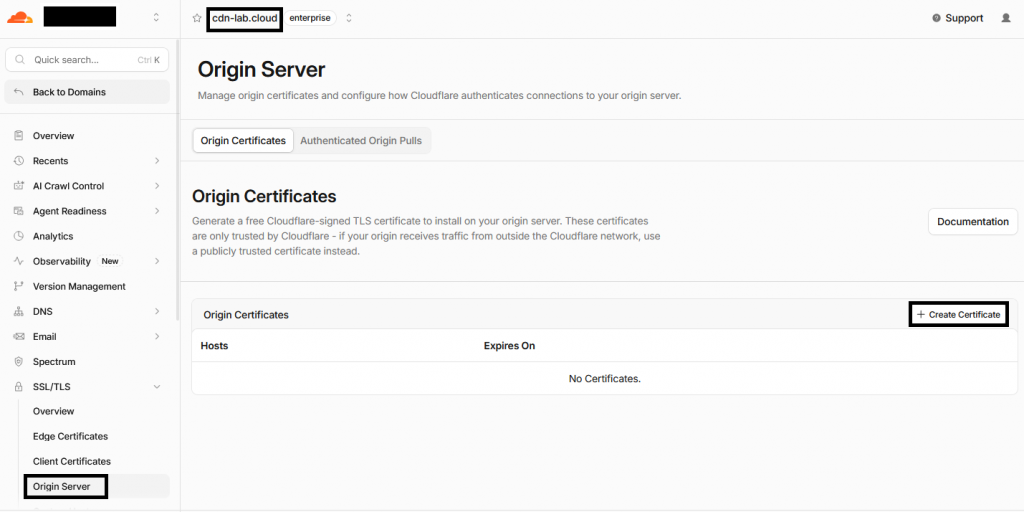
Cloudflare will generate one Certificate and one Private Key for it. Copy those as we will use them later in the process.
- Deploy OCI relevant infrastructure.
I will not go into a lot of detail, a step-by-step guide would take too much space. For each of the two OCI regions (primary and standby):
- Deploy one VCN with a public subnet, a private subnet and an Internet Gateway.
- Make sure the public subnet has a route to the Internet Gateway.
- Make sure the private subnet allows communication from the public subnet on port TCP:443.
- Make sure the public subnet allows incoming traffic from the Internet on port 443.
For my demo, I will use OCI Frankfurt as primary and OCI Amsterdam as Standby.
- Deploy the Primary ADB-S.
- Make sure you are selecting the Private Endpoint option;
- Choose the VCN private subnet as the target of the Private Endpoint.
If done correctly, in the ADB-S summary page you should see the Virtual Cloud Network details.
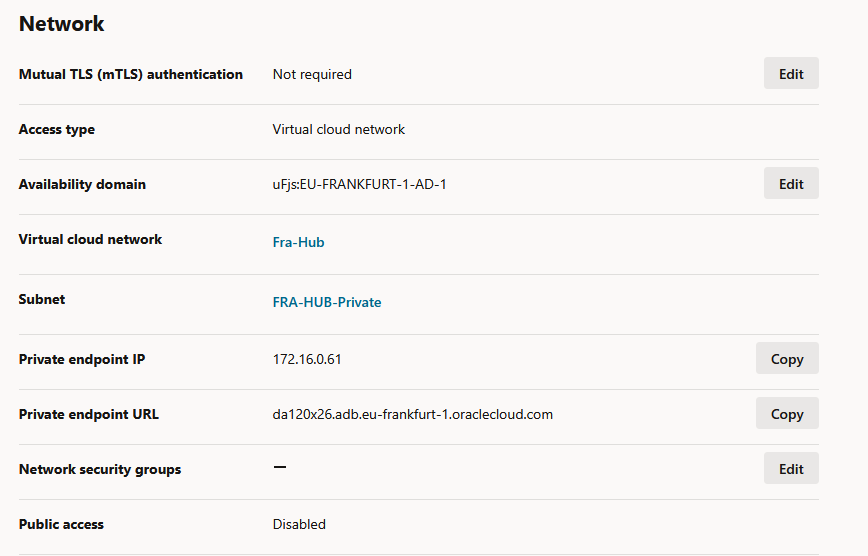
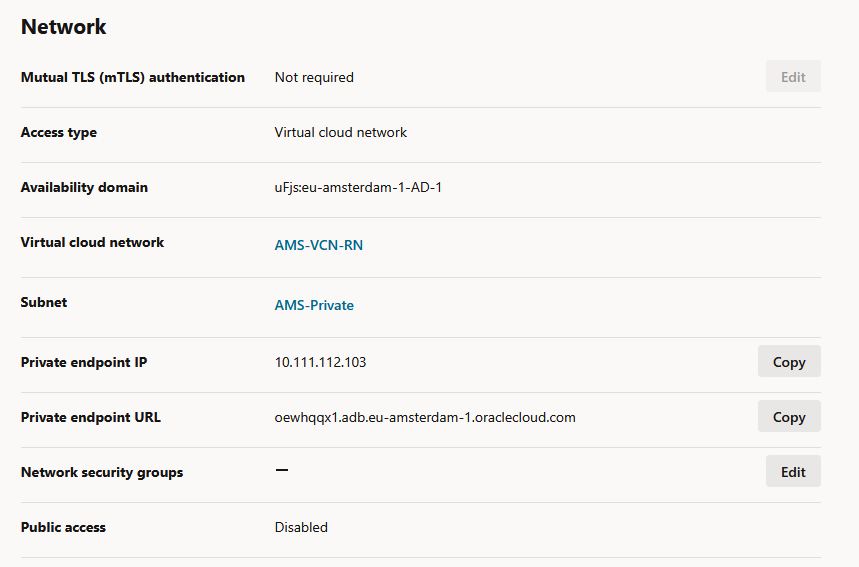
Take note of the assigned Private IP as we will need it in the Load Balancer configuration.
- Deploy the standby ADB-S instance.
The Backup ADB-S is deployed from the Primary ADB-S, the menu called “Disaster Recovery”.
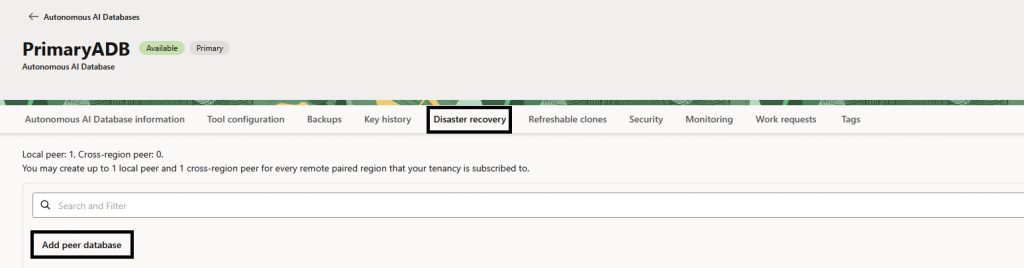
In the popup menu that opens, select the private subnet of the VCN from the other region.
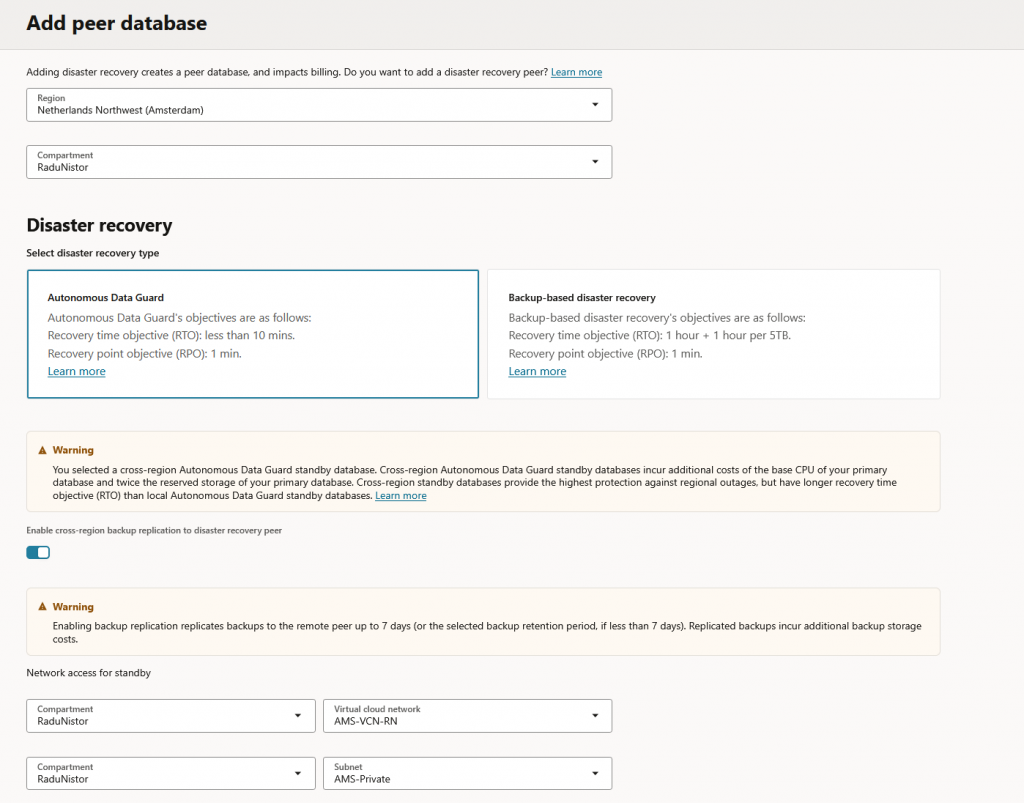
When it is done, you should see the peer in the overview menu:
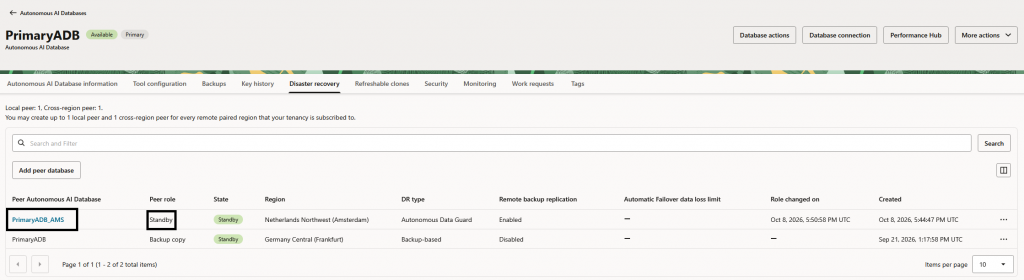
If you click on the Standby database, you will see the network details, like the private IP it received in the other region.
- Deploy Public Load Balancers.
For each region, deploy one public load balancer with these details:
- Use the Public Subnet of each VCN;
- Listener is HTTPS and uses the certificate and key provided by Cloudflare.
- Backend is IP based and uses port 443. Note that you cannot add an IP Based backend during the initial creation of the LB, you will need to create the LB without any backend and, after it gets deployed, edit the backend set to add the private IP of the ADB-S PE.
- Backend communication needs to be encrypted, use the same Certificate and Key from Cloudflare.
- Backend Health Check should be HTTP (port 443) and use path /ords/_/landing.
Do not move to the next steps until you have both Public Load Balancers deployed. Note that only the LB connected to the primary ADB-S instance should be ok, the one in the Standby region should report backend errors because the Stby ADB-S is not currently active.
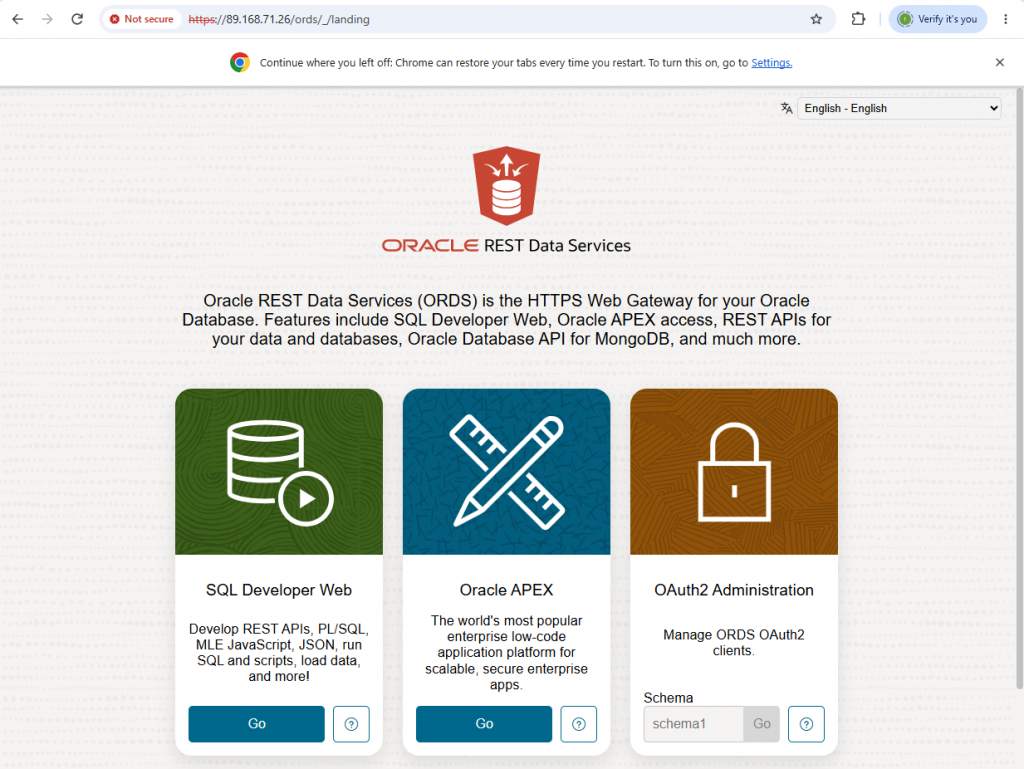
Before moving on, check that you get the ORDS Landing Page through the Public Load balancer. My Primary LB IP is 89.168.71.26 and my Stby LB IP is 134.98.133.210.
- Cloudflare configuration.
Next, let’s move to the Cloudflare Console and access the Load Balancer menu.
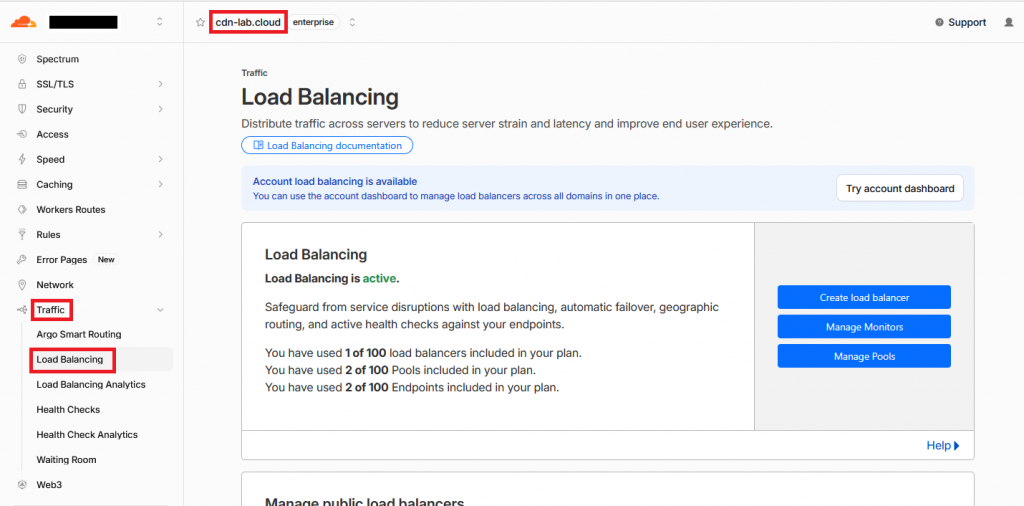
6.1 Load Balancing Monitor
We start by creating a Monitor which will tell us which database is active. Click Manage Monitors and then Create new monitor. Input something similar to below:
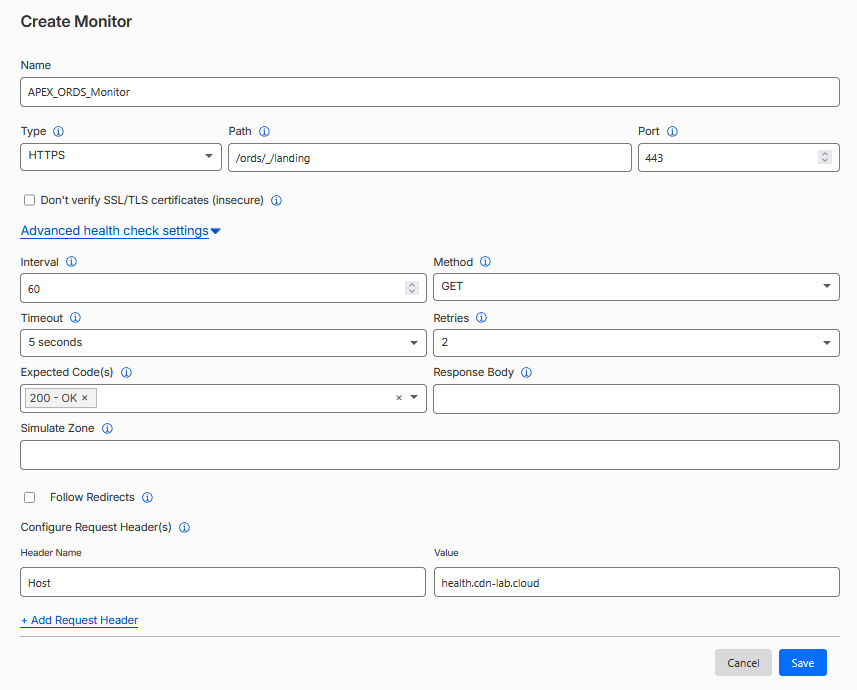
- The Type must be HTTPS;
- Path can be your actual application, I am using the ORDS Landing Page.
- You must insert a “Host” Header in the request with a hostname supported by the SSL Certificate you added to the OCI Load Balancer. Since the Cloudflare Origin Certificates are wildcards (*.cdn-lab.cloud for me), I can put any value there. Adjust that value to your domain and/or SSL Certificate.
6.2 Cloudflare Load Balancer Pools
Next, we need to create two Pools that reference the two load balancers IPs. Go back to the main menu and click Manage Pools. Create 2 Pools.
Primary Pool:
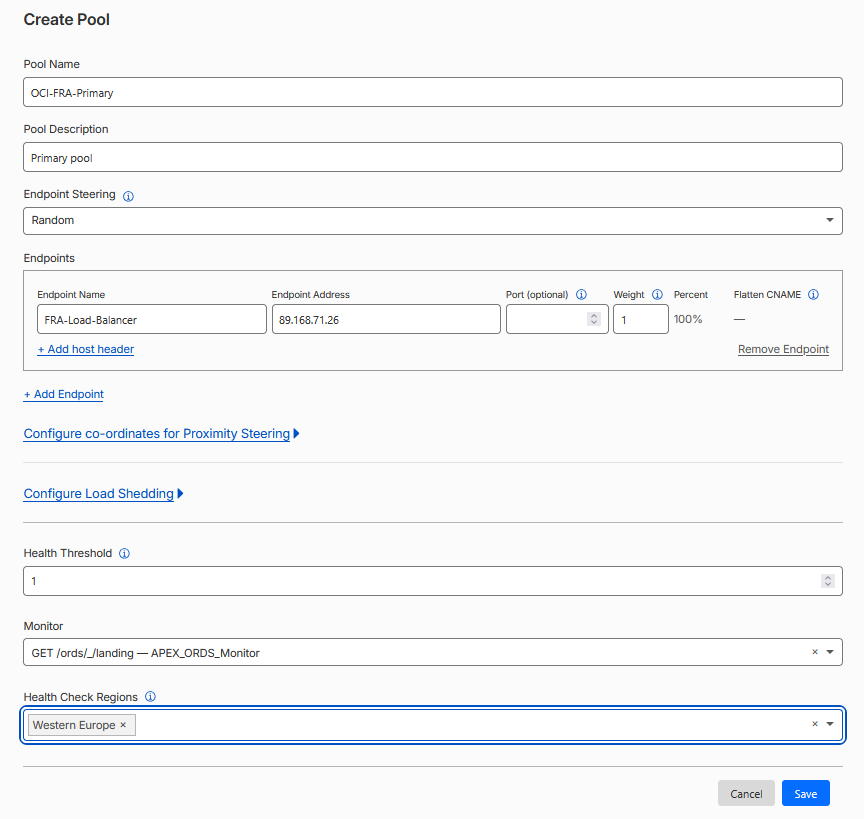
Standby Pool:
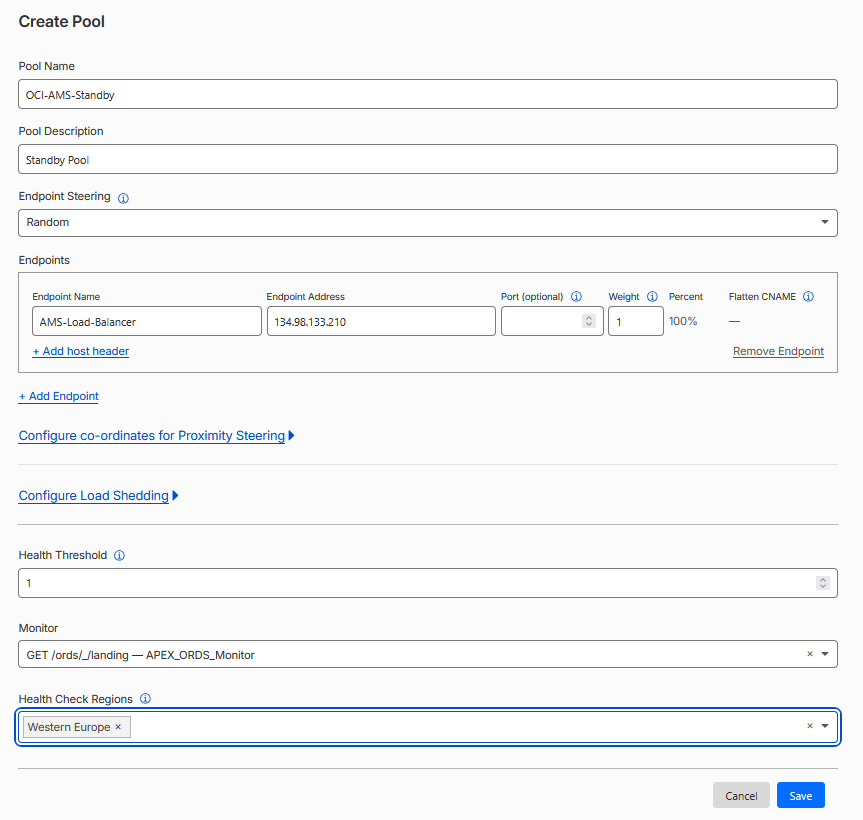
- Each Pool will have only one Endpoint;
- Each Pool will target the relevant OCI Public Load Balancer IP;
- Make sure you select the Monitor previously created.
6.3 Cloudflare Load Balancer
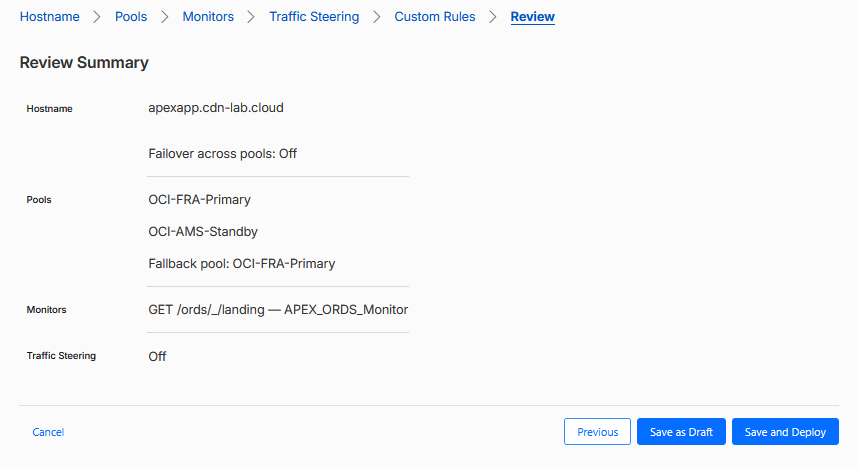
Now it’s time to bring it all together. In the main menu press “Create load balancer”.
Select a hostname under your domain, for this load balancer. I will use apexapp.cdn-lab.cloud.
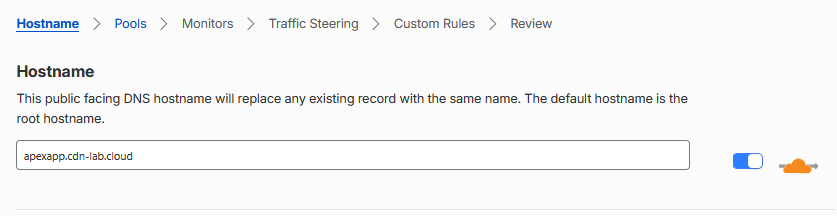
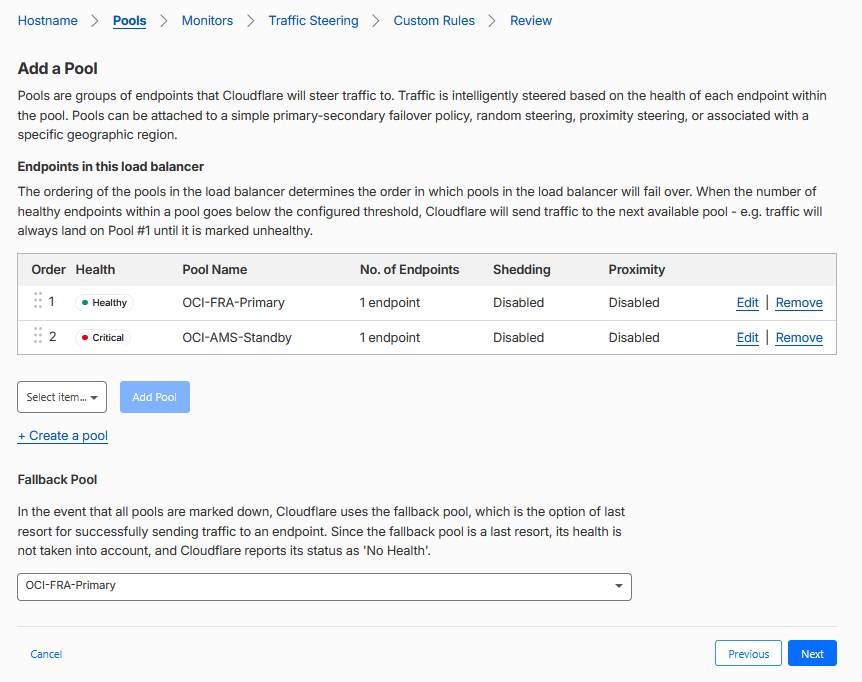
In the next page, select both Pools. The Pool order is important, add the primary pool first and then the secondary pool.
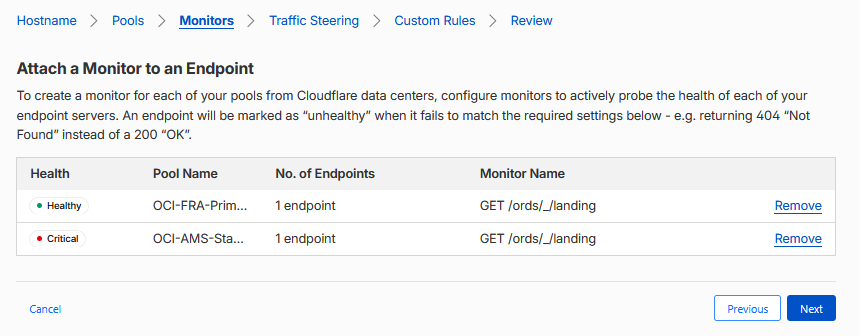
In the next menu, for Monitors, don’t change anything, leave it as is.
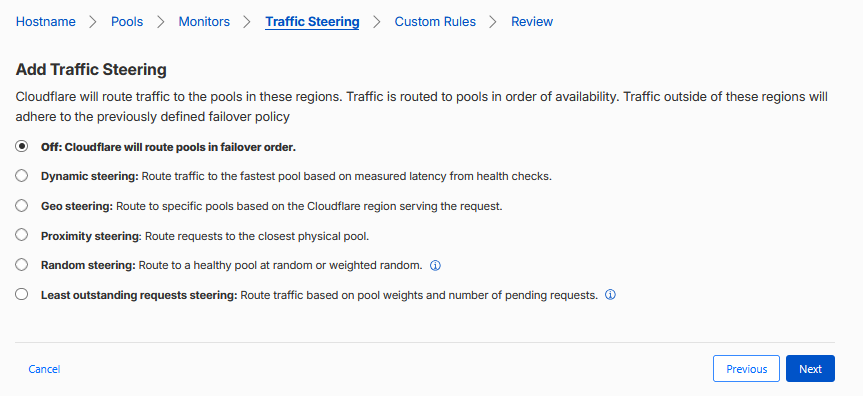
In the next menu, for Traffic Steering, don’t change anything, leave it as is.
Finally, don’t add any Custom rules and create the Load balancer.
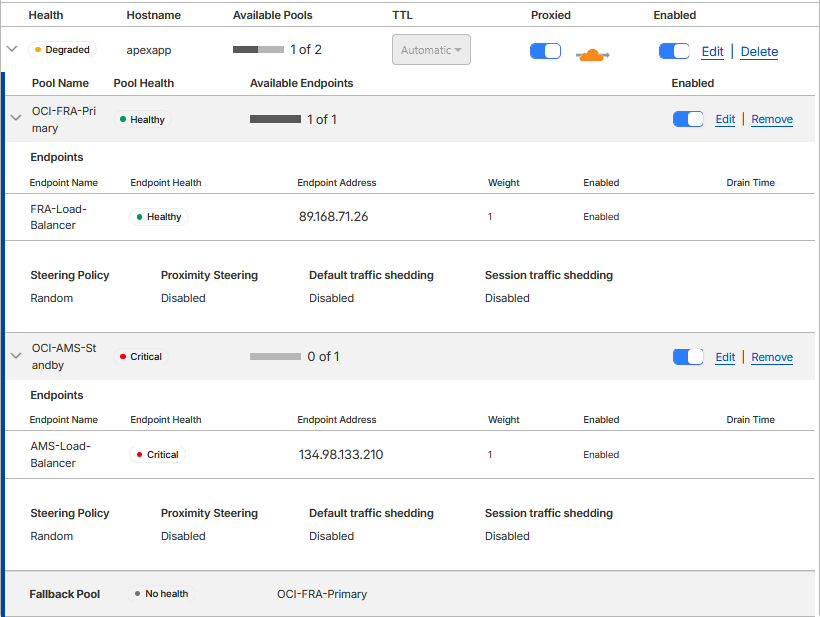
If everything goes well, you should see the Load Balancer in the Overview page, with the Primary Pool as Available.
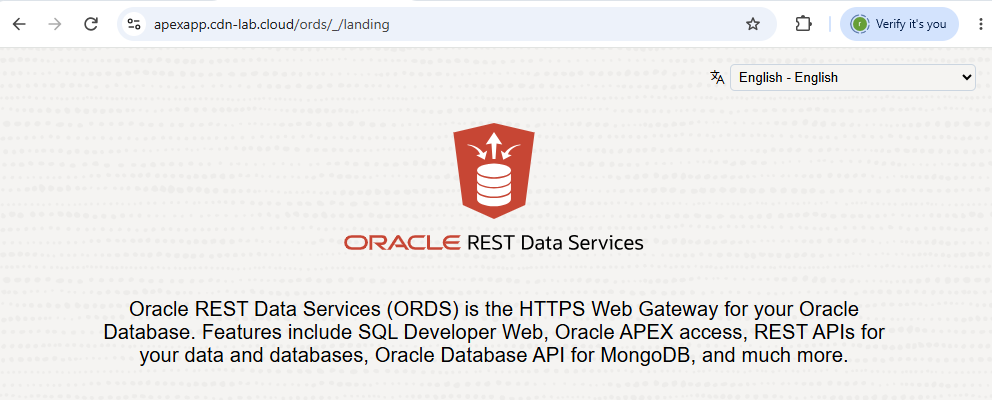
Also, initiating a request should show the landing page.
- Testing a failover.
During a Disaster, your Primary ADB-S instance would become unavailable. For a test, we can manually trigger a switchover between the Primary ADB and the Standby.
In OCI, go to the Overview page of the ADB-S in the Standby region.
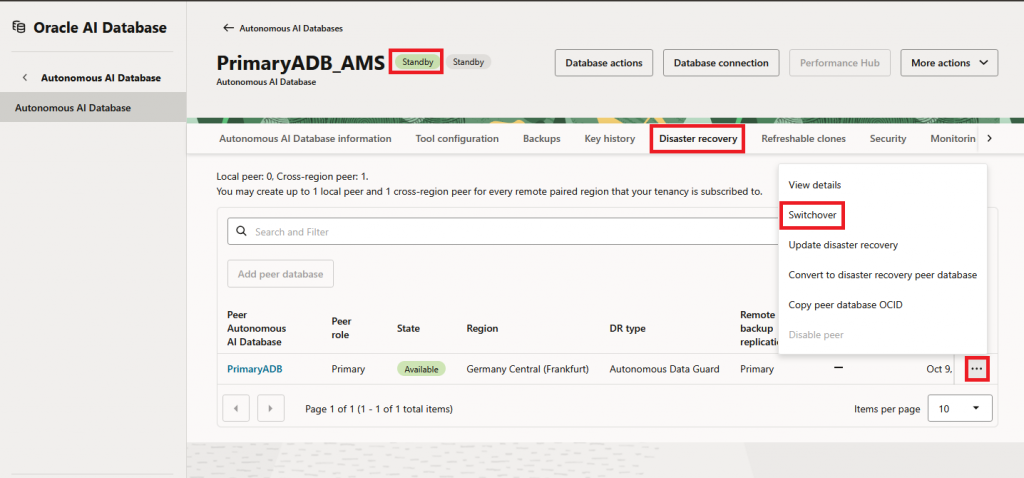
Note that a failover will take some time, roughly 10 minutes in my tests. During this time, both ADB-S instances will be unavailable to serve traffic so you will experience total app outage.
However, once the failover is completed, you can see the roles reversed in the OCI Console and the Cloudflare load balancer will show the Primary Region as down and the Secondary as UP.
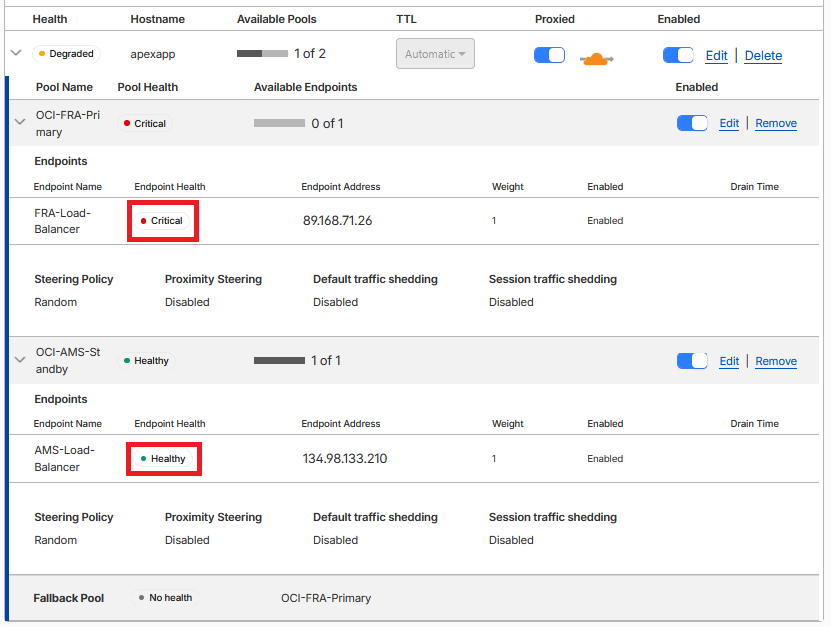
Once this happens the application should be back up for users without any additional infrastructure work.
If you initiate the failover again, the application will move back to the Primary region automatically.
- Additional Security.
There are a couple of things you can do to improve the security posture of the deployment.
8.1 Cloudflare SSL mode
When Cloudflare communicates with OCI, you need to make sure the SSL mode is as secure as possible. Mode “Strict” will ensure Cloudflare will validate the Origin certificates and works very well because it was Cloudflare that initially issued them.
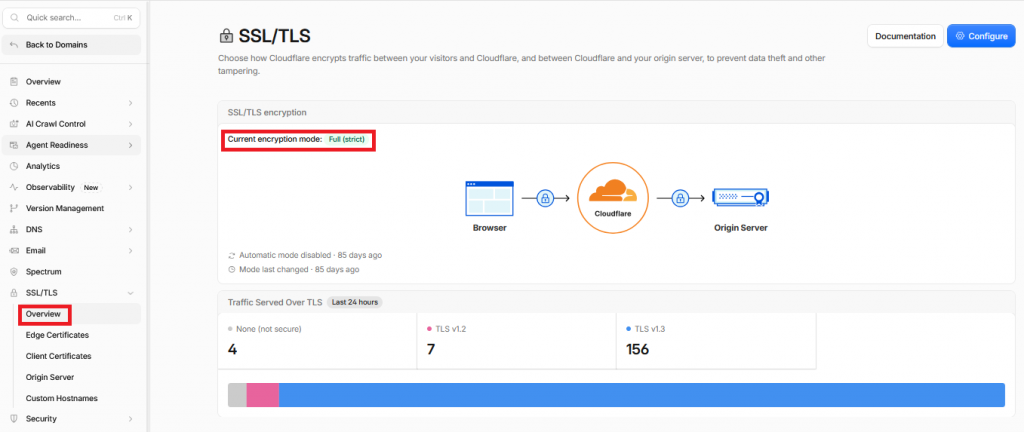
Note that enabling this mode can be done globally and if you do that you may impact connections for other Cloudflare services.
8.2 OCI IP address restriction
The second thing you can do is restrict the Public IPs that communicate with the OCI Load Balancer to the Cloudflare IPs published here.
You can create the list either in the public subnet security list or create a new Network Security Group for the Load Balancer.
And that’s it, you now have a secure and automated Disaster Recovery architecture for ORDS/APEX applications running on Oracle Autonomous Database Serverless, fronted by Cloudflare.