
Background
Oracle Fusion Data Intelligence (FDI) delivers analytical capabilities built on Fusion Applications operational data. It contains ready-to-use metrics and machine learning models prebuilt for Fusion Applications. While FDI includes a robust set of out-of-the-box features, many organizations have unique requirements – such as custom attributes or dimensions, external data sources or industry-specific metrics that are not included in the standard FDI data models and subject areas.
The Data Augmentation feature allows organizations to meet these requirements by integrating additional data sources without modifying the underlying semantic or data models. This ensures that analytics covers both standard and custom business data.
However, the standard augmentation process is designed for one data store at a time. In this context, a data store refers to a table, view, or public view object (PVO). This is where Bulk Data Augmentation (BDA) comes into play.
Bulk Data Augmentation is an upcoming FDI feature, currently in preview mode. It allows multiple data stores, provided they share the same connector or data source, to be bundled and deployed as a single extraction job, reducing the overhead of managing them individually. It is especially useful for loading multiple external datasets that are functionally related, such as ledger, party, or similar entities. This feature does not support Oracle Fusion Applications sources. It is limited to non-Fusion data sources that FDI can connect to through its supported connectors.
Architecture Overview
The following outlines how Bulk Data Augmentation is processed.
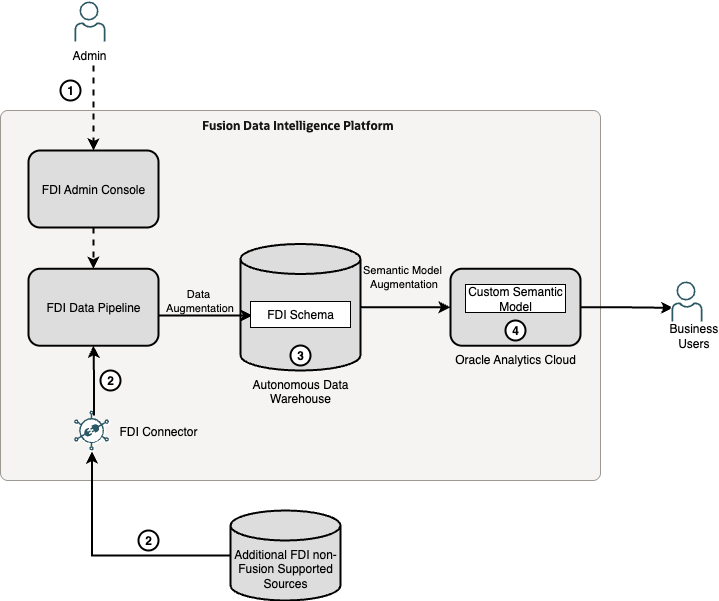
Bulk Data Augmentation is processed similarly to the existing Data Augmentation. The main difference is that it submits a single extraction job with multiple data stores to the Data Pipeline component. This is how it works at a high level:
- An admin user defines and publishes (starts) the Bulk Data Augmentation job in the FDI Console.
- FDI Data Pipeline processes the job by extracting the data from multiple data stores, such as tables or files, via FDI connector.
- FDI Data Pipeline creates the target tables in the FDI schema in the ADW database and loads the data into them.
- The extended data can then be leveraged by extending the FDI semantic model through semantic model extensions – a separate process.
The external data sources can be any non-Fusion source currently supported by the FDI connectors.
Using Bulk Data Augmentation
Prerequisites
- FDI connectors configured and tested
- Source table access permissions
- Familiarity with primary key concepts
Steps
As this feature is currently in preview mode, it must first be enabled as a preview feature to be available in the Admin Console. The process for enabling it is detailed below.
NOTE: Like all preview features, it must not be used in production as its functionality may change until it is generally available.
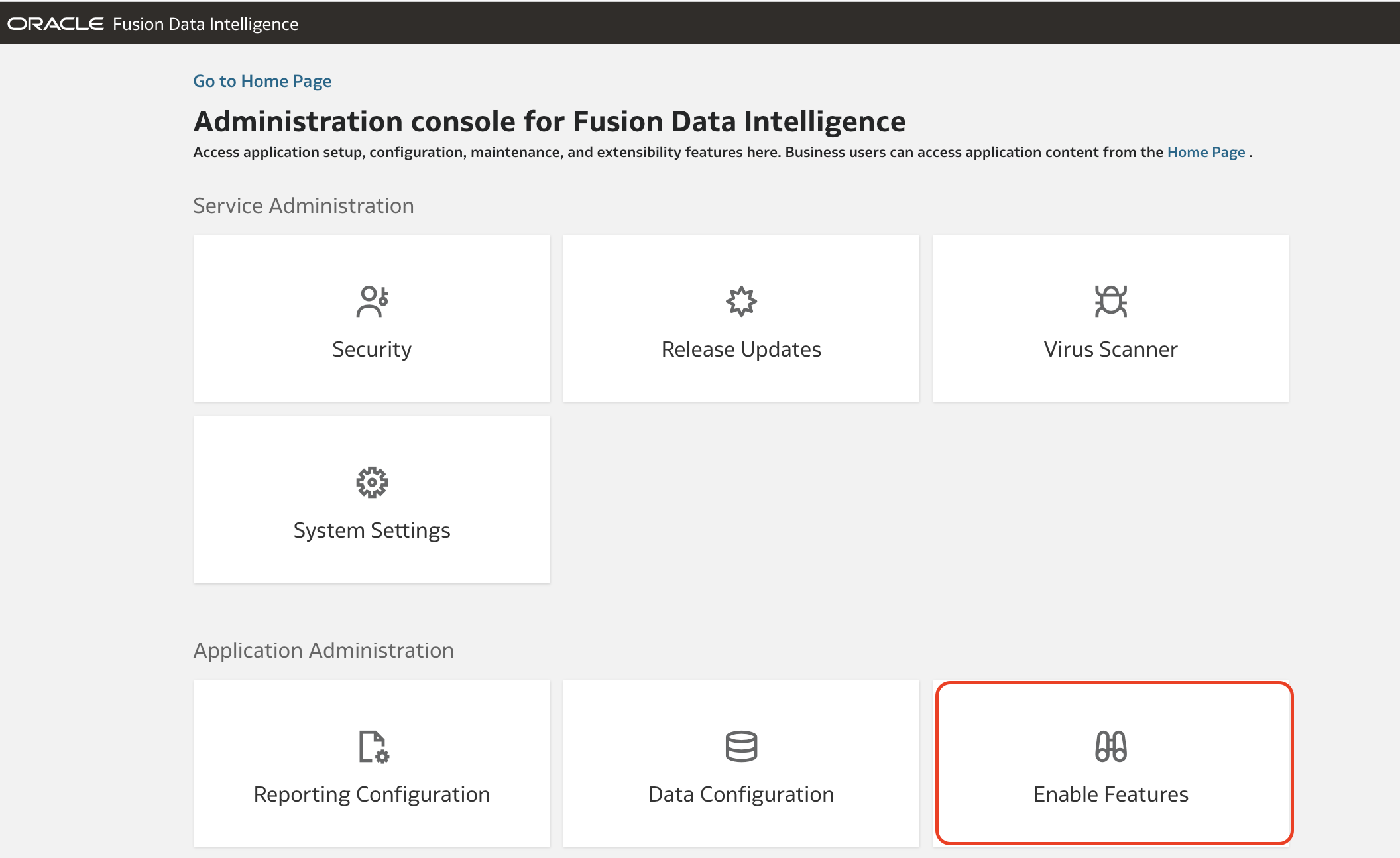
1. In the FDI Console, click the Enable Features tile.
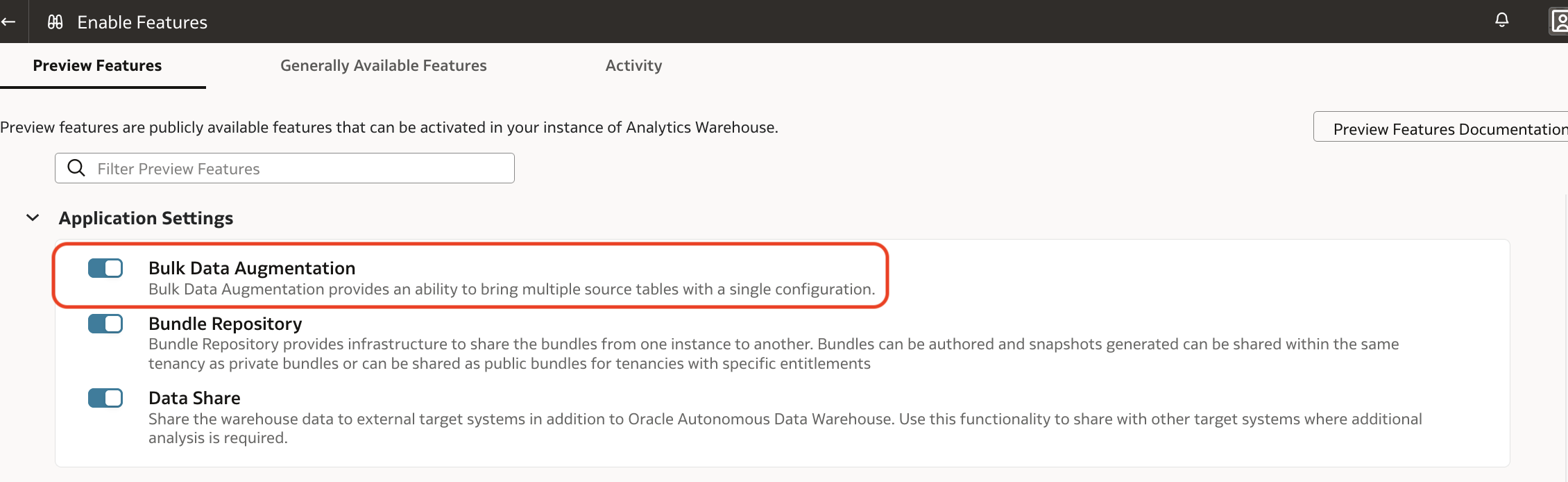
2. Enable the Bulk Data Augmentation preview feature.
NOTE: If this option isn’t available in your environment, please raise a Service Request (SR) with Oracle Support to have it enabled.
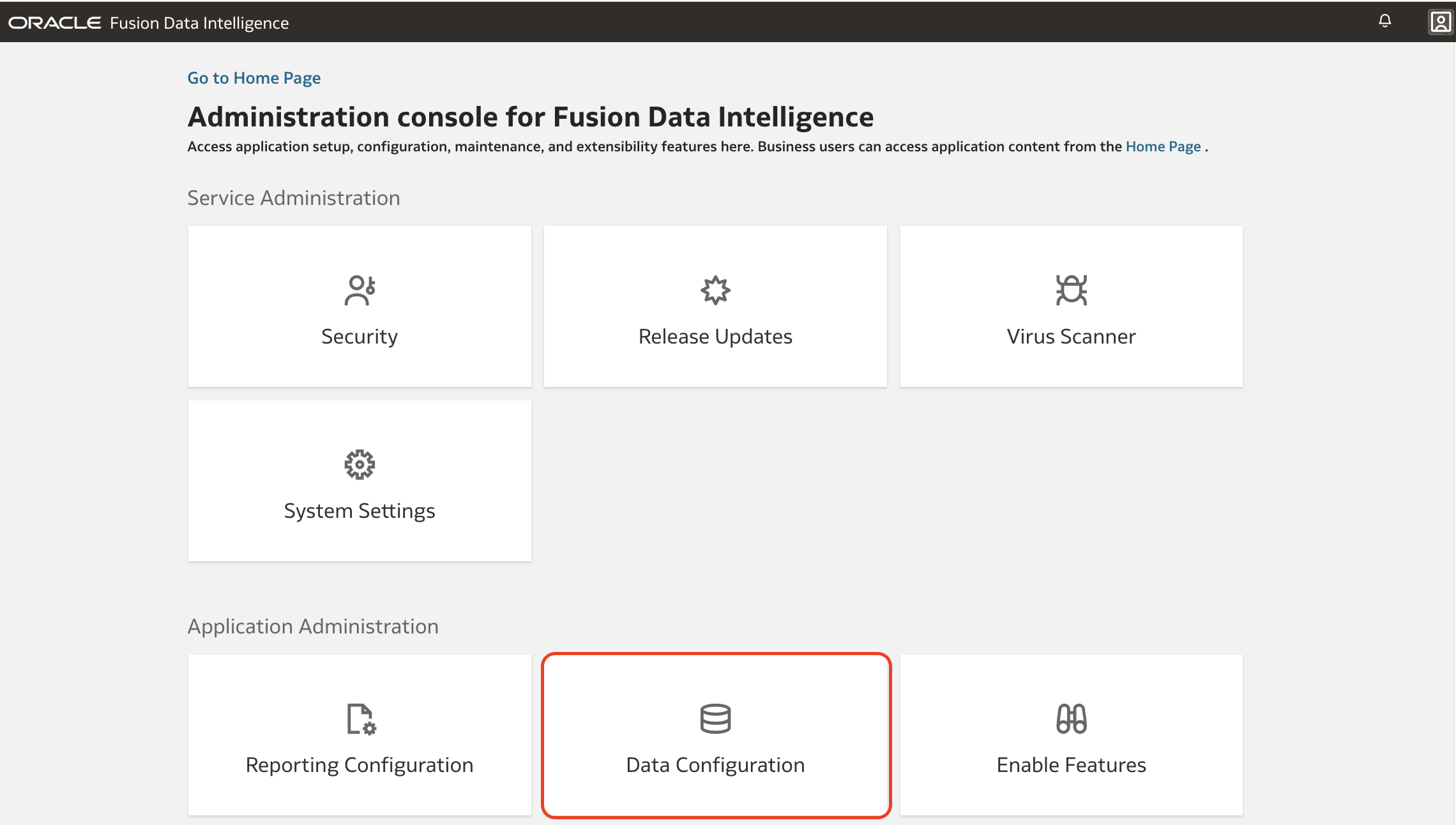
3. Return to the FDI Console main page, click the Data Configuration tile.
4. Select the data source from which you want to execute the Bulk Data Augmentation. Oracle Transport Management application (OTM) is used in this example, but it can be any other non-Fusion connector. Then click the Data Augmentation tile.
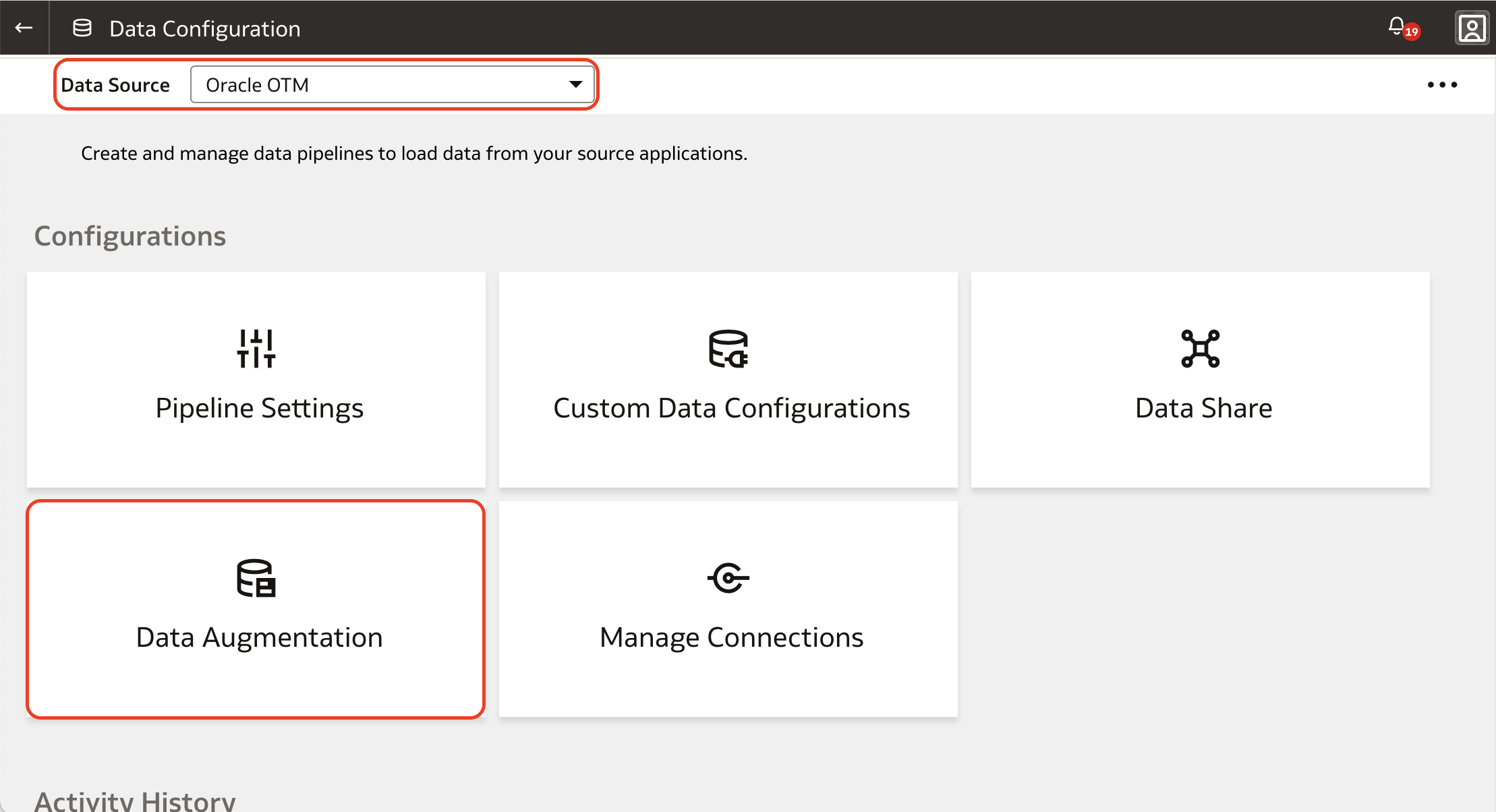
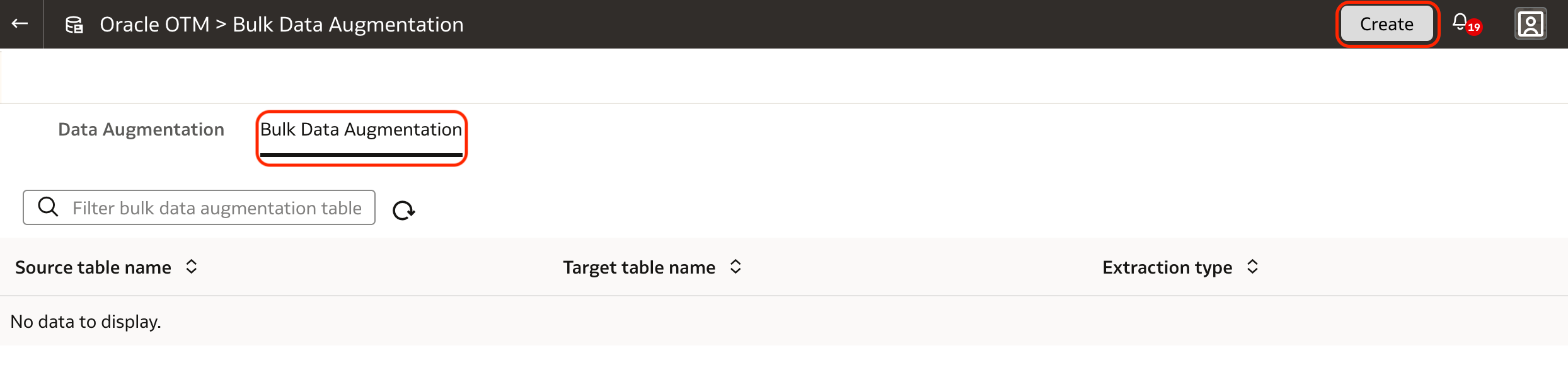
5. Once the new feature is enabled, an additional tab is displayed in the Data Augmentation page: Bulk Data Augmentation. Click it and then click the Create button at the top right corner of the page.
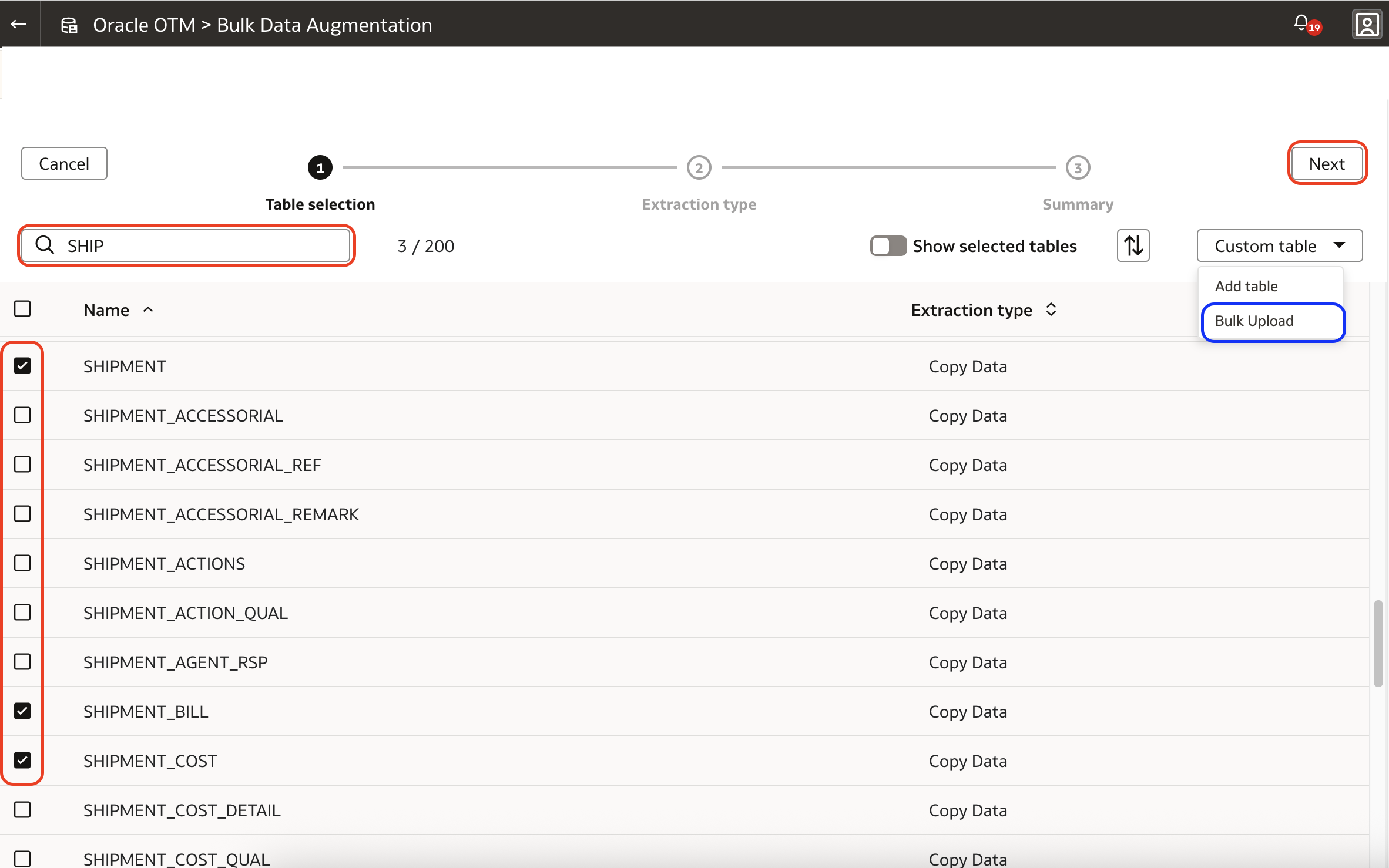
6. A list of available tables through the selected connector is displayed – the list can be filtered. Select he tables to be included in the Bulk Data Augmentation.
There is also an option to upload the table list, highlighted in the blue rectangle. This guide will not cover this option, but the process is the same once the tables are selected or uploaded.
Click Next.
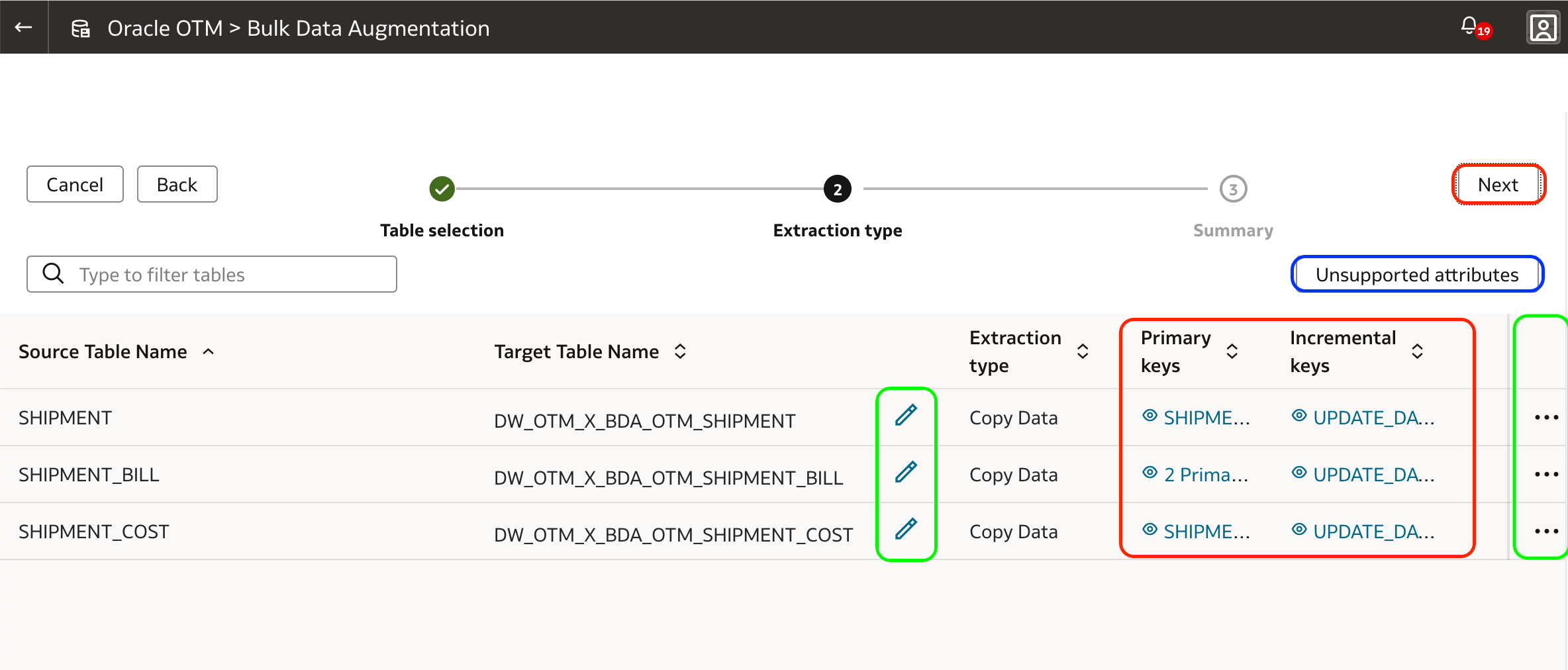
7. The next page shows the selected source tables along with their respective target table names, which can have their name customized (pencil icons in the green box).
Additionally, the primary and incremental keys can be defined here – they can be pre-selected (red box). Primary keys are always mandatory; incremental keys are only required for incremental extracts. When no incremental key is defined, the whole table is extracted in each execution.
Primary and incremental keys can be defined or customized by clicking on the three dots button (green box on the right) and on its Edit Selection menu item.
8. In the Edit Selection screen, select or customize the primary or incremental keys, which must be either DATE or TIMESTAMP data types.
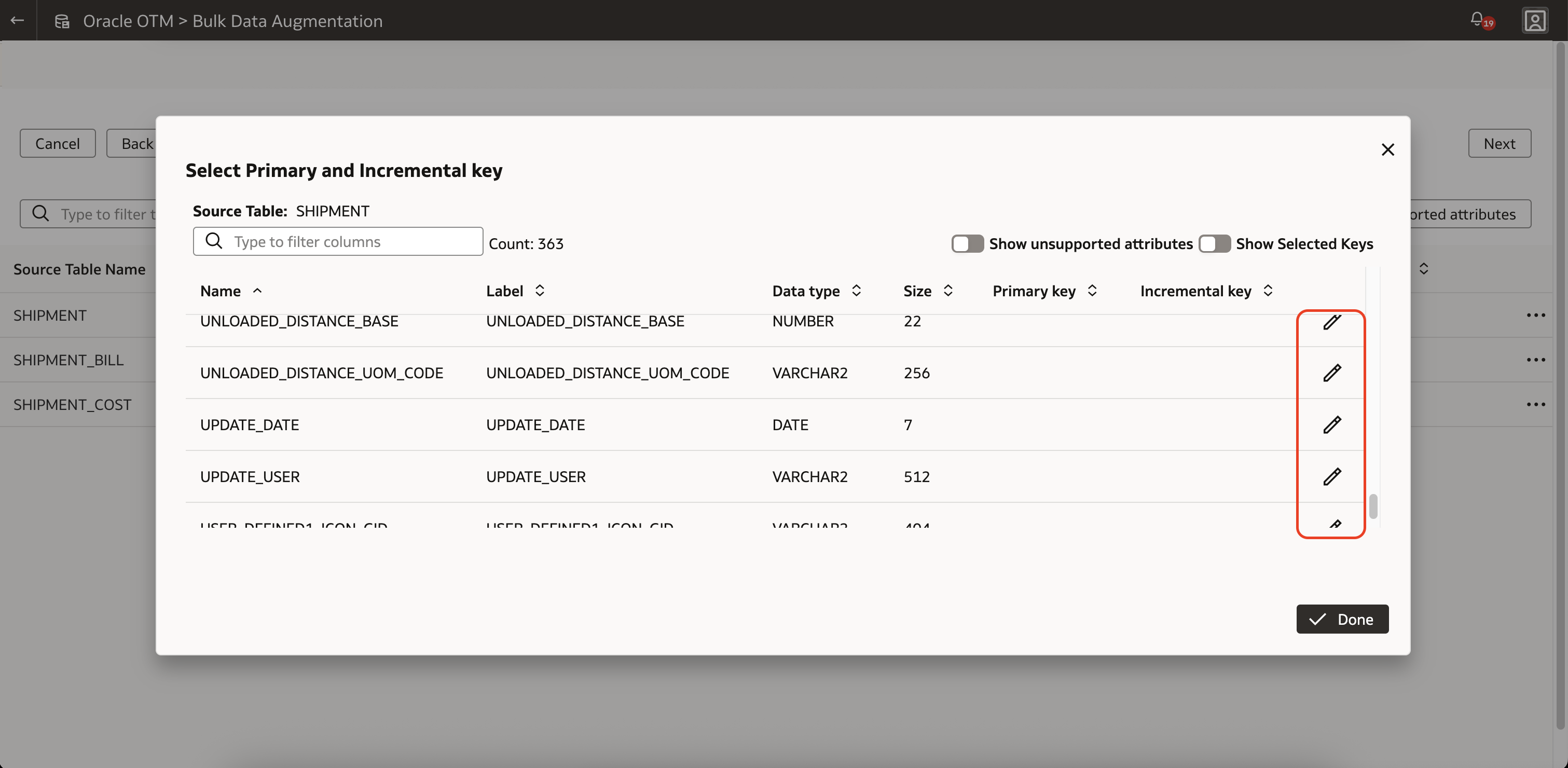
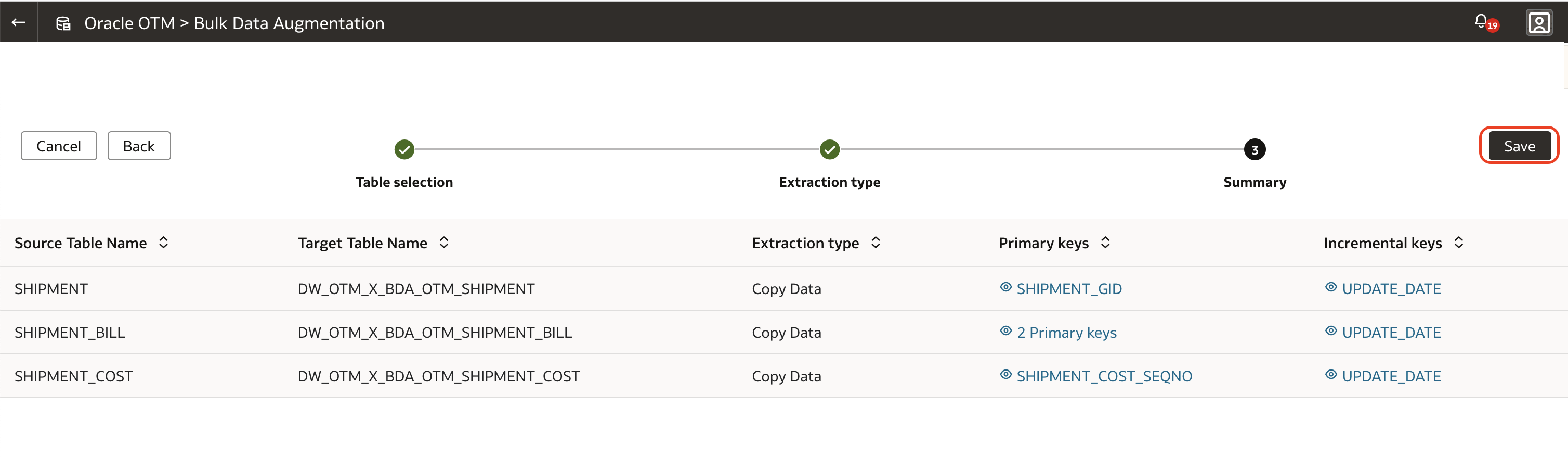
9. Ensure all keys, the primary ones at least, are defined for all tables involved in Bulk Data Augmentation, click the Save button. This only saves the augmentation definition. It does not submit the job.
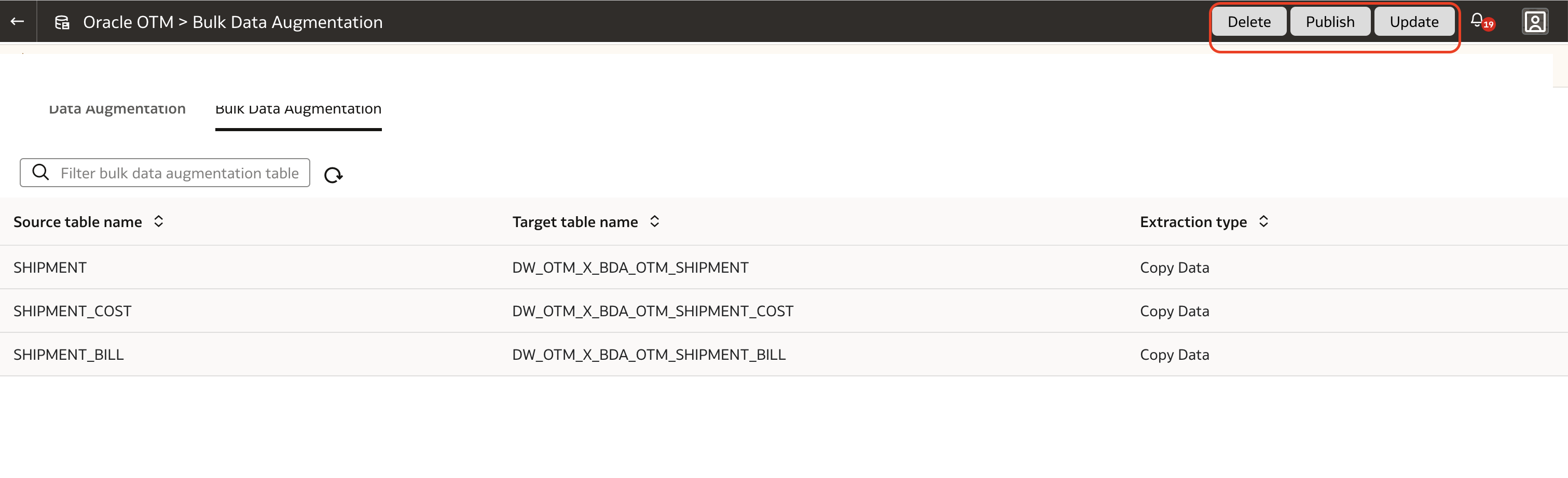
10. To execute the Bulk Data Augmentation definition, click the Publish button at the top right corner of the page.
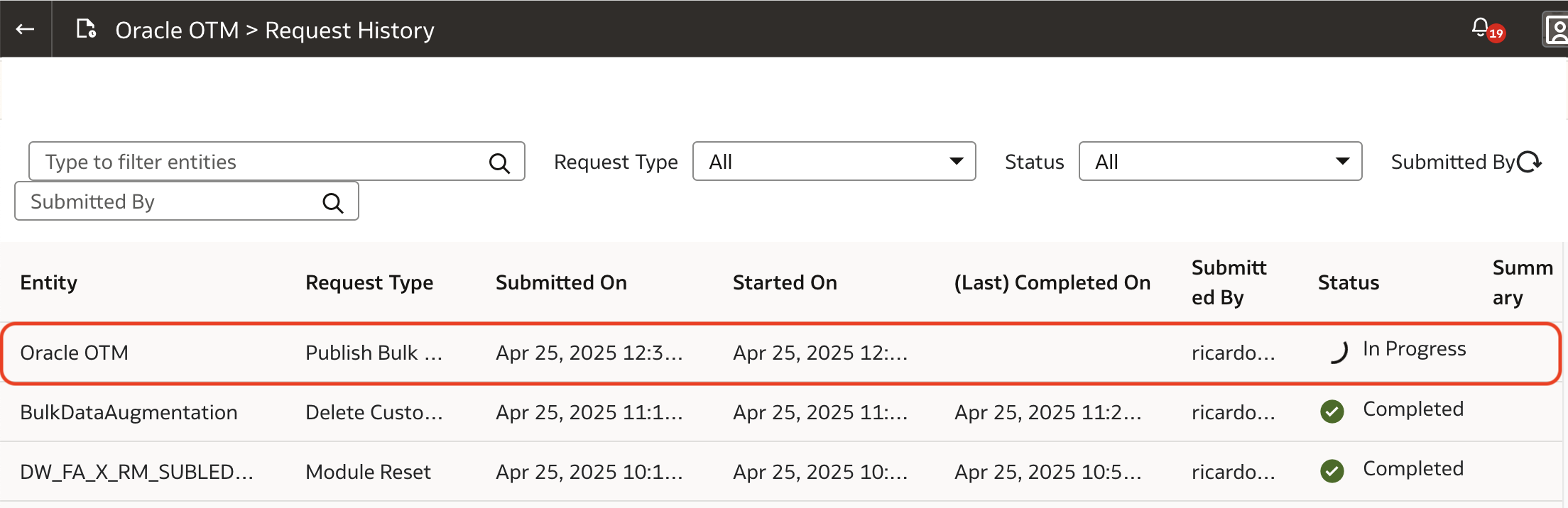
11. To monitor its status and progress, go to the Request History page, in the same Data Configuration page in the FDI Admin Console.
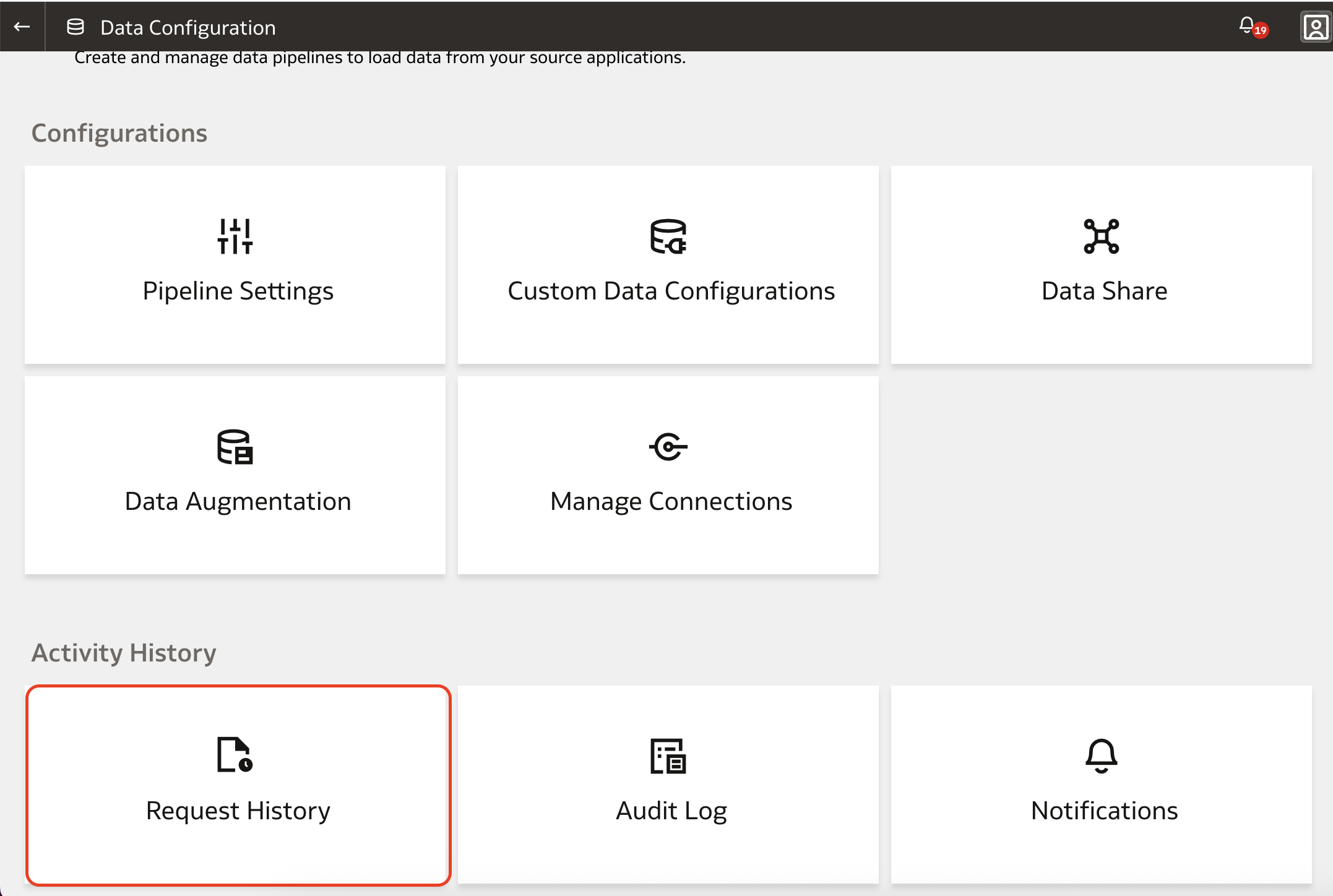
12. The job is created with Scheduled status. When there is no other Data Augmentation job running for the current connector, the job status changes to In Progress.
After the extraction process is complete, you can access the data from the OAX_USER schema in the FDI ADW instance.
The Bulk Data Augmentation extraction, like the standard Data Augmentation, follows the data pipeline schedule as defined in the Pipeline Settings in the Fusion Data Intelligence Admin Console.
Want to Learn More?
Click here to sign up for the RSS feed to receive notifications for when new A-team blogs are published.
Summary
Bulk Data Augmentation (BDA) extends the flexibility of Fusion Data Analytics by enabling multiple data stores to be processed as a single extraction job. This simplifies the data augmentation process and reduces operational overhead. While currently limited to non-Fusion data sources, BDA offers value to customers integrating large or complex datasets.
By leveraging this feature, organizations can minimize the number of extraction jobs and accelerate the preparation of data augmentation for analytics or reporting.