
The ‘Account Recovery’ feature has been around since Identity Cloud Service (IDCS) version 19. The feature lets you recover your password using one of three options:
- Mobile number (SMS) or
- Security Questions
The out of the box login screen has always supported these recovery options and now the custom login widget here supports these options as well.
The SMS and Security Questions are built into the custom login form and is pretty straight forward. For SMS you will recieve a 6-digit number that will be entered into the field for validation. For security questions you will be prompted with a question and a field to enter the answer. To configure the recovery options you will need to access your profile page in IDCS or you can use the REST APIs.
There is however a caveat with the E-Mail option. The idea behind the E-Mail option is to send the user a token via e-mail. This token is to be entered into a field for validation. However, as you might be aware when a password recovery e-mail gets sent from IDCS, the default template for Password Recovery E-mail is used as shown here:
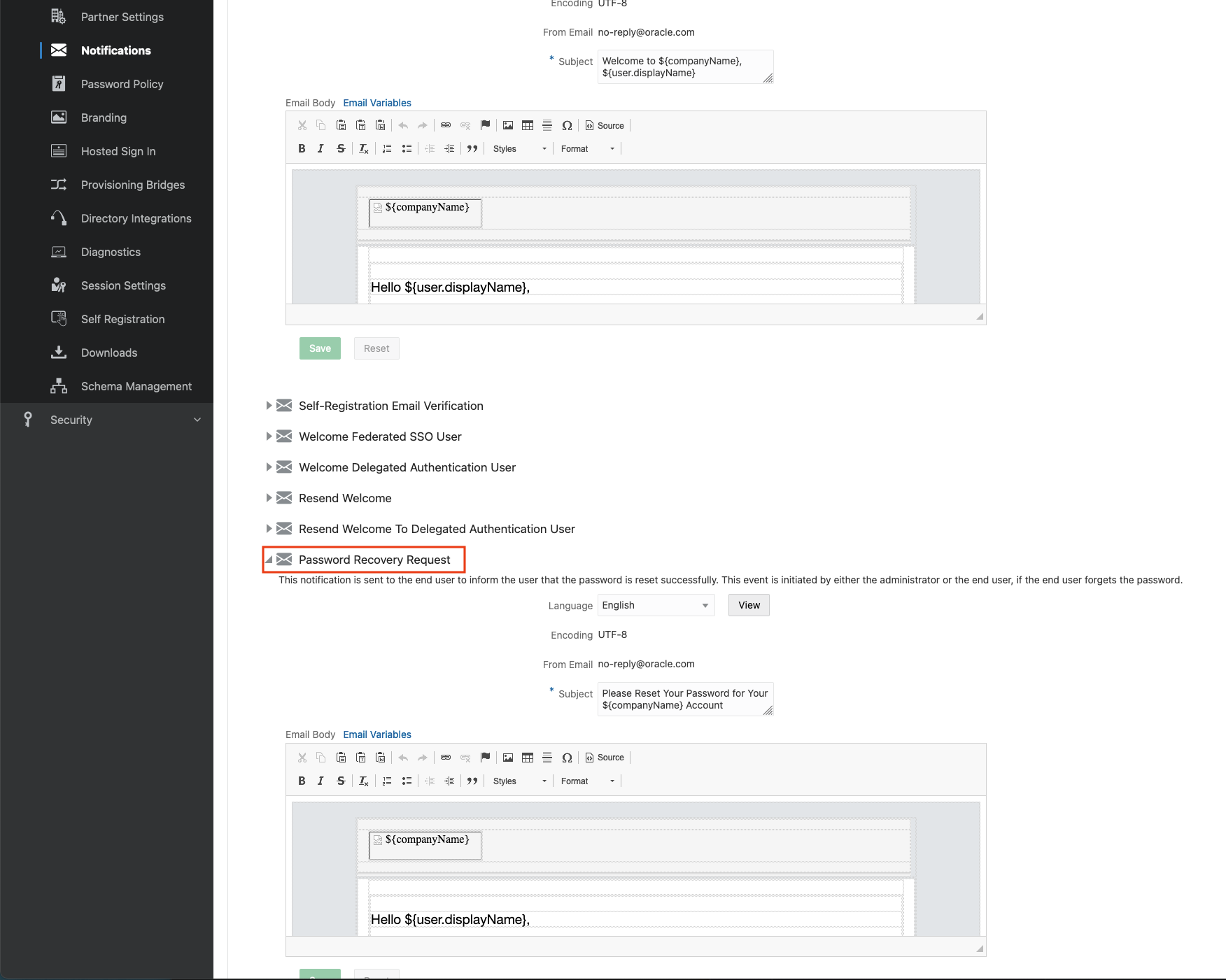
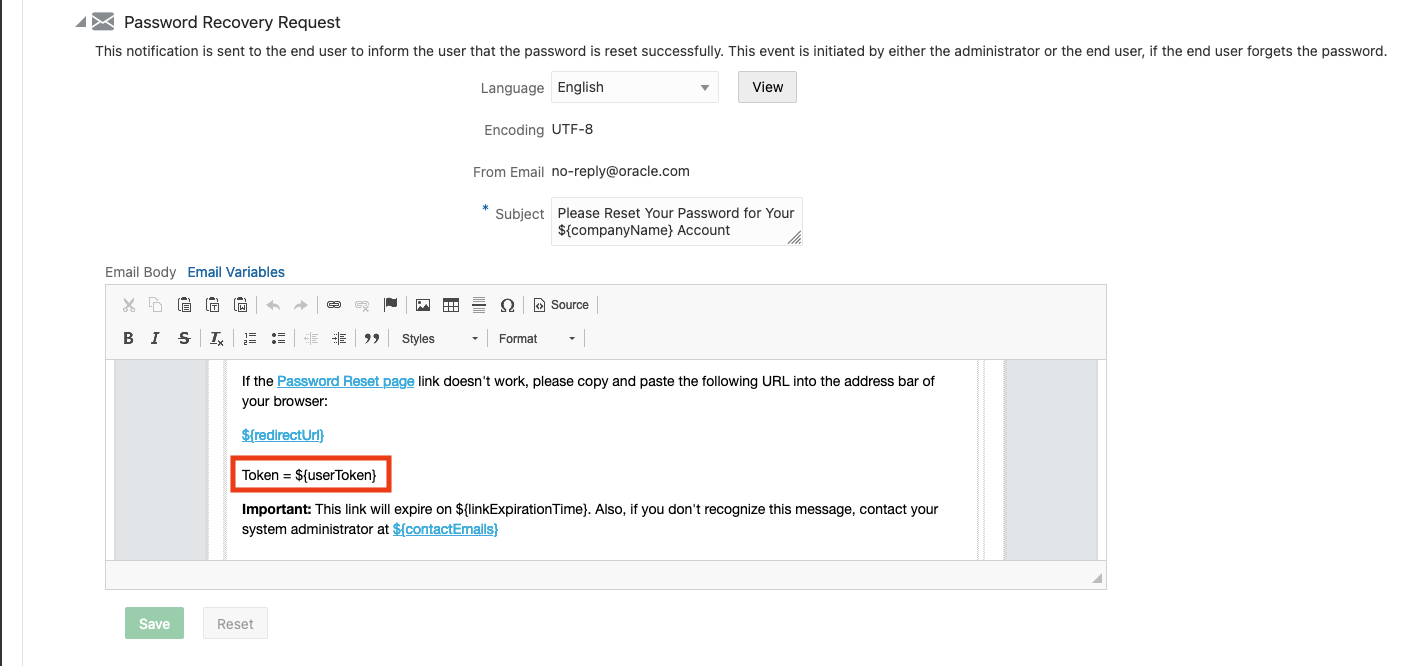
This default template will send an e-mail with a button to reset your password. The issue is that the button will redirect you to IDCS login pages not the custom login page. To fix this flow you will need to modify the template and make sure you pass in the user token as described above. This means that within the template you must add a variable that will pass the user token. The variable definition is ${userToken} as shown below.
If all applications use the Custom Login, then this template should probably be customized to remove any links to the out-of-the-box login URLs.
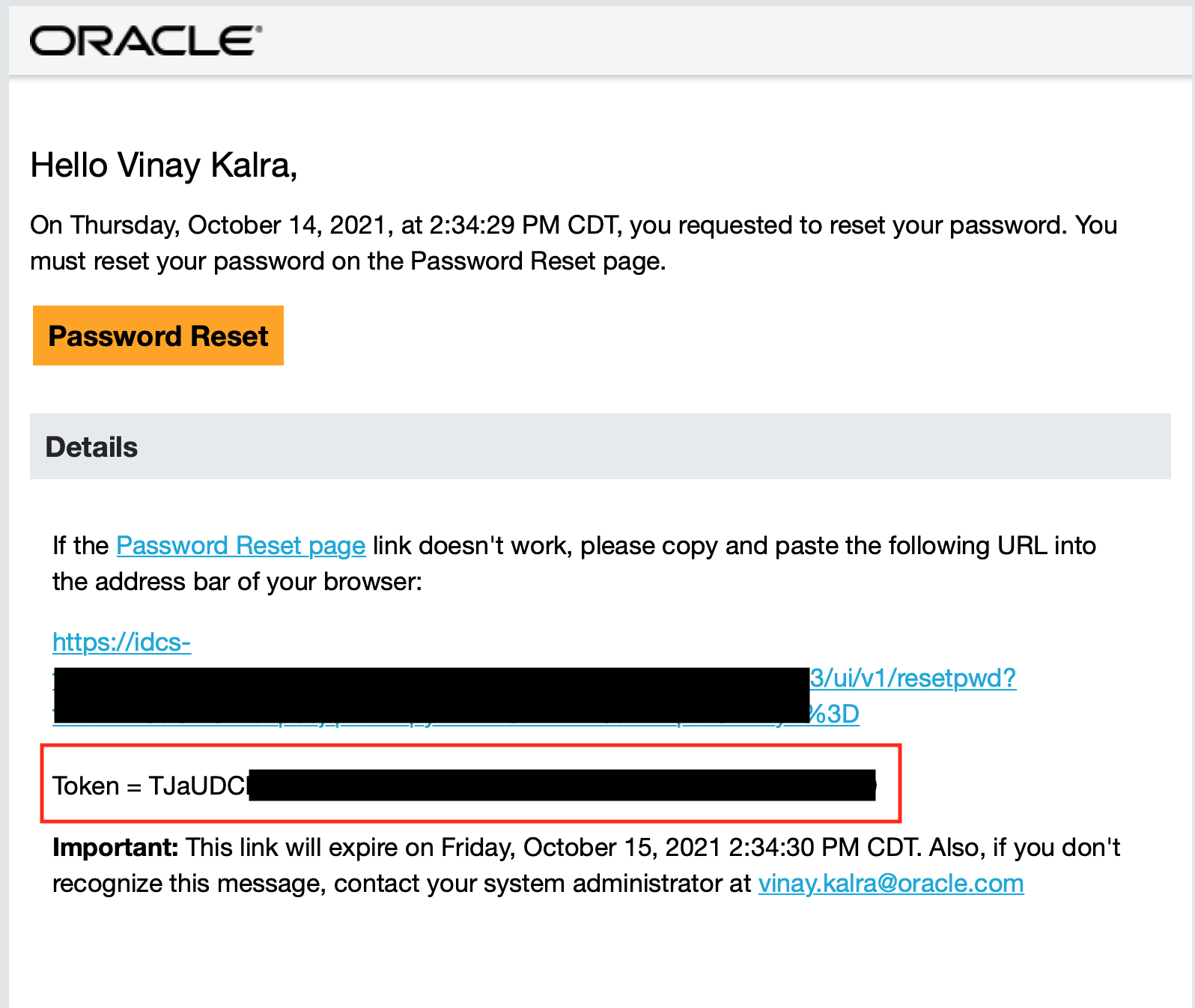
With this change you will now receive the same e-mail but with a token value.
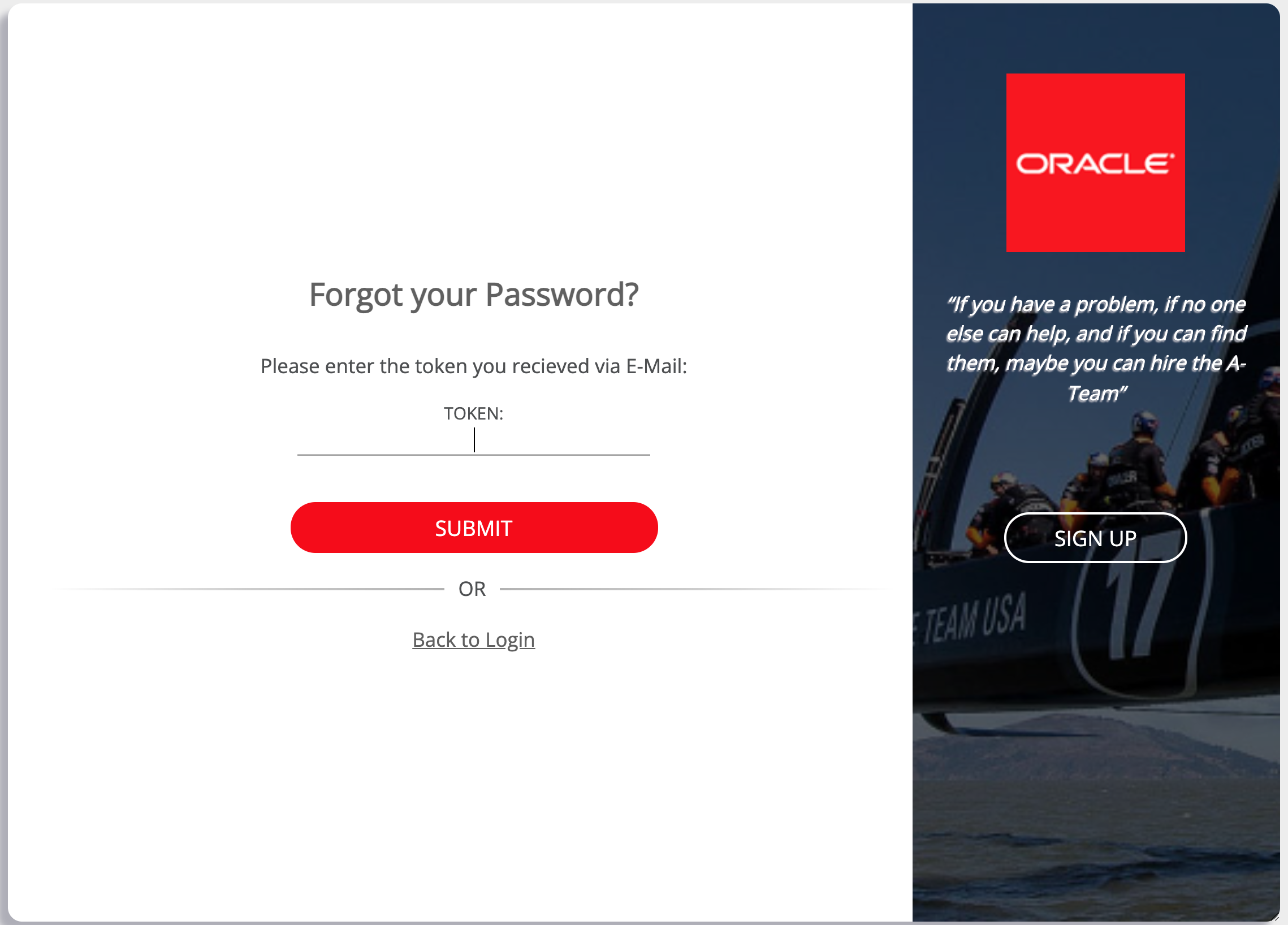
This value needs to be entered in the custom login for the e-mail recovery option:
If you want to use the default template and the OOTB E-Mail reset form then you will need to modify the custom login code. I provide both flows in the code, so you basically just need to comment one line and uncomment another. See below:

Here is a direct link to the code.
In Summary, the Custom Login widget now supports three methods for ‘Account Recovery’. The methods ‘SMS’ and ‘Security Questions’ require no changes to the Custom Login code and works as is. The E-Mail method requires changes to IDCS or the custom code depending on your use case:
- If you wish to use the default OOTB IDCS Reset Password link via email; then you will need to uncomment and comment two lines in the code, as show above.
- If you wish to continue using the Custom Login for the E-Mail method, then you will need to modify the Password Reset Template in IDCS to at least add the Token variable in the template.