
When it comes to DNS, OCI is offering plenty of options and features, from Traffic Management Steering Policies to DNSSEC, private and public DNS resolvers and logging. Today, I propose a discussion centered on an active/standby private DNS configuration, a customer requested configuration.
Prior to design and prepare the Active/Standby private DNS configuration let’s look at the customer request first. The customer is using three DNS clusters, DNS-1 configured in a VCN on OCI Ashburn region, DNS-2 configured in a VCN on OCI Chicago region and DNS-3 cluster configured on-premises. All three DNS clusters are in sync and managed by the customer’s DNS team.
For desired domains on OCI Ashburn region, DNS-1 needs to be the primary resolver, if DNS-1 is down, then DNS-2 needs to be the primary resolver until DNS-1 is recovering. If both DNS-1 and DNS-2 are down, then DNS3 needs to be primary DNS resolver until DNS-1 or DNS-2 recovers.
Definitively, we will use the private DNS rules to define the domains and the DNS server endpoint responsible for providing the answer to the DNS queries. As we know, even if we will define multiple rules for the same domains with different DNS servers endpoints, the configuration will not go to the second DNS server if the first one is not providing any answer. Obviously, the solution here is to use the OCI NLB defining a single endpoint which can provide the requested redundancy.
The OCI NLB for DNS was greatly discussed in this blog post. For our scenario, we will need to tweak the solution to accommodate the Active/Standby private DNS request.
The best to illustrate it is to use the below diagram:
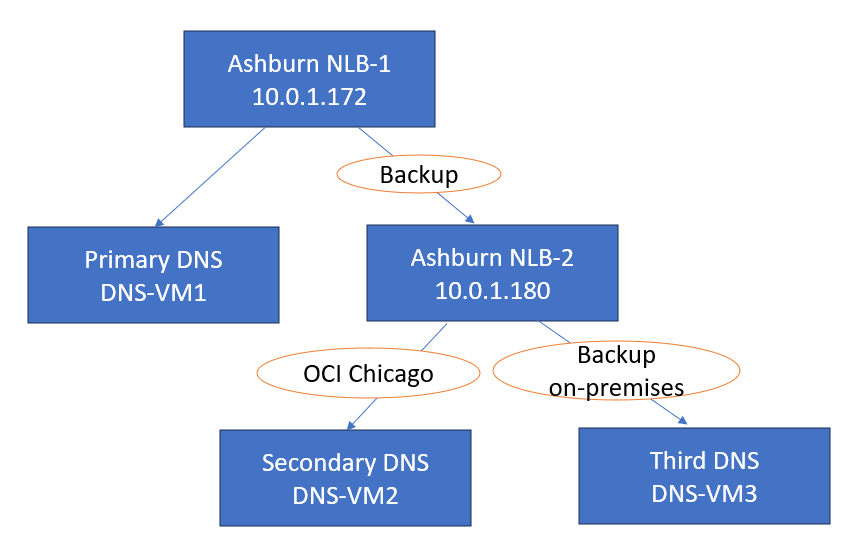
The Ashburn NLB assigned IP address will be the destination in the private DNS rules for domains configured. It will have one backend set with two backend servers, one will be the primary DNS server called DNS-VM1 (the first DNS cluster) and the second backend server will be another NLB. Yes, another NLB defined as backup.
The backup function assigned to a backend server is very important in our configuration and it is explained in the NLB public facing documentation. The following is stated:
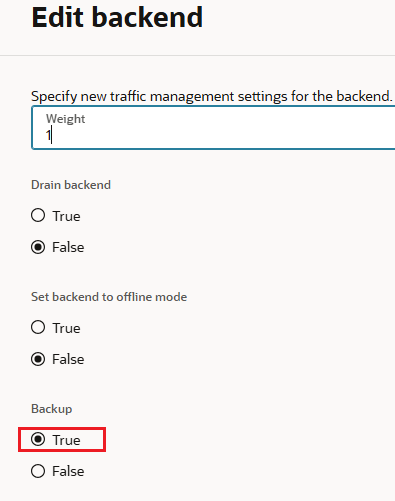
Backup: If you set the server’s backup status to True, the network load balancer forwards ingress traffic to this backend server only when all other backend servers not marked as backup fail the health check policy. This configuration is useful for handling disaster recovery scenarios.
A more important behavior is related to the fact that once the Active defined node recovers, the NLB will switch the DNS requests back to it. Wonderful, isn’t it?
The backup NLB is configured with two backend servers, the secondary DNS server called DNS-VM2 and a third DNS server configured as backup named DNS-VM3.
The DNS requests should be answered in the following order:
- DNS-VM1
- DNS-VM2 only if DNS-VM1 is down
- DN3-VM3 only if DNS-VM2 and DNS-VM1 are down
DNS Configuration
Ashburn NLB-1 (10.0.1.172)
For this type of configuration it is very important to create both NLBs with disabled Source/destination header (IP, port) preservation and Symmetric hashing:

a) The Listener:

b) The Backend Set Health Check
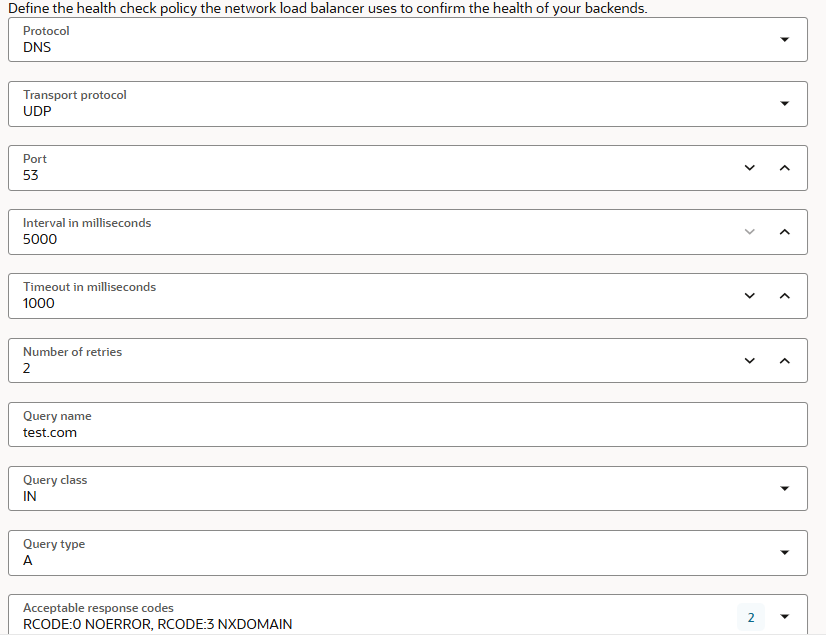
The health check is set to use the newest DNS policy, specifically added for NLB DNS use cases. The query name configured is using test.com an existing configuration on all DNS servers.
c) The Backend Servers

10.0.1.180 which is the second DNS NLB in our scenario is the backup backend server:
Ashburn NLB-2 (10.0.1.180)
The Listener and the Backend Set Health Check configuration is similar to Ashburn NLB-1.
It has the following backend servers:

The 10.0.1.254 owns the backup function for the second NLB.
In this order we can achieve the DNS answer order listed above.
DNS Query/Answer Test
To test the configuration and to confirm that the above configuration is providing the DNS query/answer order, we will use the following DNS rule:

All three DNS servers are synchronized and all of them can provide the DNS answers for domains configured.
As we can note, the destination IP address for the above Private DNS rule is Ashburn-NBL1 at 10.0.1.172.
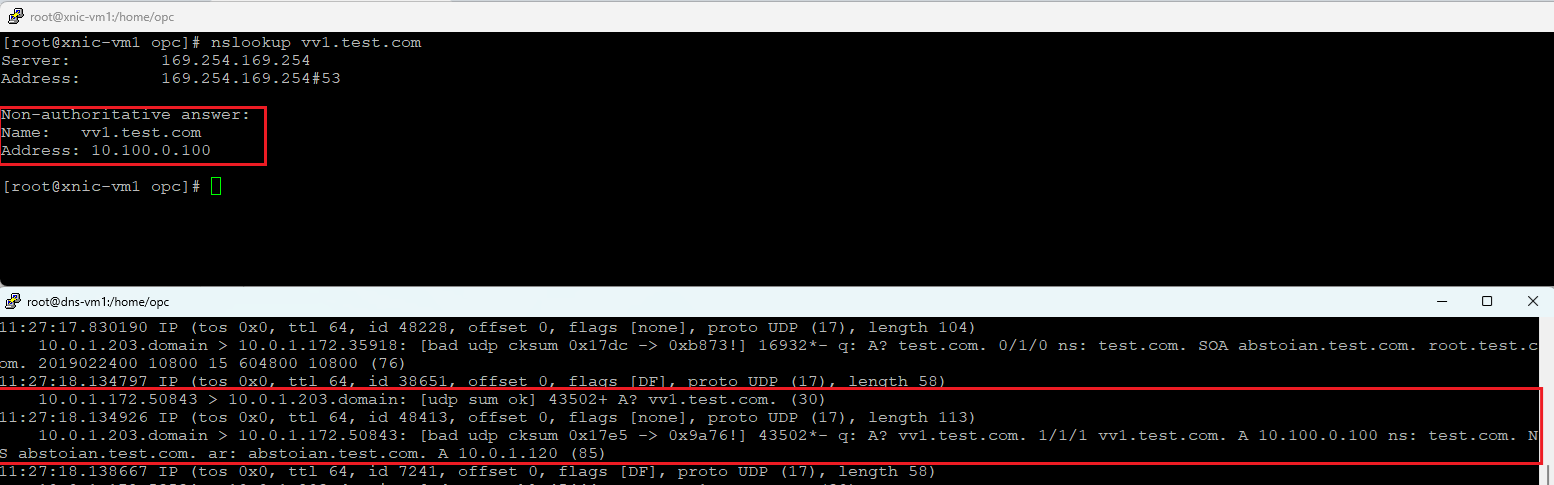
To prove that the DNS query/answer is received by the correct DNS server in the chain, we will use tcpdump on the DNS servers to capture the query/response.
a) Query vv1.test.com and tcpdump on 10.0.1.203 (DNS-VM1)
b) Query vv2.test.com and tcpdump on 10.0.1.120 (DNS-VM2) after disabling the named process on DNS-VM1

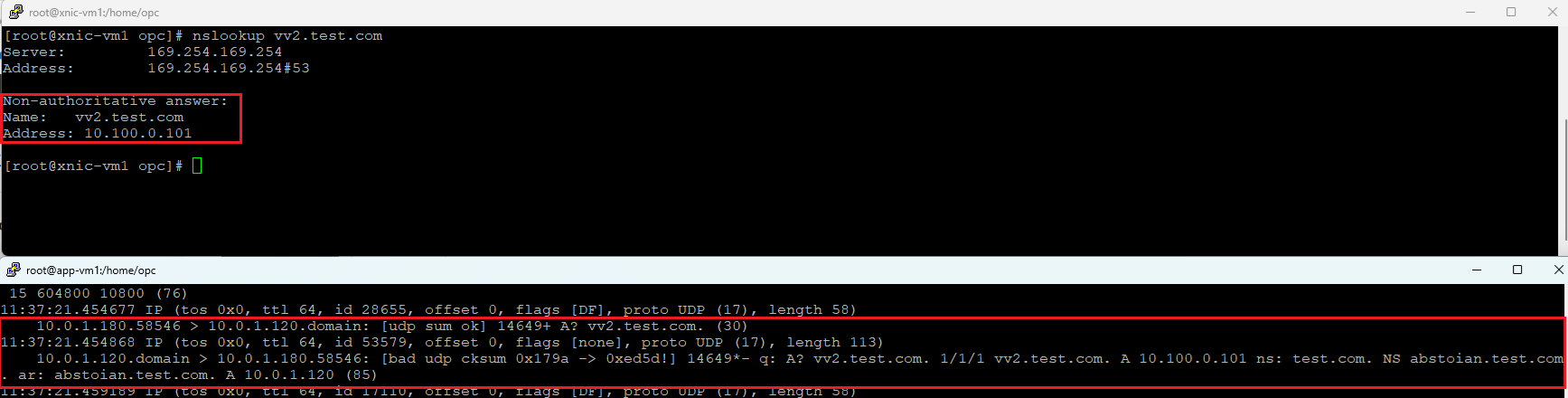
c) Query vv3.test.com and tcpdump on 10.0.1.254 (DNS-VM3) after disabling the named process on DNS-VM1 and DNS-VM2

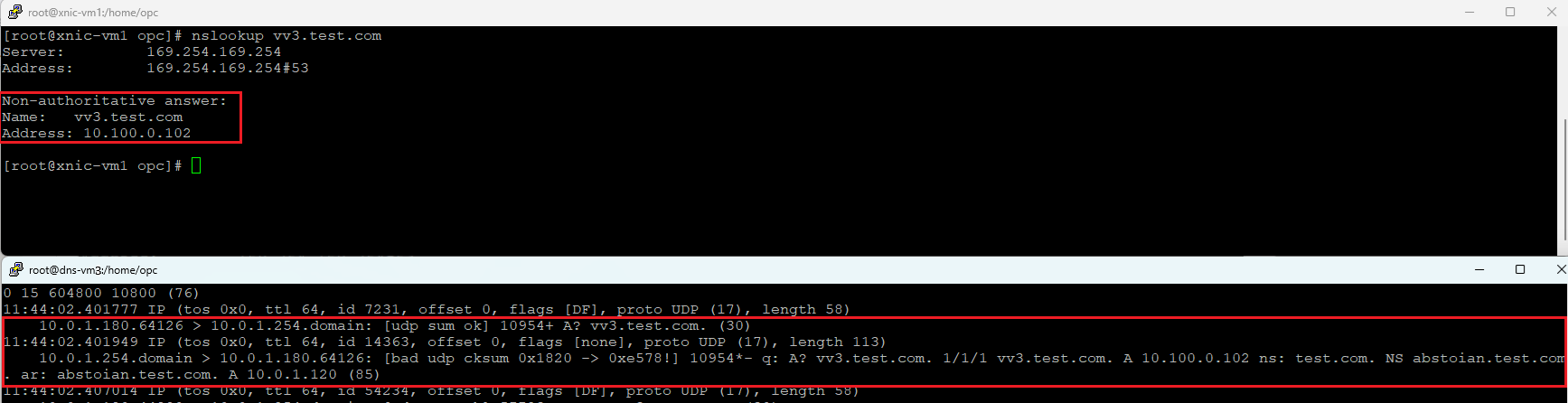
So far, our configuration provided the order we want for our DNS query/response.
Let’s run a final test and make the DNS-VM1 active again and verify if all the DNS requests are received.
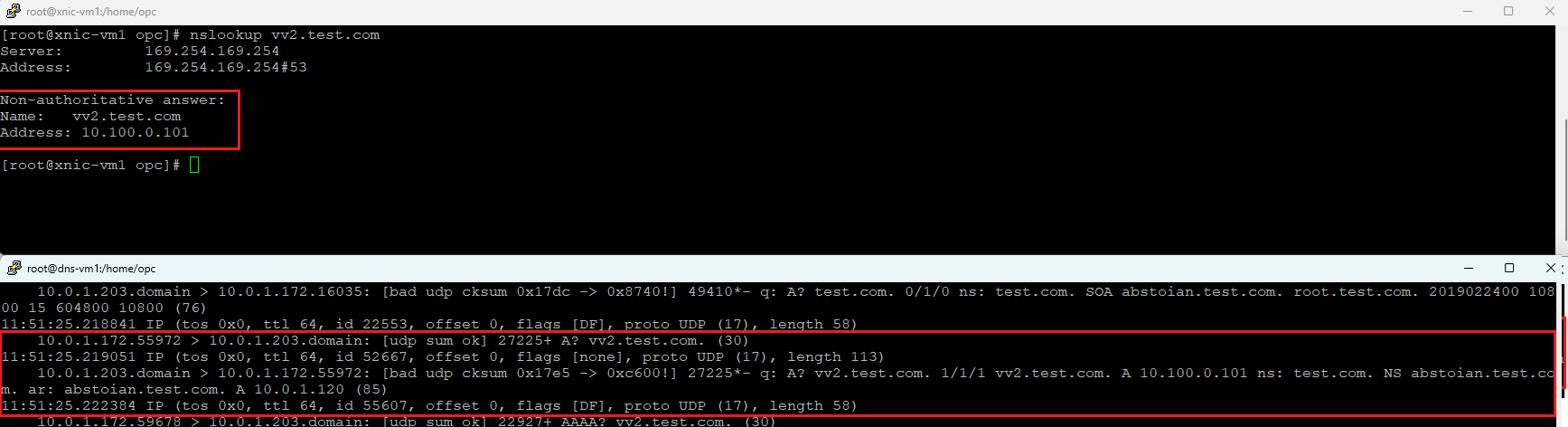
And we have the evidence that once DNS-VM1 is up and running, it will receive the DNS queries. This proves that our DNS configuration using the NLBs can accomplish the customer request.
We will end the Active/Standby DNS discussion with a question. The questions sound like: why we don’t configure the DNS-VM2 and DNS-VM3 directly as backend servers of 10.0.1.172 and make both Backup backend servers?
Following is the answer -> indeed you can set both DNS-VM2 and DNS-VM3 as backup servers, however, when DNS-VM1 is down we cannot control which one from DNS-VM2 or DNS-VM3 will become the new Active, it might be DNS-VM2 (the correct one) or can DNS-VM3 be the new active (we don’t want it at this stage to act as the active DNS server). Thus, the process is not deterministic and all we want is a very precise behavior in our production network.