
Introduction:
Oracle Cloud customers often use PaaS/SaaS services hosted within Oracle Services Network (OSN) that have public IP. There are following ways to access these services:
- Private access over VPN/FastConnect can be implemented using Service Gateway. In this scenario, DRG advertises entire OSN CIDR range over BGP to on premises.
- Configuring private endpoint and accessing the service through the private IP assigned from the VCN.
- Over the public internet.
However, some services do not support private endpoint yet such as Oracle Integration Cloud (OIC) and SaaS services.
Consider a scenario where customers want to access services like OIC that does not support private endpoint over FastConnect/VPN and want to access some other PaaS/SaaS service like OAC over the public internet.
In this case, private access to OIC is achieved through first option that is by configuring Service Gateway. On the other hand, access to OAC is over the public internet. Now, Oracle always advertises most specific routes over private connection (FastConnect/VPN) than the public internet. Hence, any traffic generated from on premises towards any service in OSN would end up routing through FastConnect/VPN. That means, in our case, traffic towards OAC which is intended to go over public internet will also be routed over FastConnect/VPN. This can cause unexpected behavior and result into outages. One solution to resolve this issue is to add a static route on the customer’s end to route all the traffic destined to the specific OIC IP over FastConnect/VPN. But it largely depends on the network design at the customer’s data center and is not always possible to implement. This issue can easily be resolved if Oracle can advertise a single static IP assigned to the OIC over FastConnect/VPN and customers can perform route filtering at their end to accept only that IP and reject all the other OSN routes.
In this blog, we will demonstrate how to advertise that single OIC IP from OCI to on premises over FastConnect/VPN BGP session.
Solution:
Network Diagram:
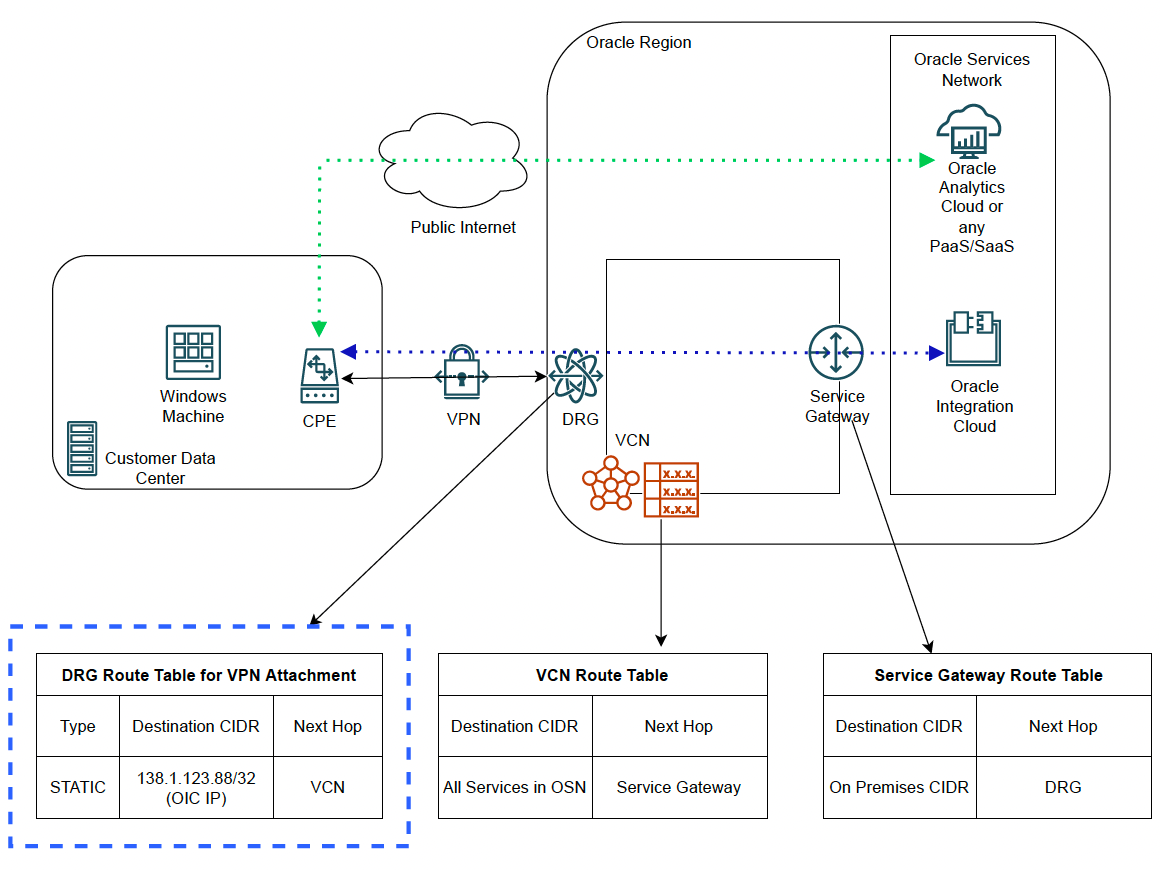
The diagram above represents the scenario discussed in the previous section.
All the testing from on premises will be done from the Windows machine.
Prerequisites:
- OIC is already provisioned.
- This solution is based on the fact that public IP of the OIC exposed to the customers does not change. If you are considering using this solution with any other PaaS/SaaS instead of OIC, please make sure that the service has a static IP.
- Private Access to OSN through Service Gateway already configured. For details, please follow this document. In this blog, we have implemented transit routing directly through gateways.
- VPN with BGP routing has been configured. Solution would also work for FastConnect.
- Postman installed on the source machines for testing purposes.
Configuration:
We will be utilizing DRG route table of VPN’s DRG attachment for this solution.
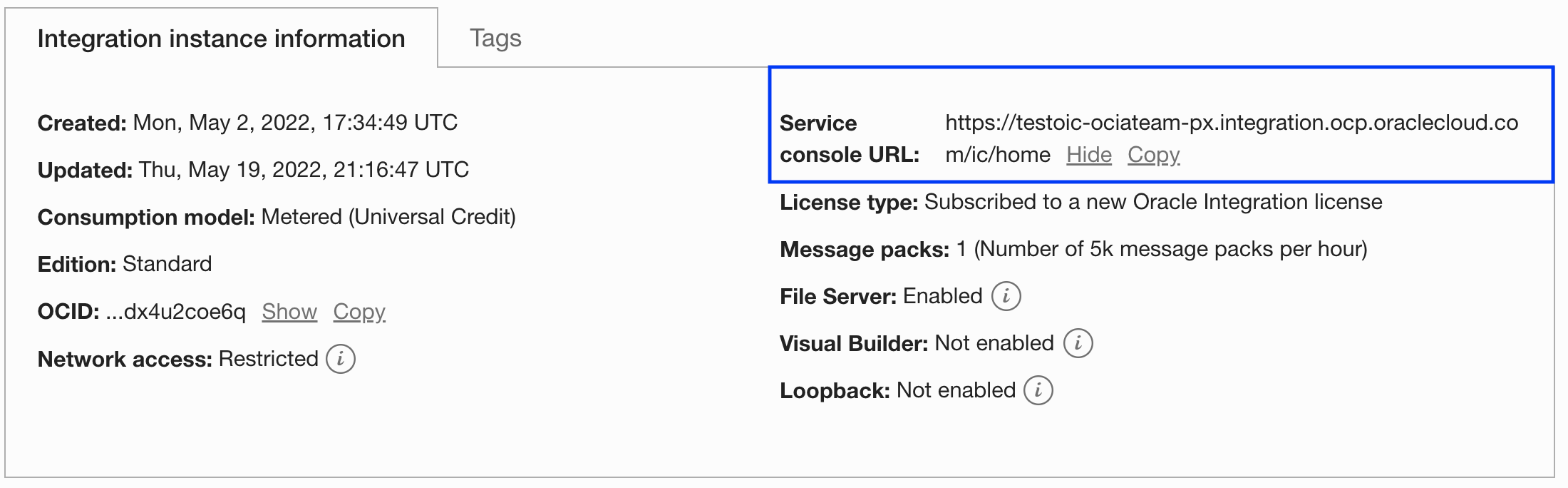
- We will need public IP assigned to OIC for further steps. You can obtain it by executing ‘nslookup’ command on the OIC URL. You can get OIC URL from the OCI console:

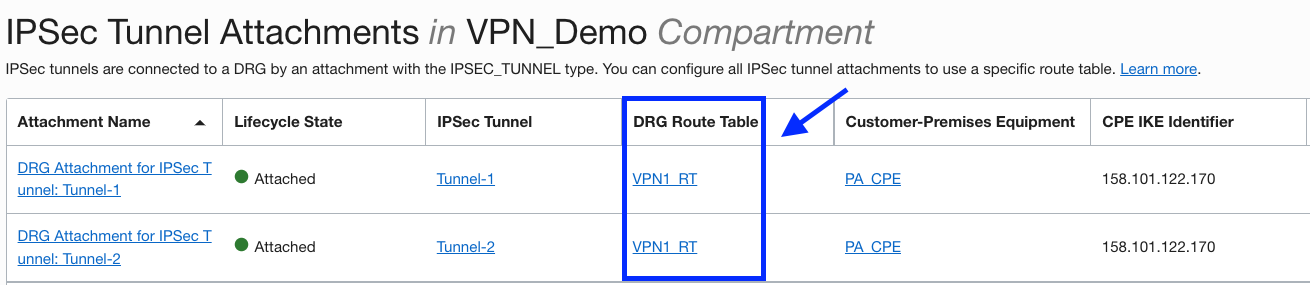
2. Go to appropriate DRG and under Resources, click on IPSec Tunnel Attachments. Then click on the respective DRG route table associated with it.
Next, click on ‘Add Static Route Rules’ and add a rule as follows:
Destination CIDR: OIC IP (/32)
Next Hop Attachment Type: Virtual Cloud Network
Next Hop Attachment Name: Choose the VCN from which you aim to reach OIC through Service Gateway
Static route configuration should look like this:
 Let us verify what routes DRG should be advertising after adding the static route. Click on ‘Get All Route Rules’ for the same DRG table:
Now, let us verify if VPN is advertising this route across the tunnels.
Go to Site-to-Site VPN Select the tunnel click on BGP Routes Advertised user Resources:
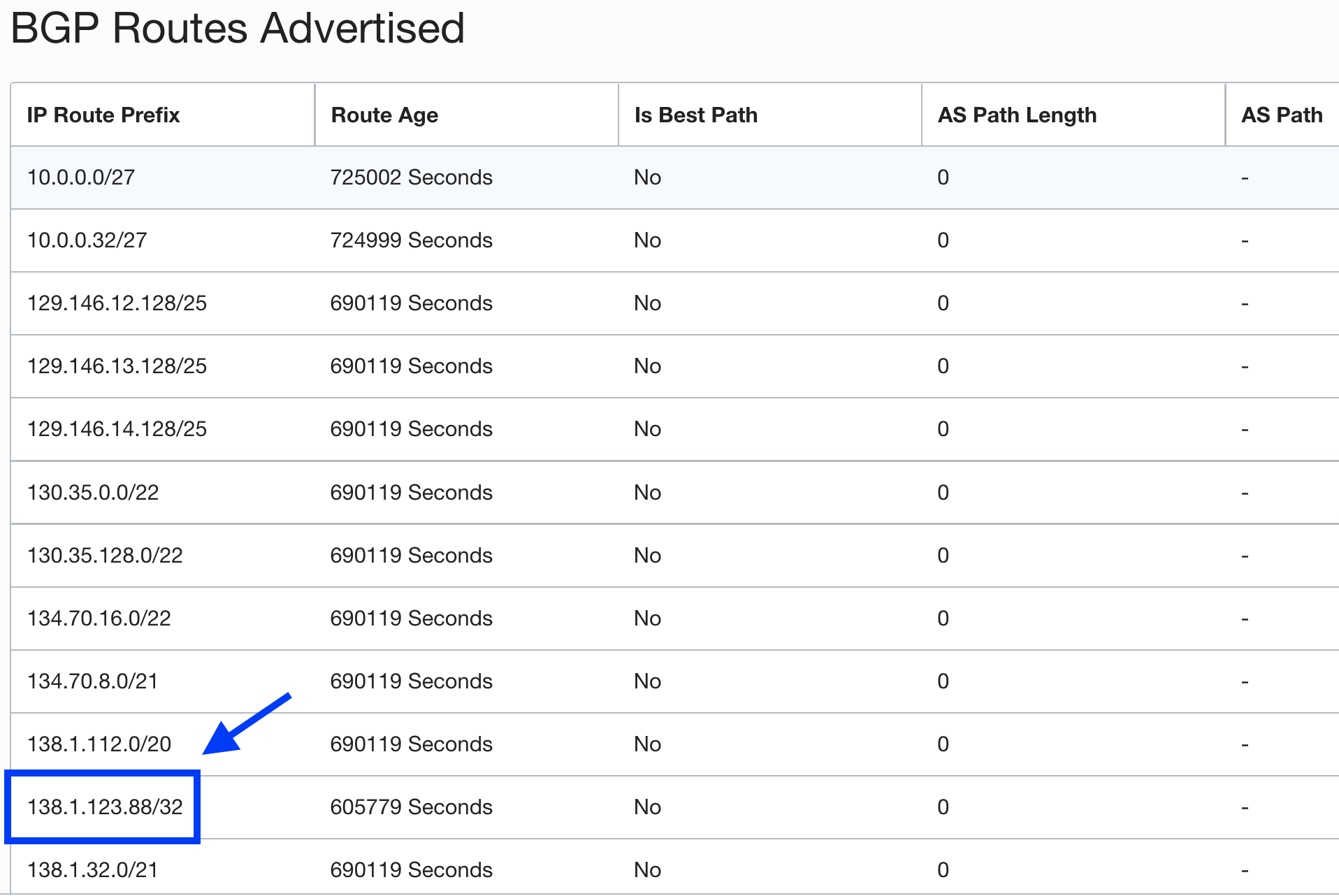
In this image, you can see all the routes being advertised by BGP over the tunnel. These include all the OSN CIDRs because of the Service Gateway configuration and may include any VCN CIDRs that are imported through route distribution at DRG. Importantly, we can also see our OIC IP getting populated and that means it is being advertised to the on-premises network.
Now that we have configured and verified the route at OCI, lets confirm if we are receiving the same at the CPE:
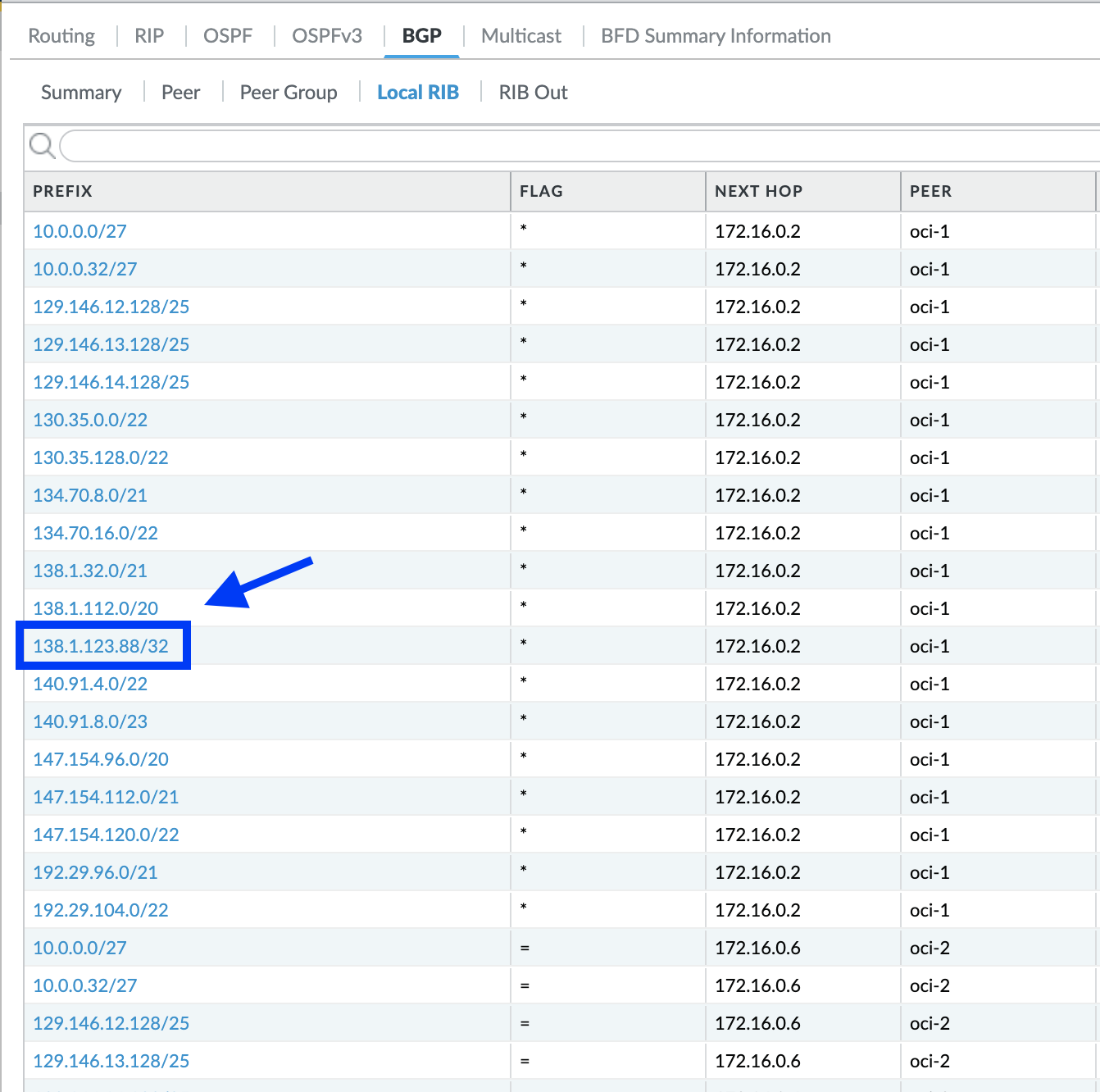
As evident from the BGP RIB, static route has been successfully received at the CPE.
- Now that we have all the OSN routes as well as static route for OIC IP being populated, we must perform route filtering to only accept /32 route for OIC IP:

Now, let us check the BGP RIB again to see if route has been filtered:
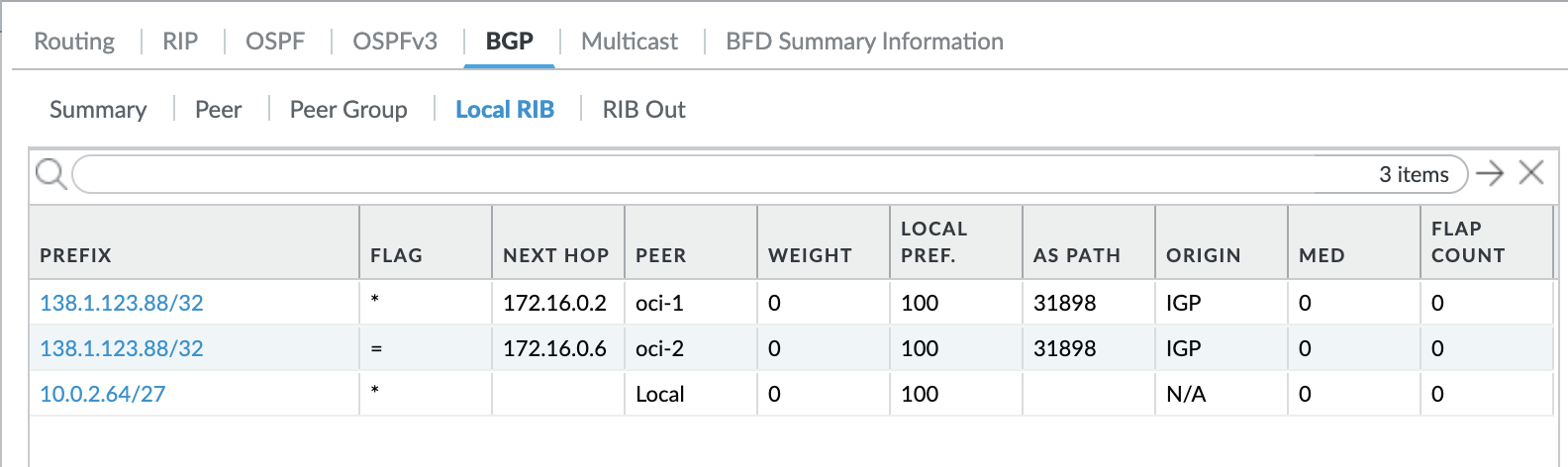
As you can see, only OIC IP is being filtered and installed in the RIB. All other routes including OSN CIDRs are rejected. You can accept these OSN CIDRs from the public internet that would be less specific prefixes. As a result, all the traffic destined to the OIC would go through FastConnect whereas all other OSN traffic (OAC in this case) would go over the public internet.
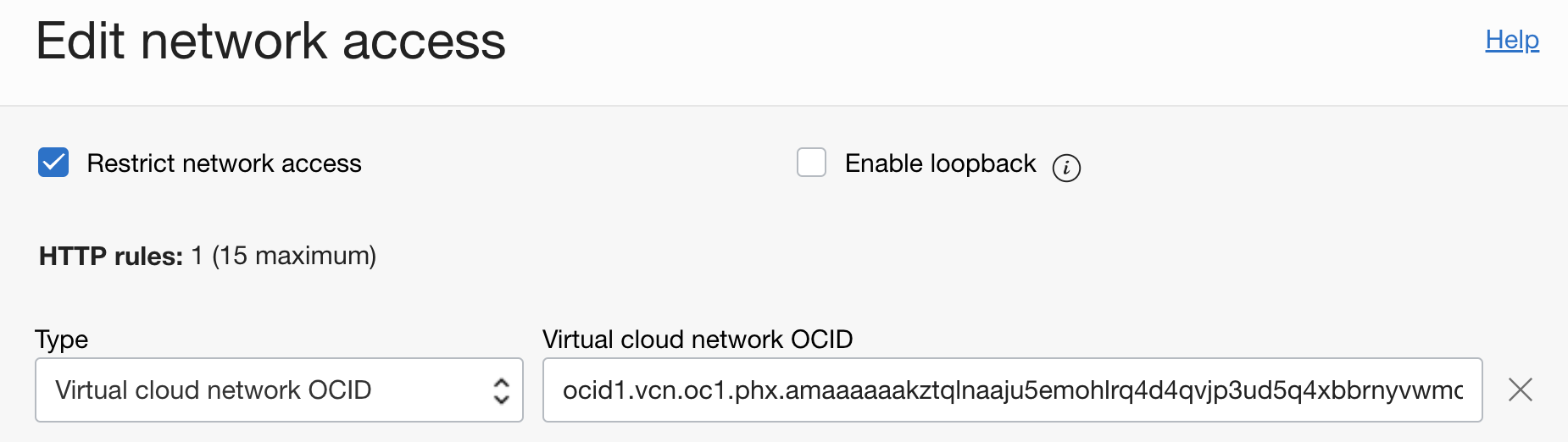
- As a last step, we will restrict Network Access of OIC to allow traffic from only within VCN. This step is only for verification to demonstrate the access and is optional. You can configure network access according to your requirements.
Go to the OIC Network Access Edit Network Access and add the appropriate VCN OCID:
Verification:
Now that the configuration is complete, let us verify if we are getting the expected results.
- First, we will check the OIC URL access. As per our configuration, access from only VCN is allowed. Hence only Windows machine on premises should be able to access it through VPN.
From Windows machine (on prem):
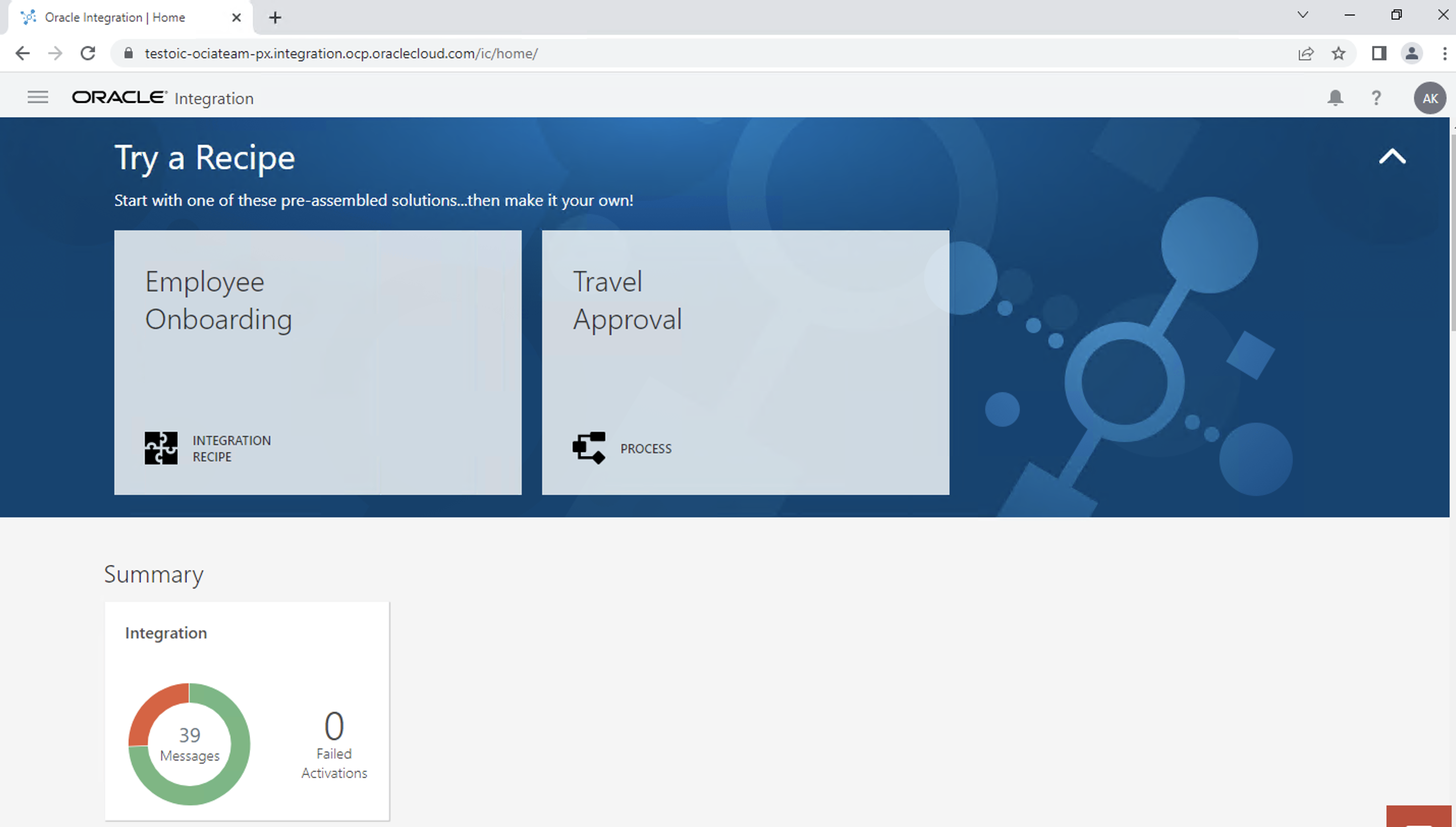 From local machine (over public internet):

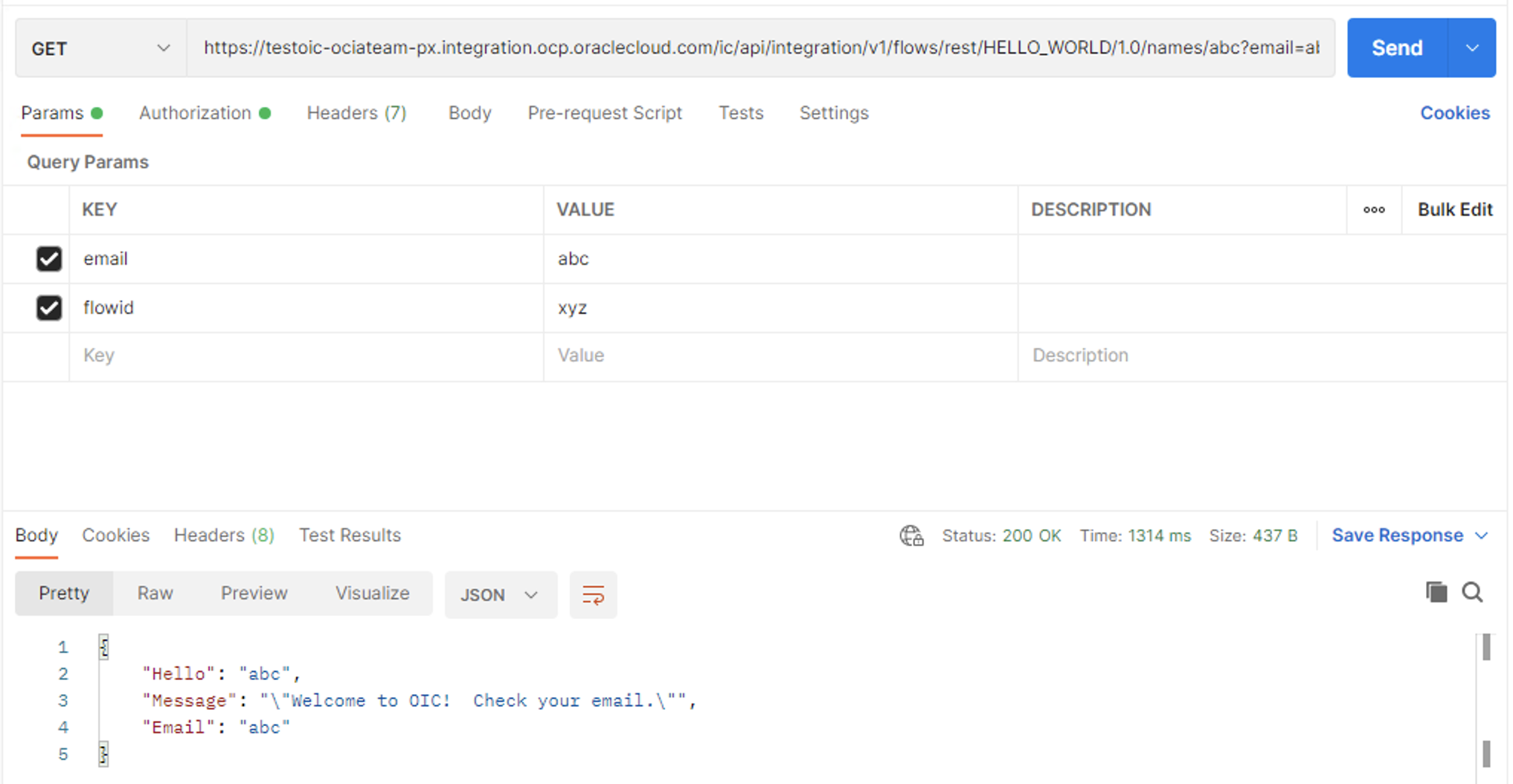
2. Now that we have verified access, lets confirm if we can make API call to the integration from both the sources. We will be using Postman for this step.
From Windows machine (on prem):
From local machine (over public internet):
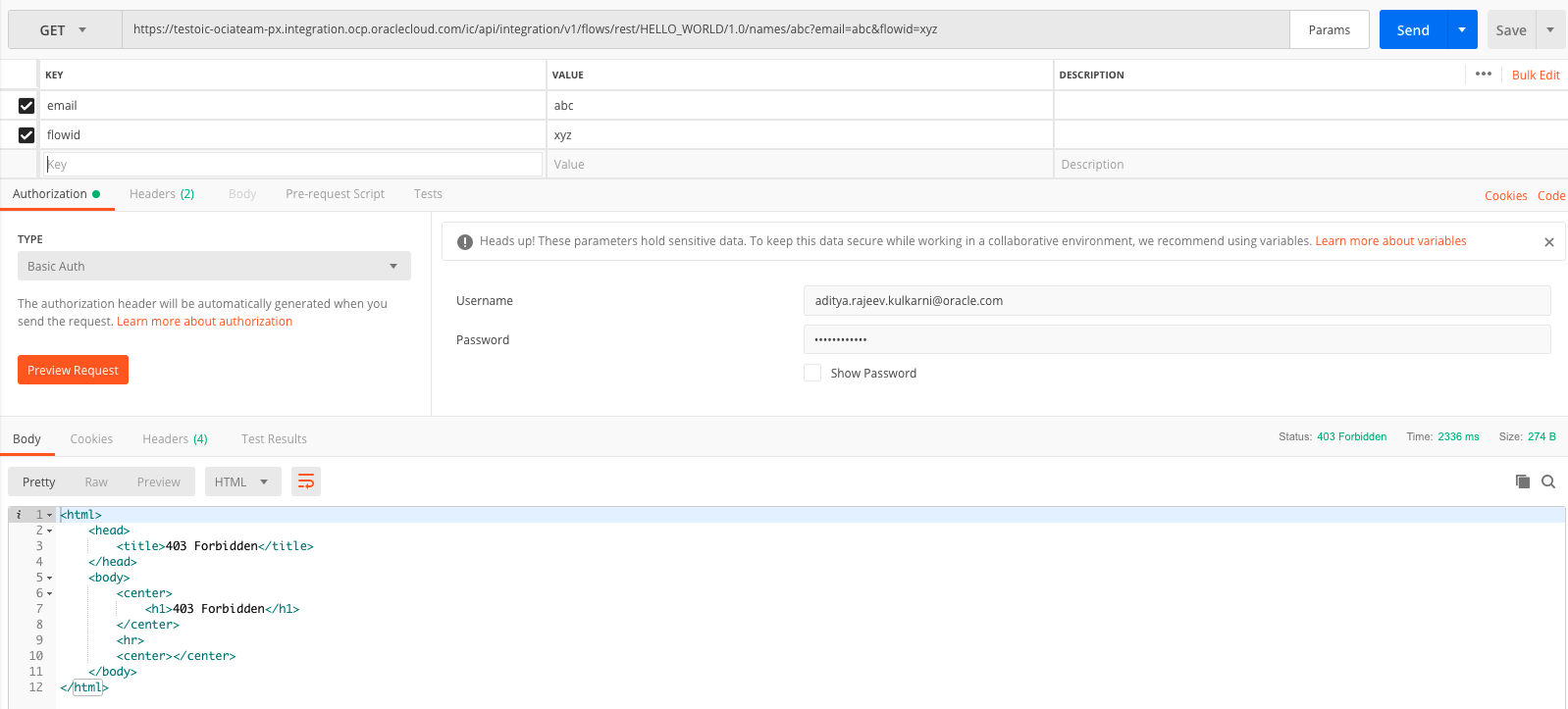
This confirms the following network flow:
- Traffic from on prem destined towards OIC IP goes through VPN after route filtering. Rest of the OSN traffic would go over the public internet.
- Static route configured at the DRG ensures that the traffic is sent to the appropriate VCN.
- Once VCN receives the traffic, it will investigate its routing table. A route rule sending the all the OSN traffic to the Service Gateway determines that OIC IP belongs to one of the OSN CIDRs.
- Finally, traffic is routed to OIC through the Service Gateway.
Conclusion:
In this blog, we demonstrated how to advertise a single OIC IP to on premises over BGP in a scenario where both private and public access to OSN is needed for different PaaS/SaaS services. Though the demonstration is done for OIC, this solution is valid for any PaaS/SaaS service which does not offer private endpoint and whose public IP does not change.
View the companion video for this blog here: