
In my previous blog, I have provided a sample python script to edit the federated user attribute, as I mentioned previously, we have alternate methods to edit the attribute, lets go over those methods.
- User Export/Import: In this approach we will export the users out, make offline edits and import the users back into the domain.
- Advantages of this approach
- We can modify attributes for multiple users at once, which is particularly helpful when the user volume is high.
- The exported file allows you to use familiar tools to make modifications, which is easier for making consistent changes across many users.
- Using export/import is simpler than writing and testing custom scripts for API calls, especially if you are not comfortable with scripting.
- Advantages of this approach
- OCI CLI: This approach is handy when we want to make real-time, dynamic changes to a few users.
- Advantages of this approach
- You need to make real-time, dynamic changes to a few users.
- Easy to make individual, specific changes (e.g., patch operation)
- Prefer scripting and are comfortable with command-line tools.
- Advantages of this approach
User Export/Import
An alternate approach to modifying federated user attributes in Oracle Cloud Infrastructure (OCI), is to use the export/import feature as described. This process allows you to make bulk modifications to user data outside of OCI and then re-import it.
Here’s a step-by-step approach using user export/import:
Step 1: Export Users from Oracle Cloud Infrastructure
- Navigate to OCI Identity Domain and users
- Export the Users as shown below
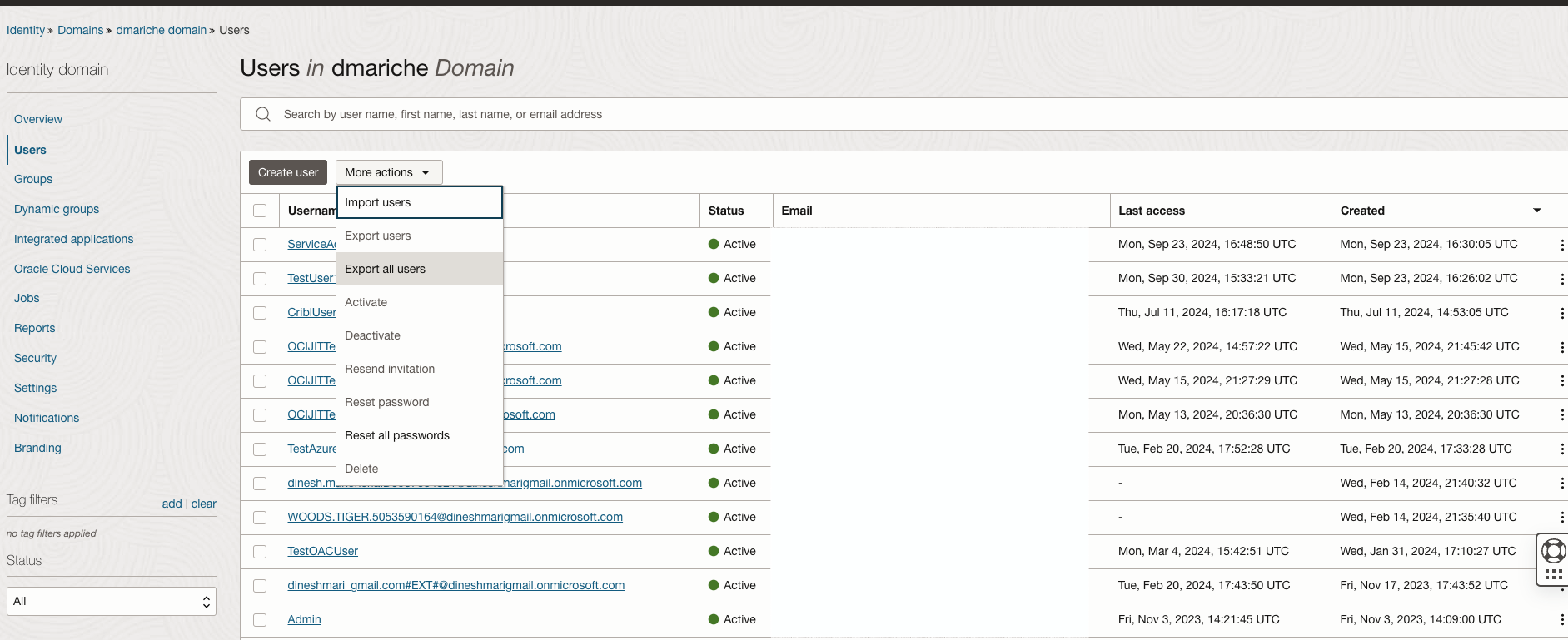
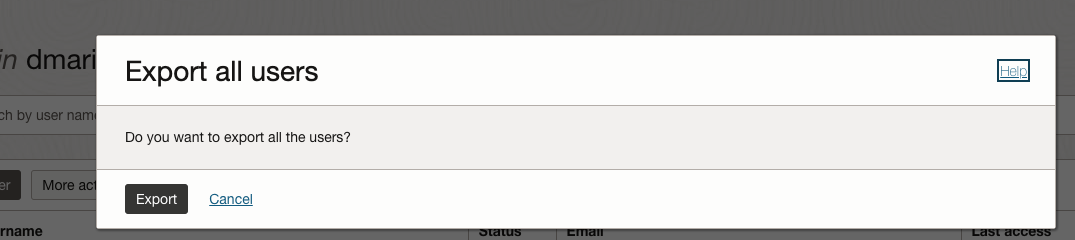
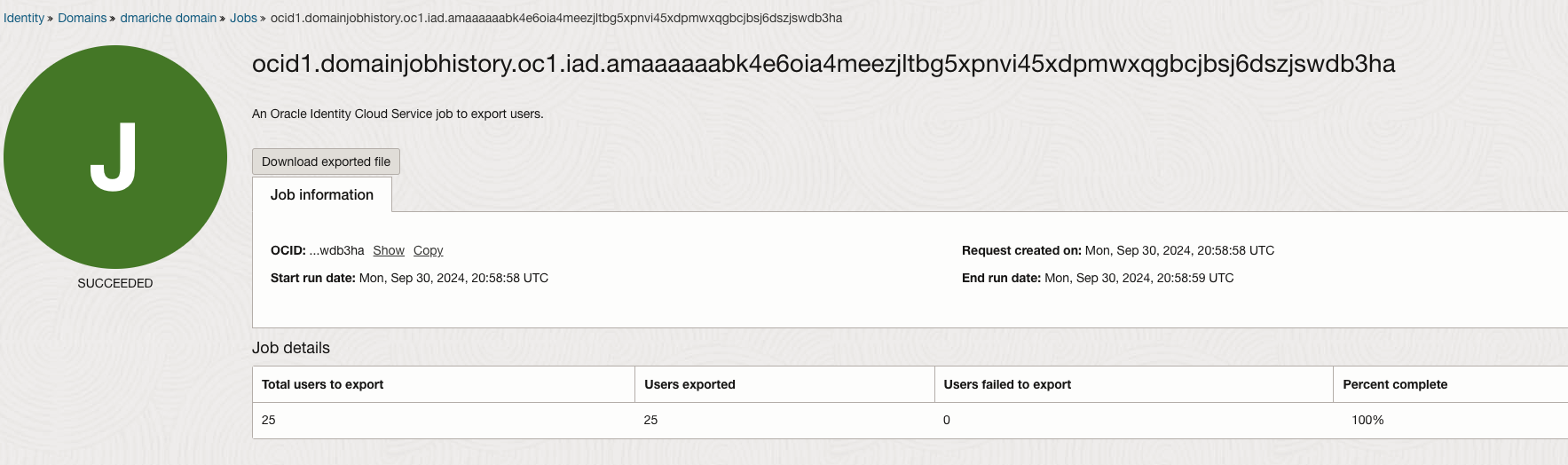
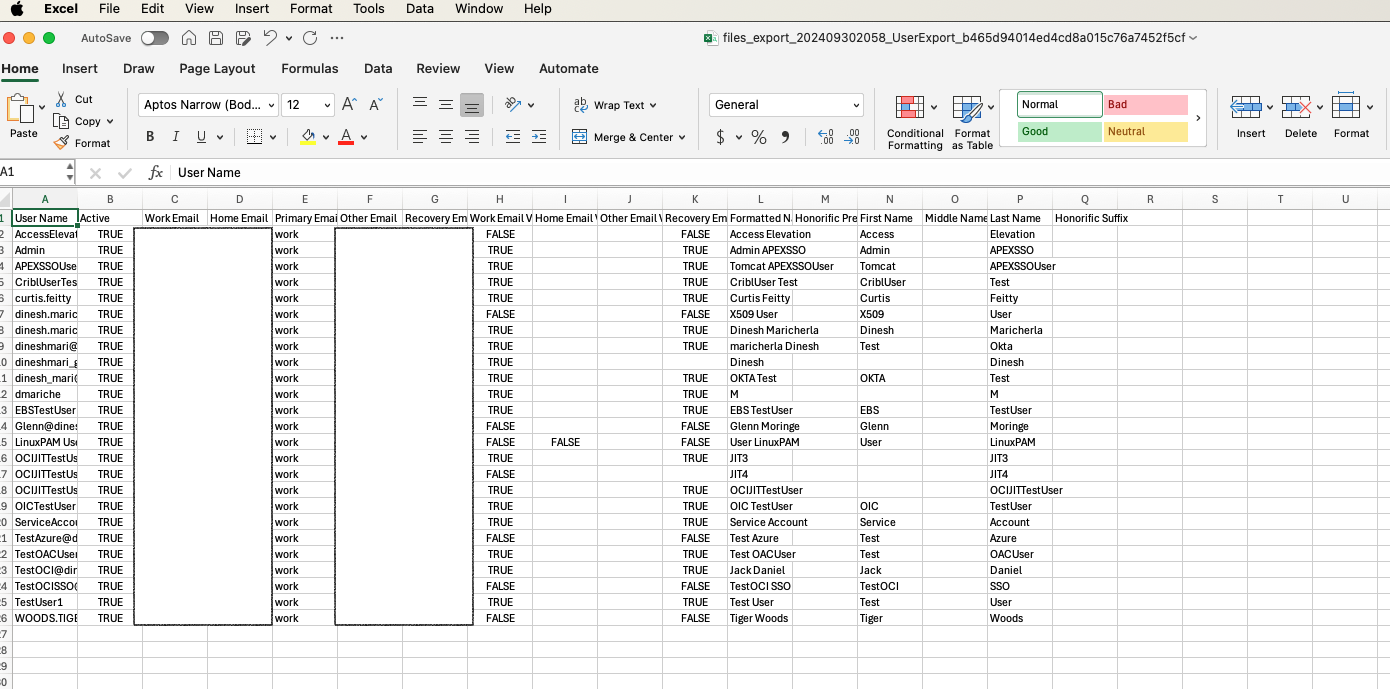
- As shown above, click on the Download exported file, to access the file. This exported file will contain the default attributes for all users in the domain that we can modify offline.
Step 2: Edit the User Attributes
- Now let’s modify the attributes for users.
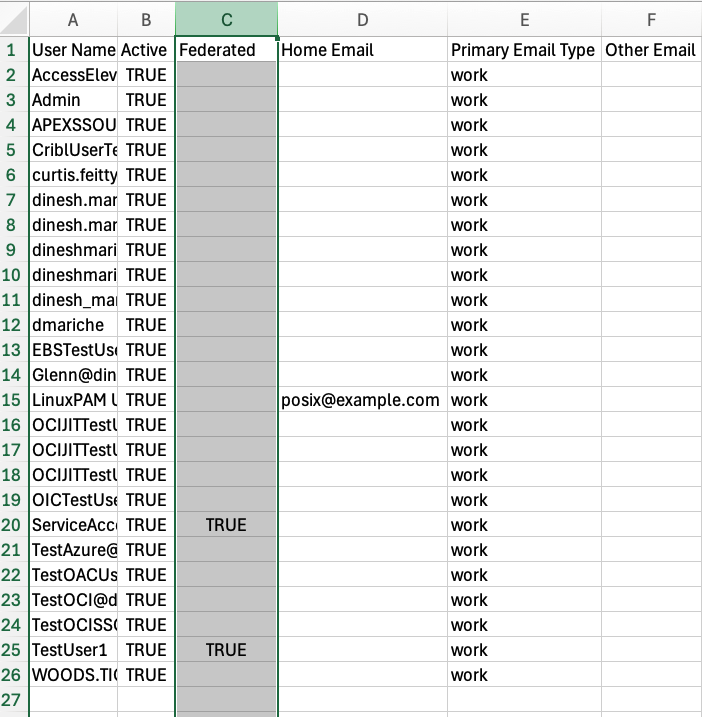
- Find the users who should be setup as federated users. (We will not see a column for Federation in the csv file, it needs to be added in as shown in the next step)
- Add a column into the sheet as shown below and update the value for the user as True. Save the changes.
Step 3: Import Users back into the OCI Identity Domain
- Navigate to OCI Identity Domain and users
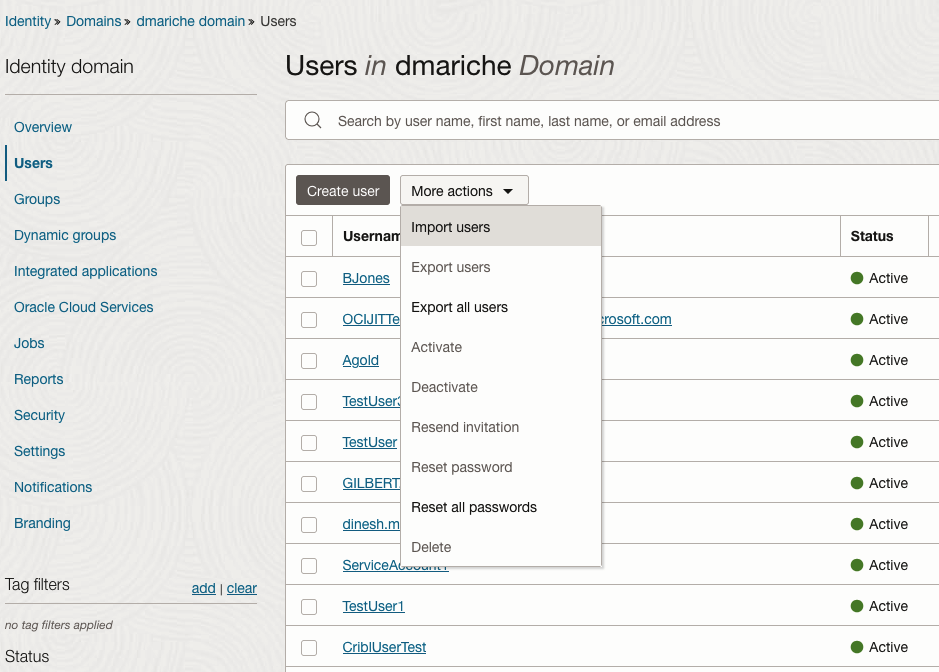
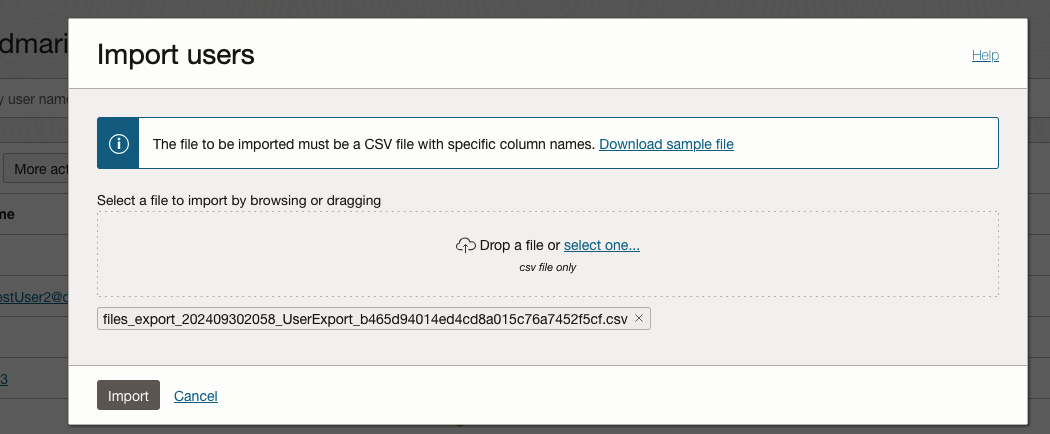
- Import the Users as shown below
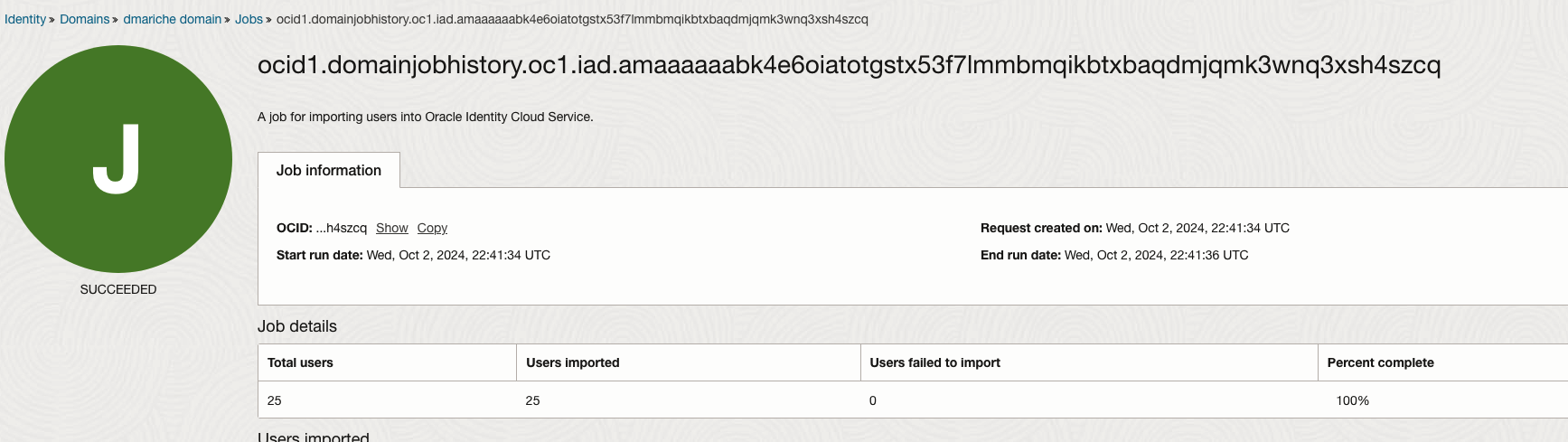
- Once the import finishes the changes for users will be processed, check the job to see if there are any errors with the import or with updating the user attributes.
Step 4: Validate the attribute changes
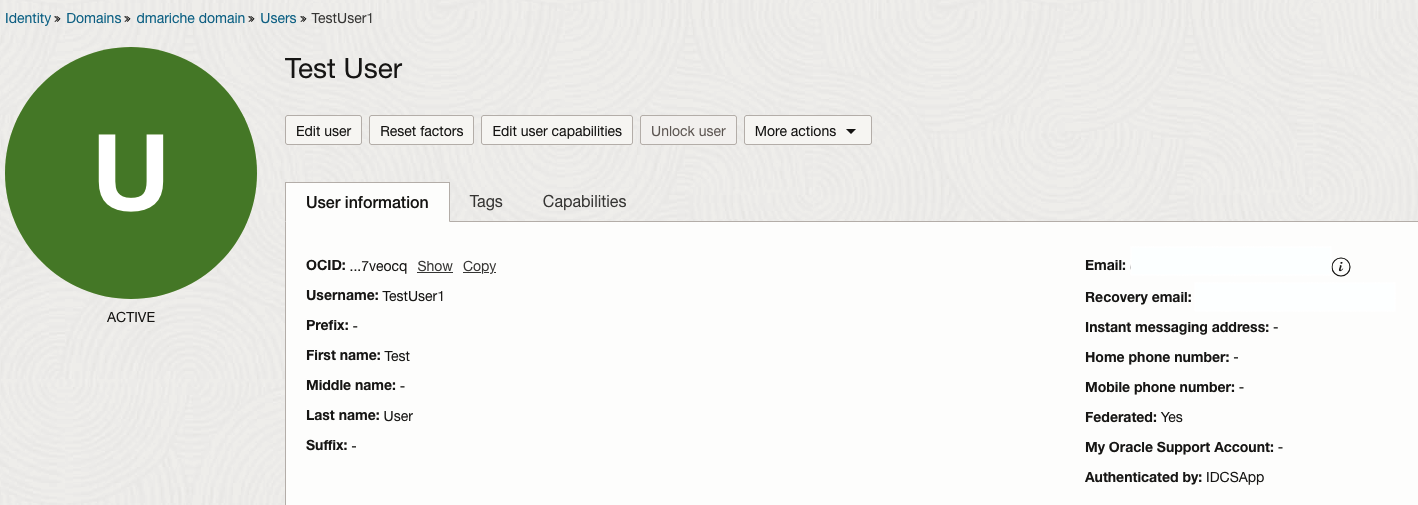
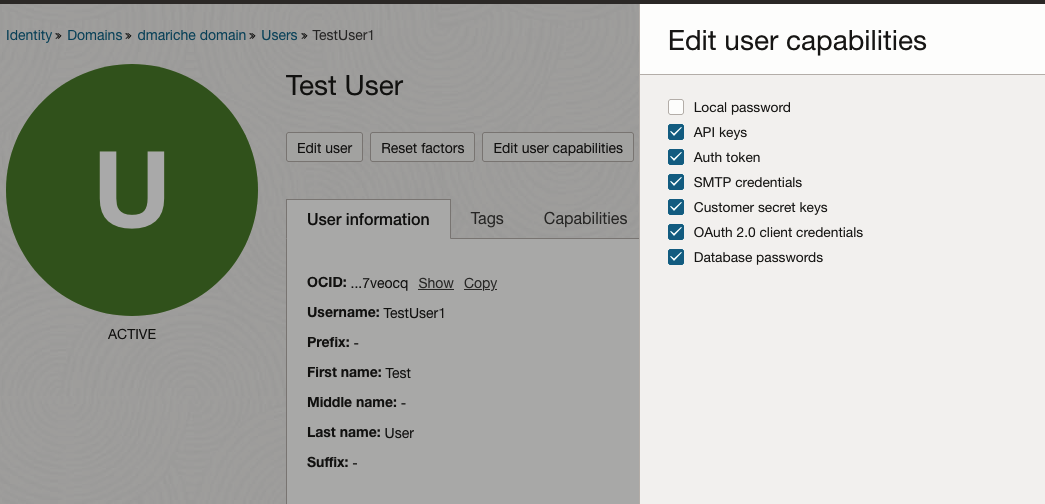
- Navigate to the specific user account to verify if the attributes are as expected. For this specific test we changed the attributes for user accounts ServiceAccount and TestUser1.
-
As seen from the screenshots above the Federated Status is Yes and the user has no Local password.
OCI CLI Method
Similar to the above process we can use OCI CLI to list the users for a specific domain, identify the users that need an update; update the federated attribute using the user patch operation.
Step 1: List the users and the Federation status
- To list the users and their attributes we can use the below OCI CLI command.Using the OCI CLI with JMESPath queries allows you to perform complex filtering and batch modifications effectively.
oci identity-domains users list --endpoint https://idcs-xxxxxx.identity.oraclecloud.com --query "data.resources[].{UserName: \"display-name\" , UseriD: \"ocid\", IsFederated: \"urn-ietf-params-scim-schemas-oracle-idcs-extension-user-user\".\"is-federated-user\"}" --output table
- Breakdown of the Command:
- oci identity-domains user list: This command is used to list all users in the OCI identity domain.
- –endpoint: The URL for the identity domain endpoint is provided to specify the domain being queried.
- –query “data.Resources[].{UserName: \”displayName\”, UseriD: \”ocid\”, IsFederated: \”urn-ietf-params-scim-schemas-oracle-idcs-extension-user-user\”.\”is-federated-user\”}”
- The JMESPath query is used to filter the output
- UserName: Represents the user’s display name.
- UserID: User OCID
- IsFederated: Represents the the isFederatedUser attribute to determine if the user is federated.
- –output table: We want to display the output in a table format, making it easier to read.
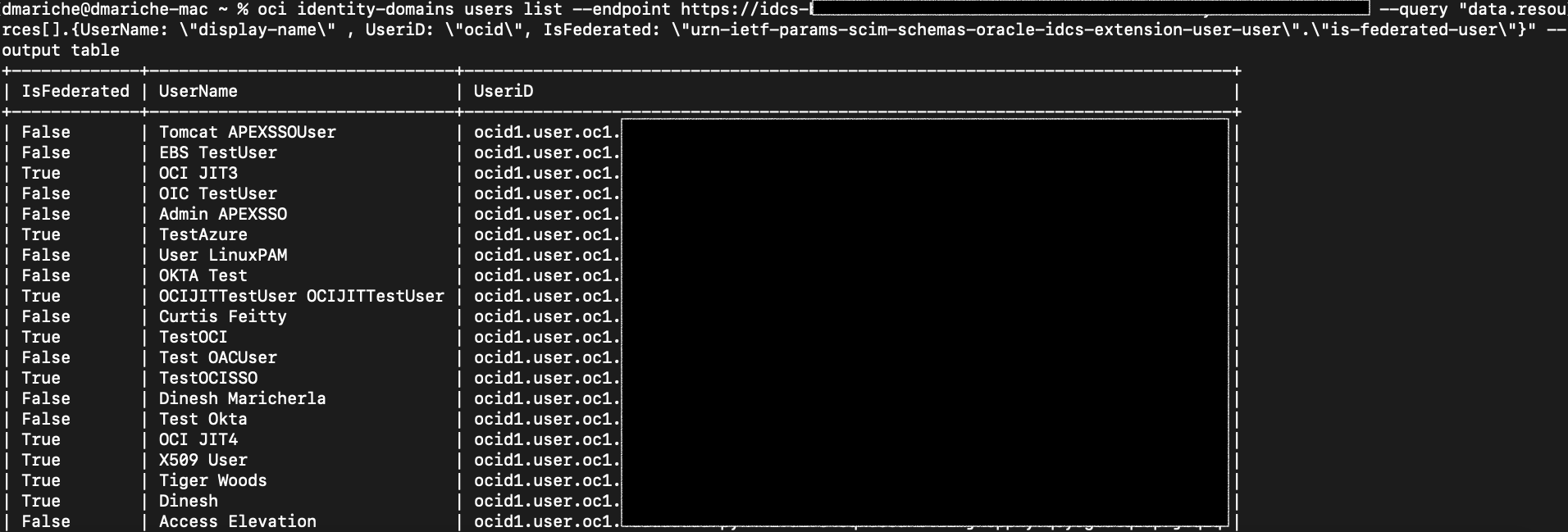
The command will output a table listing each user’s display name and whether they are federated (true or false).
Sample Output:
Step 2: Update User attribute using OCI CLI user patch operation
The listing command helps identify users needing changes, while the patch command facilitates applying those changes with precision. Now we identify the users that need the Federation attribute updated, once identified we can use the below command to update the user attributes
oci identity-domains user patch --user-id ocid1.user.oc1..axxxxxxqqq --schemas '["urn:ietf:params:scim:api:messages:2.0:PatchOp"]' --operations '[{"op": "replace", "path": "urn:ietf:params:scim:schemas:oracle:idcs:extension:user:User:isFederatedUser", "value": true},{"op": "replace", "path": "urn:ietf:params:scim:schemas:oracle:idcs:extension:capabilities:User:canUseConsolePassword", "value": false}]' --endpoint https://idcs-xxxxxxx.identity.oraclecloud.com
- Breakdown of the Command:
- oci identity-domains user patch: This command is used to modify user attributes by applying a patch operation.
- –user-id “<user_ocid>”: Replace <user_ocid> with the OCID of the user you wish to modify. The OCID can be obtained from the output of the previous list command.
- –schemas: Specifies the SCIM schema for a patch operation (urn:ietf:params:scim:api:messages:2.0:PatchOp).
- –operations: Defines the list of operations to apply:
- op: “replace”: Indicates that the attribute will be replaced or updated.
- path: Specifies the attribute path:
- “urn:ietf:params:scim:schemas:oracle:idcs:extension:user:User:isFederatedUser”: Sets isFederatedUser to true.
- “urn:ietf:params:scim:schemas:oracle:idcs:extension:capabilities:User:canUseConsolePassword”: Sets canUseConsolePassword to false.
- value: Represents the new value for each attribute.
- –endpoint: Specifies the identity domain endpoint where the update will be applied.
Important things to remember about this approach
- Permissions: You need proper permissions to list and modify users. Ensure your user or service principal has the correct IAM policies.
- Patch Operations: Patch operations are useful when only a partial update is required, rather than providing the complete user object.
- Bear in Mind Endpoint Consistency: Always ensure that the endpoint URL corresponds to the correct identity domain you are working with.
All the methods discussed, whether from the previous blog or those covered here, have their unique strengths, and the choice between them depends on the specific use case and the user’s technical comfort level.