
Organizations typically deploy web applications in OCI behind a load balancer and WAF for highly availability and web security such as OWASP Top 10.
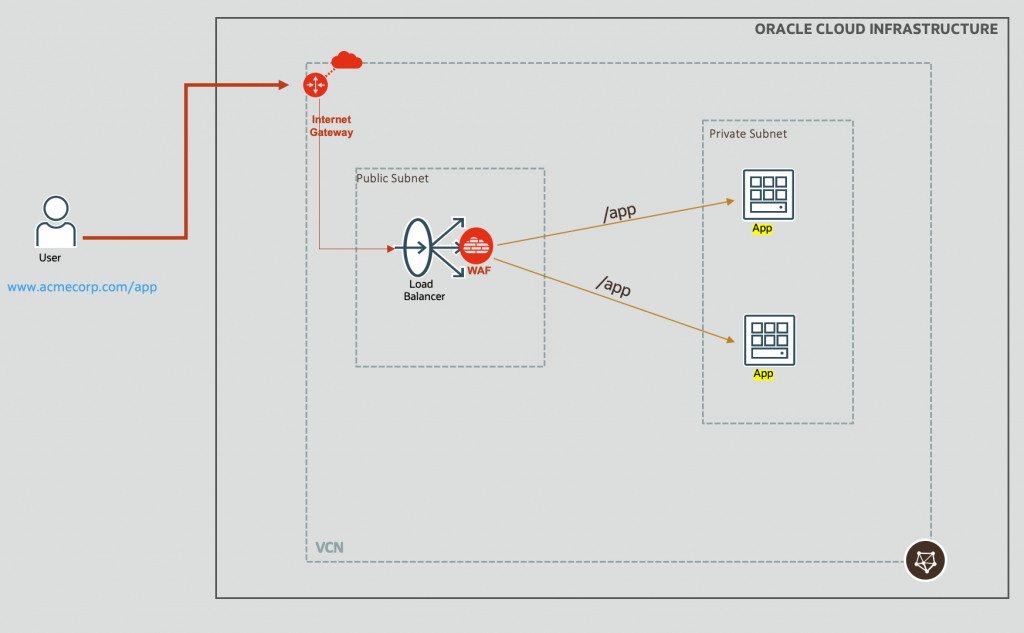
Fig 1
While the web applications (apps) can dynamically generate content, based on fetching additional data from databases downstream, often it has to send static content too in responses to the user agent (user browser). These static contents could be as simple as css pages, gif files, or information about products, solution playbooks, financial reports, etc. for the company website.
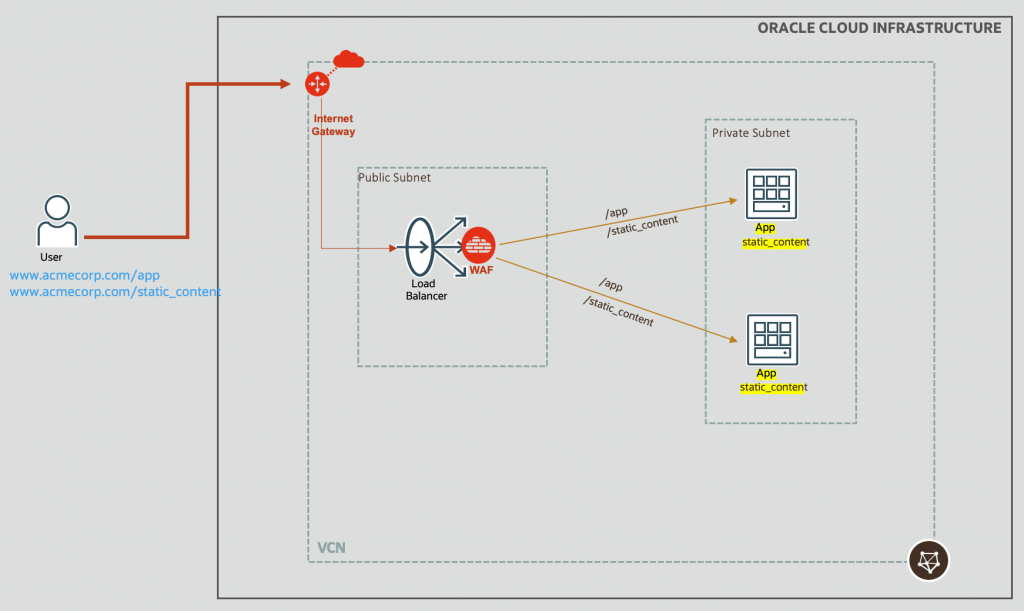
Fig 2
At first thought, the approach could be to place the static content in the compute instances, say in the block volumes (technically, block volumes do not “belong” to a compute instance, rather they are “attached” to an instance, but you get the point). That will work, however, it comes with obvious maintenance challenges including scalability issues. Another approach could be put these information in a database. That is a plausibility, but will be an overkill.
A reasonable approach is to place these static contents in OCI Object Storage. Being a native service of OCI, it is highly available, reliable and cost-efficient storage service.
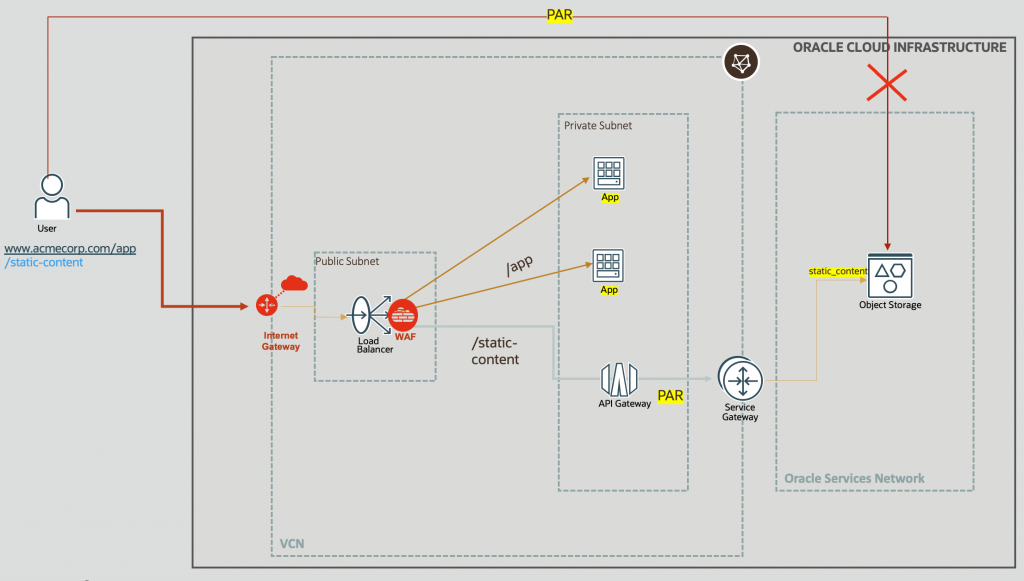
Fig 3
The Architecture
The architectural components are as follows:
- Load Balancer + WAF: The webapp domain name – www.acmecorp.com in Fig 3 above – gets resolved to the load balancer(LB)’s IP address (using the DNS). Various rules defined in the WAF can scrutinize the incoming traffic and block malicious traffic. The load balancer is placed in a public subnet to make it accessible from the internet.
- Object Storage: The static content is placed in the object storage. The visibility of the buckets should be private and PARs are needed to be used to access the objects and the buckets. Also, we would like to restrict access to the objects only from the OCI; public access should be blocked.
- API Gateway: The load balancer requires a backend’s IP address to route incoming traffic. However, PARs are URL, hence cannot be used directly in the load balancer. The solution would be to forward the request to an API Gateway, which supports domain name of the backend, acting as an intermediary. That is, the API GW’s IP address is used in the LB’s backend. The API Gateway is placed in a private subnet, to make it accessible only from within the load balancer’s VCN.
- Service Gateway (SGW): the liaison between the VCN and the Oracle Service Network (OSN). Although private endpoint or PSA can also used to access the object storage in the OSN, this blog post focusses on using the service gateway. The service gateway also comes handy if the compute instances in Fig 3 need to access the Yum repositories in the OSN. Refer to the section in the documentation which describes when to use these three features.
- The routing table associated with the API Gateway’s (private) subnet has a routing rule to forward all OSN based traffic (which includes the object storage) to the SGW. The target ‘OIC’ shown in Fig 4 below, is the name of the service gateway in my implementation.
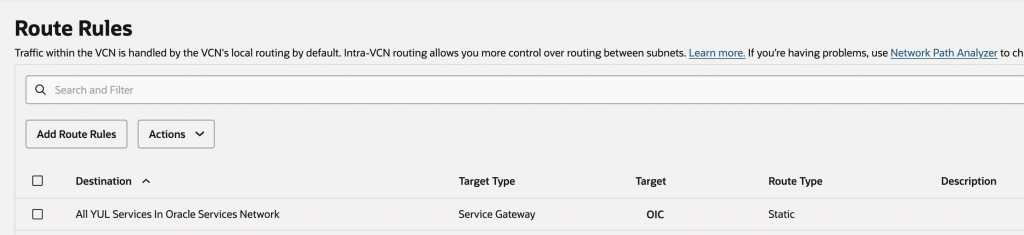
Fig 4
Load Balancer Configuration
On the load balancer, we have two backend sets – one containing the two backends for the webapp, and the second for the API GW.
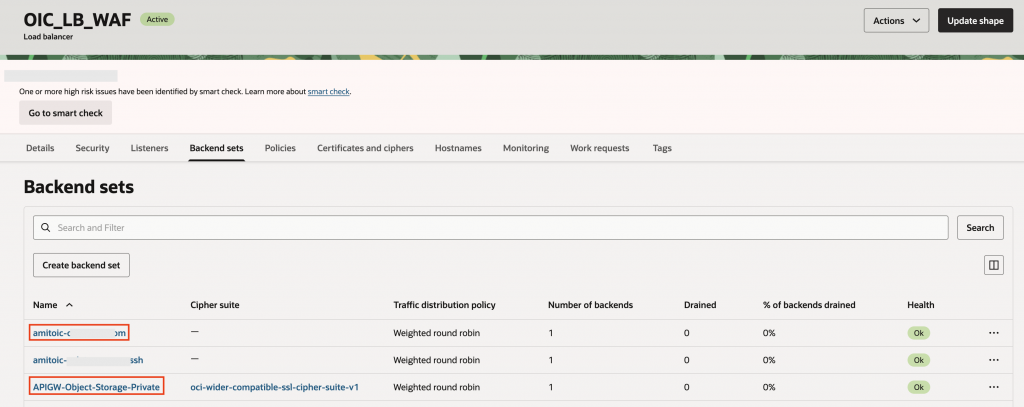
Fig 5
The idea is, when the request is for /static_content, LB should forward the request to the API GW (backend set – APIGW-Object-Storage-Private). Rest of the requests are forwarded to the webapps (backend set starting with ‘amitoic’). This is achieved with a LB routing policy rule.
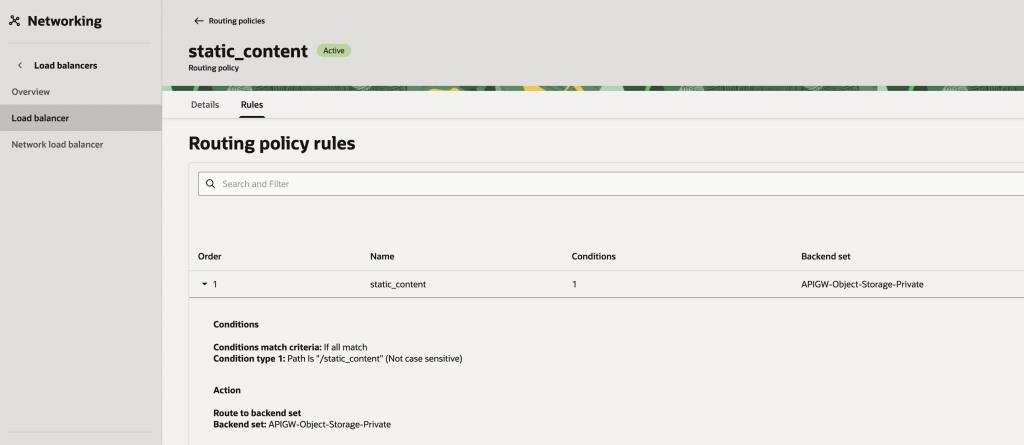
Fig 6
Finally tie this routing policy along with the backend sets in the LB’s listener.
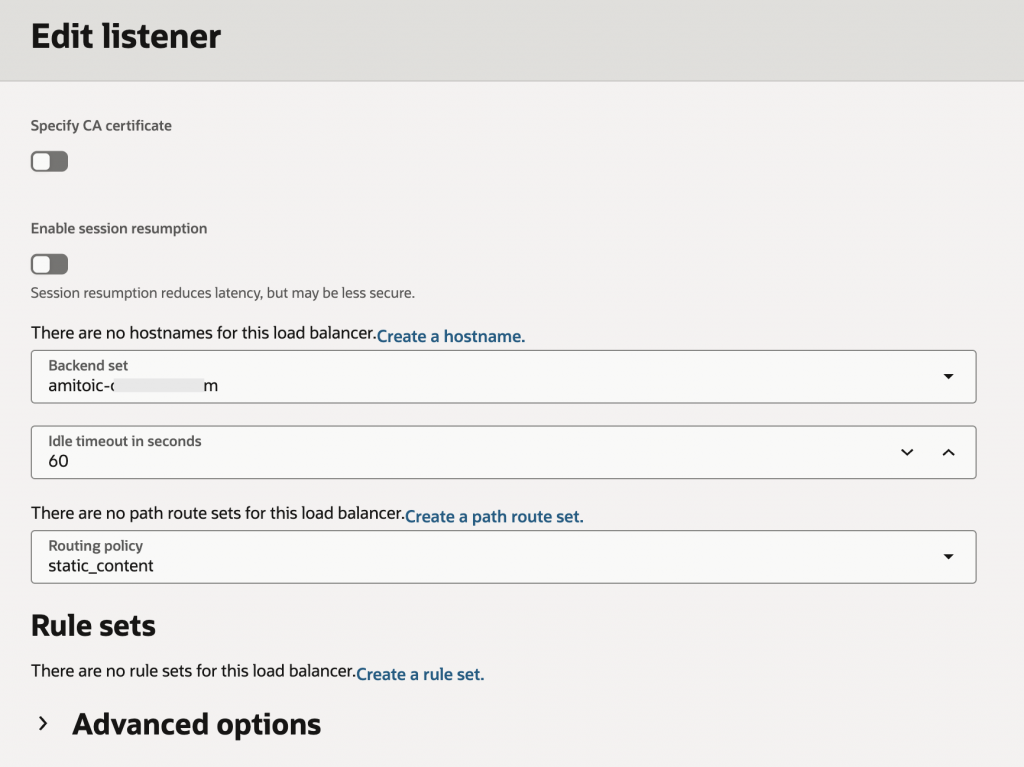
Fig 7
Object Storage Configuration
For the bucket which will contain the static content, a PAR needs to be created.
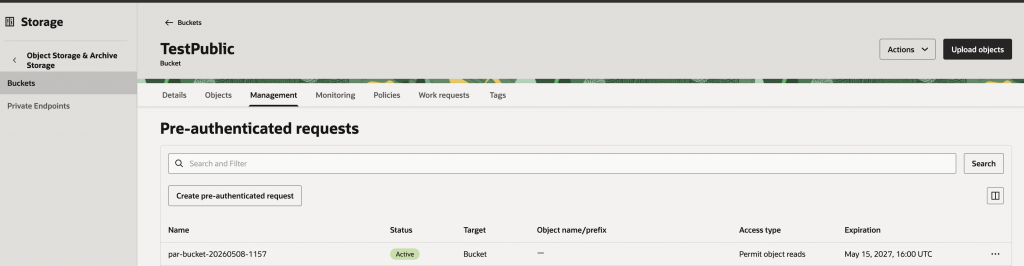
Fig 8
Since the target and actions for a PAR is based on the administrator who created the PAR, the following policy may be used to give minimal permissions.
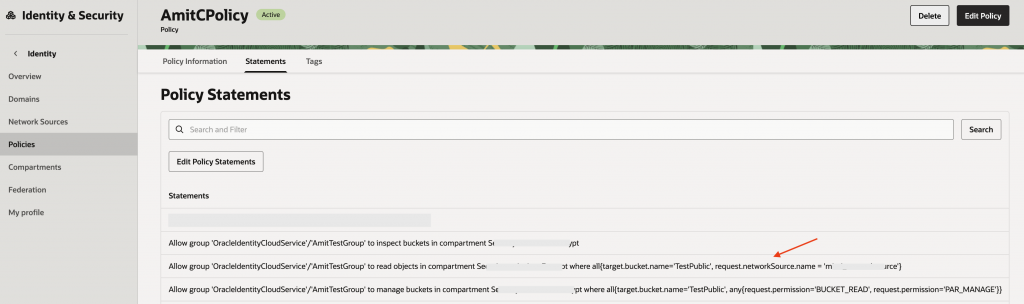
Fig 9
Note the network source used in a policy statement in the above figure. This restricts access to the object storage coming only from those sources.
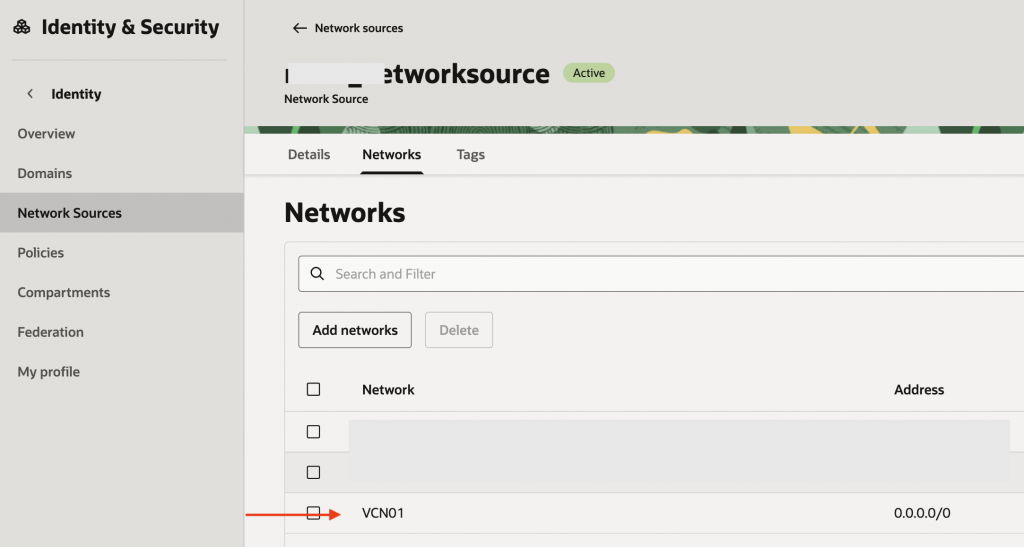
Fig 10
VCN01 is the VCN used in Fig 3. Hence, only requests via the load balancer are permitted to go to the object storage.
API Gateway Configuration
API GW configuration is standard. In the deployment, create a route with the PAR created (Fig 8).
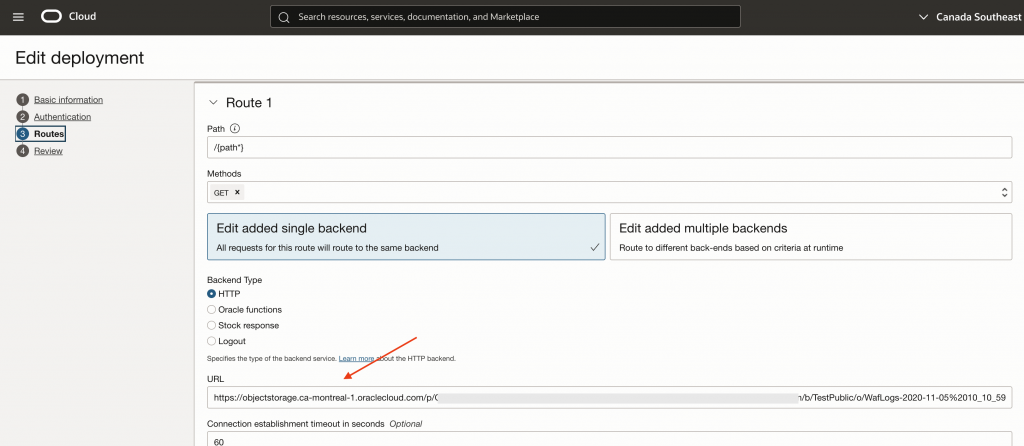
Fig 11
WAF Policy
WAF configuration can be customized according to the backend apps – webapps and the object storage. Since object storage will be having static content, and only HTTP GET requests will be supported, the WAF policy can be configured to allow just HTTP GET messages while accessing the static content. The webapps can have a different set of WAF rules. To configure a WAF policy for managing two different backend sets – webapps and object storage – refer to my blog post.
Architecture in action
With the above configurations is place, we should be all set.
Accessing the static content from the object storage –
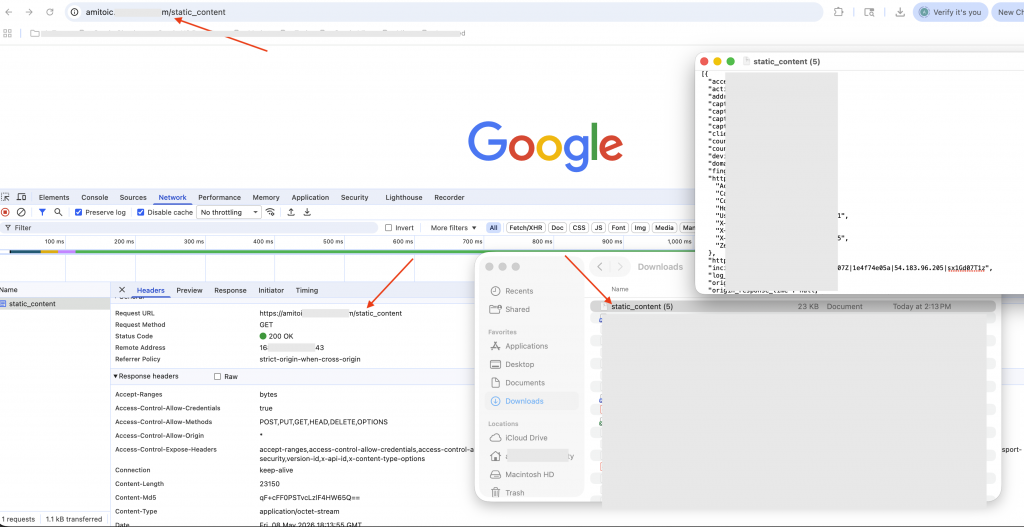
Fig 12
The file gets downloaded. For all other requests, the load balancer forwards to the webapps.
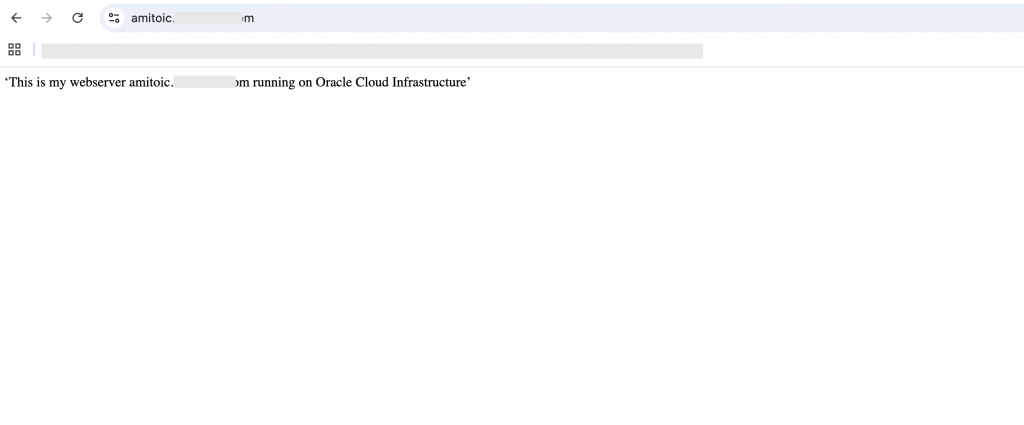
Fig 13
If the PAR is directly accessed from the browser, the request should get blocked.

Fig 14
Summary
This blog post discusses building websites with static content using the OCI object storage service.