
Introduction
As organizations adopt multi-cloud architectures, secure access to Oracle databases becomes just as critical as performance and scale. A common requirement is enabling developers and operators to reach Oracle Database@AWS (OCI DB@AWS) from remote clients, without exposing database endpoints to the public internet.
In AWS, this remote access pattern is often implemented using AWS Client VPN, a managed, client-based VPN service that enables secure access to AWS resources (and to connected on-premises networks). With AWS Client VPN, users can connect from virtually any location using an OpenVPN-based VPN client, providing a controlled and encrypted path into private networks.
In this post, we’ll walk through how to connect to an OCI DB@AWS deployment using AWS Client VPN, covering the networking fundamentals, recommended access patterns, and common pitfalls.
Because OCI DB@AWS databases are deployed into private AWS VPCs, connectivity must be designed around private routing, least-privilege access, and end-to-end encryption.
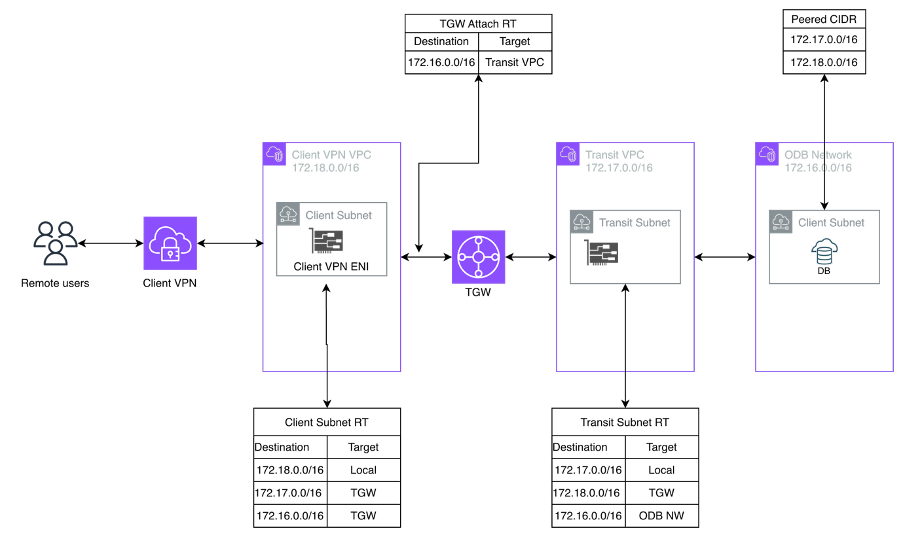
Architecture
Pre-requisites
Before configuring routing in AWS towards your OCI DB@AWS deployment, make sure AWS Client VPN connectivity from your on-premises environment or client machine to AWS is already set up and functioning (i.e., you can establish a VPN session and reach at least one private resource in the target VPC).
For AWS Client VPN setup and configuration steps, refer to the official documentation for your environment/authentication model.
Note
Connected clients already inherit routes to resources within the associated VPC subnets. Because AWS Client VPN performs source NAT, traffic originating from a connected client appears to come from the Client VPN endpoint’s ENI IP address, not from the client’s original IP.
As a result, once a remote user connects to the AWS Client VPN endpoint, they can reach any destination that the Client VPN-associated subnet has a route to provided an authorization rule permits access (and security controls such as security groups/NACLs allow the traffic).
Environment
As shown in the diagram above, we’ll build the environment from right to left:
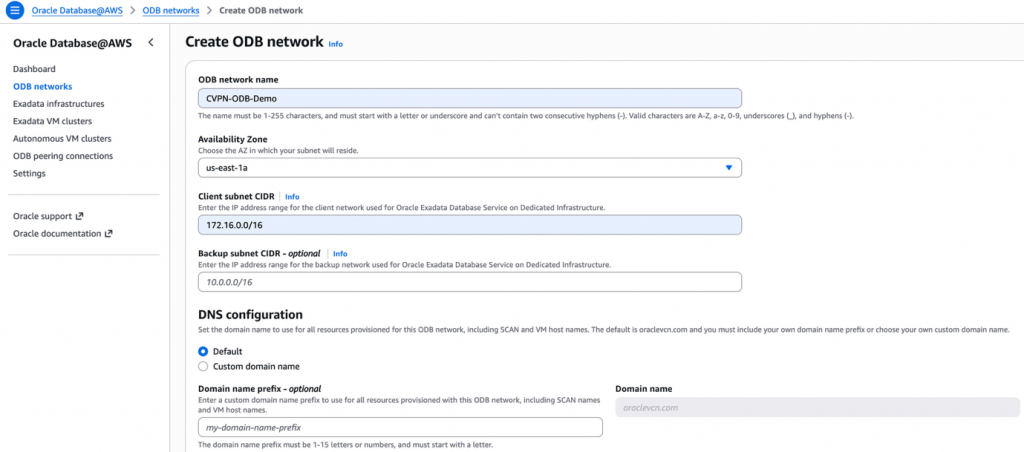
1. Create the Oracle Database@AWS (ODB) Network
- In the AWS Console, go to the search bar and type Oracle Database@AWS.
- Open Oracle Database@AWS –> Dashboard.
- Select ODB network –> Create.
2. Create Transit VPC and a subnet.
- Important: Create this subnet in the same Availability Zone (AZ) as the ODB network.
3. The Client VPC is typically created (or selected) as part of the AWS Client VPN endpoint configuration.
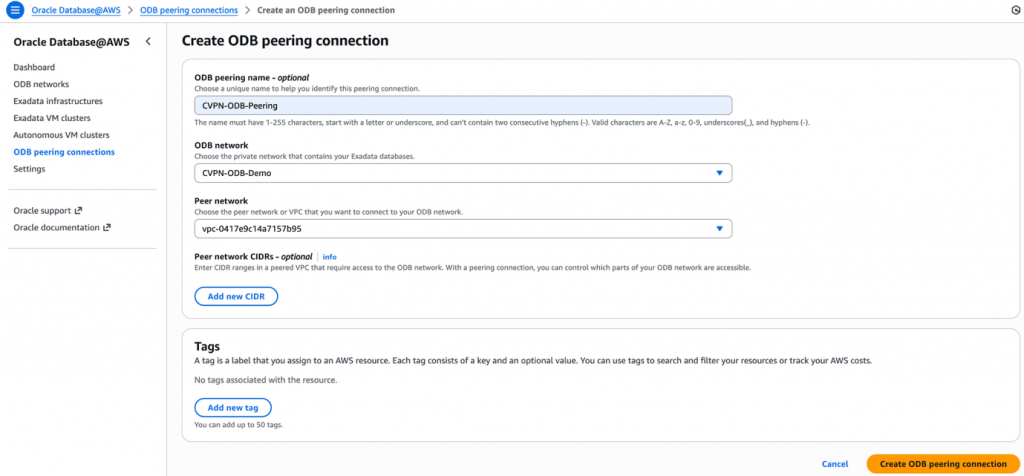
4. Create an ODB peering connection
- After the VPCs are in place, navigate to Oracle Database@AWS → ODB peering connection.
- Create a new peering connection between the ODB network and the Transit VPC.
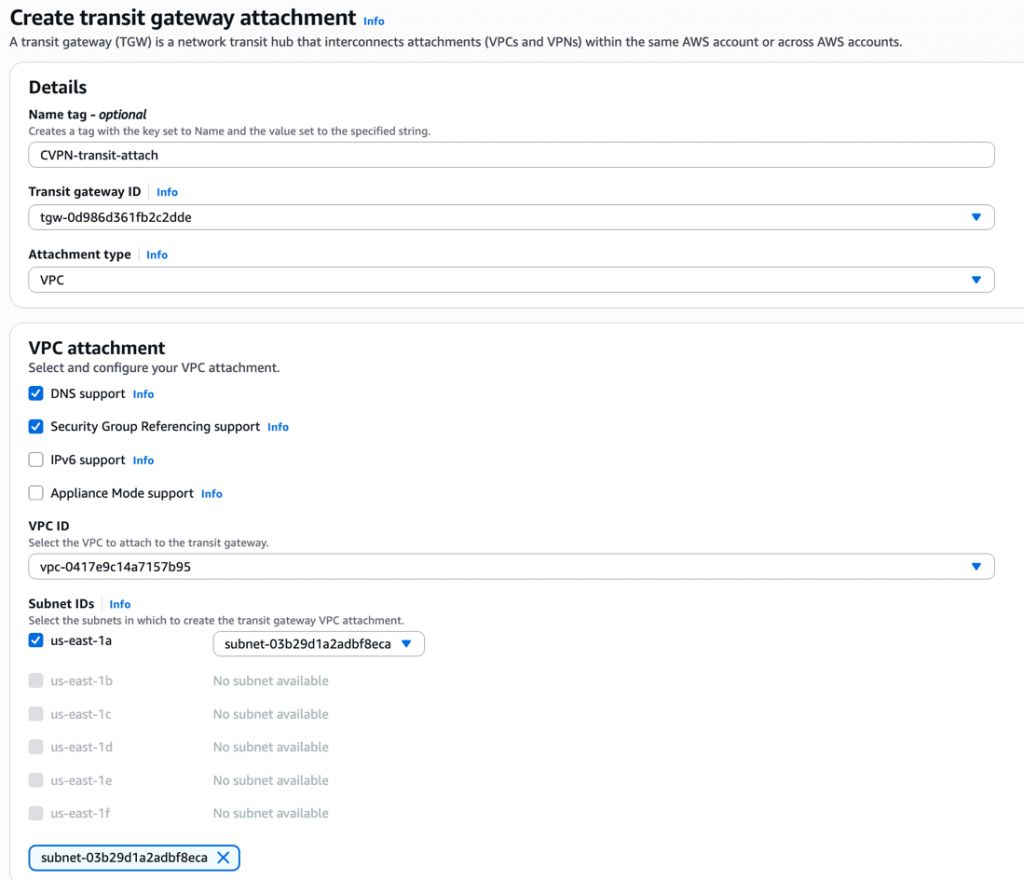
- Create Transit Gateway and attach both the VPCs to it. Make sure the transit VPC attachment is in the same AZ as of ODB network.
Routing
- On the client VPC subnet route table, add a route for ODB network pointing to TGW

- Go to client VPC TGW attachment –> select the associated route table and add a static route for ODB network and select transit VPC attachment as next hop for it
- Now add two routes in transit VPC subnet route table
- For Client VPC network pointing to TGW
- ODB network CIDR pointing to ODB network.
At the moment ODB route can only be added via CLI, follow the steps mentioned here
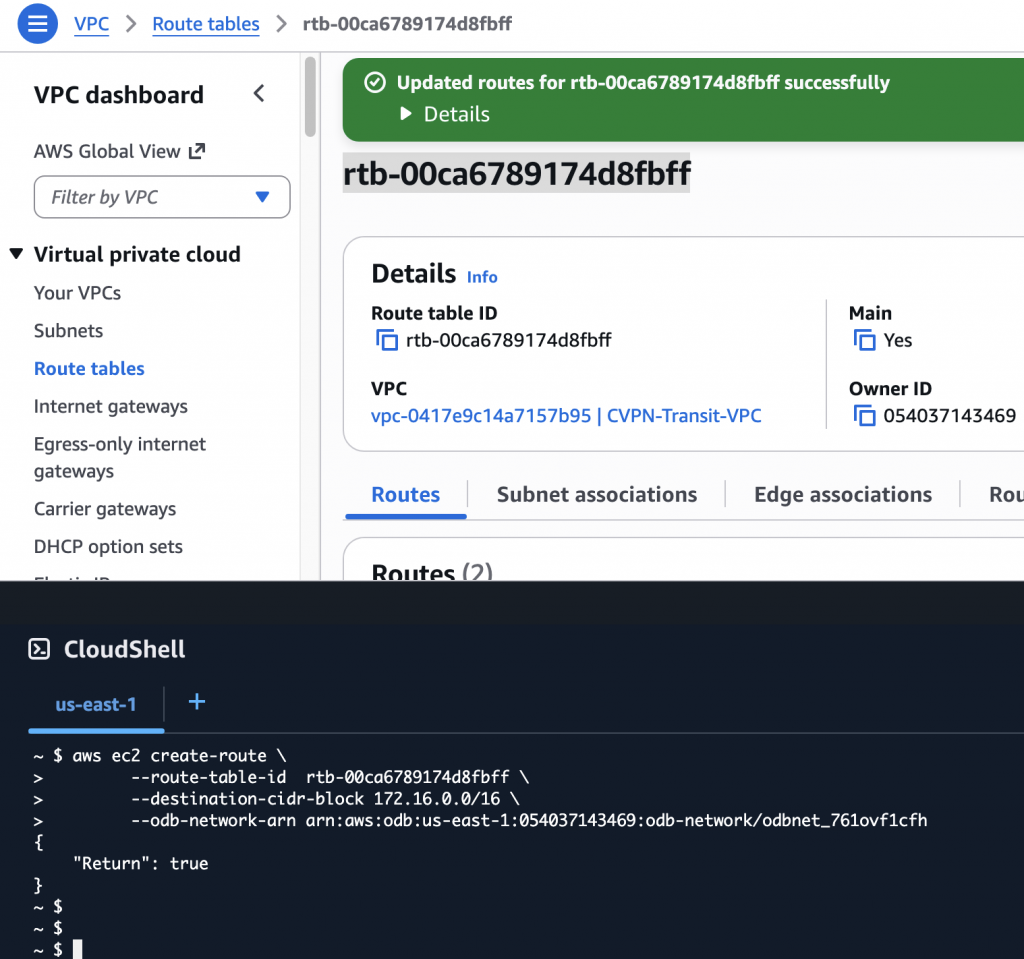
Once the TGW route and the CLI route added in the subnet route table you should see both as below.

- Finally add the client VPC CIDR in the Peered CIDR section of ODB network for ODB to route traffic.
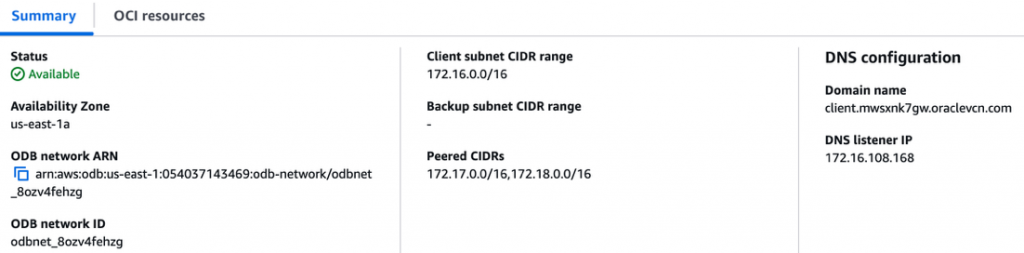
Note
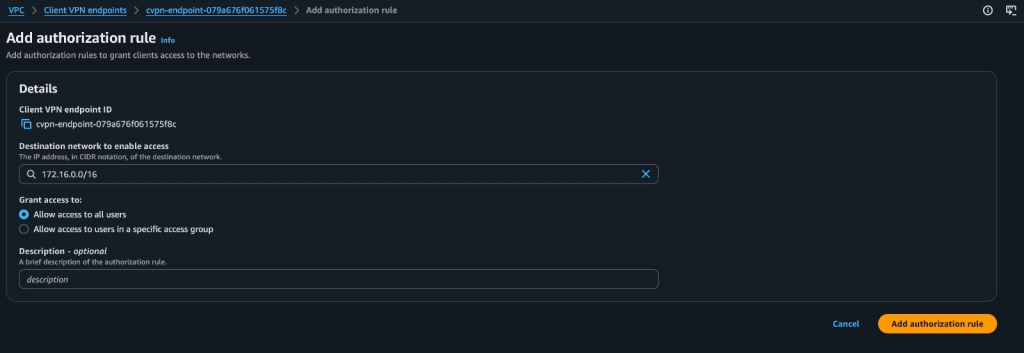
- Make sure you add authorization rule in client VPN endpoints to the destination network (ODB network) to allow access to VPN clients.
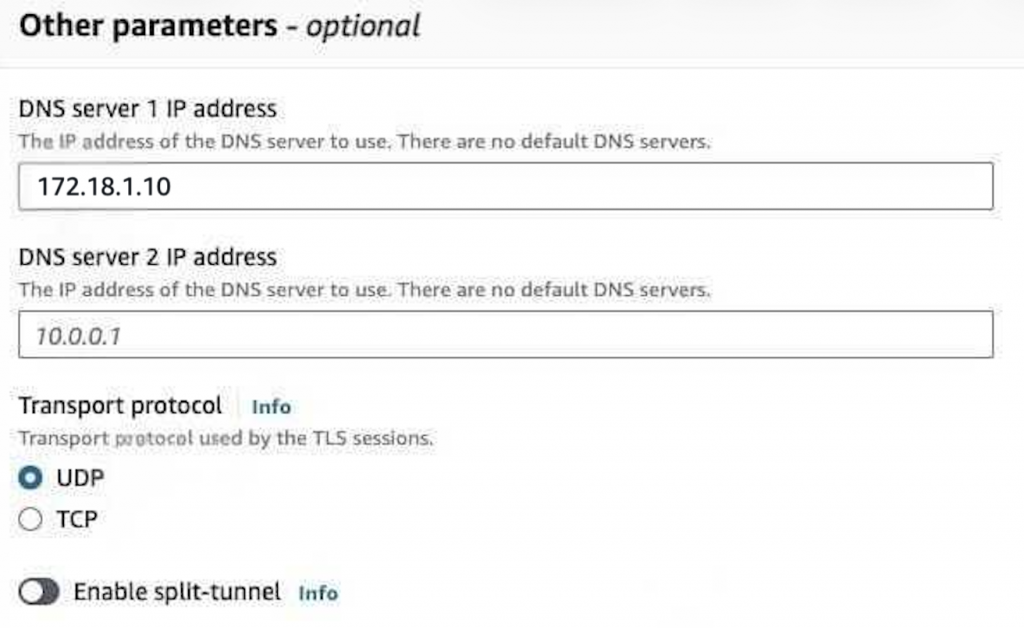
- Edit the client VPN’s DNS server IP, Client VPN endpoints –> Modify client VPN endpoint –> update DNS server IP. Use route 53 resolver’s inbound endpoint IP here so that client VPN can resolve OCI hostnames.
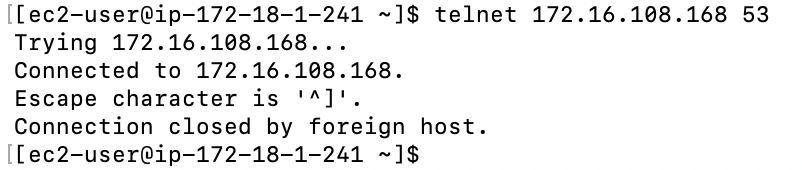
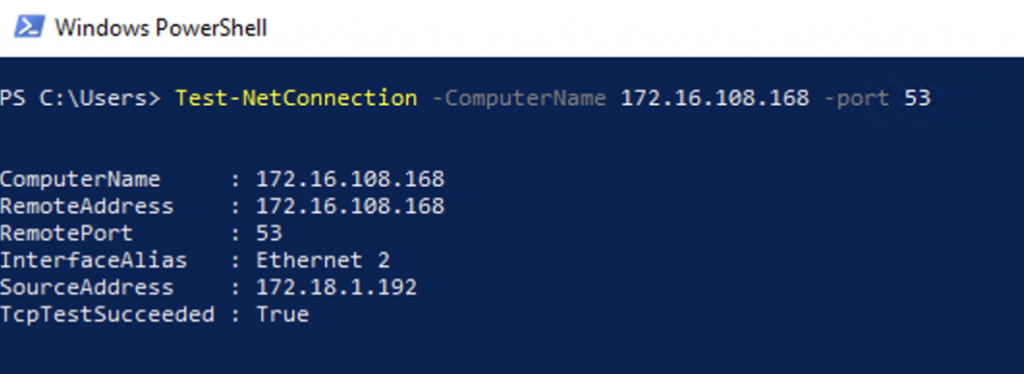
Lets test the connectivity from client machine as well as EC2 I have in the client VPC
From EC2 in client VPC
From Client machine
Conclusion
In this blog, we walked through a practical pattern for securely reaching an OCI DB@AWS deployment from remote users using AWS Client VPN, while keeping the database endpoints private inside the ODB network. By introducing a Transit VPC and AWS Transit Gateway, and then stitching the environment together with the right ODB peering and route table entries, you can provide controlled Point-to-Site access without opening inbound access to the public internet.
Keep in mind that AWS Client VPN source-NATs client traffic and is designed primarily for administrative connectivity. Use this approach for day-to-day operations like management access, troubleshooting, and validation, not for benchmarking database performance or measuring application throughput.
With routing and authorization rules correctly in place (and validated with security groups/NACLs), this architecture gives teams a secure, repeatable way to operate OCI DB@AWS from anywhere while maintaining strong network isolation and least-privilege access.