
Blog written in collaboration with Jagdish Chand, GVP of Fusion AI Data Platform.
AI Concierge provides administrators in Fusion AI Data Platform with AI-powered capabilities. You can interact in conversational English to ask about administrative functions and data pipeline processes. It performs actions such as activating functional areas, enabling features, creating data extensions, and configuring data pipeline parameters, always after receiving your confirmation.
You can use AI Concierge to ask administrator related questions, such as:
- Information queries: How do I activate a functional area? What is a bundle?
- Pipeline refresh status: What is the estimated completion time for my daily data refresh?
You can also ask task-related questions, such as:
- Data augmentation: Extend invoices with collector name and date of issue.
- Configuration: Activate the HCM Benefits functional area.
You maintain full control at every step, as AI Concierge presents the steps required to accomplish each task and proceeds only with your approval.
Enabling AI Concierge
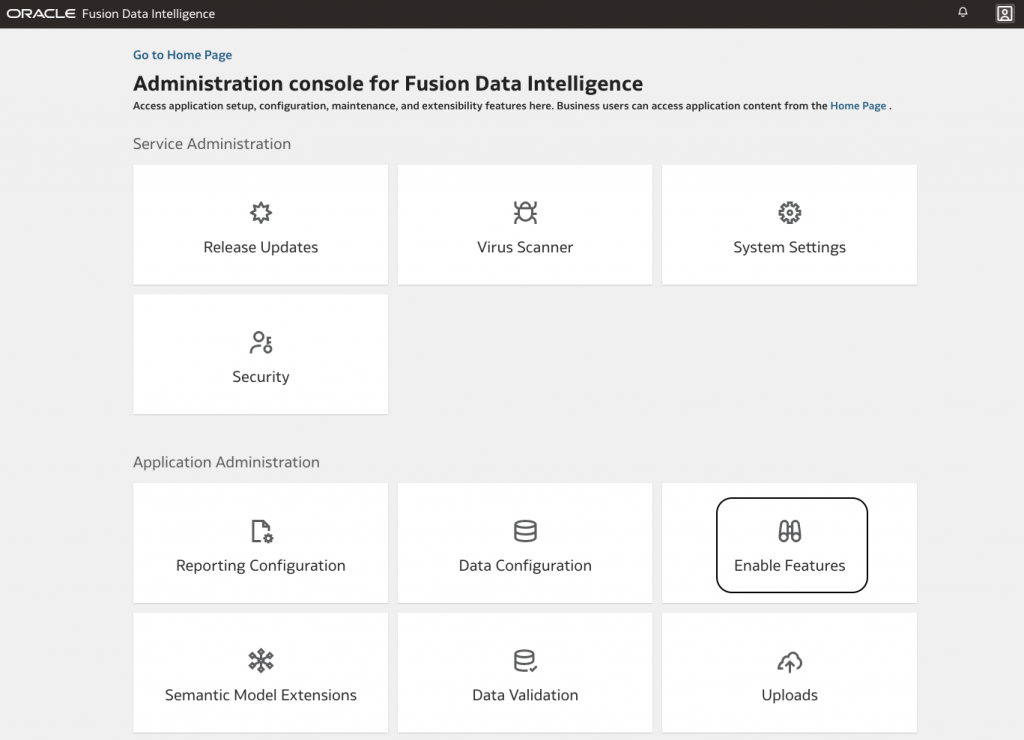
Click on Enable Features in Fusion AI Data Platform console:
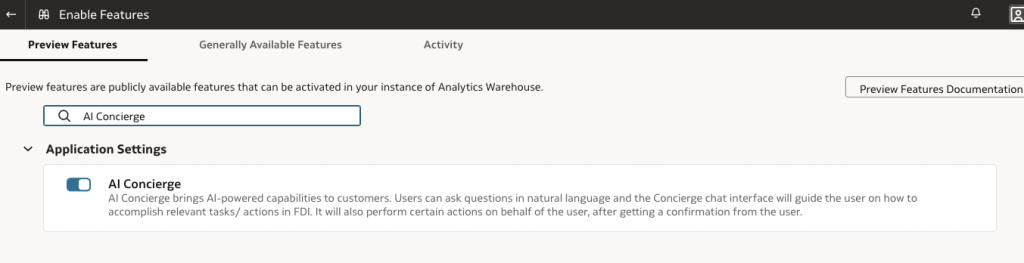
Then on Preview Features, search “AI Concierge”:
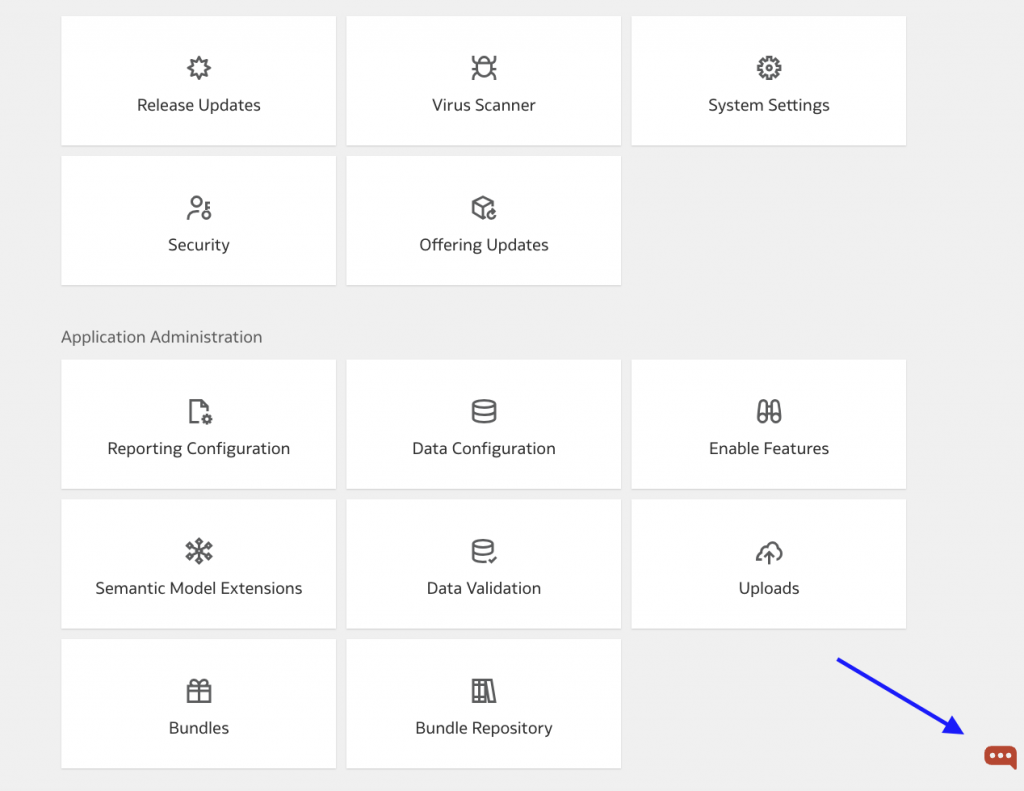
Once the AI Concierge activation is done, an icon will show up on bottom right:
AI Concierge in action
In the below video, we demonstrate how to interact with an AI Concierge in Oracle Fusion Data Intelligence to quickly generate business insights. The conversation showcases a typical scenario where a business user requests hiring velocity insights. You’ll see how the AI Concierge helps the user explore available options, activate the relevant subject area, and confirm access to necessary data, streamlining the process of uncovering actionable HR analytics.
Keep an eye out for upcoming content on the Fusion AI Data Platform.