
Introduction:
Oracle introduced enhanced version of Dynamic Routing Gateway (DRG) previous year which opened doors to many functionalities and network scenarios that were not possible to implement before. One of the main and important features that DRG supports is the ability to import route distributions.
In this blog, we will see how to achieve layer 3 isolation with the help of DRG under a single pane of glass.
Use cases:
If you are an ISV, you may have multiple customers that connect to their respective geographical on premises locations. In this case, you don’t want your customers to talk to each other as well as each other’s respective sites.
Similarly, if you have multiple departments that have different geographical locations, you may want to isolate your department networks from one another.
These scenarios can quickly get complex if you have overlapping CIDRs for your networks.
Solution:
To implement these use cases, we will be using DRG’s import route distribution feature and route tables to influence routing at the granular level.
Network Setup:
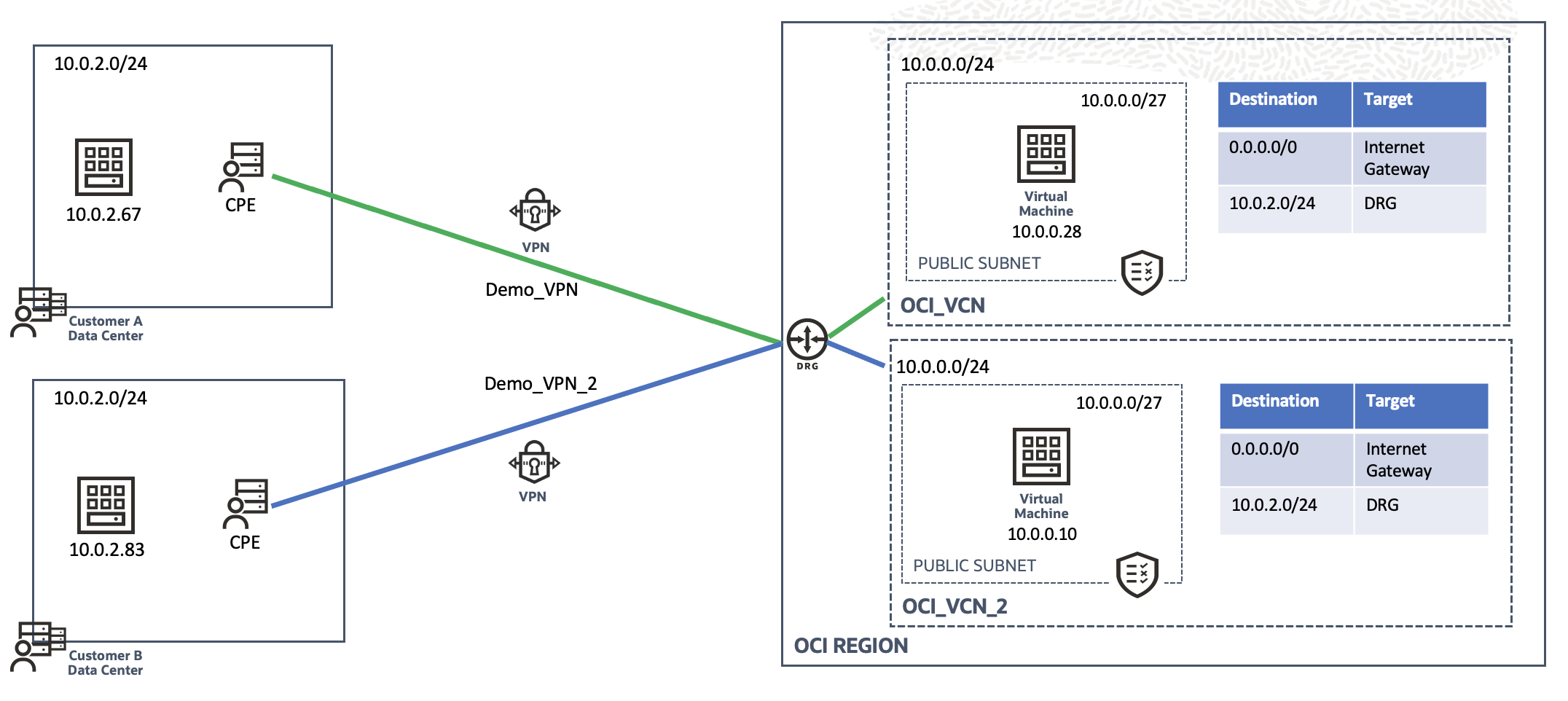
In this setup for demonstration, let’s say you are an ISV and have two customers. Customer A and Customer B have same on-premises CIDR 10.0.2.0/24 as shown. On OCI, we again have their respective VCNs (OCI_VCN and OCI_VCN_2 respectively) with the same CIDR 10.0.0.0/24. Both VCNs have public subnet with CIDR 10.0.0.0/27 which contain a compute instance each for testing purpose. Also, both the VCNs are already attached to the DRG.
On premises to OCI connectivity for both the customers is achieved with the help of Site-to-Site VPN as shown. Solution remains the same if FastConnect is used instead of VPN.
Configuration:
- First, we will create import route distributions for the attachments of DRG.
Go to Networking Customer Connectivity Dynamic Routing Gateway and select the appropriate DRG
Under resources, click on Import Route Distributions option
We will individually create 4 import route distributions (2 VPN connections + 2 VCNs)
For import route distribution for ‘OCI_VCN’: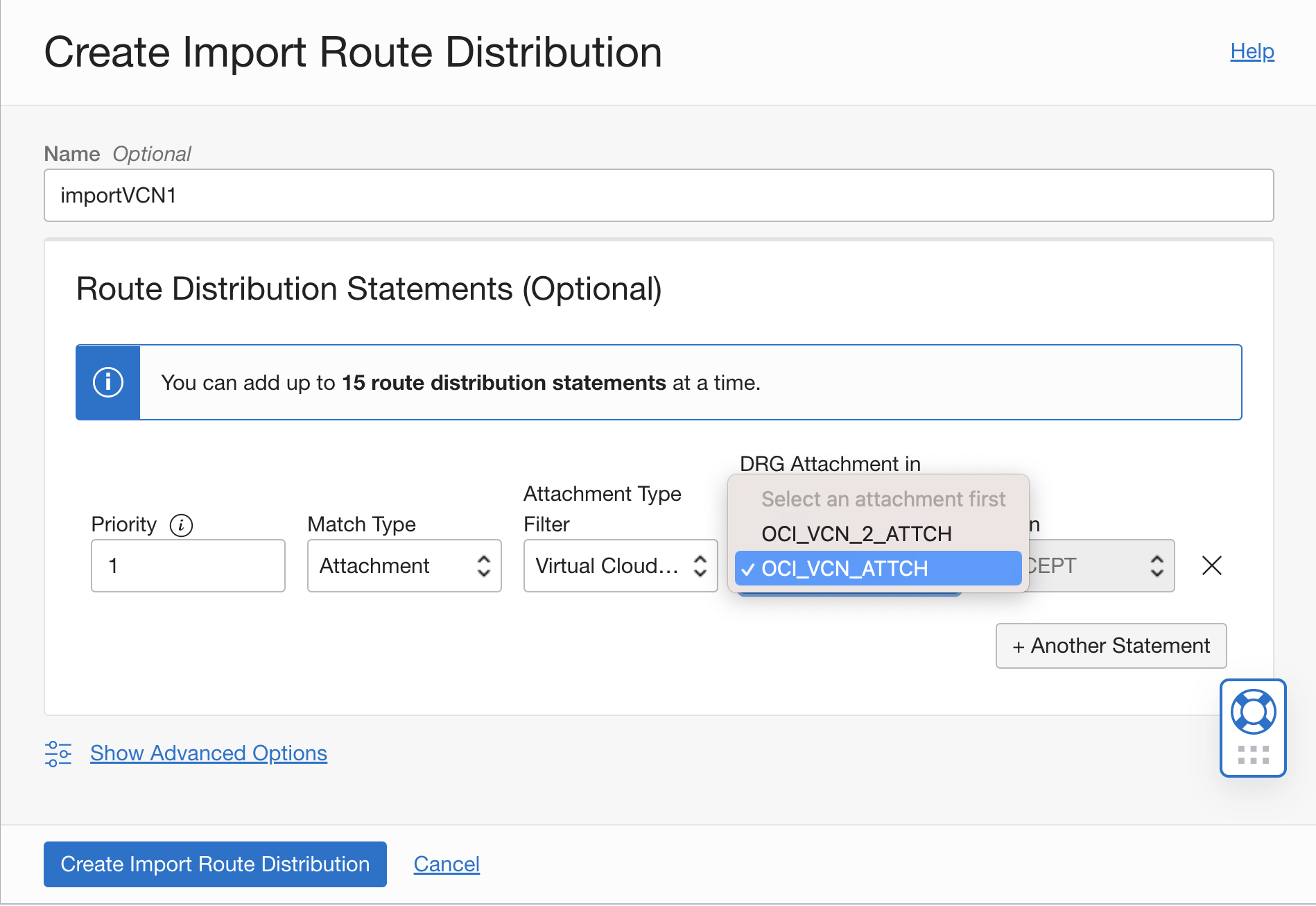
Select following:
- ‘Attachment’ as match type
- ‘Virtual Cloud Network’ as Attachment type filter
- DRG attachment for ‘OCI_VCN’ (OCI_VCN_ATTCH in this case)
Repeat the procedure for ‘OCI_VCN_2’ by selecting appropriate DRG attachment (OCI_VCN_2_ATTCH in this case)
For import route distributions for ‘Demo_VPN’ connection:
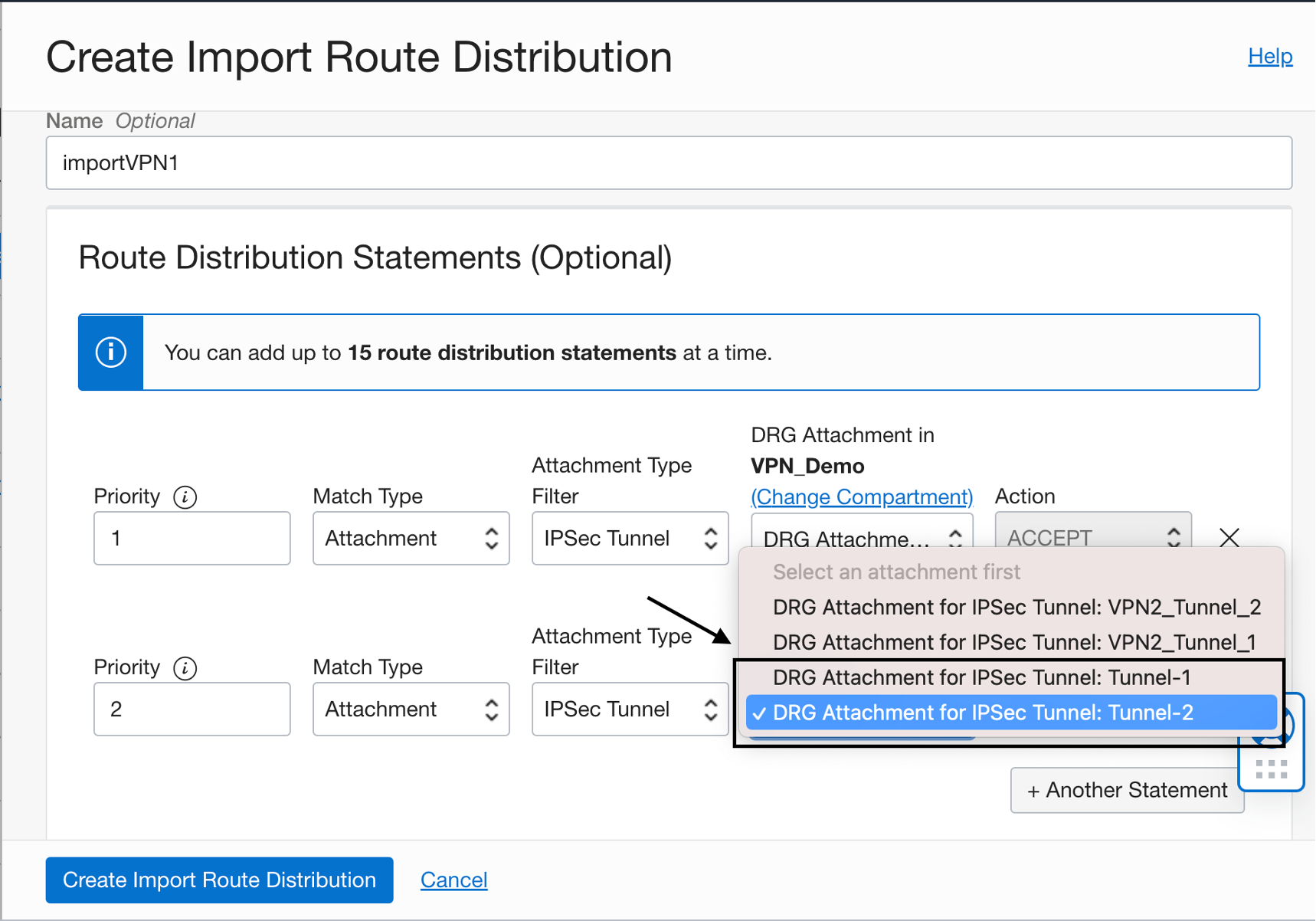
Select ‘IPSec Tunnel’ as attachment type filter and select the DRG attachment for Tunnel-1 of ‘Demo_VPN’ (for customer A).
Add second statement, selecting Tunnel-2.
Repeat the procedure for ‘Demo_VPN_2’ to add both of its tunnels.
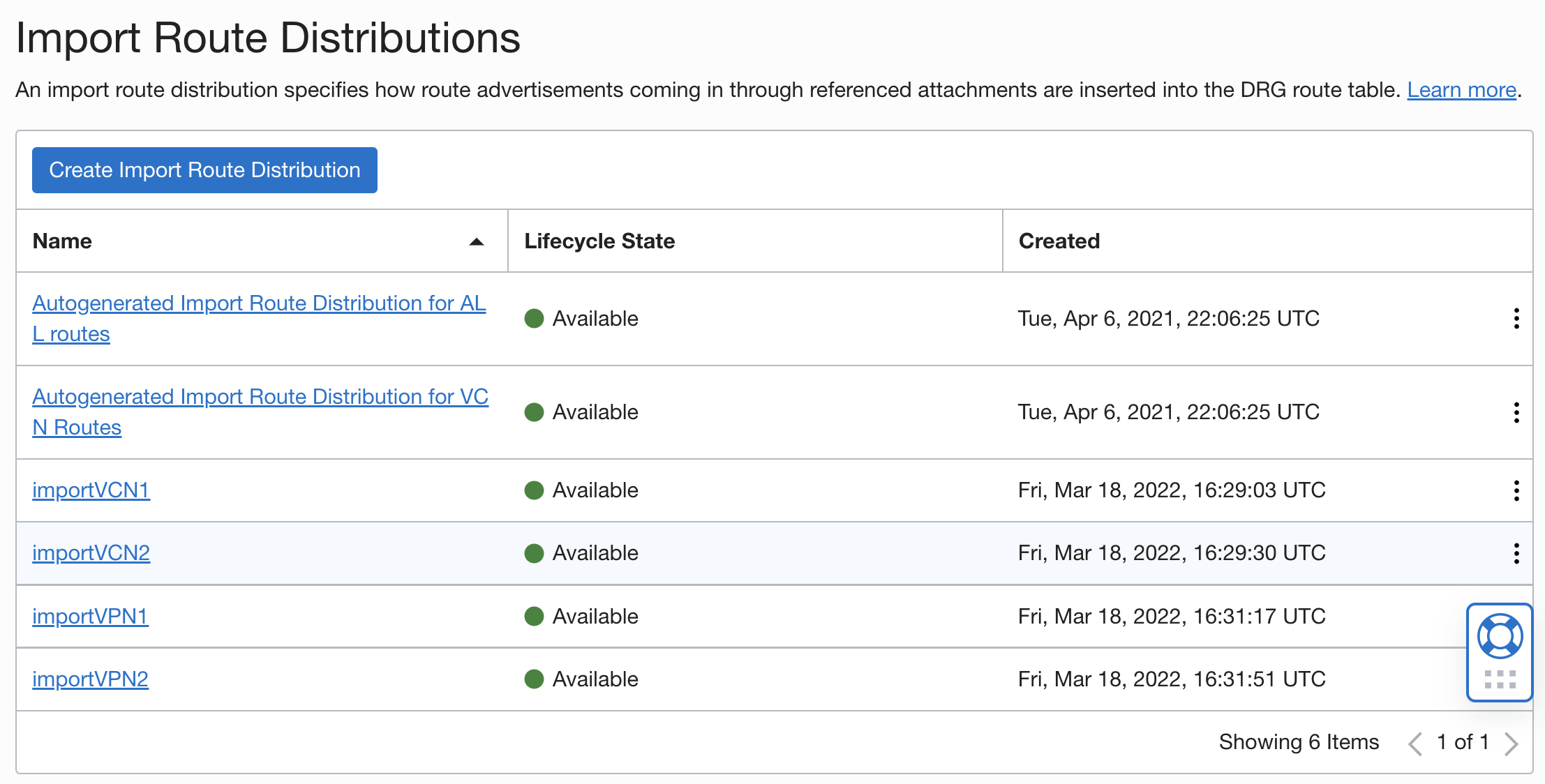
At the end of configuring import route distributions, it should look like this:
- Now, we will create route tables for the DRG attachments and add import route distributions to influence routing
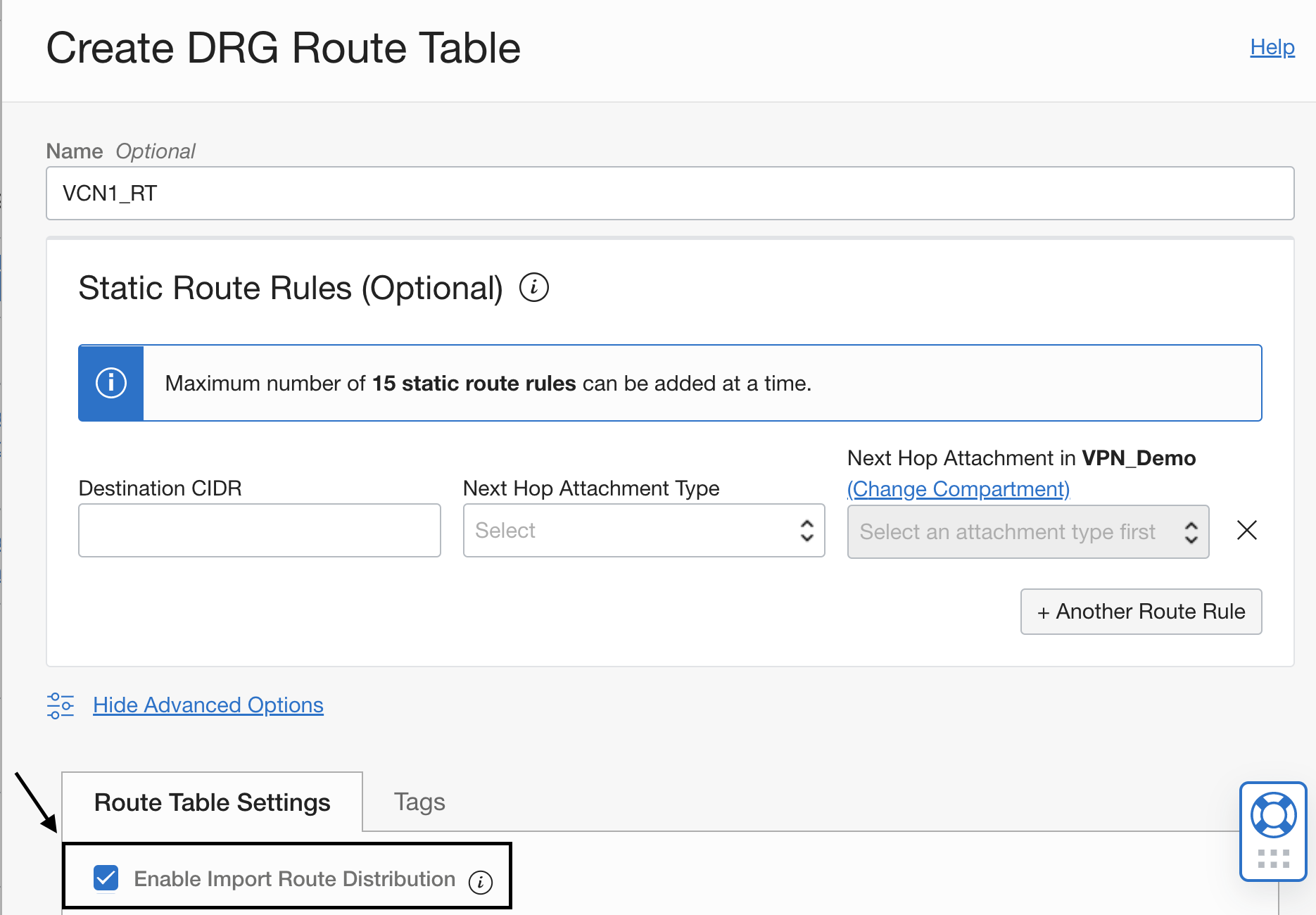
Under resources, click on ‘DRG Route Tables’ and ‘Create DRG Route Table’
For ‘OCI_VCN’:
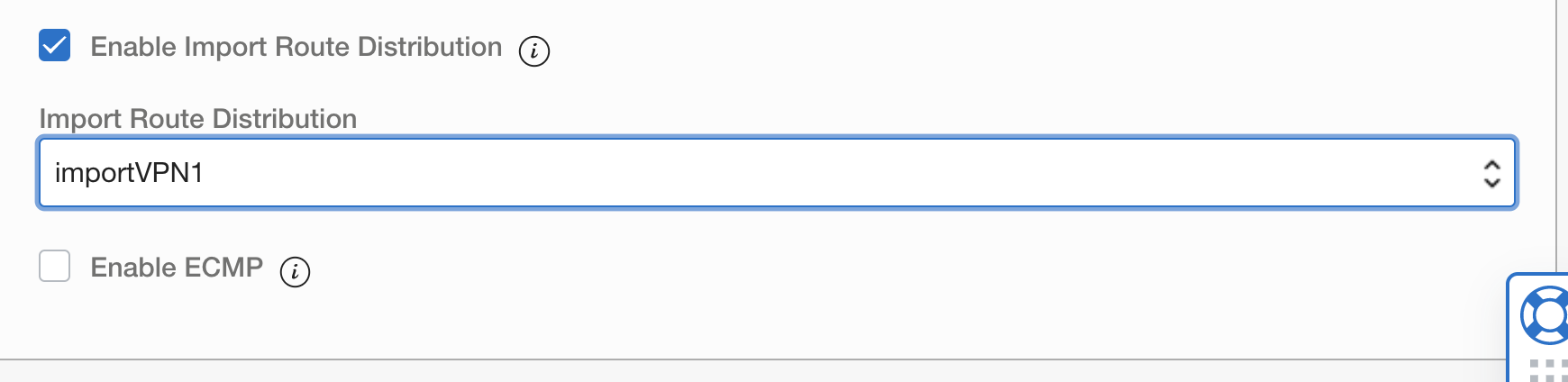
Click on ‘Advanced Options’ check the box for ‘Enable Import Route Distributions’ as shown
Now, select the import route distribution ‘importVPN1’ and create the route table
For ‘Demo_VPN’:
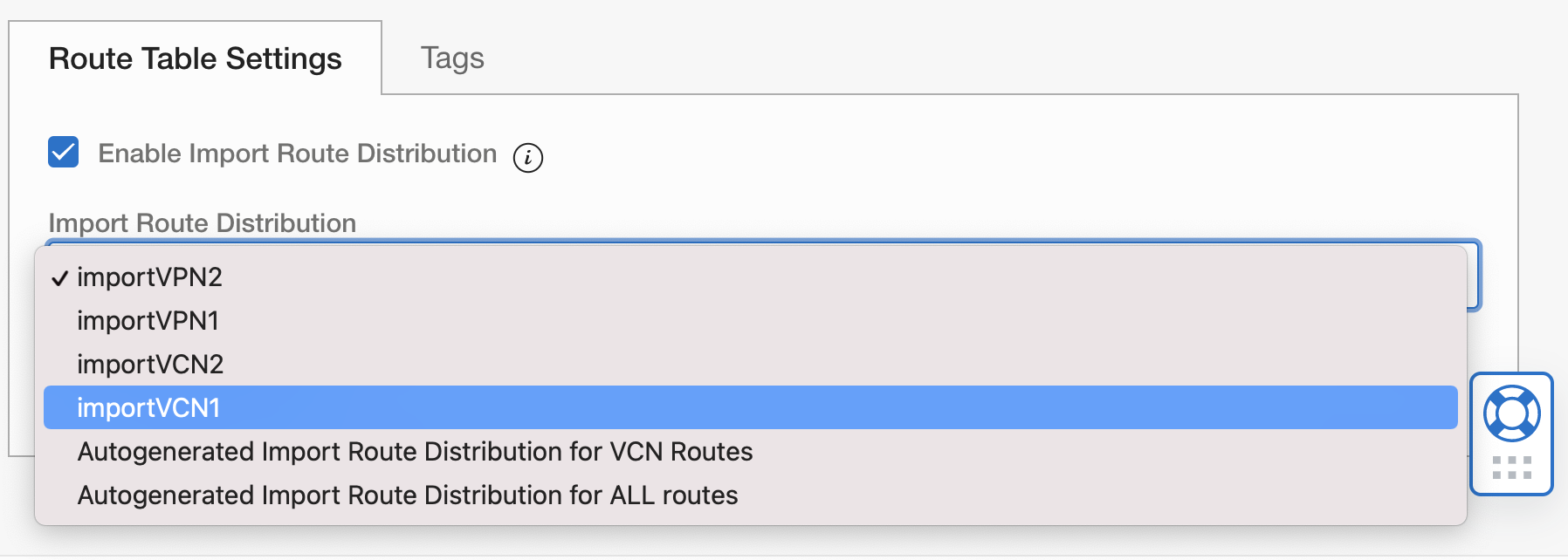
Select the import route distribution ‘importVCN1’ and create the route table.
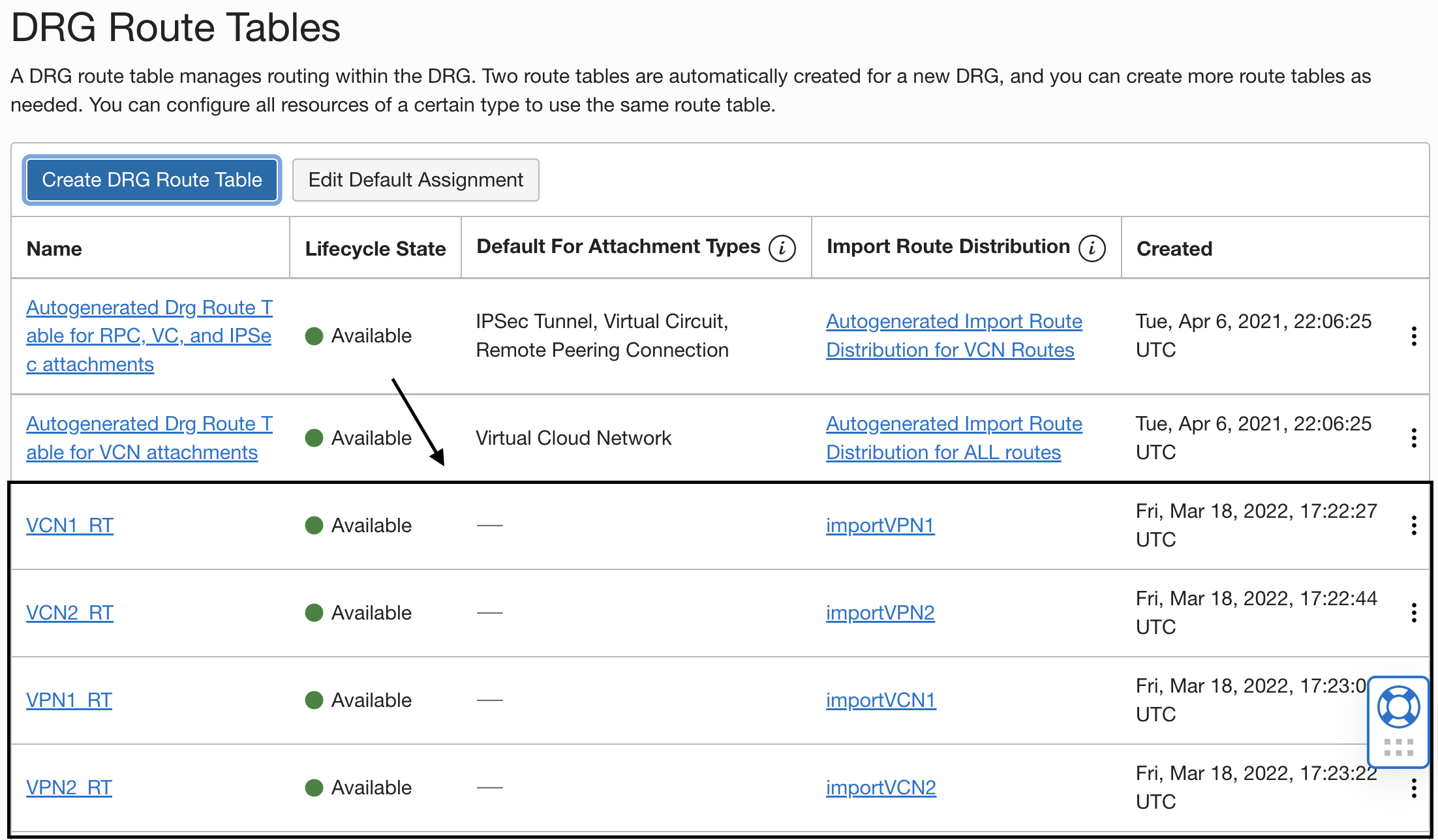
With this step, we have created a route table for ‘OCI_VCN’ attachment (VCN1_RT) that only imports ‘Demo_VPN’ routes and vice versa.
Likewise, repeat the procedure for customer B (OCI_VCN_2 and Demo_VPN_2). At the end of this step, DRG route tables should look like this:
- Now the last step is to associate the DRG route tables to the appropriate DRG attachments:
Go to the DRG attachment edit Advanced options and select the appropriate DRG route table:
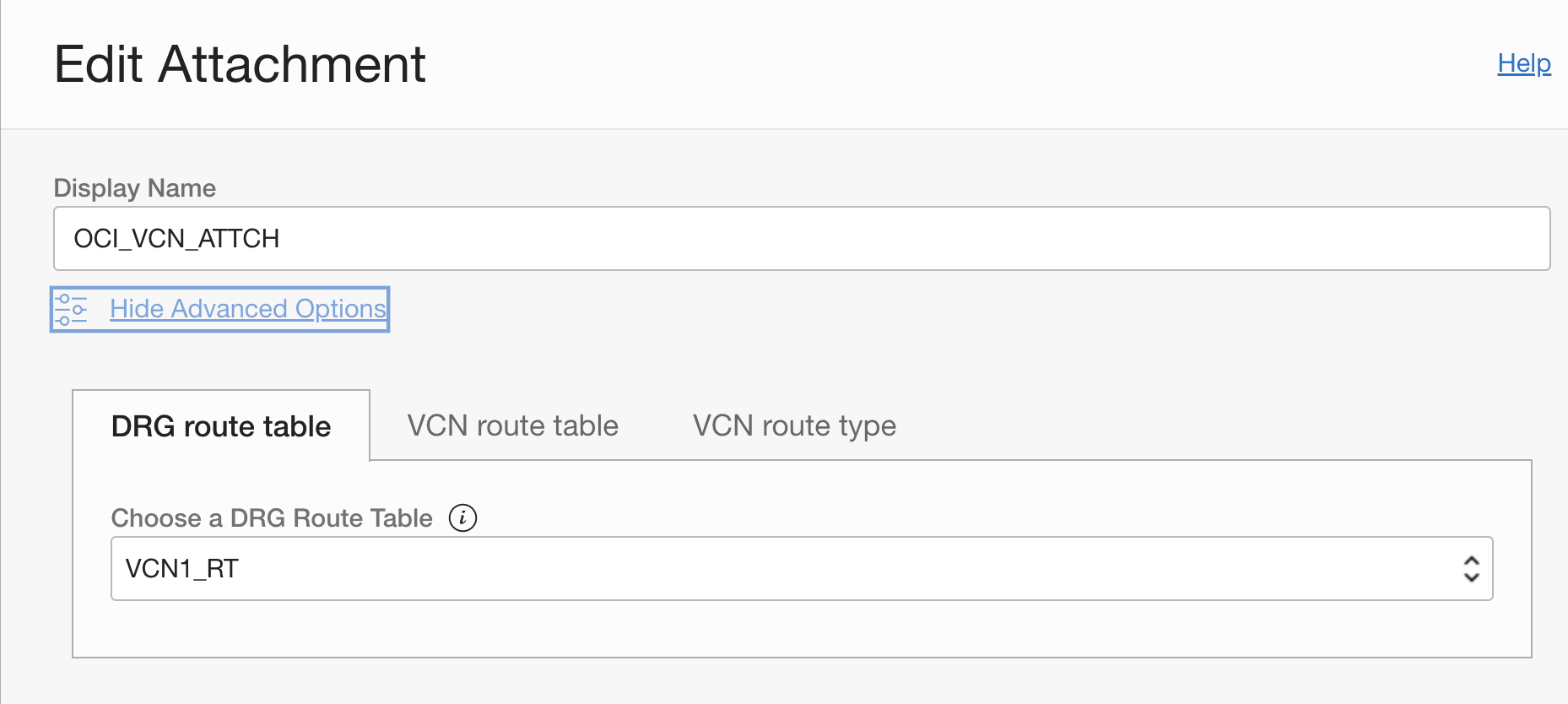
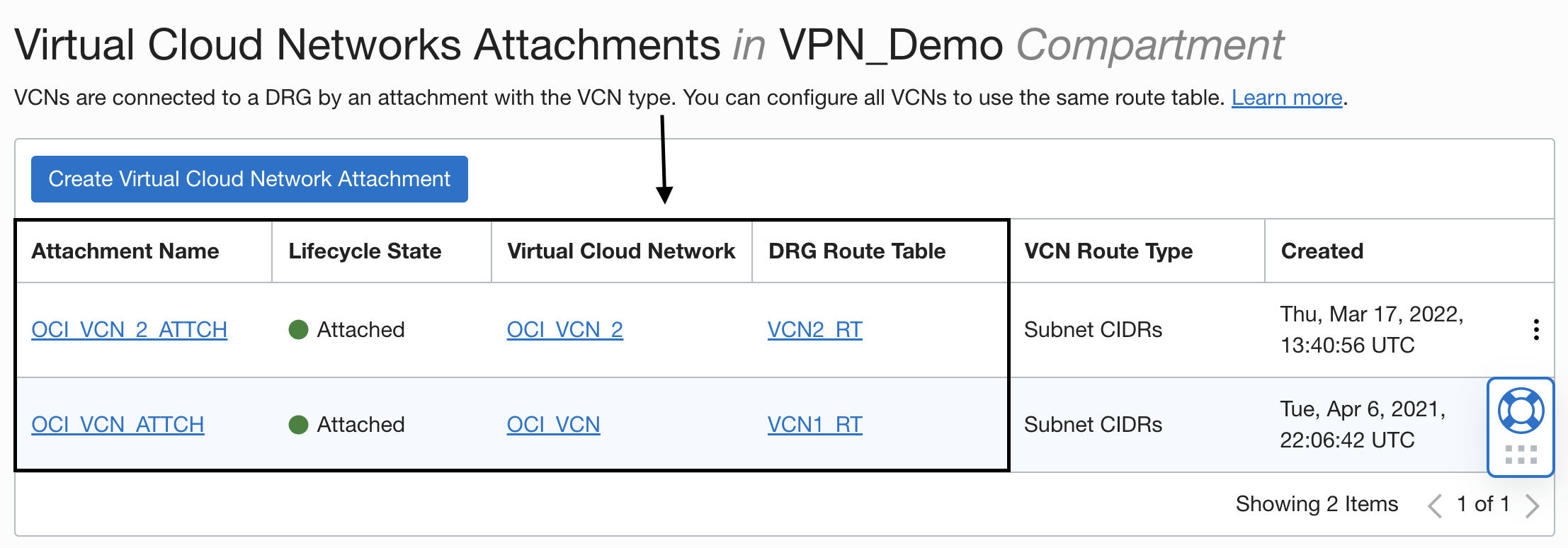
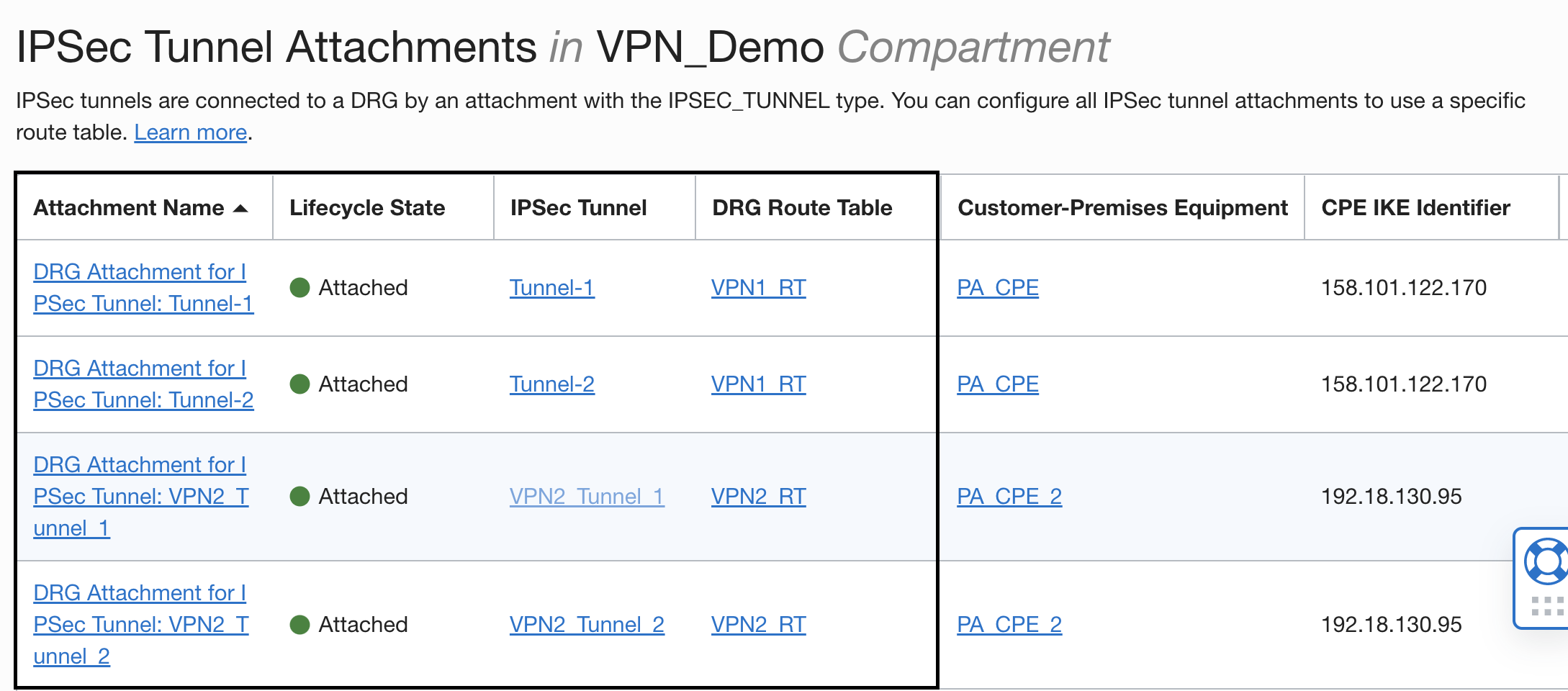
At the end of this step, configuration of DRG attachments should look like:
Verification:
We want Customers A/B to talk only to OCI_VCN/OCI_VCN_2 respectively and vice versa. No other connectivity should be possible.
So, expected result should be:
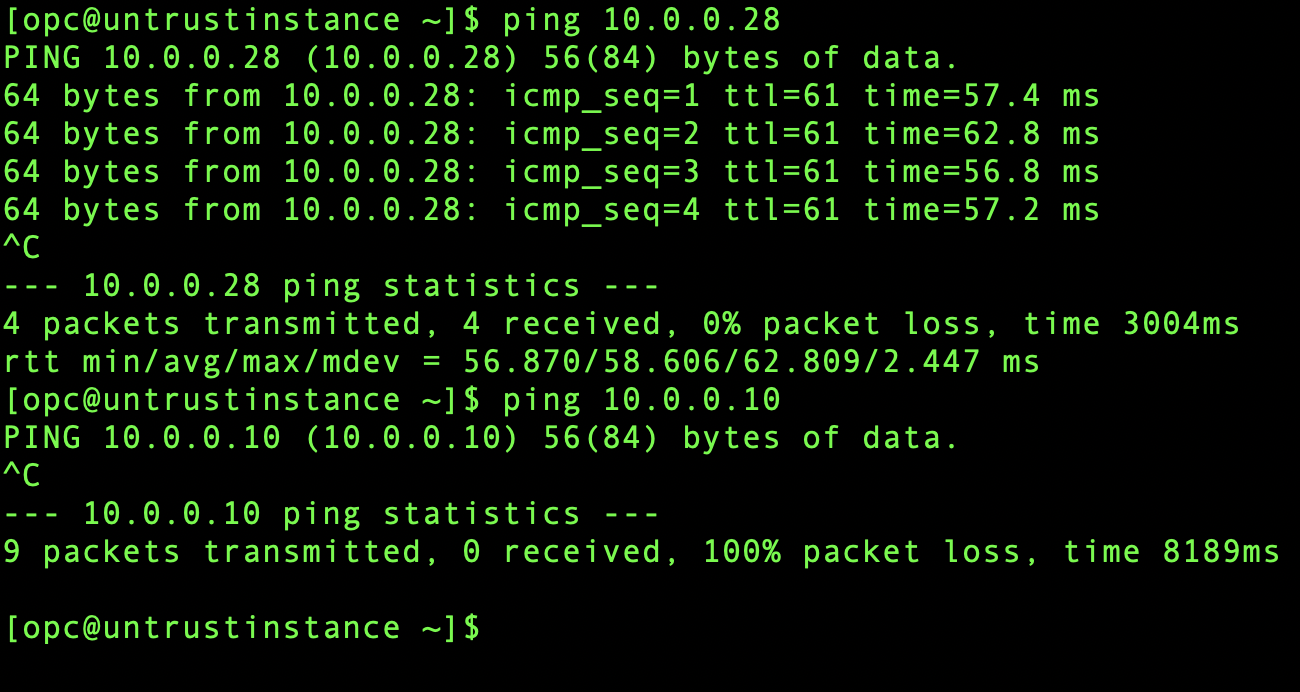
10.0.2.67 should only be able to reach 10.0.0.28 and vice versa
10.0.2.83 should only be able to reach 10.0.0.10 and vice versa
10.0.0.10 should not be able to reach 10.0.0.28 and vice versa
Ping test from 10.0.2.67:
Ping test from 10.0.2.83:
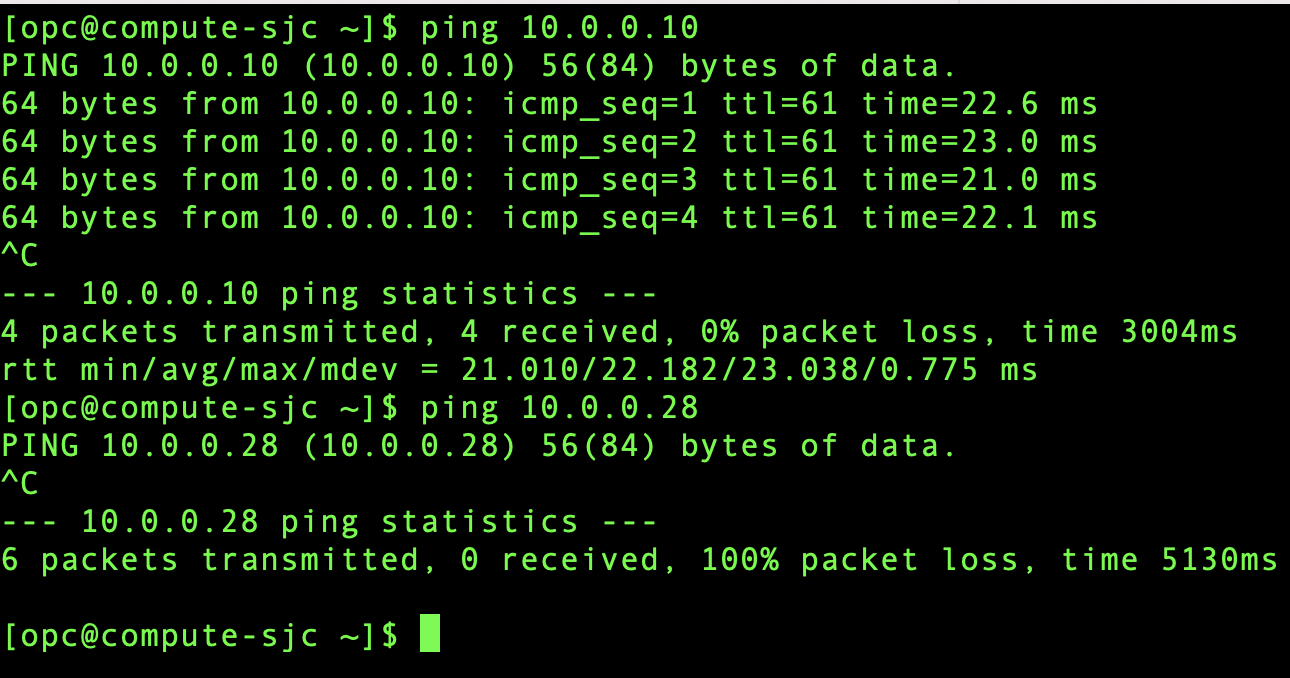
Ping test from 10.0.0.10:
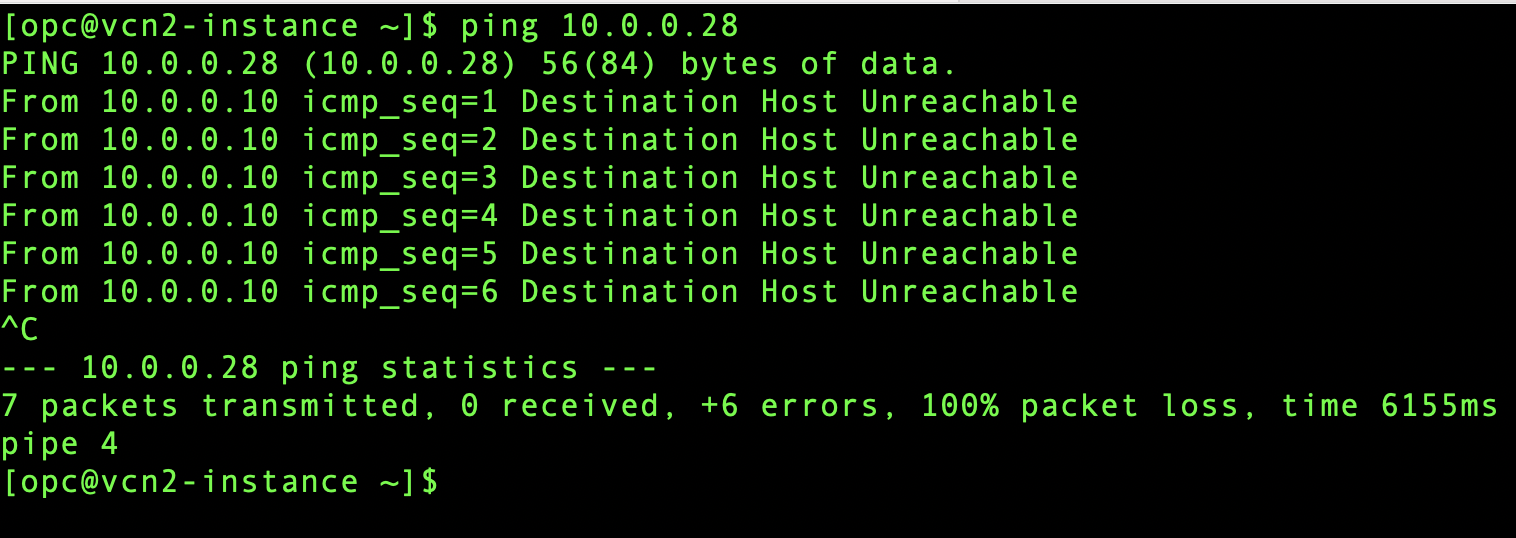
Ping results are as expected.
Conclusion:
In this blog, we utilized DRG’s import route distribution feature to successfully isolate different customer’s or department’s networks with same CIDRs from one another at layer 3. You can also use this feature to isolate VCNs with same CIDRs on OCI.
View the companion video for this blog: