
Hi! In this blog post we will talk about OCI Private DNS and attaching Private Views across OCI tenancies.
OCI Private DNS refresher
In OCI, each Virtual Cloud Network has its own private DNS Resolver. The components are depicted in the diagram below:
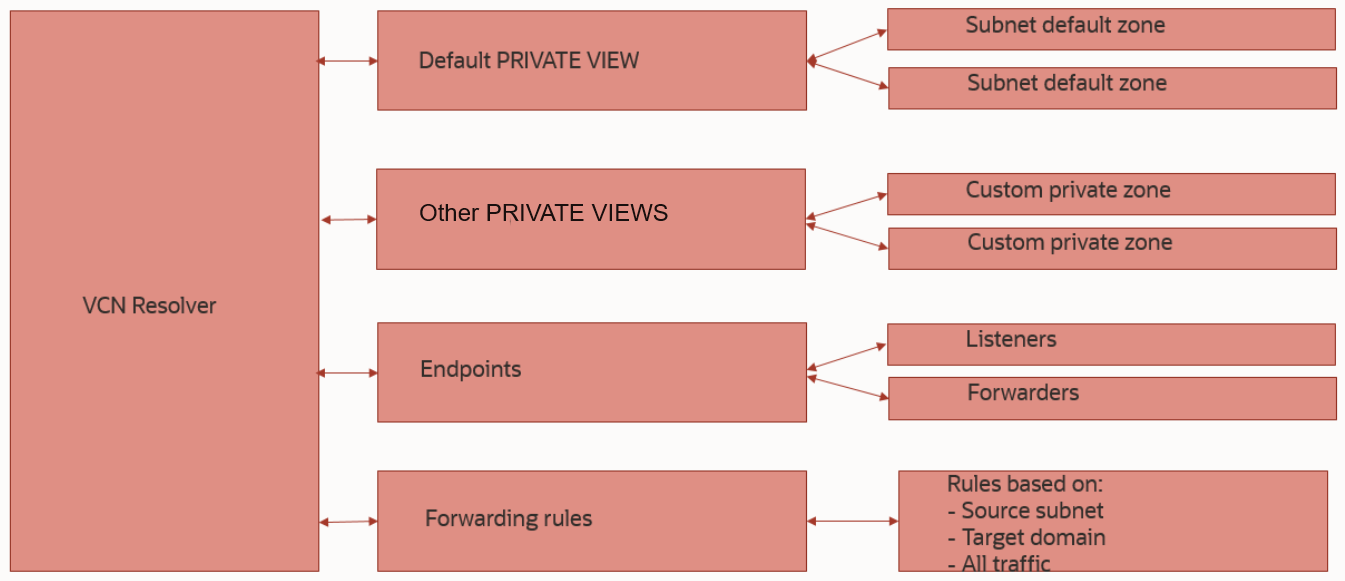
For the purpose of this blog, we will focus the discussion on Private Views. These Private Views are a logical container for Private DNS Zones.
– Each VCN has a default private view which contains all the auto generated DNS Zones. These zones are the actual subnet zones, because each VCN Subnet creation generates a private zone in the format of subnet-name.vcn-dns-name.oraclevcn.com.
– Each VCN can attach other private views which can be custom private views manually created (which contain custom DNS Zones) or the default private views of other VCNs, in the same OCI region.
If you want to read more on how OCI Private DNS works, please go through this blog post.
Cross tenancy Private View attachments
Until recently, you could only attach DNS Private Views to a VCN DNS resolver if both were in the same region and tenancy. However, we now support having them in different OCI tenancies and only the region has to be the same. How is this helping? Well, the recommended way of cross tenancy DNS resolution is still with conditional forwarding and DNS Endpoints (Listener/Forwarder). However, in some corner cases, conditional forwarding would become too cumbersome to deal with and the operational tasks will increase too much. Let’s see some examples:
– Let’s say we have a parent tenancy and a number of child tenancies, each tenancy having 3-4 VCNs. While setting up conditional forwarding between all of them will work, each time someone deploys a new VCN or a new custom DNS Zone, the conditional forwarding rules will need to be updated in multiple places. The alternative to that is to have a centralized DNS HUB VCN which “knows” all the views (and implicitly all the DNS Zones) in the tenancy and region, and all other tenancies will forward all DNS traffic to that HUB.
– A second example would be conditional forwarding between a customer datacenter and OCI. Again, if there are multiple tenancies and VCNs, the easiest way is to have a HUB that “knows” everything and on-prem DNS servers will be pointed to that HUB.
As a summary, cross tenancy private view attachments can be used to simplify DNS resolution between customer datacenters and OCI, or between OCI tenancies. However, the conditional forwarding method is still the recommended way of doing cross tenancy DNS resolution.
Before moving to the actual demo, let’s understand how it works and what are the caveats:
1. The most important aspect is the Identity part as any user trying to perform the work will need IAM policies which give access to both tenancies. While the user can be part of either tenancy, note that the IAM policies will defer quite a lot, based on the user’s tenancy.
2. At this time, the work cannot be performed in the OCI Console as it is only available via APIs. My demo will show the needed commands for OCI CLI.
3. The OCI Console will provide limited information, meaning you will be able to see that the VCN has the Views attached based on OCID, instead of the actual name, but no other information is available for the tenancy that holds the VCN Resolver.
Demo
For the demo, I will show how we can attach two Private Views from a tenancy to a DNS Resolver in another tenancy.

IAM Policies
For the required IAM policies, it is important to discuss the following:
– The policies change based on the requestor’s tenancy. For the demo, I will be part of the tenancy holding the VCN and the IAM policies will reflect that.
– The policies are created based on IAM Groups so make sure you select the correct Group OCID.
– The policies are created in the Default IAM Domain. If you use a different domain, adjust the group definition to reflect that.
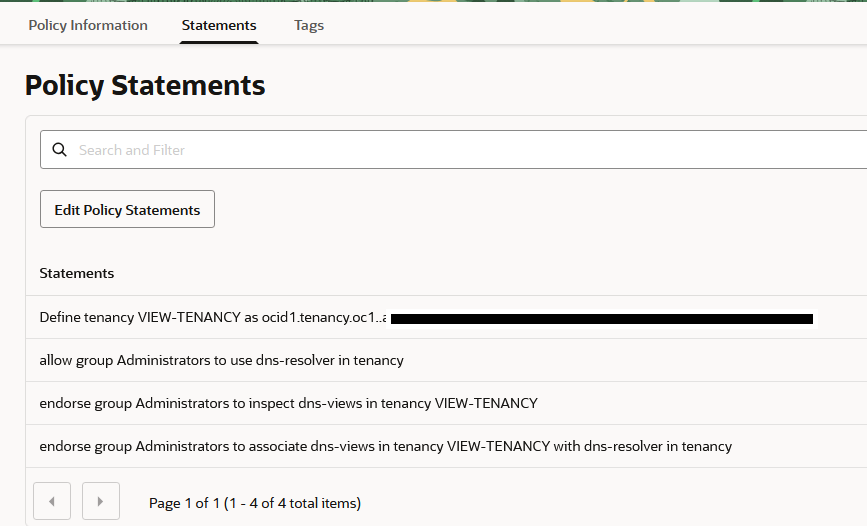
Policies for the requestor tenancy, which holds the VCN and Resolver:
Define tenancy VIEW-TENANCY as ocid1.tenancy.oc1..aaaaaaaamy.....
allow group Administrators to use dns-resolver in tenancy
endorse group Administrators to inspect dns-views in tenancy VIEW-TENANCY
endorse group Administrators to associate dns-views in tenancy VIEW-TENANCY with dns-resolver in tenancy
Note that we need the OCID of the other tenancy.
Policies for the acceptor tenancy:
Define tenancy VCNTenancy as ocid1.tenancy.oc1..aaaaaaaaa3qmjxr43tjexx75r6gwk6vjw22ermohbw2vbxyhczksgjir7xdq
Define group VCNTenancyAdmins as ocid1.group.oc1..aaaaaaaa2pyncdt6xgrguak5w3zqh36kncsvha2dmektjeugz5caolb57naq
admit group VCNTenancyAdmins of tenancy VCNTenancy to inspect dns-views in tenancy
admit group VCNTenancyAdmins of tenancy VCNTenancy to associate dns-resolver in tenancy VCNTenancy with dns-views in tenancy
I will create these policies in the tenancy holding the private views:
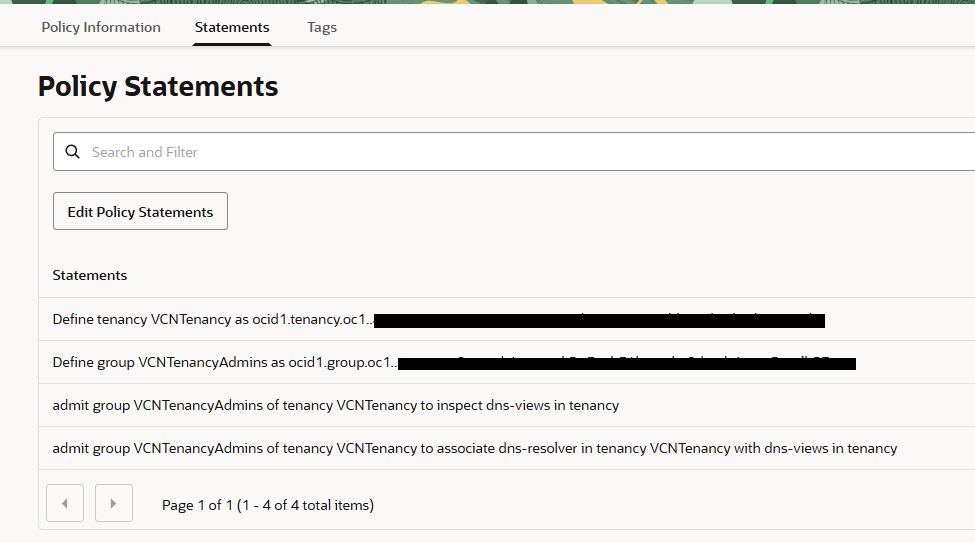
Note: Create the IAM policies, in their respective tenancy, under the root compartment. If you do not feel comfortable with giving access to the whole tenancy, you can adjust the policies to give access to a specific IAM compartment that holds the Private Views.
OCI CLI
Once the IAM policies are defined in both tenancies, it’s time to perform the actual work. For this we will need the following:
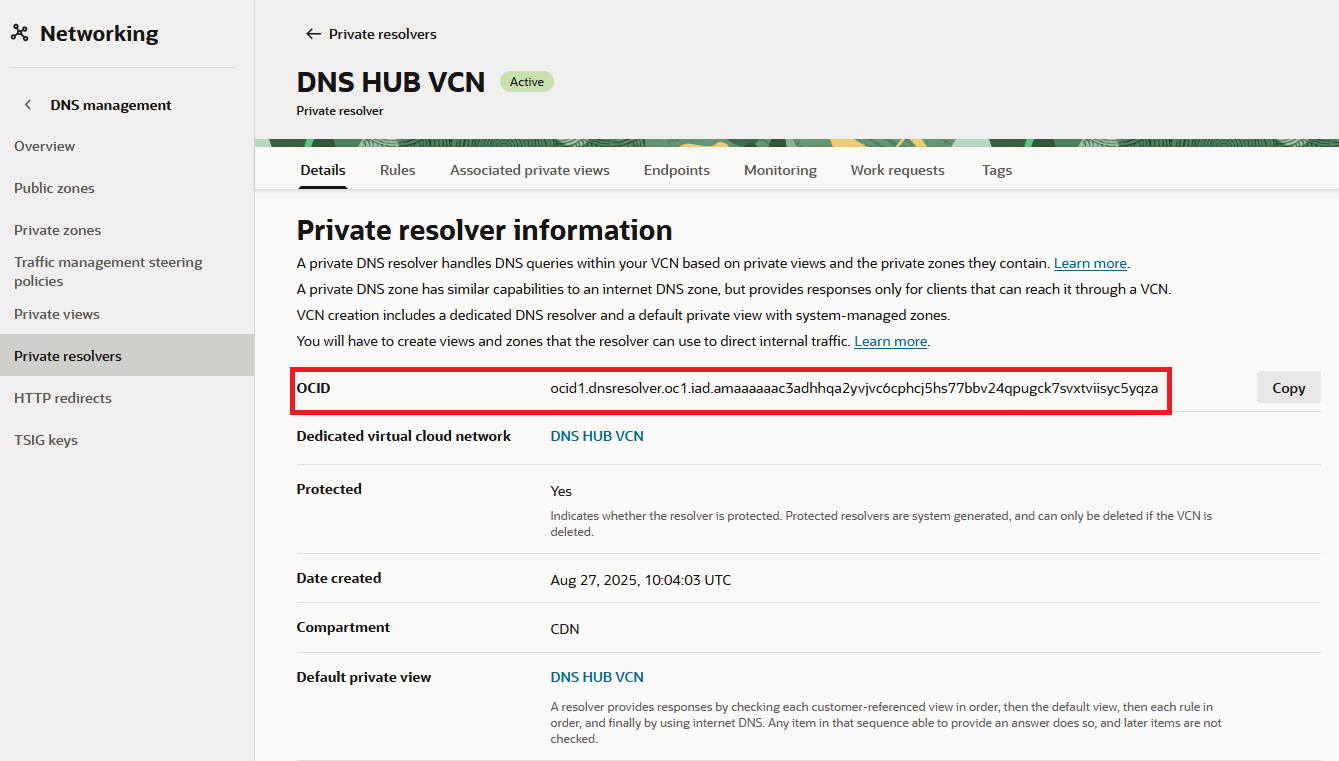
1) Source tenancy DNS Resolver OCID , which, for me is ocid1.dnsresolver.oc1.iad.amaaaaaac3adhhqa2yvjvc6cphcj5hs77bbv24qpugck7svxtviisyc5yqza
2) The OCIDs of the Private Views, from the other tenancy, which are:
ocid1.dnsview.oc1.iad.aaaaaaaalwnatnvp7yxw5jr56q7xtxxasfszaakfqivqll5iuqbwyhe5kajq
ocid1.dnsview.oc1.iad.aaaaaaaaeopuhjmi5eks7a67twg7y43lh2yz5jzn6mponruoj2ynsaup5soq
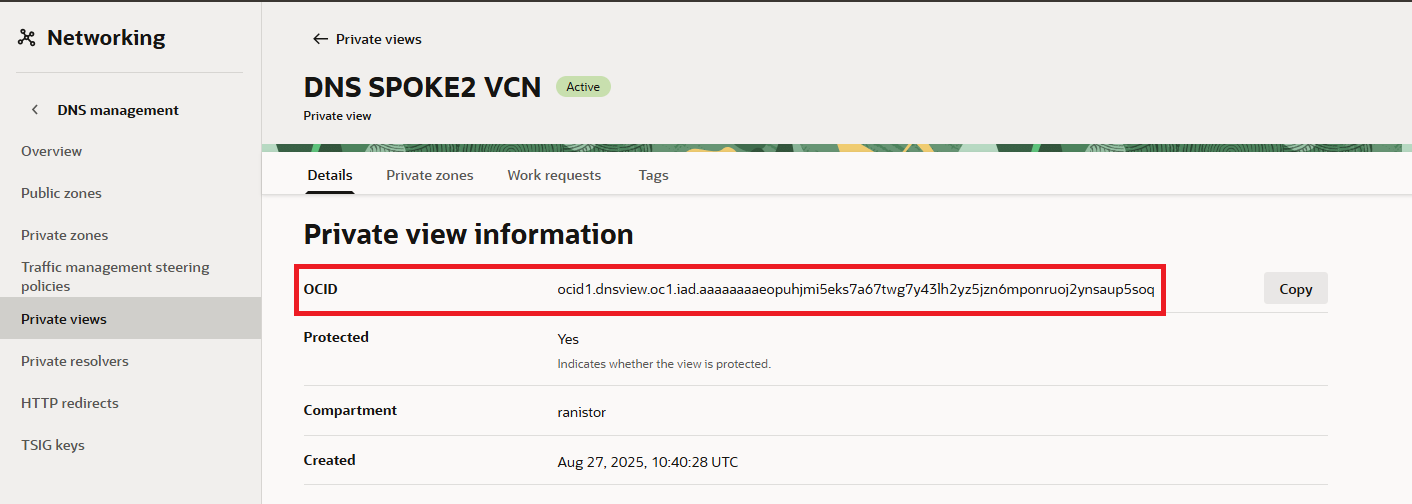
The command to update the resolver, in OCI CLI, is:
oci dns resolver update --resolver-id resolver-ocid --attached-views view-ocids-in-json-format
So, for me, this will be:
oci dns resolver update --resolver-id ocid1.dnsresolver.oc1.iad.amaaaaaac3adhhqa2yvjvc6cphcj5hs77bbv24qpugck7svxtviisyc5yqza --attached-views '[{"viewId": "ocid1.dnsview.oc1.iad.aaaaaaaalwnatnvp7yxw5jr56q7xtxxasfszaakfqivqll5iuqbwyhe5kajq"},{"viewId": "ocid1.dnsview.oc1.iad.aaaaaaaaeopuhjmi5eks7a67twg7y43lh2yz5jzn6mponruoj2ynsaup5soq"}]'
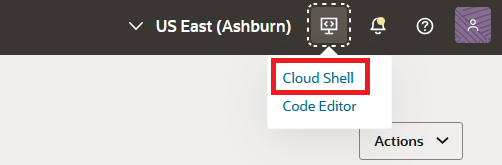
Let’s see it in action. The easiest way is to simply start OCI Cloud Shell which gives you access to a managed Linux host that has OCI CLI preconfigured:
Next, simply issue the command above. If the IAM policies are correct, you will see a confirmation that the DNS Resolver is updating:
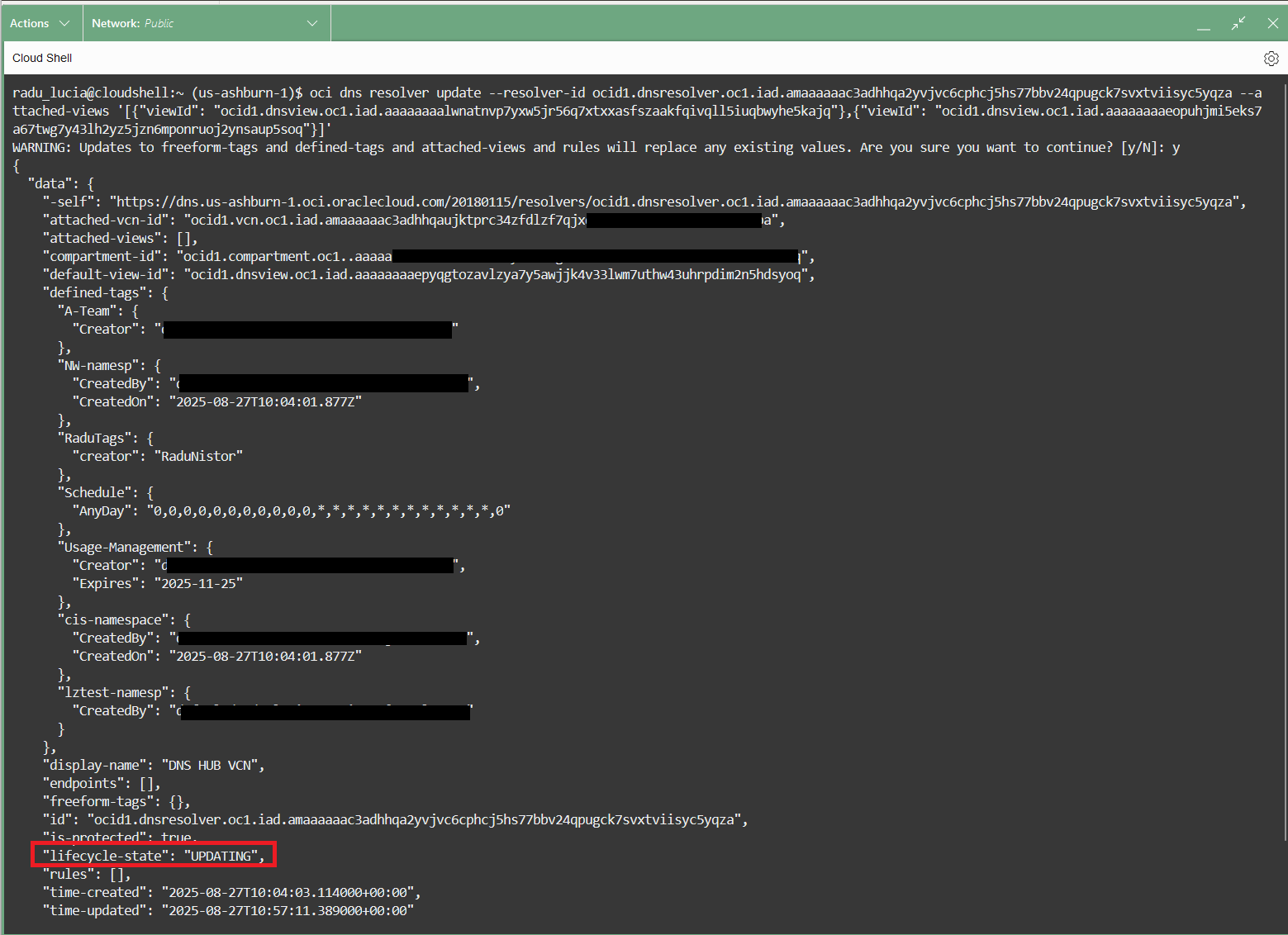
If the IAM Policies are incorrect, you will see a 404 NotAuthorizedOrNotFound error.
IMPORTANT: The command REPLACES all attached private views on the resolver, it does not update them. So, if you have existing attached views you will need to add their OCIDs to the command or you will lose DNS resolution for them.
Finally, let’s see the OCI Console:
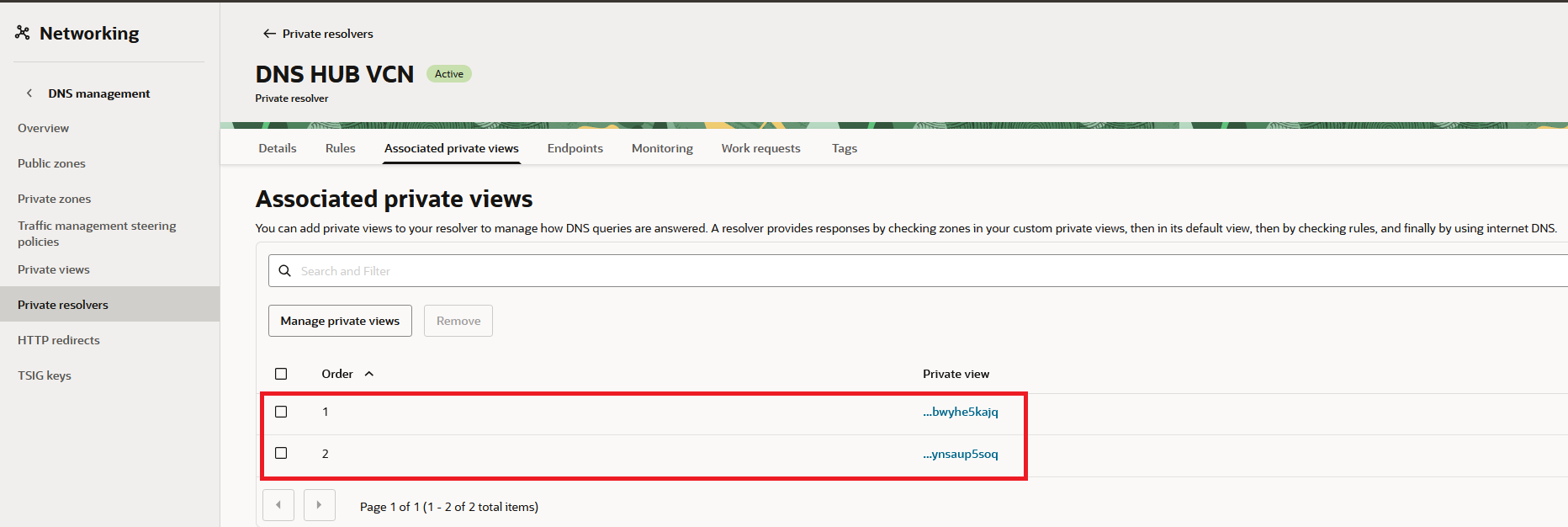
We can see the VCN Resolver has attached the two DNS Views, from the other tenancy.
And this concludes the blog, I hope it helps you!