
OD@Azure enables customers to transition to the Oracle Exadata platform while utilizing Azure for their compute needs.
When considering the deployment of OD@Azure, customers must make a crucial decision regarding DNS configuration. OD@Azure offers three options for managing DNS during deployment. This choice is made at the time of creating the VM cluster. Below are the three options available:
Managed DNS
This is the default option where Oracle manages the DNS setup during the provisioning process. Oracle will create A records for the VM Cluster, and the scan will utilize the *.oraclevcn.com FQDN. This integration is necessary because the Exa control plane operates within OCI, which employs OCI’s private DNS service during provisioning. Additionally, the provisioning process will synchronize these A records with Azure’s private DNS. Therefore, if you are using Azure’s private DNS, everything will be configured seamlessly from a DNS perspective, straight out of the box.
For managed DNS option do not check the custom DNS option during the VM cluster provisioning process

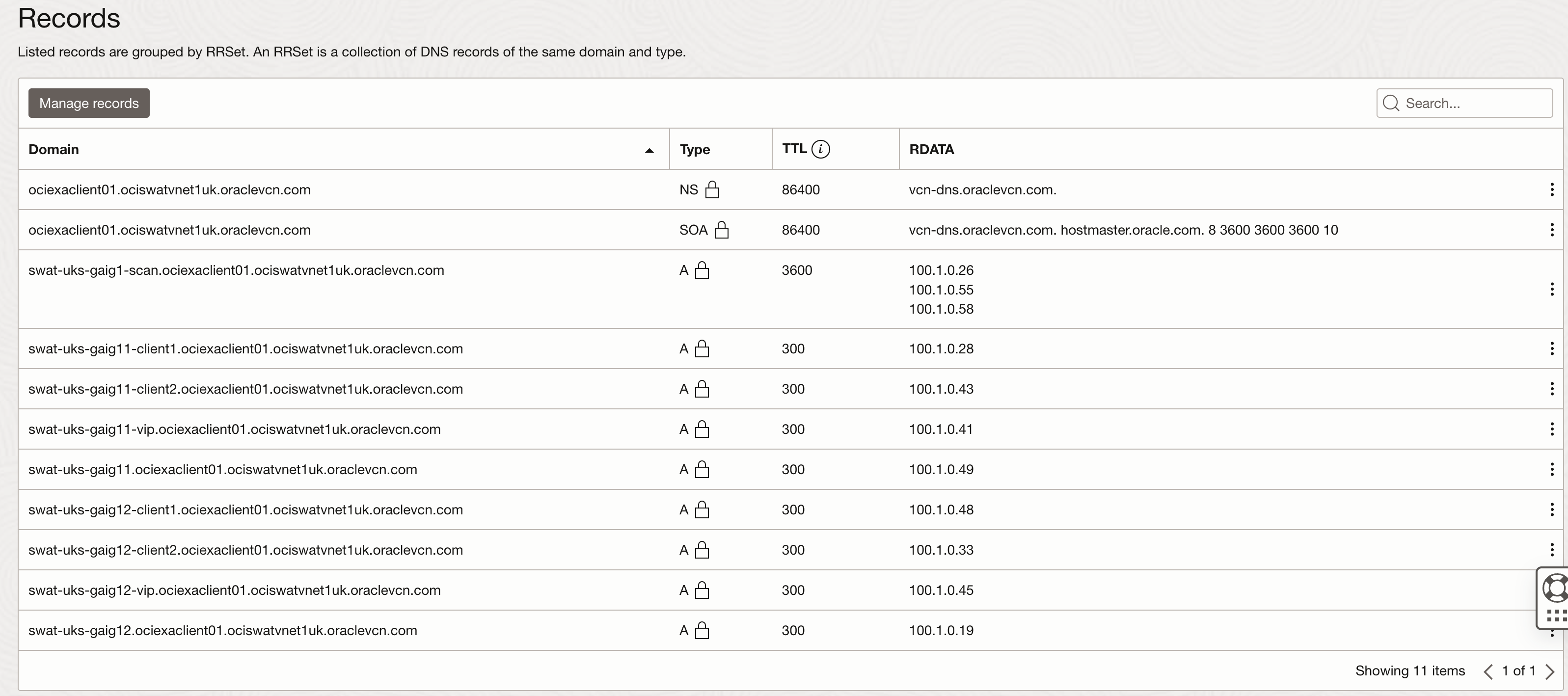
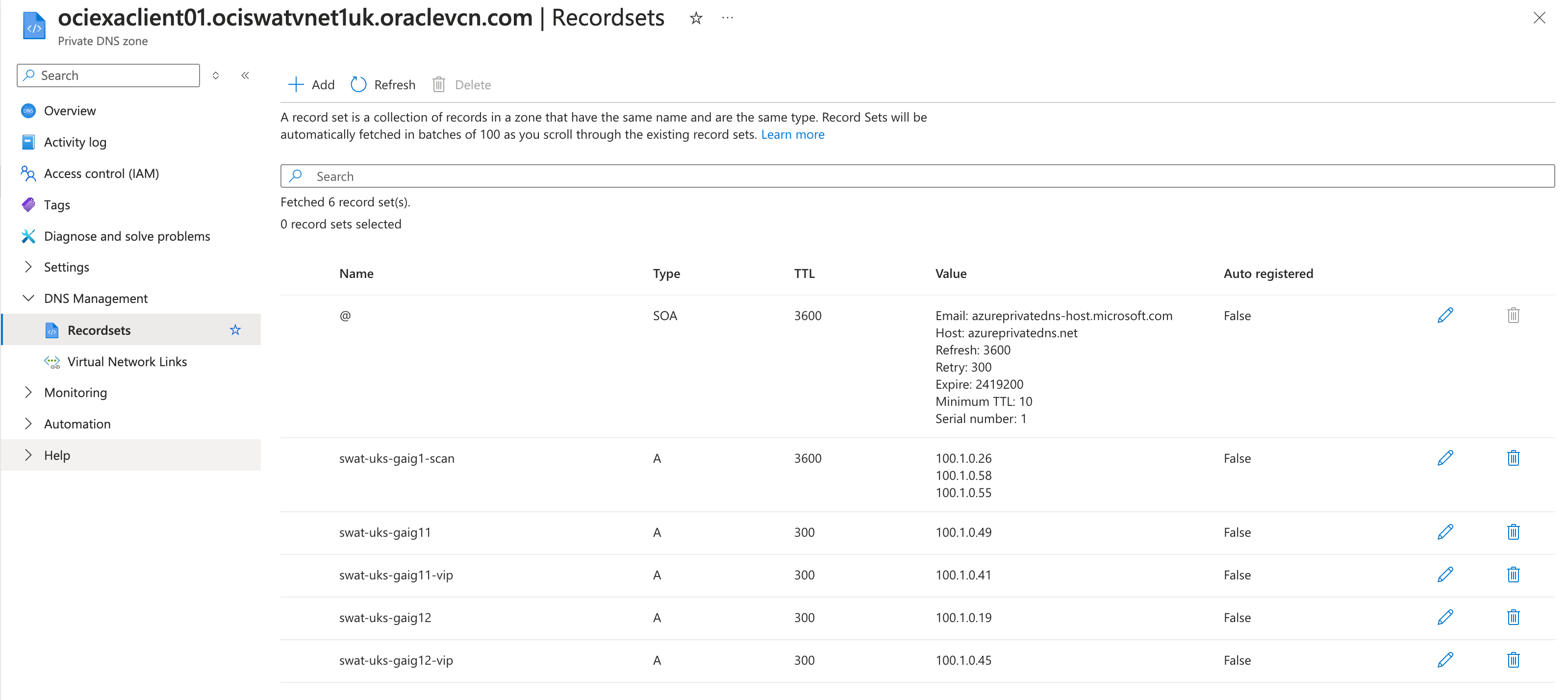
Let’s a take look how this will look like in OCI and Azure console once the provisioning is completed.
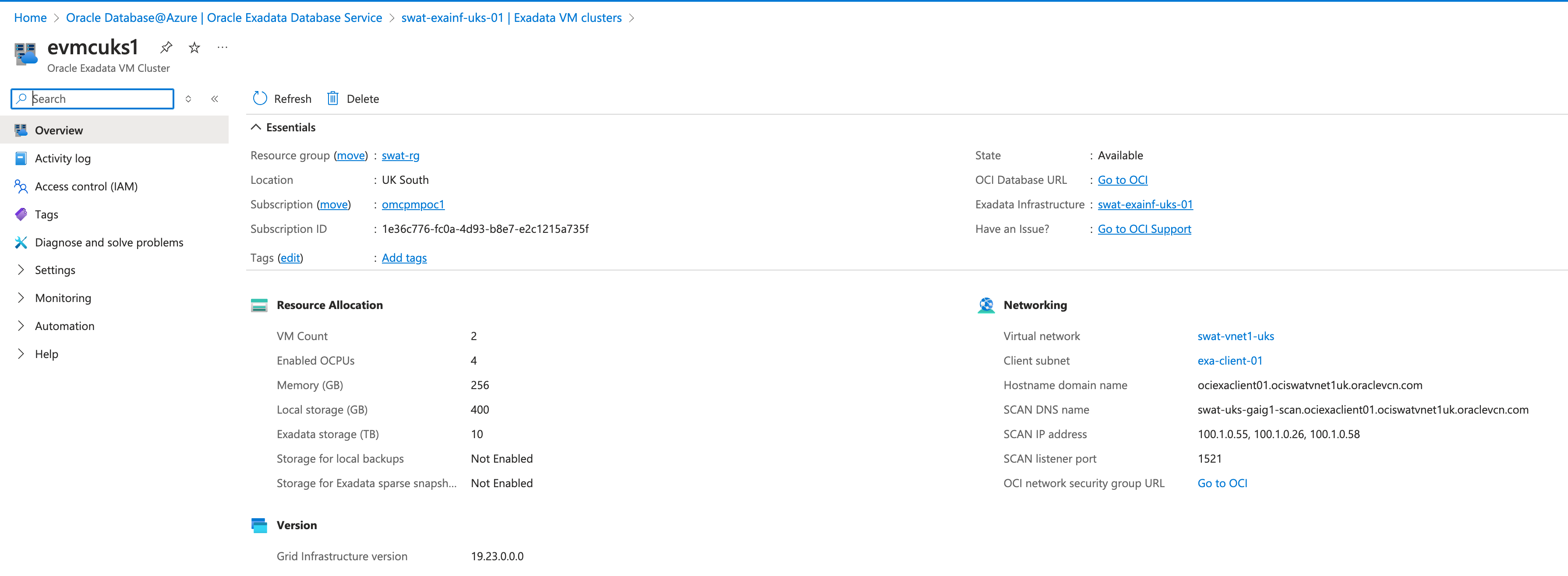
You can see that FQDN has been created with *.oraclevcn.com and relavent zone have been created on both sides OCI and Azure.
Similarly on Azure side
Custom FQDN
With managed DNS, the FQDN generated is *.oraclevcn.com, which may not be preferred by some customers, especially those already using it in OCI and unable to apply it in Azure. Oracle offers an alternative where customers can specify any FQDN of their choice during the provisioning process. However, the downside of this approach is that it does not support one-way synchronization between OCI and Azure which we saw with managed DNS. As a result, customers will need to replicate the A records created in their custom zone within OCI Private DNS.
Let’s explore how to set this up.
First, we will create a test VM cluster with a custom FQDN. To do this, you’ll need to first establish a private zone along with a private view in OCI Private DNS.

Lets deploy the VM cluster. I have already created a new demo VNET and delegated subnet.
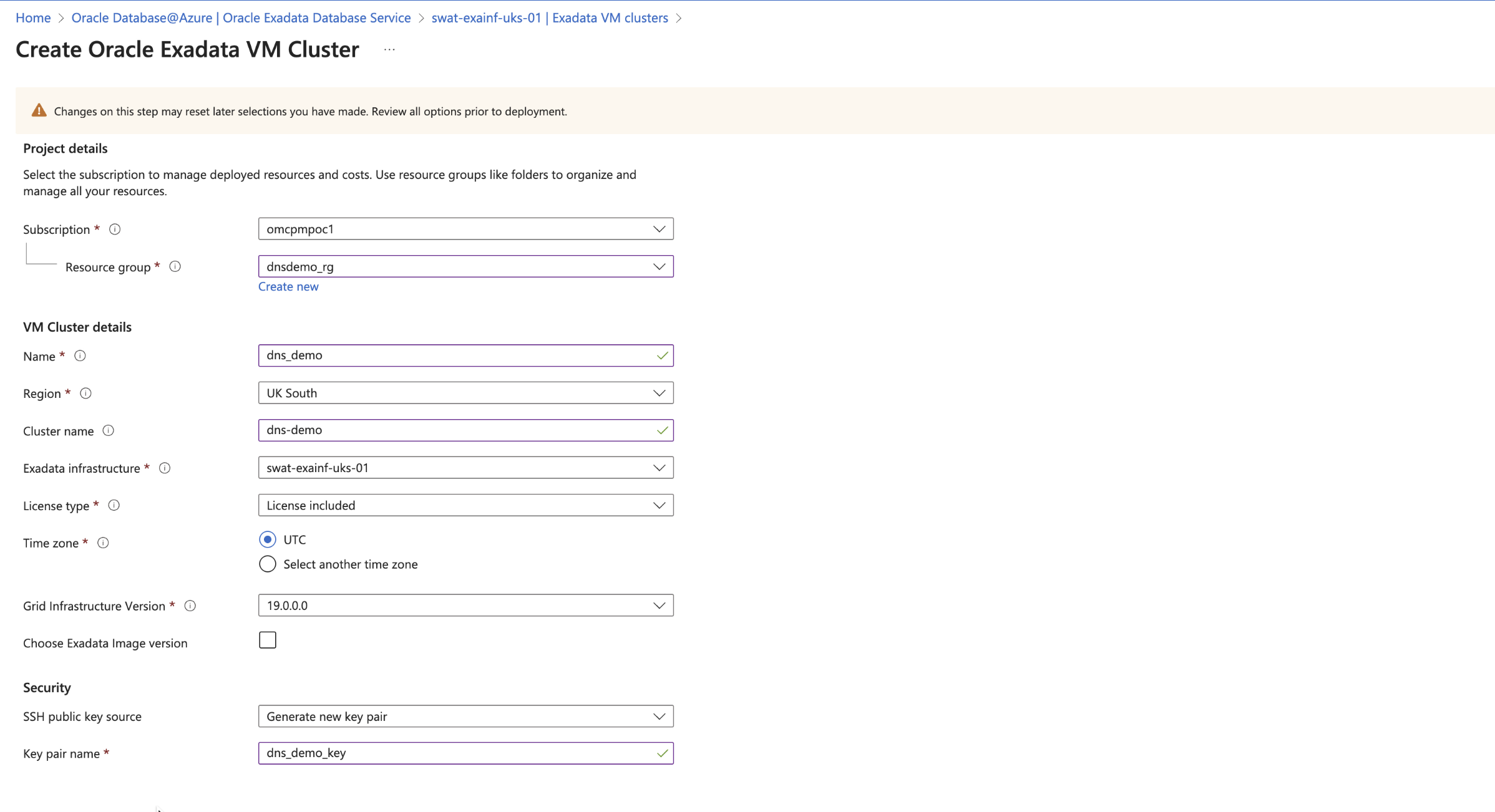
Since we have created the private view in advance before provisioning the cluster when custom DNS option is checked Azure will automatically pick the cutom private view that has been created in OCI private DNS.
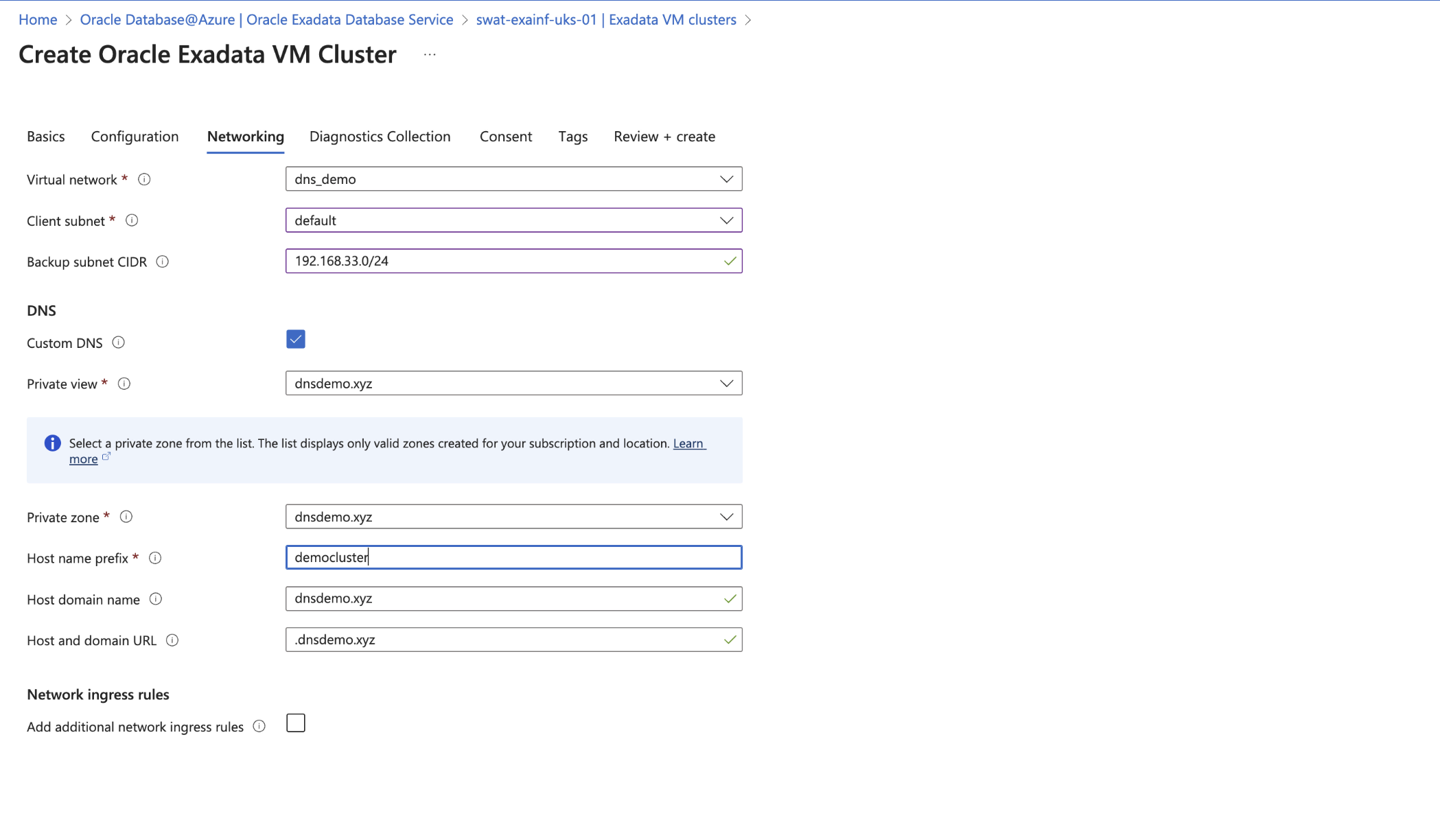
Once provisioning is complete you can check out the DNS entries added by the provisioning process in OCI console.
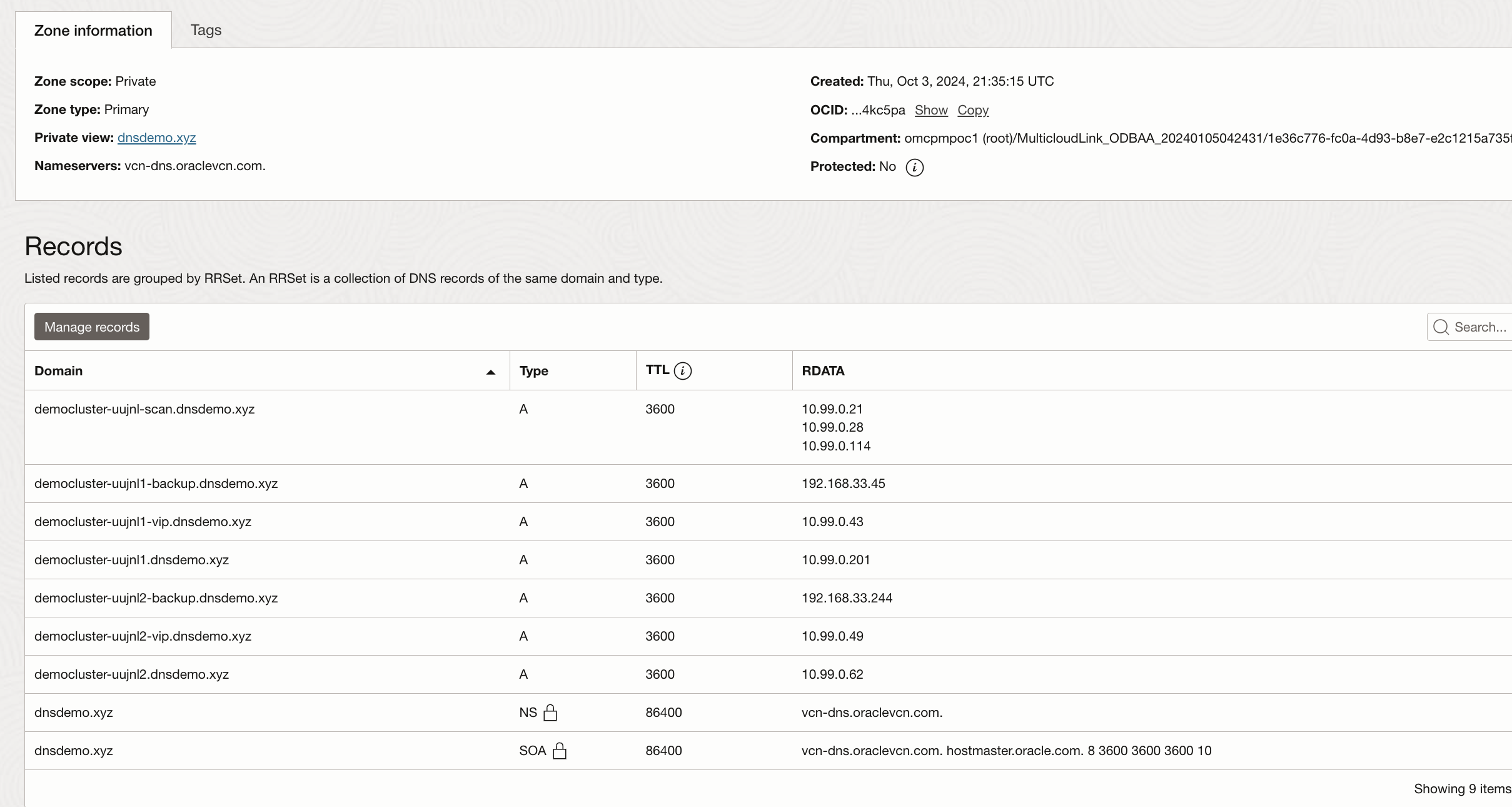
DNS records have been successfully created in the OCI Private DNS. Azure resources can access these entries in several ways. The simplest method is to replicate the OCI private zone entries in Azure Private DNS. Alternatively, you can create an OCI DNS listening endpoint to forward requests to the OCI Private DNS.
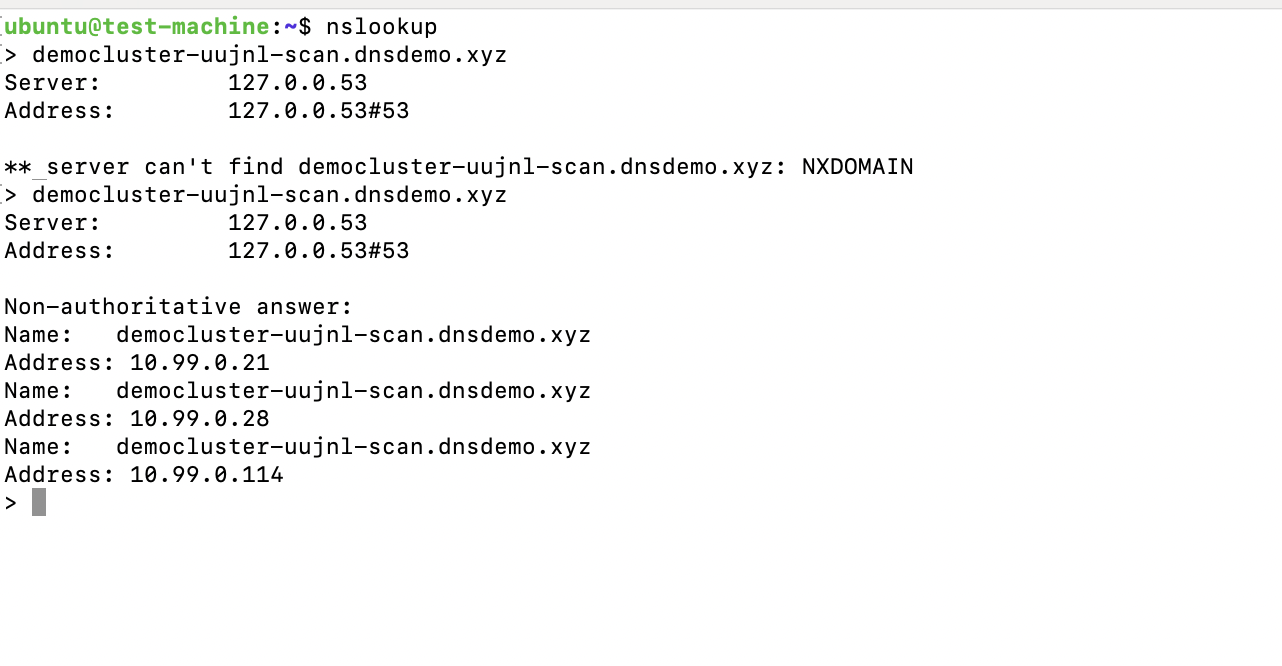
I have a test instance within the same VNet as the ExaData deployment. Let’s see if that instance can resolve the scan FQDN

It seem the we are not able to resolve. This is because with custom FQDN option DNS records in Azure are not replicated by default. Customers have to manually do it. Let’s replicate the DNS records created in OCI DNS to Azure DNS. I am only adding scan FQDN as an example but it is recommended to add all the records from OCI to Azure.
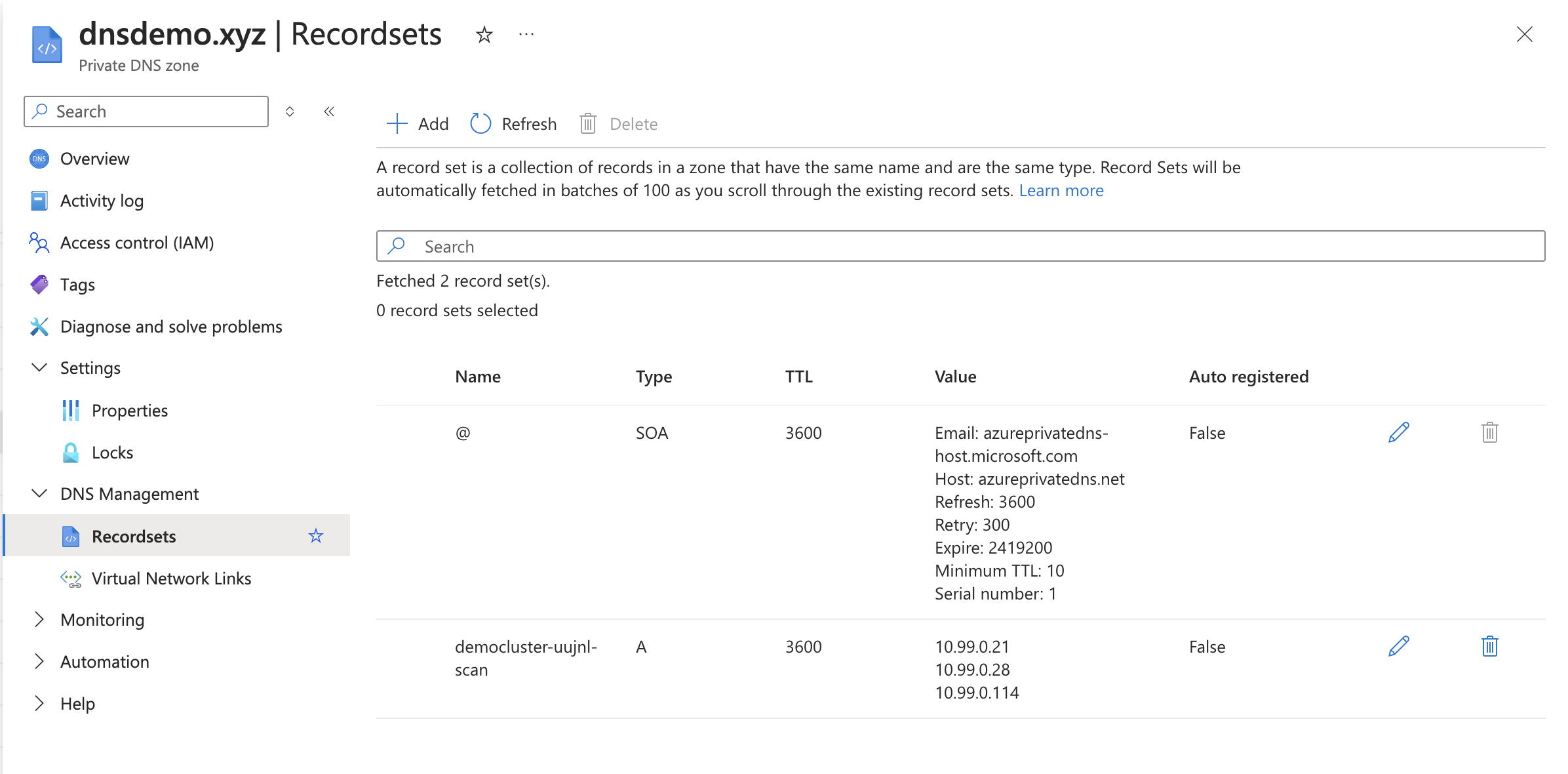
Just creating a record is not enough we also need to link the records to the VNET

Let test again
Custom DNS
Customers also have the option of adding a custom DNS as well. For example, if customer wants to use a third-party DNS such as Infoblox on Exadata. Since this doesn’t involve Azure or OCI private DNS all customer has to do is update the DNS on VM cluster.
Conclusion
The main purpose of this blog was to help customers understand what DNS options are available when it comes to Oracle Database at Azure.