
In November 2023, Oracle announced that Oracle Social Network has reached “End of Life” and from Fusion Applications Update 24C it will no longer be available for use. This sample solution has been made available and demonstrates how to integrate Fusion Applications with Microsoft Teams. Please see Oracle support note 2965583.1 for more details on the Oracle Social Network Cloud Service (OSN) end of life.
Customers can now choose to implement this custom solution or implement their own solution . Furthermore the source code to the solution has been released with an OTN license that allows production use and modifications. Customers can implement this solution as is, or they can customize/extend the solution to meet their needs.
Supported Features
The solution supports the following features:
- Ability to create teams, and associated conversations, in Microsoft Teams for an Oracle Fusion business object, all from within the Oracle Fusion user interface
- Ability to view conversations stored in channels, within Oracle Fusion, without needing to use the Microsoft Teams client.
- Ability to view conversations that support text, images, emojis and links to attachments.
- Ability to view conversations in Oracle Fusion without being a member of the team. If you have access to the object in Oracle Fusion then you are able to view the conversation.
- Ability to navigate to the specific conversation in Microsoft Teams. When this is done, you are automatically added to the team and will receive Microsoft Teams notifications etc.
- Non-Oracle Fusion users can be added to conversations without needing an Oracle Fusion Applications account.
- Support for 13 objects in Oracle Fusion
- Support for change events for 5 Oracle Fusion objects. When an object is changed in Oracle Fusion, a message is added to the conversation in Microsoft Teams and the header card is updated.
- Extensible architecture, ready to support new objects and change events (where available) or add custom functionality, e.g., auditing data to a custom database of your choice.
- Conversation data is stored only in Microsoft Teams
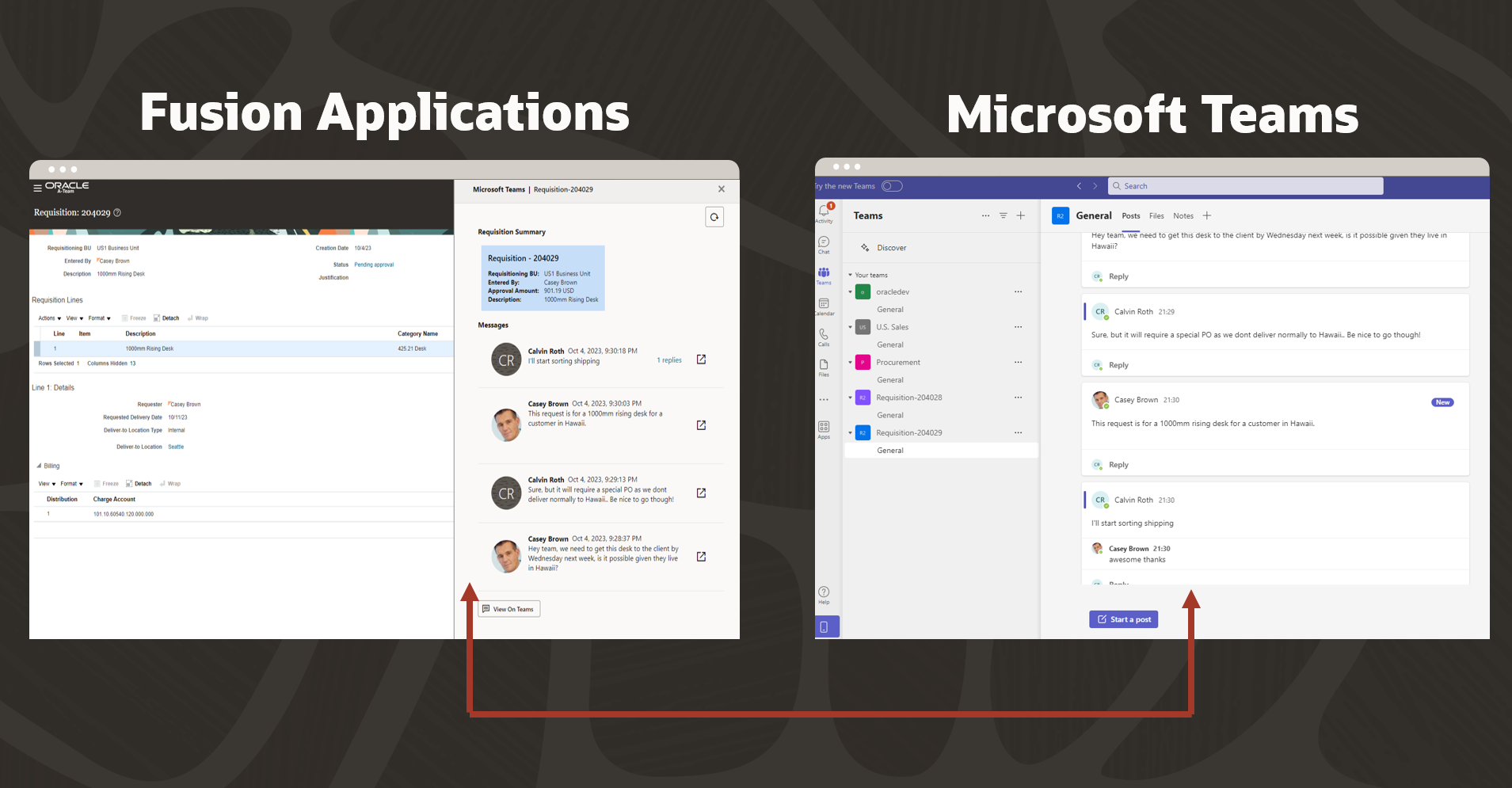
Conversation Creation with Optional Change Events
When users navigates to a supported object in Oracle Fusion, they will have the option to show the Microsoft Teams conversation. If the object doesn’t have a conversation associated with it, the user is then given the option of creating a conversation for this object without needing to navigate to Microsoft Teams.

When conversations are created, a header card is automatically created as the first message of the conversation. The header card displays customizable key information related to the object. For objects which support change events, the header card is kept up to date and a message highlighting the changes is added to the conversation. This means members of the conversation are immediately notified of changes.

V2 Brings Support for Redwood User Interfaces!
In our v2 release we now have added support for Oracle Fusion Redwood screens, these are screens within Oracle Fusion which are built entirely using Oracle VBCS and this integration now embeds nicely within these screens. At the time of writing we only support Opportunities but the same techniques can be used to support other Redwood screens as and when they become available.

Supported Objects
The integrated in version 1 supports the following object and change events . If you want to support a new object it is possible by following one of the guides in the “Whats Next” section, e.g. How to add support for new objects in Fusion Applications User Interface
Supported Objects
| Fusion Product Family | Fusion Business Object | Supported Oracle Fusion User Interface Screen | Supports Change Capture? |
| Finance | Journal Batch | Manage Journals (Tasks) | Yes |
| Finance | Receiveable Invoices | Billings | No |
| Finance | Payables Invoices | Manage Invoices | No |
| Finance | Period Close | Period Close | No |
| Sales | Contract | Manage Contracts | No |
| Sales | Opportunity | Opportunities | Yes (Simplified UI and Redwood) |
| Sales | Activity | Sales Activities | Yes |
Whats Next?
For more information on this solution the best approach is to download the solution from https://www.oracle.com/middleware/technologies/fusion-applications-downloads.html . The download file will contain all the install guide , a user guide and all the source code for the solution.
We have also published a number of blog here on A-Team chronicles explaining the architecture , how we can extend the sample add custom business objects etc., Bookmark and check this page often for updates.
Where to Download?
You can download the solution from https://www.oracle.com/middleware/technologies/fusion-applications-downloads.html , if you are on windows we recommend you use 7zip to unzip the files.
A-Team